Transcripts
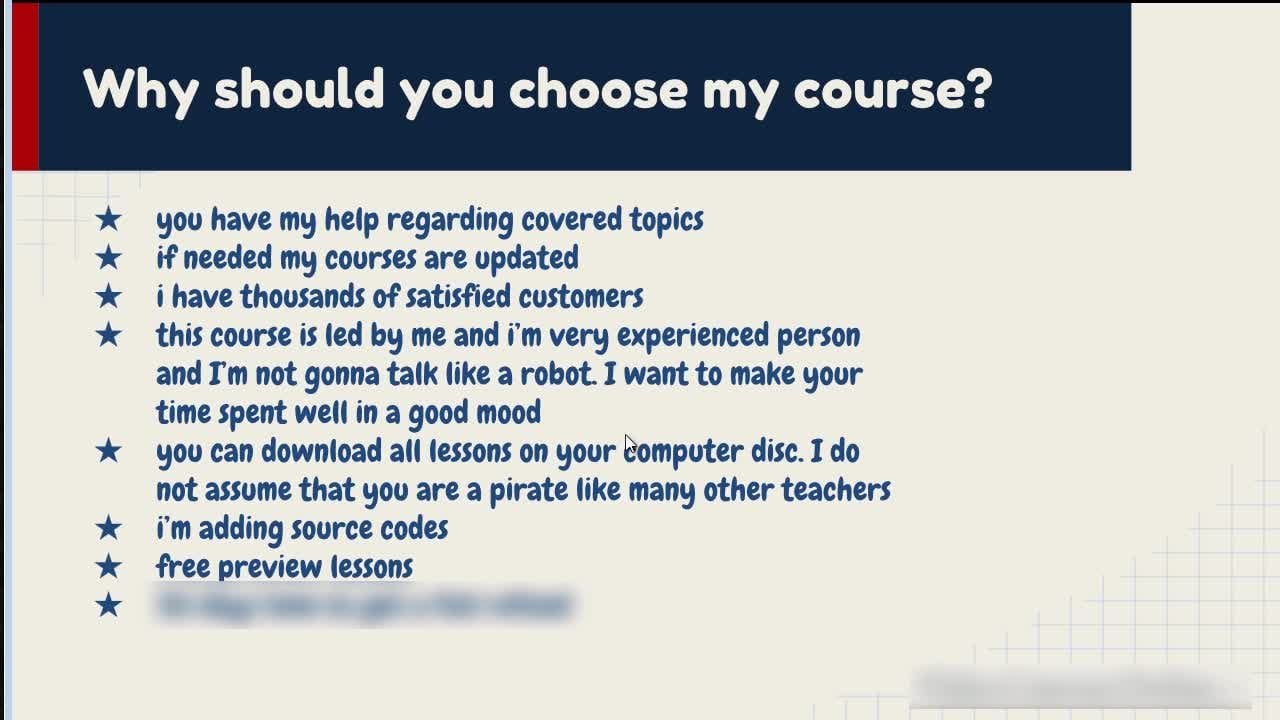
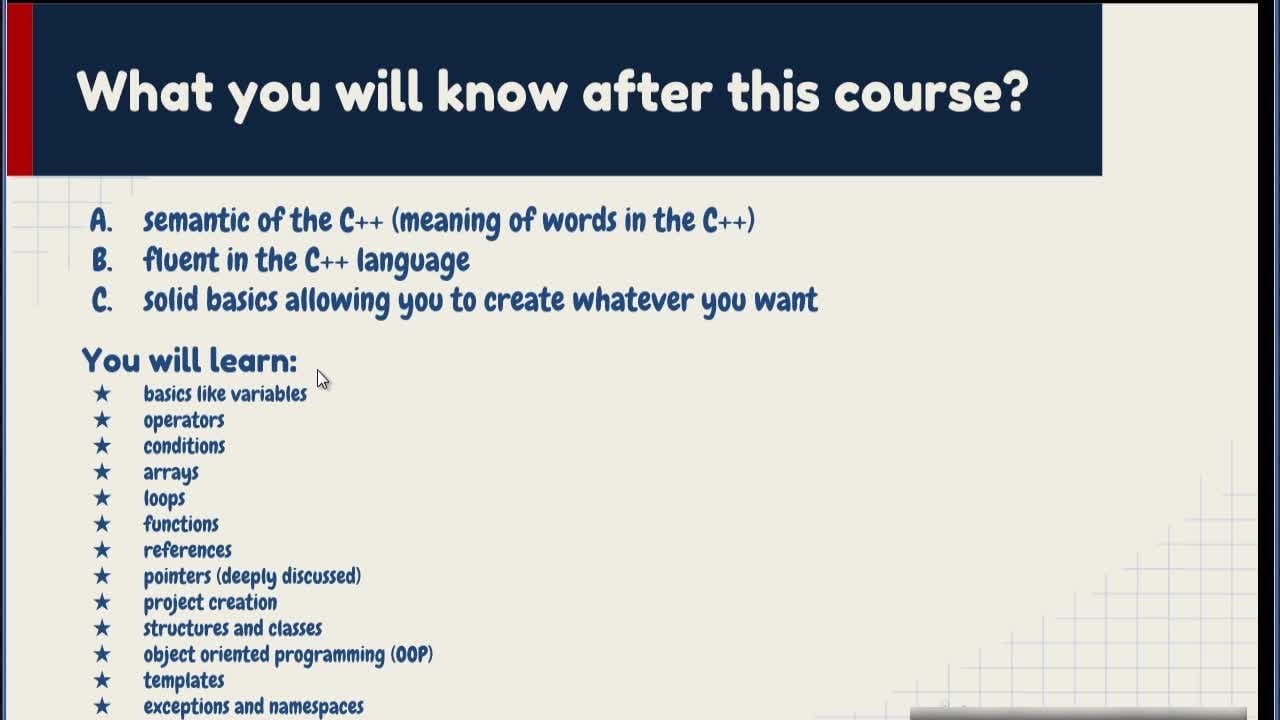
1. What will you know after this course?: Hello, my friend. Welcome to the video cars regarding Piped on. This course consists off over 70 lessons and it's over 10 hours long. Yes, it's so big. If you're asking yourself each time when you learn something new questions like why the window envelopes? Why they're constructed like that and so on. Then you are in the right place because I would explain you everything. The regarding the vital from scratch. I believe that everyone has the ability to develop software ive they are taught properly, including you. I'm going to give you the context off age new concept I t Jew. After my course, you will finally understand everything that you coat what you will know after discuss. As you can see, you will know lots of stuff. You will know semantic off fighting, which means meaning of words. In Parton. It would be fluent in this language which will allow you to create whatever you want. You will know things like functions operators, how to parade in string, conditional statements. Differences between these collection stop of dictionaries went to use each of them how to measure the performance and so on lobes how to handle fires importing pipe and libraries. And that's not all I showed during the course. A lot off practical examples. Okay, So you might be also asking yourself Why should you choose my cars? Because I have enormous experience in teaching other people and I do it a different way. I always explained everything from scratch. I do not omit anything after discourse. You have knowledge. And what is the most important thing? Ability Toe read, fightin without any problems. If you know how to read, fight on libraries, you condemn program whatever you want. My courses are updated frequently you have held regarding cover Top is if you have any questions, you can just ask them. I really love helping other people. What you should know before discourse This empty space suggests that, Yeah, you don't need to know anything. This is a course for beginners. You can just start watching discovers without totally any knowledge regarding programming, you can just watch it and become somebody who can program in Titan. Who am I? Well, my name is our cottage with Africa, and I have enormous experiences you can see in programming in developing websites. And also I have over 100 thousands off students who have enrolled my courses. So yeah, lots of people believe in me. They are mostly satisfied. As you can see, here are sample common sample reviews about my courses. You can read more about more reviews regarding my courses on Internet. If you have any questions, remember feel free to ask because I love helping others. Okay, I will respond as fast as possible. So please go on, have a good day. And thank you for watching the first introduction video.
2. What is Python? Installation and first execution: Hello, everybody. Today we're going to Donald fight on. I would tell you what they spied on and I would tell the world is a programming language. I will also show you how to have your first interaction with vital. So how? Toe order pipeline To do something that you command. And in order to do it, we need to first download fight. Let's type Iten in Google And then we will go into fighting that our website is an official website off vital. There is a section that is called downloads and here you can choose your system will choose Windows and we can choose from this place here the newest version, which is 3.7 point four. If you are using other systems jobs, critical market does or other platforms you and download the bite on for your system. So let's can come fightem. Let's save five and let's weigh the second until it downloads when we click here and we could weaken Ran. We're gonna have a set up message here. You should choose this. Think you're at bite on 3.7 towpath. Do it. Believe me, it will save you time when you want toe act Despite on from something with this cold command line, you will not need toe right path toe the fightin to where it's installed. You were just need to type Iten. Okay, that's all. And you can just execute fight on things. So is this a few times in future? So choose it, click on it and what you can kick install now. And as you can see, there are many things being instead now relaxed under library interpreter We would talk about it. So So this is really not only a language that is being installed there lots of things in style in this package. Okay, let's no close it. And well, we have in started. But now how can we open the thing that we will work with, right? Well, here in windows here we can creek on this think And here we can type here to set right so we can type here I the l A which sends for integrated, which means there are lots of things in their development. So this is a place where will develop our applications In part I don't environment So this is the place where we will spend lots of our time, right? And when we could go on it, we have got something will discolor Shell. Okay. Show is a place where you can have in direction with Pichon interpreter and with shells itself, you can type use a few things. For example, two plots do. And when you could enter, you see as a result for so you can send him operations that should be interpreted by interpreter. So interpreter is interpreting eso. It's analyzing the things that you show here and it changes it to something good is called bike of You need to know what is programming language. Well, the truth is that I'm taking talking to you right now in English And you understand me, right? Probably. But you know the problem is that Ah, if you wanted to speak with me in Polish, that will be probably problem. We will need tohave a translator. Interpreter from fightin is something like that. It is a translator translates this think to something like that. 010101 Okay, I am not sure if it will change it toe exactly something that but it will change. So the sequence of zero and one What is that sequence? Well, our computer, he has got something. Will disc auld protesters and protesters interprets the jumps in voltage involved in something like that. Okay. Ah. And these jobs are between zero in once and everything you see in your computer. Whatever you see. Like, you know, even this shell, the Web browser, whatever right is interpreted from zero and one toe. These things. Okay, An interpreter. It is changing thes language, right? The thing that we wrote here in tow this our computer interprets this and then we have got as a result, as you can see, for example, for or whatever we can send commands, for example. Hey, you know, I would like you to print, so I type print, and I would like to print you something like hell award, for example. Right. And when I click enter, as you can see, it printed for me. Hell award. Okay, so interpreter interpreted this line. It's changed it. 20101 sequence, some kind off and always concede then because computer could interpret zero in one sequence . Hell award. Okay. And as you can see, here is a commander I can put you whatever I want. Right, Prince? As you can see this, this doesn't work too, because print is something that is known by fightin. It is a command is a function. We talk about the Maurin future and we learned many, many more functions. Commands like that that will help us operate. That will make us more powerful, right? We'll be able to create more things will be able to change many more things because off knowing libraries that have got names like that. Okay, So the truth is that if you want to become a programmer unity land, lots off functions, comments like that and you need to know the syntax. So you need to know when to not make errors. So, for example, when you make something like that Hell award. And as you can see, I will not put at the end of these parentis is here. I will have probably something like a narrower like he was waiting for for me. Toe ended when I click under, but as you can see eat. Ah, you meet toe ride your coat the way it was expected to write on. So we need to lend the same tax. I need to lend how that coat should look like in order to note, make arrows like that. And do not worry, because when you make some errors, right, you always get something like that. The syntax error. Ah, message. And when you come for it and when he pays it here, you'll see that you will get lots off results that will lead to probably the fix for your problem. When I click here, you'll not this probably. Oh, you see, you're not putting a quote before the end of line. Okay, so that's why I had this problem, right? Ah, did the stack overflow is really great website. Probably. If you are asking yourself something, that question was probably already answered on this website. Okay, this great website, even experts in programming uses these website because it's just those of time toe every time invent the wheel from the scratch. OK, it's good idea to sometimes ask people instead off, you know, doing everything on your own. So when you see that the error like that, you can just put the Q and you get probably answer okay in Google or in the stock over floor, or you can also ask me, writing the questions and the answer discussion section. I'd like to help people. So if you have any problems the Lord War, I would be glad to help him. So we now know what this programming language. Okay, this is something that is usedto communicate with our computer. This language is translated into the 010 on. So the bike out and lighter, that code is interpreted line by line by our computer on, and we can see the result like that. Okay, So that's only good lesson in the future. Will Then how we should write things, why we use the quote, single quotes, care why Prentice's are needed and many other things like that. OK, do not worry. That's the only first Lexan. Everything will be explained better. You have any questions? As always, feel free to ask
3. Variables, creating and running external srcript, interactive Shell: and everybody. Today, we're going to talk about something, go discovery labels. And we'll also talk how that interactive show is working and how to create our own script. Okay, because so far we have typed something in this interactive said Like, for example, for past five, and we have acquired a result, like nine. That'll do. Imagine writing programs like that every time when you want to change something in your program, your would need to create it from the scratch inside this. Think that would be horrible. That's why we have got something. What? This cult scripts that can be run by despite and so we can save the code for later, and we can run it later. Okay, so how could we do it? Well, we need to click on file, then on the new fight. And then we have got a editor opened like these one. And as you can see now, this fire that is gonna be our script is untitled. We can change these. The name off this thing on deacon type here, some kind of cult. So let's, for example, print something like sample. Okay. And let's say it fine, save us and As you can see, the default place that it wants us to save it is where the pipes on this installed So we cannot type the name of our script. So, for example, sample and the extension will be added automatically. It will be that Be why? So we do this something like that. When we kick safe, probably it will work, but it doesn't need to because we are saving it in the pipe and folder. And it can lead to problems because there can be problems with window privileges. That's why it's when you have got a narrow. If you have a narrow, then save it on. For example, documents folder or on a disk that is not assistant disc. Okay, so you have got the message is you can do it, then save it somewhere else. And now we can just click safe. So we have got now sample saved. We cannot open this thing if we had to close it right here is a sample. But we can also do something that five open and then we can go to death documents and you can open that school right, because you can open it and we have got. It's safe summer so we can have a cold that we can reuse later. And now we can run it when you click on run and then around more. Do as you can see we have got here as a result sample. So it's working. We can change the code here, So I have just compiled a that we're using the controversy shortcut and now control plus V . And now we can run the motor. And as you can see, we have got the sample sent here to the output a few times. So it's working right. It's pretty cool, right, because you can make safe occult and reuse it later. Of course, this code will be a bit more complex in these one. OK, now it's time to talk about variables OK about things that it's called variables. And what is it This think is a container. Variable is a container that can hold. Thinks you named this continent like, for example, ABC, or it can be more self descriptive like, for example, age, speed, name or something, girls, right, You can name it and you can put into it like into these boxes here, some kind off content, right? So variable when you look at the name of a rebel variable. So it is something that is able to Very it means that you can change the content off these books any time you want to something else. So why would you need something like variable? Oh, well, the simple way to explain why you needed is that Well, when I write something like that four plus five, I have got the result here, and I don't have it anywhere saved. Right is I've just losses. I can't take this nine from here and do something moving later. Right? But with variables, we can do it easily. We can write, for example, a he calls four plus five. And then we can use this label, this label that we called a later and we can send it to death out so we can send the value later out So I can do, for example, like that Print a. And when I ran the mogul. As you can see, we have got denying here on the out we can at even more or change that value so we can change it to later to something guys like for example, 10. Bring a And as you can see now we have good. You tend because we changed the value of 8 to 10. So that's really cool, right? Because we can now use reuse that value later. Right? We can do something also like that. A equals a plus five. What does it mean? It means that I want to add toe a the value that was there. So it was nine here, right, four plus five piece nine. So nine plus five. So let's send it to the output like that. Run. And as you can see, we have Good. Now 14. That's true, right? So we can add the value that was there before. So this is the use of variables. We can change the values inside off the labels. Who can we use them? And off course. Right now we put the data the information manually. But in future you will get the content for these variables and from for example, database from a fire from the user. Right. So right now it is. It is just a simple examples. So we do not make it complex. We just assign a sane means that we put the volume manually, so we just type it like that. Okay, so this is a variable variable is a container that holds some kind of content, and this content can be integers like these one, that sequence of characters and other things like that. But we talk about types of rebels in the future. Lectures for now. Just remember what is what is very and why do we need this concept in order to understand what is interactive shell? Look, you have probably noticed that every time when I ran the module we have got here a message like that restart, which means it restarts the shell. So it means that everything that was written before doesn't belong toe that shell anymore. It disappeared. Okay, Everything that you've done from before. But it also means that you have good now access to everything from this script. Still, even though the script has already bean run So when I type print A, you will notice that we have good steel value. 10 inside a right. We can add to a for example five and we have good 15. We can steal work on the script that been run from this place. Okay, That's why this thing is called interactive shell, because you can have an interaction with the scripts that are run. Okay, we can do whatever we want with this creep like that. I know that right now, when if you are a beginner, it might no feel like is useful. But believe me, it's pretty cool feature that is, that doesn't exist in other programming languages because in other programming languages when you run program, that program will just return result that you can use in other programs. And it's all. But you cannot, you know, work on every variable, every function, other things like that from discreet. Okay, so that's pretty unique. That's why this think is called interactive Show. And you can also, for example, restart the shell manually. And from now, when we do something like that, as you can see, we will get the message Name. A is not defined, which means it has not. Bean created doesn't exist. OK, so from now everything we start from scratch. Every time you restart the shell, you start from scratch. It's also good to know that when you create, for example, variable a and you sign keep five interactive shell. You can print the value without having to use the print command. You can just type a this can see you have good. The volume. You? Well, I did it a few. Um, I hope I haven't confused you here. So you do not need to use the parent in order to see the results like that. Okay, by the way, do not worry when you make mistakes when you make errors like it because it's pretty common when you are starting your programming adventure. Really? You will make tons off errors and it's normal. Do not worry. It's good idea to practice. Okay, So after this lecture, try to create script. Great. If I name it, whatever you want. And after it saved, saved. If I create some kind of called great two variables assigned. So put some values, interred it into these variables and print them on the output and then run the module random. Run the script and see the result. Okay. And play with variables. This good idea toe Every time when you finish lectures from discourse to practice on your own, the same things I did. And in addition to this is a good idea to give yourself, like, 5 to 20 minutes break after each lecture. Before you start practicing because you're brain, we start to forget what it has learned. And this is the best time toe learn things. Because if you do not let him, do not let the brain forget the think After 20 minutes, it's gonna be in your brain for longer. It's gonna, you know, you're gonna fortify. You're gonna reinforce Did these memories off things that were about to be forgotten. Okay, so remember, practice practice in the game practice programming after each lecture. Do the same things that I did in the left. And in addition to these, remember to look how I write code. Look, I added space here. I didn't need to, because if you don't, the program will run to right. But look, this doesn't look as good as this, right? And as this, this is cleaner coat. Try to create clean coat, and in order to create a crank out, you need to look how I do it. And you need to make habits off making cream coat from the start. If you are. If you're gonna be lazy, and you do not have a clean coat from start, you're gonna have problems in future. And people will not look at your cold like it was professional and you might not get work. You, uh you have problems spotting some errors because when your code these horrible written really believe me, it's really hard to analyze its killed like that and to sport arrows. You will make errors because off chaotic coats also remember to focus on starting good habits from stop. Okay, So to sum up in this lecture, we've learned what are variables. Variables are containers that can called values, different types of values. But we'll talk about these types in future lectures. And we also learned that in order to safe the coat for later for re use for later usage, we need to create a file like, for example, this one. And after saving it, we can run it. We in our shelf. What school? This shell is interactive, which means it can have interaction with the programs that that were run, right and ah, that's pretty awesome because, well, you can create a new vory able like, for example, that and at five to it. And then you can print it out, right? You can work with the script that Waas run already. That's all. Good lesson. Thank you very much.
4. Comments: Hello. Our brother today we're going to talk about comments. Well, our comments comments are notes that you give to yourself or maybe another programmer that we look at your script in future so you can describe your coat, right? You can say what is happening under the comment about the comment or the left off government, whatever. How to create comments. You use that hash sign shift plus free will give you this, son. And after this sign, everything did you type is gonna be ignored by the python interpreter. OK, so this thing is not gonna be interpreted. You can just run their module and everything will work fine, right? You didn't get an error if you don't use it as you can see, you go now. Have some problems because the interpreter doesn't know what is that thing, right? You haven't assigned anything to it, so it's not a variable. You did something like that. It's gonna work fine. Okay. But otherwise isn't work. So in order to create comment, you put hash and then you can type something cute. So, for example, let's create simple program that will add two variables to each other, have to do it. Well, let's talk about it. Fires that say, uh, this program adds two variables and shows top some. Okay, So the A equals for example. Five big equals, for example for and some equals a plus big. And I want to see on the result the some of this on the outward. So we're gonna print it round module, okay? And as you can see, we have got nine here, so everything works fine. You can also at common after the line like that. Okay. So example Meribel named a very odd, bold named B. Of course I'm over doing it right now, but I'm just showing you how you can create. Come. The heart sign allows you to create single line common. If you want to come in more than line line, you need to do something like that. Diabolical, biblical and double coat. As you can see, the color off the code below has changed because everything things now is gonna be commanded. So it's gonna be ignored by the python interpreter. We need to finish it also by doing something like that. So after this, think everything is gonna be interpreted like normal, So I do something like that. It's gonna be interpreted Onley after this. Ah, this place, right? You can also do the same like that. We've using the single ah quote governments. Okay, so round module, As you can see, all these things were ignored. Total Onley things that are after are gonna be executed. Okay, let's go see, We have got to you free. Everything works fine. So this map comments are used to give notes to yourself or to other programmers.
5. Types of Variables: Hello, everybody. Today we're going to talk about basic types off variables and we also gonna talk about how we should name our variables. So our coat will look better for others and for us in future. Okay, So what type of variables do we have and what is type of a rape? Well, when we create ever able So we, for example, creative Rabel named a and we a saint to it. So we put into the fire Able value five. It means that we've just created a variable. That type is in teacher okay and teacher and in teacher and we can check it when run the program. And we use something with this called a command A function type on. We do something like that. We send there a the variable A to see the result, as you can see, will have as a result, int which means this in teacher it means that you can you have got now inside of it in teacher Very okay. We have also something will discolor float numbers and it means that that our numbers with fraction So, for example, free point 14 and this is called flowed numbers type I have to run demotion for salary. Hi. Be as you can see, it's flawed Now it's very important to notice that we've used the dot here. OK, we didn't use coma. We used that in order to create fraction we use that. Okay. So as you can see who could not free point sorting, we get also type that is called string. It is a sequence off characters so one character next to each other And in order to create string, we need to tie the name for rare able than the equal sign and then use the double quotes for single quotes and between them string the world that we want to put their. So, for example, we can pulled my name, our cat. And when you're on the module name, as you can see we have got now are cardio. Ah, that's working. But we can also do it with the double courts. As you can see, you can do it My date too. But what's the difference? Well, if I wanted to, for example, create a sentence right, and I would say I am for all in Poland. As you can see, this thing got interpreted and we can now five sentence and I have got I'm from Poland to you. But have you used a single called Our Interpreted? Doesn't know where we start or where we end this string This sequence of characters, right? Because he's like hate. This started here and added, Here, What is that? Things after it. So A Z, you can see we can. If you want to use the single up a stroke in the sentence in the string, then it's better to use the double calls. Or there is also another way toe. Do it by using, for example, backslash. When we use backslash, we are saying to the interpreter that this single quote is a single chord that we want to show. It's not a single quote that is used to open and string OK on a random module. As you can see, we've got the result. Probably when the type heres something like that, you noticed that the type off it is as the air. So it's string right, the sequence off characters. The next thing you should know is about bowling type. So there is a type is called booing. It can hold two states the true. And the falls, for example, is big. Yes, it's big, so it's too bull. Boeing went aground in module. Yes, big. You can see through into notice that we haven't used the quotes here, even though this think is working fine. Right? Uh, when we use quote, it's no longer bowling type around the program, you can see we have got here, the single quotes added. And when we do it like that, we have good information that the type is last year, which is string. So that works only for true and false. And it's very important for you to know, concedes Bull um that you need toe have here the first letter speak okay to be large if you do it that way in Strathcona even work because false is not defined. It's like we are right now. Trying toe assign toe is big variable ever able that is called false. But false was not declared. Okay, So as you can see, the pipeline language is case sensitive. Every single letter is very important, which means when we create a variable that we call A and we signed to it for and around the program on DWI type your small A, huh? As you can see, we have got five. When the type big bang larger, we have got four. So this is no the same variable. Okay, Because we have got here different case off the letter. So it's very important because you might make some mistakes because off that in future, be ready for that. So the pipe in this case sensitive It's very important to also know that when you're creating names, they should be self descriptive. What does it mean? It means that when you look at the name of a rebel, you should already know what is inside of it. So, for example, sighs off section. So when I'm looking at it, it means that this thing is gonna hold the size of section. If I could name need for example G, I wouldn't know. What is that? Think describing, right? And believe me, you should for on the start try to name your names like that. Okay? The good Hobbit To save you tones off time and the next thing notice that every word that I started in this variable I started with the large letter O s. It's easier to read the code like that. Because if I do it that way, as you can see, I need to focus for a second longer. Maybe. Maybe second. Doesn't matter you to focus longer where the next world is starting. Okay? No, it is better to do it dead way. Every new word Did you start ever work? You start inside. The rebel name should be capitalized so they should start from the large letter. So two to mop. The types of rebels describes what is inside that very favorable. It's good idea, toe create self descriptive name off the rebels. And also it's good idea to start every words inside the name of a Rabel with the big letter . That's only a lesson. If you have any questions, it's always feel free to ask
6. Math Operators: hello about it. They were going to talk about arithmetic operators. So we're gonna talk about operators that are commonly used in math. So the operators that work on numbers plus sign can add two numbers to each other. So four plots six will give you 10. The sub tract can subtract two numbers so you can say nine minus free is going to be six. Multiply can multiply numbers so multiplied by four is eight. It's very important that in order to multiply two numbers you should use that asked the risk sign. OK, you shouldn't do something like that because this is a syntax error. It's involved syntax because X is, you know, it can be very able, right, the name of a Rabel. But X is not something like multiply operator. OK, I know that the muff in schools you learned that X issues for multiplying, but in when you're using computers, when you're using python, you gonna use the Asterix sign. In order to divide the numbers, you should write the slash. It's also work to notice that when you divide two numbers, the result off to in teachers when you divide two integers is float number, right, Because you have got here the dot here to that zero. Even though you do not need to rise zero, As you can see, that zero was written, which means that this is the fault number. Okay, There's also something good is called parentheses. I am sure that you've met with them. They can change the order off. What is what should be calculated first, right, So you can get something like that to plus four multiplied by free. You need to know that in March this thing won't will not be executed. First, you were first multiply for by free, which is 12. 12 plus two is 14 right? But there are times when you want to change the order off execution off what should be evaluated first. So now the computer sees the parentis is here, and this thing will be executed 1st 2 plus four is 66 multiplied by free is 18 right, So that's how it works. There is also a very cool operator doesn't exist in other programming languages, and this operator can raise the number to the power off the number that is on the right side. So when you do something like that, too. Race to the power of free. It will be called to eight because in order to write to the power of free, you need to multiply this thing by itself. Three times so so multiplied by two is far. Four multiplied by two is as you can see. The result is a so everything works fine Free, Multi writes of the power Off to Is nine, because Free multiplied by free is nine right free 27 free movie Piper Fees 99 multiplied by three is 27. That's how it works that school because other programming languages in other programming languages, you cannot use the operator. You have tow import some library in order to raise the number two some kind off power. Let's talk now about the floor division when you use that want slash. So the typical division when you divide nine by two as the reason you gonna get the 4.5 of the float number. But when you use the floor division, you will get the number that this here on the left. Always. So even if you did something like 13 divided by, for example, nine as you can see. The result is gonna be one when you do 70 divided by non 17 floor with floor division is gonna give you one. So you do know draw around up or the result. Right? But always run it down. Okay, That's how floor division works. Well, floor is at the bottom, right? So you look down, okay? You have got also something. Will this called model operator? It's called the remainder operator. It shows you what is left after division. So it takes this part into consideration. So when you do something like 13 model you nine we got as a result for and you're like a But this is not this thing welcomes. Not exactly this thing. Ah, well, the truth is that four divided by 90.44444 When I was talking about that, we're looking at this part. I I was saying that we're talking about this thing here. So I was talking about the number that is in the counterpart, not in the dominator, but the counter. The thing in the fraction at the top is called counter. And the thing that is at the bottom off fraction is called Dominator. Right? So let's training a bit when you have, for example, one divided by free. The result the 0.33 fearful figure. Right? And these think is the counter and this is Dominator. So if I did one multiple free, I would get is the result one and I do go to a model of free. I would get as the result, too. Right free model of free, huh? What will be the result of this? It will be zero because free divided by free is 1.0, right? It means that there is no remainder. There is nothing left after division. But when we do something like four divided by free, we have got to hear still reminder. And we only look at this reminder that this reminder is really what one divided by free. Right? So four multiple free is really one. Because it is what was left here, right? One was the counter off dominator. Five model free is really to six. Model of free is zero and so on. So five Model two is really one. Why? Because five divided by two is two. And how and the half is really something like one divided by two, which is the half right? And this is the hard that we are looking at the counter, So one model toe would be one. So that's why five Modelo two is one and it might look a bit complicated. It start when you're looking at it and you might be also like But why do I need it? Do not worry Right now I'm not able to show you how we could use it because you do not know what are conditional statements. But you should notice that the thesis behavior repeats to model free to free Modelo free zero. Right? As you can see, we have got here from the result one model of free one to model of your toe free Maduro free zero and it will after four it will go again one to and the gain zero. So these behavior repeats right? You have got the same always value here. But that value here is changing and you can use it because ah, you can change the way your program works every three times using the instruction like that in future. When you learn the conditional statements, you will be able to check if the result off some operation like that is equal to one. Then you can, for example, change the background off the table to Rhett. If it's equal to two, then changes to black one is equal to zero, then changed to green. Another again. Rat block. Green, red, black, green, red, block green. You can do something like that. I know that it might be a bit confusing right now. I just wanted to tell you that something like that has got a meaning. Do not worry. We did not understand it right now. I'm sorry. If I have confused is you do not worry about it. Just you should right now. Just Len, how this operator works back because I know that might seem like it's not useful. But believe me, this operator is one off the most useful operators in programming. You can do many useful things with it. The during the lesson. Thank you.
7. Exercise: adding VAT to products: and over about it. Today, we're going to practice the things that we have learned so far. So arithmetic operators and of arriba. Let's imagine a situation like that. You are in Europe and you need to pay taxes like, for example, value added tax that is added to the product. The tax is called that from value added tax. OK, so this tax is added to the product and we want to add the stocks to the products. Like what? Like, for example, shoes and, for example, TV, whatever. So let's create for able that we hold the price without the tax, the price off shoes and that's assigned to it 100 price off TV and that's assigned to it. For example, 2000. And the prize we've up talks is called Net Price. Okay, like that. And now we will create variable that we hold the gross price. So the price with the value added tax and it okay, so it equals to what 100? And now, for example, multiplied by one 25. Okay, let's imagine that we've just added 25% to the shoes on the price, and this is divided right and Well, this works. But why shouldn't we reuse the very variable from here? It's good idea to reuse it right like that. Let's now use the sheep loss Home Control. Please see and enter counter policy. As you can see, short skirts are really impressive and they can be helpful. And now let's do something like that that no, that's changed net to Gross. And we need the price of TV. And now it works. Fine, right? We've just weaken Run the program, Onda. We can ask for the gross price of shoes. As you can see, it works fine and gross price of TV. Everything works fine. But ah well, the VAHT, I think, should be in another of Arabe. Why? Because let's imagine that we have got lots of Arabe als. Well, the truth is, that right now the valley for the shoes and TV, we put it manually here, Right? But the truth is that we would probably retrieve these values from database and wield Retief give for example, 100 variables. Well, 100 values like that or maybe more, maybe 2000. Imagine that. This program is enormous. And one day ah, somebody The change devote from 25 to for example 20. Can you imagine yourself changing each line? Imagine that You have got your laws off lines right there, right? With laws off lines and you have to have changed from 25 to 20. OK, you should You could probably use some editor to do it for you, but it will be so. I'm profession long, right? You repeat yourself. So when the times that's not a good idea. That's why you can create another variable and hold inside it. For example There what? The actual over 25 for example. So oh, how toe now and do something like multiplication like that Let what we could do something like that one plus 25 divided by 100 right? 25 divided by 100 is really zero point went if I so we can do something like that And the problem is that well, this thing is equal to 1.25 like before. But there is an order off what should be multiplied first, divided first or added first. The order right now is like that. You do this thing then you did this, think and then you add the result from this. So this and we do not want it to work like that. We need to change the order using parentheses. So we gonna do something like that. So just change the order, right? And, well, now we can run the program. And as you can see, it works fine. And the cool thing is that when somebody now changes, they've got to, for example, 20. We can just change it in one place and they see the works fine. Even though we had many girls prices here, Great. The next very important thing you should. And no. Is that when you see something like that. So when you see the repeated many times, even even two times, right, But imagine that the calculation like that is repeated here 1000 times. So every time your computer needs to divide and at the result of these division toe one So it takes time. This this thing will never change. Right? That expression here or my DVD, Maybe we wanted to change it. We would need to change it never every possible place. So it would also take lots of time we could just create another. Were able calculated that, for example, like that. And now, as you can see, our program with see Ron. Fine. So girls price of shoes. But the cool thing is that the calculation is done on Lee ones here and you say you star the calculation inside were able right. So we started in your memory in the ram, in the room, the random access memory. Is this why you need rum? You start there, the variables and you can access this. Ah, more and the time you want without having to count again to calculate this thing again. Just calculated once and then you reuse it. So imagine that you have got here, As I have said earlier, many times, lines like that and because you did it here, not hear. Every time you need to calculate it, only one and you just reuse the value. That's why variables are so good and also even wanted to change somehow. The calculation. You will do it on Lee here once. You wouldn't need to do it so many times. So every time you feel like you could change the calculation that these done many times is a good idea to create a variable. Right? Okay. It was looking like that. So there's only good lesson. I suggest you to create a few more products and calculated the girls price of the product as the exercise. Remember, you should exercise after each off lecture. You should do the same things that I did in the lecture. Remember? You will never be a programmer. We've all practicing. Okay, That's only good lesson. Thank you very much.
8. Semicolon and ENTER - assigning multiple values to variables at once: hello we have learned so far did, in order to create a Rabel and assigned to it the first value we need to type the name off variable than the equal sign, then the value that we want to assign. And that's all. We can run the program, and we get the value from to the very people. But what if I want to create more than one variety? So far, we've been creating it like that. We hit the enter button, then the name of a rebel, the name of a Rabel and their value for the next right. But what if you wanted to do it in one line? Well, then, if we do something like that, you will notice that we have go invalid syntax error, which means that something went wrong because the syntax is rock. Why it's wrong. Why our computer are why the interpreter that interprets that coat cannot see that this is just another very able to create when you hit. Enter the enter sign so the new line is interpreted by interpreter that it is the end off instruction. The instruction has just ended. Okay, that's why it works. But when you do something like that in order to tell the interpreter that you have finished the instruction already. You need to type something. What? This calls him calm, saying something like that and then it will work. You can add the space here so it looks better. And now when we type X, why that as you can see, the values were assigned properly. Now you're probably thinking why I added the cynical and here and here. But I didn't. It it here because it works like that interpreter is gonna assign toe x five and then he will not is the teary semicolon. So the next the things that are after the semi column are gonna be interpreted as the next instruction. And then why equals still he not? This is the semi column, and then the Z equals well. And you do not need to add the semicolon here because, well, it's just not needed because you don't have any other instruction after it. So semi column is really an enter for the interpret interpreter. So it is the sign off a new line. Then you have just finished the instruction. Okay. When you delay did think that Britain would be like, Hey, let's assign toe x five and then assigned toe It also spies. Why? And something like that is like, Why? Well, I wait a second. I don't know what you want to do. You okay? You need to inform him. Hey, this is the end of instruction. So that's one way. And also I will Did you, in this lesson how to assign the pipe and way many variables in one line? Because it's pretty simple in fighting you fight and you can just do something that a comma being comma see, he calls. And now when I type for example, one coma to come up free, one will be a same toe to will be. Think Toby and free will be a saint Toe, foot sea that school, right? And I think it's ah faster to write and easier to read. But what? This girl you can even assign here for examples string So test and, for example, here bull value and we'll also work. Fine. Great, right. So the types doesn't need to be on the same If you want a toe A sign to each off the variable the same value you could write a dead weight, but well, it doesn't look so good. You can do it in the pipe. And even better, you can write something like that. Okay, That's only good lesson. Thank you very much.
9. Assignment operators: Hello, everybody. Let's imagine a situation like that. We have got ever able X and the value of this variable is fight. And now I would like to increase X by two. So how to do it? Well, right, Something like that. X equals exports to And now when they run this program, you will notice that as the result we have got seven. How does it work? Interpreter Always look at the right side when he sees the assigned equal sign. OK, so when he look here, you look at something like that X with this X is like that. What s acts? Oh, I have to look. And both where the eggs was declared. Okay, he's here and he is looking at it and he says that it's five. So he changes the extra five and then he has good five plus two here, and he needs to make a month operation and he changes it into seven. And then after that expression, after this thing was evaluated, eat that seven will be assigned two weeks. Okay, That's how it works. That's why we can just write, execute and we can increase the value that was before X by, for example, to end. We will also lend a shorter way to ride this thing weaken. Just write something like X plus equal sign, too. We'll take this under the comments that this will be ignored by interpreter and now winning Randa module. As you can see, it's still seven. So this operator is a short way of writing the expression that looks like that so you can use it with any other operator like, for example, minus. Which means that far we'll have five minus still, and that's the result We have got X. We can multiply by two or, for example, free. Free, multiplied by five is 15 and as a exercise, go on and try other shut way off writing the longer expressions like that, they're doing that lesson, Thank you very much.
10. Playing with Strings (Slicing, adding and having fun): Hello, everybody. Today we're going to play with strings. We're gonna lend how toe at Sprink another string and how toe slides them and how to create big strings that are long. Okay, So let's start from creating a single thing, for example, name. And let's put their my name on a cat. Let's create another variable. Let's call it last name and that's put them my surname. So for dark and now I would like to print both at once. So my full name at once. So I need to create another variable and put inside name. And now how Toe ed name to last name. We need to use the operator, plus so something like that. And now we can print the full thing. Like As you can see, it's working Fine. But hey, there is no space here. There is no space because Well, I didn't Eddie, there is no space here and there is no space here. We called ad space like that, but that's not a good idea, because what if I wanted to print it later? Without that specs, right? It's best at this pace here. How to do it Well, in order to create space. We go not do something like that. So double coat space double quotes. So we just end it a spice between the name and last name, using their plus signs and no one around your model. As you can see, we have good space here, so it works fine. What if I wanted to create a very long streak? Like, for example, this is a tax that was stake in from somewhere And thats no cup it, and separated, as you can see, is long. It's how to read. It's good idea to when you have a string like that Teoh somehow you know at the Ender. But there is problem. As I have said, High Tone thinks that enter is end of destruction and how toe do something like that. Well, we can, for example, use the backslash. Backslash is gonna inform your interpreter that the text has not finished yet. Okay, so like that. And now when they're on the module, everything works fine. That's one off the way. There is also one more. You can use comment here. That's funny, because when you're on it, as you can see, it's working fine. But there is small difference a Z can see. We have got enter in the place where we put it hero, because he this is a tax that waas and we hit the enter here and we have got also here. Enter right when we did dead way. As you can see, every foot thing was in one line. There's a difference, and you might be also why you could assign comment to the variable. Well, interpreter. When he sees that comment is assigned to variable, it's is then not ignored. It will be interpreted like if it was a long string. That's how it works, OK, so if you do not assign the common and where it means that it is the common one big note. Otherwise it is just a long text. Okay, now let's learn how to slides strength and believe me, it's very useful. For example, you want to check very often. If the first letter is big, it is capital life. Or sometimes you want to check if the 1st 3 letters are equal to something. Believe me, it's very often used when you are gonna program in future. So how to do something like that? Well, the first thing you need to know is that when you have got text, you start counting from zero. So the first Lecter is at index zero second at war Index one. So it's always minus one, right? The last letter, the six letter is at the Index five and what is funny? Imp item. You can count from back in other languages. Mostly, it's not possible, so you can put minus one and you can come from the end. So how to use the information that we have just left? We can do something like that. Use the square brackets and access the first index. So the first letter that this at the zero position when I ran the program. As you can see, we have got here now thing because this is the first letter. Okay, Face value with name. As you can see, it's a if I want to access the last letter. I can just type something like that minus one. Great. It's zing when I want to actus every letter bother the 1st 1 I can do something like that. So when you add the column here like that, as you can see when you don't get to stop at the left side. Anything you would get the entire string. But when you put one on the left side, you'll get everything. Part of the first letter Ive you put here one what will happen? As you can see, we have good Onley First letter. So everything upto index one right? So if I put you five, we have everything upto index 5012 free Sam and it's concede it's five But I said upto five and we need toe at the world, not including the fifth Element. Ok, uh you can also do something like that. Mine is one which will mean that Do you want to actus everything but lost a limb? Everything but no last two elements. So not including last two elements You might be like how to remember it. Well, you don't know the need to worry about remembering it because every time when you're gonna want to use it, you can look it up on the Internet Or you can play with the simple string like that and just get how it works, right? Not right when you do something like, for example, that from one to free what we we get are and key. So let's look you 01 So from position 12 to and free so to the second position or to third position, not including that hurt position the not worry if you cannot memorize it because believe me , even I When I want to slice drink, I always rely on it by putting simple strength here in the beytin and trying to see how it works. Really, The most important for you as a programmer is to remember that that you can do something like that, that it's possible to slice string, right? The thing that you have to remember how we have works is that you can access each element like that. So the first element, the second, the lemon, the third element is very important for you to remember. Did you come from the zero, not from one right. And it's also very important for you to know that in order to access the last element, you need to type minus one. So you understand these two things you are ready to go and every time when you want to act is more than one element, you can just really do not worry. It's not so often used. Body are is very useful. You will see when you start programming. And the cool thing you need to know is again when you run the program. The module in Piketon. You can still access the full name here. Right? And you can now do something like that. I want to access the last 11 right? So I want to access full name minus one. That's an exercise. Create variable link and do something like that, Http. And now type here, for example, the domain that you want to access. And now check if the link starts with http. You do not know how to check. You don't know how to make conditions yet. But you know now how to slides. That's drink. And get that http right. And in future, you will learn how to condition how toe check. If that sliced string is equal to death, that's that way you can later in future track. If somebody types http or he hasn't time, right? That's all. Your lesson. Thank you very much.
11. Importing libraries - basics: Hello, everybody. Today you're going to learn, I think probably the most important topic Inp item Which is how toe import libraries and what are functions. So far, we have learned that there is something, what this cold print. And I told you that it is a command. It is a function. So it is something that will execute some instructions that were created by other programmers. So the truth is that when you write print, your computer is looking somewhere for the print name for the print function, and it will execute the instructions that are responsible for printing the think that dissent between this rockets to the out. So here, right, that's how it works. And there are many, many, many, many more like that. So in order to create toe use function, you need to write the name of function, and then the parent is, is so that brackets here. Okay, it's very important. It means that you are invoking the function and you need to send their an argument something like that, and it can detect it can be number. It can be variable can be many other things that we will talk about the future lectures. Also, For example, when I do it like that, you will see my name. When I do it like that, you will see here the four. Okay, so it works Fine. But Oh, is that all? Is it only one function like that? No title is enormous. You will see some Why? When you go to that dogs that bite in that work you'll notice that we have been to do something good despite on standard library which you can use freely for free. There are, like many libraries, each library. Did you see here? That m s I l i b g r p p W d. Whatever you see here has got lots off inside functions. So Commons, like print that you can use for free. Let's go to, for example, something like math You not is that we can use here. For example, seal we can I come? For example, the square root off the number, the descent and someone. There are some complicated trig automatic functions toe whatever It's already been programmed. You do not need to reinvent the wheel. You can just use the work that was done by somebody as what is more cool you in future when you become programmer, when you learn how to create functions, you can also share functions like that with others. Well, this girl, when you go here to the pipe and package index, there is right now above 124 thousands of packages available for you for free that were created by community. So by people like you in future, you can just use it. And now you might be Do I need to learn all these things? I thought that you might be like that. That start No, The short answer is now you do not need to learn all these things. And believe me, I do not know even 90% of them. The truth is that you just need toe learned how toe look as a programmer for the information. Okay, So when you are in need for something, you need to know how to look through these things. And you need to know how toe Reedus, crip, shins off functions. So when you read description like that, you can instantly see that that function will return the square root off X. Also, I just need to write something like that and I will get the square root of X, that's all. That's how you learn functions. And the truth is that you do not need to remember off them. You just need to remember that they exist. That's good idea to remember that they exist. And when you need something like that, you wouldn't know where to look because it's not possible toe. Remember every possible function. There is thousands of them, and people create each day. New one, right. So it will be just impossible to remember off this. Okay, we are calm now, so let's use some other functions. There are some building functions, So why functions that you do know the need to import? For example, these a be us. It will return the absolute value of a number, which means that if you give it for example for will return for you, give it minus toe. It will return you to sew it. You always return the positive number. It will just change the negative numbers into positive numbers. That's all. That's how it works. And it's often use, really, believe me. And this is one of the building functions, right? We can also use something with this cult help you can send to help. For example, a B s and you'll instantly see how dysfunction works. So you do nothing to remember As I have said, how it works, you can just send to help the name of function and you will get the information how it works. Great, isn't it? And well, there are some did you need to import like, for example, the math. You cannot do something like that Math square road off, for example. For as you can see, math is not defined. You need to import it. In order to import it, you need to write import and then name off the library you want to import. And now, since the shell is working right below, you can use below this comment. You can use the math library. You can know, right muff dot and, as you can see, would have gotten out too. You need to remember that you must write math before it being toh also access that metal using their dot here. Okay, you cannot write something like that because this method is not defined. It's really important that even if you have imported the math library. You still need to use the dot here. If you don't want to use the dot operator, you need toe imported other way, going to type something like that from month import and then the name of function you want to import from. And now when we type it like that, it would work. But what is fun? It will not work when we do something like that. Uh, it's working because we have imported it here. Okay, Um, let's ah, arrest. Restart the shell. So I do something like that. Restart the shell and again when I dough like that, As you can see, I got four. But now I do something like that. It will not work. So there's being worth because I use the import math here. You need to remember that there is a shell state, right, and everything from that place is gonna be remembered. So I have forgotten about Did we have imported the math already here, And that's why it still worked here. But, uh, here we didn't work, as you have have noticed, right? Okay. You can also for the school, as you start the shell again import every possible function like that from math import and we news need to use the asterisk. Asterisk means that I want to import every function and now I can use. For example, the ceiling function seal is apt op. When you look up top in your room, you will see the seal, right? So it will always move the number up, as you can see from for it. Move it up. So it is running always up. It doesn't matter what is written here. Do always run it up. As you can see, we have got always as a result for five and I can use easy now these function also right because we have imported every function from math. Ah, using this construction. If you had used that construction, you would need toe eat right each time math before the name of function from so you get toe so you would have to write math that seal mapped out square root. Right. So to sum up, in order to invoke function, you type the name of function and then you send an argument so that will be somehow interpreted by the instructions that you do not know how they work and you do not need to care about it because it was already written by somebody. You can just reuse the coat just by typing the name off the function. And that's great because you do not need toe re invent the wheel. You can just use the work off others. And what this girl in future when you become programmer, you can also create functions we were and how to create functions in future. And you can help others, right? You can create library like, for example, in the fight like that and somebody asking, imported and he can use it. So the module that five here is really some kind of library right now. It's nothing, you know, great, because you could just we just know how to create variables and make some simple math operations on them part In future, we will know how to create great things. That's only the lesson. Thank you very much.
12. ATTENTION - important lecture about common mistake regarding functions: hello today are we show you something that will help you avoid mistakes that are made by beggars. Look, we have got here have a Rabel name and we assign to it. Joan and I would like toa enlarge every letter. So I would like to have here Jay Oh, age. And instead off the small letters like that how to do it? Well, we could write it on our own right now. We don't know how to do it because we don't have, you know, molded for it. But we can use the function that already does it. Why should we reinvent the wheel when we can use something that can do for it? And there is a function that is called upper like that and this function increases their string. But this function is a bit different because you use it like that. You use it on string, this building function you don't need to import anything. So you do stuff like that. Name that upper and it will take it will enlarge all the letters here when he ran the module. You will see as the result nothing. Why? Well, because when interpreter cease a line like that he is going toe. Go to the definition off the upper function and he's going toe execute every instruction that will enlarge these letters here. And after he executes all the instructions, he will return here. We've there value like that. So he did the job and he returned it here. He just replaced this entire line with something like that. And when you rounded module, the result is the same because we have not used the print. When you use the print, as you can see, it works fine. We can now also do something like that. And we are. And it will also work fine. And John. Right? But still, let's see if we had changed the name variable. But as you can see, we haven't changed. These very we have just printed Jonah Que There's all we we just printed out the John here , that's all. OK, we haven't done something like that. Name equals John. Now we have both Jones with in large letters. Even we did it dead way. Oh, yeah. Then we have replaced what was inside the name with the Children like that. Okay. And the I hope that now you understand how it works. You should now exercise that big, we think cited. So there are many more functions like that. For example, lower. If you had used lower, it will make all letters that are inside the name small. And there is also something called the sculpture cop. Pity lies. Things spelled like that. Oh, he's not. It's been like that. I apologize. This function increases its in urging the first letter. But all others, uh, our mate smaller, right? So that's how the capitalized function. So you have just lent freeing functions upper, lower and capitalize. But the most important thing is you know how functions work when the functions invoke. So when you use the parentheses, the interpreter goes, summer executes every possible instruction that will make what the function shouldn't do. And then it returns to the place off invocation place like that and return something like that. Okay, it is very, very important to understand it, and because otherwise you might make lots off mystics because off it. So that's a good idea now for you to exercise a bit, make of a Rabel called thing with your own name and play with it like I did. They're telling the lesson. And always, if you have any questions, feel free to our
13. Taking data from user and type conversion (casting): hello With each lesson, you know more and more. And because you know now what are functions, you can finally make a useful program like one that can, for example, take data that condone low data from users. Will not assigned to variables manually values like, for example, that but we will take it from users. So how to take the characters from users? How to take data from users from the input? Well, we need to use the functions of this cult input. And after it off course, we need to use parentheses because no, that to invoke function, you need to use parentheses. This means for interpreted that he needs to go and look up for the name input and do things that are responsible for taking the characters from import. When you run the module, as you can see here, the carriage science of the one that is blinking care is waiting for us to put something here. I will put, for example, for and what happened? Nothing. Because, well, that think that we did right now is like equal to doing something like that. Okay, As I have said, when the function goes somewhere toe make the instructions that are responsible for that. For how function is working, that interpreter will come back here and return the thing like, for example, in this situation for and at all. So we need to assign that value so something so we can reuse it, right? So I think that's the best idea to use. They were able here, right for with goal of Are Able a oh and around the module. Now when we put five, it means that here is five right? So it means that we can access there. Variable called a like that. And as you can see, we have good knock your fight. But you should notice one thing. Hey, these string, I put your number but he restoring why and what will happen if I want to add two strings to each other? Well, let's start from adding to stinks to each other. So let's create another were able and let's take two things from user, for example, five and 10 and that's it. Aped blast big and the you probably noted. Five. Last N is equal to 15. It's not 510. Why it's 510 because far a is now a string bit is not a string. And it's like that 510 You added two strings. You connected to things to each other. Result because you need to remember that everything that you take from user is gonna be always interpreted as string. It's a good idea because we don't know exactly what can be what user can, right? Right. So if you want to change the string in tow in teacher, you need to use another function that can do it for you. And this function is called Guess what int like that. So you need to only do something like that on input. And now here we will have in teachers. We can check it out. Also like that. You can see we changed the values. The five and 10 0 you can also use the flow function like that. But well, we are adding to numbers and that are not, you know, the flow of numbers. So we do not need toe do something to use the float here. But you know, we ive you had assumed that somebody want toe to fold numbers. Why not? You should use the float. Ah function so that think that you change the type from one to another piece called Casting . Casting like that casting allows you to change one type off for ableto another type of variable. Okay, I think that so we have landed in order to get numbers like that, we need to use casting, right? Okay. So we can not print the results like that instantly. And if we work fine five. And then we've just added it. But what if I wanted to say something like this? Some off A and B is equal to like death. Will that module work? Fine. Who is that working? Fine. We can see that must be asked the air not in. Which means that hey, he was expecting string not in teacher, because Hey, here is string. Here are two integers and we cannot add to a different types to each other like that. You can it float toe end. It will work because these are numbers, but you can add string toe end. You need to remember about it. So you need to change their result off that into string again. Okay. If we didn't like that, of course it's gonna work. But the result will be 510 Because these are strings now, right? But if you do it like that, we have toe somehow change it back to stink. But the result we do not want to change it's like that. Well, in order to change it, you need to use the str function. Right? But we do it like that. Of course, the program will work fine. Five and 10. But we have unexpected result. Right? 510 We need to tow use it on the results. So after the A is added Toby, we gonna use the s the air function on the results. So we need to use just the parentis is on both of them at once. Right? Like that. And now when you around these module, as you can see, it's working fine. Great. We need to also add a spice here, so Well, it looks a bit better, right? Like that balm five, then. Great. Okay. There is one more Think, Do learn in this lesson. Like, for example, that you can send an argument toe input function because, well, right now, really, when I put fighting and 10 I don't know exactly why I put here five and wire. Put your 10. I know because I created this program. But you know, the user will not know what he's exactly doing. So I think it's a good idea. So say something like a program that that's two numbers to each other. And then you can ask the user for the first number, uh, first number second number when I'm around them. Although, as you can see now, it's asking us for the first number and second number, right? Right. And we also need to add the spice here in order to make it look a bit better, right? Okay, there is also one more thing that I want to show you. In this lesson, it's the calm, a sign that you can use in the print because, you know, adding each time spaces like that is taking loads of time. And so why bother doing it when you can use instead off the plus sign the coma? What will happen? As you can see, that space was added here automatically because this is a default separator for the print function. You can change it. We won't won't talk about it right now. But, hey, this is a default operate. Ah, separator. And each time the pulling function sees the comma, it will add there, um just the space and show the next thing that is after their coma. And what this goal is that you do not meet toe Use the casting on this now because you are not connecting this to this. Okay, so you do not need to use their as the hour function, the disgusting that in teacher result into the string. Right? So it's also cool because you can now do something like that. Some off. Okay. And we can now say, Well, a is equal to some. Some off a that is equal to okay. Like that. Uh huh. And oh, you are right. Plus be is equal to And when you around the module you're not is that we have got here some of our physical to five. We don't need toe that spice you right? It's important that we do not need toe. Remember about it because you have to. Space is now here. Song of the game. Some of a the difficult 05 plus B is equal to 15. No, I should have said that be these people too? For example, Been is equal to Ah, Okay. No one around the module, some off aided is you could toe five. Plus B that is equal to 10 is equal to 15. Great. So the cool thing about it is that you do not need to tow at the spaces here, and you do not need to care about what type is that variable here, Right. The print function. We just work fine. And it will print out the result like that. Right? But you see, off course in tow. Okay. It was the the casting method. Like ain't here because otherwise the result is 510 Like I said before. So it's time for exercise mega program that we ask user for his name and his age. And after it show up what is his name and tell him what will be his age in one year time. You have any questions? As always, feel free to ask
14. Comparison (Relational) Operators: Hello, everybody. Today we're going to talk about companies on operators. Sometimes they are called relational operators because they check how the thing that is on the left side relate to the thing that this on the right side or the compare how four is 25 And when the sign looks like that, it's checks, if for is greater than five. It's not true, right? It's false. And the expression like that is gonna be trenched in tow. False. Because the interpreter checks something like that checks the expression like that. That and it changes later in tow. False or if it was true, so if we had a situation like that, it would be changed in tow. True. Well, we can check it easily by doing something like that. It's 10 greater than five. Yes, it's two is five lower than to know. It's not true because five is greater than two. Okay, that's how the company reason operator what works And but you might be like high. But when I could use something like that well, in future, you learned something would be sculpt conditional statements. These are statements. These are instructions that can check if something is true or false, and depending on the situation, you will be ableto execute different instructions. We talk about it in future lectures, but imagine that we can do something like that. If 10 is greater than five, then, huh? Do something like that. Otherwise, do something else. Imagine you want to create a program that will check how much money somebody ends, and depending on the money the guy earns, he needs to pay different tax rates right when he earns more king to pay more and, well, you can do something like I pull put me, we can do stuff like that board. Hear how Marge you and per year, Right? And you can assign value to, for example, something goddess called your errands right. And you can use the value you can later check if your earning is greater than, for example, 20,000. And if yes, then you can do something as you can. For example, said the tax rate to hire right, That's how you can create better and programs, right? That's that's finally, we will be able to do really great stuff. So there are others like, for example, smaller than so it get checks if two is lower than, for example, five years. It's true if two is lower than one. No, it's not true. And here is the most important. The equal to think. Well, look, five is equal to five. It's 25 is equal toe, for it's false. The important thing that you need to notice here is that we are using the two equal sign because you cannot do something like that. These sign is used for assignment. Remember about it because this is a very common mistake that is made by beginners. So in order to check if something is equal to something else, you need to use what to call signs. And now look, we'll create favorable A and we'll assigned to it. Five. And we'll create a very will be. But we will take that variable from imports. So from the user. And now I would put here also five. Now when I type, you see that five. He's like that when I type be the five years like that. It's five pickle Toby. No, it's not because what Because B is really a string because be was taken from input. It is the thing that I was talking about in the last lectures, right? Remember about it. That string is not the same as in teacher, but you can always change it. You can do something I did A is equal to, but we need gonna change. Be in tow, integer using the casting function in and, as you can see now is through. There is also operator like that. It's five. Note equal to fight. It's false because it's equal. It's five, not equal to four. Uh, it's through. Is five greater than five? It's false. It's FISA greater than or equal to fall. Five. It's true. So if you use on the equal Sign single co signer like that, you can then check if something is greater than or equal in the same time. Right? Six is greater than or equal to five. Yes, it's true. The that one works the same and well as an exercise. Use these one play with it, play with companies and operators because they are very useful. In the next lecture, you will see why, because you learn the conditional statement. If you have any questions, as always, people to ask, Thank you very much.
15. Instruction 'if' why INDENTATION is IMPORTANT in Python | DO NOT SKIP!: Hello, everybody. Today we're going to talk about conditional statements which are statements. So they are some kind of expressions that can condition so they can check if something was true or not true. And depending on the result, we can decide using something like conditional statement. If you want toe execute the instruction below conditional statement so we can do something like that. If something is true or maybe not true, then I want to execute instructions below otherwise else. If this is two, or maybe not, too. Then I want to execute instructions here. If something else again is two or maybe not through, then do these things. And in all, if all all of that instructions that both were not too. Then execute instructions here. So these is Conte shown on state. You can check if something was true or not to. And depending on situation, we can execute instruction but below right when something like that can be used. Oh, well, let's do a simple example. Firstly, that's great. Variable A. Let's assign to it. Five be That's a sign to eat free. And then let's check if a is greater than be Ah, the way I wrote it. Here is the called pseudo coat. It's written like that. So this is not true Coat. I just wrote it like that. So it's easier to understand. Here is the piped on where syntax that you need to You. So if a is greater than being, so that in order to create conditional statement in it, right, if word and then you need to write parentis is and inside parentheses, you need to type the expression that should be checked. So, for example, five is greater than be right. And if five is greater than be, then you need to add the count here and after it. You need to make an end. And here I would talk soon about trying to make an indent here, so in to put some spices here and the instruction that should be executed. So, for example, let's bring a is greater than be like that. Let's run the module. As you can see, A is greater than being, and it's troves. But when we change, for example, uh, it did to, As you can see, we haven't seen anything right, because, well, the expression here is not to. It's false okay if we did something like that. As you can see, it's false. We did something like that. We have got that instruction here printed. So that's how the easiest is easiest Conditional statement. Looks like about this little look we can do something like that is greater than being. And in other case, we can do something like, uh, well, that the problem. We did not write the else here. We just right l eight out, that's all. That's how the syntax for L stiff looks like in Piketon A is lower than being then print A is lower than the otherwise still telly. When all of these cases are not true, Run something like that A is he called to be and we can take Maybe these numbers from the user. Right? First number second number five free is greater. Done, B It's too. Now let's type free on five. A slower than being okay. Five and five. A. Is equal to be crazy is working fine. But there is a few more things that I need to talk about. Let's take this thing under de command so these instructions won't be executed. And now what will happen if I delete this indentation here, so the spaces here, what happens? I can run the program. Syntax. Error expected an indented block, which means that the interpreter interpreter expects the indented block so so spaces before the print. It's an error in vital. If you are coming from another programming language, you might need to get used to it because you have to make indentations, so you need to make some spaces here. Want to free for you can also hit the top bottle stop but in right and it's OK in this idea because when you hit top button in the fightin I d. On this. Ah, all that one hit from Top button will be changed into four spaces, but the to visit you could use only one specials. Um, probably means that we could go with you become and like that. Okay, And it's gonna work Fine. But there is some kind of convention. So the way we should this programmers all program and the convention say that we should use you for spaces. Okay, for some people say stupid. But I think for is better. You shouldn't use tab later, the top button, but in this. I d e specifically you. Can you stop because top is changed into four spices? And so you do not need the o Cara about right? You have got instantly force prices. You just get one button is, I think, easier than thinking. 1234 times specs, right? Eso the indentation is very important. Why he might be. Why? Why? Why? Why? Why? Because imagine the situation like that. I won't do right here. One more instruction. Like for example. Ah, a is greater then be and I am so happy about that. But it when I around this module, As you can see, we didn't guess on the result is greater than be neither. We didn't get this one, but as you can see, when I typed Hey, here, I got here. What a string. Mm. So we tried to comfort two strings to each other. So this is a common ero you need to do compared to integers to each other. Right? So you need to dio make some casting. So you need to change types lying there. Now when I take 10 5 as you can see both off. These instructions were executed properly. Okay, But look, when you run the module and you type, for example one and in the second, Number five both off, this instructions won't be executed. In our case, it was something that we wanted to happen. But what if you know you want the debt in sections to execute? Lola, let's run the module. Let's type this the first number. For example, one and then five, as you can see, steal this instructions was not executed. Why? Because it was on the same level off indentation. So there were the same amount of spaces here for and here for space is okay. So in order to, you know, remove that instruction from that condition, you need to have the indentation that is, you know, equal to the conditional statement to have it on the same level. Like when I'm using my miles here, you need to be on the same level. And then this instruction is not, you know, under this conditional statement. Now, when I run the module and I type one and then five, as you can see, we have got this thing printed. Okay, So right now you understand that indentation matters that you have to make indentation in order. To what toe even be able to add something under the conditional statement. Right. Like that. Well, thank you on. And if you want toe, remove one of the instructions from conditional statement, you have to just, you know, remove the indentation. Right? The first instruction without indentation will not be under the under that conditional statement. Okay. And now let's back toe that. Let's check if it works. Fine. The module 15 It is over the fight. That's true. One and one A is equal to be.
16. Calculator Exercise: Hello, everybody. It's time to practice. You need to remember that if you do not practice, you will never become a good programmer. Okay, so today we're going to create a simple program that will be able to at the numbers subtract numbers, multiply two numbers and divide them. OK, so we got going to create a simple calculator. Okay, That's our job. So you can try to do you don't Europe. If you do not know how to do it, then play with me. Okay? Watch that lecture and stay with me by looking what I did. But after this lecture, give yourself 20 means and try to do the same thing or even expend the calculator back some new operations. Okay, Okay. Let's go back to our calculator. So what do we need to do? Firstly, we need toe. Ask the user what he wants to do if he wants to add, subtract, multiply or divide numbers. Okay. Going to create some kind off men, Okay, But how can we create Manu? How can we create something going to act like Manu that we look similar team and I think that we could just creams this for options in the council and it looks like many but we need to be able to choose from the options that right we need to allow the user to be able to choose from deceptions. I think that we could at, for example, a number before each topic. And if the user types one, we will allow him to add numbers. If he types toe will be subtracted, few types free he would be to to multiply he types for he would be able to divide. Okay, And now, as you can see, okay, and it's looks better. So it is some kind of manual, but we need toe. Ask the user for the number in orderto ask the user for the number we could use instead off the print function, we could use the input function, right? And after it, we could, for example, at the colon and the space. So he has the play space you after the Manu toe put something for for our program, right. As you can see, we haven't, you know, Colin suggesting that we should type your something. So when I take for example, one hour program ends because right now we just got inside our script, that one from user and our code looks like that, right? And that's all we need to do something with that one coming from the user. What we need to assign it toe some kind of a ripe so we can create a variable that will be called, for example, new option. So now we can decide depending on world will be chosen by the user what we want to do. Okay, so we can now use, for example, conditional statements. If man option is equal to one, then we will add two numbers. But we don't have these two numbers. So we need to also ask for them, right? So let's great vory wielded with co first number and let's assign tow it first number that will be put here by the user. No, let's do this thing. I think with the second number. And now let's bring the result like that first number plus second number. And now let's it around. The more you know when we type one. As you can see, we can type the first numbers of example 10 and five and nothing Campins why I did again on purpose because you need toe. Remember, You need toe. Take it deeply into your mind that these think if you do not use the casting if you do not youth something like the head, then this thing is really a string right contract. It can type human option. As you can see, it's one with that single quotes here. So it means that it's string. So we will need to compare it like that. Okay, are we can't stay like that, but we need to use the casting. Okay. Remember about. But hey, why not? What's that's change it to this thing and maybe lets us hear the signs? Like, for example. Plus, I'm a sign. Ask the risk and the slash Like that. No weaken. Just check you. He tied the ah, plus sign, right? And then we will add the numbers that will work fine too. Okay, So if you want to add this to numbers, we should also think about them as in. So we should do something like that. Otherwise we'll try toe to strength. Remember about it. The lives around the module that's the plus sign and let at, for example, five plus 10 barking. We have 15 Okay, So this is the first option from our calculator. We need to go into other options. So, like that? All safe. So in other case, if somebody in many option has chosen the minus sign, then will print the result sub direction right now on now. Okay, I'll save. Let's go. Because you can put Essman else if, as you want after each other, it is asterisk, Then we'll multiply and they're all safe. It's the slash. Then we'll divide this two numbers, okay? And else in all other cases, it means that somebody type something that was not expected. And we'll just tell him you have tied something unexpected. Okay, like that. And now when you run, the more do of course, the cold. Here I apologise. And now when we have something unexpected, you have died something unexpected because, well, we check it here. Right? Uh, when we does something like, for example, as the risk on we this I think four multiplied by eight. It me is 32 which is true. So our calculator is working Fine. But we have got steal something that it's not a good look. We have got here division right so somebody type slash and he wants to divide five three to gain five on now with zero. As you can see, we have got here an error division by zero and our program has stopped working. We did not want toe have a situation like that. We should check if the second number is zero before division. Okay, so in this case, we should check eighth. The second number is equal to zero if it's true, and now it's very important. We need to adhere indent because this instruction will be executed. If this thing is true, I'm goingto adhere Another England and this end. And we suggest that this instruction belongs to that instruction right to did conditional statement here the if a second equals so zero k. So we'll bring um division by zero. You cannot do it like that, okay? And otherwise, if it's not zero, if it's another various number that it's not cool to zero, we'll just divide these two numbers, of course, went to at the calm here. So please notice that I have good indentation here and to you on and this instruction when this instruction is true, then this conditional statement will be executive. And if this conditional statement this year than this one will be executed otherwise, these in section with execute. So now when you run, the more you ah, looking Nicole. When we type slash first number for example five and the second number zero as you can see division by zero, you cannot do it a soft dead and now five divided by one. As you can see, the result is five. So everything works properly. So that's how we have just created a simple calculator. You can add more to it like, for example, you can try to power numbers, right? You can use the module operator. That's an exercise you can create more options to choose from. And, well, it's an exercise. You should create this program from scratch. OK, remove everything that you can that you see here just created from scratch after 20 minutes After watching this lecture, you should practice by creating this program, it will be great exercises. You can see I am missing each time this comb here and I am doing it because I program in lots off languages, programming languages and hey, do not use that column here and somehow I really tend to ah, you know, lose them. That's that. That's that. How that that's my fault. And I apologize for that. But you know, when you're programming many languages, this small differences like these things and you know it's it's hard to change your habits when you when you're changing from one programming language to another, program it instantly and like our again. Again, I have forgotten about that color. So I apologize again. I hope you're not angry with me. I wish you good luck in practicing the fightin language by creating a simple calculator that don't get lesson. Thank you very much.
17. Values different than zero: hell over. But the thing that is place here is called expression. And that expression, after its bean executed, is gonna be changed into single value. So if a is greater than being in this case, it's false because five is no greater than big. So this expression will be changed into false. And if something is false, the instructions after that are connected to that in conditional statement are not gonna be executed. So I ran this module. As you can see, we have here nothing on the other hand, ones too, is it can see. The result is the thing that we have got here under the conditional statement, The instruction like that is here. But it's also important to notice that any value that this different from zero is gonna execute instruction. What does it mean? It means that if you type here, for example, big number like that As you can see, you have got here as a result test when you type even negative number. Also, you will see test ive you type string like that as you can see. As a result, we have got again best. But if we type here zero, then it's nothing. So zero folds is gonna give you nothing because it means that the instruction, the conditional statement was false. There is also one more thing on this is called none. It's also not gonna execute the instruction below the conditional statement, but we'll talk about it in future. It is something like nothing, right, like emptiness for objects. So you know anything that is similar to something that is like void like nothingness like zero. Then it's gonna You don't mean the same thing. It's false or zero, but things that are other than zero So in the number or examples were able like a variable A is now equal to five. And because five, it's not equal toe zero the instruction like that was executed. Behave. But when we change 80 you would notice that we don't see anything because A is equal to zero. Also, it would be like checking if zero OK, it's important because, uh, well, when you are making conditional statements, you can buy me steak. Compare something on, and as a result you will have a number that is not equal to zero, and the result will be true, right? And you will not know why now you wouldn't know the zone. Good lesson. Thank you very much.
18. Logical Operators: Hello, everybody. Today we're going to talk about logical operators. They are called logical because they work on true and false expressions through end ful statements. But before we go into water day, how do they work? I would like to present you the problem that they solve. Let's imagine a situation like that you want to get from the user number. Okay, so we need to create a Vrabel. So you go for example, number and we want to check if the number is in the range between one and 10. So let's just like that input type the number. And I will tell you if it's between one and 10. Okay, I will ask the user for the number. Okay, so it's a number we need to also cost. It's to end, right, Going to change the type from string toe and remember that the type from input is always strings going to change it into integer because we need a number. And then I want to check if that number is between one and 10. So how would you do it? You know, Barbara, do something like that thief and then inside you would check if the number is greater than one. Then then what? Now I just checked. If the number is greater than one and it's all but we do not know if it's not, you know, for example, 100 or 500 we don't know. So we need to do again. Conditional statement. If the number is lower than 10 then and then we'll green number between one and 10. Right? Do something like that around the module and we type the number. For example five. As you can see now, I'm varies between one and 10 then type number. These bigger than 10 is not showing anything. And here is the problem we have Get your to conditional statements on it. Doesn't look good, right, Because we have got to money indentation here. We better if we could somehow connect this expression with this expression with something here between this thing is called logical operator, and this operator will be called end in this situation. I will tell you soon what? As a said year, the logical operators works on true and false expression. Remember that this think that number is greater than one is gonna be changed into the true or false, depending on the situation. Well, let's imagine that with put into the number what? Five. So it's five greater than one? Yes. So these things will be changing too true. And its five lower than 10? Yes. So this expression will be changed in tow to and to end too means to Why? Because this is one off logical operators that if it's meet with two and true, it will be changed into true and works like that when you have to. And true, it changes their expressions into true if it has to. And false it would change it into false. It changed ceased feet. False and true. It will change in tow falls. It has false and false. It would change in tow, False How to remember it. Well, you can remember it by two ways. The conjunction and it's called conjunction is to only when both expressions are two. Okay, so we just need to remember that and we'll give you two above. Expressions are true, but you can also remember it another way. Lets imagine you're talking with your wife and she turns. You know, I would like a coffee with milk and you will tell toe. Okay. My wife I will buy for you coffee and milk. Imagine that. This our expressions. And when you come back with coffee and milk, it means that you have not light to her. Okay, but if you come back with only coffee without milk, so this will be full statement, right? Mick wasn't built. It means that you have lied to her because you haven't bought the milk. It's not enough. And the same situation goes with you. Don't buy coffee, but you buy milk. And if you told by anything, it means that you have completely lied to her. Okay? That's how you can remember it. You can feel that when you say the word and it means that you need to do both off the things at once. And in the same time. That's why when you do something like that, if the number is greater than one end in the same time number is lower than 10. Then this expression will be true. And when I ran the module, as you can see, I will type. For example 15 will not be true. When I type it is between one. And then there is also an operator that is called Are This logical operator will be, too, when at least one off the Expressionist to drew true false will give you two because one off that expression wants through two. False. True if you're through. But when you have falls and falls, it will give you false. So alter native because that's how are skilled is false, Onley went. Both expressions are false. That's how you can remember it. Okay, so or is false web of expressions are false. Contraction is through on the web of expressions are true. But also imagine a situation with milk, right and coffee. When you say to your wife Hey, I will buy coffee or milk. It means that you can buy one off that ah product and everything will be alright right by this. Oh, this Well, you can come back without one off this. You can buy ball of them. That's OK, but you cannot come back without anything. Okay, that's how you can remember it does so and when you change here to our maybe it's not a good idea to use the ranch. That's imagine another situation. Stick it under to comment and that's Ah, creative a reboot five and very be. And let's check if a is, for example, greater than be and, well, A or B is equal to five, then print test. So in our situation uh, also column in our situation when around this program, as you can see, we have got here test. Why? Because five is greater than two. Okay, so this what's true? But this thing was false, right? Because B is equal to to note to five. So it's false, but true or falls gives you what gives your too Okay, Um, it the cool thing is that when you change or and you'll notice that you need to tow have both expressions through at the same time as you can see now it's false. The expression the result of these expressions is false because true and false gives you true and false. It gives you false. Okay, um, it's good idea, toe exercise, practice ability to create some you know, play with these numbers and see what results he would get right. You can also use something with this cult. Not not means no. Right. So when you it can change truth to false and false to to. So if you have a situation like that right now, the result of it is false, Right? Because we don't see anything. We can change the result by using not like that. You can use the parentheses. So this thing, the reason off these expressions will be, uh we remember that he was false, right? So it will be changed into true. And as you can see now we can see the print here. Okay. So logical operators allows you toe, you know, connect more than one condition at once, right? You can create a complex one with numbers and so on. Right now, these are simple because I do not want toe make it too hard because you are now learning the same tax. So do not worry. I'm sure the do in future you you create something more awe advanced. Right? Okay. That zone did lesson. Thank you very much.
19. Loop while: hello over about it. They were going to talk about Loops. Loops allows you to repeat the instruction as many times as you want. It is very useful. Imagine a situation like that you want toe. Ask the user for the next five numbers, and after he put them to you right to your program, you want to add them? How would you do that? Well, you'll probably creative a Rabel like, for example, there, some assigned to eat some default value, for example. Zero. And then you would ask for. So import give met there number something like that you would also cast. It's the integer. So you have got the number. Not this drink, Andi. You would assign it to the number, and after it you would probably do what I think it would add it in the right to the some. So some plus equals number, and then you would ask again. So I think we'll need to type it like that and that because it was at the game, the new number that would come from the user. And then we'll provide the repeated and really gain repeating and they're being repaired in again repeated. Okay, So how many numbers have we added? 12345601 Too much. Okay, so let's debate it. But as you can see, it takes time. Your code doesn't good. Of course, this is the short culture. You can somehow manage it. But what if that, well, that there was some, you know, complex called doing things like that manually like that is no the way to go because we have got something or this cut loop and look will just repaid all this instructions for you . How are we like this example in the next lecture? Because it's a bit advance. Okay, let's focus on learning the syntax of the thing. It's more important for now. Let's imagine a situation where you want to just show 1st 5 numbers how to do this. Or maybe how not to do it will not do it like that. Right? Because if I had changed exercise to let's bring 1st 5000 numbers, then they don't take a bit to look. Okay, so we will use something. What is called while loop. Okay. You type the keywords. Why? Which is the English word? That means during that time that the condition that is gonna be after it execute everything that is in the body off the while. Look, So it's really similar to the if right, but they have good now here while and we now put the condition wife example number. Let's create the number is lower or equal to five. Then print numbers, right? There's number here. So if we did, you know, like it like that if you use the if so we use that conditional statement and when you were on the model, as you can see, we have got here on Lee Ones Zero. And that happens because conditional statement if executes the instructions that are connected to the conditional statement if the conditional statement is through and it executes its only once. Okay, But when you change it to my lip and we want the module, as you can see, we have got now zero repeated indefinitely. It is now called an infinite loop. If you want to stop this process, you need to hit the counter posse. Okay, control plus C on your keyboard. So the difference between why and if is that when the condition is true, it would execute the instructions that are connected to the look indefinitely. You need to somehow change the number inside the loop in order to stop that loop someday. So I think the best idea I would be to add to number, for example one. And because of that, after a few times the number will be finally what bigger than five. So it would be seeks someday and six is lower than five. And because of that, it will stop. But until that happens, it will execute and print numbers that are before five. So when we ran the module, as you can see, we have got no 012345 Exactly what we want it. So that's how the why the works it executes instructions eg connected to the look until the condition is true. Okay, will come back to the thing that we talked about the beginning in the next lecture as an exercise. But before you go there, I would like you to exercise on your own. Please try to print numbers not from 0 to 5, but print numbers from 5 to 0 off course by using lips. Okay, that's only good lesson. Thank you very much.
20. EXERCSE: Summing numbers: had over about it. Today we're going to create a program that will add numbers taken from the user. So what we have to do first? Well, we need to take the number from the user how to do it. In order to do it, we need to use the function, which is called Import. And let's ask the user, Please give me the number like that. And then we need to change that number into a number, because the truth is that we will get a string from it, right? So to use that in teacher cast and then we need to save it some. But let's save it into their variable. That will be called an R. That stands for number. Okay, so we need to now ask for another number for another number for another number. But we need to also somehow safe the some you need to have the some start summer right. The result. So I think we could create a variable that we would call results and let's assign to it at the start. Zero because zero is natural in when you're adding numbers so we could do something like result plus vehicle number and then we could do something like that. That that. So we have just asked for four numbers. And as you can see, we have repeated it four times. Which means this is the time that you need to use loop. Whenever you repeat something, it means it's a good idea to use. Look, so how to do it? First we remove that a needed a coat and we will create a loop. Why wide? Why? What? Why? Something is lower than four. Because we want to repeat the things here four times. Ah, and we need to create that something here. Right? So we need to clear the va revel like, for example, I and let assigned to it zero at the start. So why I is lower than for we gonna repeat, and it's very important. We need to use that top button. We need to add the spaces here. Right? So our vital knows that these instructions belong. Stood that Why lope? And now, when I is lower than four, this in sections are gonna be executed. Bob, when I ran this program Well, the problem is that this is gonna run forever. Why? Because zero is always lower than for going to somehow change that I inside our look like, for example, we need to activate one each time the loop goes through all these instructions. So now, because of that instruction here, after each repetition that I will increase by one. And because of that, the condition will someday finally be false, right? And that loop will just. And so, in order to see now the result, we need to print it after the loop. So we need to, you know, break, enter and then backspace. And here we can put something on the out. Like, for example, the result off adding numbers is and then we can, for example, show that it is a result. Do not forget that you need to add their cone here because that's how the syntax in the pipe and looks like. And after it, we can just run the module and that you can see our programming is asking us for the number . Okay, let's put you, for example, five toed and stand and, for example, for and the result is 21 vitals plus 2 +77 plus 10 17 17 plus four is 21 which is true. Okay, so our program is working. Fine. But how does it do it? Well, the easiest way to check it is just analyze your program. Like if you were the computer. So we have created death variable that is called result, and we have assigned to it zero because zero is now travel forward. Ah ah, Operation off adding numbers. Then we have created the variable I and we sent to it zero because, well, it's gonna be useful for us when it zero and we want to run. For example, this instruction inside the lope four times because zero is lowered and four. So the program is just checking the start of the globe, if the condition is through, is zero lower than four. Yes, it's true. So how? Okay, we need toe execute all the instructions that are inside the look. The first instruction is asking for the number. When we put the number here, right, this thing is gonna be changing to five well through his five like that. And then this thing is gonna change that five in tow through five into the five isn't teacher and we have a signed five to number That's how we do X right in this. Come back to that original coat and then when you have five here, we want to add that fight into the reason and we're adding it. So the result is equal to five. It's good idea, toe comment like that. Your code when you're analyzing, it's gonna have you a lot. And then, well, you need to increase the I. At the start, I was equal to zero and now is equal to one because of the operation here. And then we check again. The condition is one lower than for he has its service. We toe ask a game for the number and well we put here to so too was changed into the truth to sow into the integer and again plot five plus 27 Then we increase the I buy one because I was equal to one. Now it's equal to two and we check again. The condition is to lower than four years. It's your so we can ask for the number. So we put their 10 so 10 plus 7 17 win Chris I by one. So it's free. We again Check is freely lowered and for its True. So we again ask for the number and we put the four as the number and said, Well, four plus 17 East went, they won and I is equal to for no and we'll check is for lower than for. No, it's not true because four is a call to for So the loop is gonna stop executing the instructions inside its border. Right? The body off the loop is indicated by the spaces here, right? And well after it, we just print the result like that. The result off adding numbers is and we just used the variable did we created here and everything works fine. And the coughing is that we can now easily change, you know, here that condition from four to, for example, 200 we worked for 200 times, right? That's very cool, because you did not need to repeat your coat off course. This is one off the easiest example of how to use loop. There are lots off more other examples that will be more useful, but we'll talk about that later. Do not worry. I know that this doesn't seem like, you know, super useful because it is just asking for numbers, but believe me, lips is the most precious thing that programmer can have. Why he's programming. Okay, there's only lesson. Thank you very much.
21. Loop for: hello over about the today we're going to learn about the loop that is called for. In the last lesson, we learned about the look that is called Why and then Loop was executing the instruction inside its border while the condition waas through and we had to change somehow that condition that result of the condition each time. Because otherwise dead loop will be infinite. It would just around forever. So we had to do something like that. Not is that the case off look for is a bit different. That sin taxes that told a different not is that we haven't declared variable. I like that we didn't need toe assigned to zero Start and also we do not increase that I buy one. That look here will do the same thing that did here. Not is that when Iran, the module off workers we need to call on. And now, as you can see, it's just adding what for numbers that it did the same thing. But it's shorter. So how does it work? Well, look for works like that when the fightin let's look for it will execute these instructions of the instructions inside the body off. Look for as monetize as there are elements inside its range inside its scope. This think here, this is a function function called range, and it returns the scope, the range between zero and the number that is here. So it will return the least. We'll talk about this more later. But the list is just some kind of container like that that holds numbers or another type of writers. But as you can see, we are holding here now. Numbers 012 free. So these things will run four times because there are 1234 elements. Okay, for items insights of four each item inside this list inside these range inside the scope execute instructions here. And what is that variable here? We can call it whatever we want, right? It could be like that. Like that can be like that. Whatever we called it like that because with the same, like it was here, this thing with Holt, their numbers or with the values that are here after when, when the when the look for is gonna execute the instructions here. Okay, we can even print what is inside it. We were able here when he ran the module. As you can see in, for example, 40 2025 40 we've just added these numbers, but also no can see that the I waas at the first time equal to zero, then wanted to and then free. So we can shortly right this like that are like that. It's the same. Okay, so not is that you do. You do not include the last 11 right? When we say the range from 0 to 4, it means that we have got now elements like 01 toe and free, that's all it's not including the one here. So the cool thing about look for is that you can very easily go through. For example, 1001st numbers right from 0 to 1000 not including one the last number 1000 and we can run the multiple and do it around 1000 times. That's great, right? And we can use the far did it. For example. This I hear is gonna hold numbers or any values that are inside the least here. How can we use the fact like that? Let's, for example, print the first 1000 numbers that are even right now, when you run the module, we'll see 1st 1000 numbers, but all of them. But if you won't numbers that are even so they are divisible by two. We need to use some muff here. So, for example, we can use that model operator like that. When I do it like that, you notice that we have got now 010101 till the end. Why? Because well, zero Mahdi auto gives you zero. And this is an even number, right? One model to gives you one. And this is all the number to model to gives you zero again and disease. What? On even number, right? Hey, it means that we could make a condition here. Let's make condition. If I model two equals 20 it means that it is an even number. So you can say, uh, careened. And then we'll bring that the what, Libby. I is even number like that around module. Okay. And as you can see now, we have got even numbers on Lee. The one that are even the old one. Has it disappeared? Right? That's cool, isn't it? You can easy, Chechi What numbers are, for example, visible by five but are not divisible by seven How to do it Well, you need to use also the conditional statement. But you need to also use their conjuction that we talked about. Why not try to do it now as an exercise? If you have problems, don't ask me and I will have you. There's only good lesson. Thank you very much.
22. Break and continue: hello over about it. They were going to talk about break and continue instruction on a practical example. Let's imagine a situation that we want to create a program where we ask the user for free, positive numbers. Bob, we want toe at Onley. Positive numbers If the user boat the negative numbers of the number with the minor son, we do not want toe included into the result. Okay? And the problem is all rather salt will analyze itself. But it is not exactly perfect. It could be improved a lot by the break and continue instruction that will talk about Okay , it's time to analyze the program. We've created a variable that is called result and we assigned Tow it zero because zero is a natural element for addition and we want to use the result for adding positive numbers. Right then we created their loop for and it looked forward, execute instructions inside its body three times because I tied here the range and I sent the range function free and that range free will return here at least off free alignments. And we know that look for will execute it three times because off the free elements that are here came then we ask for the user for positive number. We changed that Sammy number because it's really a strange into the integer using this cast function. Then we assigned it to the X, and then we check if X is greater than zero ive. Yes, then we add this acts into the result, and then we sent the current addition result into their out. So now it's pretty easy program. But the problem is that when we run these module after's, the column is always and we put, for example, 20 then 15. Then, for example, five. As you can see, our everything works fine. But when we put 20 and then example minus five and then 25 we've just added on Lee to positive numbers. But you know, we've wanted toe at free, positive numbers, right? It's because one off the numbers were negative number, and that's why it works like that. We need to somehow improve this program. We could solve it in two ways. We could, you know, ask for positive numbers and otherwise so else situation. When the number is negative, we could just break the alteration. We could just leave that look totally. Because break lives the loop entirely. It lives it. It stops the execution off instruction after it. And, you know, we could inform the user. I expected positive number you gave me and negative number. You are a bad board, right? And we will just because he's but boy, break the interational, right? And now, when he ran the module, you will not. Is that when we die 20 and then minus five. As you can see, the loop has stopped. Totally. So Bragg is an instruction that leaves the loop entirely. Okay? It stops it and it will know the round anymore. So if I had started with the negative number bomb, it's done. Okay. None of the instruction will be executed after it. Even the one after the break. Instruction, right. These one hasn't been executed at all. But of course, if there are instructions after like him, right? The one that are outside of the day the one will be executed without a problem. Right after. As you can see, we have good after him. So bright just lives. That looks entirely. But I think it's no that the best thing we showed I think so. With a bit different way. Let's type you continue. What? That's come thing you do, it leaves the current iterating shin So it gives the wrapper, leaves the repetition off loop the current one and then continues the execution off Luke from start okay and will from this place. It will live instantly to this place. So now when we run the module and when we put you for example 20 and the minus five and then 20. As you can see, we informed that we expect it. The positive number on diesel. Well, because of that, continue that. Instruction here wasn't executed. Not is that when we removed the continue and you ran the module and we try 20 minus five and then 14 on 20. We have as a result, for two here as here. But not is that we have got these. Think you're the current edition of result is 20 here? We didn't have that information right is because when the interpreter mitts the continue, it will leave the current iterations of current re peppery petition off loop and continue from start. It would jump from here instantly back toe here. The problem is that we still ask for Onley free numbers. And when somebody making there were at Onley two numbers. Well, if he made two errors, we'll ask for we'll add at on the one number, right? If he made free arrows, then we would have zero as a result, right? We could see that C minus five minus five minus five. Right back Nothing because we even didn't show the resulting arrive on sample minus five minus five and five. As you can see, it's five. So it's still not perfect, right? We should somehow, you know, change. They're loop dead way. So it repeats a game one more time. How to do it. Unfortunately, it's not possible with their look for, but we can achieve these things with the why. So we'll create a temporary variable I and why I is lower than free. Then we'll execute all these instructions and at the end we will add toe. I won and not is that we've just solved total of the problem. Her course. The coal five minus five 20 Oh is asking the game for something like for example, 20. It's 45 like five plus 20 plus 20 is 45. Why is working fine? Because well, let's analyze Devoted The program I is equal to zero is zero. Lower them free. He has that I will execute instructions Here we ask for the positive number. The positive number was five. So if five is greater than zero, he has is greater than zero. So we added it to the real. These instructions weren't executed because well, it's not because they would be executed if x waas lower or equal to zero. Right. And we executed the current edition of result. Eso It's five and then we added toe I won is one lower than free. Yes, it's true. So we ask again for the number and then we put here minus five. So minus five is not greater than zero. So we execute the things that are here right inside the else conditional statement Border. So we tight on the outward. I expected positive number. You gave me a negative number. You're about boy. But we didn't execute the continue instruction which all meats which will not execute that which because off that instructions will not execute the instruction skier, We just jump instantly back here which means that I will not increase by one. We still have here as in the condition the same condition like before, right? Because we check again. If one is lower than free. Yes, it's lower its again lower because one is lower than free. And we check the before, right? So one is one lower than three years, then ask again. So the cool thing about that solution that we have good right now is that we can, you know, constantly type negative numbers. But our program will stop executing only when we put free positive numbers. So when we do something like that and then we a game, for example, put negative numbers. Ah, I type something wrong. You so around the motive again. So minus 500 signed minus spicing, for example. 20 and the minus five minus one minus five. And then, for example, 30. And then uh huh. And then 20. So we need to type free positive numbers as we want it right. We assume that our programs add food, positive numbers and it should not stop execution until we get free. Positive numbers. Now it works like we want. So as you can see now on practical example how continue or break can be used. Right. The continue leaves the current iteration repetition of lope and Contin UES the execution from the start. But when you use the break, you just instantly leaves the loop entirely right. You just live it, You break it. Okay, that's a good lesson. Thank you.
23. EXERCISE: Guess Number: Hello, my friend. It's time to exercise because we've out practicing your programming skill. You will never become a program. Soon you will hear what we want to create in this lecture. And I really would like you to do it on your own. Try it. At least. You know, at this 10 toe starting means try to do the things that I will do in this lecture on your own. If you have problems. And, of course, watch this video. Even if you do the exercise on your own, try to watch and see how I did it. Compare it to your own coat. Maybe you learn something new. Okay, so what's the problem? I would like toa create a program that will ask the user for the number. And we will compared number two the secret number. Because we want the user toe gas. That number. Okay, so our program will be called guest number. I think we should start the program from creating the secret number that the user we look for. Let's assign to it, for example, 40. And now I think we should ask the user for the number, so we should use the input I guess Number Ask the user for number will change it into number using the integer cast. And we're safe. That guest number, I think into the variable that we call guest number. You can see our variables are really self descriptive, right? We can instantly see what they called inside of it, right? That's really important. Because if we called it like that Oh, you need to analyze what's here and here in order to know what's going on. Now we're in something now. Was going up like it. And now I think we should check if the guest number is equal to secret number. How to do it. I think we should use the conditional statement for that. So if their secret number is equal to the guest number, then show something like congratulations, you guessed it. Otherwise, I was sent. Try again, looking. It's my face. Liked it. What's around A module when we like 40 of you because you can see everything works fine. But the problem is that when we type the number like that, try again, and that's all. The user didn't have a second chance, right? That's almost impossible together. Number like that at the first try, right? Because the number could be really be so how to improve the program. I think we should repeat these instructions again like that. And then again, And then again, do you think it's good idea? Because I think it's No, uh, this is not the way because we didn't know how many times how many times the user will try to guess the number. Right? So we should repeated these instructions here until he gases the number. Okay, so we should repeat. What does it mean when you think about repetition instantly, you should think about loops. So I would table Why, Until this will be equal to this. So we should repeat these instructions unless these values are equal like that. And now I think it will be great to include these instructions inside the loop y. So we need to use the space. Is the indentation here? Right? Because otherwise this instruction wouldn't be connected to the UAE loop That's out there. Fighting works. And now when we run the module, as you can see, it's still not working. Fine. It's because the guest number doesn't exist yet in design. I would like to remind you that interpreter runs the code from top to bottom. So when he meets that wild look, he doesn't know about the existence off the guest number variable because it was declared in these lines, not not here or about so we need to do created here and assigned to it. For example zero. It starts something that will not be equal to the secret number. And because of that are more module will run without problems. Now, when we type for example twenties, you can see it's so like trying gets number 20 then 30 50 31 40. Congratulations, you guessed it. So lesson eyes That program, the secret number is supported start because number zero is for two not equal to secret number 20 Yes, it's true. So it means that the loop while we execute instructions here We asked for the number we type 20 and because 20 is not equal to secret number, we do not show this message. But we type try again. And then because cats number well was not equal to the secret number. We have award the check, the key, but the wide look check. We will check it again here. Um, well, then we're execute these instructions again until the guest number will be equal to secret number. Right there. Equal the lube will. And by saying congratulations, you guys it from great. I think we should improve this program now. You know why? Because well, casting the number without any hint is just hard. Imagine the number is bigger like that. It's almost impossible to get a number of other any hands. So we could, for example, compare the secret Number two the guest number and give him to the user. Like hair. It's a bit bigger or hey, it's a big smaller right? So let's say that secret number is bigger than the guest number and we will se. It's a bit. There you go else. If, like that, it's a bit smaller and otherwise. Congratulations. Now we'll run. The program. Gets the number. OK, it's maybe 20. It's a bit bigger. Okay, 30 maybe 35 42 0 is a bit smaller. Okay, so it's between 35 42. 41 tonight. Okay, It's 40. That's hard work, right? Okay. That's what we did in this election. I help you. Could manage to create a program like that, Daniel. Then I won't worry if you didn't. Because you're learning right now. If if you had watched the video, we were trying toe make this exercise on your own. I think you should now close the video. Stop watching videos for like 20 to 30 minutes and try to do the same thing. I didn't this lecture on your own. It will really benefit. You eloped The dongle lesson. Thank you very much.
24. What are Lists? Basic operations on lists: Hello, my friend. Today, I'm going to tell you what is list. Let's imagine you are a teacher and you have got on your desk and notebook inside this notebook. You have good names off the students that you are teaching. And these names is called lists off students, right. List off students. So what is a list? This is some kind off grouped l women's next to each other. Right? So in programming, language is really the same. The container that can contain some elements, like, for example, strings numbers. And so So how do we create at least inside Parton noted to do it, We tied the name of list, for example, names. And then we died that equal sign. And then we tied this square brackets like that. Okay. And inside these square brackets you put are women's. Well, we named our least names, so I think that it will be passive. We put here names like, for example, my name. Oh, and the other, right, Joan Claire. Peter, Jacob. And as you can see, in order to separate each element, we need to use their coma site. Right? The cool thing about the list like that is that you have got inside one single name member element before, if I didn't know what this list I would need to create for each name of a Rabel like that, for example, right and, well, this is only five names, but, well, what if you had the big database that will take a lot of time? It would not be productive. So less is very cool, because you can grope elements inside one thing, which is called list, right? And what's more, in the future, you will get the values like that from database from the five, and you can gather them all at once. Inside one list, right? It would be easy to do it using Billy's. That's why we need a list. That's why they are so cold. Okay, the next thing that we will learn is how toe change volumes off lemons inside at least Well , maybe names are not the things that change. So maybe it's good idea to create another lease, and let's called inside of it values like, for example, numbers so inside leads, you can start on the type he won't write. The fun fact is that you can even you know store also strings inside the least on when you have good also their numbers. But I do not recommend doing something like that. Well, store one type inside one list because they were clearly created for such case. So when you run the module, it goes without any problem. And now we can change one of the number. Let's, for example, say we want to change that one here. So we want to change 12 free fourth element, right? We have good five elements here. So how do we actus these Ironman? Well, the first thing you need to know is that the first element is on the position. Zero The second element is on the position. One, the third element is in position to that fourth element is in position free and the last lemon in our casing on position for So here it's the same right zero one to free for. So not is that five elements when there are five elements inside? Always. The last element is on fourth position on fourth index is gold and index. Okay. He was also five elements. Well, that's great. A six element. So the first a bit so the last lemon, which is their sixth element, is on the index five position. In order to act is now any of that guy you need to do use the square brackets here and he put the index that you want toe active. So if you want to actors, let's say that 20 here you put here five and then you can change the value to for example 30. And now one with printed value like that you re not, is that we will get 30 not 20. We remove that line here. As you can see, it is 20. But let me to something like that. It is 30. So now we know how toe change values have toe bring values, right? It's also good to know that you want to get the last element. You can get it by using that minus one like that. You can see it gets us the loss element. Always when disaffected, we get the Jacob so you do not need to count how mundane numbers are there, Andi Well, the Peter would be mine. That's still three minus four. Minus five. Right. You can come from the bark words. The cool thing about less is also that you can point all elements at once. Like, for example, deadweight. However, they will be always formatted like that. So you have good that square bracket and then single quotes signed the apostrophe, the value of element apostrophe. So this is how it looks like for string. And this is how it looks like for the number, right? We do not need to use the apostrophe, the single quote on numbers or we don't see them here. If you want toe brain values different way, you can attribute with man in many ways. But one off it is to use that look. Yes, we can use look forward like, for example, before so for each name that this inside names I want took print name now when I ran the module because the column here summary we have good names printed without any problem. The cool thing about you know they look for is that you can do something like break some. When you reach the third element, you can continue so we can remove one off the element. If they are equal to something, you can do weird things here, right? You can also you know, whatever you want, I can do something like that, too, right? And they we start with this square brackets, one for mother, whatever you want. So the look for is very useful for printing out, please. Well, the truth is that the range for that we were talking about it's really returning the least You, right? I told you that did returns after 901 toe free, right? And it was going through each off the element. So now we just go through elements that we specified manually, right? In future, we learned many useful tricks like, for example, how to sort all of these elements that bounds how toe upend the new element, how to remove the lemons from the is how to get the land, movies and many, many other things like that. So, as you can see, this has got also lots off useful features. So the slump will. This A list leases a container off elements that are put after each other and you can access change any off this element. They are grouped, right? Easy support something. They're grouped there categorized on and well, because of video called is cleaner. You do not need to create for each new value and new variable. It will take just too much. That's only the lesson. Thank you very much.
25. Checking if element is 'in' or 'not in' the list: Hello, everybody. Today you are going to learn how to check Eve the element like, for example, our Kardashian is inside the list. You know, when you're looking at the list like that, you can instantly see how it's here is on the spot on the index zero right names off zero like that were written for us. Our cards, right. We can just say it. But the problem is that you go now, probably in future. Get all these values from, for example, database or from the fire, and you will not see what is here. Right? So you will want to know if the value that you are looking for is inside the list, and in order to check it, you can use the key word in or noting how to use it properly. Lex, for example, use the print and then we will check if our Kardashian is in inside their names list. And then when you run the model you will not. Is that Yes, it's true. And it's true because it is inside that right. We can check if John is inside, too. And, well, off course, it's sure, but if we the lead John from here, you will helpless that it's false. Okay, It's not endure. So we could instantly see if something is inside the list just by using the key word in and , well, we can use the false and true inside the condition on statements. Right. So you can easily do something like that. If Jones is inside names, then we will, uh, say something. Kettle. Joan wet. Come. And as you can see, we have got now, here, held your worker because Joan is inside this latest video. Let him. Then, of course, there is nothing to be seen because John is not in this right, so he's not in the names. But when we use that keyword not before in will check if something is not in the list. So it's pretty straightforward, right? And we'll check if something is in. Not if something is not in. You can use this keyword known not before the John, right before the value that you're looking for. Body. You know, uh, it's not looking good. I think it's better when it's OK. I'm just telling you that you can use not before the name, because it's possible. So you will not be surprised when you find somebody using the statement like that
26. Operating on lists with Functions: Hello, everybody. Today we're going to learn all these functions that are here. So let's begin this lecture from the function that this called Len and the Len is short cut for length so that function checks how many elements are inside the list. In order to use it, we can type the name off the function. Then we send there inside the name of the list, and we can just run the most. But the problem is that we will not see an a result because the return value is here. The length for the least number one is 12345 So it would be like if we had written it like that. The So we need to save that value somewhere, for example, in the variable called X, and then we can print it. As you can see, it works fine, but we can also invoke it directly like that. Okay, and as you can see, it's five. Okay, that's the easy one writes go to the a pair. A pent function adds at the end off the list a single element, So if you want, you want to expand the released by another element we need to write something like that laced number one happened and then we add, for example, time. Let's check if that list has changed, let's run the module. As you can see, it's too. We've just added 10 and the end. We've got also something. What is called extent extent means that you're gonna extent list by another list. So it is used to extend by a new lives. We've just added one number. What? What if you want to add a new leased to the list that we are using? So, for example, you want to add this one toe the police to as you can see now we've just added what we've just used appointment it. This also will work, but it will go a different thing. Let's look at the difference. As you can see, we've just added here elements at the end deserve this object. New elements added to the list. But he when we use the abandonment, it right when you use the pen function here, not this that we have got here square brackets because we've added it as a single element. So with added entire this at the end as a one single element. Yes, you can have a list insight and other lists, but by using the extent function, we are just adding elements to the end off list like they were just simple elements, right? Simple items. Okay, so there's a difference between a pint and extent. You can also that's good to know, at least like that list plus leased to, for example. But the problem is that when we do something like that, we are creating tall ing in the temporary memory, a new least that we need to save some. So we can, for example, save it its least free. And then when you run the module, as you can see, yes, it works like the extent. But the problem is that it's slower, right, because you need to create summer in memory a temporary at least, and then save it toe. Another reason you could, you know, change for example, this number one so you wouldn't need to use the third if you're able, but steel it is, you know, changing entirely. Stand right now, we have been only a few lemons here, and he right, but imagine there's a spirit, the burglaries off like thousands off things inside and we want to connect them. Definitely. Do not use this method because it will be slower. Use the extent if you want toe extend leased by another release. Right? Use a pen if you want to add at the end a single element. OK, so now let's learn about the insert. Insert means putting something in and, well, that's what it does least number one insert. And we want toe insult, for example, something at the beginning. And then we put as the first think after the parentis is the index where we want to put something and then the value that you want to put in. So, for example, want to put 10 inside and it means that we want to have the start. 10. Let's run the module. And as you can see, we've got here 10. Now, if you want to have, for example here 10 then we would put here one. And when you run the module, as you can see, we have got tenant now at the index one if we put for example to will have it at the ted position. So at the index to Okay, so that's how the insert works Good old Samantha, that is called Index Index allows you to, um, return the index off the think that we are looking for inside the parentis. So if we type for example, minus two, uh, on well involved it like that you will not is that we've got to because yes, it's true. 01 to the index of minus two is two. That's pretty OK, but what if we have to occurrence or currencies off, for example, seven. Then it will return only the first position. Eso 01 The first occurrence will be returned. Okay, only the index of the first occurrence, that's all. That's how the index works. But what if we type something that doesn't exist in the area in the least? Sorry You're not is that there is just an error like that. And this error should be, you know, handled. But we don't know how to do it yet. We'll learn about how toe handle things like that in future. Don't work. There is also a function that is called sort sort is great because you can sort s ascending or descending all the values without having to write some hard car. So right now this is just some random numbers. But you want to have them, you know, sorted. This is a pretty common thing to do. So we just type sort and it's all right Now all the items that are inside the list are sorted. That's just great in ascending order, even want tohave reverse orders of descending. We need toe, as you can see Do something like that. We need toe change the reverse from the default value because the default value for the reverse is false. Someone you around these again we have the same result. But when we change it to true, you will not this then it is a descending order, right? That's pretty awesome that you can do so fast Salting in fighting There is also a very good cool one function that you can just check the maximum number instantly. Just use the marks if you want. Oh, see the smallest value. Just use the mean Okay, There is also a function that counts common occurrences. So how many times something shows up inside the list? So if we type for example, this number one count how many times seven is inside the list, you will notice that we've got it two times, right? If we type minus still, it will tell us that it's only once when we type something that doesn't exist. As you can see, it says that it doesn't exist. There is also method that allows you to pop, so it needs to remove the last element off the list. When we around the module, you will notice that we've just popped. So we removed the last element from the list. You can pop it as many times as there are elements inside the list, right? And each time we've removed the last element. So we've removed 7 20 minus two this time because it was three times invoked, you might be like, but why would I used it? Because, well, you could, for example, work I on that last elements and then a after working with them, you would, for example, you wouldn't meet them anymore, right? They are not needed anymore, but they are still taking the place in memory. So that's good idea to just pop them out. So you just remove them and they will not take the more and more Okay, that's why the pope might be useful. You can also remove then item from the list. So the first time that it shows up. So we can, for example, remove seven. So it means that we remove on the debt first or currents. Okay. And as when we run the modules, you can see we have a 50 54 right? Minus two, uh, 20 and seven. We don't have that. That's the seventh that is here. Right on the the first occurrence is gonna be removed. We've got also demanded That clears entire list, so it removes entire content off the list. And why would you use it? Well, for example, you've completely used the list or you don't need it anymore. And you want to just clear it, right? You don't want toe, have it inside and memories. So it is like optimizing your program. You can also reverse the least the order of things during site lease. As you can see now it's from the answer. It's 77 2020 minus two minus 277 fighting 54 54. It would be a great idea that after the lecture you practice a bit. All that things that you just learned. Just, you know, used these functions, open the fightin and use each off them at these ones. And most time you do not need to remember all these functions, right? Because, well, if you forget about it, you just dive into the AG. Ago list functions piping, and you will find every name for each function and how do they work? But it's very important for you as a programmer to know that they exist. Okay, So when some day you will be like him, don't be a great idea to sort this leads. But how to do it. Oh, so I need to make a lope for it. Okay, so I would try to do it like that, but No, no, no, no, no. A Okay, er Kaddish told that there was a sorting function so I can use sorting function. But how did it work out? Like you just typing. Go, sort, function, fight. Unless And then you instantly seeded that there is this function that sources how to use it and you can just use it, right? You don't need to remember where everything by hard derided it's not possible to remember everything. When you are a programmer, just you know when you forget something, it's OK. But it's good idea to just remember that it existed, right? And then you can just It is the use Google to find out about the function without having toe ride the function on your own. Of course, in future you will be able to write functions like that, and we learned how to ruin functions. But you know, it takes time why we re write things that are already written right. That would be just taking your time, which is very precious. Eso That's only good lesson, and there's always if you have any questions, feel free to ask.
27. Tuples - what does immutable mean?: Hello. Today you will learn what is a topple? What is the difference between topple and at least and when should you choose? Topple Over list. Okay, So what is a topple? Topple is also container like a lift. But you cannot change. And the A lemon that has already been assigned to topple. What does it mean when you create a topple? But how could to create a chapel? You need to think about the name of double life. Say, for example, topple whatever. And then you assign to this, for example, wound for 2044. And now we've just signed for different values to topple. And the difference between lease is notice that we haven't used any brackets here, so we can create in order to create a topple. You do not use any bracket here and the start or at the end. And because we did it like that, we created topple instead of this, and we won't be able to change. And a lemon that has been already a saint to topple. So what does it mean when we do something right that we will get an error? Why? Because topple object does not support item assignment, right? You can't assign and you value cannot remove new values that has been already assigned. And someone right. So this thing is totally not change able in programming Ward, They say the topples are Imo table OK, that where word means that you cannot change elements inside top. There's also a second way to declare a topple you use here. Ron Brock It's okay. No, the square brackets but Iran Brockett So you can see we still cannot change the value off an element. But when we change it to square brackets not that we have got now a list and as you can see , we can do it easily So you can do any operations that you could already do with please that are not changing values. So you can off course for example see what is inside a topple right? I am 100% sure that you're now right now. Curious? Why do you even use topples? Went least can do more right? Why even topples are created introduced into programming least can do more right they can change move items Why even care about creating something like a topple instead of lift and That's a good question. You create a topple because they are faster and they take less murmur. Okay, where a topple is faster and it takes less memory. Because when your computer looks at a declaration off topple, so some values between the round brackets are between no bracket, your computer will reserve allocate Onley four spaces in memory. And that's all that's enough for him because he is one hard the person sure that you will not change in the think inside of it. Everything there is constant and well, he doesn't need to think about, you know, that you will be able to change it. That's the first thing. And the second thing that you're not gonna add anything will remove anything. So he gonna create it faster, right? And he did take less memory, because when you are creating a list right like that, so your computer doesn't reserve own for spaces and memory people, Barbara is there's a bit more just in case, so it's gonna be a bit faster when you add a new things right, so it's gonna take a bit more space in your memory. It's also gonna be slower, but you have got more possibilities, right? You can. You can not only actors things, but you can also change them, remove them and so on. Right. So there is more possibilities because off having leased part, it's gonna be slower and take more memory. So whenever you can, you should use topples instead of wrist, right. You'll use lease only when you are sure that later the values that are inside these can be removed. Added change as on some on otherwise always used topple. Because this thing is go are gonna have fixed memory, right? There's the space of memory that will be taken. And it's gonna be faster because there is gonna be some behind scene optimization for topples because, well, they don't need to do all these things, like on list, Right? Okay, that's only that lesson. Thank you very much.
28. Dictionary: Hello, everybody. Today we're going to learn about addiction. There it is also container, like a police and top whole body called items a bit different way. Well, so, Len, how? But first, let's remind ourselves, how do we create the list? We use their square brackets for topples. We use the around the brackets and for dictionaries. Now we're gonna over something new. We are using the curly brackets. Okay, Now let's name our new dictionary, for example. Rules. And this dictionary is gonna hold rooms. But before I explain you how toe insert items inside rooms Well, I would like to tell you about this addiction there. I know that the age like would have not now. Most people don't know to use the physical dictionaries, but it is a book where you can look up very fast that definitions off some things. Okay. For example, where it's like, right you have got there. You can, for example, look up. What does that word mean? Like for example, What does it mean? Toe, for example? Cooperate, right? Or does it mean it means that you work with some other people? Right. So it is a definition definition like that right. You have got a key on the definition, which is a value. So that's how the dictionary works. You have got their kids cooperate, in other words like that, and you have good definition, which our values. And that's how dictionaries are working in the pipe. Well, you have got the key, and you have good value and key need to be unique. So you can create, for example, room number 4 to 9. And then you use the Cohen and then you use the value. So, for example, let's say that I'm spending my time inside the room 49 right? So right now I am the value for thes room, and you cannot have two rooms with the same numbers inside the hotel, for example. Right, So this is a unique key. And here is a volume My name, right. And certainly okay, Eso We've just created a dictionary with wanke and one volume. But of course we can add more rows like, for example, let's say that we have good the room number 69. And let's say that there is gonna be my wife. We're not spending our holidays to together because we have argued, for example, and well, we are involving different rooms, right? And when we run the module, we can now actors. So how toe access elements inside a dictionary. You tied the name off the dictionary, then you use the square brackets and you tied the key that you want to access off. Example for tonight. As you can see, we have good. Now for my name and surname rooms 69. As you can see, it works like that. When I do that, I'm gonna get entire dictionary. So let's say, for example, that I am leaving my life. States my wife states she's not leaving with me. And I'm gonna update. So we know that update this king with a new value because there is gonna be a new person. For example, John, some pool. Um, no. When we going to room says you can see I'm no longer at the hotel. My life My wife left me. Well, I left. I left my wife. We've some by the health. Somebody else. He's in another room. Right. Okay, So that's how you update the value off the key that is inside a dictionary. You type there. Okay. And then you type the value that is new. You can also add a new value that way. So you, for example, want to invent the room number 55? Just I believe number 55. And now you do something like that. Andi, you'll notice that we've just created the room number 55 per person. That is called a Okay, So, um and you should also notice that this 55 years not in here, right? It's here at the end goes Well, doesn't matter in what other things are put inside a dictionary inside early is it mattered inside the top of matters. But here in a dictionary, dozen matter. Because these are just kiss and values we can have won't even different. You know, kiss here with different types, for example. Like that, right? This will work fine. You have here a key that is a seeing here. A key that is a number, and it works. Fine. Was more you could even use here a bowling involved in the problem. And it's also gonna work. Okay, That's and it's gonna be OK. You can use any type you want here as a key, but the most important thing is that this came Must be you, MEK. Okay. What does it mean? It means that the view had another guy at the room 49 for example John Sample ass and we around the module. You will notice that we've just override what was here, right? This must be unique. Otherwise you just override things. And so that's how it works. But off course you can. You have, for example, the same guy in the in two rooms Because he wanted toe that he didn't want toe haven't bothered next to him. Like so he's wrong because he is that right. That is why, for example, some somebody, for example let's say that we repeat the value. The value can be easily. We did right, but case must be unique. Okay, home. That's how you can update and add new items. There is also another way to add items you can use the function which is called update, which updates the dictionary by another dictionary and you can invite venting your things Like for example, room number 54 I 555 sample sample and you can add more than one item it once you can something like that. And we've just added two rooms with two different people with weird names. But what if we wanted to remove something from the dictionary where we can use, for example, for read function It's called Deal from Did. And there we can send the name of the dictionary and key that we want to remove. So, for example, we want to remove the 555. Right? That bark Ondas, You can see we've just removed. You're dead guy. Okay, There is another way to remove items and this thing is called Pope. You know, the pop things from the dictionary you type rooms and the pop, and then you type the name off key. Want to pop? So we want to pop 200 and 22. Dumb. As you can see, we have got here at ah value that is assigned to 202 which means that top not only removes that thing but also tells the world wars. There you can see we remove the key 222 part. We also got a return value went something like that can be used Well, you can do something like for example, that rooms. Then you can, uh, pop, for example, 69 right, 69. But what? 69? And you can assign that value that well, that spot that is removed to variable and you can reuse it later. Right? You can see what was inside of our inside the value under the key after removing it. Right. Uh, you can also use something with this cult rules that pope item that's gone surplus space pop sanctionable That's how you write it on then back as you can see, it removes the last element. So the last moment is this guy and the also think returns and tells you what was under that that key. But it also say's what is the key? But because we didn't put here a key, so we wouldn't know. So we just remove the one guy on. We could go now on me and my wife. You can also check the Len, which means landfall dictionaries so common the items you can count. Haman items are inside a dictionary right now. Are two of them on you can clear, which means that you can remove empty the diction er
29. Sets: Hello, My friends, They were going to talk about another advance type. We just called Set because they are so men off these types. I created the table. That is gonna Hal B O c. Instantly what you can or cannot do in one off these types. I'm sure that it's gonna help you in future. So let's go into what is a set. That set, like other types that we have all learned in this section, is just at a place where you can hold items, right, So this is again container. But the items during site have got specially fix like that. Okay, In order to create set, we need to name that set. Then use the equal sign and then use cover the breath brackets again, Curly one like for dictionary. But the difference between set and dictionary is that you do not use this time. Well, Keith. So you just put here values like, for example, 40 and minus toe 2030 right. This is a said. We do not have keys for each value I came. It's not only the difference that is between the seven dictionary, because not is that you can't change specific and lemon. So you can't choose, for example, this element and then change it because elements in sets are on ordered. You do not know where they are put and where they will be soon. What do you mean? What do I mean by soon? Well, when we try to print for example, that said you will not. Is that the order off? This element is different, right? I put minus two on second place. But now here it is at the end. It is unexpected behavior, you know. Know where all these elements will be put. Okay, they are randomly put. And that's why you can choose, for example, that guy and change it to something else. Okay, In dictionary, it was possible because we could choose the element bike. It's ski and we could change it. Okay, Um, the most important thing in sets is that each element in set must be unique. What does it mean? If I add element like that? For example 40 you will notice that it will be shown on Lee. Once came, you can add do elements. Two sets is really like, for example, a rd and for example, 24 so you knew we need We use the admitted notice that 24 was added here. Not at the end, because, as I said, area, we do not know where the elements will be right after add adding them and well, you can change these behavior by, for example, doing something like that. You want to sort elements like that, you can run assorted function, but the result will be list, as you can see, because here are square brackets. Okay, so the result off function oh are sorted when you send there said the result is least which is sort of least you can now access each alignment and so but there said is always unsorted , right? You do not know where things are, You can add new elements. You can change specifically. I meant you can you do not know the order off element and all elements are unique. And this uniqueness is the best possible thing about sets because you might be wondering, why would I need them? Hey, look, we met in dead you got from the let's say database, lots off names. Imagine that. These numbers are names, right? And there are a few duplicates He write this guy and this guy, right? When we print A, you will notice that we can have duplicates in lease right, and it's possible we have got a list from the database. But the problem is that we do not want to have duplicates. So we can easily change this list into a set by using the function that this called set. And then we knew when we ran, the more Julie would notice that we have got Onley unique values, right? Every duplicate waas not removed but replaced by only one. A cure inst right. There is only one single item that is unique, like 40 and 20 right? That's why I said are really useful and this is really, really far normally without sets, you will need to write a loop, go through every element in an IRA and check if there is a duplicate off the item that you're looking for. And if there is a duplicate, you would need to remove it, provide arise. That will take time. You will need to ride. Lot of called for it. That's not cool. It's good to use tools like, for example, said do just do it for you right, that's why, says a really cool. There are a few more operations that are useful like these one here, but we'll talk about them in the next lecture. So remember we you set, mostly because we want unique items and we use them when we do not care about the order. We can add elements to, they said. But we can change the specific element. We can remove specially big elements like, for example, you can do something like that A discard. This is a new function. It removes a lemon, for example. I want to remove alarm and minor store, and you will notice that minus two IHS not removed because we are using the list right? That says it into their seven things you can see minus ter waas removed easily. You can also use the remove function, but the problem while removed function is that when you type here value that doesn't exist , like for example, 200. We get a narrow okay, that song, that lesson. In the next lecture, you will learn how to use operations and says that I really, really useful if you have any questions. As always, feel free to ask
30. Operations on sets: hello. They were going to talk about useful operations that you can do on sets because sets are used mostly not only for changing less into sets in order to create Onley unique elements. But you can also, for example, some you can make a union. You can add one set to another how to do it. Well, you can do it two ways. You can do something like that a and then the sign like that. It's pipe and then be And this will give us a union, which means the connection between A and B. So it means that we have got all the elements that exist in this set. And in this set in the same time, if there was any repetition, like for example, 20 and 20 we'll get only single one unique item, but we have good. Now all other women's from both sets at one, and this thing is called Union. You might be asking yourself now, but when something like that is useful, imagine that you have to databases and you get from one database names like that and then names like that from the second database, and you want to connect both results from each database into one. Right? And you also want Onley unique items. So you do something like that. And now you can also, for example, sort all these things very fast. Like that, right? So you have good there, Union, between two databases and at the same time, you have got all these items sorted. Great. Pretty fast and straight forward. Right? Okay. Birthday. But there is also something called the school intersection. This is even cooler thing because this thing will give you, as a result the things that are in the one off the set and the second set in the same time . So look, 10 is here. 20 is here. Right? But 40 is not in B minus two is not in B seven is not the night for is not in a so you can easily check if, for example, the A and B were names, right? You could check ive Ah, names from the database. One exist in the database. Be great. This is pretty cool. You can easily check something that very far just using this thing. There is also ah is a good thing to know that you can use that function, for example, union instead off this sign. OK, so if you do something like that, you can. You can see the something like a union, so you make Osama bolted off these two sets You can also make on intersection. But to be honest, I prefer the operators like that. But it's good to know that you can use functions instead. Beauty. So when you look at somebody calls coat that he's not yours, you will instantly know what does it mean? Okay, there's also difference and exclusive Or But Well, how about that difference work? Let's say I won't do have something like a miner's be. As you can see, we have a number 14 end minus two 14 and minus toe white because 10 and 20 was removed because it existed in B. Okay, so you remove a women's from the said that is on left side that exist in the set that is on the right side. Four and seven doesn't exist here, so we have. We do not need to remove them, but 10 and 20 exists in be so if we had removed, for example, 20 From this said, you notice that the result is for 2 20 and minus. So right, so now we didn't remove The twin added back well again removed 20. Of course, you can remove beef from a and then you and not things that we have got four and seven. So foreign seven. Because 10 to 20 exists here and we removed it from here. Okay, so that's a different we have got. Also, something good is called sorrow Exclusive are this name stands for this X or and it removes intersection from union. Union Union What does it mean? It removes the thing that is shared between the set A and B Would you stand and 20 And the thing that are left, which is minus 2 44 and seven are added. Okay, so let's see, we just have thanked by B So a you will notice that it happened. Like I said, for seven. 40 and minus two because 10 and 20 exists in above displaces we just remove them because they are shared between a and B. So these are all operations that you can make upset that are used with something goddess called operators. But there is also one more than this. I think useful. Huge is called a subsidy on you. Do it like that. It's subsidy. Uh, these were ah, off being. These will return false. Because in order to be a subset of another set, you need to have exactly the values that are inside another set. What does it mean? For example, when we have minus two and 20 in being, then be is a subset off A Because minus two is here and 10 is here. Right? So be Is the subsidy off a Okay, Bob A is no the subset of B because it has got more items on that, right? Right. It has a 14 and 20. So it checks if the elements from another set are included in another set and all of them must be included. The one that we're checking all of them. Not only a few of them, but all of them are not being good. Okay, so at here, a number that doesn't exist, Like for example, 15. You will notice on that It's false. It's also falls when I do it like that. Because 50 doesn't exist in the set. A when we don't want more 50 everything is fine. Okay, That's only a lesson. Thank you very much.
31. Nested types: Hello. They were going to talk about nested types. But before we go into what is known as the type, I will tell you what problem do they saw? That way it will be easier for you to understand. Okay, So not is that we have got here separated free vory labels like name, age and sex. And they are connected to each other somehow because they describe one person here, one person here and one person here. But you know, it doesn't look good when we have got variables connected to each other on and that are describing this describing one person that way because imagine that you have good like 1000 of them, right? It will be hard to, you know, find your civilian cold like that. It's also, you know, impossible toe create a variable for each value. If you are taking data from database from the fire and so on, you would need to create ever haven for each value what we will want to start and the solution to this problem Waas at least that we already know race, topple or set right? We create a person and we hold everything together. So the lists are solution for something like that. But still, this is not good because you know you have good not person, one person to person free person, 4% 5. Still, these guys are somehow connected to each other. Right is not only a person that you know it's like not connected to dead person because they are, for example, a guests in your party, in the restaurant or in the hotel, whatever they are somehow connected to each other. And that's why it's good to have some finger this cold. And that's the type. When you have got a list off lists or or at least off topples least offsets and other things like that. We talk about it soon. But the most important thing is that well, now we have good them connected, right? We have good them in one place and because off that would have got in them in one place. We can look. Look at the guest this and see instantly all the guests right. You can then create another. These are off, not guests. Embark, for example. The people did work in your place and you instantly see that these guys are the one that working Never place. Right. And you can take from database from the fight. All of them at once into one place. This is very useful. Nested types are very, very important. They solve the problem off having data in one place, right? And then you can do whatever we want with the data. We talk about it later. Right now, we'll learn about how to, for example, actors, things like that first week. Not is that he noted to create a nested type you create, at least like normally, right. But now, instead of holding only one single value, right? One, this is one single value we hold inside. Just please write. These are just lace to like here. It's like if we had compiled them from here to him. Right. Okay. And now guess how can we access them? Look when he typed guest list, we have got at least always right when he tied guest list off. Zero. We have got this least here. So in order to access that a lemon what? We need to just dive gas list off 00 Right? And they have got a card ish, so let's exercise it. But I want to access these things how to do it. Guest list. This is what as second role. So we can from zero in its zero, then one. So we cannot type one. And then we want to access woman so 012 and to hear good women, right, that that's working fine. Okay, so we can is the access elements. We can easily change elements like that. For example, Gasol is off zero off one, which is, for example, my age. Right? Not is that I typed 29 years, 28th going to change it back toe 29 for example. Right. And the winning around the module and we active scarce list off zero who not is dead. My age has changed. It's working fine so you can easily change the values you can actors them, you can Are the new elements at the end off the lace of example gas placed a hand on. Did we can add at the end, for example, new guy. So like that on DNA. Now let's say it will be, for example, Zafy women. And as you can see, we've added at the end loving. But the cool thing is that you do not need to use only least inside Leaf. You can have, for example, topples inside at least what will be a benefit off the solution like that. Well, this time we won't be ableto change the values here. Right? So it means that this thing is impossible to do. When you run the module, we'll get an error because topple object does not support item assignment. Right, Bob? We can is the a pant our guest list? Because on the outside, we have got what at least so we just added a new element at the end. We cannot change the values during side, but we can add new elements. Why would I want it? Because I would want to have benefits of topples here on benefits. Awful A scare, right? We can add Newell a man spot. These things are a bit faster. They take this memorial and those so on. And so All right, so we've got two good things in one place. So we have with the lace inside the top of But it's not the end. We can have a topple inside a topple. So when we do it like that, we cannot now a panned new elements. Why? Because topples cannot be changed at all we've got now I benefit or even more speeding it up. But we lost benefit off being ableto our new element. It really depends on your situation. What you should use, right. You will need to look at your data and decide depending on on your program what you want toe use bod. That's not the end. You can have, for example, as set and inside a set a topple When Iran dish around these model, As you can see, we cannot upend new element because you cannot upend things too. The set. You can add new elements, but you cannot depend because upend means that you are a new alum at the end off that container we But you need to remember that sets are on ordered regiones, that we cannot exactly say where the elements are inside. Right? We do not know if when we run this program our car dealers will be on the first place. It can be a d last. The set is like a sock like a bark where you put a lemons, you mix them and you don't know in which order they will come out when you try to, you know, reach for them with your hand, right? So you can't a pen things, but you can add a new element. Sees me right. You just add them somewhere you put down into this place and it should work Fine, but you cannot add the least inside. You can add coming topple site. And now, as you can see, we've had it Zafy on this, you can see it's a second lemon right now, but we edited at the end. It's not working like that. We just added it into their set into the bargain to the some kind of sock, and you don't know in which plays in which order it will be right, because he's a panda war body might be like, But what? Why would I want to do it like that? Oh, let's see something that let's say you have good second guess, Elise, that say that you have somebody like J and be Andi. Let's change, for example, don't or something like that. And now I would like to connect guest list with another guest. Least like for example, day we can easily use the union, the some operator. And now, with connected these two sets you right, this one and this one notice that sets must have unique l lemons. So our car views even toe We have good two times here it is placed on the ones here ever of all element will be at least shown once these like a son, right? Like like in you. We've connected these two sets to each other. And now because of that, we know that we, uh, need to reserve Onley places for these people. Or we could use, for example, the connection conjunction. And now, as you can see, we can We can easily see who is in war in one cent and in another set in the same time. And we can instantly see the person most, for example, invited two times on who can for example, call him or, you know, just reserve one place. Whatever. We can somehow react on that. Eso sets have classes like, for example, this one right, you can add a new element removal lemons. But the problem is that you cannot exactly say in what order the things are inside. If you don't care about order. Always, you said, because they are also faster than list. Okay, so to sin mob, we use Nissa types in order to have data that is related to each other. Somehow in one placing one variable. Right. Because off that it is easier for us to read the program toe, retrieve data from database files, which we'll talk about later. We can off course, go through the elements easier, because that way, which we will in the next lesson. So nested types are really, really important to understand. Okay, They are very often used in programming work. Okay, that's only good. Listen, thank you very much.
32. Processing nested types using loops: Hello. Now we know how to create unless the time. But how do we process? How do we go through all elements if we want to show them with? For example, Les Belles before each value, for example, name are Kaddish, age 28. Sex men. How to add labels before age volume and show them in some kind of form that is good looking for others. Right, Because you get good now on the data that came from, for example database, right. Imagine that these data is from data and now you need to somehow processes go to how to do it. Imp Iten, you can use look for for going through the least in order to do any type fall. And then in Piketon you can type the placeholders. So the very Abel's names that will hold each off the value, for example, name, age and sex. So we have just invented these names, right? We they are not anywhere. Before we just create the these names and they will hold accordingly. Name our Kardashian age 28 sex men because, well, type here now in guest list. And now we can just bring for example, name, name now we'll just go for it. Eight. Six Hate around the module and of course, I mystical on the mold you. And as you can see, we have just printed out it person with the labels before age volume. So if process these elements without any problems ive we had more than free values here, for example, the telephone number will get toe adhere one more things like that the right one more variable Right now we doesn't eat free. But what will happen if we have here for variables? But we have on the free values here. When he ran the module, you notice that we have got the value error, not enough values toe on park because we expected four of them. But we have all been there free. That's why you have to always have here the same amount off variables so they can hold each value from the nested least or less the topple. Whatever. Think like that right nested type. You cannot make it a bit more beautiful. One more space, the enter. And because of that, that we can easily see now that these data is connected to this person status. Connect with this person on this type connected to this person, so it's pretty straightforward. You just need to remember there need to be always the same amount of variables here as that are met Valdez here. That's only the lesson. Thank you very much.
33. Dictionary inside Dictionary, Dictionary inside List - when to choose which?: Hello, everybody. Today we're going to talk about a bit more complex examples about the dictionary inside the dictionary, or at least inside the dictionary. And we talk about well when you should use which I think not, is that we normal where in the last lectures we learned about how toe have inside at least topple Right And the topples inside this list were like John 27 May and where we could at you, for example, to level number. How hman hamster. He had Hominy girlfriends. He had So imagine that we have got here a bit more numbers, right? And then when you look at the record like that, you're like which off the number is eight, right? Which of the number is how many girls he had, right? You do not know by looking at the record like that. That's why it's really great to use for data like that labels, which are the keys for values inside a dictionary. Right? So it's good idea to have inside a dictionary instead off topple for the data like that. But, you know, it's not like, always like that. You can have data like, for example, ratings right you can have a person like, for example, Kardashian archness. They are students and they have got some ratings for how they performed in the school, right. As you can see, our cottage is a very bad student and his very low marks, But because you could instantly see that the name of this variable, the name of these well, dictionary consists of ratings and he was just in name and provided These are ratings, right? So you do not need to even use the nested type because, well, there are only case and values, right? But when you have more values, right, The distinguish. So when you have got something like that here name, ratings and behavior, many more like telephone number and so on, then it's probably a good idea to have a ways and inside at least half a dictionary, because now we can instantly see that these ratings belong toe our car huge. And he had the behaviour like that. Right on Dhere. We have gardeners, and you have ratings like that and behavior like that here we wouldn't be able to add another value to that would make it easy to distinguish each other right so yeah, using topples, for example, ratings is a good idea because, well, you wouldn't call it waiting, generating toe work in creating forward if I grating six. Right. It would be stupid to add a label before each off value like that. Or if you had, for example, program that will get random numbers. It would be stupid to colder number one. Number two. Number three, number four, right? It's better to just see the topple and some key for it. Right? For example, that the person like our cottage has good ratings like that, or numbers like that. Whatever. But, you know, you need to decide what type you use depending on what data you have to, um, process in your program. And now not is that when you have got the situation like that. So when you have got least here on the inside, Elise, you have good diction that ready? You've got a problem like that. When you do something like that, write things to zero, you will get entire record, right. But imagine that you go. He a bit more of records like that. Like, for example, 500. And now you don't know where it's our card is where is arguments and you want to find them , right? You cannot do something like rating stupids off our car views and then get the writings off our car. Do you need to search for that record? We talk about how to search later, but well, it takes time, right? You need to ride. Also some cult, but not is hear. When you have got a dictionary outside, you can do something like that. Ratings of free, and then get to our cottage instantly. Right? You do not need to make special lip for it. You just got instantly all writings for our card in his writings as a scarf or how he performed in the school in the lectures on what was his behavior. Right. So it's pretty easier to use when you have good, the dead. But you need to remember that Well, you need to have all students that are unique. So maybe names are not a good idea to have here because, um, students can have the same name, but well, you could try with a name, plus some identification or something. That may be just identification. Er like I d like here, right? You good people. And each person has got an i d. That identifies the person, and you can easily pick people off. And you can get instantly everything about the guy. So or well, if you need to have uniqueness, you would just use the least, right. And And you don't want to have ideas, right? Three depends on world data. You need to process what you got in entry to your program, right? Do you have some single values, right? Key value, key value, or you have a bit more off them. So it's good idea to maybe use the nested type o do you care about How about the order of things, right? Because well, remember here when you put something into the list, everything is gonna be in order that it was put in tow. But when you put something into the dictionary, well, then it's like a back when you put something to dog. You don't know exactly where it will be later because, well, you know, some thinks mix up inside the buck, right? You can then pick something from the bag and you don't know exactly what it will be. Uh, you are picking it so well. Also adding items toe the least when the least it's outside is a bit slower when you are using the dictionary, because when you add new items to a bar, you just throw them into the bark right here. You need to somehow manage. How toe are the new item at the end to keep the order right? The it really, really depends on the situation. Don't worry if you do not get it 100%. That most important for you now is to understand syntax. So how to create each off that nested time in future. When you start using it, you will get used to Okay, give yourself sign sometime. You do not need to understand everything about nous that Bob advanced untested types instantly because it's it's a bit complicated topic. So do not worry. We will making future some practical examples, and you will get used to it. You will also program a bid with other people and you will get you stayed. These things we take practice is not something that you were always on do perfectly fine. Okay, in case of any questions, as always, feel free to ask
34. Extracting records from nested dictionaries: hell over. But then we know how to create nested types that are advanced. Like for example, dictionary sent a dictionary a dictionary side at least. But how to extract all the values from inside how to get them? We know how to show values when you have topples inside the list. But what about structures like that? How to show them all at once using loops. Let's start this lesson from something simple. Like, for example, extracting values from here. So we have got a key, which is a name, and we have got the volume which are great ratings, right for the key rifle, the person how to extract it. Well, we'll use that look for and then we will invent ever able that we'll hold h key. And then we will type the name off dictionary in. And now when we, for example, print King and we ran the model you're not is that we have got Ahh que Here printed out, right? That's because this look is gonna run until all items are processed, right, Until we go to each item here. And well, there are two items because we have good one comma here. So the 1st 1 The 2nd 1 on. We have got to keep for each rating about how to get into the value off the key. Well, Nor Maria. We will print it manually. Like that, right? Things of one our cardio. And if you wanted to have an Agnes, we'll die. Something like that on a so you can see we have Good. Now the writing's great. Bring it up. So we need to type the name of dictionary and then the key. Right? So look at this year, we haven't you and name of dictionary. And we gonna use the king like that. And as you can see, you know, we have good, great for each person weaken type something like that. Okay, great number. Everything works fine. Are Carter's great do want to every do free the best You never. So that's how we print simply the dictionary that is single dictionary, right. But what about a situation like that when you have got dictionaries inside a list? How to extract these values? Well, let's remind ourselves how to extract values when you have got simple list with free values like, for example, John Mary Ann Argus, normally you will do just something like that for each value inside people free. You will just bring out value, right? Cole? As you can see, Joan, Mary Agnes, that's pretty easy, right? Because our free items look for will run until you extract all these items three times and each time the value we would change to the current value inside the look. That's pretty straightforward. But what about situation like that? Not is that we've got now what each value is now. What a dictionary, Right? It is not a simple while. You like that. It's just a dictionary. Not Is that here? We had a dictionary, right? In order to extract dictionary, we had to do something like that. So we need to somehow connect this with this on outside. We have got the list, so we should use probably as an outside loop this guy, right? But inside this thing, so we need to somehow connected to Let's, for example, copy this. Think here like that, and long Let's think for a second. We do something like that for each value. This time, each value is what it is. A dictionary. So let's change the naming for dictionary inside People, too. So right now we are inside a dictionary like that, right? We want toe extract each key. So for weaken live this key here. But we need to go inside. Addiction? Er right. So inside a dictionary like that and now winning around the module, you will notice that we have got I d off course, remove the grades because these are not great anymore. They have just values Colon in order to make it a bit easier to read. I d Uh huh. Name Joan H 27. Sex made. Everything works fine. Right. So we connected, um, writing out the single that dictionary with writing out the single, um, place. Right? Because you have not less. And inside Elise, we have your just addiction ira. So when we get into a dictionary, we need to process also dictionary, right? We have been known. Ah, here is the list. Right, people, talk is a waste. Wait. Create a temporary dictionary here and for each That temporary dictionary, we go through each key inside a dictionary and we use that key to get into the value of addiction. A dictionary key, right? We could write for example here. Bring dictionary and you'll notice that we just get it. Dictionary right. Want to free each of them? And because we use the inner look like that, we process each off the dictionary right. Instead of just writing dictionary, we process it. We went to it. I think this 100 to comment because it's not needed in the mall. Okay, that skill, but how to process dictionary inside? Addiction? Er well, let's put this under the comment on Let's think for a second. So when we just have to like that people off, uh, on we printed, we'll get, um, diction are ive We use the i d and then we use name We'll get the volume off that guy. Who has I d like that on the name key name. We've all you like that. So we changed the i d. We'll get the Mary. If we change it to hit, we'll get ah, Laurie. That's how it works when you do it manually. But of course, we had Manny Values Way would need to use Look right we are lazy. We always feel Do you sloops Okay. So far, each key like you in sight work inside people. Let's bring out, for example, for a second to see what is inside came. I apologize that I need them. God, when you're writing in murder, different languages, things like that happens. As you can see, we have got now every king. So these loopholes run as many times as there are dictionaries here. Right? And as many items are here, people will give us what Well, give us entire dictionary because each time because, well, it is addiction and right it is a people, right? It's how we called our dictionary with inside a dictionary so we could entire structure printed out. And if we do people off King, we will get into what? Yeah, we have good. No, each dictionary that we're interested in. Right. So we need to somehow process this thing first. I think we should type, for example, something like that for the purpose off informing our user which I d. We're processing self example I d and will type team right, because he is the i d off each person inside people. And then we should, I think, go to each dictionary insight, right? So for each in, people came normally when we went to a dictionary. We did something like that, right? So we just, for example, can invent your secondary king. Right? And now we just go Nam print people off key off second Eric E. Right? So normally we did something in print, and then we used people off. Ah, this is our to. And now we need the secondary key widget, for example. Name, right? This is the same here. And now when you run these, of course calm you're not is that we have good for each i d a person with all its content. Great. We can, of course, say for example, second are keen in order to show each label name. Call him to make it more clear everything works fine. It might seem hard, but don't worry, really. It just takes practice to do things like that. If you after finishing this, this lesson start to practices, I'm sure that you go now, do it without any problems after, For example, 10 times, right. You need to do it at least 10 times, but don't do it 10 times in a row. But for example, after finishing these lesson, cause it and try toe right. Everything from the easiest extraction. Right? So the house is one like that one. And if you have problems, then opened electoral and see how I did it. And in calls, Elector. And then wait 10 minutes and try to do it again on your own. And do it until you get it. OK, that's a really good way toe learn. Also, try toe back to this topic after, for example wound two days a few times. So you do not forget how to do it. Don't worry, really. You need to just practice and you will do it without problems. Okay, I will show you now another way off. Extracting the content off dictionary site, Another dictionary we're using the items met and this method is faster than this one. So you should know how to do it this way, just in case or in order to understand what is going on inside. But there is a faster version. We will just run fast, believe me, to run faster. You, of course, know how to check or this faster or slower in future because I will teach you. But for now, just believe me, it's a faster way to extract things. So if there are many items inside, you should use the thing that I will show you. So So there is a medical that is called items, and this is pretty cool matter, because not is what it will return. Uh huh. We've got some Think you're like death. So this mattered. Returned a view like that. Let's keep it here so we can see what it returned. That's formally debate. So we somehow changed a dictionary inside a dictionary in tow, a list that have got couples and each of the topple consists off to values. Well, the first value is King, right? And the second value, It's a dictionary, huh? That's pretty cool. So how can we use the knowledge like that? Notice that we have once learned how to process something like that, right? We called invent name, age and sex variables for each item inside the topple. That was inside a list and we could easily showed it. And the game we have the same situation here. Look, we have got the list outside. The result is outside and inside. We have got to topple at Apple. Here we have free values here we have only two volumes, right? The first value is the key. On the second volume is a dictionary. So some kind of advanced type, But we can process it very similar way. That's the cool thing about it. Ah, so look, we can get now into a world in tow. People I terms, which is that view. Hell, right. And now we can invent variable names. Four the key here and for that dictionary. He right? We aren't any problems, right? So, for example, we can call it i d. And the second thing is dictionary. So let's call it dictionary. So this is a key said dictionary. And now we can, for example, print the idea, right? And then we can do something like that for each key inside dictionary because, well, we want to protest now. Dictionary. So we want to get into each king inside a dictionary We're gonna create. Okay, Colin, Dictionary of Key. It can take this under the comment. So really sorry. The most important thing is that it works final, right? You can remove the sprint from here. As you can see, we're good. I d then named John H Sex from each birth. So that's one way of doing good that you can do it. Also thes way. But this is slower. If you understand this thing more. The news it but only for small amount off very records, all because when you have good men off them, it's really gonna speed up using this method. And you cannot you know your program. We run faster, so it's better to use this way. Okay, um, you will learn, As I said, area how toe check What is faster would be slower in future lectures. And when we talk about them functions about using functions from from modules and other things like that don't worry. For now, you just need to understand it. So here we have got a 90 addiction area and we invented discovery Ebel's for. They are like it placeholders. They hold the place for that values like that, right? I d holds for each i. D dictionary holds the place for each dictionary, and then we print each of that idea so we know which guy we're gonna processed. And then we invent the name the placeholder for key inside each of the dictionary. And then we showed that gay. So we know what we are talking about. We type the column and then we access age of the body. I hope you understand it. If no, don't worry. Try to, you know, get to that lecture, for example, tomorrow. I'm sure that when you order that these 23 times, you cannot get the got problems. And as I said, the practice practice practice Because practice is gonna make it be the best version off yourself. There's only lesson. And as always, if you have any questions, feel free to ask.
35. EXERCISE: Dynamic dictionary with definitions: Hello, everybody. It's time to practice your knowledge. Remember that Ive you know gonna write programs. You never become programa. So today we're gonna write a program that will allow the user to add new definitions, such existing definitions and do the definition that the user has chosen. Okay? And I will do it. But I think that right now you should stop this lecture and try to do it on your own. Because you benefit from a lot sof more if you have problems, come back to that lecture on DSI. How I did. If you don't have problem than also watch the lecture to compare my solution to your solution, you can also show me your solution. I am more than happy to give you Haynes regarding your coat. Okay, So how to write a code like that? I think that we need to first create a container that will hold all these definitions. And I think it's best to create a dictionary that we hold definitions for this type off data. Why? Because a dictionary is very far when you want to get extract values from the place and its foster, add new elements and we do not care about the order off things that are gonna be inside this dictionary. So we just want to add search for something inside. So it's pretty cool, I think, to use the dictionary in that case. Okay, so let's create addiction, Erin on container, and it will be empty that start in the Creator empty dictionary. We just use the curly brackets and we do not put inside curly brackets. And if OK, so we've got dictionary now, we should somehow contact with our user. We could should create a manu and interface that will be between the user and our program. Right. So we need to create a menu that will give him a choice. Okay, so let's do it. Print, for example, when he choose one hey will be ableto add a definition on a few more things that he can dio like. Such for definition, remove definition. And while he can end the program, right, for example, when you fall and now we should ask him what choice he has chosen. So choice is equal to import. What do you want to do like that? And we not going on change the string into end like that right? Because where we do not need to add these numbers. We just want toe check. If, um, the choice is equal to 12 free or for so if that choice is equal toe one Dan, we want to other definition. So we should ask for the key for the word that we want to define right? But the user want to defy and let's do it. We need to hold it somewhere so we can create a variable him. We're gonna ask for it. So input and heard the word he to define like that. And now we do have a definition for that game. So let's asking for the definition so entered definition. And now we need to add a new definition into addiction. Never. That already exists. How to do it. We need to tie the name addiction area. Then we need to act as the key that doesn't exist. And then we need to dio put the definition in sight like and then we're gonna inform the different when successfully, uh, so definition are did successfully? No. You that Andi Now? Well, let's try our program. It works out definition test. That's our definition definition out its successfully and we can check it by typing dictionary. No test. As you can see, it works fine. We just added a definition in tow. Our dictionary too. The manual that these user friendly for the user. Right? Everything looks fine. Great. Now we need to allow him to search for definitions. So else if choice is equal to two, then we need to find the key that he's looking for something to create a very bold. But we hold the king asking what are you searching for? And, well, we should check if the key is inside a dictionary before showing the definition right? Because otherwise we might try toe actor something that doesn't exist inside a dictionary. So if key is inside definition so inside a dictionary, uh, then print dictionary off key, All right. Otherwise, well informed him that something went wrong. Bring definition has not been found. Confirmed him what he talked on like that. And no one. We run the module, we can add a new definition. Enter the war to keep it to find like definition was at its successful about. The problem is, is that well, we are not being asked a cane, Right. The user is not being Gasca game form for what he wants to do, and we need to somehow changes. We need to keep asking him what he want to do after each thing. He that's how to do it while going to somehow involved all these instructions until he type . And the first thing when you when you hear something like we need to repeat when you need to repeat anything you should use the loops because they repeat, think right and well, we will use a lope y. For example. The problem is, how long should we repeat fit these things? Well, as long as the user do not enter for here in the choice we should repeat these things. We should repeat it almost always. Right. So we gonna do some tricky We come on to something like that. Why, through so true is always through. So this is gonna be repeated always. But we can somehow break the look later, right? Because we have instruction that breaks looks that is called break. And now we need toe, you know, because in Piketon Onda we need to use the space is here. We need to somehow put it to the Rydell Dick Cho to the right. We'll use that top king when we select all the instruction. Who did the top team. As you can see, all instructions were pulled to the right side. And now they belong to the wide look. And all these things will repeat forever. But we need to change this behavior by breaking it. Well, somebody type and right so we can do something like that. I'll if choice is equal to far. Don't just break. You can say something like, uh, my done on. And now, when Iran Our module and we are the definition. So example, the tats Fine. There again, being asked. What do you want to do now? Well, I want to search for definition, and I am looking for the definition dead. This called something like that. Definition has not been found. Okay, I want to find the definition for test. Oh, so test means these things will. Weird thing. What do you want to do? I want to end the program for Biden. Works fine. Right. Great. Now into just they allow him to delay it. So I'll if choice is equal to three Dan Onda. We need to ask what he wants toe daily. So we won't want to ask for the key. What definition do you want to remove? And now we should check. A definition is inside. We can copy on the thing that it was about here so we can copy the instructions on if case inside a dictionary. We're not praying. Did part will just the raid it right. Leave now. The fusion has not been found, so he was not removed because he didn't exist. So there was nothing to remove. Right? And well, that's all right. We can run the module at the definition thinking not another definition. That's too. And now concert for definition. But you can see two x fight we can remove. The definition can move the first definition you can see. Um, we removed it on now we can set for the definition tests. And as you can see, definition has not been found because it puts removed where we could inform here after the meeting, that definition was removed. Probably right. So print, uh, definition name off definition which Waske removed successfully Think that on quote we can end the program. Whatever. Right. Okay, so we have just finished the task, right? We can avenue definitions. You can search for definitions. We can remove definitions and we can end our program so everything works fine. That's always If you have any questions, feel free to ask.
36. List comprehensions: head over about it Today we are going to talk about these comprehension which are sometimes called expressions formulas. I will tell you soon, what are they? But before that, we should see what problem do they saw? Because that way it will be 10 times easier to understand them. Believe. Okay, so imagine the problem like that. We have numbers, a list of numbers, like, for example, 123456 And we want to raise each of the number to the power of to, for example, and you want to create another list based on the wrist, right? So in order to do it, normally we would create a list empty that would start the power numbers. And then we would go through age off the element inside to age of the item inside, through each off the entry inside off that list. And then we will just a panned to the end of that powered number East Age of the Item race to the power of to. And that's all right. We've just created laced off numbers that are raised to the power of to that's all. But we can write this thing a bit different way. The way will be more elegant, stylish? It will look better than this. Okay. And how to do. Well, in order to do it, we gonna type square brackets, and then we go not type. Firstly, what we want to do with each item inside off the old the least like, for example, numbers. So we want to raise each of the elements to the power of to And then we need to say, somehow, inside the least comprehension side, this expression side, this formula where But are these elements from right? Because right now you just said we want to do something with elements, but we didn't say Where did they come from? Okay, so they come from these least here, right? So we should say something like that for element in numbers. Um, at all. So we've just replaced. They think by this Think right. We could not save the result inside. For example, power numbers, too. We can run the module And how powered numbers. We'll return us powered numbers and powered numbers. Teoh, we written us the same thing. So this is just an alternative way of writing. This thing is more stylish. More elegant. For some people, it might not look more elegant, right? Because you might be like, huh? I am not sure how to read that. Do not worry, because when you write that these comprehension is expressions a few times you will see that it's pretty straightforward. You just need to practices that so do not war. The most important thing is for you is to remember that in the first place you type, What do you want to do with elements in the second place? You type? Where do you get that elements from? Okay. And also it is that we do not have here and I'm signed between what? Each off the statement, right? And I think it's good idea to just add enter here sometimes. Because that way it's easier to see that you do a few things here, right? First, what did you weave elements? And then where do we get them from right. And also these module we running out on the problems and we cannot get the result as you want. Okay, so let's go to the second example like the even numbers you want to have even number. So no Marie will go through each lemon each either inside the numbers list. And then we will check if if there is arrest off the operation like that Element Module two is equal to zero. Because if there is, if that is equal to one, it means that it is on old number, right? But we won't even numbers. So if that stir, we're gonna a pound that element to the even numbers about how to do it using the least comprehension because, well, we have got a condition here. How to insert condition inside. Well, let's do it so even numbers to equal homes now, the square brackets. And what first we want toe. Say what we want to do with the items inside. Well, we don't want to do with them anything other than adding them to that new least right. So we just gonna type element you to tide something here always. So if you don't do anything without women, just type arm and then we go now and say, Where did we get that? A lemon from some. We got it from the numbers from that from that lyski, right? And then we type the condition based on the 11th based on the item from he'll. So we can just copy this condition here if element modular toe is equal to zero is our condition. Right? And now that so we can run the module, we can type even number. It's even numbers to that. You can see. The result is this. I've brought here something like that for you. This is a snippet for you that you can look at when you forget how it works. Oh, again, first you type. Would you want to do home 11th on age of the item, Andriy. Right aan den you. Well, unfortunately, did not type and signed between all of these things. That's why it's a bit harder to read. That's why we type the enter between age of that line. Right? But well, I did adhere that pipe here just for the sake of clarity. Right? But normally you do not use it. And then you art what where you get the elements from, and then you have the condition that is based on element. Now that's all you've just created, at least based on some kind of old least right and well, I call this a formula because it's like a math formula, light some kind of expression, right? And it returns to released when it finished. But when it figures it's job, right, So why to use it? Because it's a cleaner way and what's more, faster way then these one, You need to know that this thing is gonna execute faster than this thing, because happened matter this slower. And here there are some optimization going in the background that are gonna make it run faster. So when you have a situation like that, it's really better to use the this comprehension instead off than typical way like death. It's also good to know that well, we do not need toe have at least off numbers like here, right? We could just generate these numbers very far. Imagine that you want toe right. The power off to numbers from for example 0 to 20. Well, we do not need to created manual like that, right? We can just instantly change here. For example, where do we get out? The elements from we can just type. You're in range to 21. Right. So now when you run the module, you will notice that we instantly got numbers from 0 to 20 school. You want more? Okay, so for example, 51 So powered numbers too. We've instantly got numbers like that. So it's a powerful way to generate numbers. You're saying to remember again, I am just telling you that numbers like that or data like that is gonna come from the database or five. So it will be, like 10 times more useful, right toe, get something room fire, and then do some operations on the least very fast using. For example. These comprehension is right using the least formulas. And b, we could transform the thing that we got from the file like here, very ever. Fast, because these comprehension is work faster and in a cleaner way, right. More a logic, elegant way. That's only the lesson. Thank you very much.
37. Python generator expressions: hell over about it. Today we're going to talk about generator expressions. Well, what differs? Genital expression from least comprehension. Look here, here we have got at least complication. So we use the square brackets that will choose elements from the range off 0 to 400. And then we want Onley elements that are divide herbal by two. So they are even Onda. We do not do anything with that elements. We just choose them based on the condition. So we have now even numbers and we store that even numbers inside at least. But here we have the same expression like here. But we use what round brackets. And this thing is called generator expression. And this thing is called least comprehension. Why so? Because this thing is gonna return the generator. What is generator? I think we should check it by looking at cold. Let's see what we going on. See when you run the these modules, as you can see For the first case, we can see the list off items from zero to for hundreds, 400 right? So we had number. We have numbers about here. In the second case, we have a generator object. What? This object. You don't know about it yet? Because we haven't talked about classes. But believe me that it is something that you can operate on. You can do something, Andi. This think can generate items, values like that on the flight. What does it mean when I demand it generated? Okay. When I demand generated to generate something, it will do it. So how to demand? Well, we can do it by, for example, invoking the next function like that. And as you can see, how I was going to print it. And as you can see, we got zero. Then we could do all we can. Put it into them. Look for so for each number inside the even number generator, we can print number. And as you can see now, we have all numbers that are the same. Like we had in the least. Bring it out and you might be going home. But why? To even care when we have the same result, Right, Bob off this thing gave me the same reserving or something with just a generator. It's really confusing me. And you're right. It's might confuse you right now, But look, at this from another perspective here we reserved in sentry. How many places in memory? We result. About 200 places in memory for integers, Right, But in case of generator, we just reserve memory for just generator. Okay, look, when we import safe system, my parents module and we gonna do something like that says doubt, get size off like that. Ah, status. Under the comment, you're not. Instead, we have got 814 1st case of bites reserved on in the second case on the 4 to 8. When we increase, there's a bit you would notice that in first case, we reserved 919,314 bite in our in the second case, the same 48 bytes. So look for just printing out values. Is it a good idea to reserve so much space in memory? They definitely know when you want to just print numbers. You don't want to make some operations by collecting Lisa, Are you want toe? You sort these values somehow you want to do some things with them, right? With these values later in your program, in a few places in your program, right, you don't want to reuse these values. You just want toe something. I got it's tent like like drinking out, right? It's 10 times better to just use the generator because you will not reserved so much spacing memory instantly after just invoking something like that. You know, there are only 4000 off elements, but imagine they are thousands millions of elements to go through. This will take lots of time, and you don't have time for that right away. We don't want toe your user to spend time for something like that in case off using the generator. It would be very fast, right? In case of using these competitions will be slow and not go. Right now. I will give you a very practical example that we cannot do it because we do not know how toe work with five, but we'll learn about in future. So imagine that you have a text file. Okay, That consists off over one terabytes off their guys. Pick amount of data, right. And you want to load lines from that fire that starts with a word, for example, Sample. You want to save these lines of coat in tow? Another fight. Okay, you do not want to save these lines inside of your computer, Mama or in the lift? Because it would take too much space off your member. Imagine so much data inside of your program. Okay? For just the SEC of rewriting complying all the data into another fire. If we had used a list complication, you would mean loading the lines into a lift. So much data inside it is just for the sake of writing the data. Another toe, Another fire right Is really this time a reason to save so much data in tow. Your computer memory, You just want to pass the data, do another file. You don't need the data in the memory, right? In case if we had used generate or expression, we would create something like a generator right later. And it would allow us to generate ill terms in our case lines from the fine right that starts with awards sample. So generator will not keep all these lines inside of a memory to only generate the line When we demanded from him. So, for example, in the lope, right. So now we have something would generate each line on fly when we demand it. So what makes that solution different? Well, it's important to notice that after saving lines using generator, we wouldn't have access to them. Animal. Okay, look, we when we printed the numbers using the generator, we can't access these values anymore, right? Because even numbers generator doesn't allow you to notice something like that. Right? So you cannot access them. Eso generators just generate a line. But if we do not save it somewhere like least complication did. You won't have access to it anymore. But well, in our case is an other than advantage, right? Well, all in all, we wanted that we wanted that because off generator, we won't have in our memories something that we don't need anymore. Okay, So, Christina, we use generator expressions when data that we want to process is big. It is large, right? Like, for example, in that fire. And when we don't need toe save data processed by the expression like, for example, key, Right? But we just wanted to print it out. Why would you even care to save it? Summer? We don't use generated expression when we need least methods. Right When you want toe actors each of the women. Somehow we want to make some operations in many places of our program, like, for example, connecting Glee's etcetera. OK, so it really depends on your situation. But for sake, off, you know, efficiency for the sake off having unless space reserved in memory. If it's possible, it's better to use. Of course, the generator. There is also one very cool thing about generators. There are some functions like, for example, some where you can send it terrible generator visitor. Every we talk about this thinking future a bit more about when you send here this to this some even numbers generator you would in something have, as a result, the some off. Maybe that's take under the comment. That's things. All these instructions. We have just summed all these values instantly. So cool, right? We didn't need to create a, um, look forward to some all these elements. We just did it in one line. That's really, really powerful. So now go practice and make a generator expression that we'll choose elements that will come from range or zero to for example, 500 and all these elements should be raised to the power off to, and then you want to sample that elements. Okay, there's only the lesson. Thank you very much.
38. Dictionary comprehensions: Hello, everybody. Today we're going to talk about dictionary com pretensions, sometimes called the expressions formula. So some kind of recipe, some kind of pattern that can create for us based on what is inside a dictionary. And inside the red, we can put data that konzi is off, for example, strings and these data can be, for example, a set we can give into the dictionary comprehension at least, or a dictionary. And we can change dictionary into a dictionary with different values. Or we can change lacing to addiction Arab. Some, for example, multiplied numbers. Or we can, for example, set for each name that length off its name. Something like that, right? Well, do itself Don't worry. So how to create a dictionary comprehension? We do it the same way as we did this comprehension, but this time we used the curly brackets. Okay, so let's, for example, create a dictionary comprehension called names length. So we were safe here. We want to do something like that, are cardio, and I want to have one toe free for 56789 something that I want a dictionary that will be based on the set here with each key having the name and as the value we want to have the length off the name, how to do it. Well, so the first thing is, the difference between between the least comprehension and dictionary comprehension was that we use the Carol break. Break it here. And the second thing is that now we do not put as the first thing what we want to do with just value. But we need to do something like that. Key value. Okay, so what do you want to do with the king and the volume? So that's all there. There are no other differences between the place and dictionary Com comprehension. Right. Off course. These will generate for us. Dictionary house. So Ah, let's think for a second. I think the best of the best way to start is always from where we want to get all these names from, Right? So look for we'll take something in names, right? And now we should think about what we would call it. So, for example, we called it name right, because we take name from names, and I we should decide what we want to do with this name. So for example, we can say it, um, name because, Well, you want Oh, see your name. And then we want to do something we think with the name. Huh? We want to have a number, right? But how to get the land off each name? I think we should use that Len function like that. And I want you around the module. You will notice that we generated very fast names. Land the dictionary, as you can see one do 345678 Great. So it can tint counted. How many characters are inside of each name? Pretty fast. And it looks pretty good, right? You get most time, you we see comprehension, and they will look like that. But I don't like the Lord because it's hard to read it. But when you see it like that, remember to always start reading from the 1st 4 look, okay, because then you will instantly, where do you get the values from right? And then you see what you want to do with these values. And of course, the bad thing is that what condition you want toe make on these values, right? Because you can, Amit, right You don't need to give the Ted option here right when we don't want to make a condition. Then we don't need to write. But well, we can. Why not? We can, For example, check. We can only, for example, show names that will start from a have got here. And then like that in here. That's right, for example, a a name. And there is a method that is called Starts With and we just give it on the, uh, letter that we want toe it. Toby started with Ofcourse, it can be award too, and other things like that. So OK. And now, as you can see, we chose Onley names That starts with a and we counted. How many characters are inside a Vigen and dead name That's really powerful, isn't it? Okay, let's practice a bit more dictionary comprehension. So here we have numbers. Let's say we want to multiply each of the number by itself. So why multiply by one is one to multiply by 20 is for free multiplied by freeze 94 multiplied by 4 16 15 on intensifies over 36 on dso right. We want toe multiplied them by itself and we want to have as a key the first value. Right? So 123456 And as the its value for that key, we want to have it. The number that is multiplied by itself. Okay, so how to do it? We want to create a dictionary. So we use what a dictionary comprehension. So use the curly brackets. Now we need to somehow called the variable that we hold there. Number. So, for example, more d plied numbers like. And now the best thing is to start from where do we get these numbers from? Four. Each number inside the numbers. Now we got them. And now we want to do something good. So as a key, we want the number and we want to multiply number by itself. The value. So number multiplied by number. Do we want to make a condition right now? So we were around the module, and as you can see, we cree that you want integrated off course. Well, these numbers are one after another. So with this case, we could use, for example range right the range from 1 to 7, and we would get the same result But we can increase these for, for example, 500 right? And now you can see we have multiplied numbers from one toe, 499. But itself, right? It's really powerful. And it's really clean way toe, right, things like that. But what the school weakened, for example, Now say I want toe have numbers on Lee, for example that are greater than 30. And also numbers that are lower than, for example, one Helen 20. You can do things like that. All right, On that, you can see it works fine. Of course, In a situation like that, we would just type here tart and here 100 to 1. I'm just throwing you that. You can make them more than one condition if you want. Deadweight. Right. Okay, so we just multiplied numbers. And now we have got a situation. We've Celsius. Some people in the world used the Celsius scale in order to measure the temperature, but some use the foreign height scape. So imagine that you got something like that dictionary that comes is off the measure. Temperature one minus 20. Temperatures to its 15. And so and you have some guys who want these values in Fahrenheit scale. So normally you would probably go to the four Lubin changes of the volume. But why bother doing something like that when you have a dictionary comprehension, right? We can just do something like, for example, far and hide and now equals like that. And now we wouldn't want what get thinks from here, right? We should start from getting things from somewhere So four h and now we should type for example key and then South youth inside the cell sees items. So now what we've doesn't done, I would like to remind you Well, thes items return As you can see, the returns there topples like that And I would like to remind you that when you have a top home you can easily name each off the values in sight Ophuls for each iteration. So for each time the look for goes through the items right And we named then key for the one on Celsius for minus 20. And in the next round, when the for loop goes to these items, the key will be Tito and the Celtics will be minus 15. Right? So that's how we just went to all these values monkeys. And now we need to say what you want to do with it. Well, I think we should do nothing with the king, but we need to somehow change Celsius into the Fahrenheit. How to do it? Well, if you don't know As a programmer, you should always use Google. It's really important for you to understand that I don't remember how to change for example , Fahrenheit to Celsius because they don't do it normal in each day. Right? So you, as a programmer, should very often use Google When you don't know something, you really you have almost every question answered. So how to do it? We want to change the cells. Years to foreign height, two foreign height, right? And when we get you, we'll see that here is a formula partner, how to do it. So we need to somehow get that Celsius temperature, multiply it by nine, divided by five and art 32. So let's do it. We won't Celsius. We want to multiply it by nine divided by five and then we want toe art 32. And now when you run them module, you notice that we have got a dictionary consisting off the temperatures in Foreign Heights K instead of the saltiest. It is really powerful, isn't it? Okay. And well, here is one problem. We could hear nine divided by five each time. When we change that sells is into the Fahrenheit. Are a computer need to divide nine divided by five. I think that it's better to give the result off that. So 1.8. Because what? That's the your computer doesn't too candid each time. Right? So sources multiplied by one point, and as you can see ah, they said that you can count it like that or like that, and the result will be the same. Probably will walk a bit faster, right? Well, maybe not for some numbers like here. Even not even I imagined it to give thousands off right now. Imagine that. Do you want to get, for example, temperatures that are greater than minus Stan and lower than 20? So we want to choose the temperature free intention purchaser for how to do it. Well, we can do something like that. If the Celsius is greater than Afghanistan and if Celsius is lower than 20 then it will be chosen. And now, as you can see, we got on a T free anti for right. And also it's the temperature was changed to foreign height also. Okay, as in practice, I would like to you to do all these dictionary com pretensions again on your own. We about looking, I don't know, into the lecture. That's one thing. And second thing Mm. Change Fahrenheit into Celsius. Okay. Make foreign height dictionary and find on the internet how to change the foreign height, do Celsius and do it inside the dictionary comprehension. Okay, there's a little lesson. Thank you very much.
39. Set comprehension: and over, but that they were going to learn about set comprehension. And it works very similar to the lights, comprehension and dictionary comparison mention this time we gonna create an expression that will create for us a set based on something that we give. Do that said comprehension. So, for example, we can give their names like that asset and we want toe capitalize. So we want toe enlarge first letters off each name because, well, imagine that these data was taken from users and some of them didn't, you know, take into consideration how well the names should be put into the form. They just use the small letter at start. Right? And the strings sometimes start with the small character. So we want toe. Make sure that each character starts with the big with large letter. OK, so how to do it? Well, we go not create a set comprehension because we just want toe change this setting too. Another said we've first letter capitalize. So first thing what we do always We should what? Say what we gonna were We gonna take the values from so far name in names, right? And then we need to say, What do you want to do with this name? So names name that copy. Allies. There is a function that we just do the work for us so it will increase the first character . And, well, that's all. We're just a sign. The new values to the same said that we had not When Iran the module on we do something like that. As you can see, each first character off each word is large. So it works the same, like the lice comprehension, like the dictionary comprehension. But this time we gonna have the said returned. And in order to create a set comprehension, you need to use the curly brackets like the dictionary case. But this time you do not use the comb. He right. So if you use a column than E first value will be a key, and the second value will be a value for the key, right? And of course, you can use the conventions and as an exercise, try to just ah, have the names that starts with the letter A. Okay, so extract only names that start with the letter Aris eso. In our case, it will be our Kardashian and Agnes. Okay, there during that lesson. Thank you very much.
40. EXERCISE: Finding numbers that are divisible by 7, but are not divisible by 5: have everybody. It's time to practice. Would we have let try to do this exercise alone. If you can't dance, they give me find numbers from 2 to 470. And these numbers must be divisible by seven, but cannot be divisible by five. So, Bob off this condition must be met in the same time. And here is a hint toe what you should use. And you should also think for a second. Which off? That thing you should use should you use generating expression. Should they use less comprehension, set comprehension or maybe dictionary comprehension and think for a second about it, then make notes and think for a second is the answer to bath Question. Always the same, huh? Okay, so we need to find numbers from 2 to 470. I think that finding numbers a pretty easy we can just use the right function, and then we can put as the first Volume two and then 406 71. Remember that we need to add one here. That argument here because well, otherwise we won't have 470 generated. Right? Ok, ok, so we should choose from numbers that cannot be generated here. The one that are divisible by seven. What does it mean? That the number is divisible by seven? It means that it is a mood. People off seven or doesn't mean 7 14 2128 35 for 2 to 49. 56 so right. These guys are divisible by seven. Why? Because when you divide seven by seven, it's just equal toe one. There is no remainder, right? There is no rest out. When When you divide seven by seven, right, 14 by divided by seven, it's too. There is no remainder is no rest, right? There is nothing left. Okay. Numbers that are not divisible by 75 10 15 2025 30 35 40 45 50 55 Let's look at these numbers 35 35. So we need to somehow excludes 35 from here because 35 is the visible by seven. But also it is divisible by five. In the same time, we should exclude it because we don't want numbers that are divisible by five. Right, So we need to make to conditions, that's for sure. They need to be met in the same time. OK, but how do we check if something is divisible by seven Order seven Mode seven. Right. We use the module operator seven Module seven is zero 14. Model seven is hero 21 module 70 28. Module seven is equal to zero. Let's just maybe equal sign. Not the science I saw like that. Do you see a pattern here? Well, every number that is divisible by seven will give us as the result from the module operators here. Okay, but we need also somehow exclude numbers that are divisible by five. So we should you see 10 to 5 volts. Seven is also equal toe zero but 35 month five is equal toe also there. So any time when the result off operation, when you have one left side, a number on the right. Right? So you have got five and inside you have module and the result zero. We should remove a case like that, right? We should remove the number like that because we want to remove all the 35 right away. Because well, other of other numbers are okay, right? Go seven is what divisible by seven, but we should remove. Numbers are not divisible by five. Right? The only 35 years to be removed. You have something like 14 more five. It's gonna be equal toe for right. So it's not equal to zero, right? Going to remove only cases when that we have conditions like that. So we need to force you to do something that if number with some choose the number. But ive number on more. Jewell seven is equal to zero. Right? And in the same time, if number module five is not equal to zero, we need toe have both off this condition met in the same time. And then we cannot choose what we want. Okay? Mm. But not going to somehow generate these numbers, right? Because going to use these conditions on something. So what were they use? Generator expression. These comprehension said the comprehension or maybe dictionary comprehension. Let's start from generator Expression generated expression Well give you a chance to generate it. Generated number when we demand generated to do it right. So when we access it so because of it, each of the number will not take space instantly in our memory. So if we want to rewrite numbers. For example, another five or we want to just show them OK on the ones. Of course, that is good idea, because you want to meet Manimal times. Then we Sometimes we need to save it in the way. Right. These comprehension will give us at Ballmer's off being ableto actors, each off the dilemma. And then also, we gonna be able Teoh, for example, change lemons, change values we can some values, right? We can at something substrate, something from these values, whatever we want and also list have all the values ordered. Right? So if we generate them in the order like that, when we're gonna show them, they will be the same way ordered. Okay. Said comprehension is also could cool option. Because it depends on our situation. Maybe we have in our program menace numbers like that, right? We have, for example ah, in our program, lots of containers holding numbers and all of them are set. And now we added one more from something like that, right? And what we cannot do soon And we want to, for example, connect them right. We want to some or, for example, make a conjunction with other sets. Comprehension is good, right? But the Mayas is that well, the numbers will be on ordered. All right. We cannot keep our order inset Dictionary comprehension, I think in our case is just a bad idea because we don't eat on a key, right? So, as you can see is the answer to bar off question. Always the same. Nope. It depends on your situation. That's, for example, news, first generator expression. So tonight numbers. So, firstly, I just put enter him because I don't want to focus on what happens with our numbers, but I want to first think, where do we choose numbers from so want to choose numbers from range. So for in for number, range what we want to do, do with the numbers. What? We don't want to do anything other than just say them. So we have chosen now all possible numbers from 2 to 470. But we want to make conditions. What's copy these conditions here? Let's not bring them out. So phone number in numbers bring each number and, uh, call. As you can see, it works fine because you have 7 14 2128 35 was removed. Right. When we do something like that, you would notice that we have a 35 right? Right. So this condition works fine. We just removed every number that this divisible by five. All right, so we've just solved the problem. And now we do think for a second about this generated in these comprehension said in dictionary. So we use a generator. We just picked it Numbers out. Yeah, it's fine. It's okay. Right? But remember when they used these comprehension the Bommel's is that Well, I want to do something like that. You notice that each number is when we when we go did from here is one after another. We have We have all their values ordered, mind and well, we don't care about the order and we use the set comprehension. So we do something like that. You re not, Is that well? Numbers are randomly put here, but are the cool thing is that we can do some operations. Like, for example, we can didn't make the union union with other said something that right, So it depends on situation you have. Okay, that's only a lesson. Thank you very much.
41. How to create a function? What problem functions solve?: hell over about it. Today we're going to talk how to create your own function. We already know water functions. They are some kind off called Did. You can act as any time you want to get the result you want, right? We have a function that this could print You sender an argument and you get the results like the printed on the shell string. We talked about the other functions. Like, for example, sorting functions. Right. So we already use functions many times, but we haven't learned how toe create them. Look at the situation that we have. Good. Now here. Hello. Work argues Welcome in my program. Hello, actors. Welcome my program held in his welcoming program. So we repeated three times this almost the same sentence. Right? But well, there is a difference here, huh? We could use a function that would do it for us. Imagine that we would do something like that. Welcome message. And there we will send, for example, are cut right And we would want as a result deadline, right. When we do something like that, we would want as a result days think when we do something like that, we want as a result, tasting right. So we want to somehow defined a function with a name like that. And when we sent an argument like that, you want a result like that? So function is having a role writes well, role is a function right. It solves the problem. And this problem is solved inside the body off function writes the bottom. It means that inside of function. Okay, so we should make names off function self descriptive. When you look at them at the description, which is a name, you instantly see what does it do, right. OK, but how to create fine held have function? Well, we type a word. Death. Death is a shortcut from definition, right? So we create a definition for function. Then we should have a name of function. So in our case, it's got it's gonna be working message, and then the parent is is then the cone and then the body off function bothered. It means the content of function. As you can see, we instantly have here some space. Is that it? When you make an indent, it means that Ah, well, you gonna define what belongs to the function So, for example, let's say test for now like that. So we're not gonna use our Cardio Dragons and Dani's and let's see what happens. As you can see, it's not working because well, we expect argument. You welcome message. Takes zero positional arguments, but one was given. We gave here one argument, but we didn't tag it right. So we need to somehow safe the r card use here. And we do it by declaring, by defining a parameter you type like that parameter, and it's just a simple variables that can hold the name. So we sent argument here and now we've just, like, created a variable that will hold this name here, right? And now we can pretty around the module on. As you can see, we've printed on the test nine times, 12 free, and we invoked their function three times. So we printed it nine times, right. The test and there is no Arkady jackets and things because, well, we didn't use the parameter here, right? So it's time to use it dried How to do it. Well, let's, for example, do something like that brings name and now let's run the mold. You got your Agnes things. Everything works fine. The question is how toe make it look like this. It's just something like that. Let's keep it here and now something like that. Right. So how does it work? When we invoke a function by invoking function, we mean call up home the function or execute the function or started the function? Okay, that means that involved. So when we invoke a function so when we type the name of function and then the parentheses and then the argument that we send, we jump start the function. So we execute every instruction that is inside the body off function. In our case, it's only one instruction print and it brings hello how it takes the value from the parameter that this year and for a matter is right now because we send an argument are card use Here. Equal toe are card. So hello are Qadoos welcome in my program. And then that program comes back. Where? Here. So this place. But we can do it this because we don't need it anymore. We can run the module. And as you can see Heller Carter's welcome in my program everything works. Sign like we want plain I don't. You Come on. Hello, Our Kardashian. Welcome in my program. Okay, So what are benefits of doing it this way? Well, right now, when we want to change something here in the working message, we just do it in one place. Right? We just added an exclamation mark. That's all. We can run the module. Hey, here is an extra exclamation mark Added toe each off the name. Normally, when we had the situation like that, it would need to do it here and here. On here, Right? Not good. When we need to do so, anything's manually. Well, lazy. Where? Programmers? Okay, so we do not need to repeat ourselves when we want to change something right and help. Sometimes it would be almost impossible. Toe change everything because Well, imagine that your function was used by thousands of people off course. This could also lead to problems because, well, you shouldn't change to margin your function. Eso it works totally different, right? Because everybody who uses your function well they expected to work like it is. Just so you know, you can change something, but we'll do not overdo it. But if you're programming for you also. Right? Then you can easily change it in change something in one place, and it's gonna change in every place where you involved the function, that gold. So it's really, really have. The second thing is that you don't need to write the same cold again, again and again. Well, right now, here it is. A short call right at the start, sprinting one thing. But imagine that we have got here, You know, something like that. It's a big function, and you need to repeat these goals, like, 15 times in your program. One thing is the deed would look pretty complex, and we had to, you know, not is anything that on the second thing, you need to repeat it again again. And what if you had to change something? It will be horrible, right? The functions is gonna solve the problem off, you know, repeating the code. So if you feel that you repeat code, that's probably time to use a function or maybe a look. Right? Okay. We could you use a look to, for example, involved a welcome message a few times, right. The rights, for example, Like that for each name in, for example, names. Let's create a lease off names, our car dish agonists. And then you like that. We got not just involved a welcome message. And we gonna send here a name. Like, for example, that Oh, of course. Go. Helicopters working unbroken. Hello, Hawkins, Weaken! Labour Heralding is working my program. Great, right? So right now. Well, we could heavy like that. Also, Bob, the problem is, the result is the same. Bob, you need to look here. What does it do, right? What does that instruction here? You have a name? Welcome message. Okay, so it's some kind off work on message that is universal. And when we change it, it's gonna be changing all other places where we involved, right? Because, Well, that that why we did it that way. Police remember that We could have you no longer programmed. We would have eating another place, and then we will need to change again. If we could change something, we need to change it in every possible place. Right? So function like that make it possible, toe reuse your coat as many times as you want. And in addition to this, this code is cleaner, right? It makes your coat keener. You instantly Seaworld does it do so? Remember toe always name your functions that way. So they are self descriptive. Which means that when you look at the name, you instantly see what that it do. It's really important. I know that I have repeated myself many, many times, but it's really important. OK, that's only a lesson. Thank you, very
42. Passing more than one argument, function with multiple parameters: Hello, everybody. In the last lecture, we've learned how to create a function. But we do not know how to pass more than one argument to the function. How to create a function with multiple parameters before we do that. Imagine a problem like that. We want to count the area off the Greek dangle, have to come around the area of the rectangle where we'd the size of both sides off the return. Right. So side one and side, too. And we just need to multiply side one by side, too. And this is gonna give us that result, the area of the rectangle. So we need to parameters in the function that is gonna count the area of the rectangle. Okay, so let's define define, then. The name off the function name of the function should be self descriptive, So I think we should call it area rectangle. Right after that, we opened parent disease, called the parentheses, and then had the cone and inside the parentheses, we should define the parameters in order to create more than one parameter. We need to use their sign like that. Okay, so here we're gonna type side one, and then side. So if you wanted to have more than one parameter, we will just add another sign like that and as many as you want. But what we need over two sides, two cans area Rick tango. So we cannot leave it like that. You could call the ovary booze also like that, right? It depends on you what you want toe use. But I think that names should always be self descriptive in case off mark operations like that that you can easily use A and B because, well, normal. When you learn mob, you call the site off the Rick dangle a on the second side of the rectangle being That's the common thing to do, right? So maybe A and B is good idea to that case, but we'll use the side one inside. So now we need to count somehow the area every tank also going to multiply the side one by size two right. And that's only well, that seems if we want to involved. If we wanted to involve the area of return, we need toe use the name of the function eso area off Rick tango, and then we need to send the arguments. So, for example, toe And so from here we jump here. We assigned to side one Teoh to site to eight and then we multiply two by eight and it's equal to 60. But when under module you will notice that as the result, we have nothing. Why? Because well, we multiplied this values and we did it properly and the result is 16 bodies would look like that. So that's 16 Ys jaws like in the space, right? It was not assigned with anything. It was not returned. It was not. Bring it just like that here. So if you want to show it, we need to, for example, printed. There are other ways, Teoh, show it. But we'll talk about it in the next lecture so we can print around the module. And as you can see now, we have, as a result, 60. You need to always remember about having the same amount off arguments sent to the function as there are power matters defined here. So we have here to, and if we didn't like that, we go now have a narrow like that me. Think one required positional arguments side to He's expecting us to send second argument, which is not here. So we've got a narrow right. So always the same amount off argument as parameters, and they should be in the same order. Right? So too, is gonna be a scented side. One eight is gonna be assigned to side to do in the same order. The arguments are passed. They are a saint. As Alexis size. I would like you to make a function that we can't the area off triangle. OK, that's only lesson. Thank you very much. And as always, if you have any questions, feel free to what?
43. Returning values 'return': Hello, verb. Either. In the last lecture, we created a problem. What problem do you ask? Not is that in this line we bring the result off area rectangle and they don't how to use that value in our program. Not is that we could have, for example, five rectangles that are very similar. And we want to somehow count it very fast. So no more. We will do something like that. Probably right. Five multiplied by the something What should be here. What would happen when we do it? As you can see, we have another. We can see that it's 24 for multiplied by six. Right. So we have the value. Bring it from here. But we can't multiply 24 by five here. Why? Because here we do have something with this cold and non type. This is an integer and we cannot multiply something. Well, this integer buy something with is none. What doesn't exist? I something that this void empty What exactly happens here when you invoke a function. So when you type the name of function and you send arguments to a function, you jump to the definition you assign values two parameters and then you executing sections and then you do something. What is called return you return and as the name suggests, it would means that you return to the place where the function was involved. So toe this place and by default here is something like that. Read it Return And it means that when you don't our anything after the return key word It means that you return nothing. Denon type. So it would be something like that. Five multiplied by none winning around the module. As you can see, we have the same arrow here. So this thing, what we did here is the same as if we did it like that, right? Still, totally the same. So how can we change it? How can we return a value here? We can instead off writing print here we can write something like that and now we can use this. The result as a volume five multiplied by 24 is 120. It is really cool because now we can easily use our function as many times as you want. And we can, for example, multiply value that is gonna be returned by another value right so it's better than printing the volume insider function. What's more, you can now write, for example, here something like that. That area off Rick Tango is the call to, and you can do something like that, right? And we got a message like that. We could also, you know, make it here I print. Uh, but the problem is that if we did it like that, we would be stuck with this message. Every time when you involved area rectangle and the other off your friend who gonna use your function, he would need to use the same message. In real life situation. We most I want something different on the message, right. We would like to write something in the area of return. Go Which first side is equal toe and the second side is equal. Toe is equal to something like that. Somebody might want to show it like that. And if you are a print message here, then it's gonna lead to a problem. Of course, is a function is gonna just print things That's okay, right? But if a function is a function that should count something usually avoid using the print inside the definition Okay. The cool thing about also having something like God is the time. We can, for example, save the value. The result in another variable, right? You can say something. Area. Ah, Rick Tangle. Thank you. Example being right. Every rectangle being too something like that. And now we can show, for example, in like, no Sambolin will divide by seven. Whatever ondas you can see it works fine. What is more, you could be use, for example, a lope that would create men Eric Tangos based on the values that you got from the five, for example, and insert them into the list. Well, it's powerful, right? And you could use She has this function for dead so it would be cleaner rankles Use a function them so instantly See what you are doing and you could generate Maenner Holliman's men and weak tango Zeman area three tangos very far. There is one more thing that the return function condole and is really, really important. It can exit the function any time you want. What does it mean? Let's quit the function that we were called, for example divide so it would divide two numbers for example, A and B and we just returned instantly. A defied by B So when we do something like that, bring divide and we send to it 20. And then, for example, 10. We'll get as a result to let's take this thing under to comment. But when we do something like that 20 divided by zero, we'll get a narrow division by zero because, well, we can divide by zero. Right? And we could inform about it somehow here. And we could you know, we could not return this thing. We could do it two different ways. We could do something like that. If B is equal to zero, then we could, for example, written nothing. Otherwise I will return this thing. But with the knowledge that return means big exit from the function. We do not need to type else here because when the computer meets the return instruction, it's gonna return to the place where the function was invoked. Instantly. He will jump from here to here. It will replace all the content here. Okay, so we can just return, for example, none here. Otherwise, we'll return the A divided by being because colon and as you can see, we have none here. And well, we can use this fact because we need to know that none is really in logical, uh, way a full statement. So we could do something that if everything went fine, Then we're gonna bring the numbers. We're divided properly, Otherwise we can friend division by zero. As you can see, division by zero is shown because we returned here. None right? 20 is passed here. Zero is passed here. B is equal to zero. So return jumping here. And this is replaced by this. If none, The numbers were divided properly. No, because nominees false. Are we gonna see division by zero? If you wanted to use the value from here, we could do something like that. As you can see, Division by zero. But if everything is OK, the numbers were divided properly. Their result is equal to four. You might be thinking whom we could pull the print here, right? Yeah. Maybe it will be a good idea about if somebody would want to have a different message in a few places than it would. It could lead the problem unless you would surpass if I, as a turd, are human. What would the Araby then? Okay, that's okay, because you give the option to change the message. Okay? But otherwise, try toe count something, return the values, and that's all. OK, so remember, every time when you involve a function, you jump to the place where the function is defined. You assigned the values that were sent, its arguments toe the parameters and then you execute every instruction aren't. If the return statement, this map, if the return statement is not shown, then even even it's not there, the non type is gonna be returned right now is gonna be retained. And always when the function executes everything, these things, that name of function, the parent disease with the arguments inside are gonna be replaced by the value that was the result. So, in our case, for example, 24 off or off course, none, right. If there was no return statement or return statement, waas blank right when there is nothing after the reader statement so far. And here was, I think, 48 right, So it's replaced. It's really important so you can reuse these values in your program. You can use them light. Okay, That's only listen
44. Your own modules imported: Hello, everybody. In the last lecture, I told you to make a few functions. The truth can area square rectangle, circle, triangle and trapeze. So here is a solution to this problem, and we put it inside, figures that p w five and this fight is called and module module is a fire with a cult the other way, you can think about module. The module means it is something like an element that can be used as a part off another. No, I meant or it can be used as a part off something bigger so it can be used as part of, for example, library. So one module, or maybe more than one module he's and library library. Because library is a set off tools tools like, for example, hammer right. You can use Hamel toe toe, stick the nails into the board right here. You have got a tools like area of square. You do not need to think about how to count the area. Oscar, you just use this tool area off square to count it area of a rectangle to come. The area of a rectangle. You do not need to remember how to do it. You just use the name of function, so it is helpful. It's useful. So a module is a part that can become that part off something bigger fright. In our case, it is a part of coat that can connect it to other modules, for example, how to do it. And why do we do it? So far, we've them that there are two types of modules. One type that we learned about. It's called the Pipe on Standard Library. So we have got here modules that we could import right. We were talking about how to import this module, and it was pretty straightforward. We could just type the import and then the name of module, that's all. And we could use them. There is also something will discover external modules that you can find here. We'll talk about doing future and finally, modules that can be created by us, like that one and how to use modules that are created by us. Well, let's imagine that we want to create another module. Let's a safe. It s, for example, main program like that there is not, is that if we want to import from the main program for example, figures we should think about putting them in the same folder. And now, in order to use the figures model, we doesn't type him. Import the figures, and that's all. When you around these module, you can already use it here, like how we can just type figures that control plus space. And we have good even Haynes about it off the function that we can use. For example, I want to counter every off cereal, and I will pulled here the red use like, for example, for and now I just need to hit enter. And as you can see, I have a result few years area of Rick dunk off square, for example, To don't multiplied by to his farm. Everything works fine, so we can easily now use any off the function from these model were important it into our main program, right? The cool thing is, now that when other programmers can use our figure module, right, so we created something will discover the library right? A small one, because he's consists only of one module libraries. Most time consists off important one module, right? Moderates like it partners. I said you were part of something bigger most time. So, um, we have got here import figures. And we can, for example, make a program that will allow the user to choose which area off the figure you he wants to count, right? He went to measure. So for example, that's to say flight Jews input. And now we're gonna ask what figure area you want to measure. And now I will show you something for cool. When we do something like that inside the input function of the brain function we can add enters here without any problems, and they will be interpreted. Um, it's not like we did a comment here, right? Declined comment. But it's like a multi line text inside the former function. The drive useful because we do not need toe now. Use the backslash and the order to make that enter right. We just you can put things like that in another lines, so square rectangle circle try on gold and well, now we should check If the thing that he has chosen was equal to, for example, one and E. V s. Then we should work on the square area, right the area off square. So how to do it. Um, the figures that control plus Space Square and we should send their what? What? Something class. So we should ask the user for the site for the size of side, right? So input Enter the size off square side like that and we should definitely changing to, for example, float or integer and do it like that. And now when you run our module, not this will do happen when I won and I enter for nothing happens why I did it on purpose Because I would like to remind you that when you involve a function you jump to the declaration of function. You do everything that is inside the function right, for example, assigned the value to the perimeter which in our case was equal toe for and far multiplied by four is 16. We return here and we would replace this think entirely by the thing that was returned. So this 16 like Ho Ting, right? It's not assigned to anything. So we should assign it to something the result or we can just print it like that, right? Or we can add a message that would be even better, right? We're going to say something like that area off school where yes, he called to and I went around the module Onda. We choose one on under four. As you can see, we have the area off square is equal to 16. Everything works fine. You have probably noticed it's pretty hard and confusing to jump through windows when they look like that. We have not only two modules and the shell and, well, I made a mistake. Giving here is you have probable notice because I was not sure where I am. That's why when you have more than one model, it's really useful to download something. Go the skull, for example, Pie charm on results to the occult or atom or spider. These are very useful. ID's OK, they are better than the one that comes with Bytom and, well, we will use them in future. But right now I would like to rather focus on learning the Syntex because, well, it is more important right when you learn the syntax, you can really play with any I d. You want. Okay, so you gun, don't hold them and try to, you know, play with them. We on your own I'm sure that you're gonna be able to do it. Don't worry. It's nothing car. So and I recommend part John. The others are really also very good and hasn't exercise to this lecture. I would like you to finish these main program and allow the user to choose rectangle Circle triangle, trapeze and show him and nicely looking Result dissolving the lesson. Thank you, very.
45. enum - what it is and why you should use it?: head over by there today we're going to talk about animal which is a short for enumeration . You will. Then we'll do this, how to use it and went to use it. Look here. We have a solution for the last exercise that I ordered you to do. And well, it solves the problem. OK? Everything is fine, but it is hard to read. Why do I think so? Well, look here. Choose equals one. Got this one mean I have toe jump here to see what does well mean, right, but still mean free for five. OK, it's splitting pretty close right now, so I can jump here. Okay. Square the rectangle. There's this circle and that everything is okay, right? But what if I headed in different I What if you know there will, like thousands men menus like that, right? In 1000 but 150. Well, just imagine that this program is enormous. And then you will need to look which watch which I think represents one, right? You need to go somewhere to a place you would have a hard time finding it. Okay. What? That's one being so this is not good from the perspective off making a read able cult. Okay, so we could, you know, maybe name It's square. But the problem is that we do something like that. The user into type square, which is longer, rightly better If we and up like that we've won. So we are again at the start at the entrance off What we did right with nothing has changed Can we solve Somehow I think it will be great idea to somehow associate we the square to one the rectangle to two. Okay, so we want to somehow assign rectangle Toto sickle to free Frankel toe for trapeze to fight How to do it. The best way to do it is you some think what is called an, um and, um, aeration We just a list of elements that are enumerated Number starting from one. Okay, so how to use it? Well, in order to use it, you need to import these library and, um okay, so let's import it. But I think we should just import one thing from them. So from and, um, import and OK, we'll just important is one thing and how to use. Well, you want to type and then the parent is is and then you need to name your animal. Okay? How These lists off elements that are elaborated our name. I think it would be great to call it Manu figures like that. Then, as the second argument you send here the values that should be numbered starting from one so square rectangle circled triangle trapeze like that. You do not mean to use comma here, but you can guess above this. And this with work work. Fine. OK, Tropics. And now, when I ran the module, nothing custom, right? But it works. Fine. It we can use it. Unless there's something like that print. Let's bring this out. What would happen? As you can see, we have got Now here's something weird is called Animal and it's called Manu figures like we did it like we tied him. Let's change this thing into a list to see what is inside of it. Okay, In order to do it, you send to the function list and admiration. And as you can see, we have got inside boat mental figures that square and one is the same to square the rectangle to circle free to triangle for two trapeze five. So, as I said, this is a list of elements that are enumerated. Number starting from one 12345 Hey, that's what we need, right? So how to use this thing? Well, we need to save it somewhere. We're in order to use it later. So we create a variable that were called like that. The same like you Because, well, why? To use different names. Okay. And now we can referred to death variable later in our program. Like it? Let's around the module. Men of figures. That and the cool thing is dead. Now we have got you Heene's. We can choose square. Okay. And will it work? Well, let's run the modern to see for hours. It's when I type one. As you can see, it's not working. We didn't have a chance to enter anything. Why? Because this is a new type that has nothing to do with Indonesia. Okay, In order to using this in teacher, you need to type your dot value, okay? And well, you need to also change here the type to integer, right, because normally we have got to a strength. And now when you run the module I dubs one 44. As you can see, our square area was counted properly. Great, but I think that typing each time did value view. It's confusing. It's not making any sense, right? We better if we just did something like this. And will this girl There is something good is called and and admiration We just unless off elements that are enumerated number from one. But you can use them as in teachers. Okay, when you referred to them. So when you do something like that now we do not need to type your value. We can just do it this way and we work Fine. What? The module square to look. It's working fine. Great, right? And look, we have got to hear more advantages by using something like that. We have got things right. Our coat, I think, looks better because it's easier to read now, right? See your call and try on goal. And what the school not Is that each time when we have got this you know Keane's from our id'ing? It means that we will not make an errors. Well, we can make arrows when the idea is telling you what to type you right? Normally, if you had used strings, you could type some frightful, for example, something like that. Right? So we misplace a and you the proper fingers like that. It would be very, very hard to spot, because if we ran our program and we type square or something, like string that this similar to dead one, well, the condition wouldn't be mad, and we wouldn't get an arrows. Right? But even if you make an arrow here, like, for example, like that now, when we type one will get a narrow Okay. And that's very, very important because errors like that in large programs are very hard to spot here. We have good information. So they're free advantages of using enumeration. What are they? Well, think of thing is that our program is easier to read. We increase the read ability. When we look at here, choose men. A figure square. Okay, so we're gonna count here. The school, The square area off square. Right. Okay, let's go. The second thing is that we have got teens, right? Something that Okay. We have good hands here. That it That's also cool contra plot spaces. You don't remember the short cutting on the sea, the things right, a man of figures and I need to count the square. Let's go. Right. And the tempting is that we are not going to make mistakes. And it is very, very important because mistakes like that. If you had missed tight inside the string R ver hard to spot. Okay, believe me. And, you know, maybe you cannot see how useful it is when this program is small, right? Because, well, I Yeah, I can look from here to here, and one is equal to one. That's very father. I jumping with your eyes from here to here. Believe me, your programs will be bigger on Ben. This thing is very useful. Okay, so I showed you one place where you can use it when you should use it. You might be asking yourself whenever the person or there is a place in your program where you need to choose from something. It is a good idea to use something like that. Okay, Because he will increase your readable 80 my close arrows. And so so, for example, like what? Maybe somebody want to choose scholar off Something are the type of some finger. Maybe the day off. Weak. That's a good idea to use the Anil. Okay. What? Megan s and exercise the enumeration for days of weak, okay? And maybe play with it. Maybe make some things the men let the user choose one off the day of the week and then make a model for each of the day. Okay, that would be a fun, I think, to do as a nexus site. But there is one more thing that we should talk about. Well, look, we enumerated these numbers starting from one. But what if there was a situation that I want tohave, You know, for example, toe have 45 square assigned to rectangle. I would like to have 12. What? What can I do? Well, first thing is that we can do something like that. We can use here a list. There's another way off declaring there anouma rated placed. Okay. Like that. And this will work. Fine assed. We did before later. Okay? It works fine, but we also can use you a dictionary. And when you use a dictionary, we can do something like that. Okay. We can assign to each element. The number that we I want to have before there. Volume and let's, for example, to Southside print list manual. Few girls you know to deceive works. Fine. As you can see, the volumes are associate ID age. Prepare to like that. Okay, so we do x fine. We can use it like that if there was a situation like that. Okay, But well, maybe me, we have a situation where we want to use it list, and we don't need to send it manually because we start counting from one. There's only one lesson. Thank you very much.
46. EXERCISE: Arithmetic sequence, summing numbers up to entered number: head over. But today we're going to write a program that we can the some off all numbers from one to the number that was entered by the user. And this program seems to be easy to ride. But we'll base on the program in our future lectures. So please stick with me because, well, ran. Learn today. Lots off. Very useful things. Okay, We're gonna solve this problem in three different ways. So when you look at the text of these exercise, the first thing that you should do is probably think about the easiest example that you can write without having to ride a program for number five. I want to add 12 free for and five numbers to each other. And the result is gonna be 50. So we want to probably generate numbers. 1234 and five when somebody type five. Right? How to do it? Well, I think the easiest way to do it issues the rank function range from one to Sikhs. Why? Because range from 1 to 6 we give you as the result 1234 and five six will not be included . Okay, that's useful. So we could use a loop for each number inside the range from 1 to 6 and that spring numbers . So we are shooted We did it properly. That's how every programmer creates programs They test because he want to free for five. OK, this works fine and I want to add these numbers. So I think that we could create a variable some and we could add to some itself, plus the number and then we can create the sound. So now when he ran the module, As you can see, the result is 15. How does it work? Well, the summit start is equal to zero. We can, you know, do something like that is equal to zero and the number easy quote it start to one. Because the first iteration in the first iteration, it's gonna be equal to the volume that is gonna be returned from the ranch, right? So is equal to one. So to some, we assign some, which is zero plus number, which is one so after the first iteration. So after the first pass through the loop, some is equal to one, and now the number is gonna be changed to to, and we try to assign to some itself, which is one plus two, which is now for you. And then we change the number 23 And what free plus free is six and again for see Express for is on number is equal to 5 10 past five is 15 and then the loop is gonna end because, well, there is no more steps to go through inside it. Look, and we returned 15 Always. You don't understand how something works. Analyze the look like if you were a computer. So this is one of the solution to this problem. And, of course, a solution that needs to be upgraded a bit, right? Improved? Why? Because right now we have the values here fixed. I proposed to make it inside the function, So we're gonna define a function, and we go now, call it, for example. Some up to like that can now copy him. You need to make appropriate Indians, and we need to somehow set this think to the thing that is gonna be sent here as arguments . So we need toe create a parameter that will hold his number here. Right? And I think we shouldn't print the sound. We should return to some, right? Because then it can be we used some more. And now when I run it like that and bring the value, I would get the same result. Or 70 workers mean to art one. It's important why we goes toe range from 1 to 6 is 1234 and five without six. Right? So when we type five here with out the last one here, it would have numbers. 123 and four. What is why wing toe add one here. Anything? No. Okay, so it's 15 and it works. Find the coup fink. Now is that we can you know something like that and we cannot get a PSA result. Proper result, right? Very fast. So it's critical. But this is just one off the way to solve this problem. There are many others. Let's go pee dysfunction. Let's make it a different way. I told you about them. Least expressions. They could generate numbers, right? In order to use them, you just type the brackets like that and then you type What? What do you want to do with the numbers that you're gonna see, like, select? So and then you select the number. So for each number inside, I think we should can use the same thing that we did here. And the truth is that it's gonna generate the think that we won't write. 123 and five. We can check it out pretty easy by doing something like that, right? We don't believe it. Uh, random module, you know, to check if everything is fine. Fine. And of course, you we don't have arguments. All that street a dead and you can see 1234 and five. It works fine. Why, Andi? Well, I think we should change the name of that function to sum up to two, for example, to make it different from dead one because we over other over road this function above him . That's why you have none here because we didn't return on. I think here. Right. So we just generated 123 and four and five, But we want to add these numbers. The cool thing is that we can add them pretty easy by jazz. Doing something like that. Farm is a function that is from the standard library. And if you send there an expression which can be at least expression, sad expression, whatever. It's gonna samel the numbers of die inside so we can just return these. And I think it's gonna look better when we do it like that. This time it's gonna be shorter. And when we do something like that, we can I get as a result the same results, right? 120. Whatever we type here, the results we got would be the same. So we make a different solution, and now you might be whom would cease faster. What's better? It's hard to say because well, you mood need to think about exactly what happens in the backstretch stage. We will talk about how to time it and what, this faster in the next lecture. Okay, let's focus on making in other ways. We could even do something like that instead of the least comprehension. We can make a set comprehension, or we could make a generator hearing sight, and the results will be always the same about the problem. Is that Pope? Probably this Pete in each time is gonna be different. And of course, we check it up into Next Electric. And now I will show you the fastest way that was invented by a very young men who was only 10 years old. The scars I remember. I will tell thee a store in math class where Children were only 10 years old. Math teacher wanted to have some time for himself, and he told about giving them a job to do an exercise. They have to add numbers from one to 100 and give the result. So the math teacher was like, whom I'm gonna have probably like, hm, 30 minutes, maybe even the whole lesson for myself. Okay. So I can focus. My thinks The problem is that one of the boys came to him after, like, one minute the teacher was shocked and he told him that featured it. Or maybe he used a calculator. Whatever he did, it's impossible. But the young boy was pretty smart because he noticed that when the difference between each number is the same and when you out the farce first element and the last element in case of , for example, like that here because it's a bit simpler, right? It's better. Always try something simpler than hard example. So you add the first Lemon This loss of women and you divide the result by two. And then you multiply it by the amount off elements of 12345 elements. The result is gonna be 50 right? $5. 166 divided by two is free. Free multiplied by five is 15. So he's pretty awesome. And really, when you do it for the above sequence So you do something like that one plus the last element, right, divided by toe multiplied by the amount of other. And so it's 100 of almonds. It's gonna give you as a result, a proper reason, right? Like if you did it manually, like we did it here, right? While I'm plus Topol for about four or five plastics, he takes time. Thes guy was aspired guy smart boy with her young and he shocked his math teacher so he can use it. Also Weinholtz. So we're gonna define the sum up to five like that and what we want to add to the first element which is always wanting our case because that's how we assumed in our exercise plus the loss of women, which is the end then divided by two and then multiplied by the amount of elements. We have the same amount of elements as these. Think you're right. Um, because we can't and want 23456 All right, so we have decent amount off elements like the last element is equal toe. So multiply by and and controls returns on When we doing like that. As you can see, the result is the same. You can instantly see that this is the fasters, right? Goes well, weaken computer pastures head want amber here. And we have two numbers here divided by doing multiplied. And this is just very fast, right? For not is that when we do something like that, right when we have you over 1000 numbers to add here, you it's still the same. You just at two numbers divide by two in movie by them. Here, on the other hand, you need toe, you know, generate numbers and then send into this some function. Well, that must take some time. Right? Heel probably is a bit faster because we are numbers one by another. Instantly. We do not need to save them somewhere. Temporarily. Right there was. This is probably a bit faster, but we don't know which off that result which off them is really the fastest. And by how much? Because, well, we don't know how to measure it yet. All that we will learn in the future lecture. And you see how big impact can make when you Nope. For example math. Because the thing that I told you here is called arithmetic sequence and you learn it on math lessons. Okay, The Delia lesson. Thank you very much.
47. Measuring PERFORMANCE of code | How well (fast) some part of code work : head over Baden today you learned how to measure the performance of coat. What does performance means? Performance means how well something works in case of programming. We want to check how Well, for example, debt part of called works. So how fast that called East. And well, in the last lecture, we created five solutions to the same problem. The results were the same, but we don't know how far they are where we can get right but are our guess is always the best way to choose what we should use. Maybe it's better to measure it, right? When married, we gonna be 100% sure that everything works fine. So how to do it? How do a project problem like that? Well, we need toe include We need to import the library. That is called time. And these library has functions like every other model. And here we have got something Would is called perf counter performance. Counter perfect is a shortcut for performance. Either returns the value off a performance counter that can measure a short duration. So it's gonna give us at time a counter when something happened. How can we use it for you know, checking the measuring, the performance of Go look, this think happened here Design. Of course. Right. These line of code happen here on his line of code. Happened here so good, for example, involved it before it happened. Right? So we could do something like time, that performance counter. And now we gonna have, as a result that we can say it in the variable. Do we We call start the begging when something happened And we can also save the end when something ended. Right? So here we involve the performance counter we have cause that time when something happened and then we invoke while computer invokes the print. Then he needs a result for the prince. So he goes into some Opto He sends their value here. He does whatever he must in order to counter some. He returns to some and he comes back here. He printed it and then we check how long it took where we don't check How long Way Just Ah , you insert you. We just get at the time when it finished, right? So when we have a time when something changed in the time when something again when something started. We can just do something like that, right? And minor start, we can save it to For example, We can just bring it right instantly. So that's how wanted eat dog, right and minus start. And when he ran the module, As you can see, As a result, we have 0.47 and this number is here in seconds. So it means that it took on the four milliseconds. One second is 1000 milliseconds. Okay, so it took five minutes seconds when we ran this module again. As you will see, there is a small difference. He arrived here. E seven here is free when run the modular gang here is for so every time around this model , the result My dif differs you can see here is even five minutes seconds Almost six on why it happens. Ah, well look, I were processing right now Might be working on something like for example, in my case, it's working on recording. It has got also lost off applications in the background, right? I had go loads of folders opened so there is lots off work in the big room And that's why the results might be different each time around the module. Right? But don't worry about these differences, right when we, for example, though you know the same thing here for the second guy, as you can see. Well, he receiving 18 seconds now, as you can see, even though we run these modules each time, the results are different. Right? But well, what is faster is still faster, right? This thing is faster each time. So even you around this module lots of times. The thing that was faster is faster, so don't worry about it. So we most we want to. Well, we could even run these, for example, 100 times, right? And then check if just in case, Right, Because sometimes maybe there would be an error. But as you can see, you can, you know, candle in this matter, if you run it enough times, you can rest. So when around the module, you can see each time at least the guy, the guy here, So some up to is faster than some up to here. So the result that we can see depends on how busy the processor is by the applications and programs that are running in the background, right? And also how good the process. Aries. Remember that. Well, I have got right now a result like that, you might have a better processor than or you might have a war, so your results might be different. Also, body doesn't matter because the ratio between the two scripts should be similar among different computers. So what, this faster or slower should be the same? No. I will show you something very cool when I adhere five. And here. Five. What will happen? As you can see the method to ISS faster. What would have been when I have one more five? Yeah. One more. Five, Huh? This guy Go slower. One more. Five. Oh, these guys slower now than this. What happened here? That's increases even further that around the module you can see the explodes of time now 2.4 3.0. Why? Why? No, this method, the slower when it was faster. Because that's how it works on big number thing. Big amount off a location that you need to do process, right? Because not Is that here, in case of some up doing right in case of death being we are located now, so we reserve enormous in mind off places in our computer here. We do not need to reserve numbers. We just get them from the range function we after them on. We just forget about them. So that thing when there is a big mound of numbers he uses faster. So when you are a programmer, you need to think what values you gonna get from users, right? Let's run the performance on other cases. So it's something like that, huh? Uh huh. Some free for and let's see which met. It was the fastest two point free for the first guy. 3.0 three point free. Do people wine And then what? Instead, the result, some up to five is just instant. Why? Because well, here comes the number Number is added to one. This result is divided by two interest multiplied by the amount of numbers. That's just so far right. So when, as you can see, sometimes you can get really a big difference. And when you know for example, muff by, for example, are it Matics? How arithmetic sequences work, right? So you can sometimes guess what is faster, right? Like for example, in case off five, it's really easy to see, but when you look at the situation toe free and four, you might not be 100 persons shoot. And that's time when you can. We just check how far something works, using the measuring performance of code methods like the right time, that performance counter start then at the end, and minus that, and you know exactly how fast something ISS. It's also worth notice that when numbers are small, so we do something like that. The differences are very small, even as you can see here, we have got eso. Our the Fosters method is almost as fast as the method to write all the Ted minted right now, when you are doing things on small amount of things, well, you will need to repeat it probably 100 times to even notice the difference, right? Maybe even thousands of time. So when you are working on small things on 3 300 seems a lot right. If I told you to count to 300 you take you sometimes for computer. As you can see, it's pretty far. So when you are working on small values, sometimes it's better for you, right? To focus on just how your program look, Not how far is it is. Okay. Do not. Over do the, um, program must be the fastest possible because, well, if some part of your code is not used very frequently, then why even border about, you know, optimizing in So making the perform better it's better to focus on how it looks. So it's gonna be easier to use for by you and by other programmers. It's also gonna give you more benefits, right? Because, well, we could, For example, instead of returning that some we could, you know, save the generated number numbers, right? The generator here. Something like that, for example, like Dad, all right. And we could, you know, returned the generator instead or whatever on may get us some later. So it really depends on what you want to do. In case, you know, off something like that when you have got five solutions and you want on the results, right, you don't care about, You know, you don't need to later use the data like in case off laced sets or the generator you don't care about. You just want the result. So and it would be used frequently right? Frequently because you know not is that here? There is no difference. Almost right between this solution decision went out. This solution has Ah, honey, what? Ah, free things to do. 12 free. Then sometimes it's better to look at just how we look. Girls, remember that this thing takes memory just for some time, right? Some probably I would use this method or days because, you know, even though this mattered, it looks better, right? And you x clearly civil that it does instantly. Well, it takes spacing memory. Just four did many seconds. So really depends. Always did depend it depending depending depends on the situation you're in. And you you are a programmer, and you should decide we'll Your situation is It's not like you're gonna ask me forever what you should do. As you can see, even when I'm talking about it sometime, I'm getting into new ideas, right? And because of that ideas, I might change my perspective on what should be used in K's like dead. In case like that, in cases like that, it depends. And when you're not sure, you can check how far something is If really you care about the speed. Or maybe it's where to ask somebody in, for example, stack overflow. What you should use with is better in that situation. In time, you will get experience and you would decide. Ah, better. Right? What is more important for you, the cleaner Kout? Or maybe how far something is? Okay, there's only your lesson. Thank you very much.
48. Function as argument of another function | How to measure performance of func: Hello, everybody. In the last lecture, we learned how to measure the performance of Coat. But there is a small problem in our coat. It doesn't look good. Why? Because every time we want to measure the performance off H function, we have to do what creative, a viable start and then assigned to eat time performance can't turn than this. And then this. I think that it should be done something like that way, function, performance. And then we should send here function that we want to check. And then, for example, the argument that should be sent and used inside it function, that's all. That's how it should be done right, because this is unprofessional is lots of code here. That's not good. It should be like that. But there is a problem. What is the problem here? Can we send a function as an argument to another function? Fortunately, yes, it is possible Before we do this, let's check on a bit more simple example. How it works was create a function that will show message. Okay, what's bring something like test? Okay. And now let's greet the function that's called it function, perform hands and that function will have as a parameter function like that is just a name , a place holder for the function that will be sent here to the function performance as argument. OK, and now we can just involved it function like that, that's all. And now let's take all these things under the comment and let's do something like Function , perform, man's and down let's and their show message. And now, when we invoke her program, as you can see, we can see tests on him, right? So everything works fine. But how does it work? Well, look, I wouldn't program sees the function performance functions, and it seems that we sent a zone argument, a function called Chavez. It so jumps here to this definition and assigned toe. Thanks for Hank to the name here. We could call it what every world example X and it assigned to it the show message function , right? And now here. Because of this, parentheses were involved show message, because really X is now show method and it brings the test. That's all. That's how it works. But the problem is that I think that we would want to send arguments somehow toe dysfunction right. How to do it. Well, we can just do something like that. That's create another very book, you know, argument another parameter that we take the argument like that that sent few argument, for example, tests or something, girls, but that will not work. Why? Because show message here doesn't have enough for a mother. But here it has. Right. Because we told the program that we have your show message, right? It's like, huh? And Mm. As you can see, the definition is not the same. Right? So we need to some create here also an argument parameter and send you a message. So show message something, girls. Uh huh. Show message. Feel argument is here. And now we have got here x off argument. It was sent here. So we jump here to show message and then wait. Take the message. It was sincere, right? And bring the message and something goes is printed that school. Right? So that's how you can send as an argument function toe another function. And you can also add an argument to this function, right? How to use it in our situation. Toe come the function performance. How to use it on practical example. Well, let's just do something like that, huh? Let's copied it. Que And now we we'll just return and minus start. And we do not invoke you the function some up to right. We should invoke here just the function that will be sent here and with the argument that they also sent here. Andi, that's all. Yes, that's so simple that we just know here. And you do invoke it like that some upto And we, for example, want to check in with 5000 around the module is you can see we have got here a result. Well, as a result, we got the result of some. After right goes, we print it out the volume. So maybe let's do it this way because we don't want to know how. What is the result of some After we want to come the performance and let's cream the performance here. And as you can see, not a performance off some upto function was increasing their bid on. Let's check the other guys free for five balm. Um and that's how we do it. As you can see, these looks better, right? Why? Because we do not need to animal think how to count the performance, right? Because in situation like this after, for example, I don't two weeks, maybe free moments when you come to the program and you want to can't again the performance of some function. You need to think what you need to do before the function after the function and then the bring the reason right. This is really about Bob design, right? Because you need to think about it before using some kind off your coat. Here you have got now would function that we can't the performance off Annie function with single argument, right? It's great. You just send the name of function and then you send the argument of date function and you can easily count how fast this how? What is the performance of that function? There's only lesson, Thank you very much.
49. Default arguments: hello today I would tell the world is a a fold argument on an example that is here. He was a faction that discord increase this function increases x by the amount provided. So when we do something that increase for by five, the result is nice, right? Four plus five is equal to nine. Everything is fine. But when we type something like that in Greece for we have got an error, it say's missing one required position. Argument amount. That's true because we did and provided here it here, right? It's not here. We didn't send it. But what if we made this argument a default? One with a standard value like, for example, one things thing means that we do not send the argument. The second argument. It will be equal by default. One. That's why it's called default, right? And now when we run our model and we type increase for as you can see, it says that in mind, by default is equal to one, so you don't need to provide the second argument and now is equal to five. OK, that's how default values work. You can provide them and then you do not need to send the second argument unless you want to change it, right? Because when you want to change it like for example, to 20 it still work right? One is amount is equal to one only we do not provide the second arguments. Okay, It's just a default value. The standard one when we'll know nothing is provide. Oh, let's use the knowledge that we've just acquired. Ah, a bit more practical example like, for example, our function performance function. It counted the performance off a function that was run on Lee ones. What if I wanted to run it a few times while you know, like for example, I want to check Whoa, how long it will take to one so many times dysfunction with his argument. Now we would need to again, you know, this iconic start and see what is the result, right? But it's also unprofessional, right? It would be good if we could somehow could provide how many times you want to run this thing here inside. So let's create. And you Parham parameter, how many times you want to run this? The problem is, that was not when he ran the modem. The function that were already use. I'm not working, so it's good idea to use a default argument, right? Let's assign to it one this very cool, because now we can extend function, performance, function by new perimeter perimeter and implement. Soon we will implement how how to count it right. Have to come to performance of many repetitions off these things inside. But the cool thing is that we could extend it and we do not need to change the invocation, right? We do not need toe right here each time. Now at least something like that. What? What? Why is it so cool? Because, well, imagine that you have enormous, big, cold and well, you would need to change in every place where you use the function performance that the invocation right, we need toe. It would need to adhere at her argument. But now you don't need to, because the default value is one right did school. That's why you can. It's a good idea to use, for example, default arguments. And the second thing is that most time you want to check the performance of function that is run on the ones, So this is standard value and it will be just stupid to know, right every time one of us for the Sega writing right. That's why the is a good idea to use there. Default argument. Okay, so now we know why. It's a good idea to use it, but we need to somehow employment it Employment, not our function performance to make it work. Work like it should know right that we need to somehow repeat these things every time. When you hear Repeat is good idea to is what look so far I end range from zero to, for example, how many times right we'll be. So repeat this this and this and now it's almost done. But no, it's not the best life because even even why, right? You, for example, 25. You will notice that the reasons are very similar. That's weird, right? But why is that? Because we repeated this scout, but we never counted the sun off each repetition on off how long it each repetition took. Right here is the result off one or Korans off. How long it took, crying so and minus start is how long it took once. But we need to somehow are each off the repetition to each other. So that's why we create a temporary variable, and each time to the temporary variable will add itself. Plus how long it took cool get from here to here each time, right? And now we return off some. Now when you're on our program, you'll notice That's good, right? So 25 times when you run this 250.25 times with these argument this function, then it takes 0.8 seconds. Great. Right now, as you can see, the school, because of different arguments, allowed you to, you know, to change how many times you want to run the function toe 25 times. But you don't need to change the default value, right? One is also okay because most time you want to take it on the ones, and these also fine. That's why it's very cool toe have their to use the default arguments and also are you not , is that we could extend there definition off our function performance by new parameter parameter, and still, somehow we didn't destroy the program. It's still could work, right? We didn't need toe added in each instance one as a start argument. Okay, that's a good lesson. Thank you.
50. Keyword and positional arguments: had over about it. Today we're going to talk about named, sometimes called keyword and unnamed, sometimes called positional argument. We have got you a function that is called greed. And this function greets the person by his name and message. And then it changes the order. He's we sent toe the outward message and then the name that was sent here to the great function. So when we do something like that, are cardio cottages assigned to name Hello is assigned to message and then we change the orders a message and then they and as you can see, as a result, we have got Hello are cardio. Everything works fine here. But we need to really understand what is a positional are human and keyword won. The positional argument is the one that doesn't have a name. Okay? And when the argument doesn't have a name, the position that it was sent matters which means that now Well, if we change it to, for example hello and here to our caboose, we would make it's a bit weird. I arrived. We'll have our cardio Hello. Because we've assigned hello to name, which is not true because Keller is not a name. Card is to message. Right? So position matters, but we can change it by adding before the value a key word. So the key word that is used here. So we use here, for example, name. And here we use, for example, message. You will notice that when you run the model, then the name our cottage was assigned to the name a message toe message. And we can change the older here to a different one. And steel. It will work. Fine, because it doesn't matter in which order we sent the named arguments. Okay, The one that are called keyword arguments. However you into remember that you need to well, give the names toe all of them. Because if we did something like that, our module will not compile. Right? Unless we do it this way. This is working fine, because, well, the first value is just assigned to name. The second value is assigned to the keyword argument that this called message and it works . Fine. Um, okay, but well, let's make it a bit harder. Let's make a preet message and look here. We have got something with this cold value, then free that, and then something good is called Sepp. It's a thing that is called separator, which means what is between each value inside print, but you can see there are many more default values said here. We don't know about them yet, but you can use one off that default value by using keyword argument How to do it Well, first, we need to use that. We need to print some values, right? So, for example, sampled sample to sample free and by default, we have got a separator set two world to space. We can do something like that and the print function will run. Same as always, right? Like if we didn't use it here because this was a default value. But we can change the fold Volume the standard one. Do something like, for example, exclamation marks. We can change it to, for example, a sign that is interpreted by our interpreter as I enter. As you can see after each sample, we have got enter within use here, A sign like that we decide what is a separator right between each value. No, and we can do it because we can use the key word argument so they want that the argument that can be named right and you need to name it. We can do something like, for example, this right, because this could see it's interpreted as just one off the value. It's all it works like that because the free dots means that you can type and the amount of values right. So if you want to somehow decided, want to use this thing here, we need to go exactly say, Hey, I want to use this guy That's why we use keyword argument. We want to say exactly which argument we want to use. OK, already, we don't remember the order of arguments about you know, this is where right? This is true usage. We can improve, for example, our greeting by doing something that separator. And then we will said the separator here, for example, Toe box slash and just for the sake off test. As you can see, we added, enter here. But let's, for example, sent a separator years off. Example. Let's create another parameter separator and by default said it too space right? But so it's the one. No one wanted to also be a space, but when we said it. So when we use the separator and said it to, for example, back solution, As you can see, we change it, do the enter. And now let's see what would happen, for example, when we deleted the message. As you can see, it's not working because message is is required, right, because we didn't set the value the default value here. That's why if we set, for example, we evolved. If I default, hello, we can omit the second argument, right? So each default parameter doesn't need to be said. We do not need to send the argument for each default value, but we need to send exactly about exactly and tell which one we want to set when we are sending DiVall you like, for example, back slash span, we thought we said through the interpreter that we want to set the separator eso If we did something like that, notice that. But back slash and is running out opposes show no argument. Why? Because it's unnamed and because of that order matters, which means that our card usually is equal to name and box slash end. I mean mess in the name is equal to our cardio and message is equal to Boxer Span, which means our message is really a backslash. And no, it's not a separator now, right, Because order matter if you want to change the order, you can easily do it by setting, for example, a key for the value, right? We exactly say, Hey, I mean this guy to sum up, we use the name arguments. So the arguments that have keys before the values to change the order off arguments or if you want toe exactly say which argument we want toe change, right? If there are many default values, were going to change specific one. We need to use the key word argument, and we use pose disposition of arguments. Typically right. Normally, we use the position arguments we just sign in the order that we send were sign on them to the parameters that are here. Right? That's all in the lesson. Thank you very much.
51. EXERCISE - checking if value is in container: Hello, brother. It's time for exercise. You should now write a function that will check if the container contains the searched value the one that will be provided to the function. And if the value is found, return true. Otherwise returns false. Then you should check the performance off your function on set and on leased that contains over 1000 values. Okay, so on set contain it. It looks like that at least container that looks like that and try to do it now along when you feel you come back to see what I did to compare it to your own coat, if you can do it also, you know just what my lecture, and then try to do it again on your own. Okay, so let's create Ah, function is volume in and what value will take? What value are we looking for? And then if that value is inside the for example container like that, then return true and otherwise returned falls. Let's check. If that these were working fine. So is value in? So what value are we looking for? For example, 500 that's Prince will be returned. And as you can see, it's true right, because we generate the human numbers from zero toe 999. So we died 151,500. You can see it through terrace fault. So everything works fine. But now we need to check what is faster to the least container or set container. If we're looking for something inside the container and let's use the function performance that we wrote a few lectures before, so function performance and we should send their ease valuing as the first argument. The second argument is what value a. We are looking so forth off example 500 then how many times we want toe involved dysfunction And as you can see now, this how in the times argument is really useful because what, before we could just increase the range inside the function, right, we could increase that we're generating, for example, 500 thousands of numbers and we could still check how far something is gonna be generated. Right, because we just increase numbers and we could see the increase in time. But now we just returned true or false, that's all. So we need to invoke thes lots of times right, and now it's very useful. We can change the default value to, for example, 50,000. Okay, Andi. Well, we need to print the some like that. And when you run our module, you'll notice that it takes only 100 off second, right, and we run it. How many times? 50 thousands. That's pretty far, isn't it? Now what's changing? Toe this container. As you can see, it takes about 2025 times longer to do the least container. So, yeah, there is a difference. And what's more, the difference depends on how big is our set or east and what we are looking for. Because not is that we were gonna look, for example, for the first element. It's gonna be fast, the same as in the set container, right? As you can see, it's fast, very fast, almost the same dwelling, even the same. But why is it so? Because when you have a list you need to compare each element and we're starting from the first all women's rights because in our situation we are locking in the fires. The lemon is on 2nd 11 these or really into something that Brent this container you, Not instead the second limb and these one, right? So he doesn't need to go further in case offset Container. It doesn't matter because it is optimized for looking for things that we don't know where they are. That's really cool about the set containing right. We just like, Okay, it's gonna be found. What's more, when we try to find something that dozens exist, the difference will be even bigger. Look in set container is 0.1 right on its in Liss counting. Now we need to go to entire list, right? So true, 101,000 of elements and we didn't find it. So then we returned false. That's why it's very slow for things like that. Look, when even increase the number. Notice that now it's going take even longer. Right? But in case Off said, there will be almost no difference. Because when we do something like that, as you can see, it's still Va River. Far as you can see because of our function performance, we can check performance of Annie function now. So whenever you feel like you know, I don't know what should I use to make my program perform better then you can use it very easy now. Right. As you can see, we could check if the value is inside one of the container and we could check which one is faster, right? Which container should be used for searching for things. And as you can see, the winner is set. However, as always remember, it depends on how common lemons in. And also remember that set container is on ordered sequence off elements. So it really depends on what you need, right? If you have to have them in order than you should use. Of course. Least right? It depends. You always can check. And then also look at your program what it does. What should be more important in this situation? Okay, that'll did in the lesson. Thank you very much.
52. Variable length argument: Hello, everybody. In this last lecture, I did a really horrible thing. I did it especially to show you something. Look here. We had to set the set containing all this container manually in order to check how they perform right. That's really bad solution. We I had to change it manually. It shouldn't be like that if you had, for example, 100 con Tinners. Do you imagine? Do it in manually. You know, you could put all that containers into another container and then used them inside a low bride. You can You could use the function performance and send each of the container is one of the argument. And that's all you could do it instantly know manually are creating 1000 of functions for another continent. It's bad solution. You should Definitely Every time when you see something like that, do it this way, right? So you can now send here as an argument the container that they want to check. But I did it also be called that way because, well, we do not know yet about very Boland arguments, which means we do not know how to send unknown amount of arguments. When we don't know how many off arguments are before invoking a function. Look, now we have got here. Something like that is value in and it's saving to function. 1500 is stating to this and this is saving two days, right? But if you are now here for example, said Cohen Turner, this is state into this disease stating to this this is saving to this or maybe being tried to set something but is not visible because you can see that we named how many times here. So maybe we'll try to save it here. But this thing is unknown, right? For the interpreter. When you run our modules, you can see we have got multiple values for argument. How many times right this and this. We need to somehow save both of these guys into Do you think here how to do it? How to sell this problem In order to solve it, we need to add the star the asterisk sign before the name off. Variable. Now, this is saving to this and now every on a named It is very important every unnamed argument . So these are named these unnamed. This is a named argument is gonna be saved into this. And then this is gonna be safe here now. When we run our module, it will almost work fine. Why? He doesn't work. Fine. Because when we print argument now here you will not. Is that what that it is a topple? I think we need to change the amount that we are checking que, like from 10,000. Do, for example, 100 uh, and also home. And the times we needed, Like, for example, one thigh. Okay. Okay. No. Now we can see that we have got here. 1000 and 500 and the set that we sent here and it saved into what? Into tap. All. So this thing is really a tap, so we can use it here because we didn't expect in the function is value in a tapa. We expected to arguments. So in order to make sure they word like two arguments, we need to also out here a star. And now, when we run our module, as you can see, everything works fine. We checked the set container, right? We do it. For example, 500 dies as you can see 500 times it's increasing beat, so it's a bit slower. Okay? It works fine, right? So we now managed to save above all this into this and really, it is a top of which means that you can use it as a topple so we can get into the first argument only or to the 2nd 1 Right? So it means that you can use loop toe, go through each argument If there were more, because, well, this is our example. You could have a different example right in future. And you might want to go to each argument right and check what value off each argument is. So it also means that you can create a function with only a single parameter like that with the US stories, and you can send as many as you want values and then you can add them. And this is also a good exercise. I tried to do it so mega function that you can invoke like that count and you do something like that, right? And I want to have, as a result there some of all of these volumes you can do it. It's a good exercise after this lecture. Okay, But We haven't finished yet. Look, there are a few more things to say. Toby set here. What will happen if we remove this keyword argument? Right? We removed that the name for this argument. When you run out of modules, it will know the work. Fine. Why? Because is value in is assigned to this. This is a sign. Titties. This is scientist, and this also is assigned to these. Mm. Why's itself? Because it will take any on the named argument. Now I'm named. This is unnamed argument now, So in order to solve it, you can name it right? Are you can change the order here, and I think it's good idea toe. Always have it as a loss parameter. Okay, this Thank you. And that way we can change the order here. Right? And now we do not me to name the value that this sends toe. How many times? Right? This one doesn't need to be named, so it's really important toe. Remember that position arguments? The unnamed argument must be before named argument. Ok, that's also not the end. What if I wanted to name or each off this argument? What if I wanted to do something like world value equals. And then I would like to do something like that. Container equals set. Contain, to make sure to see what each off the argument means. Right? There was someone arguments here. When we are looking at this called right now, we off this. Know what these volume is with these value means, right? It's a bit clear this way. But when we run our module, it was not work. Fine, Because these think here, the parameter here we've won. Starr asked. The risk can only safe the unnamed. They're positional arguments. Okay, this argument and the argument is named one because this thing, this variable is really a topple ive. You want to use it as a dictionary, you need to adhere. And mother asterisk. And now, when we bring it here like that, you will notice that we have walked a dictionary, right? Curly bracket, curly bracket and inside key value, key value. And you can also use it as a dictionary like that, for example, I want to get the value for the world value, and then you can you compare if if this is equal to then do this, that's all up to you. It depends on on your program. Right. So this is really a dictionary now, but if we want to use it as our human for these think here we also need toe out here. Another asterisk. Okay. Another star? No. Now, when you're on our module, it will work Fine. You might think that these works find to write because we got a result does not true when we are in other function performance And for example, we change the container here toe this going trainer, you will notice that both results are almost the same. That's because it didn't work. Fine. As you can see now it works Fine. Big calls. Well, that's how you do. You just need to adhere. Another asteroid before you, we were sending their some values that were not proper values. Okay? And well, it worked Fine, because we just use here. What in if it works on land Really variety, which likely if something is inside something. So that's why it works in a way. But you don't remember that always. If you have two starts here and you want to use it inside another function than you need toe up two stars here. Also, If there is one star than one star, there is no start in nose. Okay, so this is very important lecture because right now you are able to creative function that can try and see how something performs. And we don't care about Haman arguments. The function we have, right? We can invent any function we want right now. Don't have an it and just send it into the function performance involved it in tow it as monetize as you want. It doesn't matter how many arguments I do have it. We will still work. Fine. And that's really powerful. Right? Okay, so no finish The lecture tried to duel the things that we did here and also as an exercise . Try to make a function that will do something like that. That's only the lesson. Thank you very much.
53. Local vs Global Variables - scope - lifetime of variables: hello over about in today. We're going to talk about look out and global variables. Well, what is a look over? Able wouldn't creative function, for example, Adam. And when create variable, for example X and we sent assigned to get five. This thing is called local Variable. It's local, but what does it mean that it's local? It means that it exists. It's lifetime is only between this and this thing, which means that when we leave the function, it doesn't exist. Animal it a diet. OK, that means that it's local. It means that the memorial is freed. It doesn't exist anymore. What does it mean for us? When we do something like that, you will not is that we've got a narrow because X is no defined because it's defined locally Onley between the start and the end off the function. So when we stop making indent here, right, this thing doesn't exist anymore. Maybe you think Hey, but you didn't invoke this function. Okay, let's evoke this function like that. You will notice that seal is no defined. Why? Because our program works like this. Our interpreter REITs the definition of function he doesn't go into the function because it's still invoked. So it goes to the next line like this and he says, Oh, I need to invoke at function. Okay, So I would jump here. I would create a local variable. Are we assigned to it? Five. And well, now I was destroyed his local variable because we left the function right because we are jumping back here and Well, because we didn't return anything. It was something like none. All right, nothing happened. And now then we print the X, which doesn't exist because, hey, this thing was created here. It was killed already. It has accused already. Right Doesn't exist anymore. So diesel. Hm. So what this global variable you might ask yourself when we create a variable like for example, this way, this variable is now global. What does it mean? That variable is real, but it means that it exists everywhere, even here. But because we created a local were able here with the same name, this is now more important in the local context. So in this function, what does it mean? When we run, our module will notice that we have got here X we change x the one and this variable co exist, which means it exists in the same time with this variable, right? And we change the X off to five. But in local context Onley in here. Okay, but it's very cool to know that we could do something like that. Um, no, like debt in disorder, because order matter skill is really important because, well, remember that our interpreter goes line by line, right? So when he sees God, it jumps here and he doesn't know about X. We need to create excuse, because then he create a global variable X and then we jump here and we print X right. That's why you can see it's one So you can actus this global variable. But when you change something here, for example like that, you change only value that is here, right? Not here. When you print exe you will notice that the X here from the global scope is still equal to one. If you want to somehow access this guy here, you need to exactly say I want to access this guy here and buy into do it. You need to right at the top of the function. Something like that. And now we changed the X from here. Okay, Because we now say that we want to access in next lines in the function the X from the global sculpt. Okay, so from here, otherwise, whatever we create here, whatever variables are created inside the functions are from the local scope. OK? And it's also very, very, very important to know that whenever you create a parameter like that, this is also a local variable. What does it mean when we send, for example x here like that? So who created the growth? A global variable here and then we send it here. So here is one and we change 1 to 50 here, we gonna have 50. But what will be here? You would notice it's one. Still, we didn't change the value from here, right? It didn't change. Why is it so? Because perimeter is a local variable? Okay, so we didn't change X from here because it's a global one. Even if we try to add the global before exe here, it will not work because we have got here and syntax, arrow name, exits parameter and global. In the same time, he doesn't know what to do, right, Because we have got the perimeter. We just look out and we say that we want to use the global variable. But now later he will not know what exactly want to do. It's an era, right? He skis just confused. That's why I want to create a perimeter. This perimeter is walk. How and you can only whatever you do on local variables. It will stay within their boldly off function. So between the start and the end of function, when the function finishes its work, that's all. All Look, all the rebels are destroyed. Okay, so it's really important to se for yourself to remember death. Look, all their Ebel's are temporary, and a life is between the start and end off the baldy off function. Okay? And when never you create favorable inside a function. Oh, as parameter, it is n sampley. Uh, look out variable. Okay, when you create a favourable outside of the function scope So like, here it is a global they're able which you can act. It's anywhere, even inside here, in the in the function right in the bottle function. But if you want to change the value of it. You need to add before globe. But you can only do it when you do not have a parameter with the same name. Okay, Onda. Well, it's important for you to understand this lecture in order to not make some errors in future. Okay, You might be asking yourself when should I use global variables? When should I use look of Arabia's Almost always. You should try to make local variables because when you make global variables and you have got many functions and you try to access them, then it's hard to, you know, with magnifies when you have magnifies of many functions, it's cut to sport where they exactly are. Okay, Whenever you can have a temporary variable, try to create a temporary variable like, for example, parameter and sent value to other functions as arguments. Okay, that that that's better. OK, in future, you also learned about classes where you can call net function with properties which are very both. And what is the best solution that you learn in future? For now you have, for example, a global were able that you can send toe the function on. Then you can change it locally like that. Okay, that's only a lesson. Thank you very much.
54. Immutable vs mutable objects: I am so sorry. I have lied to you at the start of the cars. Why did I do it? Because I don't want your head to explode or brain. Well, the truth is that over Abel's in fight on our objects. But what does it mean? That ever able is an object? Object is really something like invariable, but it has got more features. It can do much more than just show value. Okay, It can do much more than you know, A sign change volume so you can invoke a function on their object. You can have many different values inside an object. Okay, so it is more complex data type. But to make it a bit easier for beginner, we called things that we learned variables. So the truth is that when you create a variable, for example X and you assigned it fall, you are really creating an object. Well, does it mean it has features and just showing value? It rains that you can have many different values there. Well, you can. But it doesn't mean that we always have in our case in teacher will hold only one single value with this indeed. Er the whole number. But you can also invoke a function on an object. Cohen waga function on X. Let's around emotional ex dot Who? Bid land. There is a function like that. Okay. So we can check how many bits it takes in our memory. Right Will increase it. Oh, okay. So it takes more. No. Okay, that's that's cool, right? We could invoke a function own their object. And the truth is that dysfunction is now called Met it okay? Methods are really functions that are called on objects. Okay, this is just a different name for it, but well, reviews the function. Name No bother with. Ah, be angry with you. Okay? We'll go back to our lecture. So we've got an object now. Okay, So we really we have really great an object. And what does it mean to us? Look, let's create a second variable, for example, why? And let's assign toe eggs toe eight x And then let's change. Why do, For example, twin, when we run our module, we will not is that X is equal to four. And why is equal to 20? That's nothing surprising, You might think. Well, the truth is it is surprising when you are talking about object. I will tell these soon. Why? Well, the truth is that when you do something like that, when you invoke a function, I d. You'll notice that we have got here? Number? This is an address off this Meribel. As you can see, these variables have different addresses. Right? But what will happen if I do something like that? Who you will not. Is that for a single moment? So here the variable, the object Why was really having the same address as the variable object X? Who? Why did it change you? Because you are guaranteed that it is a need herbal object which means that it is an ancient able. That's why whenever you do something like that, you try to change the why another value would change would create a new object. Soon it will be a bit more career. But for now, notice that the equal sign is really assigning an address off where the four is placed in our memory. Because why? Because we signed extra Why we assigned really for he, right? And we assigned the same address ing memory. Okay. And then when we change. Why? To 20? We assigned a new address in memory. Okay, let's see how it works. When we use for example lists. Let's screed at least sample one like that. And let's, for example, a pound. Then you value here. Right? For example, For But before that will create a list sample to and we'll assign to Italy. Sample one. You will be shocked. What will happen now? Let's tie this this sample one. You probably We're thinking that Yeah, he's gonna add for here. But what will happen if we do something like that? Wow. So we changed really the value here, but we really change it here. How did it happen? It happened because when you do something like that and then you do something like that, you would notice that they have the same address. Okay, This label and thes label points to the same address in memory. This is just a place holder. A name for address, right? And they point to the same place. So this sample one and sample toe is really pointing to the same place. And these type of objects called mutable because you can change the value and it's gonna change in both places. You are not sure what's gonna happen when you send them into the function. We'll talk soon about this function. So for now, you just need to remember that we have good mutable change, able objects and immutable, which are on trend shape. What does it mean exactly? Well, let's create a function. For example, ad on Let's send Their of are Able and that's, for example, increase. But it by amount like that. Andi, that's ST X X plus amount. Okay, let's remove these for a second and let's do something like that. So we are sending eggs and there's a, um, stick it under the comment. So we just sent Excuse, right? Let's see what is explicable toe. It's equal to fall. But here inside is equality five fried five. But it's still equal toe for From the last lecture you learned that we've got here A local variable right on is a global variable. That's your, uh, because we are creating here and new placeholder, a new label for X, which is gonna disappear at the end of the function. Not there are a few things you need to steal land. The truth is that when I do something like that and I did something like that and then do something like that you were not. Is that the others of X is at the end 592 Then when we involved it. So here it is still 592 Because the truth is that we did something like this give x equals X and we really assigned to It was because it was for here. We really assigned here for which means that we assigned address that the four is under at okay. And here somehow the I d changed. Why did it change? It changed because this is an immutable object which means that you can't change the value from here. Why is it so important to know which variables are immutable is important for you? Because if you know that object is immutable like for example, integer there you will know that when you send a value off the object to another function, you are sure that it will not change in global scope, right? You know, change here. Well, it can somehow change, You know, inside. And you can play with them whatever you want. But after it, you are sure that it will still be equal to the same value that you sent. Okay, so it's like I have Ah, go orientation that nothing will change my volume here. Okay, Also, I would like to add notice that when we do something like this, G equals 20 h equals 20 when you run our module and we do something like that. Onda, like that you're not is that they have the same address because there is an optimization in the background, right? These are the same values. Why should they create another place in our memory toe? Hold the same value, right? These are just placeholder. These are just labels that are holding thes value. And these would change when I do something. For example, age because 15 you notice that age is now having different idea. But when I change the eight back to 20 you will notice that it's a came back to this idea. Okay? It might be a bit confusing for now, but you need to know that equals sign really means changing the address. It doesn't mean to do change the value. It means that you are changing the others things now the object points to a different place in memory. Okay, this is very important to understand what happens in the background. Okay? Not what you see. And would you think that equals? Sign me, right? Causing in the math cards you learned that equal sign means that something is equal to something, right? It's all you can see value and adopt. But programming it means that you're changing the address in the background. And that's how it works. OK, and now let's ah, play a bit more. Let's take this under to comment these under the comment and let's do something on our released right. Let's create a function mission that will go a pound, uh, element to list. So we end at the end element. So this is something that, and that's just append at the end element that will be sent him. And maybe let's check the i d off Dally City start and at the end. And now let's involved dysfunction. So we're gonna involved it. We're gonna send the least sample one and we gonna out, for example, Amber light it at the end. Let's take these under two comments, so we have got? Only it is the finishing king. Okay. Like that. Um well, what will happen? Wenling toe something Only invoke it. Look. Invoking. Oh, no, no, no. Never mind. Let's let's let's do it. Something like that. Let's check what this tidy off the sample one. So when we run our model, we notice that each time the address is the same. Which means that when we involved this sample one object when we try to get into the value of it you're not Is that we added the 2000 and we have got we change the list sample one from the global scope. And well, you could do it because it is a mutable type off object. Okay? It is not immutable. Which means that when you change something here, it would change Also key. Right? So you condone You also thes way and even noticed that the value has changed because we are operating on the same others. You have got here a different name for river For this object, it's called list, right? You could call it whatever. And also it would work the same the same address. And here is a volume I called it whatever him. So make sure you see that this is just a label. And this label is a local object. Look out there, able It's gonna disappear after, you know, the end of dysfunction. But because it still exists here in the global scope. And we changed value here, we're gonna see a difference in this place. Okay? It also means that we could do something like that or tell our and change, for example, the first guy to, for example 40. Okay, so this is important for you to know, because when you send the least toe another function, you can expect that it will not come back the same grey. However, if you had some chapel okay, that would mean that you are sure that is going to come back the same. Okay, you can make different, different things inside, but at the end list, sump, the topple would be the same. But in case off, let's sample in case of list. No, you are not sure what will happen after it. Okay. Also, it's very important to note is that if you did something like that, whatever equals if, for example, you would do things like that what will happen? As you can see, we didn't change it here. Why, you might be thinking because the truth is that it would be same as writing, for example, in this way was the difference. You might be thinking. Equal sign means changing the address. So we are really changing. Well, let's go from here critically sample a list with some values. And the truth is that we are having these values somewhere starting memory. And we're pointing to the murmur with this list sample. Okay? And then we bring the i d. We can see Underwood others. It is that these values are hold. And then we have got a definition that we that the interpreter is gonna pass because we haven't invoke it. But here we are invoking, Right. So we're sending the least sample once or rescinding this, but we're sending really not these values, but we're sending. Got this address, right? Where? Doing stuff like that. This address is gonna be he'll as signed to destroy whatever and whatever is gonna hold now Blood to the address. Right? This address. So this is a temporary ever able to do hold these bottles here. We're also sending 2000. That's an element that is gonna be at it too soon. Then we bring the idea of whatever because it is the same. That's why we have got the same light is. And now we are creating a temporary ever able to discuss. Hey, and it also has some kind off idea which, as you can see, is different. It's like that. And then we ascend this different address to whatever. So we changed toe. We changed the where it is pointing to now write whatever it's pointing out a difference blazing memory. And that's why here we have a different what i d. And that's why we didn't really change the list. Sample one. Because we are now working under new address, right? When when we do something like that, whatever because happened for will now not change this. Think here because we are working on different places in memory. This is really important difference, right? So the most important thing you need to remember from this lecture is that when you are sending really an object, you're really sending an address and you're assigning it. He right. But if you are working with immutable objects, um you are sure that at the end they won't be change Like, for example, he right, we send the X and that the end exes in global scope the same right. However, if you send the immutable object, which is it? Change able object Like a list you are not sure was gonna exactly happen inside. And you it might come back a bit changed as an exercise. You will not have an a practical example to do because the truth is that I m this thing that you have just land is rather something that you should learn and know in order to not make mistakes in order to make sure what's gonna happen when you saying data from one place in program to another place in program. So in this, then after these lectures, I would like you. So do the same things I did in this video. Please do not stop this video and go to the next lecture. Because even if you understand what I did, you should teibel these things that I did okay. You should just play with the value, send from one function to another, play with them, see how the aid works. If you don't understand something, send me exact precise example of what? You don't understand why it worked like these are what happened to you. I would then explain if you refer to some kind off placing the video, please tell me the times time, the moment, the minus and seconds off time you are referring to. Okay, So it would be easier for me to tell you exactly. And and explain you better. What you did not understand. Okay. I hope that you understand it. If not really. I'm here to help you, Basil. Right guys, have a good
55. Shallow vs Deep copy of object: head over, buddy. Let's imagine, Did you have got the function? It's evil function. And when you send the Leeds, it's gonna be destroyed by destroyed, we mean cleared. So when we do something like that evil function and we send to it our list, you will notice that our released is this empty And it happens because the list is really a mutable object, right? We learned about eating the last lecture, which means that when you send it as an argument to another function, you do not know what we exactly happen to eat afterwards. You are not sure if it is not gonna change, and sometimes it is something that you want. But what if you don't want things like that do happen, right? Because sometimes you want to make sure this is not gonna be changed. And there are a few things you can do. Well, the first thing is changing it into the top. All right, then you're sure that nobody will do anything better it because there is no way to invoke clear or changing on element inside off topple. But still, is it best idea to do something like these because you might sometimes want to have a function that is gonna change, do things on the list, and you want to later returned, at least right with the dis changes. But you don't want to change the original police, right? And what then what should you do? You should make a couple like a shallow coping. So how to make a copy off a list? In order to do it, you need to invoke a matter. So a function on a list that is called copy. And when you run this module, we are working on a copy now, which means that when we do something like this, as you can see, we still have the value skill because we cleared the copy. And in order to see that it's true, we can easily check what's gonna be printed with the I. D function that returns the address off the list. Right. So when we do something like this, you and notice that, uh, Toby destroy my list even not is that this address is different from this. But when we do it this way, we are really working on the same address, right? We have two different labels, right, Toby, Destroy Greece and my list but the others is the same. So when we clear, it would clear it in both places. Right, Bob, when you make a copy, the story is different because we clear on Lee the coping right. So when you does something like this on this you're not, is that? Yep. The cop Iwas cleared but the original value was not destroyed. That's why we should use copy when we want to make sure that our original values will not be changed right now when you do also things like for example, days. So we changed the volume one to for example 444. You will notice that we gonna change it Onley in the copy, right? If you don't use the copy, you will change in both place. Ok, But what? That's this shallow word mean here right with this difference Because between the shallow copy and deep copy Well, look, the truth is that right now, when we are doing something like this, we are really creating another object for in teacher, right? Right. You learned it from the last lecture that in teacher is really immutable object which means that it guarantees that when you change the volume and try to change the value, just create another object instead of changing the value off the object. So the truth is that we can check it for so for example, let's check Then Toby destroyed this off zero I, dean, before and after changing. And here we are also gonna change it like this. So occurs when you run the moderately We notice that the address here it's like this and after invoking a co opium. So here we are jumping here and we're invoking t sprint. As you can see, this is still the same address. All right, because I told you in the last lecture, when you do things like this, the others of both When Iran this module, you will notice that idea of a and idea of the is the same, right? Because there is some kind of toe optimization. There is no you don't need to change the others when you are pointing to the same value, right, there is optimization there and you don't need to do things like this. This thing is immutable in a way which means that when you change the value like you it's gonna be trained and you can see the address is change done because otherwise has changed. We are really having Onley difference on our Toby destroyed list, right? Because And here is 444 here there is no chance. So if you have mutable elements inside of these, you can just use the shallow cupping. But deep couple means that you copy every mutable element inside of object. What does it mean to ask? Well, when you create at least IHS, I'd of another least. So when you have mentalists inside another released like this, you really have outside what mutable object and inside you have again free immutable object . And now this is not so good for us. When you make a copy, the shallow copy. Why is that? So let's change the first value. Which is this? So this thing he's gonna check for us? What is the i d? I think these let's see what's gonna happen. As you can see, we changed these think here to 444 Hugh. And here so also in origin now list. That's because we made a copy off what off the least here but we didn't make a copy off each list here. They still have What? The same at the rest. Okay, the address off. The value off the in teacher has changed right here after would change it. Um, party. We did it this way. You will not is that it's the same right to do it this way. In each case, the address off entire list is still the same. So we need toe somehow. Make sure that when we sent a list here, there is gonna be also made a copy off each list inside. Okay, so we want to make sure that when we send my least copy here, the address will be different. How to do it? We need to make a deep cup, but noted to make a deep copying into first important copy more module, and then you do something like this. Copy deep copy. And then you send the list. Now, as you can see, there is a difference when we have I d here. It's the quality days. But here, after sending even the injuries, have different idea. Okay, these I d still hasn't changed right for the original Onley in copy. So if you want to make a copy off all inner elements, which is very important for elements that are immutable, then you need to use the deep copy. However, if you want to make just copy off list that has integers inside doubles or strings, then you don't need to use a deep copy. Because when you change something inside of the least and immutable elements guaranteed guarantees you that there will not change the original value. Right? That's how mutable elements works. Right? When you don't think you need to think about the original value, then you just don't make a copy at all. Okay, Now I like to also show you a way to make a shallow cupping with a different syntax. I will show it to you because some people might use it. And you will wonder How does it work? Right? What does that kill do? And I think you should understand it just for the sake. So in order to make a shallow coping, you do something, ladies. So if I were released Serena like this. So we change, For example, only these element. As you can see, we made a shallow copy because the other is here is no different. After what changing Devalue on. We just changed the copy list. We didn't change the original Could see 444 is here. Here is one. So we just user list function, right? So you could die my that copy. Or you can use just at least function and CenturyTel is that right? And there is also one more tricky thing when you do it this way. As you can see, the result is the same. We made a cop off. Always. How did it work? Well, this column here means that we want to slice the least from beginning to the end and make a copy of it. So we just copied everything from here to here to here. But you could, you know, say something like, Hey, I don't want to omit the first element here. Nineties, um, like this. As you can see, we have here. 123456 and lemons. Here we have 12345 Here we have 1234 Right. So we're jumping ahead each time by changing the position where we should start slicing. And here we are sitting the position where we should stop slicing when you omit the volume life side on the right side. The beginning start on the ending is at the end, so we slide entire. All right on. We just copied. So many people use this for these, and it's good to know that something like that exist. But I think that it's easier to just use a copy function. It's more clear it's you can easily see instantly. Also, these guys is complying them. I yes, that z easier to see from deals here. You need to exactly know world thus happen when you use as syntax like this how this life thing works, right? So I think this is better. Okay, that's only their lesson. Thank you very much.
56. Lambda | Anonymous functions - what are they? when should you use them?: Hello Today I will teach you what are anonymous functions. And when should you use them? First we need to learn the syntax for them and what they are. What is anonymous function? It is a function without a name. Okay, so it is just doing the same thing as a normal function. Body doesn't have a name, right? Yes, it's doing so how to create the function like that? We need to type a keyword lambda after it. We should type the para meters that this function that doesn't have name can use. So for example X Then we are the common. And then we tell what we should do with the X that would be sent to our anonymous function . So, for example, let's multiply it by two. And that's all we've just created a function that truly is something like that. For example, multi play X return X by. So this is really the same as this. But this doesn't have a name. Which means did not we can do something like that. But how can you invoke function without the name, right? Yeah, well, look, function is really an object, so we can save multiply inside something inside object inside of a rival, right? And we can do something like, for example, a equals multiplying by four, for example. And then we can later involved like this. All right, um, multiplied by four. Yeah, of course. We already toe said hear that we are sending forest argument, right? So we could also do it this way and say what exactly want to do with that function? So also, we can save these guy into a variable, for example test and do something like this and is going on work. But the truth is that when we do something like that, we are really killing the idea of why these functions were created because there are anonymous, they don't have names and this is the reason they were created. When you don't want to name a function when you don't need to do, then you should use another miss function. The question is when something like that happened, Okay, Soon I would tell you, but before we that not is that we can do something like this. Look, test is really do this right? So we can just put this thing What? Here out The parentheses here and it will really invoke this with this argument. So that four was gonna be sent here is argument, and it's gonna be multiplied by toe and there's a casino. As a result, we got a No. The question is, why do we have something so not looking good comparing to normal functions, right? Because it doesn't make your code look cleaner. What do we even care about learning is why do we use it? When do we use it? Look in orderto filter in order to get out off some kind of list. For example, my list. Let's say we want to get only even numbers from these Lee. So to 24 20 we could use for it a function that this called filter. OK, we just feel drink, Louise. And when I opened the parentheses, you would notice that it takes this argument a function and dysfunction towels the filter. What it should do with the list that comes as the second argument So we can send second argument, and we need to say what we want to do with it with a function so it would create a function and we say that we have one argument that want to do something with. And then we say What? We want to do it with it. So we want to get values that are that when you use the model Modelo to on it, the rest off division will be equal to zero. This thing will get us a za result. Onley, even number right two mo two is equal to zero. That's why it's gonna be chosen 24 months 2021 or more. Two is equal to one. That's why it's not gonna be chosen in these situation. And we need to change this result from dysfunction into the rest, and we condemn print it. And as you can see, that's true. We have gotten up to 24 20 but probably when you're looking at these, you're like, haven't you told us our car dish? The list comprehension he has You could do it also this way. My list. Few dirt and you could do it X and then for ex inside my list make a comparision between each element And if x iss um, Model two is equal to zero, then choose elements like that. And when you around this model, even notice that the result is the same. So the question is, which one should we use this or these? Huh? I would tell you, you should look at discordant this and tell me which is more clean to you, which is more clear when you're looking at it for me. It is this one. And that's why I'm gonna always choose this complication over Lambda. The truth is that well, firstly, we had loved us. And then came this comprehension. So oh, programmers seen fightin used to use the Lambda a solution because they didn't have something like this. And that's why you need to learn what are lumped us. What are anonymous functions? Because you will see love cold with them. And this cow is not looking very good. It's hard to read, and but you need to understand it somehow, right? Because you don't know what each programmer have in mind. You should mostly avoid them if you can. So if you can do like filtering values this way, then do it this way. There are a few situations where loved us are useful. Bud. We are not going to talk about it in these lecture for example, when you're sorting elements you can Then, for example, centers are argument a function that we sent said how they should be sorted when there are many properties to sort by. But you know, you don't know anything about classes right now, so this is not gonna be helpful. For now, however, there are some situations where lambda can be useful, right. But you can always no use lambda and change it into what in tow a normal function like, for example, death. The function, uh, to filter and then accent. If ex model module two is equal to zero, then return zero. So this thing is really this. Think you right? So we could just do something like that. And as you can see, well, it's not working. Another return zero, but return X and, as you can see, is working the same right that lam dots were created for situations like this. Because if you imagine that you have to filter many times differently, spot with difference ways, right? Eso you would need to for create many different functions with weird names on that would not make your coat cleaner. Right. So in situation where a function is gonna be used on Lee once, right? It does only one thing, and it's very short. It's better to do a Lambda, Okay, Because institution like this exactly like this, I think lahm that is okay, right? But thinking mind that at least in situation like now that we have fight and free with newer syntax with a better Syntex with better possibilities, you don't need to use lambda at least four filtering. You can use this part. You need to know how this code works because you will meet it many, many times in coal in different codes. You can also use the map. There's another function that we not feel there, but it will change values. So you do, for example, something like X multiplied by two. You will do the same thing as we did here. So we multiply the argument by two, and we'll change it into the list later. With this off. Right? So every number here was multiplied by two. So argument what to do with the argument, right? Andi dysfunction exactly says what to do afterwards. Right here we were filtering. So we're choosing things from here. Here we are mapping some we are assigning a new value. New values toe the values that were there before, so we multiplied them by two. The one that we're here filter map. These were functions that used to be used by many programmers. And really, you need to understand love does. Many people will overuse them in cold, and somehow you need to manage. So try to understand how they work. Most time you as a future programmer can avoid them. That's all in the lesson, and there's always you have any questions feel free to us.
57. Drawing random numbers - creating a program that checks if you hit the monster: hello about it. They were going to talk about drawing random numbers. So when you spin the wheel, as you can see, we'll get a random number each time. Right? Random means that we can get the same number. Uh, we don't know exactly. Which number will it be? There is a chance to get each number that is equal to 10% right, because you have 10 values that you can get. So there is a 10 person chance to get each of these volume right? And, well, there are many other things that you can do. We've random things right. You can flip the coin so you can get the taste, or you can get their head. And the truth is that our words our games would be very, very boring without being ableto create random numbers. Right? Imagine the game. Were you toss for example. Where is it? Die. And each time you rolled the same number. Um, what you played this game you would get bored totaling under a few seconds. Imagine that game where you play a hero that has got always 100% chance to hit. There are no differences between each heat right. You'd can't have an army led or a ring that will increase that hit to chance. This game gets boring because there is nothing surprising, right? That's why I definitely in programming drawing Randall numbers is really important topic. And in order to use it, you just need Teoh important. They're random module, okay? And now you have access to this functions here. The 1st 1 will draw a number from 0 to 1, not including one. Okay, this will be a floating number. So when you do something like that, for example this but you need to remember that we imported all functions from around the model, so we need to invoke it this way. And now when you run, are module it 0.6 for when I run it again, it will be zero point when the one Okay, let's learn another function we just called uniforms. Uniforms takes is the first argument where we want to start drawing numbers from, and at the end we put the number where we want toe and growing numbers. So that's, for example, to some connected from 0 to 100. And this is the result will give us for example, 57 65. The result will be different each time, right? But it will start from zero and ended 200 Note, including 100. Sometimes it might include 100. But it's on Lee because numbers in our computer that are floating numbers, right? So numbers that that have the fraction part are pretty specific. I don't want to go too deeply into the topic, but when there is, you know, so many nines like for example, we have something like these, then it will be equal to 100. Okay, that's just simply saying this. Let's do something. Carter now, like, for example, was created. Why lope? That will run 100 times. So we need on exaggerate ball and let's increased X by one. Each time we run this hope, and you will notice that we have got what many members here, right from 0 to 100. And all of them have a fraction because, ah, uniform well drove numbers that are floating jumpers. And now imagine that you want to create a game? Yeah, a game where you have a weapon, a weapon that has a chance to hit. And this weapon chance to hit its safe somewhere, right? Example weapon chance to hit percentage. And for example, it has 50% chance to hit. So once you hit the second time, you don't hit. Okay? And now we want to hit somebody, right? But we need to check if we are going toe hit him. How would we do it? Where I think we should create a function that will call, for example, were weapons hit. And here we will send the chance percentage off the weapon that we are going to use. Right? And now we got when you do what create random number. Because we need to see if we have a chance to hit it. Right. So the result from 0 to 100 give us, you know, the full chance, right? The perspective off all chances. So here is a chance to heat, right. And now we need to compare if the chance to hit is lower than the weapon chanced to hit pretended and e v s. Then we'll return if we hit the guy or not. Well, we are the guys that are having a weapon, so maybe we could write it this way. So to be easier to understand. So if weapon chance to hit off our weapon is bigger than the chance to hit right, the one that we randomized that the one that we do numbers from then we return Hit, for example, right normally would, you know, hit the most let make his kid points last so long There it depends what this game would be . Otherwise we just hit return, not hit is a simple version of game and no So what can check if our weapon will hit something? Whatever it is, we have a 50% chance to do it right. We say that we have 50% chance to do it and we can easily involved like this. And as you can see, it says, Hey, we hit it, Great that run the model again. We didn't hit. That's right in the game, not hit again. Well, it's possible to not hit twice in a row. Right? When we flip a coin, we can sleep the coin on and get taste, and we can, of course, get again taste. But maybe it will be hats, right? It really depends on our luck and intel. So depends what side of like we are on. Okay, so we'll weapon hit and we have got here 50% chance. And let's, for example, run it a few times. Let's practice a bit. Were things that we have learned from lectures before. And let's do something like that so we can Aronne, maybe let's take this under the common because we don't did need this part of the more. And as you can see, we're gonna hit. Hit, hit, not hit. Hit, hit, hit, hit. Let's count this one. No kid to free. Okay, I'm just kidding with you. Um, that's program it. How many times we hit somebody or not, Right, Because we are. We are programmers, right? We shouldn't do anything manually, manually, when you can. When we can do it, we've program, right? So let's count it how to count. Maybe. Let's create, for example, at least at least that we will call, for example, um, hit least like this. And let's odd to hit list in the end. Example. Something like these, right? And now we have it. Weapon hit on the end, and we can bring the rights and can run the module can bring. Did as you can see, we have now it inside at least, and we can use, for example, can function this consume. We hit somebody 47 times, not hit wicked 53 times. That's great, right? So it's very close to 15. It we never right. It can be 50 50 right? But a so you can see it happen now. But it doesn't mean that it has to be right. This is this probability, which means that well, everything is possible. But or what? You can see it's 43 only now with hit, right, So no really depends on your lack, right? A 50% chance. But the truth is that many things might happen, So the chance is very close to 50%. As you can see, once we even got 50%. But here there was a bit different situation. But it really depends on how many times you run these right, Even run it more times the the closer it should be to, you know, as you can see to 50% so and this is how we can create something random. This is cool, right? We've just created a simple Russian off program that can check a weapon will hit something . Whatever it is you could, for example, decrease a chance. Toe heat, for example a skeleton ride or dog because he's farce and flexible. Whatever you can do whatever you want, right? Right now we are sending argue man's manually like this. Ah, that's not so good. In future, you will learn what are object? How to send entire object of weapon How to send entire equipment off somebody how to send entire monster right? Because right now it if we wanted to, you know, have something with monster que you need tohave man arguments here Right on. That will be a bit weird. So in future, you wouldn't learn how to solve this. Okay, lets back maybe to our problem. And the problem is how the next to function works well. We have run, range and eat works very similar to range Wrench generates number from zero to nine. Right, But run range chooses one off the number. So dysfunction allows you to choose whole numbers right in teachers. No numbers that have fraction. This is also useful, right? Because because over it you can choose, For example, numbers from one toe seeks. When you are throwing, for example, it dies, all right, or, if you are speaking a will, with numbers starting from 1 to 10. So this is useful. And let's, for example, use it That's used round range going to use the random model and, for example, that do it on the numbers from 0 to 9. What will happen? As you can see we have inside our hit Lee's men numbers. Now, how to count? How many of these numbers are here in? We could do it a few ways, right? We could, for example, does something I kid lays count and then count each time How many times each off the number exists here. But there is a bit better way from collections import counter. So there is something what is called counter and we can send to counter entire East. So, for example, if you hit list and we can print it and we'll look how far situs about we have now a dictionary off, how many times each number has bean drone. I think it is pretty straightforward to use right. Instead of writing a special function on the low, we just gonna learn how to use things that will always be written for us. Okay, so, Ron, range works like this. You can also make a step for round, right? What does it mean when you do something like this, you're well when we want a module, as you can see, only drone numbers that are even because we set a step toe to here. Which means that we are gonna create what numbers? Zero dough for up to 14. And then we go now, choose them because we type the run before range. Which drone numbers from that set, right? And, well, that's how it works. You can see each time can be a bit different. And you have got also something called Is rounding. And I really, really like rounding. Why is that so? Because when we do something like this in rounding and maybe let's do it to 10 you would notice that we have got here numbers from starting from tomorrow and ending on 10. Why do I like it? Because when I look at this function, I instantly know that I will have a random number starting from 0 to 10. 10 including 10 and range. I don't like range Because every time I need to think about if I have to stop a subscript one or not. Okay, this is very useful for generating random number starting from this to this, including ending. Okay, Ive you want tohave a step than used around it. Otherwise, you was just running because it's, I think, easier to read. It makes your cold more readable. Okay, that's only a lesson. Thank you very much.
58. Random events - choice vs choices function: had over. But there today we're going to talk about two functions. Choice and choices. Choice is a function, as the name suggests, that chooses a random alum and from the provided least. So when you send to it as an argument movie list, you will get title while maybe titled to maybe title free, maybe title for it depends, but the probability of getting each element is equal. So you have 25% to get title one title to title fecal title for because, well, there are four lemons, right? So the total probability is 100%. The 100% divided by four is 25% right, so you have the same chance to get one off the title. And in order to use this function, you just need to type what, the name off the module and then the choice. And then you send movie list, for example, and you can print the random title, and something is like that is really useful when you have, for example, you know, titles, right In our situation, we don't care about how often age of that a lemon will appear right. The probability can be equal you have. Good. You're just like spinning the wheel, right? And okay, this item on Okay, Didn't I do for its? OK, but there are many situations where you want to say exactly. Hey, I want to have, for example, green chest every word very often. Right? Because this is a common thing to happen. Orange one more. Okay, this is a bit more rare. Purple. Okay, It's pretty rare. Legendary gold one ho Death being shouldn't be common, okay? And how to do it. This thing. Fortunately for us, since beytin free 0.6, we can use a function that is called choices. And this function allows us to set the probability using weighted average. Okay, how we talk soon what it is, So you can exactly say, Hey, I want to have green things a bit more often, right? So let's use it. So instead, off choice we write just at we just add at the end. The s and well, we can run the module instantly because other parameters are optional. So, as you can see, we have got now instead, off the single stream crack title to we have a least right. So has good one more difference. It returns at least off random element or more elements from the provided least. So, as you can see, we have got to release. But as you can see, I wrote here that it can with the elements. And that's why return least you can art here. An optional argument like this. This argument is called key, and you can set how many times you won't want toe run drawing procedure, right? So how many times you want to draw from this set off Elevens? So when you're on the module, as you can see now we have around one. We have 100 a women's drawn from this set. And while the probability of getting each of the guy is equal part, the cool thing is that we can change how we can send here at least off weighted average. How does it work? Well, imagine for a second dead, we want toe have a chance to get, for example, orange two times more often than the Grange green. So how to do it? I would tied one here, which means that I have got some kind off related you think that I can relate to right and here are we right to? It means that I want to have oranges two times as often as this guy. When I adhere another one, for example, I want to have the same chance to get powerful purple as the green. Okay, so growing chance is the same now because one is equal to one right to its two times bigger than one right for legendary when I type, for example five. It means that I have five times more chance to get to draw legendary than the green. So when I run these, you will notice that well, from here it's hard to exactly say how it works. So let's from collections. Import the counter and it will help us a lot, right? So we can do something like print counter like this. And now we can say that the legend Oh, well, let's running on the chest. We will reward Northern Movie list. As you can see, the legendary is now at least five times um, being drawn at this five times more often than the A green right are the purple right green or purple As you can see, It's true right? 11 multiplied by six it's 66. So you know, they're my big difference, right? Exactly two times more Because this is a probability. The more times the more items we have to choose from, the closer it will be, you know the results, right? So it's not like that. It will always happen like these because that's how probability war works. You can flip the coin and you have 50% chance to get the head and you have 50% chance to get detail. But, you know, you know, the it doesn't happen like this one time you can get even three times in a row over the head, right? It really depends on how many times you have turned the going. So you can use that weighted average like these with whole numbers. You can also think about how many items you have here for. So, for example, have four items here and I want to say, for example, hang him. There should be 8% chance of getting green. Okay, so let's do it by typing 80 and then we have what 20% left from 100 So orange. Okay, let's make it 15% purple. Maybe get for and legendary, lively, naked on the 1%. So the some off all these elements is now equal to 100. And because of that, we just just said what percentage chance to get is to get to draw each of these element in the order that we put the values he right. And as you can see, Green is very close to 80 or injuries 20 this time not 15 purposely seven. Londonderry's one. When you run this again, it will be a big different, right? As you can see, the or injuries Exactly 15 eso It really depends on your luck, right? You can open 5000 chess and never get the legendary. You can open five and even each time get the legendary But you need to be very lucky, right? That's how probability works. It really depends on this amount. You have got also one more way to do it. You can do something like this, Ok, eso you can use a fraction instead of the whole off whole numbers. So thistle is the same thing that we've just written. As you can see, the reasons are really similar This time we were not lucky. We didn't get in a legendary a guy, right? Oh, this guy got one. It depends on our as an exercise. Try to do something with these random Even set, for example. The chance to get the gold is very hike. Death is very small. Win is average. Whatever you know, play with it. Play with the values here. Notice also that you can't omit and value right like this. You need to have the same amount off these guys as they are here. Right? So you to have the same amount of elements as in your population as the the values that you assigned to each property. You can't have also more off them, right? You do have the same amount. Okay, so play with it. Have fun, That's all. Your lesson. Thank you very much.
59. shuffle - shuffling cards in 'war' game: all over body today, we're going to talk about the function that this called Shuffle and Shuffle is used to shuffle cart right, which means that your random izing the order off the cart and shuffle. That's exactly that. It run the minds and changes the place off all elements inside entire list that you would give to the shuffle function as an argument. And for example, we have got here as set off cards for the war game, and you have got there now instance. Jocks, Queens, kinks, aces and two jokers. This game needs to somehow randomize the order off all elements, right, because otherwise it will be boring. It's boring in a way. If we didn't have a chance to run demise all of these elements, the game would always have the same result, right? So in orderto randomize it. But you know, not taking all off these elements outside to another. With we go now, use the shovel function, which shuffle cards, right, So you just decide like that random shuffle and sender, at least that you're interested in. And the cool part is that it is already shuffled now, which means that when you run the module. You will notice that when we invoked card list we have got here now and order that is no the same. Like here, off elements. Right? And the thing that you have probably noticed is that we didn't do it this way, right? Why is it so? Because shuffle function returns nothing. It just changes the order off elements on original list. OK, on the argument that we sent list is mutable object. So there is a way to change the original object, right? We learned about it in a few lectures. A few lectures before. So we send the car this it's changed and you do not need to bring it like this. We just change the order, Gino value like this. So every time you run these right, you will notice that the order is a bit different, which makes this game a bit less boring. Of course, it is just an example. So any time you want to change the order off elements inside the list and you want to have it randomized so you don't know exactly where each of the element will be after After the process, you should use the shuffle function that zone. Good lesson. Thank you very much.
60. EXERCISE: Drawing elements without REPETITION - lottery game - 6 numbers from 49: hell over about it. They were going to talk about the function that is called sample. Before that, let's read an exercise that we will solve in this lecture. I want you to write a function that we simulate how LOTR works. So, for example, it will return six unique numbers from a set off 49 numbers. So if you have to write a function we need to type there. That's that. Then we need to name the function. That's name it. Like, for example, this choose random numbers because it's gonna choose around the numbers. And now we should say how many numbers so amount. And we should say from what set of numbers, right. So, for example, total amount. Right? So we have two parameters that are, say, seven, describing dumps and now how to solve this problem? The first thing that you are probably thinking that could solve this problem is using the run in function right when you sent here as the first argument zero. It will start growing numbers from zero up to MM 49. It means 49 but we do something like that top of amount. It would choose Randall's from zero up to the one that we send him. Right? So when we involved like this choose random numbers and we say six numbers 49 the amount is not used yet. Right? But now we gonna choose at least one guy. And when we prayed it, So, for example, like these you and notice that we have 49 42 35 48 so right. But what should we doing if you want to do it six times? Well, at a time when you feel repetition, you should use a loop. Right? But there's a small problem. Not Is that using the round end? You are drawing numbers from 0 to 49 each time, which means that there is a small chance. But there is a chance. Did you go not get numbers? For example, like this one 21 1 24 tonight, for example. Right afterwards, there is a very small chance to get numbers like this. But the most important thing is that you go not get numbers that are repeated a few times, right? Oh, once. Well, we shouldn't have repetitions, right? And in order to solve a problem like this, we have two ways. One is to create a least that we'll called numbers that we have. Drone already is right, The numbers drone. And you would out here a new number, right? And then in the next run, when you are using the loop on this, if the number is inside the numbers drone, then you should run the loop again, right? You should run it until you get here. Six elements that are unique and you can do it doesn't exercise. To practice your programming skills, we will use another method shorter one. We'll use the sample function, and this sample function returns at least. Okay, so it's pretty cool. We want a list. We've run only chosen elements from another release. Okay, so we need to somehow create a list, uh, that we start at zero and end at 49. Right? And the sample function also make sure that it would not use the same element twice. Oh, that's why this function is really great for us. So we can type your sample and then as the first argument we send the least that we want to choose from. So in our case, we would need to create it, but we can use the range function, right? Weaken type here, for example. 50. But we want toe have It's as big as the the police. We want to have it as big as the person. Sensory, right, The the value to the total amount. Right? So tell how amount our taking mind that range will create any new leads that we'll start the count from zero to total amount. Minus one. Right. So we should out here one. And as the second argument it takes How many numbers should he choose from this set? Okay, from this least whatever. And now winning run our program. As you can see, we instantly got what, six numbers inside Elise and we um sure, now that the elements here will not repeat right will not repeat, so they will be unique. But there is a small catch them. I would tell you so. So Mm. We sold the problem pretty easy, right? We should return here, right, Because it would be more professional. And here we can now know what everyone will want to a lemons from 2030. There can be many different type of lotteries. Life 30 of them and for 50. And we can bring the values outside. Right? So this is pretty powerful now, right? And the cool thing is that our function is easy to use. And also, the amount of coded we have inside is also very short, right? If we had to create the temporary variable, the slope of the globe and other things like that that you have to do as an exercise in order to practice your skills, it wouldn't be so, you know, read able, right? That's very cool that there are so many powerful functions. Inp Iten, That makes your work faster. But you might be wondering, Why do you leave? The cowardly is here. It's just taking despising our lecture. I did it especially to show you something very important in order. Do you? So you understand that sample function more? Look, we would have ah card list shuffled. It means that we randomize the order off limits. Right? And what will happen when we do something like this random sample and we send her our car, please. And for example, we want to choose 65 cards. So we're going to pass or deal five cards to one of the play. And then again, five carts. You were not things that we go 10 eyes, Jackson Joker. Oh, here's 10 99 I told you that it would guarantee you it will make sure that things will not repeat. Right, Right. This is this is still true, because don't taze that the the least that we had here was the least off numbers, like the 012 free upto 49. Right? So there was no numbers that were repeated here. Here, In this situation we have 10 4 times, so the sample will not repeat. And it will not take these 10 a few times, right? These 10 is not the same as the stand, right? This is it is like another object here with another value. We don't know exactly what value is here where the sample function doesn't know it doesn't check it right? It just thinks about not taking distant, wise or distant wife. Right? So the maximum amount off tents that can be shown here is for because there are only four occurrences off 10 here. Okay, that's that's important. That's important difference that you need to understand. There is also one more thing. Imagine that we have a war grain. Right? When we want to deal toe one player, five cars into the second player, Another five cards. Right? So we have Playa 11 cards and we have plier two cats. Right? But there is a small problem. Still, when we give the person toe the player one card and to deploy your two cards Not is that we have a ace Jack queen, right? And he would have a queen. Kington Jack nine. Everything is fine, but only this time not is that in our card is we still have four aces, right? 12 free. So we need to somehow remove the cards from here that were drawn right? We can't keep them here because otherwise there could be a possibility that we deal five cards. And in another Onda we did the same cars, Another player. So, in situation like this, I think using sample is not a good idea in cases like this that we had here. Yes, this is a good idea. Here we can solve this problem a bit different way. Look, there is a function that we talked about long time ago That is called Pop, and the pope is popping the last element. Look, we have already shuffled, which means randomized the order off elements inside the list, so we can just take the last element. And we could do chance Something like these Flyer one cards. Uh huh. And then something like this apparent. And we could do it world a few times, right? For example, five times, Right. And as you can see now, we have what freakouts here. And these cards were really taken from the card list. We could check the card lists before you know the scene. That's room like this and not is it? When we do something like this card list, the last guy is not right. And we'll night going toe plier. As you can see, we have got here. So here we have the least. Ah, the last guy is right. This is an arrow that I did here. We should do the print after the shuffling before shuffle. And now when around the module you will know is that when I'm going to play one card we have got here What, nine, nine and ice and not is that when we get into the crowd lease now we don't give in the more 99 on days. We just took it from the end. And I think this is a better way. Right? Because this is how it normal awards. You take the cart from this from the place you take it from. Right, there is a stock of cards and you take it from the stock and you don't keep them in a mortar. Right? So sample is not a good idea to use in order to get five cards without repetition off. Ah, A limits. Right? This situation like these, Yes. This is a good idea to your samples. You can see we did it pretty far instead of writing a special list that was called the values and other things Like that, right? As an exercise, try to make this coded bid better right. We are now manually a pending new elements using Pope, right? Try to make a function that will allow you to deal five cards to lie one and five cards too . Another player using the same function. So you should have two parameters. OK? There is no more hands. Just do it. It's only that that's in Thank you very much.
61. EXERCISE | GAME - Drawing random chests colours with random rewards: Hello, everybody. It's trying to write something go. Today we'll write a simple game where a plier can move five times in one direction. So it's really simple, right? But hey has a chance to find a chest this chance. And no, I think he has a bigger chance to get traffic right and the chest have different colors and different rewards based on the the scholars. OK, so he has a chance to get green, orange, purple and gold. The legendary chest and the reward is based on the color and you can get after paying the chest won't 1000 go 4000 9000 and 16,000. So it depends what, you finally away right? And you must make sure to write a clean coat and make a self descriptive variables. Okay, it's really important to make it this way, right to do it on your own, you can follow me a walk. So what we should start our program from Well, I would start from making the length for our game, right? Our game will allow the player to move five times, so he will repeat one action five times, so game land variable that we called five. Okay, he can move in one direction and he must repeat something five times. So why the game length is bigger than zero. Then the gang still goes on, and we need to somehow decrease game length inside. Otherwise, this love will be infinite, right? It will run all so game length because came late minus one. And now our player needs to move some. CO. How can we move a player? Well, let's make it a bit simple. Like for example, days. Do you want to move forward like that? We ask our players, and our player answer will be saved into the player. Answer Variable self descriptive were able right. And if the player answer is equal to yes, then we gonna save him. Well, great. Let's see what you got, right. And after it, we will do some coat regarding the chest. Well, first winning toe. Uh, see if he got a chance. Or maybe nothing. Then what he got and what you got inside it? Just right. So here, we'll put the code like this. Otherwise, if you type something else than yes, Well, because we allowed our apply it to move into one direction on land. He can do anything else we should inform. Came that Well, you can go just straight, man. Right, lane, One direction on and nothing else. Nothing else. This game is damp, right? Because it's a big dump game, but well, you need to start from something. Well, if he type something else, then yes, I think we should use the continue instruction here because otherwise the game land, we always be executed. So when we do it like this, you will notice that our game will end even if he types anything inside the council. Right. When we make continue, then well, you need to move forward five times, right? That's the only way to finish the game. So, as you can see, in order to finish this game, you need to move forward five times. Otherwise, it's not possible to finish, so it's pretty hard game. Okay, uh, we can move forward. That's gonna hate. So the next thing we should do, the player has a chance to find a chest of nothing. Okay, so how can we solve a problem like this? Um, we could create something like, for example, even list, right? Or even dictionary dead. Will told I won't. What can happen, Right, So that even dictionary we were cold. And even that the guy found chess. And the probability of getting the chest is equal to 4%. And to get nothing, there is a pro populated to get it at 60%. Right on Dwell. That would be enough. We could salted like this. But you want to make a clean coat, which means that it would be better to have it inside an IMS and moms, right? We learned about them a bit time ago. If you haven't, please come back to the lecturer. Uh, this thing will allow us to not use strength where they use their construct, that this could end him. And because of it, when we have a comparision inside here, we won't have a chance to make a narrow right. Because we could drive, for example, stringing our comparisons like this and it will be hard to notice it. Um, but using condoms, we can solve this problem. We may get clean coat that will be easy to read and maintain Also would make sure that it's hard to make arrows. So let's create on animal that we save inside, even variable and object. What? The subject, you know, around the subject. And now we can name it. Then we would have here, for example, Chest Andi Empty like this. Cherries. You can get nothing empty. Only chest. Well, even Nothing. That's well, it's OK. And here now, we will not type chest. But we'll type what? Even that chest. And I think it's so easy to read now, right? We can't exactly say Say that when you're looking at here at the key, we know that we are assigning to the chest. Even a value right here when we headed like these were, like, who were saying something about the school chest? Probably eating. Okay, but what's this chest? Now we can see exactly that. It is even just for looking at this here. Okay, s So it's time to make a choice, right? So random, that choices. And here we can send population and waits. But problem is that population should be topple or a list. Onda weights should also be least, but we have a dictionary. However, we can easily change dictionary interest, like for example, this week even least, And we doesn't to suffer negative. We use the list function and we sent into even dictionary. We've there, Keith, function when you do it like this, even notice that when you run module Um, Come on. Um, in march, let's still be to come to a plus scene on and no, let's type even less. As you can see, we have raced off even snow right here. We have even dictionary. So we just took the case, right? The keys returns the case, and we change them into leased using the least function. And you can do the same thing to the case, so even probably eating. So the chance of so what? Something would happen. And instead of keys, we will use that function to this core values. Ondas You can see we have good number probability in differently. So we have got now a dictionary will weaken, set both even we can create or even steal right that school and that we can easily send here the choices even list Andi even probability And this thing will return us the drone, Uh, even write like this And you might be wondering why haven't died? Just type here, for example, even chest on and manually, the pra populating. Hey, I would have everything here. I wouldn't need to care about doing all this stuff. Well, that this think here is called settings off our program, right? Do you really think that you should have settings where you have a cold? What if you want to later change something? Well, if you somehow separate settings from cold, you can easily change settings and do not look into the coat right. You can just said it somewhere. You can seven different vital just setting. You can set them. And you don't need to care about how your code is working, right? In order to change that even, probably like chest. If you were new to your program, right, you would need to look into the couch and find this instruction here and then change it here. But you know, now when we are looking at this because we have just reading this program, we would know where it is, but you might forget it in a few days and maybe a year. It's better toe. Always separate settings from the coat. Okay. This is why we're doing this way. We have now a clean coat. And now we have here a drone. Even. Look, when you're on our module, what is inside the drone even, um, yes. Going to dive? Yes, a few times. Random is not defined. Okay, Right to import random. Otherwise you won't be able to use it. And now you will notice that inside the drone, even we have got a list off one element. Now, we need to make a complete reason, right? We need to make something like that. Ive drone even is equal to even dot chest. So we regard the chest. We should do something on. But the problem is that we have a least, but even chest is what is Justin And, um so we can compare at least toe just an object like this into something. Get this first value off this list. And the first volume is always inside the list at index zero, right? Like this. So, um, we just need toe art here at the end. Zero or we could instead righted dragged its OK. I think here is a better place to do it. So don't event a sequel to chest. It's a call to chest. Then we need to do something. My Let's bring for example. Ah, you have drone chest. All right, then we need to choose put color he has on drone. So But otherwise, if our drone even equal to even that, um, nothing if you concede these is why and moms are cool because we had some hints here, right? We didn't need to look into the coat, because this is a just type that we had a hint that the reason Nothing event. So we've our settings were in different fight. We wouldn't need to jump to the different file. That's why. Also, anthems are better than strings. Remember about it and otherwise just sprained whom you get nothing, right? You have their own nothing. You are swollen lackey person, ladies. And when we don't have a module, does he concede we have very unlucky. Um, that's hard. These modular gain. Okay, now we gather just these ones and well, maybe for the sake off fund, let's make it a bit more often. This is even a bit more often like these. Okay, finally, we have luck. We change it. It would be cool if we could change our log in our real life, wouldn't it? Okay, so we've got the chest. And now we need to decide what call has been chosen. So what should we do? We should create again an M four calls on them Call wards. And what colors do we have? We have colors like bring orange, uh, possible and gold. And now we need to do the same thing like we did for the events. However, it takes a bit time. So I think we're just copied from what I did before on. So I just created the dictionary. Elise in probability, like hell colors green, orange, purple gold on the probability set. Like it should be like we got the older Not is that I use the topple instead of this type. Always just constantly, right. You can change it to topple easy here. We don't want anybody to change the ah probability And what even are here in this place? You can change it here, but they shouldn't be able to do it from here. So well, that's decide what color the player has got has thrown on and how to do it well again. Random choices. And we send their what our color list on the probability. Wait. Just color Probable it. And of course, we want only the first element. And we will Uh huh. The sign is toe thrown color variable, ladies. So, no, we have a cold. Or we can say the chest coal or is equal to drone column, right? Like these. But what will happen when you ride it? Thank days that's around the module on one tight? Yes. You can see the chest chorus colors, orange. That's not what we want, right? We don't want, uh, that part. We want this particle, right? So how would we do it? We could do something like color. The wrong color name. So we'll use the property, the name property off the animal on when we do it like this. As you can see, the trust color is green. But the problem is that green is written with that big with that large g. Can we change it? Well, there are two ways to do it. We could make a functional who change it. But what if I wanted to have something different set? Um What? We wanted to have a different volume, right? So for example, let's imagine, did you want toe have something like that, John. Jonah, in our important means green. And you want toe, right? You know the coat in English like these drone caller tightening. But you want as a result the value to be in the language that is different or we want to just have a different value, like the grain. Okay. I want to have green or wrench. I want to have a range purple. Okay. Make it clear, Paul, but but gold. Okay, gold knowing I want to have legend there. Okay, maybe the color is legendary and well, we can do it this way. Now, when we like this and change these two dictionary and instead of using name who use value. And these lane, as you can see, the dress color is green were using the small letter is the first letter. Everything is working fine. And we still keep their clean coat. Onda, we can have that value that is assigned to each off that. Okay, right. And use it to him. Okay, so we got the call whole home, our chess. Now it's time to get a reward, right? And the rewards are like these 5000. 9000. 16,000. Do you see a pattern in this values? Well not is that if we remove zeros, it will be like that. 149 and 16 right? One multiplied by one is 12 multiplied by doors for free, multiplied by free. It's not four multiplied by four East 60. So we have a partner, right? Right. We could use it. We had more types off chance. We could also use it so we can solve the problem. Off rewards rewards for chests In two ways, the one will be doing something like this. Colores Green. Uh huh. And then we would say that Do you got 1000 call or so wrench on? You got well, 4000. Okay, you can do it like this, but we'll make it a bit different way in order to practice a bit Our programming skills. Let's use addiction or expressions. Yes, we can do it. So the first thing we will think about where should we get our values for? From so for each reward inside a range of four, we need to what? 1234 But going to remember that we start at what? Zero and end free when we used something like arrange for right And, uh, we have got a reward changing like this, right? 01 toe free right now. And we should think about creating a key value. Right? So on the left side, we have case and our kids are really book just color are coming from Tesco or release and inside of it when we type something like a reward with this changing with each iteration like the 012 free, we get access toe 01 chess of color off like things. This this this right So that's school because we get act system. So that's okay. We have the kids now into somehow think about how to create values, how to do it. Well, as you have no taste, we have got here while multiplied by one multiplied by two. But we don't have value once we have value zero, then one, but then to then free. But we can easily change it. By what? Adding Juan. So zero plus one multiplied by zero. Plus, Juan, uh, is really equality one right here. I think these it's always better to say so. One plus one multiplied by one plus one is equal to four, right and so on. So we just need to increase. Ah, the values here by one. The one here. The value record. So reward plots were reward. Bella Swan, multiply by your plus one and we need to just multiply it by 1000. Right When we multiply it by 1000 we have 4000 like you. 9000. 16,000 on the truth is that we've just finished it. When you run the module, you will notice the heading Rewards Fortress. We have got what assigned to each color reward. 19th. That's pretty cool, right? Off course you can do it manually if you want to. Don't worry, I just throwing it to you to sh though, you know, show you tout, practice your language how you can solve different things with different solutions or hide . It is really up to you. What do you think is more clean to you? Right. So we did it like these on. And now we need to give him the reward. The player. Right. So rewards for chest. And we will get what drone call here. And this is a supplier player we weren't. So this gold amount that he get go. Right. So that's maybe storied Summons the world acquired, um, gold acquired historical tickled acquired plus ply reward. And at the end, after finishing our very hard to finish, came with print. Congratulations. Do you have acquired gold? A quiet and we could finish our gang and finally get something for me. So we got 4000 gold after our first round, our second run way again. But 6000. Okay, that's our simple game. Did we can think, if you are a begging her when you are looking good cold like this, you might be wondering Why did I make it look so hard? Why did I make so many Shona variables like this? Why couldn't I do just simply living in one place? As I said, the video you want to have settings in different place than called our code is now what a few lines. Really? Mm. Imagine. Did you have many different fights on cold with in many different fights, right. It will be really hard to keep and maintain your with your coat when you have everything in one place. Okay? You can even improve this girl that bid more when you learned about something good is called object oriented programming. Okay, but we will learn about in the future for now. Step by step. We're improving the way we ride our coat. Don't worry. If you had written your cold on your own and everything was inside one place, that's pretty okay. If you say it solved the problem on your own Still you are going to learn how to ride a colitis in future by practicing. Okay, Maybe this code is not the best solution possible, right? They have many, many different possible solutions Toe that you can take approached him. Okay. Don't worry. Play. Have fun. For now, you will learn how to called in future. When you practice. When you look at others, people called. There is a time for the turned war. Don't listen. Thank you very much.
62. EXERCISE | GAME - drawing approximate values to a certain value: Hello, brother. In the last lecture, we created a game that gave us a chance to get green, orange, purple gold, Chazz. And based on that, we could achieve gold with specific amount. And this is a pretty note. Random value, right? It's totally set 1000 adult, and I think it's very boring, don't you think? I think that the value should be based on, for example, 1000 but it should be close to the 1000. It should be randomly should, like maybe from 900 to 1000 and 100. Okay, for 1000 So we can see that I sub struck. Did, um, 100 from 1000 and we got 900. Then I added 100 we have 1000 and 100. So we need to do something like these runs and from 900 to 1000 Well, Helen, But for 4000 right, we should at 400 substrate 400 right? Because we want toe substrate about 10% off the initial value. Right? So we would have, like, 3604 100 on for for 4400 then rounding for like this on the and, well, we can do it manually. Right? But little courses with a good idea. We can see a Parton, right? We are 10% off the initial value, and then we substructure the 10% off initial volume so we can make a function right? That could do it for us, for every number like this. So let's define this function. Let's name and find approximate value. Why approximate? Because approximate means close toe the initial value. Okay, so for 1000 units, close toe eight and 900 is very close to 1000 for example. Right? And these words means closed. OK, so find approximate value, and then we need an initial value. So on the one right here. And what should we do now? Well, we what? Subsector 100. So we should get the initial volume that that is gonna be sent here and substrate from eat 100 and signed it, though, for example, Lois value variable. And then we need to add 100. Right? So So I need to them for a bill that we call, for example, highest value. And now we can just return the random runt end and from lawyers value through highest value . So if we sent here 1000 we have 1000 minus 100. We have 900. That's OK, right? That's what we wanted. And here we have £1000.100 it's 1 1000 and 100. So everything works fine winning around our module and we do something like this. As you can see, we get a random value. The disclose approximate to the original value. But it's not like original value what we can be. But it's not always the same. And I think it makes the game a bit better, right when we have ah, a way to give a chance to get something a bit different. We could leave it like this, but then the value that would be close to 4000 will be from these French right from 3900 to 4100. It's total Okay, if you want to do it this way, but if you want tohave it in the range off 10% off the orgy, no value, right? Then we need to make you some mafia, right? We 10%. So we should do what 10% is really can divided by 100 right? So we can do stuff like 0.1 multiplied by initial value and here also the same. And now when you're on our program, this will work fine for any value that we sent you. Okay? And the difference is now not on the 100 by the difference with the bigger with bigger volume that we sent him. So I think it's even better now. Right, Onda, we can even more improve it. We could create another variable and call it persons range. Okay? And we could send here how much percentage we want to have the value to be estimated at. So when we now around this, you can see we need to now run it like this for 1000 0.1, for example. Right? We could set it as a default value, for example, to 0.1, so we don't need to send it manually every time. If somebody wants to change it, why not? But I think the person range would be better to be set. Like, for example, DeSean our real words where we say right, we say 10% not syrup on one person, right? It is better if we said it like this, but then we need to what? In order to change 10 into 0.1. We need to divide 10 by 100 writes owing to the safe. Like this person range divided by 100. And here also the same. And now we can run our model his way. Or we can do it like this. I want 10% living on my more. I would like 20%. You can see now the difference can be bigger, but it doesn't need to write for who have no. Okay, let's make it even bigger, like 40% so it can instantly see that we can get the value within this, right? Like 40 per 1000. Minus 40% off initial value. Right. That's how we created this function. Okay, so now we need to use it here. I, for our apply a reward. So when our guy get a reward, we can to suffer like that, find approximate value, and that's all we don't need to send here percentage because default value stand. That's what we wanted to chief. And now when we move forward, you in this, that the value at the end is not whole, right? It's not like 1005 thousands. Or maybe the some off the number off that will be just boring to always get the same numbers, right? When you when you can use something like this, imagine that you are creating a game where you heat a monster, right? If you had hit the monster always for the same value, like 12 maybe free. Ah, that would be boring, right? It's better when this is randomized like sometimes you have a lot like and you have a critical head. And you hit this guy for ah 1000 instead of 100. But for example, normally when you hit a guy you hit him for, for example, from 90 to 150 Something like that, right? This is the range off. How much of your weapon can hit somebody? Okay, there's only good lesson. Thank you. Very
63. What is a file? How to create it? Why do we need to CLOSE it? How to save data?: and over about it. Today, we're going to talk about very important topic. We're going to talk about how to operate on fights. But firstly, let's start this topic. From what the is a file you have probably mad with this word many times in your life, right? But what does it really mean to create if I What is a fire? What is holding? Well, the two is that a file is really a name like, for example, opening five that give you access to parliamentary, which means constantly stored data by parliamentary. We mean that when we close our computer, we come back and we can again see the same date other. And it's really cool, right? Because it will be very bad for Ozzy. We had toe start a gang writing some texts or coat again and again after our computer was shut down. Right? So file is really cool. You can save data there for longer, and it is very useful, right? Why? Because you can save their, for example, settings for your game, because save their saves off your game, right? You can save their whatever you want that they thought that is gonna be used late. That's why we create fights. And it's really important to know how to create them. Not from here I knew and then text document. But how to create them from here from our coat to save data that we want toe store. Okay, because normally when you create a variable, for example A and you assigned to 85 So we have here an object, right, and we run our model. OK, that's it's here, right? But when we close our shell, then these object disappears. Okay, because it was start inside random access memory ram because there's a temporary data storage and it's not cool. Always. Sometimes it's great because you can process data, but later you to somehow save it right. That's why high handling, which means operating on five is a very important topic. Did you should in this lecture, we'll learn on the basics just for the sake off, understanding this topic better in future. So the first thing that we've learned is how toe open the fire. In order to open the file, you need to use a function which is called open. It is opening the fight, and when you type here the parentheses. We have the suggestion about other arguments that we consent. This part is optional arguments. So we focused on the first part. Five. What is that file? It means that we should send here the name off our file. So, for example, let's call it test case. Having like this, what happens when we run our model? As you can see, we have got a narrow no such file off director called test. And it's true we don't have a five light day ski, right? There is no find name test. So that's why it didn't open anything on. And we need to create where we do it manually. Now let's do it through here. Look, we have got something good is called basic. Most ways of opening the file and we use the default option, which means reading and well, reading means that you're gonna read if I So if there is no fight is gonna give you an arrow. That how you didn't There is no fire like this. But there is also an opening mode that gives you ability the right into the fight. And when you aren't here this mode by sending another argument w we just stands for right? You gonna create a fire if the file wasn't already here. So if a zoo can see if the fight existed, it will be removed and created again. Otherwise it would be created. Okay, so now when we're on our model, there is gonna be interesting field with just created if I And the funny part is that this file type is just fine, right? There is no extension could when you go into properties, he will not is that there is no extension here. We have got a problem. Improper. This Extension p why, right? And you might be wondering. Ok, so what is it? Five. Really? Well, this one is really very similar to this one. When you go and use the note plus plus, we can open right? And as you can see, there is nothing que When we opened this one here we have just what we have just written in our lecture. So this is text found. This is text file in some way, right? But it s so what? This extension really extension is just simply saying informing other programs by the text that we are right by that. I think that we are here after the dot and it says other programs it informs what is inside that type of five. OK, so for example, when the deep extinct it means that inside test there is gonna be text because of it. When we run our modular gang, you will notice that we created a fight that this instantly recognized by then no toss, blast, blast. And when he opened it, we open it instantly here, right, That's that's cool, right? This one we are gonna be asked what? We want to open it in writers, So example in note off plus plus But this is recognising recognized instantly so you can add extension. You'd I don't need to. You can even say something like goo goo. It's now your own extension and it's gonna be on Lee recognized by her problem, right? It's really up to you. What you gonna type here? The most important thing is content off your file. And for now we're gonna just create text vice that are gonna hold text. So I think that is good idea. Toe are extension Tex it text. And what now? When you're unaware module not is dead. We're on our module. We created the find is all. How can we somehow handle? How can they handle their fine in order to handle defy, we need to create an object. Do you hold this fire? Some, for example. That's complete five, right? We can call it whatever we want, but we will call it, for example five. Because it is self The script evening. We could call it also fight Humble for example, Which means that it is gonna handle 100 is humbling. That's fine. And handle means that we can refer to the firelight. Right? Because we saved now the open file toe the handle Learn this girl handle OK, And now we can use it like this. Five that and we can invoke methods on file and one off. That method is called right, right allows you to write into the fight. Okay, so the reds write something on for example Sample Andi Now what will happen when we ran our march? Okay, that's it. When we open it, you will notice that we have nothing here because it welcome to gain enough England's around this modular gaming something. I did something wrong. No everything. What the hell happened, right, Theo, to fist that we didn't close the file. After you finish doing your job on fire, you should cause it. Otherwise you will not see a result. So find that close. We'll make sure that when you run the module on you did everything on your file. Now, when you open test, you have good sample. So yeah, we've just learned how to write something into a fire. That's good, isn't it? We can write more things like this and we gonna ride. It's bomb and we have more county. Of course, this is just a single operation learning future. More things I have to read. Counter right countin into the fire. And I would try toe show you not Onley examples like these. I want to show you also some practical examples. But keep in mind, we need to first learn something like this in order to not you do not show you too much at once, right? You will be overwhelmed otherwise so in these lectures electoral, you learn basic six. You learned what? It's five with these random access memory, why do we create vice? And this is a really important thing, right? You should after this lecture do the same thing that I did right by to open, defy with the moat writing. And then you should save something. Toe fight closed. If I and this will hub you in future, believe me, so do it. Now created five. Write something toe close to five in future elections. Really learn more advanced. Thinks and more practical that selling the lesson. Thank you very much.
64. Exceptions, try, finally block on practical example: everybody in the last lecture, you learned how to open and close the fight and everything will be fine, right? But the problem is that sometimes there are happening things in our program that are called exceptions and what is an except exception? It is something like an unusual situation in programs like the magazine program Suddenly stop. And when something like that might happen, for example, we'll try to open the fight that doesn't exist in the redbone. For example, you go not try to divide zero by zero. You gonna try toe access, for example. You have something like that. Stop on for example, a b and so on. And you try to do something like this so we're tryingto access their index that doesn't exist, right? And when you're on the module, you will see that we have got an exception and you can see what is that exemption? How is it called? It's called Index error, and it says that we have got he released index out of range. It says what exactly happened, right? And it says that the error is here. So something no happened that didn't go well, right? And in this case, you will notice that when you go here and we try toe remove the fight. It was created here. We noticed that we can because the action cannot be completed because the father is opening pipe. So we haven't closed the file. But we should right, because Well, otherwise nobody can war work on this, fire them all unless we closed. Total the our program. That's not cool. And also, you know, if there were any Aditi's inside. So when we added here As you can see, there is nothing right through it again. As you can see, there is nothing Q. So that's the problem, right? We should somehow close it even if they are exceptions here. So how can we solve the problem like these we can use? Try finally look how to do it. We type something like this dry. Then we add the corn here and we need Teoh include everything that we want to try inside this block. And at the end we do something like that finally. So at the end, we want to close our fire. So even if something happens here, please close the fight. Finally do it always. I don't care what happened in there? Try book. It must be close. Okay, that's what finally means. Now when you're on our model, even though we have got to hear an error, you would notice that when we go here, we can open their note pad. And as you can see, sample is inside. Of course, the sample was not bring it into the fire because, well, the arrow happened right? When we do something like this here, for example, we create a very pickled A When Iran our module, you'll notice that a doesn't exist, right? Because anything after the exception he's not gonna be executed. But the final, I think right when you have a finally block, this thing is gonna be executed. That's why try final. It is very useful, right? Because we closed the fine. We freed the memory that is result for that fire. Right? And also, you know, we can do another finks. He like, for example, creative a rebel A right. When you create a variable like this, you will notice that very book is created, right? You can access a now here. We wouldn't be able to do it right, because we did it here, Nanya. We could access a So that's how you used. Try. Finally. Here you try things. And here what should be done? Always. Okay, What should be done? Always. There is a few more things that you can learn regarding exceptions. But we talk about them later when there is a better time to talk about them in more practical content. Okay, that's going the lesson. Thank you, Very
65. Opening the file using: with... as...:: in the last lecture. You have solved the problem regarding closing the file always, even if something that happens here, right in the try block. But the really do we need to write so many things in order to close the fight? Do we really need to, as programmers remember about such thing? The cool thing about fightin is that it is really easy toe lend and easy to use. And we have another way to open the fight and make sure that this fight is gonna be closed without having to use this type off. Statements have to do it well. First, let's dilated. We even deleted what would even deleted the part where we close. If I write, So what we will use. We'll use a key word that is called with. And then we go now tight opened If I and then I asked five. So we tied with keyword. Then we tied the function that opens something like, for example, at five, and we save it into the object file. And then we tied the column and then we type what we want to do with this file. And when we finish all the food instructions that are here. We are granted that this fight is gonna because even if something wrong happens like this, right, this fight is gonna be closed. I think this is pretty easier to use. It's easier to read. Write. It gives our program a bit better. Look. And when we were on our module, you will notice that we have got a narrow here, right? But we opened. We could created their fine when we restore it. As you can see, we have got your sample. So everything works fine. Right after these, nothing happens. But we closed the file on Dwell when we delete that thing that made an error. The exception you and notice that we when we load fire, we have good sample sample. So everything works fine. And the cool thing is that even even make a narrow. You will notice that we can delete this text file. Did it? You can see when I hit the delete button if I was deleted. Right? So it means that that fight has closed. We didn't need to remember about it. And it is here to you So always when you are opening fight, use just the keyword with. Then use the function that you used to open, defied. And then you saved it. Five for later, for later usage. When you want to do something with that fight in object here and then you can do whatever you want here, right? The feeling, that lesson. Thank you very much.
66. Reading the content of file - read vs readlines, splitting lines, encoding: hello over. But we know now how to open their fight and we also know how to write to the fight. But how do we read the content or the fire? How to read the countenance? Save it into, for example list. Well, firstly, we need to open it. Let's use their with keywords because it will ensure that the fire will be closed later. Then we use the function open and then we take the name of five you want to open and we want to. Today opened the five that holds names and surnames, names, surnames, that text so names, surnames, that text. And we should open it in the mode that this culled writ so as the second argument we sent here are, But we don't need to send it at all. We can just use it like this because this is a default mode, OK, However, I like to always say what we are doing because it's a bit more easy to read cold like this , right, Because we don't need to remember what was this default value? Okay, so, um, now going to save that opened file into an object and we call it five And now we can read the fight. Self example. You can write file that rate and what will happen now when we run our module? Nothing. Because we didn't bring anything from here because what? We read the fire, but we didn't save it anywhere. Right? When we tied final, you will see that fire is an object and it has got a few properties we talk about. Properties are just values that the object holds. Okay? And this can see. And it has named here moat that we use and we have got something good is called including that we talk about so But it's concede there is nothing girls right wing to save it somewhere because the content, it's somewhere here now, right here is this content but going to save it. So we're gonna save it in tow. For example, names and surnames write something like this and surnames. And now, when we run our module and to something like these, as you can see, we have good our names and surnames. But there is a few problems, right? Because everything is in one line and we have got a problem with my so certainly as you can see. It's pretty not looking because this is not a sign that we use in Poland. We use a sign like this. You okay? Not like this. And it didn't interpret it properly. So we to fix both off these things, right? Ah, that back back slash And is really a special character that makes enters. When you do something like this, you get a proper result, right? We'll get everything in different line. You get what you want but sometimes you don't want tohave a content to look like these. You want to have you know everything in different spacing the least, for example one after another and how to do it The cool Think about the part of me is that we have good men. If I many Matic's that will help you so we can judge the something like that Split lines. And now when we re on our module, you would notice that we have name and surnames inside the list one after another in the order that they were read Very cool, isn't it? And also it removed every bark back search and so we want to use, you know, specific values. Then use this type off way to solve the problem, and you might be wondering how they did work. Well, you know, if we did it like this, uh, something 90 days. So we run it on a string, you notice that, uh, we also get got the same result. So the truth is that dysfunction returns. Some kind of value in these value is equal to these. And we run this function on days volume, okay. And lighter. We get as a result of this great, isn't it? And that's how split lines work going toe now solve also what and calling right not is that here we are being said that on the encoding is UT F eight, right? And here we're being said that encoding Mississippi 1 to 50 So, as you can see, we opened it with different encoding, right? That's why we have problems with the characters that are normally not used in every country . Right? In my country, they are used in Germany. There are different give ah, different characters. Also in many, many different languages. English is easy, right? There are not menace special characters on did. You don't need to worry about it. But if you are going toe, use different languages. Then you should set encoding. Do the same encoding the that has the five that you're opening. And in order to do it, you just use the named argument as this on. When you run the module, you will notice that everything works fine. And there is also what to more function that we should learn that this a read line read line Words like this when you run the read line you were not is that we'll get only a single line. As the name suggests, it's great single line and when we involved it again So when you do something like days, yeah, we noticed that we get a second line. Okay, read lines, read many lines at once. So when you do something like these, you will not is that we'll get instantly at least off lines, but it includes every ending character. Okay, on this is a big different from this writ that split lines. There is also one more way to read fight you can just use loop for and you say something like for each line that is inside the Fire place parent, for example, a line. Okay. And now when you aske, you can see we have got every name and surname in different line. Well, there are even two lines. Why? Because the ending character for print is by default here said to bark bark slash end, which means that it adds attempt automatically the enter at the end. So, as you can see, when you run are module, it will run the same. But we can set it to nothing. And then, as a result, we'll get something nineties. So the print will interpret the back such and coming from each line. But it will not out now. The boxes and at the end. Okay, there's only the lesson. Thank you very much.
67. seek and tell - changing and reading the position of last operation in file: hello over about in the last lecture you learned how toe read the content of the fight and after you read the file. So when we do something like this, you notice that we have read the content. But can we read it again? What will happen when we do something like this you is not is that nothing happened, right? When I do it even again, nothing else will happen. Why is that cell? And well, maybe Let's try to do it this way. Do we need to open the fight each time you want to read the five? No, we don't need to do it. There is another way. But in order to do it, you need to learn the function, tell and seek the tell function tells you where is the fire indicator? Which means the five position off last operation. You know, when you redefine, you really are reading character while after another. Well, the Pitre news reading characters one after another, right? And when it finishes, it will stop and have an indicator pointing here like we have this blinking. I think you're right. That blinking sign. It's just indicating that we stopped here and After that, there is just nothing. So when we involve great, there's just nothing afterwards. When you do something like, for example, read line and then you will invoke function tell you will not. Is that we have got here a number 20 free when you involved it on raid. We have will have a bigger number, which is just holding. We will tell you exactly how many characters and including the ending characters are here in the text file. Right? So when you do read line, you just read one line, right? So 123456789 10 11 12 13 14 15 16 17 18 1921 21 Characters are here part Why is it 20 free here? It's 23 because there is what after the Arkady Rudar trick, we have the backslash and character, right? The slash and character and, well, it means two characters, right? So that's why, tells tells you, 23 here and well, it's like pointing here right now. So when you well, here, exactly, and when you involved again read line. So when you do something like days, you will notice that we would have 31 right? 1234566 Blast 20. Freeze 29 plus two, Which is an ending character is 31. And that's how Reid Line works it through its and Tory lying right, And its leaves the indicator waiting for the next reading indicator, which is the five position off the last operation. Okay, And you can change that position using the Sikh function, okay, And how to do it. Well, we can just do something like this. Five seek until it do start from the beginning, which is zero. And now when we read our line and tell where we are, you will not be stead. We read my name and surname again. Right? Um, we can check tell after sick in the notice. It's zero when I tell it to seek toe hurt place. You would notice that we removed what? 12 free characters from better beginning. Right. So you can seek the indicator and change its place to the value that we want. Okay, So we sent here is an argument, and you can change. You might be wondering where something like that can be used. For example, every image that is saved with this extension has good insight. Heather information regarding the size off that image, for example, and it's always in the same place. That's how this vice are saved. Some information about this fight are always saved in same place. And because if you know where to look, then you can exactly get the size, for example, off the image right and you can start. You can open the fight and then jump exactly to the place that you want toe read without having to read entire fire. Right, that's all in the lesson. Thank you very much.
68. append - adding text at the end of file: had over bother. You have them so far A few, most off opening the fights which are reading and is a different ball which allows it to read five writing, which allows you to write into the fight. But the problem about this writing the file mode is that if the fight existed, it will be removed. It's very important because well, when you opened the file that is called like this and it has content like this, all of these things will be removed, right? There is just no way that would be just nothing just by opening this fight. And this is definitely not something we want every time, right? We want to sometimes just add something at the end off the fire. And in order to do it, we open the fight. In the a panned mode, upend means adding at the end. And now you will notice that when we do something like this spring fire tell you're not. Is that the indicator off? Fine. When we run, our model is at the end off fire, Right? As you can see now, we gonna make operations from this place from the end. And that's what this mode does, and it also doesn't remove their content. Right? You can now just add a new name and surname, right? So we can just do something like this. For example, if I ride and then we can add our car douche marks, for example, like this and run the module and you would notice that our program was reloaded from outside. And as you can see, we added here a cottage at the end. But you can see it's in the same line. It's because at the end we didn't have awarded the backslash. And so we need Toe added here right before, or we need to do something like this. We need toe end each line with the end line character not only this first 10 sentences, but also the last one. Even if there is nothing afterwards, we should add enter right and because of it now, when we're on our model, you were not, is that it's added with the enter right. Okay, so that's only listen thank you very much.
69. a+, r+, w+ - two function file opening modes: following the last lectures, we learned about the single basic ways off, opening five by single. I meant that we could do only one thing at what we couldn't read. But we could only write. Or we could only append to fire right when it opened in one off this most the fire bundler modes that allows you to do two things at once. And in order to use them, you just need to add for example, toe are plus do W plus or to the A plus. And then they work differently. We'll soon learn how so. Let's use the R plus. And when we used our plus, then it allows you to read and write in the same time. What does it mean? It means that you can use in this mode there met it which is got right and read in the same time, right on the fire. Mother need to remember about that that when you write something to defy, you are really moving Also, the reading point right? These pointers are connected to each other and we've w plus. You can ride in the region, but is there in the difference here is reading right here is right and read. Yes, there is a difference. Because when we try to open the file that doesn't exist with our Plasse minted, you're not this dead. We gonna get something back, For example, Really? Vine first inside, you would notice that we have got dinner, right? There is no fire under the 19 nineties, But when you use the W plus, we gonna create a five under Eddie's name. As you can see, we created the fire here. Onda. We also need to remember that if we open using the w plus moat to fight it already exist. So I fight like this. Let's compete for a second. So we s so we don't lose it. Right? Um, when I went to think this you will not is that we're gonna lose entire fight. Okay, You can see the entire fire has been do it'd them, and then you one was created. Okay, so let's use the scope in. So we have got the content, Bach and well, and there's a difference between Reed plus and W plus and allows you to just do both off these things at once. They wanted, I think, is the cooler is the A Plus. I think it is the most often used one because it allows you to up hand as long as you want to. I called it the endless moat. You soon know why. To the fire. Okay. But also it allows you to route from the fine. It also creates a fight if it doesn't exist. So when you open it like this and we, for example, does something like Fight Hall, let's see where the point is. So when we do it like this is to concede the point is that 177 so we can assume that is at the end of the fire, right? There are probably 177 characters here. That means we are here. It means that it's ready For what? For adding new things into the fight so we can justify that, right? And then we can out something at the end. Some think at the end, right like this. And when we have this on, we open. As you can see, the think here was ended the debt. But the cool thing we can read in this fire, right? But if the point here is that the end. How can we eat something? Because, Well, I heard the end of the fight. So how can we change it? We can easily jump to the first line off, for example, fire or any other place in the fine. So we can do something like five, seek and jump to the first place and then read the line on like this on. Do you will not is that we have read the first sentence here. But we also added a and something at the end and game right from here. And the cool thing is, now that when we do something like these so we are again something two d something to define. We are not gonna update from the place where we left. So the place where we left is Are we the for the reading? Um, as you can see for reading we left here by the pointer is here. But really, we added at the end here the A Fine. So it means that it is endless mode off a pending. Whenever you write something to the fact it's always gonna bay added at the end you want to read something from the five, then you're just gonna fight. Seek the place where you want to read something. You can write into the file somewhere in the middle, right. You can just add something to the fight or you can read the content of the fine. So it's cool because I think it is the most often situation that happens in fire idea adding new limits. But sometimes you want to read from the fight so you don't need to reopen it somewhere just for the case of reading, right? We're going to jump and see who is in the position. For example five. Right. So you can jump exactly to displace. Read it and you can again using the same 500 at something. OK, so this is the shine off. I opinion most allows you to do two things at once. These one allows you to do only one thing at once. It's easy to remember that when you up, plus, you just give the basic feature that waas in the single mold, you give you additional features. We using the plus sign. OK, that selling the lesson. Thank you very much.
70. Keyword except - catching exceptions - EXERCISE - loading names and surnames: Hello. It's trying to exercising this exercise. You should load names and surnames from a fight. Cold name certain is that text. And after that you should split all the values that are inside. So the result should be a less off topples. So it should look like this in its external list. And inside you have good topple off names and surnames. Okay? And after dead, you should save each of the name into. If I called name, stuff, text. And you should also save surnames into the PFI called. Certainly that text. OK, this is an exercise. Try to do it on your own. If you can just follow me. But at least try Really remember you should program in order to become a programmer. I have attached name and surnames that text five where you confined name and surnames to dis lecture. If you don't have an attachment in this lecture, you can find it. Just create a fight like that and type a few name and certainly is inside Okay. And you can follow up with their Thank you. So how to solve the problem? First we need to open the five rights going to type something like this. And then we need to open in the read mode so that's type are right, because we just need to read volleys. And after that, let's think how to read it. Well, I think it's good idea to use that look for him we're gonna use for each line inside our fight. We're gonna print line to see what is inside first. So when you run our moderately notice that we have got name and surname certainly, and here we have an exception, right, because we don't have a surname, but way we need to work with it later. Somehow, when we want to print it to the surnames, that text. But we can think about it like first, we should focus on the first part. We should split values how to split vice, how to spread suite two strings from each other. Well, you can use for it a function to this cult split which splits, Thinks right. So when we sent here as the first argument that separators of the thing that is between eight of the value, it's gonna split them. So we need to send her a space like this. And when we run our module. You will notice that we have already split it. Every name and surname in tow lists, many least right. They are not top sewing to somehow change them into tapas. How to change them into chapels, where we need to do something that is so We typed apple, and we send as the argument their lists, right. And now, when Iran our module, you will notice that we have got many topple. So this is the thing that we won't, right? But we want to have all the Stupples inside both inside the list. Right? So how to do is where we need to create a list before opening the fight. And we need to up hand. This topples into their least so name and certain names. Surnames happened. And when we don't know where module on when we do something like this. As you can see, we're good list of chapels. But I think we should also delete the backslash end. Why? Because we're gonna now save this values into the names up. Texas are named stock takes. We gonna have in one place back session on Dbacks touch em. But ah, not in every place right. The ghost will look here. We have got here. We don't have the back such on after the Ark argues name. But here we have after the name because he was the next exception. So we should remove every back such end from here how to do it. Where we gonna run on this line? Because the line is really what line? Looks like this right now, right? Are card deuce for dark chick back flush and right. This is a line. We printed it here, right? A Kardashian boxes. And so online we gonna invoke a function that is called replace, which replaces the thing that we say we want to reply. So we gonna replace back such and into nothing. So, in order to understand how a long line like these works, you should think about it this way. So the first thing that we have got here is this right? And when we involved on this string the replace, then we go not have something like this without the Beck search. And and then we split it, using this function into the list off. Uh, so we gonna have something like our car. Theo's right before the project. So we're gonna have something like this here after splitting. So this is inside here, and the top of changes is into the temple. Oh, that's how you ah, follow long instructions like this. Okay. And the truth is that we've just solved the first problem, right? We have got names and surnames list off apples, which doesn't have any more. The Becks ish and heads. Great. Right? Okay. Now we should save the result into the names, that text. So you know, we should do something like this with open names, that text for writing this time we want to save ah from here from eso. We want to save the first our argument of topple. Right? So the first position of topple. So let's do something like that for each item inside names and surnames were gonna choose the first guy, so I turned off zero. Right? And you want to save it into the Faisal five that ride like this and we should add backslash. And here now, all right. And now, within our around our module, we create it here, the names, that text And when the opening that as you can see, we have got every name here in the corresponding line, right? Arkady usually steer or cattle riskier. For example. Nym is here and here is nine. Okay, Fareed works fine, but well, there is still a problem because we need to somehow save the surnames. I look so we create a fighter's got surnames and now we choose the second part off the chapel. And what will happen when Iran are module? You notice that we have got an exception. The index arrow which says Kapil index is out of range, which means that we're tryingto access in this cave. In this case here, we tried to access the second element which doesn't exist. So how can we solve a problem like this? Well, there are two ways one is a work around and one is a professional. Let's start from the workarounds of the thing that you could come up with on your own without knowing how to solve it properly. So let's think for a second. How big is this item if it's a proper right, all right. Normally it's has a length off to items inside, right? Our cottage Ladakh trick. Here we have got the land off only one, right. So let off this topple is one here. The land, the proper land is too. So we could check before writing something to defy. How big is the topple? So we could try talking like a of the land off. The item is really too. So everything you were is fine. Then we can write it to them. Fight otherwise what? We could write, for example, to defy box slash And okay, so we have to the empty space there waiting for the middle name in the corresponding five. And when you're on our module, you notice that we don't have an Iraqi right now and we can see that you have got years. And as you can see, we have got, well, arching and who we have the empty space which is waiting for the middle, right? Like you Baker, Carla. And come on a big case here. So every name is chorus, uh, in each line is corresponding to discerning to the proper. Certainly. Right. That's that's cool. And we sold the problem, but I think it's not the best solution. Why, I think Well, not is that right Now imagine that you are coming back to your program after like, two years. And you are looking at this girl and you're thinking from what does it mean? What they do? Something like this? I am counting the lentil fired time and I am checking is equal to to I am doing these right need to think for a second why you are doing this And this is have a bad way when you are doing things like that The same thing goes when you when we're thinking about animals, right? We wanted to make our code bit easier to men maintain So how toe make this code is there to maintain will use the try except Syntex. So we cannot try to do this thing. But in case off the exception like that this gold index ero we go not to something like this. And that still So we're run our module and also when we reload hit here. As you can see, the solution is the same. The result is the same, right? But we rode different Kona We just a bit easier to read right because it could instantly see that we are trying toe execute the thing that is here and If something is not working, there might happen. An exception that this gold index error. Okay, so if we are trying to access the thing out off index in this case Oh, so we are writing the empty space you can instantly see from just reading. Discovered what we are doing here, right? Ah, ive when? When we are using this, the the solution from before. So, like this. We need to think what we really meant when we're creating this girl, right? This is not a good solution. Okay? This is a good solution that instantly tells you what's going on. And that's how you should create programs. So the again this thing, we're excited. You're trying to do this thing. And if the exception happened, then you are doing going to do distinct. Otherwise, you are not going to execute the sculpture, right? This is only code executed. When the index arrow happens, you could have many more exceptions. He right If there were more for eso you the name of exception you can always get from here . Okay, If the exception happened so you could go right except and the name off other exception and the instruction that is gonna be executed is the one that this under the exception that happened. Okay, you can also easily connected with the finally block. So it will be like this. Hey, try to do this thing. If the exception happens, then do these. But this think you need to do always. Even if this exception happened, even if he doesn't work. Even if any other exception happened that I didn't think about. Finally, this thing my mask. Right. That's how finally works. I always gonna execute the coat here. We talked about it before, so you can collect dry except finally together. Okay, there's only the lesson. Thank you. Room.
71. Generator functions - yield keyword: head out there. You will learn about the yield key words that you can use inside the function to make it a generator function. So far, you have learned about generator expressions, and we wrote an expression like that in the lecture about generator expression. Are we remind you how generator expression works? We choose? Owen wins here. We type world. We should do with that element. And here is the condition for each of the element. So the general member matter generates even numbers. But writing it just like this doesn't mean that we generated them. We just created a generator that we can access later, right? That's the difference between the generator and, for example, are this expression that is gonna create all these element instantly and save them inside a memory. That's why generators are good when you want to create much, much more things on and you don't want to. You know, take all the space instantly in your memory because it was just run out of ERM er, situations like that happens. So what is a generator function? Well, it does the same thing that this, but it will look a bit more read, able for situations that are longer than this thinkI, right, because, you know, here we have just one line word free lines. But the truth is that we can put everything is in one line. But sometimes there are situations where you want toe, make some complex things, okay. And then the generator expression is not a good idea. There is also second, the reason why you would want to use a generator function that does the same things like that. But we'll talk about it later when I show you it on practical example. Okay, it would be easier for you to understand. So how to create a function generator that would do the same thing. Like this thing here? Well, we'll create a normal function. So we call it, for example, generate even numbers. And now would we should go through all elements. So for each element in range of 400 let's choose elements that are like this. So when Alleman module two is equal to zero, we want to return element. Let's see if it's gonna work. So when we do something like these, right, you will not. Is that under here? We have zero and again again is always worth zero. Because when our interpreter sees the return key word, it's gonna return this element and change this into this and they don't return Key word means that we are leaving the function. And, you know, it doesn't matter that we stopped on the first element, right? Zero Modelo two is equal to zero when you say return element because this condition waas mad, that's all. We not gonna go through other elements in range of 400. We told him to return to the place where the function was involved. And that's all. That's how it works. So how can we generate numbers? How can we somehow bar go back? Do displace. We need to change the world. Return into the yield. Now look what will happen. Hm? We do not have been a number. We have something good is called generator object. Now this thing is really a number. Generate Okay, generator means that this and eat aerator. But what does it mean? The diesel, it aerator it. A writer means that is an object that you can eat her I don't But what does it mean? That you can eat the right on Iterating. It means that you can go to it. Which means that you can access the bitter aerator in order to make it supply. Provide generate next value. Okay. And the yield means really supply provide generates. So when you type something like this, it means that you can now actors number generator to come to this place. But how toe act is it? How toe say I want to generate next number you need to type something will discuss next So I types of night next. And then, as you can see, we need to send as an argument it aerator generator resilient Nita writer And from that you can see we have zero And but we can now get what next numbers as long as this function have still elements to go through. Right. So until we get to the range like this, so make your how yield keyword works. Let's analyze this program as if we were computers, right? So let's start Toby, an interpreter to make it easier. Let's make some prince you like start here. We'll type before yield author yield. And now when you run our model, not this one thing that this function has not. Bean invoked when we use parentis is here because dysfunction is really not a normal function. It is a generator function and the generator function. So a function that has used keyword inside it is gonna be invoked only when we use next. Right when we try toe access elements when I tried toe, generate something from it. So this is a big difference because we are usedto something like when we type the name of function than parentis is. It means that you involve this function. No. Here we are just generating a generator for the future. Use it. Okay, that's very important. Difference not. Is that when we change this keyword to return, Of course, it will work differently now, but also, dysfunction was invoked. Right? We have start before. Well, and that's all because we just returned here the first element, right? That zero. And it'll when we type, you reeled these now generator function. Okay, So the truth is, the generator function is a function. Debt has a yield. He worked. That's the requirement to make a generator function. So here we have got now a generator, that congenital rate, right. And when you run the module. Nothing happens. But when we do something like that next number generator you're not, is that we have. What? Start then we go here printer before you, and then we check this and then we yield, which means we supply provide. Generate zero. Where? Ah, here. Right through them. So we change next. Parentis is number generator into their zero. Well, we could do it also this way, right? Next number journal writer, me thing. And you would not. Instead, we have numbers. Right? So this is changed into what waas yielded here. Okay, Bottle, it's in the life. This a bit slower. Uh, here, next number generator and not this. Ah, that we have four start before yield we yield. And what does the used keyword mean? It means that we jump here and returned the zero right with supply provide generated. But it also means that we gonna men maintain the state of the function, which means that we are not gonna reset it. It means that we can jump back exactly to the place where the yield Waas. So it means that it should invoke this. Think the next time we do something like this. As you can see, it's true. It printed after reeled, right this and then it jumps here. Then it prints before yield its checks the condition which is false, not because one module to is one, not zero. So it jumps again here and it prints before yield. And then the condition is through and it brings to and then this is not gonna be executed because we stopped here. Yield means supply, Provide, generate and stop. Okay. And it waits for us to decide when we want toe jump here again. And we decided by, for example, do you doing something like this, right? And again the same thing Compass. So that's how will yield keyword work. And you might be asking now, why not this? Why this? Because this is more readable in harder situations, writing more confusing one. But there is also a second reason. Let's, for example, may game definition generate 10 numbers. Cain. So you want to generate just 10 numbers. So let's create a temporary blacks and why XT is lower than 10 then yield X right now, it will not work Fine, because it we just yield each time, zero right, so into somehow increase X by one and because the state off the function is each time saved before each execution Off this, you know, function. And it said, because the off the keeled keyword we can do something like this here and now. Look, we can, for example, changed the generate 10 numbers into the list instantly. And let's bring you Would not, is that we have a list off elements from 0 to 9 mind, and we can do again. These, at least, for example, three times. We can do it as many times as we want, but if we had and generate 10 numbers expression, we'll do it it this way for X in range. 10 Return X. It's shorter, easier to read, right. But there's a problem. When we do it this way, you will notice that, right? It works fine. But what will happen when we do it again? MM is empty because generator when it's safe somewhere. So, for example, here when it finishes the job, you cannot generate anymore from it. More numbers. So we will need to really do something like these in order to do it and no, this situation in this situation is better to have just a function that the yields numbers and it generates them when we acted them. Right? So if you want to use an expression motion once, if you want to, you change it a bit between the drunk. And if it's gonna be a big complex, then it's better to use them generator function. Okay. The talented lesson. Thank you very much.
72. EXERCISE: Generate infinite amount of numbers multiplied by themselves: Hello. It's time for exercise. I want you to create the generator function to do generate numbers that are multiplied by themselves. What does it mean when you have 11 multiplied by one is equal to one. To multiply by two is for free by free 94 by 4 16 5 by 5 25 6 by 66 and so on. And I want you to generate 20 elements like that. Then stop and then again generate from that moment again, 30 numbers and they save each results in the same least and then show it. Okay, so how to do something like that, right to do you don't get your own. If you can't then watch this video. We start our program by creating a generator function. So let's name it like number multiplied by its off generate. So we need a number inside our generator. Let screened it. Let's assign to it zero start and we need to make this loop. Iran always. It wouldn't it shouldn't ever stop right there. Your house? We don't know exactly how men and women somebody wounds. If he wants a lemons, he would just get them one After another. So they we should make something. What is called an infinite LaPierre. So the one that will Iran forever how to do it well, weaken type something. Why to now the condition of loop is always through because it says it here right to so it's always too. And do you always run? We won't have a problem here because we will yield the result, which means that were provided to somewhere where somebody will execute that next on our generator. Right? And it will not run. Always just run when we wanted to to be run right And now we can wield what number multiplied by number, right, Because we should multiply number by what number? Right now number is equal to zero, so we should increase it by one. So I said, Let's do it like that. And the truth is that every time when we come back to this function, well, what increase the number by one and then we'll multiply it by itself. So this is exactly what we wanted to do, right? Created. Generate the generator function that will multiply numbers by themselves. That's all. But the problem is also here, right? We want to generate 20 limits, stop and then again generate 2013 numbers and also saved the results inside lease. How to do it. Well, the first thing that we can do instantly is to create a least that we hold them. So generated numbers like that, an empty leaps. Now we need to some house create a generator from this function. Generators off number, generator equals like that. And now we need toe run 20 times. Next on number generator, Right? Not only once, but 20 times. So we should make a look. Use a look for it. Right so far. Something like, for example, a in range 20 run. Next. But we don't want to just show them. Like, for example, days when Iran our module. We noticed that we just showed this generated numbers. You want to save them? So let's save them inside a list. So we'll just do something like that. Generator numbers a pent. Right. And now we can show these numbers inside the list like that. As you can see, they are indulgence and it works fine. I write seven military about 78 multiplied by eight. Everything works fine. And now we need to generate, What? 30 more numbers from the place we stop because yield really is waiting for us. We just need to type here. 30. And it will add new elements at the end because upend work works like that. You append elements at the end of the list. And we when we involved the next on number generator, we'll just jump to the moment that we have stopped. Right? And as you can see, it's true. We stop, you're at 400 now we had it more elements at the end off the list. So imagine that here are many instructions that do something right. And then you're like my need more numbers, right? I need the more countin inside our released, and we can do it easily like this, right? You can exactly start where we stopped. You have probably also notice that we are using here a But the truth is that we didn't use it here, right? We didn't. You do something like this, for example, to show the truth is that this is only here to somehow make these loop work. We could use a while loop instead. But, um you know when you have a situation like this, you should use an underscore. You are implying. Then you're telling other programmers that you're really that you can see. Um, the still holds a value, but you're telling others that you are not going to use the content here inside our look. Okay, This is just an information. I okay, this is not news. We just used his loop toe repeated 20 times. Result is that the information for others? And as you can see, we solved the problem and also learned some thinking that don't did lesson. Thank you very much.
73. Send method in generator functions: Hello Today we're going to talk about sent method that allows you to send a value into the generator that is already generating things. But before we do it, we need to analyze a few things in order to understand it better. So when we run our model, you will notice that when we do something like next number generator the number here was assigned to Zeron, right? We went into their Why lope. And then we print it zero. Then we added 0 to 01 So we have got now here one and we multiplied one by one and we work . We came back, you and we provide it using reeled one toe this place and that's all. Now we can come back instantly to this place and went, but by doing something like this, right? So we come back here and numbering is now here equal to one. Why is the call to one? It's because when we use the function generator So when we have a function, we will keep keep what we maintain the state off each we're able That was inside that function, right? We do not destroy them, but we can come back and use these values. But how can we somehow send value here and later use it? We need to use a cent function. But where will this value would be sent? When you use next function, you come back here and you change this entire instruction into something would discount called none. You can check it when we assign this so example to sample so that after yield sample is equal to sample. And now let's around our module. So next next. And as you can see, it's too number is equal to one, but sample physical to none. So when we come back here, we really change these things into none. And we assigned you to do sample here, right? But we can also come back with something new to this place. So when we do something like that number generator sent and we, for example, type something like that, you will notice that we came back here with 2000. We assigned it to sample and as you can see, number is equal to two. So the generator regenerating numbers like always, but the sample is 2000 and we can use these volume in many different ways. but I will do now something very cool. Look, we can now do something like this. What will happen? That's run our module. Ah, let's run our generator and then number generator. And let's send, for example, to hunt 20. Um, as you can see what? So it doesn't work? Because we the indicated here double Let's make became like this number next sent. And now let's something. As you can see, we sent here 20 and we assigned it to the number, which means that now number is equal to 20 right after reeled and before healed. It's also equal to 20 ID. Then we at to 21 and we yield. So we provide Tohir 21 multiplied by 21 which means that now we don't need number plus one because we decide what number should be multiplied by itself, right by using the scent function So we can send now whatever value you want. And it would be multiplied by its a first win toe recent. Restart our program that's run our generator and then send valued. It will, As you can see, we can now multiply by itself and then volume right so we can start our generator. Anna. Timing. We want to. We can just send the value and we'll get the result. And we need You have probably noticed that every time after I reset the module, I did something like this. Next on, then this. Why is it so? And because we need toe Stop the generator first. Look, when we do something like this so instantly sent 200 you is he can send known value. Ah, toe, Just start the generator because, well, generator that stop is here, right? We can jump to displace. We toe first execute Diz instructions. Auntie, we get here and then we can come back to displace. Right? We can start from here. It isn't. It is not pursuing to first start. The generator is like starting an engine right? Going to start an engine in order to generate values. So that's why I always you need to type something like these. Let's start and then you can send values that you won't. Oh, this is the first thing you can do. The second thing is you can just send none. None means that we are doing the same thing like next. So you are not sending anything. You are just starting the generator. So you are just going toe. Go to displace line by line. Right. So this is equal to this Andi. Now we can easily send and evaluate what it also means that now we can do something like this because not is that we have got. Now answer unsupported. A parent for the asterisk known type and nothing. What does it mean? What has it happened? Because not is that when we come back to displace right by doing um next we are reading, assigning to number none. That's why after yield number is equal to Nam before youth number is equal to non. And then what we are trying to do we're trying to yield, so provide toe display rise. None multiplied by none. But we can multiply nothing. That's why we have got an error here. Okay. So you can't run next anymore. If you are using it this way. Right? Goes You're assigning now to number nine. Okay, so now let's use this. How can we use this part off our code right now? We didn't know around preparing because well, we have got the next He right and we can run next on lead anymore. We need to run. It is way right, The number to the writer. And we send their what values that you want to generate. So, for example, when we do something like this, do generate numbers from 0 to 9 Onda We can do the same thing here now and we'd watch work , as you can see now, because what going to start our generator for? So we need to type something night. Next number, generator or we need to go. Number sent. Something like none. Right, So we can do it this way, please. And physical. See Now we generated numbers from zero toe 19 numbers that are multiplied by itself, right? And then again from 0 to 30. But now we can decide right can say hi. I want to have from 30 to 50 on that You can seem it will work fine. The question you are having now probably is Why do we just created a parameter? We would just send Hear an argument and we could generate numbers from specific moment. Well, so you could do it. But you would need to create a generator for each time you want to do it right now, we have could just single generator, right, And we can use it whenever we want. In our entire program have got now small programs, so you might not notice some, you know, benefits off doing such things, right? Because way are now, like now I did. Why did we learn something so hard? Right? We could solve these problems the easy way. And it's true you could solve it the easy way in situation like this, right? If you know your programs will be bigger, you we want to generate numbers using wandering the writer and many, many, many different things. You might just not feel it right now because you're programs are small, right? In future, things like that will be useful right now you're a beginner as a programmer. Well, maybe semi advance, because you learned lots of syntax now, but you you won't feel everything that start until you start writing things. You need to start programming when you make big programs and you make errors that will be hot toe spot, or when you make arrows that will make your coat not clean or you have problems sending data from one place off program to another when you want to generate numbers. Ah, suddenly and you don't want to, you know, take too much memory in your program. Then you would notice that things that we learn now are useful. Okay, I know that we as people don't like to learn when I think new things when we don't understand why we use them. Why do we even care for learning? New things is useful, but in time okay, I can show you everything at once. You can learn everything at once because it's just impossible to, um, get so much knowledge in such short time. These these lesson is just about 15 minutes. Right on day. You will. I promise you, in future see benefits off doing things like this. But it will take some time. You need to get some experience in programming. Don't worry, it will come in time. That's going that lesson. Thank you very much.
74. What is JSON? Why do we use it? What problems does JSON solve?: Hello everybody. Today you will learn
what is Jason? Why do we use what problem does Jason Wise json so widely used? And why is it the
grid solution for transferring data between
different languages? So imagine for a second, did you need to
process data using Python that comes
directly from database? And after processing this data, it looks like this in
our Python language. Okay, So before it
was in database, now it is here processed data
inside R Python language. Next, you want to pass this entire data to another programming language,
lag, e.g. JavaScript. Why? So, the programmer
who programs in JavaScript can show this
data in web browsers. For the users of his website. Theoretically, you could write to the file the data like this, which is shown here
in a text form. So you could just write to a
file character-by-character, write this entire data into a file character
by character. But there is a problem. Because not necessarily in
other programming languages, this data can be
described in this way. What do I mean? Well, e.g. in other languages, they
might not have e.g. tuples, right? So there is no data
type like this. E.g. they do not type none, but they type in
their language no. Or they use this small
case here, the uppercase. So there might be
different differences, but it really depends
on the language, right? And that's why we cannot just save this data
character-by-character, into a fight and then
read it inside e.g. JavaScript or any other
programming language. Okay? Fortunately, we have a data
form called Json, okay, so Jason can be used in every programming
language because Jason has certain rules for saving data followed
by all programmers. And it's good because you
don't need to learn them because, well, they are, there are built-in methods in Python or other
programming languages, which will do all the
work for you, okay? Just one method and everything is going to
be transferred from this datatype to the
JSON datatype or from JSON to Python or
another programming language. It's really cool, It's powerful. There is just, this
is just a like a bit when data type that is used by other
programming languages. So with the help
of one function, you can change your data type in Python directly to Jason. And someone in another
language will read JSON using only one method. He operates in his own language. You operate in your own land. Good. It's perfect, isn't it? If you've just don't
need to learn and other programming language
in order to understand how the other programmer works with his data and to understand
the power of the solution, imagine for a second that
this common datatype format, like JSON doesn't exist at all. What you need to do. Other than the thing that we
talked about before, right? Right in character by character. Well, you could e.g. write everything to have
phi in a format that would be made up by you. E.g. you could
separate data with commas and subsequent records with enters or some other additional integral
now, special markings. So you could think about e.g. attributes or tags in HTML, or something like this
inside, inside our file. But unfortunately, the person
loading your file, e.g. in JavaScript, would have
to create from complete zero from the beginning as special code only
to support your, your, your newly
invented data format. Okay? So for every programmer, there will be probably
a different idea to solve this type of problem. Imagine the chaos that it will bring to our
programming world. Fortunately, we
don't need to worry about it because we have
something what is called Jason. Okay? Jason, so something What is
between other languages? In the next lesson, I will show you how to
write the following. Type. This one directly into JSON. And then you just don't need to care what's going
to happen to this. Because the person that
is going to program in JavaScript in C plus plus on other programming language
can just translate this into his language gels
using one method. That's why this is
so powerful and coal to use the
zoning that lesson. Thank you very much.
75. Creating and saving data from Python in JSON format to file and String: Hello everybody. Today you will learn how to
change the data format from Python into the data format in json in order to use Jason, All you need to do
is type import JSON. And that's all, yes, because Jason is the
standard library. So you're looking to do
is type Jason. Jason. You have got here a
description of the methods. Today, you will learn
dumps and dump. Method. Dump means dropping something. It means throwing away, it means ditching something. Okay. So when we use
the dumps method, we really mean that
we are dumping who are dropping this data. We're throwing it away and we're changing it into the Jason. So this method
saves data inside, and this is very
important string. That's why here is S, S for string format to Jason. Okay? Well, how to use it? It's very simple. You just
need to type json dumps and then you type the
data you want to change. So moving, of course, we need to run the
module because you've just imported JSON, json dumps and the movie does. You can see we have just
changed this into this, but it's not formatted
as well, right? Notice that instead of
true with the uppercase, we have good here
now the small case. We also change the tuple into
some kind of array, okay? So everything works fine, but there are a few problems. You have probably noticed
that we have gold here. A weird thing. What's that? Well, you know, Polish
characters like e.g. this one is outside
of ascii table. What is ascii table? This is this thing. So this is some kind of table of base characters,
basic characters. E.g. 65 is associated
to uppercase, a, 104 is associated
to h, right? So this is a table
of basic characters, but characters from
Poland aren't here, not all of them right. From Germany, also,
from China also, right? So that's why we have
something like this. But if we want to use
these characters, we can do it. We can do it by
changing the bullying, ensure the ascii to false, because by default it is
set to true as you can see, when we send their
movie and then we do something like
that, ensure ascii. So we changed the name
argument to false. Then, as you can see, now, we do not have here this thing, but we have good really with
the character width, okay? And I think that you should
always do it this way. So we have got here a string, notice because we have got
the apostrophe here, right? And which also means that we can really invoke it this way. So we can do
something like this. Json dumps and e.g. encoded movie, write
something like this. And when we run our module, we have got it's saved
inside a variable, and now we could
just easily send it directly to server, e.g. looking like this, and somebody could just read as a string, then it could change it into his own type in his
programming language, like e.g. inside JavaScript. That's cool. But also you have got the possibility to save it
into the file and then not, then you wouldn't send to
another server a string, but you will send
entire file, right? So how to do it? You are using the JSON
dump method for this. So we are writing json dump. Then we need to type
the data that we want to change into JSON. So in our case it's moving. And here we have got FP, which is for, which
stands for file pointer. So we need to open
the file, right? So wave, using the wave syntax, so the file will be close,
automatic clouding. And let's call that
phi e.g. sample json. So we'll use the
extension Jason. You don't need to add
an extension here, but I think it's good
idea to add extension so everybody can see
instantly that is Jason phi. And then you need to
open it in there. W mode, which is the writing mode because we
want to write into the five, we don't want to read from it. We're going to write to it. I think it's good idea to
set encoding into UTF eight. So everything inside is going
to be properly interpreted. All characters. And then we're going
to save it as the phi. Phi. Now we can just type it here
phi in to make indent here. And then as the last
argument we're going to send named argument
ensure ascii to false. So we don't have problem with the ascii characters, right? Well, we can now save it random
module and bank whatever. As you can see in the folder where we have our Python file, this sample, the sample json
file has just been created. We can now open it with Notepad. And as you can see, we have got it
inside one line now, it's not formatted, but hey, it's working fine because we changed the uppercase
into smaller case. We change the tuple into
the array and so on. So we have good Now, Jason formatted phi that
we can send it to server or to some kind of JavaScript's screed or
another programming language. And somebody can read it with a is because you can just use one method to
load it, right? That's very cool. Well, you can format this
if you want to read it, because to be honest, the jason format is an
easy to read format. If you want to
analyze data, right? So imagine that you got this data from
somebody and you need to analyze it first before
you gonna processes inside your program
and how to do it. Well, look, Notepad Plus, Plus, you can download it in the
internet if you type node plus plus has got plugins. And when you go to
the plugin's admin, you can type your JS store. And if you type j is two, I have already installed it. You can just click on Julia stole like that
and click Install. After you restart the program in the plugins you
have good now here, js tool and you can just type. Click on JS format. As you can see, it's formatted
now and it's easy to you. You can easily see the
title is like this. They're really see here
is like this, right? The credits are for director. The director, which
is very cool. It's easy to read, write, and what's more or here you
have got something like e.g. json viewer. So when you open it, you can jump inside the ER. As you can see,
it's highlighting the line that I click here. And we can jump in our
fight and analyze it is. Of course right now we
have got only one record. If there were more things
like that are really useful. So imagine that you are retrieving the data like
this from somebody. You then analyze it like this using e.g.
Notepad Plus, Plus. And because you
have analyzed it, you now know how to
process this data later. You can load it like
we will learn how to, like we will do in
the next lecture. And then you can
process it with this. So to sum up what we have
achieved in this lecture, we have learned how
to change the type of our own typing Python
into the JSON format. We have learned how
to save it into the string using
the dumps method, which has got S here
stands for string. And we have also
learned how to save that JSON format
into the Phi, right? And we have also ensured that ascii characters
are not going to be presented inside the
file or inside the string. We have also set the
proper encoding. So remember about
these things here. And what should we do
after that, right? To be honest, nothing. You don't need to worry
about it anymore. You don't need to worry what
will happen with the data? Because this data is
going to be sent to somebody and that guy is going
to process it on his own. You don't need to
communicate with him. You don't need to
tell him how you have invented this format because he knows Jason and what's more. He doesn't to use
one method to load it into his own
programming language. And he can use his own programming
language to process it. That's really cool. That's all either That's
it. Thank you very much.
76. Pretty Printer - loading/saving pretty and sorted JSON: Hello over bother you
have probably noticed that the data that we print from Jason is looking
really bad in our shell. And it's hard to analyze
because of V. Well, we have one record now, but imagine there are
about ten of them. It would be hard to tell
which one is which, right? So it's very good
idea if we could print it as pretty as
possible and how to do it. There are two ways to do. The first one is to use
the dumps function. Look when you add here
another argument, the argument called indent, which tells you how
big space should be between these variables inside and how it should be formatted. We will put here for. You will notice that
now when we run our module and I do
something like that, we have got now backslash n, edit here and some
spaces, right? So now when you do
print encoded movie, it is formatted. Great, isn't it? It looks good. You can easily analyze this without any hassle. What's more you called
salt key skill. You can do something
like salt by case. And we can change from false, which is default,
default to true. Now when we run our module, you will notice that the keys
are sorted alphabetically. Actors budget a, B, C. Here we have t, r, w, j, right? So this is now sorted, so it's easy now to read. Okay, So actors, okay, they are lying dead body
here. Try to analyze this. Though. Barb, I won't do it. I'm looking for budget. Where his budget Oh, it's here. Okay. Now you understand what, why it's good idea to sort it. Why it's good idea to make some indents and make
it look good. Here. We solved one problem, but how to save
it into the fire? Not this way, but the
proper way like here. But you do it the same way
so that now we added here, run the module and you will
notice that it's formatted. But you need to
remember that there is a problem about
formatting it. Feel this file is
going to be a bit bigger because there
are now whitespaces, aether theory and backslash n. So it's not always
a good idea either. It depends what you
want to achieve, right? If you want to make it look good and you know that you're
going to read from here, then you can do it, right? Otherwise, you don't
need to care about it. Because if somebody really
needs to change it, you can use JS store
and json viewer. He can use the Firefox. Buy your house, has
a built-in thing that can show you
Jason looking good, even if it doesn't
look good at start. So maybe you, these
another good idea. Sort keys is also only useful when you are going
to read the content. So that's how you
do it for saving. But what will happen if
we try to open the file? Look when you open the phi
and we want to read from it. So we have got the result
here in adjacent right now. When we run our module, we notice that we have got
also not formatted JSON. How to change it
into formatted one? Well, in order to do it, we can print and send into json, dumps again the result
and then indent. You need to ensure
the ascii is false. And while you can
e.g. sort the keys. So it's a pretty long line in order to do something
like that, right? What's more? We had to first
load it and then change it. I don't like this line. Well, we could create
a function for it. We can also use the
module peep peep print. So how does PP print work? You can do
something like that. Import PP print, which
stands for pretty print. So we're going to print
this print is pretty. And we use it like that print. And we just send them a
JSON type random module. Of course, in order to use it, when to use it this way, because this is the
name of origin now the function name random module. And this is also formatted. And these are standard libraries so you don't need to install it. It's already installed and
you can read about it here. Try to do a few other things. Look here you have examples. I could talk about
it, but to be honest, you need to start learning libraries at this, the easy one. On your own. These are not so
useful libraries. They are just additional
things that you can learn and they
might be useful. But it's not so important. You can easily try to
do it on your own. Okay? Take your time, read
what is written here and try to do the same
stuff that was done here. And to be honest, if you are learning things and don't copy
everything from here, right that, but
everything lined by nine. So we are importing
the PP brand. Then you can copy
this line and e.g. to this and try to see
what is under the stuff. So print the staff, see what happened using
this line, right? Then next, do this and
try to see what is NPP. And then do the printing
like they did here. And try to not use the
indent equal four, right? And just like that. So see the difference between the pretty printer with
indent and we vote in them. That way you will learn, you can change the variable
here two from four to e.g. 22 can see for yourself
the differences. That's how you learn. So this is your exercise, exercise where you go not read this content from here
and try to play with it. And remember, you don't
need to learn by heart. You don't need to remember
all these functions forever. You don't make notes from
it because to be honest, I don't remember most
of these things here. I just know that they exist
and when I need them, I'm just coming
back here and I'm relearning it very, very fast. It will be impossible to, when you go to Python
Standard Library, to remember all the
staff from here. Remember the names of modules and inside of it there is even more
content for height. So it's good idea to know
that something exists. But it doesn't
mean that you need to remember it by heart. That's only that lesson. Thank you very much.
77. Loading data from JSON file to Python: Hello everybody. Today we're gonna
load JSON string that is sent to our program
from somewhere, right? We don't know from
where exactly. We don't care because it's
always the same, right? Jason format is always the same. So imagine this variable
here encoded retrieved moving is really variable
that retrieved, which God? The data that is
here from e.g. a. Server. Okay. So it came to us from
server, from another server. We retrieved it and
we save it here. And now, if you want
to process this data, we need to change it into the data that
look like this, right? Because otherwise
we won't be able to process it because
there are things inside JSON format doesn't
work in order to do it, we just need to use
one line JSon data, load S for string. Then we send it into this
function as argument. We can e.g. say v,
This decoded movie. We can now just run our module and do
something like this. This, you can see it is
now in Python format, which you can see here is none. Is that it's going to work fine. We didn't keep the tuple, right? But don't worry about it. Because if you want to
have tuple here now, you can change this using e.g. the dictionary expression. You can change this
into the tuple, right? We can do whatever you
want with this data type. Because it is now in Python. You can just not do anything with it because tuple just make sure that it's not gonna
be changed, right? You are processing this
data and you shouldn't e.g. change it so you don't
need to do it at all. The most important
thing is that we can now process this data. We don't care where it
came from, what language. It just works. What about if you wanted to
load JSON from the file? You're going to have to
first open the file. So open, Let's use the phi that we had from
the previous lecture. So sample Jason, so
sample that Jason. And now we need to open into it, into the read mode. But read mode is
the default mode. Need to set the encoding to the proper one and save it as phi. Now we just need to do
something like that. Jason, dad loved. And the file pointer here, the result of it is
that the coded movies. So when we round our module, result is really the
same as decoded movie. Alright? So that's how easy it is to read it as really
cool, isn't it? Just one line and we
can take the data from other languages and use
it in our language. So json is really very
often use is easy to read. It's easy to use. It's Christmas baby. Okay. As an exercise, try to do the same
things that I did in the last two lectures. Okay, That's all
in that lecture. And as always, if you have any questions, feel free to ask.
78. What is pip and PyPi? Installing and playing with external package - request: Hello my friends. Today
you will learn what is Pip and how to use it. Well, this pi, pi and how to install an external
package like e.g. request. What does
request is used for the basic usage
of the bucket. So let's start from the pip. Pip is a package installer is an acronym for pip
install packages. And well, you need it
for external packages. Why? Because let's see, when we
try to import something, will this code requests, okay, this isn't external
module, external package. When I ran this module, you will notice that
we have got an error, no module named requests. We have got an error
like this because we have not installed requests. Okay. So far we've been
using the basic and the standard modules. And they worked fine because
they are already installed. But if we are going
to use something that is not installed
by default, we need to use the PIP, which is a package installer. But first, we need to somehow find something like requests. How to do it while you
should go to the pi, pi.org, which is the Python package. So P is here, index. So it is index, which means it is
some kind of list of all the packages that you
can install in Python. You can search for projects
theorem like e.g. requests. And why do I look for requests? Because in future
I want to show you something which can request, which can ask for the
content Of website. And the cool thing about Python is that somebody has
already implemented, which means that he called
it the HTTP protocol. Http protocol. You are probably wondering
now what does Protocol mean? Well, protocol means
that there are rules. Protocol is Rolls set of rules
that should be followed. Http protocols. It means that there
are rules regarding connecting to the website. If you want to receive
something branded website, you need to follow
the protocol, HTTP. You will need to relearn
entire protocol in order to do something so simple. But fortunately for us, somebody has already
programmed it, right? That's why you are looking
for the external library. So we wrote requests inside
the search for the Pi, Pi website and we found
something like this. We've got three libraries here. We will only focus on the one that doesn't have a number
after the request name. So not recurse to
not request free. This is the newest one always. Okay, so let's click on it. And now we have got the
description of the request. What does it do? Some simple usage. What's more? You can go to the Project
link or you can go to the documentation here and
read lots of stuff about this. But to be honest, I don't even know everything from
here because it's not like you need to know
and remember for, for haver, everything
that is here. You as a programmer
needs to know that something exists in
a library like this. So it's good idea to
read what this thing can do and only focus on
things that you need. Okay? That's why for
the next lectures, we will learn only a
few things from here. And that will be enough for
the users that we want. And what users do we want? Well, we want to connect to a website that has
good Jason data. And we want to get
this JSon data and process it to make
it look different, to make it usable for us. We've talked about
the later, for now. As you can see,
this is a sample of one of the many packages that are available
on the pipeline. So this is a request, we found it, but
how to install it? This is very important, I think to do into
insulate here you have got in for how to do it
so we can copy it. You can just remember
that you need to type pip install and then the name of the package
you want to uninstall. So we, in order to insulate, you need to open command line, prompt or PowerShell in Windows. We click here on the Search
button and we type here, type CMD, or we type PowerShell. Let's e.g. open PowerShell. And now when we are here, we can type pip installed. Or we can just paste
what we copied a co-pilot from
the Pi, Pi enter. And as you can see, we just
installed the requests. You might be wondering, how can we use the paper if
you haven't installed it? This is a package manager. It's some kind of
program, the tool, well, the newest versions of Python
have it already installed. So if you're using
the newest version, you don't need to
worry about it. If you are using older version, just update the Python version and you will have it
already installed. So we've just
installed a package. External packet is
cool, we can use it. Now. Look, we can come
back to our code. And now when we run our module, as you can see,
it's working fine. We don't have an
error like this NMR. We can use it and how to use it. Well, you can read the
tutorial or you can, you can watch this video to learn that when you
type something like that, the request dot GET. Request means in
English asked for, so ask to get and you
just type the URL. So e.g. let's connect to the website that is
called github.com. Okay, so we want to get
this website and well, let's save it to e.g. response. Now when
we run our module, we have got inside a response, an object that has
a value of 200. What does that mean? It is a status of that website. It means that
everything worked fine. We got a proper response. We can now use it. So we can e.g. type response dot text. And this thing is now squeezed text that
when we click, well, we won't click on it because we probably make our unresponsive, but this would be
an entire website. Okay. We don't want to open it here and we probably don't need every
information from there. We want to process information
from websites like this. How to process information like that we'll learn
in future lectures. But for now, you know that in order to get an entire website, you just need to type
this one line of code. You don't need to
know anything about HTTP protocol, right? Almost. So you just need
to know that 200 means that everything
went fine and well, if you type something like this, you will notice that the response will
be a bit different. It, well, it found it. That's called, that
means that somebody created really a
website like this. Let's do something like
this, maybe this time. So response. Okay, now we didn't find
anything that was unlocking. But as you can see,
404 means that nothing was found, right? So two things to
remember. You can use it. The Status Code. You can type something
like response.status code. And as you can see, we have 404. I'd like to give you
an exercise now. I would like you to
write function that will OPM website provided
as argument like this. And I would like you to invoke this function for some
kind of list of websites. So you have got a list of websites and give
their boots on there. Some content like website that exits and website
that doesn't exist. Next, I want you to
create a list of websites that did
not open properly. So the status code was 404. And I want you to save all
that websites into phi. We want all these not hanging
website inside a file, not open, the one
that are opening. Imagine for a second
that this list of websites came from your boss. And he told you, you know what? I want you to look at
this 1,000 websites and you need to open them and tell me which one worked
and which one didn't. Okay. Because I don't want to spend my time on
it. You should do it. And you are like, Oh my God, I need to do so many things now, rising to open edge of
the websites manually. Now you don't, because
you know Python, right? So you can save all websites
that are not opening and save all the websites
that are opening, that opening into another file. That's so cool, right? I really like Python
because you can do so many things When you
understand programming. And, you know e.g. one external library, right? Like that. Notice that we've charged then only a few things
from this library. In next two lectures, we focused on this
library and I will show you a really practical
things regarding Jason. That's only the lesson.
Thank you very much.
79. Loading data from server from JSON file - preface to next EXERCISE: Hello, my friend. In this lesson, you will
learn how to connect to an external server that
returns adjacent phi. How to download the
content of this file, how to handle a
possible exception, and how to set and
play with JSON data. Suppose for a second,
did you want to create a program that we count, weighed user finishes
the biggest amount of tasks from the to-do list. After finding a guy like that, you want to give him the
price in the form of a cookie with the inscription,
master of discipline. Let's assume that
the data will be provided in the form of
JSON from the server. And the data will
look like this. There will be the
ID of tasks, right? And what does IT mean? Id is identification. It is something that can
identify unique things, in our case, a specific task. So when somebody
read id number one, he knows exactly that. Number one is a task about e.g. writing a letter to a custom. Number two is about
something goes free, something about some
fingers and so on. The numbers says exactly what it is about idea of
task ID of user, which identify the user and
the task content, right? Something like that, and the information if something
was completed or not. So boolean right through false. Theoretically, you could create this program just like that. We've all learned data. You could provide data later. You could just process data in functions and assume that
everything will work fine. However, without testing
whether everything works fine, It's hard, right? We need to really We sure that everything
is gonna be fine. Otherwise, when somebody
provide you with data, you can find some arrows
then and he turned, you will need to write a
program that will work fine in a fast manner, right? You won't have so much time. So you can create yourself
sample replacement data, or you can take advantage of ready-made most common
data situation. There is a website that is
called JSON placeholder. I really like it because
when you go here too, resources, you will notice that json place called
the accounts with a set of six common resources. So six common things that happens when you're trying
to write a program. You can play with
them, all of them. For free. Radical, use this to exercise because the thing
that you're going to learn now are things that are
really useful this practice, finally, something
really practical. And well here are e.g. post that I'll post on the
forums with some comments, the albums with some
photos, to-do list tasks. We've the users that are
doing this to do this. So let's go e.g. to todos link. And you can see we have got now here's something
like JSON placeholder, type, the code.com to-dos. And now we have got
an external server. We've Jason phi, right? This is a JSON type of file. As you can see,
the false is with the starting with
the small letter. So we can connect
to it easy, right? We can just type here this link and we are
already connected to it. We just got it
into our response. Next, we can run our module
and type response that text. And as you can see here, squeeze texts, which is JSON. So we can really think about
this as a string of JSON. It means that yes, we can import JSON
and then do something like that adjacent that
loads with S here, which is 4 " for string. And then when we
open parenthesis, we can just type your
response to that text. And we can save it for two
e.g. something like tasks. I didn't want to run our module. You will notice that
we have got here now something like
squeeze texts again, because it's very
big, least right now. But we can access e.g. the first element that's
because see here is user ID. And when we go here, you will notice that it
is the same guy, 11, the lactose out our
stem and falls. As you can see, there is a
small difference because false here starts
with the uppercase, which is good because this
is a Python type right now. So we change the JSON
into Python type. That's very cool,
very fast, very easy. And we can now analyze, process these data, right? Because this is a list or we
can do something like e.g. let's take the
first ten elements we can allies on the
diagonal elements. We talked about processing
this data in a future lecture. Right now, let's focus
on this website. Look when I type you e.g. and other webs websites
like e.g. this one. And if there is no Jason there, then this is not a good idea because we
have problems, right? Because Jason loads
changes. Jason. Something else into
the Python types. So how to do it the other way? Well, to be honest, it is very easy because the requests package
has good something like a metal responds that Jason will give you the same result
like the above things. So when we run our module, Let's go back to this
place for a second. You will notice that when
I do something like Did, the result is the same, but there is a bit
different thing. What happened? Well, look, now when I do something like something
wrong, like e.g. we're going to come back to something that
doesn't exist, right? And we run our module. But maybe not something that
doesn't exist by floated the idea to first run something that exists but
it's not adjacent. Because these things
should be also establish. You should also try to open
on the things that X-Y-Z, but this is not, we are not talking
about this right now in this lecture is a problem, but I will request we
want to focus on Jason. So when we are trying
to open GitHub, which is not giving
us adjacent result, we can now do
something like that. Try to do this thing. Otherwise, if there is an
exception that looks like this, right, then we can e.g. say that the content
is not Json, right? So now when we run our module, we notice that we have
gotten that information. The content is not Jason. But if we go to a
proper place like this, as you can see, everything
went fine and now I will teach you something new
when you type your hours. Then this is a place where you should code a code if
everything went fine. So as here in the try
except syntax statement, when we run our module, as works like this, that all the instructions after it are gonna be executed if everything went
fine in dry case. So we can print here e.g. tasks of zero, right? So we can process the
process data here. Hazy and we process
data in next lecture. Okay. So to sum up, we learned in this lecture how to connect to external cellular with Jason. And we found a place
holder for our data. You can even create
your own placeholders. You can read about
it in the guide and upload to the GitHub
your own types. Because we are lucky right now right there where
data like this, we can just play with
what is already there to exercise my pulse with comments and those men
processing things with this. But it's just for you
for practicing purposes. Okay? So we learned how to connect
to external file donald, the content of the five, the easy way we
know how to handle an exception that is
connected to JSON. We have also learned
that when you type owls in the try except block, that everything that is
after S is going to be executed when everything
went fine in the try block. So it's very useful and
that's owned the lesson. In the next lecture, we will
learn how to process data. Right there we go. The idea of tax ID of user. We want to give the person with the most
completed amount of tasks, the cookie, my
thorough discipline. Thank you very much.
80. Processing JSON data | extracting top values from list of dictionaries: Hello everybody. In the last lecture we request JSON data from this website. Now it is in our program, we have it inside a response. We also change it. We using the response JSON
into the Python type of file. We can now process this data. And in this lecture, we want to process it like this. So whenever the user id is here with the
completed equal to true, so this record doesn't
do interests us. So this one doesn't interests as there's not, there's not. But this one here, because completed is equal
to true here, right? So this is the guy who
completed the task. It's the guy who might
get the cookie right? Of course, he needs to complete the most amount of task, right? So we need to count how many
trues are Claire appear? Many first, for the
user id by e.g. one or e.g. to, right? We need to count how many
trues are for each guy. So we want to save each
occurrence appearance, manifestation of a
guy with id task when completed is equal to two in a format like this
in a dictionary, where the user ID
is here and here is the amount of appearance of
true for the personalities. So where should we do this? I think you should do
it here in the after the else statement because that's when we are sure
that everything went fine. We retrieved the JSON response and we save it into the tasks. Okay, So this is
the place where we should do. How can we do it? What is tasks? Right now? This is a list of dictionaries, so we can't use e.g. the loop forever to go
through each entry inside the tasks for a second in order to remind ourselves
how it works, let's just print out
Andrew, right, run module. And as you can see,
we've got lots of entries to hundreds of entries. And now we need to choose the ones that here have the
completed equal to false. Not false but true, right? So how to do it? Well, in order to access
anything from the dictionary, what do we, what do we
need to do it inside? Entries, addiction,
Terry, alright, so we act as entry. And then we act as what? We access that key completed. And we want to check if there is completed is equal to true. If it is equal to two, it means that we got a gap, a guy who completed
a specific task. This specific task
where we can e.g. print the title of it, but we don't care
about title, right? We want to add it
somewhere, right. We want to count it, count how many times
something was done. And we want to
somehow save it to the specific ID of users
that completed this task. Let's assume that I
don't know how it works. So let's e.g. print what is inside
right now entry of e.g. user ID module. As you can see now we've
got lots of ideas, right? And the truth is
that we got here ids of guys that had
completed a task. And well, we should
count somehow how many of these guys are
here, how to do it? Well, I think it
would be good idea to create a dictionary like
we did here, right? So we should do
something like that. Task, frequency by user and click create a simple
empty dictionary frequency. And it will show the frequency by user how many
times he completed a task. So maybe let's call it completed tasks frequency by
user because we want to complete a task
like we do here. And now we're going to access it like this completed
tasks frequency by user. And we're going
to act like this. So look here. We are accessing right now, completed task
frequency by user, and we create or assign the user ID that this here on the
left side, right? And we want to assign to hit
the number that is here. Let's start. We don't have anything here. So we can do something
like plus equal one, which means that for each time the true
is going to be met. So each time our program, we will practice this
guy, no, it's not. It's false. Is false, this is false. Here is true. So we've got user ID one, and we're going to
create a dictionary, completed the task
frequency by user of one, and assign to it to the
thing that was there. Plus one. Plus one is equal to one. Now, false, false, false, true. So plus one. So
before it was one. So now it's DO falls
through all 3. 456-789-1011. Okay, Now, here is another guy. He's a user ID of two now, so false, we are not doing
anything. Here is true. So we're going to now create a second entry for completed
task frequency by user, because we're going to
use a different key now. And now we're gonna
do the same thing for the guy who has id2. Right? Here is true, here
is false, false, and here is our program is
going to again add plus one, plus one, plus one
and so on and so on. That's how it's
gonna work, right? And well, Let's see
if it's going to run. As you can see, it's
not going around. Why? Because a dictionary
by default is empty. It doesn't have any values. In order to create, in order to add
something to dictionary. You do not use this operator. Use the operator assign the data problem
because in order to create a key with a value first, we need to use equals sign, not plus equals sign because
we are right now trying to add plus one to something
that already existed. The truth is it didn't exist. So in first case, when there is nothing, we should handle the key error. So how to do it? Well, let's try to invoke this. But if there is an exception, when key error happens, we want to create this k.
Do something like this. So just for the
first occurrence of true for the completed task, for each user, we
want to first create. A user of that will have ID like this and
assigned to it one. Because this is the
first occurrence, right? Appearance,
manifestation of the guy with the complete a task. And then in the next rounds, this exception will
not run because, well, this will
not give an error, it will not throw
an exception right? Now when we run our module. Okay, it works fine. Let's do something like this. As you can see, we have
got what we wanted. We have got now a
Dictionary of Keys, where the key is
user ID, ID of user. So we should maybe
change it to you user. And the value is the amount of appearances or currencies
of completed tasks. So this is the amount of
tasks completed by the user. As you can see, here, is the biggest number and
here is the biggest number. So we've got two winners down. We need to give two cookies. We're gonna be poor. So we need to somehow choose this guy
and this guy, right? But when we are looking at this, we can instantly see they
are the winners, right? But now imagine that there are like 1000s of records here. You would need to
look through them. Of course, we have got a
computer that can choose for us. But in order to do it, we need to create a
code that will do it. Okay, So let's create now a code that will choose
a guy like this. So we need to get users with top amount of
completed tasks. Let's for a second, do
something like that. That's access completed
task frequency by users and access it through
the function items. As you can see now, we have
got here a list of tuples. And we can access list of tuples easy using the loop for if you
don't remember this topic, because this was
a long time ago, please go back to the section
where we talked about it. So we can now do something
like for each key value, because this is a
key, this value. But what we could do stuff
like for each key value, but we can name
this key and value. So for each user ID. So this is a user ID. And for each number of completed tasks or number
of completed tasks. As you can see,
now, it's easier to read because for key value doesn't tell us what is exactly here when you are looking
at code, easier to read. So for each user id, for each kind, like the insight. Complicated task
frequency by user items. And now we can
process data, right? Because right now the
loop we go through each of this record like this. And we have inside user ID, this inside number of
completed tasks, this value. The question is how to choose
from all of these guys? This guy, because
this user ID has the biggest amount
of completed tasks. And this guy, the first
thing that we need to do, we need to somehow count. We need to somehow
choose the guys with the biggest value, how to do it? The easy way? I think we should use
the function that is already inside Python. When we do something like this, we will get all values. Now we need to get the guy. Well, we need to see somehow
the biggest value from here. And we can do it by this way. We're going to use
the max function. And now look, we'll
get the maximum value. So 12 is the maximum value. So we need to choose the guys
that has 12th as the value. So there are two guys. We need to remember to introduce two guys because there are two. If there were more than two, well, we need to
choose more than two. We need to make our
program universal. So we can just do something like get the maximum
and then get the idea. We need to choose
more than one guy. How to do this? Well, the first thing, we need
to simplify our thinking, we need to just choose the guy that has got the
value equal to 12. So if number of completed tasks is equal to
maximum of this one, it's 12. Then we have got the
guided we are looking for. Alright, so the user id is the guy that
we are looking for. We can print it to see
if it worked fine. When he made a mistake
somewhere here. We're missing the parentheses
here. Random module. As you can see, we chose
the guys with our ID 5.10 so we can now save
them somewhere, right? I think that in order to
make it easier to read, we should do, we should
create a variable here, a temporary variable
that will hold it, the result from here. And we also, we know exactly
what does it return, right? Because when you're
looking at this, we need to think what does it do right now we know
because we just invoke it, but we will come back to
this code later, like e.g. in two weeks. If not, do you
remember what does it do? But if you save the result
from this into e.g. marks, amount of completed task, you instantly see that this
thing returns this, right? And you can now
compare it to this. And what we need to save
this user's ID summer. So I think that we should
create at least e.g. the user's Id with Max
completed amount of tasks. And let's make it empty. And now let's just
append it like this. It doesn't work because I appended it to maximum
of completed tasks. We show the path entities,
sorry, random module. And as you can see, now, write something
doesn't work. We've got all the ten,
we should have 10.5. Okay. I made a mistake. And now I will tell
you how I debugged. Well, I could record
this lesson from south, but you wouldn't learn
how I made this mistake. And you wouldn't
know that program, unlike me with even experienced,
make mistakes, right? You would think that when
you are making a mistake, you are alone. You
are just learning. No, that's not true. When you are even
experienced programmer, you make mistakes like this. And they happen
mostly because of the cold like this
doesn't look so good. I will show you soon how
to change it into the call that also looks good into
the functions and so on. But first, we need to solve
the mistake like this. The first thing when I saw this, I was like, Why doesn't it work? And I really like
debugging this way. Let's see if this thing
invoked really two times. Something like this
print and e.g. let's type, you're
a random module. Let's type, okay, it
really invoke two times. Let's see if the user id is really here,
printed properly. As you can see, hates through its five or ten, why
it doesn't work. Oh, we should probably look at the place where we
did this, right? When we create a user ID, we've marked completed
amount of tasks. The problem is that we
created inside the loop. We should create it
outside of the loop. Otherwise, we're
really emptying. We already assigning, each
time we run this loop, we are assigning
nothing into this list. And that's why it didn't work. Now when we run our
module, it works fine. So in this lecture, we also learned how
to debug my code in a fast way with the small
mistakes like that. And really they happen a lot. Even if you are experienced
with don't worry, if something is not working
instantly for you, right? This is totally normal. Okay, so we did it with
how it works fine. We can also print
theorem, alright. Can do something like this. After you leave that loop for, can do print the users that should get cookie of
Master of discipline. Our example like this. And we can run our module. Now we should somehow extract the users that their user ID is 5.10 and get their
name or an email and send the cookies of cars. We step now the lecture
because it got a bit long. And in the next lecture, I will show you is a very important lecture
because the thing that you will learn in
next lecture will help you avoid arrow like I did here. Because you will not have just so many called
appearing at once. And it will be harder to make
a mistake, then the lesson. Thank you very much.
81. Refactoring - making our code easier to maintain from previous lecture: Hello everybody, it's time to refactor the code from
the previous lecture. But what does it mean to
refactor or our cardio? Well, it means that we want to change the code that we did. So it doesn't change
its behavior. What does it mean? Well, the thing
that the code does, do it done right? Why do things like this
will not work the same? Well, you are doing it. So it's easier to
maintain a code like this in the long run, okay? And this is really important. And to be honest, the programmer is a person who programs things
pretty fast most time. But in order to make
this easy to maintain, Oh, yeah, this takes time. If you want to
make it cute card, then you need to refactor
it really lots of time. Well, what is here to
refactor to change, so the behavior is not changed, but it's going to look better. Look the things
that we did here. And here are really
some kind of actions. For each action. Remember the word action, the thing that was done. You can create a function. What did we do here? Really? Well, we got here, we counted the frequency of task of completing
the task, right? Okay, so we can create
a function like this definition of
function that counts task, Something like this, right? Okay, we get it. We can
take hue argument tasks, and now we need to count it. How to count it?
Well, we did it here, so let's just copy it from
here and paste it here. And then what should we do? We should just return it, right? Return none now, we should
just invoke it here, so copes can't compete if that's frequencies center tasks. So this function count completed task frequency and it
returns it, right? We can just say it like this. And we can run our module. And it works same, right By now when we
are looking here 0. So this part of code is
counting task, right? Before we had
everything here, right? This was like something like
a block of code like this. Now imagine that
this code would be longer like you had like 200 of lines and everything was like one after
another like this. And you'll be okay. What does this part, what does this part do? You will need to
analyze it here. We're just looking
at these name, okay, we are counting completed
tasks frequency, you are sending the
task from here, okay? We got it here. And now we are doing again an action and action of
what we should call it. Notice that this is the code
from the previous lecture. We have an arrow
and I will show you now why it's easier
to spot an arrow. And now let's define a function. Get e.g. users get users with
top completed tasks. These tasks, frequency by user is the
argument that you want. And let's just copy it here. Now notice, let's do you need the tabs because there are just too
many of them right now. Now notice why is easier
to spot the arrow, because we instantly see that
this is under this, right? This instruction
works for this loop. When there are many
instruction one after another. You need to just solve. Be a person with a
really good focus. And it's just easy to
make an error when there are instructions after instruction and there
are so many indents. There are so many things
like this, right index. This is just easy
to make an arrow. Here. We can instantly that, hey, we need to move
it here, right? Well, we are returning it. We can see that we need
to return it at the end. And now we won't make errors. We need to now just
invoke it and we can instantly see
that we are not getting users with
top completed amount of tasks and we're
just sending them. And we can do
something like this. And now we can print. Cookies for random module. And as you can see,
it works fine, right? Look how, how it is easy to
maintain a code like this. Please notice that
I always start name of function with verb, right? With the action that
it does. That way. When we are looking here, we exactly know what we are doing, which saves us time
in the future. Our code, these cannot
be easier to obtain. We have refactored the code. It doesn't mean
that it is perfect. You can try to
refactor it even more. Could, you know, make
it more universally good to use classes? We don't know about
classes yet because you haven't talked about
objective programming. So he could refactor, refactor, refactor the code until
it's almost perfect. But to be honest, it's
almost never super perfect. You need to sometimes write code as fast as possible because
you don't have time. The person that wants
you to write the code. Once it's for now, for today, then you need
to write it faster. But, you know, when
you have some time, it's good idea to improve
your code so it's easier to maintain for you later too, not only for others
but for you too. Okay. I would like
to also show you a method to make
universal methods rook. Here we have got to get users with top completed
amount of tasks. To be honest. We call really mega
function from it that get kids with top values from some
kind of dictionary, right? Because the truth is
that what we are doing, we are getting keys. So e.g. 123 or seven, in our case it's 5.10. That has got the biggest value. And things like that might
happen a lot, right? We want to get just keys with the biggest values so
we can use them later. Let's make it universal. So we need to do the same
thing that we did here. But right now we are thinking
about universal names. So let's start from this loop. Maybe let's omit this. So for each key, for each value inside the dictionary that is
gonna be sent here. And we need to get items from this dictionary like
we did before then. And as you can see, we
counted max amount of completed task here
more than once. Also could easily go here because we need
to count it only ones. We don't need to count each
time because it takes time. As you can see, it's
easier to spot errors inside the function
because there are not many in dance right? Now. For each key like this, we need to make a comparison. We can do stuff like this. If number of completed task, what is number of
completed task? Now, it's a value right here is equal to maximum of completed task or this max
amount of completing a task. It is something that
discount and like the X-axis we can dance. Well, it's really
this thing here. It's going to change
the name here. So this is the dictionary
that we are working with. So we should do it like this. And well, let's maybe not
make it with the indent, but let's make it a list. Comprehension. It's harder now, right? But why not to use the
things that we can? And if the thing
like this happens, we just need the key. The key. And well, when we have
a keen can return it. We don't need no case with top values and
to consent to it. Well, the completed
tasks will conspire. User can see it's 510. So now we can send this type of dictionary and get what
keys with top values, or we can get sent here. Anna, totally enter dictionary that we want to process and we want to get from
it keys with values. So to be honest, this function is something
that you can save in your own module that you can use when you want
to process JSON data, you can save it for later, for future use it, right? You will save your time. This way. So we created a
function like this with the specific names for
a situation like this. But if you see a situation like this happens a lot
and she'll need to, again write a
function like this. You can gain the gain. It means that it's time
to make something like a universal function like this. And now as an exercise, put it into your own module. And just remember that you have a function like this
that you can later use. To save your time, you will need to just
look at the name of function, what it does. You don't need to remember
how does it work. You just need to know that
it got keys with values. You send a dictionary and
you will get a dictionary. It well, you will get the keys from this dictionary
with TAV values. You don't care what happens
here unless you want to optimize it because it's
some specific case, right? But for most cases, users, users, you don't care. It works fine. And that's how you
program things. As an exercise, I
would like you to do everything that you have learned in the
last two lectures. It's so important, you cannot imagine how these two
lectures were important. Do not start with
functions like this. Start from what I did my girls to do it on
your own and then change the code that we had
here into a code like this. And then make a
universal function. It's going to be so
impactful for your future. Programming adventure. Really. Again, lots of, lots of practical experience
by doing this. These are really things that
you have learned in this last lectures that
you do as programmer. Programmers are really people
who are processing data. You just need to know how
to process data that way. So it's easy to maintain, it's easy to read for others. And well, you solve the
problem firstly, right? And then you are a programmer. Programmers are people who are using functions
created by others. You don't need to invent
a code each time. From scratch. You can, sometimes you
need to run the code. Well, but later
you can reuse it. Maybe you could find somewhere
on the Internet a code, a function that does
exactly this, right? You could type in how to get keys with top values
from dictionary. Behave be somebody we
provide a very similar thing like this and then you
don't need to even write account. To be honest. You are a programmer and you need to just know
how to process data. What do you want to
do with your data? You really need to write tau. There are so many
solutions in internet. You can almost
Google everything. That's on that lesson. And good luck in your future
programming. Attention.
82. SOLUTION 1: Retrieving a few users from server at the same time: In the last lecture, we gave cookies to the guy number five. Number ten. Number five,
come to me, please. Who is the guy number
five, we don't know. And I don't think that somebody would like to be called
Guy number five. We need to get it through
even to extract it from that JSON file. Here, users, from Jason,
placeholder, users. As you can see, we have
got here ten guys. All of them have unique ID. And the ID that we got was five. So we want to get
this child she did reach and we want to
get the guy called. Well, it's a woman,
phlegm and Tina. And how to do it?
Well, you can do it with a few different
types of waves. Now, I will show you the one
that is not the best one, but we will improve with each lecture to a
better solution. I think this way you will learn lots of good stuff
instead of unit. Now we're looking
at me like if I was a genius that knows how
to solve everything, I will show you how really weird programmers works. That way. We've learned how
to solve it. Well. Firstly, we need to connect
to the user right here. So we need to do
something like this. Well, let's call it R. Let's do something like you are probably thinking why
I put this code here, not here, because it
will not look good. Here. We should
create a function for this connection and do
the same thing that we did with the code when we refactor it
during the last lecture. But I won't do this
because you will do it later when you're going
to refactor this code. Okay? This is an exercise after the lectures that you
will see soon. Okay? You will just type Every called the Debye
id2 into the function. So you learn more. This is not the proper
way to write the code because we are
trying to connect to users and we're going
to try to get users that are going to be from here. But I don't care. You are the guy
who cannot fix it. As an exercise, of course, we got users and we
need them as json. And now we've got
user said we can. Yet. As you can see, this
quiz text is like this. We have got a list
of dictionaries of all users from here. We can process it, right? We can just go through
each of the user. So e.g. we can go like it like this
for each user, inside users. If the user ID. Because when I do it like this, you will notice that we have got the user here is each time
a dictionary like this. Now, we can easily get
to into user of IV. And if it's equal to, well, we are looking
for the guy. We write the five. So
I could write it five, but, or I could
write it like this. But, you know, it's
totally unprofessional because if I get different guys, then it will not work, right? So we have got here users. I do. We've maxed competed amount of tasks and we can
check it like this, n. So if the user of id
is inside this list, Hey, this is the guy
that we are looking for. We can do something like that. Okay, user of id
is this the guy? As you can see now
when I run module, this is a guy with
id number 5.10. So when I do this, I will get instantly. Then aim of Chelsea, D3, and Clemente now, the one that we're that we're
looking for, right? Number five and number ten. Right? He isn't it. So we can go, right, cookies for cookie For we don't need to write this now. Now we call Chelsea D3 each
by name, not by number. Right? We can optimize
it a bit. How e.g. look, when we write user's Id with Max
completed amount of tasks, you will notice that even
though we found Chelsea D3, D5 wave are still checking
in the condition here. If the user ID ten is inside the list of these
two guys, don't need to. We can remove if we are not
going to use this ID later. Dy d that we have found. And random modules you can see
now we have 510, then ten, and after the other is emptied, this entire list is empty. So we have optimized it a bit. In cases like this when
there is only two records. Of course we didn't save
lots of time reading. So we don't need to
care about things like optimization for such
small databases. In case of big databases,
optimization is useful. I'm just showing you what
you could improve him. This is the solution. Number one. What is the problem
about this solution? Well, we need to connect
to the users and get an higher user. So if there were like 1,000, we need to get all of them here and then go through
each of the record. So it's not the best thing I think we should get exactly the guy that
we are looking for. But in order to do it, we need to learn
a few new things. And we'll learn how to do
it in the next lecture.
83. SOLUTION 2: Retrieving a few users from server at the same time: So solution number
one had a weakness. We needed to get entire
database into our program. How to get a specific person, the one that we are
looking for instantly. If we are retrieving Jason
from the server like this. Well, you see when we go to
the JSON placeholder here, you will notice that
we can use the get. The get is really here, right? So when you are using
the GET method, we can do something like this. When we go into pulse, you will notice that
we get all the posts, but when we do
something like that, we'll get pulse number one only. So in our case, when we do stuff like that, we'll go get just one single
guided we're looking for. We're looking for
the guy number five. So we need to guide
and this and this. So we need to request the specific Guys
we are looking for. Okay, let's come
back to our code and need to really do
something like this. Hey, I want to get
a specific guy, so I want to get guy number one. We have got here on the one guy. We can run our module. You will notice
that inside user, we've got now nothing. Because here we use the horse. Has you can see we provided
here the wrong URL. Right? Now we have got here a single
user inside the dictionary. And this thing we always
retrieve only one record. That's why we don't have at
least around this dictionary. So we can easily now
just do something like this print user name. This is a guy that
wants to get a cookie. Want a guy number
five, like this. So we need to somehow
provide here with the number from the list. And also notice
that we have here, we can only get one
request at a time. We can do something like five, then this will not work. Why don't we do something
like this? 510? You can see it's
just not working. So we can get two guys at once. So we need to go through our user ID with Max completed
the amount of tasks. We have got a list of the 5.10. So for each user ID
inside this list, I need to make a request. And I need to add
five here, right? So how can we add five here? We can just do
something like this. But the problem is that
it's not going to work. Why? Because integer count
bit connected to string. However, we can solve this
problem easily by adding as CR before here we are casting
user ID to string. This way. We got the guys that
we're looking for, the same like here. However, there is still a
problem in the solution. Notice that we are connecting, requesting the
website two times. So we really did
stuff like this. I want the guy number five. Now I want the guy number ten. And notice, please notice that in order
to connect to a server, you need to send bytes to
server from another row. Another place in the world. Did need the bat bites
minus comeback to you, right? It takes time. This is slow. This is probably one of
the slowest process. So if you have just one thing
to get a good solution, but for more than one, this is probably
slower than this, even if the database
was big, okay? So this is not a good
solution at all. Then why have I shown you this? Because we can improve
it in the next lecture. So this is a
solution number two.
84. SOLUTION 3: Retrieving a few users from server at the same time: Okay, it's time for
the best solution that allows you to get exactly the guys
that we are looking for with just one
request, how to use it? Well, now we can use an
expression like this with URLs using the get
age eight dp method. When I add here
exclamation mark, I can use e.g. the key e.g. ID, and I can click here type 5.6 can see we
got the guy number five. So this works very
similar to this. But there is a big
difference because we can now add here more than one
guy using the conjunction. So we can make in conjunction. And e.g. I want to
get a guy number ten. And as you can see,
we got only two guys and we can invoke something like this in our request and get exactly these guys
and just print them. We don't need to look
for them because you already looked for
them here, right? And I think this is
the best solution. So let's copy the code
from here to here. Because we need to
do a similar thing. But now I need to
send a parameter. How to send a parameter
to the link that is here. You need to use the name
argument parameters. And then you do
something like this. When I do it like this, we're gonna get the
guy number five. When I run the module, you will notice that
it's not going to work. Why? Because the user is now really a list of
single dictionary. Because well, there could be more than one dictionary, right? So we should call it out users. And as you can see, when
we do something like e.g. I. Equals ten. So we want to get
ID number 5.10. Now when we run our module, even notice that we have
got a list of two guys. So in order to get the
first guy, I need to, again into end-user's of zero, then write it this way. If I want to get the second guy, I need to do
something like this. Or we can use loop to go
through each of that guy. So we can do something like
for each user inside users, I just want to print a
user name. Our curves. Remember that you
are giving them a cooking random module. As you can see, we
gave them a cookie. So it's working fine. That way. It's looking better. But this is a good solution
of course now, because why type
5.10 manually here? So we need to somehow, this is gonna be
pretty interesting. We need to somehow change this. So we'll list of two numbers. There could be more into something that will
look like this, Right? How cool to change
this into this? Well, I think it's
a good idea to create a function that
will do it for us. So we need to function that will change list into
column junction. So connection like this off parameters from LAs that
is gonna be sent here. So we need to return at the
end, something like this. Now, I am doing it
manually so I can show you the process of creating
the function, how to, how to play with
function from beginning, how to create it from beginning, how to invented, change these
junction of parameters. We are sending there. This. And we want to have here
conjunction of parameters. And we want to send them here. Like this. Now, it's going to work fine. But only because we
manually type them here. So now we need to change
the list from here that is coming here into
this. How to do it? Let's go through each
item inside our released. Let's bring it in order to sit. So we have got now number 5.10. We need to somehow
add before five id equals and after it
ampersand id equals. We will create a
variable here that we call conjunction parameter. And we will assign
to it id equals. Let's call it parameters string. And we will return it later
here when it's correct. We can print it before because I want to add everything
into this string, okay? So I want to add to it 510. We've ID. So something like that. Conjunction parameter
string plus item, right? And when I do it this way, you will notice that
our model will not run because the item
is really a string. You can connect
string with integers. So again, we need to
change it like this. Now when we are now in Module, we notice that id
is equal to five, id is equal to ten,
not bad, not bad. We've got now IDB
before numbers. But the conjunction
of parameters string is really at the end ID because
we are not changing it. Adding a string to string, but we are not changing
conjunction parameter string. So we need to do is really
something like this. We need to change the value
to the thing that was there plus the string of the number that we
are changing into that. As you can see now, we need to print it. Because otherwise once
said, random module, and as you can see,
id is equal to five, but we don't have anything
5-10, but not bad, right? We have good Now five. And now we need to
somehow add here what the conjunction we need to this part somehow
heal how to do it? Well, we just need to
do something like that. Plus conjunction, id equals. Now when we run our module, you will notice
that we've got it. Not bad, right? We just
have a one-to-many here. And what we could improve the working of this
code because when you're adding the variable to
itself in the next one, we can write it this way, right? I think it's ten
times better now. It works the same, but we've
got the problem with this. To be honest, we don't
have any problem because notice that when
I do stuff like that, when I type nothing here, our get method is
still working fine. So it means that we can
easily return it here. And it's still
going to work fine. You can see we've got
guys that we wanted and we could send different. Now, guys gave him the
guy number 12.3, e.g. and now when we run our module, we are going to get
the guy number 12.3. As you can see, these are
the names that were there. So this is cool, right? Because we now have
a universal code. But I think it's unprofessional to leave it like this, right? When the conjunction parameters
is looking like this, we have an additional
thing here at the end. We should remove it. The
problem is how to remove it. We need to somehow, in the last iteration
of this loop, not at this thing at the end. In order to spot
the last iteration, we need to know how many
times this list is gonna go. So length of my list
is gonna give you how many times does this loop
four is going to iterate? How many times it's
going to iterate. So run through the
instruction inside the loop for you can save it like e.g. last iteration,
like this, right? And we can make a temporary variable that we count the number of iterations. Look when I do it this way, you will notice that we have
what, two iterations, 12. We can do something like this. If I is equal to last iteration, then we need to do
something different, right? Otherwise, do what
we did before. So now we just need
to do the same, but the last thing, so the part that was added here. And now when we run our module, you will notice that I
program or on our module. Why it's not working. It's not working because
I have somehow managed to remove that here. So sorry. Simple mistakes make
hard to spot errors. And now you will notice that
we've got the proper result. We want. We can make this solution
a bit more universal. Notice that now we go here id, but what if I wanted
to get guys not by, by ID, but e.g. by name or whatever fingers
we wanted to achieve here, then we need to just do
something like this, e.g. the parameter with
the default value id. So we don't need to then do anything with the later
part of our code. And we can do something
like that, c0 plus. And here we will come
to something like this. Now, it's still going to work fine because the
default value is ID. But we can easily now here, send a different thing
that we are looking for. Right now we are
looking for I disagree. I'm not going to change it, but you can now easily change the key that
you are looking for. And you don't need to worry that it's not going to work fine. Removed here by mistake. Okay, so we've solved the
problem and as you can see, this is the best
solution because you have just one request and we are getting exactly the guys
that we are looking for. Now as an exercise. Try to move it
from here to here. And also make a function that
will make this action here. So call it properly. So it's time for us to refactor this code and make
it look better. That's something that
lesson. Thank you very much.
85. defaultdict supplying missing values of dictionary when accessing empty element: Hello everybody. There is a collections
Python standard library, where you can find
a few containers, data types, which means that
they are some kind of e.g. dictionaries that
work differently from the one that you
have learned about. So what's the
difference between e.g. default dictionary from
the one that we have left. It says here that default dictionary
supplies missing values, which means that when
you are trying to access a key from a dictionary
doesn't exist. It's gonna be created
automatically. I will show you a
practical example where you can use this. Notice that when you are counting completed
tasks frequency, we were creating a dictionary
which was empty here. And we had a problem
because when we tried to access a key that
doesn't exist like this, and we try to add to it one, we had a key error, right? And we solve the problem
using the try except block. And this is a good solution, but I think it's unprofessional
manner when you could use just a default dictionary
from collections, right? So we can do something
like that from collections in part on the
default dictionary, right? So we are importing only the
guide to do that we need. And now notice that e.g. when I create a
dictionary called aim, and we do it this way. Let's do it first like this. And when we try to access
something that doesn't exist, alright, we are trying to access a key that doesn't exist. And when we run
our important to, notice that we have a key error. However, when we use
the default dictionary. Now when I run module, you will notice that
it's also gonna give you a key error because
you need to remember, I did it on purpose. To send an argument
default dictionary, which is the type
that should be by default set for each element of dictionary that
you are trying to access, that doesn't exist. So in our case, it's ain't right now and
now when we run our module, we notice we have
zero because zero is a default value for integer. When I use float, you will notice that we
have 0.0 when I use SDR. You will notice that there is
nothing here because, well, we created this element just
by trying to access it. You will notice that when
we do something like this, element was created,
as you can see, default dictionary is a class, don't worry, the causes, some kind of thing that we're
gonna talk about later. It's just have something like that inside
of it right now. We are just caring about the
content. It's been created. That's the most
important thing for us. If we wanted to create
more of things, we just need to
access it and we can create more content like
this with empty values. So if I do integer, then it's going to be zero
for this case, zero for this. Just because we tried
to access isn't right. Or we would do
something like e.g. notice that when we do
something like that, so we tried to add one to it. Then we're going to print it. You will notice that we
can do it easy, right? Using the normal dictionary. We can't do it because
we have a key error. And then we will need
to do try except. And I think this doesn't make
our code look good, right? It's harder to read and it's just better to
use default dictionaries. So in order to use it, we go now what? We're going to just do
something like that here, default dictionary with
default values integer. And now we can remove these
lines and our code will work. Let's uncomment here. Random module. And everything works fine
without an arrow, right? If we do it again like this, we're going to have a key error. So now on a practical example, I've just shown you where e.g. default dictionary can be used. I could create a special
section where we would use everything from the
collections module, module. But the problem about sections like that and
teachers who do it this way is that it will not give you a specific
case like this. You wouldn't exactly know
what you are learning. To be honest. When you are looking at
something like this e.g. default dictionary, first time, you are wondering why
would I even care for having a dictionary with
default values, right? Why can't we just use
a normal dictionary? Why would I even care to
learn next container? They just take so much time. So if I had shown you default dictionary intersection
collections were, will have a theoretic example. You will be frustrated because you will just know that it
exists and you will not. You will just see
an example like I have just shown at the
start of the lecture. This thing, on the other hand, shows you exactly where it can be used on
practical example, right? As you can see, our
code looks better now, it easier to read. So it's easier to maintain also. That's only that lesson. Thank you very much.
86. What is public API? Where to find them? stackoverflow API: Hello my friend. In the upcoming videos, you will learn what
is public API, how to find the APIs like that, and how to use one of them. We will write the program
that it will select questions from the side that is
called Stack overflow.com. And the questions will
meet requirements like minimum 15 points
sorted in descending order from they will
be from the last week, and they will be for all
the Python category. Then we will open
all the questions inside our web browser. So pretty useful, right? But before we do it, we need to think about
that thing here. What is API? As you can see, it stands for application
programming interface. But what is interface? Interface is
something you see and you can use it not
knowing how it works. Let's analyze what is interface word constructed
off in order to understand using a inter in English means
between provide. Phase means phase. So it is something
between your face. Simply saying, so e.g. ATM. So the cash machine that gives you the cash
from the card, credit card has an interface consisted of buttons that are between the
machine and your face. You don't know how everything
works in the background. You don't care about
it to be honest, some will have programmed it. That's all you need to know. Someone shared an interface with you in the form of buttons, which will allow you to log
into your bank account to withdraw money after
entering the correct pin. So this interface
gives you features and the methods like withdrawing
money and resources, like how much money you have
on your account, e.g. right? So, but what is API? It is air interface that is designed for programming
applications. So you also get a service
that shares the resources, lagging case of the
cash machine ATM, but this time in the
form of JSON e.g. and some kind of website logic that you can use
methods and so on. E.g. some methods will allow
you to change something like it will allow you to add
new questions to websites. And you will not need to know how it works in the background. You don't care how it works. You use the public API and
that's all you need to know. Someone allowed you to do
it through the interface. Okay, so where can
we find public APIs? Go to github.com, public
APIs slash public APIs. And here you will find lots of public APIs salted by index. So we can find something
about animals, can get some Cat Facts. Of course, you
might be wondering, is it on a useful, but for some people
maybe its public API that can be used for getting cut Fox or some random
one, maybe images. But for most time you want to find something
useful like e.g. when you type Google here, as you can see, we can find
Google Books here, API, we can find Google Analytics, google Calendar, or these
might be very useful. And Google Drive, google
f and g and Google Maps. You can create
customized digital maps based on Google Maps data. That's cool, right,
something more useful. However, in this lecture
we will focus on something like Stack Exchange. Would you send a question
and answer forum for developers that you
should definitely know? If you don't, then
something is wrong. Because so far you have
probably had a few questions. By one, you were
watching my videos. And most time when you
have a question and you type the question in Google, you will find the answer on something which is
called Stack Overflow. Stack Overflow is like one of many websites that are
inside of Stock Exchange. Stock exchange it's
a network of sites with lots of questions
and answers. Various topics from programming like
StackOverflow, physics, photography, as you can see, game development to something simple like giving board games. So users pause there. And they can gain a reputation
or they can even lose it. And that reputation that this game There can be used
by you on your reasoning. So why? Because this website is a very
valuable place on the web. So when you use this website, you can become popular
person and you can use this reputation in order
to get the job right. Well, we'll focus
on Stack Overflow. So you remember StackOverflow is a very important place for
you where you can find, search for answers that you
have regarding programming. Probably when you are
wondering how to do something, the answer is already here. If it's not, then you can ask
if somebody will help you. So this is very useful
place for developers. If you want to become
popular in this website, you will probably
sign up here and answer questions
that are popular. So they have high score and they don't have
too much answers or, well, it doesn't matter because your answer will be the best. But you want to look for programming
language like Python, language that you know. So you want to filter them. You want to sort them. You want to somehow get
information from these webs. And almost any very
popular website has got something
like a public API. So something that
we allow you that will give you methods
to do such things. And you don't need to know how it works in the background. That's why it's
called Interface. So how would we find the
API for StackOverflow? I would just type Stack
Overflow and then I would add API inside
the Google search. The first website,
as you can see, is Stock Exchange API. So this is an API for every
website inside the network. So we need to somehow choose
the Stack Overflow later. Here you have good description of what you can do
this pretty long. And to be honest, it takes time to analyze every API and this is
what you are paid for. So I am not able
to teach you ever API that is available
on the Internet. This is impossible. You need to, but
you need to know that every of them
are very similar. They follow the
same rule, right? So if you learn how to
use one or two of them, then you should pretty
fine using any other. Well, let's look at
the stock exchange. As you can see when
we scroll down here, we have something that we talked about in the
previous lectures. Look here you have, as you can see,
links like answers. So when you get here, you will notice that
we get to know how to use answers GET method. And here we have an
example how to use it. When we run the module. We have got the
response in Jason. What's more when I click on it, you will notice that we got
into the website like this, API docs Stock
exchange.com to 0.2, which means the version of the API that we want to ask for. And then we have answers and what parameters that were used in order to get
a response like this. So we can easily use
this here right? Now our request that get, we can copy this to This place. We can add on our module. This time. This will be answers and
we need to print them. Random module. And we got squeezed answers that are ordered
by in descending, so they are solved by activity and we get them
from the StackOverflow. And this is pretty easy, right? We could filtered them a bit more to get specific things
that we are looking for. But we'll learn how
to do it in future. But it's pretty easy. You have examples here, you can read how to use it. And well, we are focusing on what we are
focusing on questions, so we'll get to questions and we want to use this part here. However, this finger will
do in the next lecture. But before that, I would like to add a few very
important things. Notice that we are
requesting something from server. To be honest. This takes time of the CPU of the computer that you are requesting the information from. And you are limited to
some kind of amount of requests that you can do anonymously without
telling who you are. And sometimes, sometimes most
time you need to register. So you need to make some
kind of authentication. You have good
information how to enter authenticate here in
your applications, how to register, as you can
see into register here, e.g. in this website,
on other websites, maybe you don't need
to register at all. On some website, you need
to register instantly because you won't be
able to use even. Now basics methods,
as you can see, in order to get to use answers, add method, you need to
be registered, right? So in order to add new items, which is allowed him
to be registers, and it will add answers directly to your accounting
Stack Overflow, e.g. so it's pretty cool
because you can write your own program to search with the graphical
user interface. You can drag desktop
application. You can make your
own application to search for questions and post and response to
questions, right? You can make your own
application for that, which has using the public API. If you are registered. For things like getting
pulse, as you can see, you can easily do it right
now without registering. However, you are limited
to some kind of amount of requests in our most
time it's enough, right? So you don't need
to worry about, and you should understand
this perspective. Because notice that
there could be people who make a loop and they
just spam the server. We can make a for loop may get the infinite loop and just
spam the server with requests. And it would just kill the server if many
people who do it, right, that's why you are limited to some kind of amount of
requests in a minute. That way we all can have
features like this available. Okay. That's all good lesson. Thank you very much.
87. Getting JSON from stackoverflow.com -> getting top questions from last week: Hello. In this lecture, we will get from the Stack Overflow questions
that we follow below rules. There will be minimum
15 points that will be sorted in descending
order from the last week, and they will be from
the Python category. How to do it? Well, we are hearing on
the API Stack exchange.com website and we will try
to read the example here. So it tells us that this
method allows you to make fairly flexible queries across the entire corpus of
questions on site. So we query and tire, so we acquire means
asking entire side. So when we query it like this, so we type questions. These will get questions from entire site, not
only StackOverflow. And because this is too
big, as you can see, we get error message because
it says side is required. It says that we need
to specify the side. So we need to say something
like psi equals to. And when to say that, Hey, I want to get questions
from the stack overflow. How do I know that I
should type their side? Well, from the example,
you are looking e.g. here, you can see and it says that in order
to specify side you type site equals StackOverflow
probability it's written somewhere else to parties. Well, we need to read, read, and then they're
getting worried. But you can easily, by looking by self
descriptive names like sight, gas, that is going
to specify the size. So we can just specify the side and we got the answers
from the Stack Overflow. Now when we run our module, we'll get many questions. Many questions, and we don't know what order because we
didn't specify that. So it means that it will
be in the default order. And we need to specify a
few more parameters here. That's why I think
we should make this program a bit
easier to read and make parameters dictionary
that will send here. Here we can then easily see
what parameter is doing. What we cannot do
something like psi is equal to StackOverflow, right? Key value, key value. And we want to, what we want to get, what we want to sort
our questions by volts, by the score, right? In a descending order. We can see that here. They told us that e.g. getting old question asked in the last week of January 1st, we scores of ten more in a
single query with parameters. So we need to type
sort equals volts. So we need to use
something like that. Sorts equals votes. The score minimum of ten. We want to have
minimum of 15 points. So minimum of 15. And we want to solve them, have, we want to have
a descending order. As you can see here, it says that in order to
get descending order, we need to type order
equals descending. Notice that when I click on it, will also get an example
of the result here. So we could do
something like salt by we want to solve by volts. You can see it's
sorted now by votes. But there is a very
high score here, which means this
probably the most popular question on the
Stack Overflow, right? Because we got it from the entire website
questions from entire website from
StackOverflow, so salted by volts, so budget score order by descending from,
from the best one. And we need to somehow specify that we want them
from the last week. Because probably now when
we answered the question in the soap opera data topic, we will not get
an upvote, right? So minimum 15 v in our case, and we wanted to sort
it in order descending. And well, when you ran our
module now we'll get what we remember about the sign here. We will get this. You can
see now when they get here, we got same thing
like we did here, but it is not so well
formatted like the Firefox do. For us. Maybe we'll import. P point. Let's change it so it. Now when we run our module, you will notice that we have
studied pretty printed. So as you can see, the score here is this big
scored, really big one. As you can see, it's printing
very slow now it's two. In order to show us
how it's printed, then it will speed up. And what we got the
same result like here. And now we need to get what? We need to get items
from last week. Notice that in order to get it said in the
week of January 1, 2011, they typed here
some kind of number here, which is weird for you. I could tell the world and how to create a
number like these. But to be honest, I know also that you can write
here something like this. Here we can like
something like from date. Instead of the weird number,
we can just say, Hey, I want the values from the date that comes
like this, e.g. Okay. So from last week, right? For me, last week
right now is so e.g. like, I think like this. And now when we run our module, we will not get so many records. As you can see. We don't have as many
records as before. We could easily. Let's maybe see it here
because I think this is pretty easier to see what happens when we
type of things here. As you can see now, the highest score is 113, right? But the problem is that we got questions from the
top is that we e.g. don't understand e.g. C plus plus C plus
plus C plus plus. You can see it's
pretty popular there. So we should look for Python. In order to look for Python. When we go here, you will notice that
here is something good is what is called tact, which will allow you to choose the tack that you
are looking for. So tact and we say, hey, I want to look for Python. And now when we run this, or we do it here, right? So tact equals Python, then we'll definitely have a
soap response here, right? And we need to get the minimum because we didn't add
here it minimum 15. So as you can see,
only one question from the last week is equal
to 18 will increase. Maybe these to make
it a bit harder than the last next
lecture or two e.g. moms like this. Now we have a few more. Let's go for four and here 22. And we can easily now click on the link and get to
know who posted it. We can click on the link here and we can instantly
get to the question. We can answer it, right? So we got very popular
questions with two answers. Maybe we can provide
a better one. If we can, we can pause here
and getting some reputation. However, right now, when
we do it this way, right? To be honest, it
takes time, right? We would need to get links from it and we'll
do it from the next lecture. But to be nosy, it would
be cool if we could just click on our script. And our script would
get all the links and open them instantly in
our default web browser. That will be cool, right? We don't need to do a
job that can be done manually when it can be
replaced by Python script. That's why we are
becoming programmers. To make sure that we
don't do things manually. You want to automate them
as much as possible. So we can say I have
some free time to play, to play games, to spend time
with your family and so on. That's why programmers
are so useful. And that's what we will
do in the next lecture.
88. Opening websites from Python code - webbrowser module: Okay, it's time to analyze
the response that we got. We need to somehow
get a link from here, right? This link here. And we want to
open it instantly. Jazz is by invoking our script, we want to open all the links that follow the rules like this. So how to do such thing? The first thing is to analyze
what we got in Jason. I think that for analyzing, it's better to use Firefox. Why? Because notice
that when we are here, it's still a bit hard to read even if you are
using PPE print. Here we can expand items. We can easily see that
items consists of what? 012-34-5678 records. Right? You can open them in
order to get to link. So you need to get first into items before you start
analyzing each guy here. It's not like you
have noticed that items has more quota Mexico to remain whatever
these things are, are on the same
level, unlike items. In order to get, so in order to get to
each of the item and do not worry about
things like has more. But we can instantly
process things inside. We need to get into
questions of items. Notice that one now
when I run our module, we have jazz items and we don't have any more
of the list of items. And we don't have at the end that has more quota max and
other things like that. So we need to analyze how
we got our JSON response. So every server might give
you something different. And now for each question
inside the questions items, so inside this
list of questions, we can now print
the question link. So when we bring
the question link, we will get jazz links. And well, we could open
these links bio copy, paste. But why? Why do we can automate
this process? How to do it? Well, there is web
browser module, which allows you to open my
browser so we can import it. It is a standard library. You don't need to install it. And here we have something
like open new tab, open a new tab or
something like this. So we need to just
write something like this instead of print. And now when I run our module, bomb, every website
has been opened. And now we can just analyze these to see what
answers did God, maybe I will have a
better one, right? That's cool, isn't it? We can have good. Now, the most popular questions from the last month in
Python, in Python topic. We could get from the last week, from the last hour,
whatever you want. The coolest thing is that you
can get the questions you will that are popular and
try to make a great answer. Or you could use this
information in order to make a tutorial about this
and post it on YouTube, whatever this is up to you. What you are going to
use the information for. The cool thing is that
you can make a query that you want just by analyzing the API that
you have go to here. And it takes lots of time, really in order to
analyze each API. This is not an easy process. You will make mistakes. I make mistakes
almost every time. But the cool thing
is that you can play with it very easy.
You can open e.g. Firefox and play with the parameters and
to see the results. And even if you do
something wrong, you don't destroy anything. You just have a wrong result
and you can change it. You can change it until
you make it proper, the one that you
really wanted, right? That's only the
lesson. Thank you.
89. Getting records from last week - datetime module: Hello my friend. This part of code from the
last lecture is really bad. Why do I think so? Because we put date
here manually. And this is wrong
on many levels. Look, when I want to get
questions from last week, I shouldn't have to
open the program and change here
this part of code. Each time. This program, just every
time when we run it, it should generate
a proper date. So we need to
somehow learn how to generate this part of code instead of putting
it manually here. So we need to learn
how to create a date. In order to do this, we're gonna use something
called date time module. And we're going to import from
it timedelta and daytime. In order to do it,
we're gonna write here from datetime, import, datetime, datetime, time delta. This way we won't need to write every time when you want
to get into the datetime. We don't need to do
something like that, right? Or like that. We just need to
write it like this. This is going to be shorter. So now how can we use it? Well, wanting to take time, you will notice that
it has good methods. And here is a method that
we are interested in. It's going to return us
what time it is today. So let's do something like this. Print datetime. Today, let's invoke
today function. Let's run the module. And as you can see, we have got a date that
is formatted like this. We have got day, month, year, hour, minute,
second milliseconds. So now we need to
somehow subtract the duct seven days
from it, right? We need to make an
operation on this data. In order to do it, we
need to somehow create seven days in time that
can be subtracted. And Delta time is going
to be used for debt because delta means the
difference in time. What exactly does it do? Well, when you go here and
we click on time delta, you will notice that time
delta represents a duration, the difference between
two dates or times. Suddenly we understand it a
bit better when we invoke it. But notice that we have
got here something, but this time delta and you can send to eight days seconds, microseconds, milliseconds,
minutes, hours, weeks. And by default all these
values are equal to zero band. You can change it. So why don't we do something like that, time delta, and we don't
send anything to it. And we run our module, you will notice that we have got here something like 0000. But if we add here e.g. hours and I said it to form, you will notice that we
have got here now four, which means we
have 4 h now here. When I add something like days, three days, you will notice that we have
free days and 4 h. And these result from timedelta can be used with our
today date, right? We can subtract
timedelta from today. And we will have the
result that we want if we set days to seven
days, e.g. right? So if we set it to days
equals seven, right? So when I do it this way, you'll notice we
have seven days. So this is a time that
we want to subtract. So this is a time before. Now. We want to do something like this
today minus time before. We can assign these
to e.g. set date. So this is a day that
we are looking for. Well, we could assign it here, but there is a small problem. You will notice soon. What problem is that? When you run our module, notice that we have this under common, So it's not working. And we invoke search date. As you can see, this
is some width time. This is not exactly
what we want it, right. We can print it is because Python knows this
type and when you send this into the print, you will get printable
version of the date. As you can see, we had we
have now 11 September. Here we have for September, we manage to come back
in time seven days. It's okay. But it's not how we
printed value here, right? It was like like this, right? So we need to have it in
the same version so we can do resolve this in two ways. One is remove this
part from the string, or we can do it a bit
more professional way. There is something weird
is called time stamp. Programmers decided that
on first January 1970s, they will stamp the time. They will start
counting the time, and they will count it for
since then by adding seconds. And notice that here
on stock exchange, they provided from date using
a big number like this. These, these number here is really seconds that
have passed since first January 1970 up
to January 1, 2011. So we can somehow change
surge date into timestamp. Yes, we can do it. The easy way is to
do it like this. Such date, that time stamp. As you can see, we have good
now at timestamp of it. So how many seconds have
passed since January 1970s? However, this half here
milliseconds and we can use it as the value
for the key from debt. That's why we go now, cast it into integer and then we're going to have
a proper thing that we are looking for. Now when we pass it here, we will have the value
that we're looking for. So now we're gonna get from the StackOverflow volts sorted by descending order
with the score. And then you move from
date that is set here. And we set it like this. We said that we want them
from the last seven days. Now when we run our module
on common did here, we have good one
question opened from the last seven days that
follow these rules. If we increase this to e.g. 30 and we run our module, you will notice
that more websites have been opened with
more questions, right? The cool thing is that
now we do not need to jump into our
program and count, calculate what date we had seven days ago
or two days ago. We just set it here and
it should just work fine. Let's set it to seven days. Now I would like to
add one more thing. Notice that the Python
script can be run like this. When I open it. It's going to be executed. And as you can see, we have, as a result, a
question like this. And why do I think it's cool? I think it's cool
because now you can put a shortcut on your desktop. Call it like get the most popular questions
from Python from last week. And you do not need to
even open your EIDL. You can just open the
script like this. And it's going to open websites that follow the rules like this. This is cool. And they will be
from the last week. You do not need to
jump into the program. Every time you run your script, your script is universal. It's just going to
always run properly. And this is the most cool
thing about programming. You make everything work without you having
to change things. That's all in that lesson.
Thank you very much.
90. EXERCISE: CAT system - introduction: Hello. In this lesson, you
will learn how to make an application that will show the user their favorite cats. You will learn how to look
for random cats and prepare the basis for further steps
that I will talk about soon. We will use the code from the last lecture
where we logged in using header on the
cat API website. And now I will tell you about assumptions for our application. We are going to imagine
that the user is logging in in our
program so high provide the login and password. Next, imagine that below, we are checking
whether the login and password are correct. Now, we are assuming that logging was
completed correctly. User has logged in because he gave the proper
login password. And then we retrieve from database properties like user ID and username for
further reference. So we can reference the guy
that has just logged in. We are not doing
these instructions because we don't have database. Just imagine that they are
here and we've just log in. A guy with a user
ID like debt H, G, H, m, e.g. whatever you can write to hear
whatever you want to use, just the user ID that can identify this specific
user and username. Wages, e.g. our cardiac, right? So again, user ID
allows us to identify a specific user if somebody
provide different login, different password, this user
ID is gonna be different because this is going to identify the different
user, right? So we want to make a
program that will show what our favorite cuts of
the user that has just logged in will show
him random kittens. And script will ask if the user wants to add the
kid into the favorite list. So we need to make Also
it possible to add it. So we need to make an ability, a function to add new cards. And also will make
a function that will allow him to remove
the kitty from favorites. In this lecture, we
focus on showing him things in getting
things from server. So this is like an exercise. In next lectures, we will talk about how to
post some things, how to send something to server, to the API because yes, we can do it and we also
can delete from there. However, right now
we need to make the foundation for our program. So let's print something
like Hi, username. So he knows that
he's in our program and now we want to get
the favorite cuts. So get favorite cards. We create a function like that, okay, Get favorite cats. And we will save the result. Two favorite cats like that. We need to tell from whom do we want to
get the cats, right? So we send user ID here to the cake favorite cost function that we haven't created yet. And then we will print
your favorite cards. Are we just provided like this? So now we need to
define this function. So we've got favorite facts, we need to define it. So define, get favorite cats. We get here user ID, and we want to return
here favorite cuts. As you can see, we did
it already right here. So we gonna use this request. However, we need
to edit it a bit. Why? Notice that when
we go to Favorites and we get to the
Gettier favorites, it says that it gets the favorites belonging
to your account. Whose account? The person who created
the API key will just us. But we want to create an application where
there will be many users with different set list
of favorite cards. So we need to identify
them somehow. And you can see that there is an option to filter
them by sub ID. In our case, subsidy is
really the user ID, right? And we want to send
it as a sub ID, as a request parameter. So we need to create
here parameters, object like that,
the dictionary. And we will use. Fact that we can
do something like SAP ID and we can set it to
user ID that is sent here. And we can then send
it at S parameters. That way, we can now
return the response. But the response
is skewed, right? So we need to somehow use
this code here like this. And then e.g. we could do it like this. But the problem is that we will need to repeat
try except else. Every time. Every time when we
make a function like get favorite cards like e.g. a. New cat to favor the list, remove the favorite card. We would need to make
the same code like this. That's why we'll create another function in order to
know the repeat ourselves, like get JSON content from response and we
sent here a response. So now we'll just do
something like this. So we're going to
return the content, but we need to change our
inter-response like this. And now we can just
return it like this. So we are jumping
from here to here, and we are sending them a
response from here, right? Then we are changing the response into the
content, that is JSON. We are of course, trying to do it. If something goes wrong, we
say up here something in Polish, in proper format. Otherwise we return
the content here. And the content
is again returned to the place where the function get favorite
cards is invoked. So in our case is here. And that way we're gonna
see favorite cuts. As you can see, your favorite
cards are empty list. Everything is fine
because we haven't added any cardiac, right? But in future here we're going
to see favorite cards of the user that identifies
himself as this ID. Now it's time to
draw a random card. So let's do something like that. Random cat equals to
get random card, right? Let's create a function. Get Random. We do not need to
create parameters because it's just going
to return a random card. Notice that now we can
make a request and use this function from here. So we don't need to
repeat ourselves, right? And well do we don't need
parameters right now? Because we just
get a random cat. But how do we get a random card? It says that we need
to load this link and we'll get the JSON
response. By default. It's giving us a single card that is random and
we return it here. So random card is already here. We can copy this
line of code here. So your favorite cards now, we can write here
their own kitten. And it's here right
in the random cat. As you can see now we
have a random kitten. When the random module, again, the random kitten will
be different because the id is different,
URL is different. Well, we could show him this
random kitten, e.g. the URL. Imagine that we have here
a graphical user interface where we show the
guy this image. In order to get
this the image we need to get into this URL. And we can get
there in two ways. Notice that this is a list
of single dictionary. There could be more of
them if we had sent a parameter here that would allow us to
search for more guys, for more cuts at once. But we didn't do it this way. We just got one cat. So we know that at the
position zero of this list, there is the result
that we're looking for. So we can type sounds
like Random Cut of zero. Notice now that when
we run our module, we are having here just
a single dictionary, the one that we want. And now we can get into URL. And this way, we have
URL of drone kitten, and we can copy this
into a web browser. We can open it instantly
in the web browser. And why we should ask the
person if you want to add these newly drawn kitten
into his favorite list, but we'll do it in
the next lecture. I will show you one more way to get that first
alignment from the, from the first position of this. Notice that it's not cool
that we need to remember here as the users of this function that we need
to access the first element. We can, we could do
something like this. We are returning the content and we are returning the
first element here instantly. And then we can just
do it like this. So as you can see, this is, I think, a better solution because functions should be
created this way. So we don't need to look into them in order to know
how do they work. It's imagine for a second, did you totally don't know how this function
is created, right? And you invoke,
get random count. What do we expect as a result? To expect that you need
to get into random cut off the first element in order
to get these random card. Well, probably not, right? If this function was
called Get Random cats. So this name would suggest you that you're gonna get
a list of monocots, then yeah, you would
expect that you need to go through some list. But this way, you are
expecting by just looking at the name that you're going to have just one single cut. So going through a list, something unexpected,
and this is not a good way to solve
this problem. This is the better solution. When we do it like this. I will remind you here that this thing is going to be here. We're gonna have a list, a list of cats, and we get the first element, which is a dictionary. In our case, this part, and we return it
here to this place. And this is a random
card right now, which is presented
by dictionary. There's only the lesson. Thank you.
91. POST - adding a cat to favourite list: Hello, it's time to add the
kitten that has been just drawn using the post
method from request. Before that, we need
to ask our users. So we've used input instead
of print and asked him, do you want to add it
to your favorite list? And he can answer yes
or no, like this. And we need to save it to
some variable like e.g. add two favorite
response like that. We need to check the
response, right? So if I add two favorite
responses equal to yes, then we will add it will
invoke a function like e.g. at favorite cat. And we send the
user ID so we can identify the list of these user. Lighter. And we send a random card ID. So random Cat of the id and
the color of the cap, right? So let me just look like this. Notice that the random
cat has ID, right? So we're going to
send the ID of cuts. This is Id of category
that this cat is included. We are talking about this idea, is this cat specific card ID
that can identify and well, we can print the result of the art favorite cards so we know what happened if
it happened or not. Notice that we are asking, do you want to add it
to your favorite these? And we ask for the
uppercase of the letter Y. However, if someone
use small case, this condition will
not be met, right? That's why we're gonna use the upper method
on the response, which will increase small letter to the uppercase letter, right? I think it's a bit
more proficient. This is just some
data validation. We're not focusing on this
topic in this lecture. However, however, I would, I wanted to just show you
the practical example of the methods that we have
learned long time ago. So we are sending into
the function like this, but we need to define
a function like that. So add favorite card
user ID, the card ID. And now what? We need to make a request
like we always did, right? So we're gonna make a request. But this time, this request
is gonna be called post. Notice that when we
go to favorites here, save an image as favorite. We have post name here. Post means that you are just
posting something, right? You got sending to
the server something. In order to use post, you just need to
type your pause. The difference. However, we need to send something the right
and how to send it. But we can create a
new variable like e.g. credit card data. You can call it
whatever you want. It does make it a dictionary. And it says that we should
provide image ID, right? We need to tell which image we're adding
two favorite list. And in our case, we
send it here, right? The random cat ID. So we can just do
something like cat ID. This is enough, but it says that you can
also provide the sub ID. And in our case, we want to provide it otherwise, every card that would be added would belong
to our account, so to the API key
that we have created. So let's set this to user ID, and now we need to send it. How do we send it? We do not use the
parameters argument here. We use the Jason argument and we do something
like this. Why is that? So because this API expects that the data
will be in JSON format. And these everything that
is gonna be assigned to the JSON named argument is gonna be changed into
json if possible. So this is the
best way to do it. We just write json
equals cat data. And now we change
this into Jason automatically without
worrying how to do it, which has gone to happen here. Well, that's all right. We've just added something there if this is going to be invoked. Well, otherwise, if he doesn't
want to add the Keaton, we need to say something, e.g. why your brutal being the
cat will be sat, right? I think he's kinda brutal. The wine know that. Cut to his favorite list, which is looking
at him like e.g. this one here. Do we want it to add it to your
favorite leads? We will not be a brutal being. Yes, we want to add
it to our success. We've just added a new guy. We've ID like this. Now when we run our module, we notice that we have in
our favorite capitalist, a new favorite card with
high the id like this. Here is a user ID that I got from from the API Card website. Here is an image ID that
we have added before, and here's the sub ID of the user that is
right now logged in. Right here is URL that you can access their own
kitten that was here. So we can show all favorite
cuts in where in here, right? To be honest, It's up to you how you will format
it right now we are showing the list of favorite cards in the,
are looking like this. You can show only
URLs if you want to. You can open them in
website if you want to. Right now, this is the only
options that you know, but maybe you can show them
on your website or you can throw them in the
graphical user interface. It's all up to you. When you click No, why you breathe out
being the cat will be. Okay. This is all in this lecture. In the next lecture, I
will tell you how to delete cards from
the favorite list.
92. DELETE - removing a cat from favourite list: Hello, it's trying
to delete one of the cards that are in
our favorite list. As you can notice, I've
added one more cat. How to do it? Well, let's go here
and as you can see, there is a method that
is called the need, which as the name suggests, delete removes the favorite
cat in somebody's list. In order to do it, you just
need to send favorite ID after the favorite
method, after the URL. Here exactly in this place. So let's create a function
that we will call e.g. remove favorite cat. And we'll send that
favorite cat ID that we want to remove. We need to exactly tell, Hey, I want this guy, this guy, and we need to
provide it in the URL. Let's copy this from here
because I don't like writing code just for
the sake of writing it. And we are not sending JSON now. We are not posting
anything without deleting. So we'd gone to adjust, change post into delete. We still got to get a response from response will
get information. If the thing was deleted or not. We can use this response
in order to tell the user something
happen properly or not. But you will do it on your
own as a practice in future. However, right now we
need to remove a cut. This thing we need
to do to gather, otherwise we could go crazy. Come on, removing
your cat alone. We need to do it together. Okay, So how to do it? We need to add the
favorite card ID here. How to do it? I'm just like tastes
and that's all. So the favorite card ID is here. We just edited and everything
is going to work fine. We need to now just
ask for these iodine. So let's ask the user. So you don't have a heart like this and tell him
provide id of card to delete. So we are asking for the
ID and when to save it. So ID card to remove. And we need to invoke
our function like this. We can print the
result like this. And remember that input is returning string ID card to
remove Israeli a string. And we need a string in
order to connect the, connect it with the plus. So we don't need to
make an a casting here. So everything will work fine. However, how does the user will know which card he
wants to remove? We should show him. He called, Look Up here. However, this information
is not processed. We're right here, so he
could make a mistake. We should just show him id
of cards and also next to it the URL so he
knows which card he wants to delete,
unfortunately. And then he can
decide how to do it. Well, we can process
the thing here, right? Because when they access it, we can still access it and then miss many
times as you want. Won't we don't need to make, again a request for
all favorite card. We just need to act as the
favorite cards variable. The list. In our case, we need
to transform it. Do you remember where we were
talking about transforming, about changing the
way data logs? There was a section about this and we're talking
about lists expression. Yes. Finally, we gonna
use the knowledge from these lectures on practical
example in our situation, we want to do something with these dictionaries
that are inside the list. So we need to, we need to show at the end the user ID that is
connected to URL. So we could make a
dictionary like this. So we could make a
dictionary expression. And we're going to do
something like that for each card inside favorite cards. So inside the card, there will be for the
first occurrence, this one, and then this one. And now we need to say what
we want to do with it. We want to create a key that is going to be
looking like this cut off id value will look
like this cut off URL. Is it proper? No, it's not. Why? Because notice that
when we look here, image is really another
dictionary which has. Url inside. So we need to first get into
image and then into URL. And this way we have gold now, favorite card by ID. So we can save favorite
cards by hiding. And while we can print it. Now, notice that when we run our module and we say No, we don't want to remove a cat. As you can see, we
have got now id that is here and the URL of the cat that is identified
in this list under this ID. That's great. Right now, the person is asked, so you don't have a heart
provide id of cat to delete. Of course he could
make a mistake and then we're gonna
not gonna remove it. We have got here invalid
data and we could, to make some data validation. You can do it as a practice. However, we provide
the proper one. So we'd want to delete e.g. this guy that's copied
so I don't make a mistake and bomb
message success. So we can use this access here. So we can check if the
message is equal to success. It means that the
card was removed and tell that bust dart, brutal person that he
removed him as a practice. And we can check it
right now, right now, when we run our module, you will notice that there is
only one kitten right now. We will not add any Keaton and we'll remove the last
kitten from our list. Now, the list is empty. So as you can see, this is pretty cool because
we can use external server to not only getting to
retrieve things from it, but do we use it to
send information, to delete information from it? You might be wondering,
okay, alright, bar, you are using it on
example of cards. Really. How useful is that? It's best to learn on things
that are easy to imagine. Believe me. So what could be a bit
more practical example? Well, imagine that you
can use it to post. So to send emails, or we can delete delete
this palm from your e-mail. Because one of your
e-mail provider allows you to use API like this. Maybe he allows you to do check it easier, then you can do it. There is still one
error in our program. Notice that if we add a new cat, the cat will not
be shown here in our favorite cuts by ID. Why? Because we are using
the favorite cards from Get favorite cards method. And we bother, we added the favorite card
after not default, which means that after
adding a new cat, we should update our
favorite cards list. So we should do something
like favorite cats. Get again, all the cards
that are on our server. And well, this will work fine, not the standard when we say no, and we run our module. And let's add the new
LEA drawn Keaton here. Notice that now we have what, two cats that we can remove, also the one that
you have just added. Right? So we can
remove one of it. But is it a good idea to make a request for
something like this? Is it really best thing
that we could do? Taking into consideration
that requests are slow. Notice that we have a random
cat that is still available. Look, random cat
still available. So we can easily get
into random card of URL. This is an information
that we needed. And also notice that here,
after adding properly, we go the message
success and id of the newly added to
the favorite list. So we could get it from here
and just assign this key. This. Then we could save it here. Maybe not in the same variable. We could call it differently
and later added at the end after transforming
this list here in this line. So let's do it. Let's make our code better. By better, I mean faster. And this is really something
that optimizes our program. Because as I said earlier again, requests are very slow. You need to somehow jumped from your computer to the
server that is far, far away from your computer. So this takes time. Running through
loop 1,000 times, 2000 times will be
probably faster than this. Tagging mind that this kind of optimization is
really important. Okay, So we need random KID. So let's click Create
newly added dictionary. And we'll do something
like that, random card ID. And we don't do it like this. We need to save that result
from adding favorite card. And notice that this is
underworld under ID, right? So we should, we
don't need ID here. We need, I apologize. We need result from the favorite cat and
we need IID from it. But from random cat, we won't just URL. Okay, let's check if the newly
added card will be here. So let's run our module. I'm Amanda parentheses. And what? Let's add a new cat. And what we don't
remove on the button. And as you can see, the URL
of drone kitten is here. It is a new ID for
this drone Keaton, but we need to now add it after
transforming to the list. So we need to somehow
add a new element here. And now imagine that you
don't remember how to do it. So you go here and you'd write something like
this dictionary, adding a new element, python. And you click e.g. on, Add new item
to the dictionary. And they tell you that in
order to add a new item, you can use the update method. Oh sorry, I just use
the update method and I send the newly added
cut dictionary. And so this way when
we run our module, you will notice that we
have got here now one guy, one cat, two cats, and we add another one. And as you can see
now we have 123. Great, isn't it? And we didn't need to make
a request to the server. So we really optimize our code. We made it better. Please notice again
that I didn't use just the update
function here. To be honest, I forgot
how it was cold and I decided you to show
how a program works. In real life. We don't remember all methods command it will
be just too hard. Notice that I know many
programming languages and every method in every
programming language, even if they do similar things, they can be called differently. How to remember all of this? How fast could I find
the result like this? I just type a few words in
Google and I got the result. So this is a very
important skill. If you don't know how to
do something like this, you just type it into Google
and probably somebody already on StackOverflow
had a question similar. The question will be
answered properly. You can just use
the answer like I did and we did it, right. I told you about the update
method method in this course. However, I still
forgot about it. Well, I knew that
it was possible. I knew that it was possible to update the dictionary like this. So this is important to
know about possibility. But it's not important for you to remember everything by heart. Because if you forget
something, really, it takes like 10 s to find
out how to do it properly. That's another lesson.
Thank you very much.
93. VSC - downloading and installing: Hello, it's time to stop
using shell and the editor. Like this. It's time to move to
something more profound. Sharma like e.g. Visual Studio code. Or you can move to PyCharm, which is also recommended by me. However, we'll stick
to Visual Studio Code, which to be honest, is just a text editor that was special I
created for coders. What does it mean? It means that when
you download it, it really doesn't do
anything special. When we click here on this link after typing Visual
Studio Code download, this side will be opened here, Donald Visual Studio Code. And to be honest, it says that while it's open
source, so it's cool, right? Because you can use it for free. It has integrated, good. It allows you to debug your programs and it
has many extensions. This is the most important part because when you download it, it has good just
these two things. But when we write something
in Python is not gone up. Even recognize as Python, we need to extend it using extensions
that we can download. So this is the most
important part because it's really cool. You don't need to
write only in Python. In this editor. You can write in C plus
plus and Java C-sharp. You can create websites in it. You can do whatever you
want because there are exceptions for
each of the thing. Which means when
you learn how to use the interface or
Visual Studio code, you don't need to learn another interface
almost right now, because almost every language is going to be supported here. So it's very cool. We're going to download
the Windows version, but the view uses Mac
or Linux, whatever. Use links here, we
click on Windows. And as you can see, it ask us if you
want to download it. It's been downloaded. We click on it, run and we read, listens, I accept
that agreement. Next. Next, next, you can create a desktop icon if you want to have an icon on your desktop. So click Next install. And the detail has
been just installed. We can now lounge it. Finish. And that's how it looks like. Okay. If you want to open
it, when you close it, then you can type here
Visual Studio Code, and you can open it from here. Remember that Visual
Studio is not the same thing as
Visual Studio Code. These are two
different applications we're using Visual Studio Code. Remember about it, and
that's how it looks like. And we are going to extend it. We're going to learn how to use each of the thing here
on the left side, how to properly open the workspace and so on
in the next lecture. That's all. Thank you very much.
94. Setting up the workspace in VSC and installing basic extensions: Well, so many things
to do in this editor, just so many buttons. Let's try to see
what do they do. First, we want to create
something in our editor, what is called a project. But to be honest, when you go to phi, we can find here award project. But there is something
what is called workspace. What is a workspace? What space is a space? Where are we going to work? And in Visual Studio, you work on folders. So in order to work in
Visual Studio code, to create the folder, or you need to find a
folder on your system. You just click Add Folder here. And then you can find any folder with MFIs
inside hint and had type. But while we are looking
for folders with Python, you can now find the
folder where you had your Python files
stored and you can open it and you can
instantly read them, or you can go to desktop
and create a new high. In our case, we want
to create a folder, kuwait e.g. Python English. Whatever. The name of your project, to be honest, and you click Add. And now we've created our workspace that has
got one folder inside. And we can add new files. As you can see here
is a button mu phi. When I click on it, I
can now add a new file. Or we can click, right-click here and
click on new file. And we can e.g. create a file called sample. Notice that when I click
Enter, we have good. Now a five here, opened. Bad, well, it is what? It is, phi without extension. So we can do the
programming in here. We need to rename it now. So right-click on
Nick, rename it, and let's add extension p, y. As you can see, our
resource to notice that the Python extension is recommended for this
fighter. What does it mean? Well, one type you e.g. print sample. And I saved the file
Control plus S. Notice that when we go to debug
and start debugging, we can choose something like environment, which is NodeJS, but it will not help
us. To be honest. Our Visual Studio
code doesn't know what to do with it, right? So what, what should we do? We should install extension. That's why I told you that
this is like an editor, like a text editor, but without extensions,
we need to install them. And it shows us instantly, Hey, you know, this is a Python code. So go to show recommendations and see what you should
install to use it. And when I click on
this and click Install, I will have this
extension installed. However, let's go
with it for a second. Let's learn the interface
or Visual Studio code. Notice that here we have got as the first icon here, Explorer. So this thing allows us to
explore what we have opened. Here. As you can see, we
have open editors, which means that when we
have more than one fight, every phi will be visible here. Here is a workspace and we can
add a new file again, e.g. sample to PY. And
now as you can see, we have open editors. Two of them, right? When I close this one, we don't have here to open
the editor is just 11, but here we can still open
them from our workspace. We can also create folders here, this is the second icons. So second folder. And we can create a file inside. We don't need to add
extension to eat for. It doesn't matter, right? Notice that when I
open the folder, there are all the things that we have created
here, right? Sample, sample two. So also when we create
here something, it's gonna be instantly
created here. That's pretty cool, isn't it? We can collapse everything
here. We don't need. We don't want to
do it manually by clicking this arrow here, right? We can collapse it
instantly like this because we can have more
folders added here. Because you can add folder to Workspace and you
can open a new one. This is for exploring. There's a very important
place for you. And here we have extensions. And as you can see here, we have recommended for this, for this phi that we have got from the
recommended button. Great. But when we delete it, it says you can search
extension in marketplace. Here are the popular one. So as you can see, the most
popular one is Python, but you can write
in C, C plus, plus. There's something
good about good. It's very useful by really
recommended if you use good, if you don't know
about it, don't worry. In future, you will
probably learn about it. More and more and more things
that you can search for. But if you are looking for
dress extension for Python's, for Python, just like Python as you can see now we
have lots of extensions. We'll talk about some
of them about the one that I recommend in future. However, in this lecture
we have to install the Python because
otherwise we won't be able to see how
our code works. So I just click Install,
it's been installed. And now I can come back here. Now when I go to debug
and start debugging, we can select a
debug configuration. As you can see, we use Flask, django or something else. You should choose one of it. But we are just debugging the currently active Python
file, just this one. So we'll click on it. And as you can see, now, in the terminal we
have here sample. This is our, this is the
thing that is printed here. Here we have a place where
we can debug our code. We talk about
debugging in future. For now, I want you
to understand how to configure debugging process. So the process that allows
us to also run the code. Notice that when we click
here, start debugging. We need to every time
choose what we want to do. It's just too slow for we can set a configuration
for entire workspace. When we click here on this bag, this bag suggested is that we cannot Deepak something
when you click on it here we have this icon configure or fixed land, Dutch dot json. When we click on
it, we can choose which option should be our
default configuration. When we choose Python,
phi is going to create something what is
called land that JSON, which is a file
created in Jason that is going to be interpreted
by Visual Studio Code. Eating forms. Visual Studio evolve what it should
do with our workspace. When we go here to explore
now you will notice that here we have got now something that looks like this
data via scout. And here we have settings
for our workspace. And as you can see, we
can open here lounge Jason and come back to it
or change it in future. However, we'll stick with it. We can collapse it. And we can just now click the box that the bargain
that now as you can see, we were not asked what Python configuration
you want to use. It's just faster, right? You might have him asked about the Pylint when you
opened the Python file. We talk about it in future
lectures. So don't worry.
95. Linter - what is linting - how to use it, settings in .vscode: Hello. Today we are going to
talk about Lintner about how to lead your program
and what does it mean that you're going
to lean your program? Lind means that you are checking your code for the
stylish type of errors, errors that you lead
your programs path run. Okay, so like e.g. here, look, we have got key two times name
with the value arc. And here, Viola, but
we have typed here two times the same key we have
got here also trading spaces, which means that, well, we shouldn't have
spaces here, right, about why, why do I
need, we need them? Or we could add column
here, semicolon here. And to be honest, you shouldn't use
them in Python. You can use them in e.g. C plus plus, but not in Python. So you're going to
be informed about these types of error
by Linder, However, Cao Can we install
lint or you can go to website that is called cold
visuals to do.com dot python, and go into LinkedIn
category and read about it. You can read here
lots of things about Lean term but configuring
it and so on. We'll talk about a few things
from here. So don't worry. As you can see here, we
have got a box like this, and this box should be visible here when you open
the Python file. However, I have
uninstalled many times in order to show you how it works and now it's somehow
it stopped working. This situation can also
occur in your situation. So I will show you
how to install it, even if there is
no box here, okay? If you have a box, you can
just click Install and is going to be installed if
you want to disable linting, if you don't want
checkups like that, just click this disabled linting and everything will be disabled. In order to open this box, you can need to click Control
plus Shift plus P shortcut. And as you can see here, we have got something
like select lintels. When you type select link, you are, you can select
the winter you want. And as you can see,
there are many programs, many liters that can check your program for
stylish type of errors. Well, let's use e.g. flag eight instead of pilot. When I click on Flavor
Aid and I click Install, now flag aid is being installed. We had information here
that it's being installed. And also notice that we
have got now a new file in our dad VS code folder. And here we have got
settings for our workspace. And they say that we have
enabled flag aid and we also enabled in our program. Now you didn't do, you can see that
nothing changed. However, when I add space here and I click Control plus S, which means I'm saving my file. You will notice that the
winter has just round because winter is running every
time you save your file. And as you can see, there are many types of
stylish errors that you should fix the inform
you about them here. Well, let's check it. E.g. here it says
line is too long. You should didn't have such
big lines because they're hard to read if you open
it in another program or on small screens than
they are hard to read. So this is a stylish arrow. You can, you should remember about doing something
like this. Right now. I have removed it here again, we did the same, so which means
like this and now, Okay, Oh, we didn't form lots about the repetition
of name here. Okay. So I can delete it. And as you can see, each time I saw something, there is lesser than too
many blank lines here. All I need to remove
all these lines here. Okay, statement
and the semicolon, okay, and we remove it. And I need to end here. I need to add whitespace line. There is this trailing
whitespace and so on, so on. So here, trailing
whitespace here, I am removing all
these errors that made my program not looking good in the eyes of
other programmers, write like this and bomb,
everything works fine. We could also install
the pipeline, right? If the box is not here, Let's click Control Shift plus P and we can install
another Lending Program. So solid green term Pylint. And now what happened? Now we have just enabled
there Pi event and we also disable the
flake a because only one liter by
default can be run. We can change it manually. I will soon show you how
hover now only Pylint works. Notice that when I
come back to the how it how it looked
at the start, pilot is not working right now because we have
not installed it. We have just selected
piling in our settings. You should have here
a box that says that allows you to
install the piling. You could just click here, like here, install and
it would work fine. However, if it doesn't show up, then you need to type
in terminal here. Pip, install, Pylint, the name of linker
that you want to install. And as you can see, the
pilot is being installed. Now when I save the file, we also have a few few
things that we can now change using the piling it says about on
the two problems notice, so for our flake, eight, inform us about
more problems differently. This information online, the semicolon and the
name like this. So if you want something
that is not as restrictive, you can use pie and if you want something more restrictive, you can do this flake eight. However, you can use
both of them at once. You can just set a flag to true. Also a now, next to each error, you have got information
from what lien theory. You have got this
information here, right here is from flaked, a here is from Pi Lin. Notice that some errors might not be arrows that you
want to hear about e.g. I don't care about that, that I didn't add at the
end a new line here, right? The flight eight says that there is no new line and at
the end of the file, let's change it in order to do it with type
sounds like that. Python dot linting that
flight eight arguments. Now, I was sent here
something like that. Dash, dash, ignore equals. And now I say which error I don't want to see in fake eight. So e.g. W2, 292. So now notice that there is
no arrow like this, right? So these types of errors are not going to be spotted
by flight eight NMR. So you can change the default settings for
flight a very easily, right? Let's say you don't want
to care about long type of comments because that's not something that you
want to even hear about. You don't care about it. So you type like this and now we are not being
informed about it. You don't want to be
informed about this, then we're not
fixing the problems, but, but we're just not gonna
be informed about them. Everything after, ignore. And because of that, you will have less type
of linting errors shown. Let's say that you
want to focus right now on normal programming. You don't want to focus on
stylish type of errors. You just go into
settings json and you can change true to false here. And you just disabled
linting for your workspace. As you can see, we're not being informed about these
type of errors. However, even make
an error like this, you will not be informed
by interpreter, by the parser that
parses your code. That, hey, there is
something wrong here in this line, unexpected
token column. He didn't tell you exactly
the problem is here. However, you know
that in this line, let's install one more. Lintner like e.g. select Internet
installed PEP eight. It's now ask us, Do you want to replace
other lenders? Yes, I want to replace them. As you can see, the flux
change instantly to false. Now, it asks us, do we want to install it? We have just change the settings using the
comment from here, right? But we still need to install it. So when I click Install
is going to be installed and now the peptide is working. As you can see. We also can change its settings. So we could do something
like Python linting that. And now PEP eight
arguments and we could ignore the arrows
that we don't want to see. We can change to false. Now, it's not going to
work and we can open e.g. flag aide on them. So it's up to you which
one you're gonna use. You can check each of them. Use the one that you want. I mostly use leg
aid or or piling. Let's say that you don't
want pipe eight and the more you just don't want
to disable the like here, you just want to
totally remove it from your, from your computer. Then do something like that. Go to terminal and type
pip, install pip egg. And now it's going to ask
us if we want to do it. Yes. We have just uninstalled. We have just now on
the *** eight and Pylint installed
on our computer. And that's all in the lesson. Thank you very much.
96. Code Runner | Custom Shortcuts | Shortcuts from other editors, Interactive shell: Hello my friends. Today you will learn how to create a shortcut
for the command. You're interested in. How to run the program in
an interactive window about extensions that will allow
you to import shortcuts from other editors that
you know like e.g. NetBeans, Atom, Notepad Plus, Plus Visual Studio and so on. About extension that will let
you fire part of the code, just part of it, right? And about the pandas package for viewing data in the
form of a table. Lots of things that you think. Okay, let's start. Firstly, lot is that
we've been running the code by using the bark men. So when you click the debug, our Visual Studio
Code has just run a debug mode, which takes time. Notice that each
time when I run it, it's a few seconds,
like to free. Sometimes it can be longer
because this mode allows you to watch variables to make
break points like this. We'll talk about it in future. And this is advanced
debugging mode for just running simple program, whether you want to print
something like this, right? You just click here, run Python file in terminal, and then as you can see, it runs pretty fast. That's what are we gonna use? However, notice that we need to click here why
there is no shortcut. I think it will be a
great idea to add it. How to add a shortcut you
could control plus shift plus p. Then you find something
like open keyboard shortcuts. Notice that even this
thing has a shortcut. Every comment that has a shortcut assigned
has got adhere. So Control Plus key, keyboard, Control
plus S shortcuts. So we can click here, open this menu, or just Control
plus K, Control plus s. Pretty far into click
them pretty fast. Both of them chondroblasts, keep and control plus S. You can remember it by looking at the first
letter here, right? Keyboard, shortcut
Control Plus key, Control plus S. Okay, let's come back to how to set a new shortcut for
something like e.g. this run Python
file in terminal. You just need to find here
a common name like this, run Python in terminal. Mistake here. Notice that even
though I missed PHI, this thing founded, so
it's pretty cool, right? Run Python file in terminal and just click on it two times. And now I can set
desired key combination. And then when I press Enter, it's going to be set. Let's say I want to set
it to control plus, plus D because it's
very fast to use it. They can use the left hand, so I can still have
my right hand on the mouse and then press Enter. Now when I use contour
plots out plus d, as you can see, I can run
this as many times as they want when I make
a change like this. As you can see, it's
being instantly saved the file and I can run
it. Great, isn't it? Now I don't need to do. So. You can set
any shortcut here, budding team members
that sometimes some shortcuts will be reserved. Look, when I do something
like counter plus w, Notice that there are
pre-existing comments have this kibitzing. When I click on it, you
can see which one heavy. So it is reserved
for closing windows. If you don't need
to close windows using contour plots like this, then you can remove it. So contour plots,
keyboard Control plus S. Let's go back to the
Keyboard Shortcuts tab, and we could remove it. So click, right-click on it
and remove, keep bidding, then remove kibitzing or you, or you can use delete
to remove it, right? Then you could come back to the open five terminal Python. So you can come back to this, open it again, and then you can set it to the thing
that you want. Otherwise, don't do
it. Don't do it. That's how you change shortcuts. This is pretty cool because you can set them to
whatever you want. However you might be coming
from another editor like e.g. Net beans are Tom Nolan plus, plus, plus VMM, whatever. And you might be used
to some shortcuts and you don't want to set them
manually on your own. You don't don't want to get
used to the new shortcuts, then you just go
to Extensions and type here something like K-map. And as you can see, now, we can get mapping of every key shortcut to
the comment from e.g. Sublime Text, atom load POS parser plus equity
Visual Studio and so on. Every popular editor is here, political rights as
installed than jar. Then you can restart your
Visual Studio code or reloaded. And you can just use shortcuts
from another editor. There is also a very cool. Extension that allows you to
run just part of the code. This extension is
called cold runner. It allows you to run code not only in Python but also
in C, C plus plus. This is really awesome. So just click Install. Now when I click one, whatever place in this phi, I can run the code,
as you can see now, we have it in the Output
tab nodding terminal. And that also means
that you can use input. Now. This will not work, okay, just believe me, because it
will not run in terminal now. And well, you can
round just part of the code so you can run only this line. Let's
see what will happen. You will notice that we
have got an arrow because this variable is not defined, it is defined here. So we need to run this part of the code if you
want to see nine. So you can run any part
of the code you can see verifies the result
is pretty cool. If you don't want to run entire, What's more is
running pretty fast. However, it is not
run in terminal. So if you want to use input, you need to change
settings for this thing. You go into settings and then notice that
you have got del, something like code runner here. You can just like
cold right now. And you can choose from here something like Run in Terminal. And you can change this
from false to true. Notice that we need to
use an adverb comma. And now when you run it, you can click also
here or here, right? Notice that we've run
our program in terminal. So now we can easily use
a input line, right? This will work fine. Run code. You can see it's working fine. And run code from here also, like this thing because
sometimes, I mean, using mouse, I don't want
to use the shortcut. I can just run the code, the secondary drum
part of the code. And you don't need to care about what language you are using. So I'm really enjoying this extension,
highly recommended. There is one more way to
see how your code works, and it is called
interactive window. Notice that we have
interactive window on the left side from, for almost entire of our course. Here we don't have it right now when we
tried to access e.g. sample number here,
notice that it doesn't exist because we
are in terminal. Terminal, I remind
you, is this thing. We just run the program in
terminal and that's all. It's the script has been
run, it's being caused. In order to run the program
in interactive mode. You'll need to click here on the run current file in
Python interactive window. You can change the shortcuts. You can set the shortcut
here if you want. When I click on
it, notice that we need to install something. God is Jupiter. Let's install it. And this thing takes time to insult because there
are many dependencies, which means very manic package is connected to this thing. I had them already installed. That's why it was
instead of a pretty fat. However, remember this
will take some time. So don't worry. And
after it's installed, you can click again. And now we are in the
Python interactive mode. Which means when we
go into this thing, notice that we have got now information about age
variable that was created. That's pretty cool, right? We can see each of them
and you can also see the value that is inside
of them at the end. So in line 40, right? And what's more we can now e.g. let's see, well
this sample number. Notice that when I click
Enter, nothing happens. Why? Let's start. They told us that
you can type code here and then if
you want to run it, you need to press
Shift plus Enter. So sample number,
I can click Tab. Don't want to write this thing. And then Shift plus Enter. As you can see, we have
good number four here, but we can change this value. You can change it to e.g. 25 Shift plus Enter.
Let's run it. As you can see, it's
changed value here. And also, when I want to
see what this value is, I can do it like this occurs. We can use print to it also. That's going to work. The same print is being
invoked by default here. If you want to, if you sent
name of arrival cards. One thing, there is one more
thing that is cool here. You can click here, show variable in data viewer. As you can see, it says Python package pandas is
required for viewing data. If you want to
install this package, you'll need to type here
pip installed pandas. And now we can wait a second. As you can see, we have
successfully installed pandas. And now when we run this, we have a data viewer
that allows us to see Dictionary like this, right? We are in the table mode. We can also solve things here. I really enjoy this
thing if you want to analyze data that came
from the server, e.g. pretty awesome thing. When I close the Python
interactive mode, notice that our simple
number is equal to 25. And when we run this again, notice that same poll number
is equal to four racking. That's how it
should work, right? When we close our
program, we restarted. Deadzone did this and
thank you very much.
97. Icons theme: Hello my friends. Today we are going to talk about the extension that in
my humble opinion, increases the readability
of the workspace. On the left side here, this thing is called Icon him. So this thing changes how
icon looks like by default, in Visual Studio Code, I highly recommend that
material Icon team or this one, or this one we're
going to use in the course material Icon team. When I click on Install, and I said here, the Material Icon team. And probably you might
have a pop-up here. You can also click here, activate. Then it's changed. As you can see,
it's different now. And I think it's better
because when we have a folder, we can open the folder
when we have a workspace. As you can see, workspace
has a different icon here and also the Python
file has a bit more visible, easy to notice but icon, these icons on the
left side that have shown are of course
not all of them. There are lots, lots
of more of them. And if you are going to
use different languages, if you're gonna create a
folder with specific items, then the icons will show up here corresponding to
the things that are inside the file or the folder. And that's really,
really awesome. It's easier to read and project
at workspace like this. On the left side, it's easy to navigate using
icons like that. I highly recommend trying
this, this or this. When I click on Install, notice that I can
change it to e.g. normal. As you can see, this is also pretty awesome. And if you want to change
it back, you can go here, set file, icon, team bar, and we are back again to this. If you don't want to keep it, you can disable it or you
can just uninstall it. Okay? It's up to you
what you're gonna do. I'm gonna use in the
future Material Icon team. There's only the lesson.
Thank you very much.
98. Bracket Pair Colorizer - improving readability of your code: Hello. Today I will show you
extension that will improve readability
of your code. It will help you avoid making mistakes while
creating brackets. Notice that when I click here the brackets or
highlight, right? So I can notice which one is
which when I click on it, when the, when the where is the closing on and where
is the closing one? However, still, when
I don't click it, it I need to look here than here to be sure
that this is the closing, opening and the closing bracket. And to be honest, when there
are more and more brackets, this is getting a
bit hard to support. Where is the opening, where is the closing bracket? So that I will install something called
polarizer for brackets. As you can see, there is bracket
perfect polarizer 2.1 will download the second version because it's the newest one, and I will install it. Now notice that our
brackets are colorized. Means they have now caller's corresponding to the opening
and closing bracket. As you can see, this is also cool that now when I click here, I have got this thing here on
the left side that tells me that an entire code here
is within this bracket. There is also cool,
right? When I click here, I can see that this
code is inside of it. And the cool thing is also
the notice when I click here, oh, okay, so I am
writing the credits now. I can instantly see this. I need to think about
it and just say it because it tells
me that it's here. What's more? Notice that when I click here, I have got here
underscore like this. I know that hassle, I am in this parentheses
right now, right? It's also useful when you have many parentheses
after one another, they will be colored and also, you know, in which one you
are writing right now. This is pretty awesome. It saves you lots of time and it allows you to
make less mistakes. That's only the lesson. Thank you very much.
99. Python Preview - watching the code execution while writing it: Hello my friends. Today you are going
to talk about Python preview extension
that allows you to look at the code while
you are writing it. Notice that when the
guy is writing here, something happens here
where we'll analyze it. So first, install it is
already installed here. It's called Python preview. And when you go
into your file with the code and you click here on the open preview to this side, you will have Python
preview on the right side. Let's close these manual. Let's minimize these menu so
we have more space to look. And let's do something
like this so we can analyse this easy way. So notice that on the
left side we have a code. On the right side we have
got a preview of this code. What does it mean? Well, we have got the last
step of our code. Right now. We can see that in
the global frame, in which means in
the global scope is we have got the function
that is called divide. And also we have
got the variable x, which already have a value 4.0, which is the result
of this function. If we change something
here like e.g. let's change the X2, e.g. 20. You will notice that x is
equal to 20 now because, because this is the last step that happened in our program, so this happened in 915. Notice that what is cool about this thing is that you can back, as you can see, back
to the start of your program and analyze
it line by line. As you can see the
red arrow here, it tells you about what
will be executed soon. Next line to be
executed is on radar. When I click forward, it will define the function
that is called divide. And as you can see
in the global frame, that global scope, we have got function that
is called divide. And here it tells you exactly what this
function parameters are, a and B here, right? Okay. So now we have got also a white arrow which tells you line that has just
executed, right? That line had just
executed like 1 s ago, right? The step before. And now we can see that the next line that that is
going to be executed is here. We know that the
first thing that is going to be executed
is the function, right? Because what? We need to find
a value for the x variable. So we're going to jump
from here to here, right? So when I click forward, you will notice that it's true. We've just jumped here and we jump there
with the values 25. When I click forward, we have assigned to a and 2-5. And then we have got
a condition where we check if it's equal to zero. So it's not true, which means that it's
just gonna be tracked. And we're gonna jump
to the next line. We just return, which
must return a value. But before it returns anything, we need to count a divided by b, which is four, right? So when they could forward,
we notice it's 4.0. It tells you that the
written value will be so soon returned and it
will be equal to 4.0. When I click forward, you will notice that
we have created in the global scope right here, 4.0 for the x. That's how it works. We
have good X in X 4.0 now. And then we gonna check
in the next step if x is true because we are using in getting the
conditional statement, the value that is not
equal to zero is true. So it's true and we're
going to click Forward, which it tells us that the next line is going to print the numbers were
divided proper way. The result is equal
to x, which is 4.0. And now when I click
forward, notice that the thing that we
printed is here. So this is pretty
awesome because we can analyze step-by-step what
we did in our program. It's not only good
for debugging, but it's also good to spot errors when you
are writing your code. Notice that when you do
stuff like that, okay, let's print something like this. And I add by mistake or something
like, oh, I added here. And the Shannon code, we can see is that the, oh, I made an error, okay, and it tells you that
it happened here, okay. Everything works fine. And we can see instantly
the result here. So for small programs where
there is no much data, this is pretty awesome. Notice that we can't
use input here, right? User input is not supported. That's very important
thing to notice. So it's only for
programs where you know the data beforehand. Of course, you can take the data from five from databases, or you can just put
them manually here. I'm really enjoying
this window preview because if I am not sure how computer jumps from
instruction to instruction, I can just execute it. I can instantly see
where I made an arrow. This extension is
also very useful when you have nested loops, e.g. it's hard to analyze each step, what happens with each value inside a loop that is nested. And then you can
just click, Okay, so this happens, this happens. Okay? So then this, this, this, and you are analyzing
it step-by-step. Like if you are a
computer, to be honest, even without the preview window, you should analyze your code the same like you do with the
preview window here, right? Because that's how a
computer works like he just analyzes everything
step-by-step. He can't interpret
anything on his own. He can say that, Oh, you know, I will not execute
this line just because I don't like you, right? He will execute everything
like it is instructed to do. So. This thing helps
you to see how computer thinks and it will improve
your programming skew. That's all in the
lesson. Thank you.
100. Python Quick Print: Hello guys. Very often when we calculate the result of e.g. division, we want to
print it on the terminal. However, in order to do it, we need to type print. Then we need to type
the name of array, but we want to print. Then it would be good idea to also do something like this. Because if we had more
of these like e.g. like this, then it
will be easier to, for us to know which value
is we'd write hover, wouldn't it be easier if I could just do something like this? That's better done the thing, I've just used a shortcut. But this shortcut is
only available if you download Python quick
brand extension. You can change this shortcut as you can see, in
order to do it, you need to find print python selection in the
keyboard shortcuts. Here you can change
the key bending. Useful thing. I highly recommend
this extension. That's only the lesson.
Thank you very much.
101. Code Spell Checker: Hello. Today I will show you extension that will allow you to check if your code
is correctly spelled. It is called cold spell checker. And it works on many other
programming languages also. So it's pretty cool. You can download many
dictionaries like e.g. for friend Germany and so on. However, the most important
one is for English. And really to be honest, you should always write
your code in English. Because if you want to ask e.g. a. Question on
Stack overflow.com, then you need to change all the names of variables,
functions, so on. That's one of the reason. The second reason is that
other people who understand your code and you get
used to also to English. Maybe it's not a problem for you because say, your main language, but for others who are coming from contrary
slide from mine, from Poland, this is very
important thing to know. Notice that cold
spell checker is telling you where our
unknown words use. When I click here, I'm
instantly going to the word that is unprepared
really use like e.g. divides, c should
be divide, right? So when I click on it, I can change it here and
then here and then here. Or I can use a shortcut F2. And now I can just
type it here and I change it in every
place where the white, not properly spelled,
was in our code. Pretty awesome, right? This shortcut is good because
I can change any one place. It's not a proper to a
proper name every variable. Notice that cold spell checker
checks also your comments. As you can see here, I
typed it wrong link to. So let's do it like
this, like this. And the cool thing is
that it can interpret that variable that has got more than one word
inside of it, right? And notice it, notice that the second part was written
incorrectly, right? So we can just change
the second pattern then. It doesn't show us
this warning here. Everybody should have
this extension installed, not only people who are
from foreign countries. Also, if your native
language is English, install it because this
is something that we, as people do frequently,
we make mistakes. And if you type your
lens like this, this is just looking
unprofessional, right? Just install it and you go now, fix some problems
with your spelling. That's only good lesson.
Thank you very much.
102. Auto Save - making sure your file is saved after each change: Hello, my friend. Today I will show you
how to automatically save the changes that
you make in your file. Why should we do it? Well, notice that when we
print something new like e.g. this whole numbers. Now when I tried
to run the code, that change is not
presented here, right? We printed something but
it's not visible here. Why? Because we haven't
saved the file. As you can see, there is an indicator here,
this dot here. And here, it's being said
that it's unsaved file. We need to save it using the
shortcut Control plus S e.g. and then when you run the code, we can see the difference. I think that something like that shouldn't be on our shoulders. We should just do
it automatically. Well, it should be
done automatically. Fine. Auto save. And now when I make
a change, so e.g. I. Delete this and
I run the code. We don't see it anymore. When I come back with the
print and I run the code, there is this change again
when I add something here. As you can see, now we
don't need to worry about saving our phi after each change that during
that lesson. Thank you.
103. Snippets and pass keyword: Hello. Today I will
tell you what are snippets n how to use them. Snippets are just showed
templates for writing a code. They are making sure
that you don't need to write code that is often
looking very similar. Let's maybe explain it by example that we did the
fasted states think. Notice we have here
a list of numbers. So I want to print
all numbers from him. Probably we should use
loop for, right for that. So normally we would
do something like that for each item inside list of numbers and then something like
this, then print item. Now we will use snippet. I type f 0, r. And here snippets
are visible on here. This, this, this, this, this icon says that
this is snippet. And when I click on it
or when I use arrow key. And here, as you can see, you can get more information
about each snippet. It says how it looks like for target these in
expressionless path. When I critic top, whoa,
something happened. I have got here a place holder. So they are holding place for your variables,
for your objects. So e.g. for each item. And now I don't need
to use my mouse. I can just use top. Well, I just jumped here, right? And now I can type something
like a list of numbers. And when I click or tap, I am here and I can
change the path. Keyword will discuss
pass keyword. It is just a placeholder
for your code. Look when I run the code now, we don't have an error. We just inform that
later we'll pass the content of the for loop
for the interpreter, right? This is pretty cool if
you don't know how to write the code to in the moment, you can just write
it late, right? This is used for
cases like this. Well now we can just print
item and run the code. As you can see, it works fine. So this is pretty
fast, isn't it? Notice that now we can just
do something like that. For now. Each item in list, list of numbers, print item, I think it's faster,
Don't you think? So? This is one of the snippet. There is many, many, many more. You can find them just by
looking at this here, right, and added that hints at
this menu, drop-down menu. Here, as you can see
here, is deaf seabed. When I go here, you will notice that it will
help you creating function. So now when I click top, notice that I can just specify
the name of our function. So e.g. sample. And then
parameter is so e.g. a, B, C. And then I can pass what this function does or I can just leave
it like that right? Here we have good, of
course, a few arrows. These are not errors or warnings from the flake that
tells us that we should, you know, make our code
a bit more pretty. Because otherwise
it's not readable. There are many more snippets
when I use Control plus space and go down here. As you can see here, our psyche stuff like for a synchronous calls for classes. We talk about these later. Elseif, this is pretty
useful if else, try except y with wave is
cool because you can now open the file just using this expression
regulatory light wave. Just type the name of the fire and where I save it and then
I do something with Wi-Fi. You can also download
more snippets. You can just install it. This Python dutch snippets. And now we have got
lots of moral snippets. You can either
something like LC, which is for race comprehension. And now we have good snippet
for this comprehension. This is pretty cool. You can see what type of
snippets you have got here so you can read
about them pretty fast. I highly recommend using them. That's all he did listen. Thank you very much. If you want to find
more snippets, you can do it by using the
shortcut Control Shift plus P. And when I type your snippet here we can
click on Insert snippet. And as you can see here, all installed snippets
right now, e.g. with, as you can see, we've expression is
used to open files. This is also pretty useful, of course you can do
it also like this. But to find out what types of snippets
you have got installed, you just go here and
here you can find them. You can also download
more of them, like e.g. this whole thing,
Python does snippets, and there are a few useful
snippets here like e.g. I'll see him for
list comprehension. This is pretty useful
because you can now make your comprehensions
a bit faster. Notice that when I use e.g. the F and the new
snippet that I want to use is on the next position
I need to use my arrow here. This is just taking time. And in order to speed
up this process, we need to go to settings. So we will go into Settings
Control plus comma. And we will look for snippets. Here we can do stuff like snippet suggestions
and change it to top. And now, when I do
something like Deaf, notice that this
is at the bottom. Does not use useful, right? Because this is just helping, you know, we've not
writing everything, right? When I click on it, just
figured out there's this stupid that it
wouldn't be fair. Here. We are just making sure that we don't lose
our time FOR loop. For loop. I think it's faster now before we head to the
same thing that r, then this was just not good. I really loved
this setting here. It's very useful.
104. Automatic code formatting: Hello. Today I will show
you how to set a formatter. So something at two
that will format, make your code look
better automatically. Imagine a situation like this. We are using snippets and
I do something like that. So I make an arrow, right? I should add enter here. I should also add
space here and here. But we take sometimes and sometimes you make
arrows like this. And why should you
do it manually? It should be just
done automatically. And that's why it's good
idea to use formatters. Control Shift plus P. I will use something like
that format document. And when I click on it, I'm being asked, do I want
to install auto PEP eight? Yes, we click on it. You can use black
or this thing here. However, this is the
one that I recommend. So when I click Yes, The Alto PEP eight
has been installed. And now when I do the same, notice that our code was formatted, formatted
automatically. So what's the difference
we have got here? Enter, right, and we go to
space out the reader thread. And also here enter. This is just great, right? We just use Control Shift plus b format document and
our code is formatted. However, I think it's
still a bit slow. I would like to make sure
that control Z to make sure that our code looks good
after just saving our five. So every time you save the file, our code is formatted
automatically, control plus coma. And let's go into Format safe. And notice that here when
we check this thing, it will format a phi unsafe
format and must be available. So we have just installed
it so it's available. And now when I
click Control plus S is being saved automatically
after each safe, right? Let's go back to the
way it looks like. Notice that we have
got your autosave, but it doesn't help. Even if you change
something here. Our phi was said, but it wasn't saved manually. We'd have to save it manually
using the continent plus S because otherwise the formatter would cause trouble, right? Because if you're
writing something, the formatter the format, I wouldn't just know when
should apply his roles. When have you stopped
for plotting? It would interrupt
the way you code. So it's better now when you use that comes from plus
S and it works fine.
105. Debugging mode - how to professionally debug your code?: Hello. Today I will show
you how to debug your code. But first, let's focus
on the word debug. What does it mean? Back is just something that you want to kill you
on 12th immunity, we don't want to buy. So you want to cross them. And here you have a bag on this icon that you
want to cross, you want to eliminate. This is a debug mode in Python, which helps you find
embarks in your program. On the left side appeared
variables, watch calls, stack some tabs that will help you debugging
your program. So we'll come back to it. As you can see here, we
have got a program that you wrote long time ago, this code. Let's remind ourselves
what it did. It assigned weapon,
chance to hit Percentage. And depending on that, we then created a hit list and we sent that chance
to the wheel weapon hit, and depending on
the circumstances, we returned to hit or not hit. Right. And later we
counted how many of the results were heat or and or how many
were not hit, right? I was just reminded you
how this program works. And we could analyze
this code line by line in order to
see how it works. But we can also use debug mode. Let's use the debug mode instead of running just how
it goes like this. Let's click here. You can see it works on the same and you are wondering
why debug mode requires from you a place where a point where it should
break your program, you should stop your
program from running. So in order to do a break
point, as you can see, you need to cough or your mouse
here and e.g. click here. It means that we cannot
stop the program here. Well, let's do it. E.g. here,
it will be easier play. And now new things
happened, right? We don't have a result, we just stop
executing lines here. So we imported color counter from collections
and which is here. Now, as you can see,
local variable, we imported random module
which is here now. We also assign to x zero and then we assign weapon
chance to hit Percentage to 50. No, we didn't. We stopped before we did it. Okay, so break-point,
if we click here, means that we are breaking
before this time. Here are also some
building global variables that you can access, but we won't focus on
them in this lecture. So this is the part
that we created. And we set the breakpoint here. And because of it, we could stop our program here. But how to move further? You might be wondering,
let's click Continue. This. You can see our program
has just stop working. So why our program
has stopped working? Because continue means that continue to the
next break point. So if I do e.g. next breaks go in here. And as you can see, you can outbreak bonds while
you are in the debug mode. While you are debugging, right? Now I continue, I'm gonna
jump to the next break point. This is not always
what you want. When you want to
remove breakpoints, you just click on
breakpoint, right? I want to move forward. And in order to move forward, we're going to take steps, steps over each line. And when I do
something like this, also, I just executed this line. As you can see, weapon trends to hit Percentage is equal to 50. Now, we move to the declaration
of wheel weapon head. When I click Step Over, we've just declare, declared
with a weapon hit function. And now we are at the hit
list and then we can step over and again and again
and again. And again. You can probably notice that
when we are in line 22, we are invoking, we'll weapon hit with the argument like this. But somehow we didn't
jump to line 11. We can jump. There are two ways. We can add a breakpoint inside and then when we step
over, as you can see, we're going to jump from here to the next breakpoint
because this was next thing that happened
inside of here, of the wheel weapon head, which we invoked here, right? But also we can do
something different. We can click on Step Into if we have a
function like this, and we want to step into it to see what happens
inside of it. We click, Step Into and
then we are inside. Notice also that when we
stepped into the function, our local variables has changed. That's true because local
variables are the ones that exist in this space, right here. Here we have a different
well here and here. And also here we have
a global variables that are available
in entire module. You can easily jump back to
the variables that we're, that we're seeing here before. When you click on Modules here on the call stack,
what is called stack. It is the order in which
the functions were invoked. Module is just the first step. This is like your
entire module and we were here and then we invoke, we'll weapon hidden
when we jump here. We are here. If we want to add invoked
uniform function, which is invoked here, but it is not created by us. We would have uniform above will weapon heat
because it's a stark, right? It's one function on another
stack, like call stack. You are an order of functions in which they
were called invoked. That's why it's
called cold stuck. And you can jump
between that to see in the order and also what is the current state
of e.g. hit list? As you can see, we have
already hit two times. Once we miss and once we didn't. That's, that's cool, right? And you are probably wondering, do I need to jump
like this in order to watch how hit list, what is inside hit list, you can just watch it using the expression heat hit list
when I add hit list here, now I can say that it's
equal to not hit, hit. When I open expanded, I can see exactly
values on the first, second index that
land for headless. Awesome, right? So we can watch things whenever, wherever we are, right? This is not the only way to add expressions when we remove
it, remove expression. Notice that we can click on it, right-click here and click
on Debug App to watch Enter. And as you can see, we
can watch it like this. So in order to remove,
remove expression, you can add it from code also. Now notice that when you're
running the code, um, we can execute each line using
the step over step over x. Executing each line after
the breakpoint step into, allows you to get into
the function like this. And well, let's try to go into uniform to show you
the call stack better. But in order to do it, we
need to change something. Notice that when we go into
debug console mode here, and I click on Step Into, it says frames keeps from
debugging during step in, node may have miscarried
because of just my code option. Also there is an option and
when I go into lamda Js, because it's the
setting for debugging. And I change the default, just my code to false, which as the name suggests, the debugger that you
should debug only my code. Right now we set it to false, so it's going to
debug everything. And now what is when
we stop our program and we run it again. So start debugging. And I do something like this. But let's go into, so step into. And now I stepped
into random uniform, as you can see, uniform is
above with a weapon hit. So we can now jump back to this, this, this, this, this. As you can see, there is many
more things that happens in the background when you are running your programs
in Visual Studio code. So they are run through
grandpa for modular caruncle. Then there is your
module and then we weapon in and then the uniform that we have
invoked, right? So I think this is
pretty awesome. This gives you a
possibility even to go and see how functions
like uniform works. You can see that it
works like this. Pretty awesome. I really love, I enjoy
the debugging mode. However, by default, I think that we should
remove just my code. There are a few more
things that you need to know about breakpoints. You can edit them. So when I add a breakpoint here, I can right-click on it and I can click on edit break bonds. And here we can choose from
the manual free options. Let's start from
the log message. As you can see, it
says message to log, one break point is hit. And this is pretty interesting. You can, instead of
doing things like this, instead of printing
chance to hit translocon, which is visible to everybody, you can log messages
just for yourself to see what was chance to
hit equal to, right? So we can say chance to hit. Who is equal to. And if I want to
access variable, then I need to use
curly brackets and name of variable I want to
access and then I hit enter. And this is pretty interesting. Now I can even remove
break point because we don't need to break our
program in order to run it. In debug, Of course. Well, the problem is that I
did the log message here, which I should do it here. Okay, So let's edit it. Let's copy from the log message. Remove. I did, I made this mistake because now you know why your code is not
working or your breakpoint. Chance to hit is not
defined in this line. It's defined in this line
after this line is executed. So that's why you need
to do it this way. Now, in debug mode, chance to hit is equal
to in the next round. As you can see, they
were different. That's awesome. You can log messages this way. Let's try other options. Let's say break pond, added breakpoint and let's use the heat can break one hit
count condition is met. So when you e.g. type here free, it means if this part of
code is run time, I'm just going to stop here. So when we run our start our
debugging, notice that the, our hit list is, has good now two
elements, right? When it's about to add a
chart element with break-it, that we broke our points here. Well, we stopped our program because we set the
break point here. And when I click continue, as you can see, the third
element is added, right? Because we've just executed the code after the break point. So if we change it to e.g. four, we will start
from free items, right? It's pretty useful when
you want to check what happens after loop
runs four times. Maybe there is something that
I need to look into, right? This is pretty cool. What else do we have here? You have consider
something like expression. So let's say e.g. if weapon hit Percentage is
equal to, let's say, 50 per cent, then we go to break our program so we can
see what happens. As you can see, it got it's true because weapon to hit
percentage is set to 50. However, well, let's do
something like this. Input and then let's
ask for weapons, Weapon percentage, and
jazz, Let's ask for it. But we need to remember that. We need to cast it. Now. As you can see, we are
being asked and when we set it to fall to a bit more, I said it's a bit more, but our program has
stopped or not. Three times. It has stopped because as
you can see the expression, and that's good because we have got heat can
see set, right? So hit count while we executed this part of
code three times already, but we will remove it. Now we have got only
this expression. Now when we run our
program and we tied 40, as you can see, we didn't
break our program. However, we type 50, which was the
expression condition. As you can see, we've brought, we have stop our program.
We can step over. Since this moment. If you don't want to
remove breakpoints, you just want to disable it for the rounded you want
to execute soon, you just click here. And the disabled breakpoint
or expression log. It's going to be
disabled for one. For these rounded you
want to disable it. You have got here
also Seinfeld is called ONC half exceptions. Notice that when we don't use integer casting here and when we run our program
and we die, e.g. 40, we have got here on calf
exception because what? The operator is not supported
between STR and float, we can compare
characters to float. It will remove it.
What will happen? Our program has stopped here and we don't know
exactly where it is. We need to look into lines. And this is not as good as when we started
doing it to this thing. I think this is pretty cool. And you can also tear is this exception
that we'll end here. We made an arrow.
Pretty awesome, right? That's how you use debugging mode in order to
find a bag and kill it. It's only the lesson. Thank you.
106. Ligatures - custom font created especially for programmers - Fira Code: Hello. Today I will show you
how to customize your phone. I will show you how to
download a font that was created, especially
for programmers. So do not close this lecture because this is
pretty important to use a font that will help
you writing your code. It will help you
make less mistakes. Notice that when you are
reading this name here, you are not sure probably now, what is the first character, what is second and what
is third character? When you're looking at this, you're probably wondering
if the first is, I may be L, maybe one when I remove
this one from the end, this thing as the
second character looks like one really, right? When I add one next to it, okay, maybe you can see
the difference, but it's hard to spot, right? Phones that were created, especially for programmers
like the Fire Code, Cascadia Code that will download soon will remove this problem. I will show you soon
The second thing, cool about the fonts
that we are going to talk about soon are ligatures. Will ligature. Yeah. You probably haven't
heard about this word before. Well, I haven't before I
had started using them. Ligature. It's a
single character that connected many characters
more than one into one. Well, notice that we
have got here e.g. lower than and then equal sign. And to be honest, on math classes, you do
not write it like this. You also do not write two
characters like this. If you want to
check if something is not equal to
something or just writing an equals
sign and you just make a slash on the
equals sign, right? Let's go here to see what
I do. What do I mean? E.g. here, notice that
That's how you write your normally the comparison
characters, right? And there's lots of other things that are changed
using fire code. Let's download it. So let's
download Cascadia Code. So let's click here Donald zip, and then here, Download Zip. And then when we open the file, now that we have gotten
Fire Code master, Cascadia Code master, we can
extract, extract the ICT. Click on Extract,
extract the fire code, and then go into
Cascadia Code mastery, you need to install the
true type font file. So you click on this thing here, right-click on it, and
then you click Install. I have already installed it. So it asked me, Do you want to replace it? You just cannot install it automatically
after clicking it. And the thing go
to fire our cow, then go to Distribution file
and then go to F. And here you need to select all of them and then Install
and then click Yes. Okay. I've already installed and so I don't need
to do it anymore. So how to use them inside
Visual Studio Code, there are two ways
you can do it. The first way is go to Settings. And here when I type font, notice that there
is something like editor, that font family. And by default, we are using console as Korea
renew, and monospace. Why they are free fonts. Q, because, well, if your computer doesn't have
counselors Insight installed, then this one is
going to use it. If not, then this one, okay. Let's specify that we
want to use phi R code. What will happen? Notice that it's
changed a bit, right? It's different now. But when we go here, notice that now we can
instantly see that this is big I, L one, right? We can distinguish each
character is easy to read. What about ligatures? Why these things
still looks the same. Ligatures are not turned on by default, you
need to do it. Let's do something
like that. Ligatures. As you can see, we can see that there's editor
forms ligatures, which is by default
set to false, and we change it to true. Now, all these
characters have changed. So when I start writing sounds like the exclamation mark
and then the equals sign, it's changed into
one single character we just call ligature, right? And your code will
look a bit better now, you can check if a is not
equal to five. Oh, okay. I'll then do something else. And I think it's a bit easier to read
when you do it this way. Okay. So these are ligatures. You can turn the knob
if you don't like them. We have downloaded
also Cascadia Code. Let's look how it
looks like when it opened Cascadia Code here
in dour font-family. Notice that it changed a bit. Also. It's also really
easy to read here. I L one. To be honest, I
like Cascadia Code, but it doesn't support characters that are not
English one, not all of them. I'm from Poland and that's
why I use fire code, at least for now,
maybe in future they're super far a firearm. Other characters from
other languages for now, at least, I use fire code, you can use any you want. And I'm using the
medium version, so it's a bit bolder. I like when he's a bit
bolder, line this. Well, when you are setting font to this theme from
rural settings that Jason, you need to do it for
every workspace, right? But let's do it a bit better by doing
something like this. Let's remove this, and
let's go into Settings. Rule to do it, you use
the Control plus coma, and then you type
your font, right? And here you can just paste the Fire
Code medium like this. Well, if you have Fire Code
medium is going to be used as the first font than console us than
Courier New monospace. You can also enable the
font ligatures here. Clicking on this. And
now as you can see, it's working the
same as we've had, used the settings here. I think that it's good
idea to do it here. So you don't need to though, so you don't have
too much things inside your settings that Jason. So that's the thing
that we're gonna use since this last lecture, I really recommend using
fire code or Cascadia Code. Use the one that
you prefer more. Design the lesson.
Thank you very much.
107. What is Object Oriented Programming?: Hello everybody. Today you will find out what object oriented programming is. Object oriented programming
is a programming method. So it's a way, a way of how you
approach a problem, how you find a solution
for this problem, and how you coded, right? What we've done so far
was also programming. It's just that we programmed
in a different way. We didn't create a code that
was oriented around objects. This was not our
way of programming. We program on the principal. There is a problem,
find a quick solution coded by creating orders
for the computer, and that's all we solve
the problem, right? There is nothing wrong with the type of programming we have used so far in simple projects. Object oriented programming
is a programming method, a way of programming
to be used when programs are longer,
more complicated. So this is something that
we'll learn in future that is gonna be used for more
complicated projects. This is the way that should
be used in what cases? In short, among other things. So that when several programmers write a code at the same time, they do not need to
disturb each other. They can just program, they part of program
on their own. It's easier to program using object oriented
programming when you are wanting to maintain
bigger projects. So they have lots of code. And when you want to extend
your code with new parts, It's also easier to use
this type of program. And that's how you achieve it by using object
oriented programming, by acquiring knowledge
regarding this type of program. Will soon learn about it. And as the name suggests, as I have just did
something like this, it's oriented around objects. Write the name implies that
it's oriented about it. And we're going to talk
about this in next lectures. In the next lessons, we are going to complicate our lives by changing
the existing code, which only took a few lines
to code that will take. Now, we're using this type of programming dozens of lines. You might be wondering
why to make such thing, why make your code longer? As I said earlier, we will do it to make it
easier to program in a team of programmers to make
larger progress, easier to comprehend. I think that thanks to the
fact that you know now what object oriented
programming case for, it will be easier for you to understand what will
happen in next lectures. By the way, we
have already often use the code that was written using
object-oriented programming. You might be wondering
when, when we use e.g. APIs. Apis are created with the help of object
oriented programming. What's more, we often use
object without knowing exactly what they are because every variable is an
object in Python. Notice that when we create
a variable like this, and then we do
something like that. And when we run our code, here, we have a world class. Class is a form that allows
you to create objects. And in this situation, type of debt class is
n. So to be honest, this is an object that was created using
something called Discord class. We will go into the details, will discuss what these
objects in future. I just wanted to inform you
that we have really use them. But we didn't exactly know
what they are and how to create objects or classes
that are made by us. So far, we have only used the possibilities of
this programming style, of the object oriented
programming style. Now it's time to
learn how to create your own code using object
oriented programming. That's all in that lesson. Thank you very much.
108. What are objects and classes? How to create a simple object and class?: Hello. Today you will learn
what classes and objects are. You will also create your
very first simplified class. Notice that in object
oriented programming, in this type of
way of programming that we go to do in future, you can find objects
inside of that name, which means we can assume
is the head object is important term that is
crucial to understand if you want to understand
whatever is gonna be learned in this topic. So what is object? Anything can be an object. Okay, I now have a lot
of objects in front of me and monitor
speakers, a keyboard, and a huge mess, which also has lots
of objects in there. Whatever they are. You are also an object. Objects have attributes. Attributes are
characteristics that describe a given objects. You can call them
fields features. Let's assume that we want to create an object in programming. That is, you, What
are your attributes? You have features such as age, gender, eye color, and so on. Objects can also
perform actions. Are actions can be
performed on objects. So you can e.g.
run, you can talk, the dog can bark, the monitor can be
turned on or off. You can change the
brightness of monitor or other parameters
such as scholars. So to sum up objects
or anything, we can imagine, everything
you can think about. And such objects consist of
attributes and methods, okay? And what this class ten class is a blueprint for creating
instances, copies of objects. What do I mean by that? Well, let's see, in Google what will show up when we tie baking mold cheesecake. Notice that we have got
here some kind of blueprint for the cheese cakes, mini cheesecake, snowman,
whatever, right? Notice that we can be honest. Put anything inside each
of that form, right? They will be similar
because they will have the same shape and
that's what class do. The blueprint is the same almost because you can put
different things inside. We can put Paul cheese, you can put moral, other ingredients
or less of them. It depends on what we want
to exactly cook, right? So objects are really containers
that stores variables, attributes like
gender and so on. And functions
automatically connected to each other for
easier future use it. It means that you will
have code that with data and code that processes
data close to each other. Okay, that's cool because that way your code will be
easier to maintain. So in this lecture, I would like to also
show you how to create a simplified class. Let's imagine that we
want to create a user. Okay, so we need a
blueprint for users. So we can create more than one, so we can create more
copies of them, right? Okay, so let's type class. Class is the keyword
that we need to use, then the name of the class, and then the column. And then here we can define how this blueprint
should look like. For now, we're going to pass. It means that we're going
to omit this thing here. We can put all the
code here later. If we want to. We've just created a
class that is jazz empty, the blueprint is empty. We can still use the name
of this class in our code. Okay, So how to create
object using this class. In order to create an object using this class,
this blueprint. It's empty, but we can
still use it, right? We need to write the
name of our objects. So e.g. let's say John
equals and then we type the name of our class,
and then parenthesis. So we like invoke
a class, right? We jumped to the blueprint
and we want to invoke everything here to
create an object, right. To make it easier to distinguish
classes from methods. Because notice that
here is a parenthesis. We always start the name of our classes
with upper grades. So remember, start the name of your classes with uppercase. That will make your code
easier to maintain. So we created now an
object instance of class. Instance means it's some kind of case example pattern that
can differ from other cases. This means this, the
word instance means that instance is like a pattern that came out
of blueprint, a class. It means an example that
came out of blueprint. It, it means case that
came out of class. It means a copy that came out of class is just another
name for object. Okay? So this is object. Now, this is like
invoking class, like creating a blueprint, creating an instance
of class, right? And we have got now
inside the object, you can type
something like this. And when we run our code, notice that it
says that in main, main is our program, entire program,
that user object. Okay, So yes, this is
the name of our object. When you change it to
something like this, you will notice that the
name is here, right? That's true. Okay? And we have got here now user object at
what is that thing? This thing tells you what is the address of this
newly created object. So when we create
another guy like e.g. maybe a girl, Jessica. And we bring the Jessica and then notice that the addresses
are different now, right? We created two
objects, two copies. But, well, the addresses
are different. Which means that when
I do something to John or I will not
affect the Jessica. When I do something to
Jessica will not affect John. So I told you that there is
something like attributes. Attributes can be created here, or they can be created by
doing something like this. John, that eight. So we write that then the name of an attribute we want
to create N, then e.g. let's say John is 15. Now when we run our code, nothing will change
because, well, we need to say to
print what we want to print because there can be many more attributes
not on the age. So we need to type
in John eight. Now we're going to
see the age of John. When I type G, H and I tried to run our code, we'll see that there
is an attribute error. User object has no
attribute eight, That's true because well, we tried to access age that
wasn't created for Jessica. This blueprint here
doesn't tell anything about the attribute age. This is an empty
blueprint right now. Jesse contrast doesn't
have H. So we will need to do something like that in
order to not have an arrow. However, we can create
attribute inside like that. Let's say that by default the value will be equal to zero. Now the way we don't need
to set H for Jessica, you can just run our
program and by default, this is equal to zero. So this is a blueprint. A very, very simple roping. Really, believe
me, we're gonna go into practical
examples in future. For now, we need
to learn syntax. So slowly, we'll get to
something a bit more advanced. So don't be angry with me. And well, notice also
that we can create e.g. age as a normal variable
and I can assign to it 50.50 will not affect
the age of John, not affect the age of Jessica. That has got the default
value of zero here. Okay. It's just a different variable. But you are probably
now wondering, men, why did you
show us classes? You could really do something
like use dictionaries. Look right here,
dictionary, dictionary. And then I could do
stuff like that, genre of age and then
to something like this. And to be honest, it's going to work, right? We can do also this for Jessica. Jessica, Like that, right? Example like this random
code, it works fine. Why did I even bother to show
you something like classes? Classes are not only
containers that stores variables like dictionaries
with key values, but they also store
functions that are automatically connected to
each other for future use it. What does it mean? Let's come back to the code that we had. Hidden means that we can create inside the class a function. And we will learn it in
future lectures how to do it. So this lesson is not
too long, not too hard. But you just need
to understand that classes give you more options. They allow you to make a card that is thematically
connected to each other. Imagine that this is very long
code, write it like this. You can jump with your
code heroes salt. It's also very good to know. You can do something like okay, so let's read something
about the user. Okay, I'm reading it. I don't need anything
regarding user bomb. And I've just closed everything that is
connected to user. They did a bit drunk way. They should get down like this. And like this, as
you can see now, we closed this entire space just by one clicking everything that is
connected to user, not only data that is
connected to user, but also functions that we're going to talk about in
future, how to create them. The behaviors, the because you define behaviors of objects
inside so the dog bark, the monitor can be
turned on or off, right? These are behaviors. Now as an exercise, I would like you to do the same things I
did in this lecture. This is very important
because we need to learn syntax, the new syntax. And after it, CLI, create a class that
will be called monitor and create a few
attributes like e.g. with height, set them, you change them using the
dot operator and printed.
109. Creating your first method - what is "self"?: Hello. Today I will show
you how to create your own method
inside the class. And I will also tell
you what is something, what is called self keyword. What, how does it work? What does it do? But before we do it, in order to understand
a bit more, I would like you to
create a function, just a normal function
that we will name print H and we will take
as an argument age, and we will print H, H, something like this. And notice that when we want to print the age of somebody, who is this guy, He's just 15. I need to now do
something like this. I send h and it
works fine, right? We could create a name
for this guy, e.g. theta. And we could take
another argument here, name and something like this. Write the name, run the code. We need to send name. Also. And it works fine. I've noticed, I've just
made a mistake also. So this is prone to
mistakes because well, age is here, name is here. We're printing the age of
somebody who exactly this. Well, we could solve it using dictionaries where
there will be key. And then the values for the
dark connected to that guy. But, well, the print age, this method wouldn't
be connected to this data, right steel. You need to know that the print age is invoked
on some kind of data. You send data to do
something with it. And this is not good. In this situation,
it would be better if we had users here, right? Using the class, we'll
create an object like this. We could just do something
like, hey, you know, I want to bring the age of John. So John, john print age. I would like to do something
like this and this should be just enough, right? I don't need to now hold
variables in global scope. I can just have
them inside class. And let's do it. Let's create a method. So let's create a
method that we will call print H, like this. And it will just print age
the same that we did before. And now notice that when
I remove this part, when we do something
like that, John, that we can now
access print edge. Okay, so this is a method
that we can invoke. Will it work? No, we do want. Why? Because as you can see, print H takes zero
positional arguments. But one was given, Hey, but I didn't send anything here. It says one was given, but nothing is inside here. The truth is that every time you invoke a method on object use, and here, automatically,
the program doesn't do it itself, the object self. So John is sent here and it saved into something
what is called self. So whenever we create
a method inside class, the first parameter must be
solved because this thing allows you to access
the variables, so the attributes of the object. So what will happen now? This is a very funny. The age is not defined. Hey, but age is here. We also change it later to 15 y. Well, what happened? Right now? We are trying to access H
from global scope while we remove H from all from here
to here from above class, it will work fine, but it will show 50, not 15, no, zero, right? If you want to
access self itself, the object you need
to write self here. In other programming languages, this is called this. So we are currently
working on this, on the current object. And you're now executing set H, and now we will see 15. So everything works fine, right? Peter is 50, 50, not 15. Let's change these values. So these are two. Spouse or 70 is
assigned to Peter, 15 is assigned to. John right now. So print age is
working fine now. You need to remember that it's like we've just
sent here a John. John was sent and say hero. And we did something like that, right? John, john age. It works fine. Okay. But you are probably
now wondering what if I wanted to send
something here, right? Some additional message
that it's shown, message, something like this. I want to send here. How to do it? I sent him a message. So e.g. something new. Notice that our program
will work fine. Because this is something new, is assigned to this, not to the first argument here. By default, self is now John because we
invoked print age on John. Okay, So if we did
it on Jessica, we did something like
Jessica print age. We are now invoking print
age on Jessica in line 34. So self is really
now what Jessica. So now when we invoke it, what we now need to send additional message
because I require, because this is a
required parameter. So whatever, it works
fine, we can add it, of course gives
somewhat like this shown on message like this. And after the age we have this additional
message shown here. Without any problems. As you can see, I made a
spelling error which was spotted by the CSP full extension that
you have installed. Now it's working fine. So self is just
something that you always need to add when
we use this snippet, notice that here we have
something like class method. And it's always editing
name of function, always on first bot itself, then the parameter list if
you want to add them here. So a, B, C, D, or you just don't need to add any parameter, parameter here. We can just invoke a function. That's all. Then the definition. That's how you create functions. Let's improve a bid class by creating another
attribute like e.g. name. So let's print the
name before age. Remember about adding self-view. If you do it this
way, it won't work. It will not work, right? You can access
parameter without self. We can hold work on
these because self will act as properties, right? We are accessing here additional message
from the parameter. Here we want to access the name. And now we can set names
for John and Jessica, which are already named, but I'm doing it on purpose. So John, that name
equals John right? Now for Jessica. Jessica dot name equals Jessica. The age for Jessica
is zero by default. She's newborn. We can
of course change. But notice that it's
not a good idea to name your objects
like these, right? It's probably
better to call them something like user one. And Jessica, let's call
them user to write. I use the F2 shortcut to
change every occurrence. And it's also working fine now, we have done now
here, John, Jessica. But what's the difference here? We have names inside
every object, so we know exactly what is
the name of each object. The first thing and bad
we could improve it. We imagine that we have more, lots of more users. It means that we
could, you know, do something like list of users and do
something like user, user, user, write
something like this. So we can just great for users, Obama and let's get
into that cell. And now I can do
something like that. List of users. The first guy. And now I said that the H2 e.g. 20. For the second guy, I will do something like this. And for the name and surname. We will do what will e.g. St. John and Jessica, right? Like this. And we can print
list of users like this. As you can see, we just run this part of code
and we have got here two objects inside with
two different addresses. We created and he proposed
that we change attributes. But if you want to access e.g. jazz name, we should
write 099 because we are accessing the element inside our race
and then the name. And when we run our code, we have John, right? So we can run through a list of the users are improving
our code and what is cool, that is that now data and met
is connected to each other. We can now do something like Jess can invoke list
of users of zero. And we can invoke print
page incidentally. So now we need to add additional message
because required arguments. So something example, radical,
John, age 20-something. This pretty cool, right? You can run through each lease of user. You can try them, do it
on your own using loop. And just invoke function
print age for every user. And the data is stored
inside the job check right? Now, right now we
assign values to age, to name like this, but we can do it here in future. I will show you how. Well, you can also create
objects and send these values here, IDs using loops. So we can improve our code. And in future I will show you
how to do things like this. But for now, the most
important thing for you is to understand that methods and attributes are connected to
each other inside classes in you want to access the current object that
you're working on. And by working on, we mean the one that we
invoke using the dot. So when we invoke
predate on user to, we're really sending here
the first argument user to. Here we are sending user
one and we assign it here, here and here to access the current
values for the object. Because this is just a template. We created that
when we are here, we are creating them with
the h equal to zero. We have the name, let's
say unknown, right? So when we remove it, this is going to
work still, right? And it's going to
work because we're gonna use the template values. They wondered where
he read start, but we can change them
like we did here, right? It's up to us what
we're gonna do. So let's remove this because
this would give us error. But I use the
extension that allow us to just run part of the
code when I select it. Okay, so that's all good lesson. Don't worry, there is lots
of information this lecture, we will practice this a lot, but for now, that's
very important for you to at least do the same things that I
did in this lecture. You need to practice the syntax, play with it omega or don't
worry, this will happen. This is new stuff in time, you will get used to it. That's something that lesson. Thank you very much.
110. __init__ - sending arguments to class for initialization: Hello my friends. Today you are going to
talk about initialization, which means setting starting
values for attributes. So far we've been
doing it like this, and this is another
good way to do it. Okay? There is a special
method that is called aid, which initialize starting
values for attributes, which is used for that
in other languages. And it is called
constructor because it is constructing objects. It is invoked when the
object is constructed. So when you do things like this, when you type user, so the name of glass
than the parenthesis, you are really invoking
a constructor which is called hinted with
two underscores before and to
underscore afterwards. You're always invoking this function right
now, it's empty. We haven't declared
the declarative. We need to do it manually
and we'll do it. So we will also send
their arguments. So here in this parentheses
inside of them, because this is not a good idea, we should do it different way. So first we need to
type sounds like death in it than
MR. underscores, then parenthesis and print. Let's print something
like I will be invoked whenever you
construct an object. Because that's true.
And as you can see, we have got here information
that there is a problem. What is this problem? I told you before that every method must have as
the first parameter self. And this is also the case
for the indeed method. Okay? This is a constructor. It still needs to
have self care. Okay, so when I add self,
everything works fine. And now when I go
to run the code, notice that line 20
invokes this part of code. I will be invoked whenever
you construct an object. Then the second time
when we invoke here, we really do this, right? If I did it a third
time like this, I don't need to even
save it anywhere. As you can see, it's going
to be invoked three times. So whenever you
invoke constructor, you are really
invoking everything that is inside init method. Okay, we haven't initialized
any attributes inside. Well, it's used for
setting starting values, but we didn't do it, right, so we need to do
it now manually. So we need to send
arguments here, right? So now we're going to
do something like that. 15 John. Here we will type 40, Jessica. And now we can remove this part. And what will happen
when we run the code? As you can see, it says
that we need to declare two more parameters for the
age and for the name, right? Let's, let's name them
x and y for a second. And we'd work now, as you can see, the
default values, which is zero here, and name were just unknown, has been assigned for
the name and age. And that's because these are
the default, default values. We haven't changed them
inside the init function, function inside this method, we need to do it
manually using what? Self dot. Remember that if you do something like that,
name equals x. And now when we save
it, what will happen? It says that local
variable name is assigned to but never use
when you run the code. The name is still award
equal to unknown, right? When I say H two, well, maybe this
should be this way. H equals x and name equals y. When I do it this way, nothing has changed
because we are already creating here local variables. Local, which means they exist
only here inside this body, body of this init method. If we want to access the
attributes of the object, we need to call them
using self like this. And now we change
the values 15.14. So 15 comes here,
it's assigned to x, and then 15 is assigned to self, to the user that we
are creating Q, right? So to the user one exactly
because we assigned it the value from the object that was
constructed to user one. So that's how you do
things like this. And notice that we don't
need to have 91011. You can just create new
attributes this way. That's why it's called
initialization. That's why you use it for the starting values
for attributes. You can just create all
attributes inside here and also set the starting
values, right? It's the same as if we had
written before, like this. User one new attribute
equals 40, right? Now we can print the
user one new attribute, user one new attribute. Like this. As you can see for
something else like this. So it's a bit different
to, to, to, to, to write. So that's the same here. When, if we want to
create another thing like new attribute, that is really new. And now I can access
it here, right? Easy, easy, 50, 50. So that's, that's how you
create new attributes, right? There is one more thing. Notice that I named
these variables, not a good way. This is not so
self-descriptive name x and y. What will happen if I
do something like that? H and then name? This is almost the same
like here, right? H and h. Will our code run properly? Yes, it will. Why? Because when we do
something like that, we assign 15 to h here, we are creating a
local variable, right? Parameter, There's our
local variables, right? So the H here is just a value that
was sent here, like 15. You can see it's 15
then for t, right? If you change the value
lighter line e.g. to, something like this, right? Notice that we didn't
change the self age. The age is still 15. We change the locale status. So we change it to
this big number here. And the change happened
but to the local variable, not to the one that is
assigned to object, not to the attribute. If you want to
change an attribute, you always need to use self. That how it happens.
There's only the lesson. Thank you very much.
111. EXERCISE: Create rockets that can move up: Hello everybody. It's
time to practice. I want you to create a class
representing a rocket. Rocket can move up. That's all, okay, That's one
action that it should do. Then. Right now,
it's time to think what attributes and
methods this rocket needs. So think for a second. And then I want you to create
five rocket instances. So five objects, five rockets. And they should have a
starting altitude set to zero, the height where they
are at the moment. The current place of the racket should be saved in altitude, altitude attribute. Then I want to use to move
racket ten times randomly. So do not move all
Racket's one position up. The choice of racket to
move up is to be random. Then write the altitude of individualism rockets using e.g. loop for try to do
it on your own. But if you want
to stick with me, then do it because at
the end I will give you another exercise that will be connected to the one
that we going to do. Now, let's create the file. Let's call it e.g. Racket right here. Now, we would place the
code regarding Racket. But let's think, let's
imagine for a second, Did I do not know
how to program? And to be honest, I do not remember how
to create a class, how to create initially
Zeta and so on. How would I recall the
knowledge that I had forgotten? Well, I could do
something like that. Jump from one file to another. Okay, So in order to
create the class, I need to write class. Uh-huh. But we'll improve it a bit. Look, we can do
something like this. We can click on sample and click here split editor to write. And then I can close
this window here. I can close this window here. I can remove this space here by clicking on
View, Show mini-map. And now I have lots
of space like this. And I can easily look how classes are
created, right? That's cool. So we want to create a racket. So let's create a form
for the racket like this. We can pass for a second. Our rocket should be able
to move up its altitude. So what we need to
create altitude, I proposed to do it inside
initially is eight or so. Def, define it. We need to type self always
as the first parameter. And let's just create altitudes. So let's assign it to zero because delta T
starting at the 0.0, the height is zero. And now we should
be able to move it. So we need another method that
we'll be able to work with the current object
that we gonna heal. So defined. And let's define it as e.g. move up, right? We need to have self here
and we're just gonna move self altitude up by one, by one. And that's all right.
We've just created a closet form that will
allow us to create objects. That's the easy part. Now, we want to create
five rock rockets. How to do it? Well, we can do it e.g. using simple methods
like this, right? And we're doing it manually. But if I had changed
the exercise for you, so you will need to
create 500 rackets. It will take a bit
longer, right? So this is totally
unprofessional. So it's good idea to
use loop for e.g. we need list that
we hold rockets and we can do something like
that for I in range five. We want to create a
racket and save it e.g. link to defer able new racket. And we want to
append it by this. And now we do
something like that. You will notice that we've
just created five rockets. Good solution. So good, we can use list comprehension to
do it even faster. So Racket's equal rocket. Now for I in range
five, That's all. I think it's a bit easier
and faster, right? So list comprehension, of
course, parentheses here. Now it works fine. It's good idea to know how a list comprehension
works, right? Now look, we don't
use I here, right? We don't use it inside
our list comprehension. So in cases like that, we should write here
underscore or two underscores. Dislike information for
other programmers that, well, this value
here doesn't matter. You use this loop for, just for the sake of doing
something five times. That's good idea to do it this way because when
you are looking now at the code and you find
something like this, you can just pass it
with your eyes, right? If you have here x i
or something else, you as a programmer who don't know how
this program works, we'll look at this variable
and you will try to look where it is easy to use
here or maybe here, maybe here or maybe whatever place you are looking
for this place. But when you have something like that, okay, I don't care. It's just here for
invoking it five times. Okay. So we've created brackets because this was
the main purpose. Okay, it's time to
move up these rockets. So many way we will do
it like what Racket's. We will try to access
the first racket using the square brackets and then
just use move up like this. And we can do it
a few times, e.g. two times for the first, one time for the second. And like this, and then we
can print where they are. So for each racket
inside the brackets, print Racket's altitude. T2 racket. That's why, because
I didn't have the suggestion here because I tried to access this
thing, not taste, right? Not try to access
an entire list. And now round brackets, as
you can see, it's still 1100. That's what we did here, right? We move the first guy two times the second ones. Third one. But I want to make
movement randomly, right? So how to do it? But we need to firstly, from Random, import random and that allows us to
get random integer. So when I do
something like that, the random integer and I
do something like this, I will get random
int 0-4, right? So we can do what? We can use this volume to get specific index,
right? Like e.g. we can call it racket in
Rx to move like this. So when I do it like that, will do it once for random
guy or as you can see, sometimes we move
the guy at the end. Sometimes we move the racket. Here is random, but we
want to move ten times. We want to do these
things ten times. So for h in range of ten, like the end game we want
to do is just ten times. But we want to have
also racket index to move random each time, right? Like these, because
right now we just move one of them ten times up. We want to have this
inside our loop. And that's how we move, as you can see now, each time Racket's ten
times but randomly, right? If we increase the amount
of brackets here to e.g. ten, we should
also increase here to this number to a
bit bigger, right? So how can we make
it a bit universal? Well, we can do such
like that length of rockets minus one, right? Because that's the
way we have got here. What phi brackets minus one. So 0-4, because indexes are starting in the
list from zero, right? And that way we have universal code that we want
more rackets like this. We'll have more rackets, right? 200 rackets. And we just move just
a few of them, right? Okay, so that's how we solve the problem
of this exercise. Now I want you to do new thing. I want you to create here
something like speed. So this pit of racket, and I want you to move up depending on
what speed is here. If the speed of the
rocket is five, I want you to move up
here by 55 points up. If the speed is equal to four, move here by four. So I want you to set the speed using the
initialization here. So we need a second parameter. And I want you to send
here a random parameter. So the speed is also
random for each bracket. There's only the lesson.
Thank you very much.
112. Document String - docstring: Hello. Today we are going to
talk about documenting our class with something what
is called document string. Why do we do
something like that? What does it even mean
to document something? Well, if you document something, you are really
recording how it works. You are writing down the specifics of the
class of the method. Why do you do it? Well, when I do
something like this, I type print here, I have a documentation here. It makes your code easier
to use because you don't need to now jump
to the place where the print is declared, right where the protein is made. All the instructions
from Print R. You just need to do
something like that. Also print works like that. Prints the values to a stream or two systems STD out by default, optional keyword arguments are like that, blah, blah,
blah, blah, blah. So you have got some, some details about this method
pretty fast here, right? Without you having to jump
to the declaration of brain. And that's what you can
do using docstrings. How to create this
doc meant string. You do it the same as
you were creating. Comments, the
multi-line comments. So using, right? But you're doing it
not above the class, but you're doing it
inside the class. So when your class is
looking like that, right, you do
something like that. Then. And now inside here we put the description of
the rocket class. So e.g. represents
the brackets that can move up With set spit,
something like that. E.g. when will it be visible? Now, look when I do
something like that, bracket equals rank can't, as you can see, I can
see it here, right? If you don't see it, you
might have it like this here. You can just click
here on the Read More. And then you can read more
represents the racket that can move up with setSpeed.
That's cool, right? You can see what it does without having
to jump here over, having to analyze the code. This thing goes for other
things here like e.g. the constructor, the method
you can describe it. There is a very cool
auto docstring extension that will install now. And notice that it will
help us with two things. The first thing is
that when I add three quotes and they add enter after that,
as you can see, it generates for us
the quotes that are finishing our documents string so we don't need to
do so much work. Now, the next thing is that we can put the summary
here so we can say something like it moves up the racket by speed. So maybe let's put
it here like this. And that was sit here,
right. So selves. That's the first thing
that the extension does. But there is one morpheme. Look when the var
keyword arguments. So there are parameters here. You don't, you can put
not only so Marie, we can delete it because
we don't need to put summary for the constructor. But now with the Tabular Editor, we can jump e.g. set the type of the parameter. By default, it's most
time proper one. As you can see, it notice
that it's going to be integer by looking at
the default value here. And you can set the description. So speed of brackets, engine, something
like that, right? This is how fast
the racket girls, maybe how fast the rocket flies. And now, when we
do something like that racket that move
up, as you can see, it moves up the
racket by by spit, amount, by setSpeed amount borrowed when we are
using the constructor. So it's here. Racket can see now we can see
the spirit type is integer. That's also cool because
it's more visible now if doing this, this way, right, keyword
arguments and we can see instantly that
speed is integer. And we have got the
description of spit, how it's working, right? If there were more
keyword arguments, we could describe all of them. So it's pretty cool to
make document strings that can be used by other
programmers or maybe for yours. So in future, when you
forget how your code, code work, and believe
me, it happens a lot. That lesson. Thank
you very much.
113. __str__ - dunder method representing text of object: Hello everybody. Today we're going to talk
about dunder type of methods. We've already used. One of them. It was called underscore, underscore init, underscore,
underscore method. As you can see, I need to
say lots of time under scar. I could say it a
bit different way. This was a method
that was called double underscore, init,
double underscore. It takes some time. That's why programmers
invented new term. Dander. D stands for double,
understands for underscore. Dunder method is
just double score here and double underscore
here, method type. And these methods are a bit different than the
normal one that we defined. The one that we define our
invoked when we invoke them. Specifically, when you say Hey, name of the function
and then we use the parenthesis we
invoked. This way. However, we want to invoke
this type of method. We need to do some
specific thing, right? The predefined
specific thing, e.g. for the init method, inverted to invoke
instructions inside its body, you need to create
object, right? So when we type the name of
class and the parenthesis, we are really invoking
every time this method. And there is lots
of dunder methods. We will not talk about all of them at once because
it would be stupid. Let's just talk about them
when we need to use them. So e.g. in our situation here, we have something like
Racket altitude, right? He wanted to see the string
version of altitude here. We wanted to see how
high the racket is. And to be honest, what would happen if
we did it like this? Notice that we have got here
something like main racket, object, add some kind
of address, right? But I would rather want to use the name of our
object as a string. And in order to do it, we need to use the
STR dunder method, which invokes itself when
you use object as a string. So let's do it. Defined STR. Always, you need to define
the self parameter. Now when we return
here, whatever, it's going to be returned for every object when
it's used a string. Because this is when this
dunder method is invoked. Run the code as you can see, whatever, whatever,
whatever, whatever. But of course we
want to provide here some information about
e.g. altitude, right? So current LTE qt
of Racket is e.g. we're going to do something
like self altitude, right? This thing is not going to work. Why? Because altitude is
really integer string, we need to return a string. So we need to change integer
into a string like this, and now it's going to work. So we use here
object as a string, and that's when the
predefined dunder method is invoking its instructions. So that's how it works. There isn't much momentum at them in the more dunder methods, we'll learn them when we go on to have a specific case usage. Because that's when it's useful. It's a good idea to learn
all dunder methods at once. It would be just stupid. To be honest. I do not
remember all of them. I just know that they exist
and when I want to use them, I just can type something
like dunder method for or I can just type
dunder methods in Python. And at least, and then
I will get the list of all dunder methods and I can
see when they are invoked. What is the event? What is the event
that involves them? Write the event here is when you use bracket as a string, e.g. here, when you use it as a constructor when you are
constructing object lesson. Thank you very much.
114. EXERCISE: Organizing more than one class - Rocket Board: My friend today I will show you what to do when you have got more classes to use what you
should do with your fights. Because you need to
organize your code so your project is
easy to maintain. Otherwise you will
get lost when you start creating more than
one class and years, we can actually aid in this
lecture more than one class. We're going to
create a class that will be called racket board. And it will hold
a board that has got rockets inside the brackets that are generated like this. So let's create
another class, e.g. class racket board, and
we'll pause for a second. So this thing will hold
rockets like this. And we might think about organizing our far
enough because well, we keep adding
more classes here. And also called ID is
implementing classes. This is gone. A bit too much chaos, right? So we need to create, we need to separate
implementation from the classes. How to do it? Well, let's just create another file and
let's call it e.g. my script dot p-y. It's created inside. We want to create it here. W VS code. So let's call it my
script that BY like this. And now we want to
import from racket. We want to import Racket, racket board like this, right? And we have got here
an error because it tells us that we imported
something but it's unused. So this is a warning green. And now we can split editor. This is very cool
feature that we can now look at the
classes here, right? We can now close this thing. And we can easily
look at racket class, analyze it, and
in the same time, write the code here, the implementation of
the code, the disappear. That's pretty cool, right? Well, now we need to
improve our racket ball. So we need to create
a racket boards, so we need to create
a constructor for it. So the dunder method
in it, like e.g. this, Let's put inside
this part of code. So to be honest, we want to do something
like this, right? This part we don't
need because this is just a single Racket, racket. And now we can create
Racket, racket board. So we can create more
than one racket using just one single object
using this form, right? That's why I wanted to show you that you can
create a rocket board. And look now we can
understand like borrowed equals racket board, and we've just created
border brackets like this. We can create more of them. You can create
board to get bored. Or we could even
use the loop for all the list comprehension to create more boards at
once. That's cool, right? So we can replicate this code using just
one single object. But that's not all we can improve the rocket
board so we can e.g. count the distance from
one market to another, but we'll do these
things in future. For now. I would like to notice you a few things that
are very important. So don't stop this lecture. And notice that when we create a bolt and we want
to access now e.g. Racket's from inside. So when we do something
like that board that we do not have access to
rockets that are cubed create. And why is that? So stop for a second and try
to figure out this problem. Okay? The solution to this problem is to
add the self here. Because I really want
you to say this again. When you are creating a variable
like this without cell, it is going to be
a local variable, so it's going to be
existing only here. It's going to disappear after
the method ends, right? So after line 35. So if you want to create
an attribute of class, you need to use salt, okay? Otherwise, it's
not going to work. So now we need to add it here, here, here, and here. And now look, we can act as
Racket's from the board. And we can access e.g.
the first racket and get the altitude like this. When we bring, as you can see, the altitude of tariff
first racket is two and we again
printed it here. Great. We can now access it is
because this an attribute. Now we have good
attribute that is really list and we can now access
it using that object here. So this is cool because
now we can hold, we recreated the class. Where one of the attribute is a list of instances of
class racket, right? This is a bit complicated, but as you can do
things like that, and this is really, really cool. Let's improve this code a bit. Notice that we have got
predefined amount of rockets. I think we should define it through our cost
structure, right? So we need to create here
another parameter like e.g. in Mount of rockets. And we will just put it here. But notice that now our
code will not work because we didn't put here an argument. So it's very good idea to set
a default value like e.g. five. So the code that was written before
will still work. That's the first thing. The second thing,
well, maybe somebody wants to just use the
default value, right? So now we can create the
board like this or we can, no, I won't just want to
rockets and that's okay. There are only two rockets.
I want more like 22 rockets, and there will be
lots of more of them. So that's pretty
cool and you can create boards with different
amounts of rockets. Notice that we have
got now inside one module, two classes. And this time it's a good idea
to do it this way because these gases are semantically connected to each other,
which means where. This is about the rockets and this is about Racket, right? Both classes are
connected to each other. Thematically. If you have more, if you're
going to have more of them, you can still put
them inside one file if they are somehow connected
to the rocket topic. However, if this clause would be long and
these long, like e.g. they would be over
100, 200 lines. Well, this could mean a problem because we
need to jump here. So when you have got more code, it's good idea to
separate files like this so you can create another
phi then and call it e.g. Racket board BY rename. And we can do something
like this, right? We need to now do
imports like that. And we also need to
import the racket because this file doesn't
know about this pink, right? So we can do something like
can copy it from here. Now, our code works fine. Well, we don't need to
import the rocket here. Because well, the snapped
to import racket board. Now, you exactly know that racket is here,
rocket bodies here. And you can just focus on the class that you
are working on, right? But to be honest, these glasses are short and it's okay to just keep them
in one file like this. But we need to now
remove this here. And we need to remove
this class, this modular. So for short one, it's okay for bigger projects
with bigger classes. It's good idea to separate them. Or you should
separate classes when they are not about the
same topic, right? So e.g. here we have
class regarding racket, then you will have also a
class regarding monitors. You have cause regarding
keyboards there, regarding people
regarding database. Don't put them in
the same module because it will be hard for you later to maintain
the project like that. What's more, you
can create folders. You can e.g. create
a folder, e.g. Racket, racket classes. And put all racket
classes that are connected to each
other in one folder. So later when you're looking
at the project here, you know that, okay, so clustered regarding rockets, rockets are inside the
brackets folder, right? The class is regarding
the database are inside the database folder. That's a good idea to create folders using this button here when your product
is bigger, right? Not for a project like this. Where we have got
only two classes. That's only a lesson.
Thank you very much.
115. __getitem__, __setitem__ - setting and getting values using dunder methods: Hello. Today we're going to
talk about how to make our code easier to read. Because notice that right now, when we are accessing rockets, we need to first get
to the board object, then use the dot, and then get into
the rockets and then type the index of Racket
that we want to access. Which to be honest in
situation like this is good idea because wouldn't it be better if it was
looking like this? And well, what will happen
when we run our code, you will notice that we
have used something like rocket board object is
not set scriptable. Subscript you will means
that it is not index. Able. Means that you can
access it using index. Because well, we
didn't program this. We can, however,
change it pretty easy. We can implement it using
another dunder method, which is invoked when you
are doing such thing, when you are doing
this specific thing. So we are trying to access
object using index. So in order to do it, we need to define
function get item, which as the name
suggests, allows us to get specific item. The one that is going to be
here with this k here, okay? And well, what parameters
do we have here? Self, which is obligated
retiree for every method. And there is one more parameter
here that is called key. And this key holds the
key that is sent here. So if we return here
something like e.g. whatever, this will be, the value that is gonna
be returned to concede to tau 20,000, right? If you act as now
the second element, it will be $20,000. So NLM and you try to access is always going to
be this value here. However, we can use the fact that we have
good here, okay? So we can do
something like that. Notice that now the
key is really what, it's really always this. I didn't save the file
for the first guy. Always the one that
is here, right? So how can we use this fact? Notice that we have got here
Racket's inside that we can act as using the get items. So we did something like that, self rockets and we
will send here key. The key that is sent here. We can get the item that rocket that we
really want, right? So now when we access
the first element, e.g. like this, you can see the current LTU
of Racket is eight. This is for first racket
that we printed here. And also here, we saw all
the message from this. Because notice that we are
returning the racket, right? And Racket is what is an object that has got dunder
method SDR that these, all, that is returning
these texts here. And that's why we
have got here eight. So now we can access
any element like this. Which is pretty cool
because right now it's a bit easier to read. Okay, now you, it's fine. I didn't save the file. As you can see, when we can
remove even this thing. We can access values this way, which is pretty cool. Notice that we can
also change values. So we can something like
this where I want to change the value of the
first racket to e.g. 50. And now we can print board of zero and it's called
Martin must be 50. Now, we need to access
the altitude, right? Because we're changing
the altitude. Otherwise, if you want to
change the value like this, you will need to do
something like that. Okay? There is another method that is called set
item that allows you to set the value
for the dissent here. And as you can see, it
has got free parameters. So this one is invoked
when you are trying to set the value using these
kind of syntax, right? If you want to just get value. You just make sure that you implement the get
item dunder method. This allows us to make
our code easier to read. We do not need to now make a big goal to change the
values that we don't need to do something like that
barred than rockets of the zero and then altitude
and then equals 50. Think this is pretty easier
to read than this, right? We can call this
board of rockets. So it's even easier too. Notice that, okay, so
this is a board of rockets and we are accessing
the first element now, okay, and we are changing
the value to 50. And you might be thinking, why do I need to specify
a method like this? Because your computer doesn't know exactly what
is this object, this object and what exactly
you want to change here. Because you are the one
that is deciding what is going to be changed here and how it's going
to be changed. You can even do the add e.g. 22. Every value that
is assigned here, you can see is now 70 here, even though we rotate 50, we are deciding as programmers
what is written here. You can change modern
one thing inside because you could have more
attributes here itself. Another attribute, e.g. 25, and you can easily access another attribute here and
also change it to e.g. the value that was sent here on my new value
multiplied by value. You, who decides how this
code is going to look like? Again, maybe let's remove this because this is not
the thing that we need. That's how the set item
and get item works. We've got an error
in our code, heavy. Notice that, notice that
here the value is safety, but here somehow we have got the message current altitude
of Racket is equal to three. This matches is printed
because Racket is an object which has got
dunder method SCR here. Returning this message, then why we have got
here only value 50. Why there is no
message like this, because we hear assigned
value to the entire object. So it means that we
change the object. Right now. Board of Racket's, what is the
type of board of brackets? Notice that it's int. We really did
something like this. If we had racket
like that, right? We already did
something like that. So that's not a good
idea because we removed our rocket this way. So we need to tell exactly in the set item which
value we want to change. Dad's why we even
created said item. Otherwise, the compiler
could think about making the set item by
default and setting the value inside here for
one of the attribute. But to be honest, this wouldn't be a
good idea because it's your school should decide if you want to change the altitude, if you want to change
the speed when you are doing something
like that, or even you, we want to take another
attribute or you want to just print the value
that is sent here, right? Because, well, you
could just print value instead of changing
anything like that. That's okay, you can do that. We just printed it. Here. We should access altitude. If you want to change altitude, all this PD, we want
to change that speed. And now, as you can see, the class is racquet. And when we print the value, it will be 50. For the altitude. We can, if you want to change
the world or the speed, will change the speed. The value for the first method, first Iraqi these two and
here it's also to write, but we change the speed. You will do something like that. So we act as the Spirit. As you can see, speed is
equal to 50 we chained, so we decide what should be
changed inside the set item. That's only good lesson. Thank you very much.
116. EXERCISE: Counting distance between rockets: Hello my friend. Today we're going to practice
by creating a method that will count the distance
between ran rocket to another. So we can then check how
far is the other racket. So imagine that you are
a captain and you are flying on this graph
here as a racket. Let's see. You are
starting from the point zero-zero and you
are flying to e.g. 0.6 and the second
racket flight to 0.10. How far from this
racket is this racket? It's ought to four
points, right? To 4. Cm matters. It doesn't matter. The result is four units, so I need to go four
units to get from a to B. That's how it goes. So you
just need to subtract there, be altitude from
the eight digit. If you subtract the a from
b, then you have what? Six minus ten is minus four. You shouldn't have positive, negative number as
distance, right? So you can use the absolute, a method that will change the negative number
into positive number. So let's program it. We want to do something like that when we have
board of rockets and we act as the first racket and we do something like that. Get this sense. Then when we sent from
the board Racket's one, I want to have the
distance here. So we need to define
this method here. So let's do it, define, let's call it, get this sense. We need to have here F first parameter that
is always called self. So we can access
the current Racket, which is this one, right? But board of Racket's of 0.2. Well, we need to have
the second racket that we want to count the
distance to write. So racket, just another Racket. Racket, right? So we need to count
how to count it. We need to return
rocket altitude. From what? From the self. Altitude. Self is just what we
have got here, right? So the board of Racket's
of zero is here now, and board of records
of one is here now. So when we subtract them, we have got the we can then
count how far they are. Well, when we run our code, you will notice that the current
altitude, we'll drag it. Here is 16. The first racket is six. So six minus six is ten. So that's good, right? We just counted the distance
between these two rockets. And when we run the code again, we have random numbers here. So e.g. this time we have
gluten free and 12th. So the distance is nine, right? But we have gotten
negative number here. We need to change it
using the abs method. These apps, which will change the negative numbers
into positive number. That's how it works. So from math, we need
to import a B S. Now when we run the
code and no location. Okay, I made a mistake
because ABS is a built in. So you don't need
to even include it. So let's just run the
code as you can see now, we have four minus eight and the distance is equal to 40 -14. Okay, so let's run
the code again. One minus four risk-free. Everything works fine. So we know now how to
count the distance, but only if our rockets are
moving on the same line, we're all starting
from the same place. What would happen if we
had racket that e.g. would fly to number four. And the second
racket, like the B1, will start from the x
equal to four, right? So he would fly e.g. two here. Then what will we need to do
in order to count it, right? Well, the distance is equal
to what, four, right? 12344 minus zero is four. If we did something
like this, e.g. like this, the distance is
equal to 68 minus two is six. So when we are moving from
two different places, e.g. from zone called Michigan and from zone called
Chicago, e.g. we said they tried and they are sending rockets
with the same speed and somehow they managed to
be at the same altitude. Then we also need to just subtract this number
from this number, okay, So counting the
distance on the x-axis is the same as if you were
counting it on y-axis. What will happen if
you want to count e.g. distance from a to B. If it's looking like this. This is a problem, right? Because you can just
subtract six minus two. This is not, this
thing is not equal definitively too far, right? The distance from a to b, you can check what is
this distance equal to? It's equal to 5.65, 6854. Okay, that's not the
way you can write. You need to do
something different. You need to create
a temporary point that we'll make
here, a triangle. And now we can see that
we could use the fact that we have got something what is called Pythagorean theorem. So when I'm typing Google, you will notice that
you can multiply, multiply a by itself, multiply b by itself. And then in order to
count this side, right, we need to make the
square of some of these both expressions, right? So a squared plus b squared
is equal to c squared, which means that if we can count the AC length and BC length, then we can easily count
this part here, right? So four multiplied by four
plus four multiplied by four, and you square it, then you have the distance here. Well, we can check it, right? Four multiplied
by four plus four multiplied by four is really 32. And if you square it, you're going to have 565,
something like that. And you can use this
measure tool here. And you will notice that, yes, that's right, that's
how you count it. And we can use this fact
in our, in our example. Firstly, we need to
define the x, right? Because right now we
are moving on war. On the y-axis, on the height, we are moving on altitude x's. So let's assign to
it by default e.g. zero. We will change this
value later to something as. But to make this example
a bit easier for now, we'll do it later. For now, let's think how can
we count the distance now? First going to somehow
get the seed point? Because right now we have
it on the a and B because, well notice we have
a link to Racket. Racket, Let's call this one, is getting here into cells and this is like
a racket, a, right? And the board racket of one, which is this guy. Right now, it's like Racket be, but we don't have
this place here. But to be honest, when
you look at here, what do you, what
number is here? Always, if you want to somehow use the
Pythagorean theorem, notice that the C racket that
this created temporarily. I'm just so we know how
to count the distance between a and B is on the
same height as a, right? So the y is equal to four and what is on the
same x axis as B. So we can easily know
where is c by that. And we really need to
subtract C from a, right? In order to count
the distance between a and C. And we need to subtract C from B in order to count
the distance from c to b. And when we have distance
from here and here, we can multiply distance
a and C by itself, multiply b, c by itself. And then we can get the
count at some of the result. And then we can count the square and we have got
this distance here. And to be honest, you don't understand
what I'm talking about. Use as a programmer. Don't need to know math so much. You might only need to know how to look in the internet
if you type in Google, this for me when I taught the distance formula
between two points, then you get what we've
just invented on our own. So in order to count the
distance between two points, you need to subtract the one from another multiplied
by itself plus y. And then we can just
copy this into our code. So we need to really, we don't need absolute. Now. We need to multiply it by two. We need to multiply itself. So we need to write
to the power of two. Now the result like this, then we need to add what? The same thing that we did here, but on the x-axis. We need to multiply
that by itself. And we need to route
it can the root of it. So this is done by SQRT method, which is from math. This way. When we run the code. This part and this part, notice that 24 minus two is 22. So it works fine on
the nine minus one. Let's sure what's going
on here. Math domain. Okay, we made a mistake because this parenthesis is
unknown, this part, right? And it worked fine because we really have on the
altitude change. So we should do
something like this. As you can see, programmers, even if they are
experienced, make mistake. And this mistake
was made because I had parentheses that
I didn't remove, that, I didn't need them. Let's do it this way. And now it's working fine. You could even improve
it by doing something like if you understand
this part of code, you could call this e.g. a, b equals to something
like that, or maybe x, y. And you can just type here x, y, and then we can e.g. Thanks. Maybe calling DC AC,
something like that. Ac, bc now is
working fine always. But what will happen when
we do something like that? Let's say that this racket
from the board of brackets, the first one, is going
to have x equal to e.g. three. We're starting
from different position. Now, as you can see, the result here is weird, right? It's not the same as before. So let's see how it looks
like really on the example, we're using the
graphing calculator. So our first guy is at x equal to three
because we set it to three and y equal to two. So we have a racket
starting from free, where it is here, and
it jumps to here. So this is our racket. And the second guy has got x equal to zero because
this is a default value. And he ran to the ten. So we do something
like from zero to tan, so we need to, sorry, I'm going to move
it a bit like this. Now we have got lots of more content than okay. So we have this,
something like that. So we really counted, we really created
a guy like this. We counted the distance
between this and this, this and this. We multiply the
distance between C, D by itself, then
be seen by itself, counted the root of it. And we count this. So if I do something like that, distance length, you will
notice that the result is 854, something like that. And it's the same here, right? So it's true. We have
got two rockets. Now imagine that you're
a captain and you are like, hey, you know what? I would like to fly from here. And I give you my
position to you and telling me how far
are you and you are like, I don't know, but I
have got the function. I have got a computer
that can count it for me. So give me your position. Okay. So he's giving
the position to his computer and he
gets the distance. Now we could even improve your program because
you could e.g. check how much petrol you
have gotten inside so we could create petrol in mind. But for the mounds and e.g. it's 500, you could check if you can get there
with your speed of N gene. Depending on how much of that
engine is taking the petrol per unit of distance that you are moving and
you can count it. This is a bit advanced, but yes, you can do
things like that. That's how games
are created, right? And then you could just create graphical user interface
and import the URL. So you could do
just nothing like that self image of Racket. You could put it inside
your project and send resorts path to the image
that is in your project. You could show it
on your graphical user interface on your own, some form on the pain like this, but it's a bit more advanced
and there are many, many things that you need
to seal them like e.g. graphical user interface for it. Now you don't know it, but at least when I showed you now, the possibility is
you can say that programming using object
oriented programming might be useful, right? You can see how far it can go, how it can change in future. Notice that we are
setting now the x here. Well, we could improve
our program by e.g. allowing to set the altitude
as one of the key arguments. So e.g. we can set it
by default to zero and x set to eat by
default to zero. But if somebody sends it. So we need to do
it like this now, then it's going to be changed. Or when we actors it
from the code here, we can now easily create my racket and do
something like Racket. And just set e.g. the altitude to two
and X2 e.g. for. But we need to import the
racket also from here. Because now we imported
on the racket board. And as you can see, we can count on the x like this. And when we could even count
the distance from this board to Racket from not
even inside the board. Which is weird, don't you think? But we allowed to do it. We could do something like this. My racket. As you can see, we can count
the distance easily, e.g. to make it easier, I
can take this under the command and just set
the altitude to e.g. for free. And as you can see, the distance 6-3 is 310.3. It's seven because ten
minus three is seven. If we set x also, the results will not
be the normal value, which is integer to
be a float number. Because well, that's how you count it using these
get distance method, right? That's powerful, right? What we did right now. As I said, the urethra, you can improve this code a lot. And to be honest, you don't need to understand everything that I
said in this lecture. You don't need to know how to invent the formula
like this one. You can just use Google. You are a programmer. You don't need to know
wherever you think. You can just type the proper things in Google and find the solution
like this, right? Then you can just
program it like this and it cannot work fine. Notice that now when we
create our rocket board, here we are sending on what? The value for speed, because this is a
first argument here. We're not setting
altitude and x. You could easily make the
random values for every, for altitude and x for
every Racket if you want, you can try to do it as an exercise and then you
can create the racket ball and try to count one or the distance from one
to another racket. As an exercise, try to write
this code on your own. That's all in that lesson.
Thank you very much.
117. Is it important to understand math that was used in the last lecture?: Hello, After last lecture,
you might be like, Oh my God, there is math here. I didn't understand this part. Our cardio, What can I do? Can I be still at programmer? If you don't know
how this part of code works, then don't worry. Because you as a programmer, don't necessarily have to program this type of code, okay? Someone else can do it. As a programmer, you
may only have to design what methods and where
these methods should be. So e.g. oh, okay, so I need to design
rockets that, okay, I will need a method to get the distance
between these brackets. Okay, So I will put it here and I will just do
something like that. That's another programmer
will implement it. The guy who knows how to optimize things
like this, right? You don't need to care
how to do it because, well, there are many
programmers in a team, right? Derman and responsibilities,
of course, Germany, other
reasons why you don't need to know how it works. Well, assume for a second that this code is written
by someone else. It wasn't written by me or you. Then what if you sold these? To be honest, you should be interested only in
whether it works, what it does, not
how it does it. And you've also done that
before lots of times. When you might be
wondering, e.g. when you opened fire, there was a function
that was called Open. And what do you wonder how it
happened in the background? Now, you just knew that
this open the file. You didn't have time to go into this method and see how
somebody programmed it. Another example, well, you
don't wonder how you process json data into Python object using some kind of
JSON decode method. It just happens in
the background. You, as programmers
use its functionality. You don't have
time every time to check what is in the
background, okay? There is no point to reinvent
the wheel every time. Also remember that you do not
need to necessarily have to be responsible for the mechanics
of the rocket movement. Like that. There are many programmers. You can be a programmer, the designs
applications, forums. There is no mathematics at
all in programs like that. Unless you are making
another Photoshop. You can create
websites using Python. Have you seen math on websites? It's very rare, right? Also, even if you don't
understand this part of Cloud, but you understand
the cause. So e.g. you know that this thing is really something that
is going to be here. This thing is something that
is going to be here, okay? And it's going to return
me that the good distance. So that's how I get the distance from one
rocket to one another. You know how to
use this function. If you know this, then this is enough. Okay? You can easily continue the next lectures
without any problems, even if they are based
on this problem, does assume that this
is like that, okay? Also this just allows me
to get the distance. Okay. I don't care what is in that. You did it before.
As I said earlier, we even did it in the last
lecture using the abs method. Notice abs written the absolute
value of the argument. You don't know how it does it. You could program
it on your own, but to be honest, why? Well, you can do it to practice your skill of programming for
this thing, it's good idea. But to be honest, you don't care, you just use, okay, That's how
you should program. Otherwise, we will not
have time for programming. So unless you are
interested in creating games like the physics, right? When you are responsible
for the physics of games, then you don't need
to care, right? But in the case when you
are creating game physics, you need to remember
that knowledge of math is also important
skill you need to acquire. And this is going to be ten
times harder than this part. But in other cases, you don't
need to care and you can still have lots of
fun programming. Nobody's perfect. Nobody does need to
know every thing. I am not perfect either. Nobody's remember about did
I make lots of mistakes too? Even I make them when I
make the videos here, sometimes I do not fix them. I do not stop the video
and then think them. I just show you that I
make them to make sure that you understand that
we are just people. And people make mistakes. And if you see
something like that, you will not get confused when
you make a mistake, right? The first thing you will
know how to fix it, and the second thing you will understand that it's
normal to make a mistake. I know that some
teachers are like, hey, you made a mistake. Good means that you are no bad. To be honest, you
should not even care about attending this class. Why the **** are you even here? Some people are like these, but don't listen to them. You want to be
good at something. You just need to stick to
this and take some time and you will be even
better than these people that trash talk about the, okay. This is just enough. That's all good lesson then
there's always if you have any questions, feel free to ask.
118. Static Methods: Hello, my friend. Today we are going to talk
about static methods. The practical example, look, we have got to
Racket imaging that you are a captain
and you can get a distance to another rocket
charts showing the method, the name of the racket, the object that you are
looking for, right? And you are like, okay, so I can crush and the racket in the universe such as this can get a distance to them
and then I can fly to them. Well, it will be good
idea to just give him also get the position
of other racket, right? Because what distance maybe it's not enough to get the run. Hey, yeah, that's cool. That we gave some big feature to somebody who can run racket. So probably it will
be good idea to move this to this place, right? Well, if we are here right now, we are accessing self. We've cell, we are
accessing the board. We're not accessing Racket, racket that we want to count
the distance from, right? So to be honest, we need to Racket's
to be sent here now. So bracket one bracket to
something like the racket, one racket to instead
of self, right? Now we are not invoking
it on the Racket, racket itself, but we should invoke it on
the board, right? The distance, we want to get, the distance from one
to another rocket. So we are counting in the
port of rockets that distance between the racket number one and number two, like this, e.g. when you run the code, we just counting from
ten is two, right? So it's working fine. And well, we move the logic, so we move the method, they get distance
from here to here almost properly because we
must think for a second, it will we use in any place
here in this method, self. We are not using selfie, right? And because, why should we
even care about using it here? We got all the information from this parameter
and this parameter. So this is a time where
you could just specify this method as a static method using something
called decorator. So in order to create
static method, you write before this
method, something like this. Did it change anything? Well, yeah, When
you run our code, you will notice that
something is not working. Why? Because get distance is missing one required positional argument we just called racket to. Right now, we should send here in this place
a third argument. Why is that? So, because self right now
doesn't really exist, we could call it
whatever he lived, e.g. whatever, or another
racket and other racket. To be honest, static
method removes your ability to access the current object
you are working on. Okay? So you are not able
to do something like now self dot and access
rockets that were, that are inside the
rocket board class. In every object that is created using the
racket board class, you can access it right now because this is
a static method. That's what it does. Static method removes
the ability for you to access the self property right? Here might be wondering, why would I even care to
do something like that? This just takes time
to think about it. There are a few advantages are, and also it is advantages. The first thing is
that right now, you do not need to even
create the rocket board. So bored of brackets like this. In order to count the distance
between rackets right now, now, you could even do
something like this. My racket and other
racket equals like this. And you do not use here Board of rocket because
it wasn't created. You can use the Racket boat
class itself like this. And now we can send my racket here and
another racket here. Okay? So because we can
access self, right? It doesn't exist here. We can access using the class
name get distance method. Okay, that's why we can
do something like this. We can access it anytime because static methods
is very important. What I will say, it
exists always even if we don't create an
instance of this class. So we haven't created any
rocket board yet, right? We created two rockets, but we haven't
created racquetball. We still can count
the distance between rockets that we sent
here as arguments. Okay, So this is the
first advantage. The second advantage is that it doesn't take as
much memory right now as if we had rockets
created like before. When we had the distance
countered in here, right? If we had created e.g. a. List of 500 or five
thousands of rockets. We will need to create five thousands of
these methods inside. Because Python needs,
needs to create fires every method in order to create an
instance of class, it needs to bind every method. And this takes some
memory, right? In case of having it here, we are really having good ones. Well, if we had
more racket boards, still it's gonna be just one single static method
because methods that are static doesn't need to be replicated because they do
not need to access self. So we don't need to
be able to access each object that will be
created from the racket board. Form, right? When we create the
racket board, like this, board one, we create
more of them, right? We have got only one
get distance method, even though we created
three of them. That's why it takes less
memory is faster a bit, right? So right now we can access it using the
objects like this, right? This is going to work fine
because you can do it. But to be honest, do not use this syntax always. If you are using the
static metric and they know that you are
using static method, use the name of class because
you are signaling you are telling other programmers
in this part of code, okay? This guy is not working
on the object itself. Notice that objects
are started with the what, not uppercase. They are started
with smaller case. The class name is
started with uppercase. So that, that way,
when we look here, we know that the distance is the static method and what does the information gives you? Well, you know instantly that we are not
going to work inside the distance method on
this part of the code. Because, well, if you
do something like that, you might be thinking, okay, get distance is somehow doing
something on the board. One per Babylon problem. Maybe, maybe yes, maybe no. But when you do it like this, okay, so this is
a static method, it just works on
these two variables, right? That's how it works. So this is takes less memory and also it's a bit faster to
initialize an object like this. And it's only initialized
for one single class, right? You don't need to initialize
classes in order to use it. That's the difference between the static method and the other. And also of course,
you can't access the current object
because there is no object that you can access. Static method exists always, so it will be stupid if we could even access objects here. You might be also wondering
why not to do it this way. Because what we called, remove it from the
class scope, right? When we do it like this, the good distance
is really here. Now, we could really do
something like this, get distance and well, we could import get distance. And it's also going
to work fine. So why not? Why, why, why even bother
doing it like this, like a static method to make your code a bit
easier to maintain. Well, we did it good way
right now because we put the good
distance method what inside a module that is
connected to Racket. So at least we're gonna be able to find it pretty easy, right? But to be honest, the distance method is connected
to a racket ball, right? So when you're looking at
this part of code, if we e.g. close this for a second, look, we are counting
the distance. But on the water, do we count
this distant, weird place? Is it being countered on? Right? You don't know from
this part of code. Let's remove this. And you're like, okay,
so Twitter is Racket, racket two and we're cutting distance from one to another. Is everything to this coat. Probably as you
might be thinking, but when you are doing
it this way, right? That we are counting it
using the class name. So racket board is allowing us to count
the distance on it. So this is, this is counting
on the rocket board, right? That's it bit better, I think right now
does the first thing. The second thing is that
when we click that, we have got word that we don't have right
now because we removed it. Split the account, and let's
get it back here, right? So this is a static method like this indented block. This is wrongly
indented of courses for longer indented like this. And now get distance from
rocket is not working okay, because we are trying
to input something that doesn't exist here. Now. Racket ball that get distance, we have got a hint that we normally would need to get
from something like that. Get distance. Of course we'll get hint for the distance the way they
did this get distance. But imagine that you have
good like thousands of methods and thousands of
things in your program. Then if you type the GI E and there is like
tons of methods here, it will be just hard to find it. So that's why it's good idea
to use just a static method. So remember, we don't need them. We can just do
something like that. Get the distance between
my racket and then other racket indeed works fine. Dissolving that lesson.
Thank you very much.
119. Setting type for variables using annotations - Pyright extension: Hello, my friend. Today I will show you how to describe the type of variables. So give additional
information for other programmers here
next to the variable. So they don't. What
type is this variable? Because right now when
you're looking at the rocket name, well, you can assume that it
is probably racket here, but we could have something
like Space Shuttle. There could be many types
of rockets and maybe we should inform others what
type of Racket is dead. Or maybe we should tell others what is going to be
returned by this method. Right now we need to look here, right, in order to see, okay, So this is the returning the root of some
kind of some, right? But to be honest, you
need to look here in order to know what the type
is going to be returned. By looking at here,
we know that, okay, it's gonna
be flogged, right? But we could inform about it like e.g. doing
something like this. So we can make an
arrow like this. So we make dash
and the the sign. Then we connect it. So we have got arrow this. Then we type the type that is
going to be returned here. And this is just
additional information. You are No, you do not have
a requirement like this. If you return e.g. for this is integer, this code is still
going to work, right? We have got the
information here that we haven't used a CBC. That's why you have gotten
linting error, right? You have a warning here, but you can return even rockets. It's all up to you. You
can do whatever you want. This is just a hint, hint there. This can be useful by that when you are
doing stuff like that. Okay, So having information here that it's going
to return a float. As you can see, you can give information about
parameters also. So we can do something
like Racket. Racket. So in order to specify
the type of variable, we add the column
here and then what the type that these variable, the object should be about. Right? Now when we do
something like that, get distance we can see, okay, so racket is really a rocket
ride this here and we can even change the naming now so we don't have so
many rockets here. We could name it e.g. object. And the second
guy we could call it object to write this, we can do it right now because this is still self-descriptive. We can see here that this
object is really Racket. Racket board. Get the sense as you can see. Okay, so the first
objects should be racket, the second should be ragged
and it's going to return us float because it's going
to count a decent grade. That's what we should expect
by using this method. Now we even could close this. We can now get these things. Okay. So I know that
I need to go send her to rockets and I'm
going to get flow. You don't even have to
have the rocket file open. And so this can help you. Is that all advantages
that we get? No. If you remove it, notice that now if we
try to access e.g. object, we do not
have any hints. However, if we tell
that this is Racket, exactly told that this
object is Racket. Now we have got hints which can speed up
your work, right? Because you don't
need to remember by heart every method and
property of the objects. Sometimes it might get bogged, but most time it's
going to work. I don't know why
it's getting bug, maybe the problem
of this version. But most time, as you can see, you're gonna get hints now
before no, you wouldn't get. So this is pretty
useful for that. You can specify any variable, not only parameters, lakes, e.g. create the integer x, and that's all right. And now we can assign to it e.g. four and then print x. And when I print it, it's going to print four. What would happen if I do
something like that 45 point? Is it going to work? Yes, it's going to work because this is just a hint this is
just an annotation. There is no requirements regarding after you
specify the type. So yes, you can send to the get distance 4.5
and you're not gonna be informed even above that may be in your
editorial gonna be because some editors might use these in kind
of information. However, Visual Studio code
doesn't do it by default. If you want to get informed, you need to download
at this right now, we'll just called
pyrite and install it. And now notice that we're
gonna be informed, right? Hey, expression of type
cannot be assigned to declare the type int
because we declared it as int. And float is
incompatible with ain't, right, because this
is not the same type. But you can run this code and it's
going to work properly. It will not affect your program. However, you gonna be informed
instantly about error. So if we do something like
Racket board and then we e.g. do something like that, get distance and we make a mistake. So I do not send
racket here, but e.g. 4.5, then what? We have got an error here, okay, You should have
sent pocket, not the end. This is pretty useful, isn't it? And it makes your code
less prone to errors. This is very important for you. What if I wanted to set the default value for the x
or the initial value, right? I wouldn't, I wouldn't want
to have it in one line. The value assigned
to x variable. Well, I'm just doing
it like this, okay? So you can do it in one line, which also means that, yes, you can do, you can
specify the speed, altitude, and x here. You can do something like that. The speed is going to be flawed, the altitude is cannot be flawed and the x is gonna be flawed. Notice that our formatter is also making sure that
it's going to look good. So there is a colon that space, then the flawed and then space
equals one. That's great. So we specified
for racket every, as you can see, parameter, this is great, isn't it? Notice that by looking now here we can instantly see
what we should send it. I really love this,
this feature. And there is one problem
about this feature, at least in the version of
Python that we are using now, which is 3.8 right now. In future, this is
gonna be fixed. Notice that if we do
something like this, we are going to make this
method static, right? So this is gonna
be self theorem. And notice that when we
try to run the code, it's not working fine. It says Racket is not defined. Why is that? So
because in Python, the methods are being
created as first things, then they are added, attached to the class. Okay? So your compiler, your interpreter is like, okay, let's create this method, this method, this method. And he's like, Okay,
let's create this. But what is Racket? I don't know what
that here, right? It hasn't been created yet. Racket hasn't been created yet, so he doesn't know
about it and you can solve it in a few ways. The first one, which
is the worst one, is to do something like this. Because, well, if he
sees strings here, then he can just pass this. And later it's going to work. Everything is going to
work fine because it's going to be attached to rock it and then the string is going
to be changing to justice. But why is the best solution? Because, well, you
can make something this example and you will
not even notice that, right? Well, we, fortunately for us, we have got the CSP pyrite
installed and they help us. However, still don't use it because it's just
not looking at. This is, this is
how it should look. But how can we use this
feature looking like this? We need to import for
all the future from the future versions of Python, something called annotations. And then it's going to work. Not remember that it should be the first import in your module. Otherwise it wouldn't
just not work. So in such cases like this, so the rocket is
inside racket, right? Then, remember you
need to import this, maybe in future additions, you won't need to do it adult
or even a finger about it. But I, as a teacher, should inform about it because otherwise
you will be like, why it's not working,
why isn't working? It's not working because it hasn't been implemented
like this yet. So I'll maybe take it
under the comment. Because this is the solution
that we want, right? Notice also that
now when we e.g. return float, right? Like this. So when we do something like, let's assume
something like this. What does happen if
you do it like this? Notice that, well, float is
incompatible with n, right? So we need to do cloud. Cloud is compatible with floats, so we need to have the same
type even when you return it. But if we remove the pyrite, it's not going to
help us as much. Still, it is useful
for the sake of the readability
of your code when you are looking now
at the distance, you know exactly now that okay, the object is really going to
be a rocket object, right? Exactly. Tell it by looking exactly that. It's going to return float. In future lectures. We might use it sometimes, but we won't do it often
because I do not want to focus on things like that. Every lecture, okay. We should focus on in new
syntax, on new features. And lessons will be
too long if I had to create the type of each array variable and tell you why
it should be like this. Each lecture, this will be just plain stupid to
lose time like this. However, your products,
I highly recommend using desk that if you are
working with other people, then ask them if
they want to use. Because this feature
is pretty new and some people
might not like it. This is really a
feature that is used in other programming
languages like e.g. Java or C plus plus. They are required as programmers
to specify the type. And when you specify the type, you're not gonna
be able to compile the program if the
types are not the same. Here, you're gonna get the additional information
using the pyrite extension, but you still can compile
your run your program. So use it if you like it. Don't use it if
you don't like it, I highly recommend
it for at least six. Making your methods
that are a bit harder, a bit easier to understand. There's only the lesson.
Thank you very much.
120. __len__: Hello. Today you
will learn about another dunder method
that is invoked when you use the Len
method on the object. So if you do
something like that, I want to see the length of the board and fingers,
seconds about it. Computer doesn't know. What do you mean by
length of board? To be honest, you don't know. What is length of board. Is it the size of port
or maybe the amount of rockets that are inside the
bolt, their own doublet. So you are the one who is deciding what
it's gonna return. That's why you need to create a dunder method
that looks like this. And you just return
the number line. We return five every time
you can do it right? Now, it's seven here, but it's going to return five, it's going to return
whatever is here. But we need to return the
amount of rockets, right? So let's do something like that. Self rockets. So we are now accessing
what Racket's list and I will invoke lands on it because I'm least
we can evokes length. It's already
implemented, already somebody programmed
how it's gonna work. Now when we run the code, as you can see, it's seven. If we change the number here, it's gonna change too. I didn't save the file.
That's how it works. But wait a second before
we close this lecture, let's think a second about how can we solve
it the other way. Notice that we can do
something like that. But Racket's, we are
accessing. Racket's now here. We can invoke land on it. That's also going to work fine. But it's not implemented
already into the object, right? Into exactly what land of
something you want to access. And you can even
limit the access to the attributes which we
cannot talk about in future. This is a better
way to solve it. That's the first thing. How you can solve
it. The second way is to create the function e.g. let's create a function. So like this, get the
amount of rockets. And you can just return the same thing that
returned here, right? And then you invoke it this way. Which is also pretty good, good thing because then
it's easier to read board, okay, from board, I'm going
to get amount of rockets. And what's more? Notice that we can now do something like that
when we put a dot here. Then we get what hints and we can find the amount
of brackets here. Other programmers might
not know that you have implemented the
len dunder method. Okay? So when, when they do
something like this land, they don't know what. They can even put board here, the object boards here. Because then to look
into the description. So it's good idea to
be honest to create both of these methods, Duan, so you can leave it like this, but let's improve it a bit. Because imagine that you need to count length a bit better. Like you need to make some Coty, make some code here, right? There needs to be a code here. So when you're
looking at this here, you will need to also
copy this here, right? So this is not a good idea
to repeat code like this. It's better to use the
code that has been already written
inside your class. You can do it by invoking good amount
of brackets like this. So now whatever you put here is gonna be also
involve vehicles. Well, adjust invoke from the length method that gets
amount of rockets method. So it's like when somebody
involves land on board, the computer jumps here and he's jumping
from here to here. It returns the length of racket, and it comes back here, and it returns the lentils
racket here, right? That's how it works. So I think it's good idea to do it this
way because you allow other programmers to
choose which way they want to count the
amount of racket If they want to use the length
method which they don't need to know about in
current situation. All they can just use
the amount of Racket. You can even tell them. Well, you can use, you can use Len, Len method instead of this one. You can import them right? And they will know about it now. So they can learn how
your class works. If they don't read
because they are lazy as every programmer, he's just gonna use his method. Okay, That's all in that
lesson. Thank you very much.
121. class / static variables - creating USER with unique ids: Hello my friends. Today you are going
to talk about class variables in
other languages. They are called static, which means that they are shared between every instance of class, so between every object. So if you create a value
for a static variable, then this value will be
shared between every object. And I will show you these on practical example where
we create the class user. And let's e.g. create
here a name and let's assign to it John. And now we need to from
user, import, user. And we can easily create an
object using the user, right? But to be honest, we do
not need to create it. Because I lie to you a
bit about this line, the start of the course, that they start of this section, that object oriented
programming section. Because when you create
a variable like this, so you do not create
it using the self. You created like this. You are creating here a class variable,
sometimes called static, which means that
it exists always even if we don't create
an instance of the user. Okay, so this is very similar to the static method that
we talked about, right? So we can access it, right? Like this, user.name, easy. We can do it like this. We can access it and
it's going to work. We have here John, as you can see, we haven't
created any instance. You can create one like e.g. we can do something
like this and be seen. And notice that, well, it doesn't change anything
who can access it using user. And we can do also
the same thing. When we do it like this. We can access it using the object because
that's possible. That's how you can do also
with static methods, right? So is it a practical example? Right now nobody will
improve it, don't worry. But for now, we need to learn the syntax and what's the difference
between the normal, normal, the instance variables. So the attributes, attributes are being
created inside what, inside our init method, right? And it's out that inside
dunder init method inside the constructor
using the cell. And notice that when we
create here self that e.g. name and we assign
here name that it's going to be sent
from here like this. What will happen? Firstly, we need to send
the name here like e.g. agonists. This is how it's
written. Thank goodness. Goodness. Katie and e.g. jack, like this. Now when we run the code, notice that username
is equal to John. So the one from here, Bob, the other values
are equal to Agnes, Kate, and Jack. Why is that? So what happened here? We have got here, name
here, named Steven here. Now, these are three
different variables. Okay? This is a parameter
which is really on here. Here. What I highlighted it. This is here and this is the value that is
sent what here. So agonist jumps here. And agonist is assigned to what? To a name. So it's assigned to really
to this object that we are actually setting right now
that we're creating right now. This name here is
a class variable. It is a static variable
that we haven't changed that is not used in here. We can still do something
like that username later using the class
name, not the object. And as you can see, there is steel john inside
the name, right? Because these are totally
different variable which is shared between every object. Okay? And of course we wouldn't
use it for sharing name because name is not shared
between every user, right? But there are things that are
worth to share, like e.g. IV, which is the identification,
identifies the person. Right? We can set it e.g.
let's start e.g. one. Now when we do
something like that, the user ID, user ID, then we will notice that we have good something like
like this, 111 on one. Why dark ones here? Because right now we haven't
created in self id, right? We have got on the
class variable. That's why when we
act as if using the name of the object, we also access the
class variable. Okay, but however, if we
did something like self id. Like this and we do
something like 500 here. Then this will give 500 here. This, this, this and
this are aligned 12th and aid will
show steal one. You need to remember
that using self, we're accessing the
current object. Using the class name
we are accessing. The plasma are able to
static variable which is shared between every guy. Now we can use this fact. What if I wanted to
see here id one, id, two, id, free. Write something like this. In order to do this, we need to increase
this value here. How can we access this
value here from here? Well, in order to do it, we need to write className, which is user, and then
access ID from here. Now we can increase
it by one, right? And we can assign to
sell Friday UserID. I propose to do it lighter. So in line 11, otherwise we will have the
value here too at this time, not one, because
well, here is one. Now when we run the code, as you can see, it's cool. We have good user ID, which is right now set to four because we increase
it inside our constructor. However, here for the, for the user called a
id is equal to one. Something like that
we could find, oh, great, isn't it? We could really do something
like this column, this ID. We will create another user. The next ID user is going
to be equal to form, right? So if we did something like, let's create another guy. It's fine, right? Because this guy has got
now id equal to four. Which is awesome. To be honest, I think we
should call it next idea, it's going to be easier to read right now. We
don't need to think. Okay, so this idea is really as sine to the object, right? This next id is really
assigned to class variable. We can easily see now, if we had it like this and you're going to
finger second, like this. Okay. It's a different
name and it's also a bit more self-descriptive
class variable, as you can see, shared
between every object. When we increase it, like this, user next id plus equals one, we are increasing it for
every object, right? And the current value
of the user next id, we assign it to the cell body. That's how we achieved
these results here. Notice how powerful it is. Let's e.g. assign
here a default value. And instead of this, we're going to do
something like this. Let's create using the user
comprehension. Few users. So for each guy in range, e.g. let's create 20 users at once and assign them
to users like this. Why not? Now, we can do something
like that for you, each user inside our users, I would like to print user data. And as you can see, we've just created
20 guide and each of them has got its own ID, right? We can identify each
guy by this number. Awesome, right? And we can easily now
do something like what? Print user next id. So I will know what will
be the ID of the next guy. It's 21. Alright? Next id. Powerful thing that allows us to share the variable between every instance of class. Well, of course you could
create a next slide here. I also like this. It will be also shared
between every user, right? But yeah, having
variable like this here is not a good idea because
the first thing is, you cannot use this
syntax, right? So you don't have an
a want and a hint. And see if you have many
variables like this. Imagine that you have here
like for two variables, like Did you wouldn't know
if the first variable is really connected to the user or maybe another class, right? You could have
many classes here, many variables like that, and it will be confusing. That's why it's best to
stick variables like this. That way they are now connected to each the class, the
traumatically, right? When you're looking at
this, you know that, okay, so this next slide is
really connected to this user because this is used
regarding creating users. We want to assign
id for each user. As an exercise, I
would like you to do the same thing to our racket. So I would like you
to create a way to assign IDs for each
racket and create e.g. 20 Iraqis and then print day Racket's ID, that's
oriented lesson. Thank you very much.
122. EXERCISE: Bank Account - withdraw/deposit money: Hello my friends. It's
time to practice a bit. Today we are going to create a class that will be
called bank account. So this class will
allow you to withdraw, so take money from
their account, or it will allow you
to deposit money. So it will allow you to
put money to account. You can try to do this on your
own or follow the lecture. Firstly, we need to
create a new file. Let's call it bank account. Let's Split Editor to right, so it will be easier
for us to edit, to have more space. Right? Now we need
to create a class. So let's create a class. Let's call it bank
account, like this. And now we need to
define our constructor. So the underscore, double underscore methods in it and we need to send yourself. So bank account has
good one attribute. I think everybody
knows about the one that holds the money, right? So we'll call it I
suggest balance, okay, so this is the
amount of money that is hold on account by default. Let's set it to zero. This allows us now to create
an account in our script. And let's do
something like this. Notice that Visual Studio Code, when we click now enter here, we'll import bank account from BankAccount
instantly. That's cool. Right? Now we need to just
add here parentheses. And we can now act
as balance is. You can print it like this. What is zero? We could create another
method like e.g. STR and jars returns. So balance. Remember that this
is STR method, which means that if we
do it like this now, this is not going
to work because we have just returned here integer, but it should return a string, so we need to change
integer into a string. Okay, what's next? Next is to be in to make us
being able to add new money, deposit the money
on our account, should we do it from displayed
account and then e.g. balance and add $500 e.g. from here, I don't think so. We should create method
that will do it for us. Why do I think so? Well, notice that
if we do something like that, deposit, e.g. we call the light
itself and then it will take a
mount that wants to deposit and we will just increase the balance
by the amount sent. We could make some checkings on the money that was sent here. Okay. We could do something
like let's check if the money sent to
method is legal, right? Maybe somebody fraud at some money and he
wants to deposit in the bank account so
we could check it using some kind of sense or some kind of loss or whatever. Here we could invoke
a method that checks if the money that
comes here is legal. And if it's legal, then yes, you can add it to the balance. Okay. So right now, we can do something account deposit
and we can send e.g. 1000-dollar. But this 1000-dollar
is gonna be checked By the thing here and then
it's going to be added. If something is wrong, then you can call
the police whatever. The most important
thing that you can make some checking here. So it's always a good
idea to create a method that can change attributes
from within the class, because where you can
then check things, you do not need to do
it here every time. This will be a bit more
visible when we create e.g. a. Method that will
allow it to withdraw. So take money from the account. Notice that, well, if we
do something like that, self balanced, a mindless, equal amount, well, this is not good because somebody
could do something like that. Let's withdraw from
our account like e.g. to thousands of dollars, right? Well, we can do it now. The account balance
will be equal to what? -1,000. We allowed to do it. Some somebody could
even speak every, every lots of modeling and
let's run away, right? We shouldn't allow
things like this, right? Normally if you were
programming, you could do it. You could check e.g. a. Of account balance is lower
than the amount greater than the amount that the guy wanted
to get out of the account. So he wants to withdraw e.g. 5,000. Then like this, then withdraw five thousands. Otherwise, tell him that you don't have
enough money, right? But that's not a good idea to put something like that here. This is a pretty
important aspect. So I think that it's good
idea to do it like this. So if ball lands
on your account is bigger than the amount
that the guy want to take, then yeah, you can get
the money out right now. Okay. Here is a colon. Ran the code. As you can see, there is 1000-dollar life because
even if we put 5,000 here, we just can't do it right, because this condition
was not met. And we e.g. put here 500, right? So 1,000 min -500 is 500. As you can see now the
balance is 500 and we can withdraw again 100.400, right? But if you want to withdraw more money than
there is a variable, then it's just not gonna work. However, we didn't get
any information about it. We just invoke the
method like that. To be honest, we don't
know what happened. And we should
inform somehow that this method went not properly. We should return that you don't want
something went wrong. So we could print
here something. But there is a better way to
solve problems like this. But it's a bit longer topic. I will talk about it
in the next lecture. For now, notice that we have
created a simple class that has methods that are connected to the attribute
that we created here. And we can easily deposit and withdraw money from
our bank account. That's only in that lesson. Thank you very much.
123. How to properly handle returned values from methods?: Hello my friend. In the last lecture we created method that is
called withdraw and that allowed us to take
money from the account. Everything works fine, right? We demand and we've drawn it. But the problem is
that when you try to get more money than
there is available, to be honest, there
is no inflammation. And do you think that
it's a good idea? Definetely not you can solve it. You can do something
like if the bar lines of the council into a
handball ounce is what? Greater than amount,
then we can withdrawal. Withdrawal with, right? Otherwise you can instantly
say, uh, you know, there is not enough
because we are trying to withdraw 700s
amount to withdraw. So it's a bit easier to see what we're doing so we
can do something like that. Otherwise, no, not enough. Not enough. When we want to withdraw 200,
It's got withdrawn. So we could inform,
hey, it works. The solution like this
is just not the best. Why is that? So because
now every every time somebody wants to withdraw money from
the bank account, he needs to write it right. Every single time like this. So he needs to make
this condition, he needs to know about it. And if it changes, you will need to
change the condition. In many places. This is not a good
solution, right? We can improve it a bit by e.g. returning true. If everything went fine. Otherwise, we could
return false. This way. It's a bit better because we
can do something like that. If a count withdrawn, then hey, it works. Otherwise it doesn't work
right around the code. Hey, it works. It's through the skull. Nope, No, Nina. This solution, To be honest, it's pretty good for
simple programs. But it's not the best. If you want to have
a bigger program, that is a pro program, okay? There is some disadvantages in this solution that
we've talked about before that notice that we are returning through here and here, returning false if
something went wrong, you don't need to
write else here. Why? Because if this
condition is met, then return will return to the place where this
method was invoked. So two displays. So this line 14, we not be invoked at all because when they're
written, blog is met. Other instructions are
not invoked the door. Whatever. That's right. Something like that. As you can see, now, whatever and false was involved
because we are trying to get too much money from account. There is not enough. But now whatever wasn't invoke, written false is met. We turn to is met and bomb. We are coming back here. So this is a bit easier to read. I think it's better
to do it this way. Okay, let's improve
this solution EBIT, we are not going to
return true now. We want to also
return the message. You want to print something. And most of you probably
will do it like this. So you would solve it like this. Yeah, hey, it works. 700. Nope, not enough. Okay, but what if I want to
change this message now? This is not good, right? Well, you could e.g. take the messages, that will
be argument here, right? Message and custom message, then you could e.g. set message here and here. But the problem is that
you wouldn't do now have two messages for the
error and not for error. And you will need to
pass them from here. We saw this complex to
be honest for this, for me, I don't, I don't like this solution. Printing message here is not a good idea because
if you want to change it later to
something cast on, then it's not going
to work fine for you. You can use it if you
want to debug your code. Okay, this is pretty cool
because you can see, okay, so the value here is like this. You can of course
use the debug mode for fast debugging.
This is pretty okay. However, I do not recommend
having a message like this. So true sending argument
or just printing here. Good idea to change maybe the
name of our method to e.g. try withdrawal. Because right now
at least you are informing the person who
is invoking withdrawal. It's going to return
true or false. I think it's a good
idea to do such thing. But we need to also
return message now, message and maybe amount
that will be also good. Some kind of value that we could use later in order to do it. Well, Python is pretty cool
because you can put it here. After coma. We can write the cache has
been withdrawn, right? Like this. Here we go. Not do not enough money. And now this is pretty cool because we can do
something like this. We can assign the first thing
that was returned to e.g. variable that we'll
call a success. The second one, e.g. message like this. This is pretty interesting that we can do
something like that. So true is going to
be assigned to this, but this message is going
to be assigned to this. Now when we print a success, as you can see, we can print the message
that is the default one. What's more you could e.g. use hear the message that is accurate for the
German language, for the Polish language, increase language,
French language. You can put hear it from some database depending
on what the person is, the person who is using, what language the
person is using. That's also cool, okay, you could put hear it. So we can print the
default message now, but we are not obliged to do it, so nobody makes us to do it. We, as a people who ask programmers who
implement this code, we can decide when we want
to use the default message or if you want to use
message that we want to use, we can check if is success. Oh, okay, So this axis when proprietary and we can print
our message here, right? Izzy, We've all
done it problems. And that's that skill because
we allow the customization. And what if I don't do
something like this? What if I just use it like this? I just type result, result. Notice that when we
print the result, now, we have got
here what a tuple. Because when you do not
add the parenthesis here, you are really returning tuple. That's how it works. And tuple is, okay, but not so okay, because if you want to access the first element or
the second element, you need to use index 01. And this is definitely not
self-descriptive code. You can remember by
heart that okay, The first one is going to return me if
something went okay? The second value is going
to give me a message. But to be honest, this is really good. No, no, no, no, no, no. This is not readable. But you can improve it.
We can make e.g. a. Dictionary here like this. And we can e.g. do something
like this, is sectors. And here we're going
to type message. So we created labels for
our values right here, pulse here, not enough money. Here we have an error because we are trying to
access index zero, but we can now do
something like this. Right? This message. Um, maybe I did. Here, Let's see. Okay. Here is a colon. Run the code. The cash
has been syndrome, right? Everything works fine.
We have a result, we can access it. It's a bit more readable. Bad. Well, we could make
a mistake like this. As you can see,
key error, right? We have gotten information
here from the CSP, from the extension, so
it helps us they bid. But well, we can do
something like that. Result that is sectors, right? We do not have hint here. That's what we don't
have. It will be better. We've had a hint here. So if we want to have a hint, we need to change a
dictionary into what? Into gloss class. So we're going to create a class and we go not call
it e.g. result. And that's create the methods that we can add like this self. And now e.g. we're going to create
self that is success. And we're gonna assign
to its success that we've come here. Like this. Message, message equals message. And fine. And now we can do
something like this. Result. Is everything working fine? No, we don't need labels
now because you can see this is called now
because we can just send what arguments, right? Like this, and we do
not need to name it, so our code is a bit
easier to read now. Here finally, we can
do something like this is success message. We have got hints. Now
this is easier to use. It's really readable
and easier to use. So now, right now, we are allowing to give custom messages because we can put in the default
one, we have got Haynes. We can also just do
something like that. If result is success, then we're going to decide
what to do, what to do. And the cool thing is that we do not need to check the condition each
time here in the code. This is pretty cool, right? We improved our code. What's more? We could
get addition and give additional information
here like e.g. we could create another argument like cell value equals Ohio. By default, we could
sell it for study, e.g. to none. So it works still
if we do not send a value, but you could send a value, e.g. the amount of money that we
have taken from the account. So D mt is equal to this, right? Yeah, it still works. We can e.g. such like that, print, result message and
result value like this. If you want to see
how much money was taken from their
account, right? I think this is pretty cool. And now we can see that we used classes instead
of dictionary. You seen that classes can really describe things
that are a bit abstract grind. They are not describing only
things like bank accounts, like monitors, like
things you see result. And it was pretty
useful. For now. You might be like, do I really need to write
a code like this? This was pretty confusing. We made lots of code
and we have achieved the same result as
almost the same result, like at the start. We just started, we just
return true or false. And to be honest, we solve the problem. Why do we need to care
about things like that? As I said, every year,
for simple programs. When you want to achieve the
result as fast as possible, please stick to just
returning true and false. It's going to work fine, okay? You don't need to always
write the best possible code. But this is a good improvement. You could hold this class
in just another file. And important when you
want to import it. This is not like you are
obliged to use it like this. In teams where people
use things like this, you can use it like
this, otherwise, you can just return
true and false for simple programs where
you are just wanting to get the result
whenever we want to solve the problem where
you want to get the solution as
fast as possible, then you don't
need to care about how exactly your
program looks like. And if we make
problems later, right? But only for simple
fast programs. If you want to make
something big, things like this will be useful. Okay? The funny thing is that we could improve this code even more. But in order to do it, we need to learn about something called is
called inheritance. But we'll talk about it in
future. That's on that lesson. Thank you very much.
124. Inheritance and method overriding - super(): Hello, my friend. Today we are going to talk about something good is
called inheritance. In real life, you inherit
things from your parents, e.g. you can inherit
color of the eye, if not from your parents, may maybe from your grandparents
or great-grandparents, whatever you have
inherited from them. Lots of attributes like e.g. hide or e.g. the potential that your
IQ, your whatever right. To be honest, you are
just at something that is like between your
parents and all your ancestors. It is inhaled the
topic of this lecture. However, this is very
similar to programming. In programming, when
you inherit things, you inherit attributes, are you inherit the way it's
something works? E.g. actions that are
represented by methods. If you create a class, another one, and you decide to inherit
from another class, you just going to
copy everything from this place to another
class would be like this. So this is the topic
of this lecture. You might be wondering about
some other examples, e.g. so e.g. you might have a monster and you might have heard
zombie and skeleton. Notice that zombie
is a slower monster. Let's color tone. Is it faster one? And zombie might have
more HB and so on, right? That guy might have an attack that is totally
different from this guy, but they have some similarities. Every monster has got HP, right? It might have some kind
of starting points seen, Defense, whatever.
They are similar. So you inherit them
from the class monster. That's what
inheritance is about. And let's go into example
that is not about e.g. games, where you make relations between
classes like this. Let's go back to the
bank account example. Notice that we could
create a class that we're going to call
minimum balance account. It means that this
account is gonna have similarities to
this account, right? It's still going
to have a balance. You can still deposit in there. You can still get the balance
using the object name. And you still could withdraw
from the balance again, but we need to change
the behavior a beat. We need to check before we get to take the
money from the account, before we withdraw it. If we do not pass some
kind of threshold, right? Because if we pass it, then this is a minimum
bonds account. You can do it. We can't allow. So normally, if we
didn't have inheritance, we will need to do what? We will need to do the
same thing that are here. So to be honest, it
would be good idea to copy everything
from here to here, here to here beat faster, and now add things
that are used. So e.g. we need
minimum balance that's going to be set through
the constructor, right? Minimum ball lands. But many of them like this. Well, let's use this minimum balance account
count mean like this. Let's create the
account that has good starting balance, 1,500. And let's set the
threshold on 1,000 so we can't withdraw more than 500 from
this account, right? If we pass it, then we must tell the people that know
you can't do it, right? Okay. Maybe let's set the
default values so to 540 to have it greater. So the default one you made, I made a mistake here. That's a good idea to have
all these extensions, right? Because I have mistype here
and we get informed about it. And what Now the other things can be the same rank
deposit and STR, but here we must
make some different. We need to check now if the
self balanced before that, before we take the money, we need to check if self balance minus the
amount that we want to take from the account is greater than the
threshold, right? Otherwise, we can do it. The things that are going
to happen here because we would go past 1,000 dollar, e.g. we can allow well, we can make it like this
so greater or equal than if somebody wants to take 500 from the account
and he is allowed to do it, 1,000 is a threshold, right? So now we can do the same things that we
use to do so account minimum, tried to withdraw. Let's withdraw e.g. $500,
so maybe 400 and print the count main message, result, message. Run the code. They cash
has been withdrawn, right? And it works fine. Otherwise we could save. So example, let's return false. And let's say that you went, you tried to pass the threshold. Something like this. When we did something like that. So we want to get
more money than there is a variable up to threshold, then you try to pass
the threshold, right? Everything is fine. And now, to be honest, if we had more
types of accounts, we would need to do every
time the same work. There are not so
many accounts types, but in case of monsters, imagine how many monster
have you made in some kind of game
like e.g. the right? For every mode, you will need
to create everything from scratch would be horrible
to do such thing, right? It's, I think better
in cases like this to do such things
like inheritance, inheriting the attributes
from the class that is here. And when you inherit from
class that this here, you call this class a parent
class and this class, child class, like in
real life, right? You take attributes
and behaviors. So this is a trivial
behavior from the class that is superclass, a parent class, that's
how we call them. The child class, inherits all these attributes
and methods. So how to do it? You just type here the name of clouds you
want to integrate from. And that's all. Now our, everything is going to work the same even though we
have all these things here. But many things has
changed because we can override the behavior
that we have inherited. So we just do
something like that. Print I am from the pole or from child class,
e.g. doing this. And you will notice that
when we invoke the policy, we need to invoke it firstly, the poles, it simply
don't deposit a bit more. I'm from child class menu and
Berlant's account, right? We can do also
something like that. So I am from parent
class bank account. And notice that still is, I'm from tried classmates on buttons account
because we have over driven the behavior
from our parents. Like we can change
our behaviors, right? We are defined a bit by what
was given us at our birth. But yes, we can
change a bit, right? So this is what we
changed right now. However, if we hadn't
changed, right, some behaviors in our real life, then when we run the code, as you can see, I am from
parent class bank account. So even though we don't
have deposit here, write the method here, deposit method here inside
the minimum balance account. We can still invoke it using the account mean Object
because we have inherited. So we really like copyright, the part of the code
into this place. Here. It's like Here, it is
here, but it's not here. It's here. It's invisible. Imagine that it's here. So also we don't need this part. And as you can see, now, our minimum balance
account has got only differences between
this and this class. We can even improve
it and we'll do it. So notice now that we can also what we can get into the
count mean and the Eastern, our method, the
dunder method is, cannot be invoked from here, is because we inherited
that, this behavior. But you're still wondering what will happen if we
change something here. Imagine that we have
added here are some, some codes, some new code. It means that you need to now also include this code here. And also include all that code, every class that inherits
from BankAccount disaster. Fortunately for us, we
can change behavior of the parent class at beat. Just simply know
that we can invoke the method that is
in the superclass. That's what this is called superclass in the parent class. In order to do it. Well, you have two ways. The first one that
I'm going to show you is a bit easier to
understand by the beat, is making your code
harder to maintain. So I do not recommend. But let's start
from me so we can type the name of cars that we want to invoke the method from. Then we type the method that we want to invoke from
the parent class, so it is in it. And we're gonna
send us the self, the object that we work
on, and the arguments. So in our case we send balance. And now instead of
like we had here, self balance and balance, we are just using
this method here. So when we invoke here, minimum balance
account, we jump here. And we jumped from here to here. We set the bounds and we
come back here to line 32, and we have got our
object constructed. We are using the, this part of code here. There is not much
of it right now. This is only initialization here and only one
value is initialized. And so you might be thinking, oh my god, this looks bad. There is so much more smart, more CO2 than it was before
and it looks harder to, yes, but if you add something new
here, whatever you adhere, whatever new whatever new added here is going to
be added also here. But this is only this part. What about this part right
here is a bigger problem. Because to be honest, we have this part of
code here already. Can we use it? Yes, we can. But before we go into it, I want to give you
another solution to invoking the superclass. And it's called super method. So we use the parentheses here. And we are invoking the method from the
super class like this. That's why it's called Super. And we don't need to send
now self here, okay, this is pretty cool because
it's easier to read now and also it is greenish now. And you can easily see, okay, this is the part where we invoke things from
the parent class, from the superclass in
our child to graph. This. I think useful. Now when we run the code, everything still works fine. So here, instead of this part of code which is
also repeated here, we've the method try withdrawal. We go not just invoke that super fry with drove
the amount that we got here. Easy, doesn't it? This is very, very easy. When I run the code, the code will run. But we have got here a mistake. Because you must
remember that code. Even if it runs, even if it runs, it doesn't mean that it's
proper rewritten what happened? And you might be wondering, why do you think
so our Cartesian. Let's make it a bit easier
example like e.g. 400. You might be thinking
everything, we're fine, right? So let's type result message. Not even have money. Hey, hey, 1,500
minus 5400 is 1100s, so there is enough money, right? We haven't passed the threshold. So what's wrong? Notice that when we
print here is e.g. something. This is
gonna be invoked. So yeah, we got somehow
to this part of code. Let's see if we go to
this part of code. We also got to this part
of code. So what happened? It happened, right? We haven't returned anything
after this condition. Is met. So we haven't
finished this method. It means that we ask, it means that this part
of code is gonna be also invoked in proper indentation. It means that we returned
not enough money. But if we don't return anything, this will be even worse because result doesn't exist
anymore here, right? So it means that we need
to return a result here. But how can we return it
if it's returned here? The withdraw method
from the parent class. Well, we can return the return. We can just type in return. It means that we're going
to invoke this method. And when return happens from
this line or this line, we go now have this value here. Imagine that this is
some kind of result, and it's also going
to be returned here and now the cat has
been withdrawn. This works fine. You try to pass the threshold. Everything works fine. So we improved how these
methods here works without having to think
about this part of code. And this is what I
call a cool thing. And even if I change this
condition here a bit, improve it to optimize it a bit. Of course there is no
optimization this gate, but imagine imagination, imagine that we could improve, optimize this method a bit. Then this method here
would also be improved. We wouldn't need to write
anything new because we are reusing the content
in this class. From this class, we are
reusing the behavior. Actions. Methods are called behaviours. So inheritance is really like, as I said earlier,
we, by default, we just copy it
from here to here. But you can change everything
that you have inherited. So we just, we didn't
need this part. We didn't need this part in this class differently written, so we didn't do it because
we didn't need it. And we needed to improve our initializations
and we needed to improve our withdrawing
method for this type of class. That's the power of inheritance. Pretty interesting,
pretty powerful, lots of new knowledge. Play with it. Try to write the same code that I did in this
lecture on your own. This is critic, pretty
crucial in order to improve. You, improve yourself
as a programmer. That's all good lesson.
Thank you very much.
125. EXERCISE: Inheritance on practical example - result: Hello my friends,
it's time to practice inheritance and
practical example. Notice that when we
were using resolved, we had to pass here
true or false. Wage is not a good
idea because well, I, as a person can make a
nice thick and they can e.g. say, Hey, I will turn him false. But to be honest, this should
be true or maybe well, I have to just type
here tomorrow, right? I need to remember
about passing through every time I own
returning result. We can improve it by creating two more classes
and we will call them. Okay? So in case like this, we just cannot return, okay? Okay, It's like that we're
going to return arrow. And now we are not going
to send true or false because the name of
class we are going to use is Ghana in form. What is the success set to? Because we get It's going
to set it to true or false. In case of returning results, we're going to just
assign here none. So that's how we
want to invoke it. So here also, it's
error like this. Now, you as a programmer, when you're going to
use it in future, you need to remember about
doing all these things. But we can also
change the signature of our init method because well, not right now, we are
only two arguments and value is also optional. We can send it. We don't
need to send it, right? And when you look here at all these free
classes, what happened? Notice that this is
pretty similar, right? Why should we repeat it? We could just
inherit result here. Here, right? Now in order to reuse
the code from here. But change something in here. Like we want to change
its success to true. We need to invoke it. How using the super method. So super and I invoke the init method and
the sender, what? We don't need sectors
here also now, because this is just
an attribute that is created within this class. And we send a message
and the value, right? We don't need to now
do it like this. So we can also repeat
it here. The like that. So when we do
something like e.g. okay, here we are
sending this value here. This value here. Firstly, we invoke the
super constructor, so we jump here, we set
a success to now message two message value to value
that was sent here and here. And then we come back to line 11 and we set its
success to true. So we change it
from none to true. So this is working fine. It's going to work fine, but
we can improve it even more. Look, we can now create
methods that are gonna be inherited by okay and error. That's gonna be useful
life e.g. is. Okay. And we're gonna return here. Self is success because, okay, inherits from result. Result is a parent for okay, okay, it's a child for result. It's really like we have
this method here and here. We don't need to repeat it. And now we can use it. We can do something like that. If result, It's okay. Then, okay, everything is okay. Otherwise, we can print
the default message to, but we can say
something from us. E.g. everything is wrong. What did you do? What did you do? So find something like that. And now we want to run the code. Everything is wrong. What did you do when we
try to withdraw 400? So we're not gonna go
pass the threshold. When we run the code. You can see the cash has been redrawn. This is a default
message that is here. We could also add e.g. in mind and that
we want to show. So e.g. like this, to change it into ICR because the amount
is integer, right? Amount is not defined. Oh, of course is not defined because we should do insight. And to be honest, we call it a mount
here I'm part here. We call it what value we
should do it like this. The cash has been
reviewed, thrown 400. Pretty cool, mine. And what's more? Notice that we can
now just cut this, create a new file, call it e.g. result BY paste the code here. Now from result, import, import, okay, and import
that arrow, right? And we can just use it without any problem
in our code here. What does it mean? Now? You don't need to create okay and error class in
your future projects. You don't need to create the
result your future projects. And it's also easier to use because now we don't need
to send three arguments. We can just send, we can just create an
object of okay or error. When he wanted to show error, we create a recovery for
when we want to show, okay, we create the object
over k and we can send the message that is the default one that can be used by the person
who uses our program. And we can also send
some value that also can be used by user here, this is pretty awesome because you don't need to
write this code again, if you want to use your library, your module, because this
is a simple library, then you just need to import it, and that's all you can
use it in your project. You don't need to
write the gate, and that's the most
important thing about writing code using
object-oriented programming, you want to write
your code so you will have less things
to do in future. We call leave it like
we had at the start, like resolved result and then
we had to send here false. But to be honest, now it's easier to use. You don't need to remember
about sending it, right? It's easier to read. You can, even, so it's easier
to maintain your project. Now. You will not make
a mistake because okay, Just tells you exactly. That's okay.
Everything went fine. You could do by mistakes, do something like result
than sand here, e.g. false. You could do it right? Even tall. This is
an okay situation. You could make a mistake and
these will be hard to spot. However, when you do it
like this, that hey, I'm sending UK.
Everything is okay. Reusable code. You don't need to copy
and paste. That is okay. That's why we use
the inheritance. We don't need to reuse
this part of code. This is awesome.
126. EXERCISE: playing with cube, square and rectangle: Hello my friend, it's
time to have some fun. Let's create free classes, rectangles, square and cube. And based on that, I want you to create
constructors for each of them. And then methods
that we calculate the surface area of
square, rectangle and q. And also a method that we calculate the
volume of the cube. Consider how you can use inheritance to do this so that
you don't repeat the code, try to do it on your own. I would really love you
to do this on your own. This will improve you a lot. If you have a problem
watching the video. If you want to compare the code, also what the video, see, how I create a
solution like this. Okay? So the first thing, when you are making
some exercise, when you are practicing, you should look at
what you need to do. Three classes, okay, So let's start from something, right? Because otherwise,
you will never begin. Let's start from
creating the simple, simple things that are simple, like creating classes,
okay, That's easy, right? You are just type class, name of the class and the
color cast is created. You can now, because
you are e.g. lazy like I am, do something like this. Let's just copy paste the names. Okay, I did the first step. We are one step ahead. Now we need to
create constructors. Okay, let's start
from rectangle. We need any method and there is self parameter that must
be in the init method. And then we need what? We've hydride. We need the width and height on rectangle in order to count
later the surface area. Let's save them. Like this. Of height. Height. We have created attributes. It's time to think about square. What is different in square? Rectangle has a
width and height. Square also has
width and height. Width and height is equal. Can we use somehow this fact? Do we need to do
something like this? Do we need to repeat ourselves? No, we don't. Well, we could just inherited
rectangle like this. Then it's like this. Constructor is already here. We could do something like that. We could take the side
length because we need only one side in order to
count the square surface area. And we could just invoke the init method from
the parent class. So from the rectangle and
pass the width and height, which is equal to side
length like this. And we have just reuse
this part of code, right? That's cool. Now, we need to make init
method for the cube. But do we really
need to do this? Let's see. What is a cube? Cube is really
something that has got in then as the base, the square, right,
there is a square here. So if there is a square here and also square
here on the side, it means that land, that width and height
are equal to each other. So we could see, we don't need to do
anything new here, right? We don't need to create
any new attribute because we have got this
side land and that's enough for us to be honest. Notice that now when we want to create 99 cubed equals cubed, we can send here e.g. for what will happen. Doesn't work because
we haven't inherited. And I think we need to
inherit the square, right? Because square is in
the base of the cube. Which means that now when
we do something like cube that you can see now
we have access to hide, we have access to weave because we really inherited
everything from here. And square inherited
everything from here. Okay? So a cube has access to
everything what is here and here. And right now the initial zeta, the constructor looks like here. So notice that when
we open parenthesis, it is waiting for the Seidman. So when we sent to you e.g. two, we have this side none. And we can print
queue that with. So you can see that yes. Equal to two, right now, it's time to calculate the surface area of square,
rectangle and cube. How to do this? In order to do this, we need to create
method that will come out called counts surface area. We need only self parameter and we can just multiply itself. We've multiplied by height
and we can return it. We've counted it. Do we need to count the square? Again? Do we need
to copy it here? And do something? I know we've side
land or whatever. No, we don't need to do it. It goes, this method is already here and width and height
is equal to side length. They are equal, right?
For the square. So when we do something
like that, square, e.g. for square, and we
invoke now square. As you can see,
we have access to the account surface area
and we have countered it. It's 164 multiplied
by four is 16. So everything works fine, right? That's pretty awesome. We don't need to
repeat ourselves. What about the cube in
the keep situation? Well, we definitely
need to override this method because we
can't the cancer phase, we can't know he can the surface area a bit
different way. We need to count six
times the surface area for each side of the cube. Each side of the cube
has got the squaring it. So we need to multiply
this thing by six. But we need to
write it like this. I think we could just reuse
this part of code, right? And in order to do it, we just act as the parent class. And can the surface area, and we just multiply it by six. So we multiply it by six, the surface area of square root, and everything will work fine. Look, we can now
change it to cube. And e.g. to multiply
it by two is 44 multiplied by six is 24, and everything works fine. We have counting the surface
area of every figure. Now it's time to
count the volume. So count volume, self. And now we need to return what? The base for the
cube is, the square. And we need to multiply
it by the height. So we need to multiply it by
height or by with whatever, because there'll be honest. Right now, we have got width, height and length,
width and height. They're all equal. For the cube. We can multiply it
by e.g. height. And it's going to work if
we multiply it by width, it's also going to work. So now we can count
the volume instead. We do still multiplied by two, multiplied by two, which
is equal to eight. So this is the volume. That's how we use
the inheritance in order to solve the problem. There's only this lesson.
Thank you very much.
127. Inheritance vs association - when to use which?: Hello my friends. Today
we're going to talk about the bid advanced topic. We're going to talk about how
to make properly relations. So how one class
relate to another? Because I made a
very big mistake. Like I made an inheritance here. Cube, inherited square. Why is it the mistake? When I run the code,
everything works fine. Well, that's cool,
that it works fine, but that's not how should decode the promo code
should look like. Why do I think so? Because when we look at how
square relates to rectangle, we can notice that square
is a sub type of rectangle. We can call square
a rectangle, right? We can do it easy. That's why it's a good idea
to use here and inheritance. However, in cases like here, when we have a cubed
and this square, does it mean that
cube is an square? No, we cannot call
Cuba square, right? When we hit the bank account, Could we call a minimum
balance account? A bank account, yes, it's true. So yes, this is a time
where you use inheritance. But in cases like here, we should use something
what is called association. Association means that something belongs to something else, like bank account has users, it has users, they are part
of bank account, right? And in case of cube, when you think for a second, cube has got six squares, right? It consists of six squares. And that's when you
should use something, what is called association, which means belonging to it
is one of the components. It is part of something. So we should not
do it like this. We should create here
definition of our constructor. And now we should do what? We should take square
as an argument. We could even tell exactly the type of the
thing that comes here. The figure that is coming here is gonna be squared, right? We can inform about it. And then we assign two
square, square like this. Okay? So now this is a
part of this object. And this way we can reuse the code from the square that
inherits from rectangle. Like how we can do it like this. We can easily access
self square and then count the surface era and then can the
surface area, right? However, now we don't have
access to self dot height. That's not the problem. We can easily do
something like this, self squared that height. Right? Izzy. So this, we can still reuse
the code like we did before. However, these now
is an attribute. What is the benefit of
writing a code like this? Look, now, we do not send here on the tool that when
you are looking at this, number two, you don't know exactly what have
I sent here right? Now. Notice that
this parent disease expect from us a square. So it means that we can
type something like this. Okay, so I'm sending a
square of side length. We have good now at squared
that is the base of our cube. And we can then multiply it by six to
count the surface area or the volume by counting the surface area
multiplied by the height. Right? That's cool, isn't it? Right now when you
are looking at these, these differences might seem
like there is no difference, but believe me, that when you're creating
a code like this. Your code would be
easier to expand. Notice that we could really create a class that
would be called e.g. cuboid, right? Cuboid is just
something like that. So we have a rectangular
things around, like in the base we have
different on the right side, left side different
than up into different one of the sides. So whatever. There are, two here, two here and here. And cuboid is just
something like this. So it consists of six
rectangles, right? Two of them are
different than the base, up and down, left and right, and the one behind
and in front of us. They are similar, right? So that's how the
cuboid looks like. And if we had taken the approach of
inheritance, like e.g. we would inherit the
rectangle, rectangle. It would still be hard for us to write the code because we would have only the base
rectangle, right? So to be honest, we will need to take 1233
different rectangles as an argument or we will need to do
some weird things to count the surface area. So the reason why here, it's better to use as a cuboid, the association instead is that we can do
something like this. We can in itself figure, we can ask for the height because we need this now
we need to be specified. And as a base, we're going to assign figures. So now we can send here
the rectangle or e.g. square, right? Self height equals high. That's what we need. And now we have what
we need to count, e.g. volume defined
counting volumes self. And now we can self
database dot count the surface area multiplied by self dot height
and return. Right? Now. We can count the
volume like this. We are using the base that
is going to be sent here. So we can take each
square or even cubed. So to be honest, if you
think for a second, cube is just some
type of cuboid. So we could use it to
make inheritance, right? So you don't lose time. We could do something like this. I'm taking in under the comment. Notice we inherit cuboid. And here, what? We just end it with the figure here
and we send the height. And yes, that's enough. We just cannot reuse
this part of code. Because cuboid is just
really a subtype of cube. That's how you can
improve your code. You can also make a definition for counting
the surface area, right? However, this is not as easy. Now, it's not gonna be as easy because when you look at
cuboid, we have good what? Two times? The base. We need to decipher
like two times, sell that bayes dot count
surface area, right? We have got two times
different rectangle here and here on the side. And notice that this
rectangle on the side has got word that depth multiplied
by height, right? So we can do something like plus plus two
multiplied by itself, that base, that
wave, which is e.g. the f multiplied by self
height plus two multiplied. At the top, we have
got word that length multiplied length
multiplied by death, right? Here we have height
multiplied by death. So save that base height
multiplied by itself. Height. Like this. I made an error here. That's how you count
the surface area. We could just take
this under the comment and we use this part of code. Grace. Because cube is a subtype
of cuboid, right? That's when we use inheritance. However, cuboid has
got as a part of it, something good is called
a figure like e.g. rectangle or square. That's when we use association. It will be very bad idea
to do something like a rectangle here because
this is just not good. Okay? Now you might be thinking
there is something good is called aggregation
and composition. What is that? Look. Right now, we
have used aggregation. Aggregation means
combining, concatenating, accumulating, creating
a component object. That's what we did here. And
it is really Association. The aggregation and composition is a subtype of association. That's really you can call
this and this association. However, some people want you to know the difference between aggregation
and composition. Believe me, we are
counting for yourself. You don't need to know the difference so you
can just stop the video. However, if you are obliged to know that somebody
requires it from you, then you need to understand
the difference and what is the aggregation is
an object like this, because it's the figure like square and a rectangle
can exist without cuboid. We can do things on
squares and rectangles. We've got cuboid composition
is same as segregation, but it has got one condition. The object that we assign
cannot exist without the class to which this object is assigned
to. What does it mean? Well, imagine a
person like e.g. me. I have got a heart, right? When my heart stopped beating. I stopped existing. Well, when I die, my heart also stops, right? So they are pretty
connected to each other. Well, there are also something which is called
transplants of the heart, so maybe they won't die, but it changes depending on the content, contexts. What, what, what, how we say. That's why composition then the aggregation difference
is pretty hard to spot. That's why, To be honest, it's the easiest
way is just to call every time aggregation and composition just
association, okay? Which means that you
are just creating an object inside another class as an attribute that's
all Association. And when to use inheritance
or association. If object is a part of another object, you
use association. So you create a tribute and you assign to
eat another object. If object is a subtype of another object, you
use inheritance. Notice that we use already association without even
knowing that we did it. When we created racket board and inside the rocket boards, then racket boat,
there were rockets. We did something
like that already. This racket are just
part of Racket board. There are many
rackets inside of it. That's why we use association. We didn't use inheritance, we didn't even know
about inheritance. Then. That's when
you use association. That when you use inheritance. And that's really
what you need to remember from this lecture. When to use which
you don't need to exactly know how
call each other. I don't really like how we, as people lost our
precious time to find out and always remember the difference between
thinks like this. It just, it just doesn't improve you as a person
or a programmer. You as the programmer should
just know when should you use which type of
relation and Gs use it. You don't need to know how to
call it proper aggregation. Maybe this is
composition really. This is just loose of
time, at least for me. I had to tell you all
this stuff, right? What is aggregation
with this composition? Because some teachers
might require it from you. Then unfortunately, you
need to spend some time and play with some examples. Try to type in google
aggregation versus composition. You will find many
more examples. If the one that I've
given you is not enough, however, I hope that everything was
explained good enough. Remember that if you
have any questions, feel free to ask. I'm always here to support you.
 Arkadiusz Włodarczyk, Professional teacher