Transcripts
1. Course Introduction - Why use Oracle Apex?: Welcome to the course on particle affects building web application with Oracle DB2. The first question probably come to your mind is, why learn Oracle capex? First oneness? And it's kind of us could be for a spreadsheet, replacements. Always spreadsheets are easy but it is difficult to maintain because in a team, when you send out the spreadsheet, it could go back and forth and the washing is lost. When I split up x it a single source of truth. So anyone can access. So that way it will be a replacement for the spreadsheet. Access anywhere, anytime. So because of web-based One, you can access it from anywhere as long as you have the Internet connectivity fully based on the relational database. So if you want to build a web application with with Oracle DB, you might use some of the third-party tools, but it's always a challenge when you want to communicate with the Oracle Database because you will have a front end developer and you need to have the database developer as well. But if you are already have knowledge on SQL PLC qualities, fine ECF. To learn Oracle, Apache, you can use well PLC SQL coding in the article affects assessment. If you don't know. Sql, RPL SQL is far easier to learn. Sql and VLC coil through Oracle unpacks itself. The important point is you don't need to install something. You don't need to install the database in your mission. Rel sweat. It all built on the cloud. And moreover, it's available as free. Oneness, a pacs dot oracle.com, and the other one is the particle cloud. So you could use them. It has, because it is free. It is far more simpler to learn SQL and PLC SQL, oracle attacks. And finally, it can, the application can integrate with ERP system if you require any quick customized development. And finally, no additional cost involved in case if you already have an on-premises DB license, then article affects says three half-caste, otherwise, yeah, towards learning purpose, you can use a pacs dot oracle.com. Otherwise you can use to access the Oracle Cloud three times. The guiding me. My name is to hedge and I'll be the course instructor, have for 25 years of experience in Nike product development consulting and training and worked in the CAP Gemini article consulting an education regarding my educational background and bachelor engineering with an MBA and a certified. The AMP as well have designed, developed courses in on Oracle ERP, software project management using MS Project on arpa thermometer and internet of things as well. So once you have registered in the course, see you inside the course. Cheers and thanks.
2. Getting access to Oracle APEX: Hey, welcome back. Let's now get tagged it with the article effects. So as far as Oracle attacks is concerned, there are two options. Oneness that you can install your own system, that has one option. The other option is you can have a Cloud version and the cloud version who it's learning or towards, towards understanding it. Monocle has provided free half-caste. So that's where it is. Get started for free. So all you need to do is you need to register requests for our free space. And you can even watch the video and request for the free space it lives for the email ID, FirstName, and so on. All you need to do is fill up all the details, submit, and then do your email ID. A link will be sent and you do activate it so that this read, you'll get the workspace to start working on the cloud washing of the oracle apex. Until file. It's almost can use it for a week or a month or so. They have not provided any restriction, so you can use it. So once you have the space because 2x earning, yes, I would suggest is go for the cloud version and move us you don't want to. I'm downloaded into your laptop or your desktop because that is all going to use the space resources. And again, it all depends on you. So you could use a Cloud version or you can download and install in your mission. So once you have done that, we got psi, I have already done it. So all I need to do is I need to sign in. So so once you assign them, yeah, this is the first screen you will get. So it will be working on the Skill workshop. I think in the previous presentation, I showed you like this where if you want, you can use it. Go to the SQL command R to the Object Browser to browse all the object. And then the AppBuilder is where you can build the apps either from the database application, meaning you can, you need to use the database table present in the database which you are able to access and build an application from a, this is going to be a web application so that as fair, use the builder to build up our, Otherwise, you could use the web application to create the member application with sheet in the sense when USDA spreadsheet the ability application. So we'll see that in the amine postdoc with, we'll see how to build that using a spreadsheet. So what we'll do is we'll use this spreadsheet and build the application. Basically it'll gets transferred into the database, it's loads into the database tables. And from there, you'll be able to use it in the application. So we'll see that in the forthcoming presentation. Thank your state, T0.
3. Navigation in Oracle APEX: Let us now quickly look at the navigation in the Oracle unpacks. The navigation descends after you get access to the workspace, you have the user ID password. And once you login, this first screen you get, and the top is what does the menu. And you also have it over here as various icons. The first one is, of course, the scale workshop you want to learn about SQL is distributed. Or you can go and click on that object closer. Assume that details with the various database objects. Sql command is where you issue a select command, our update, delete, directly, access the database, issue the commands. More commonly menu or when you when you have an application, it is not fetching as per the expectation, then yes, you need to check the backend. So you go into the scale workshop, looks at the object processor issue, the select statement, are, you can get into the object process, look at the data in that. So all of this, you use it over here. Now apart from that, the utilities, that is a sample dataset, which will be very useful, particularly when you want to try out various various application you want to build. Instead of, you're wasting the time creating tables, creating primary keys, foreign keys, those relationship. You can get into the get the sample data, dataset. I mean, it gets installed. Once you click on install, the sample dataset get installed in the article affects database. So these couple of, from the learning perspective, again, this is from a learning perspective so that you can focus on the navigation as a and as a beginner. But as you progress, as you get more used to the application, application descends as you get more used to the oracle and back. So you can play around with the other amino links as well. And we'll quite commonly use the AppBuilder and builder you, particularly when you want to build an application from the scratch, it is highly recommended that you go into the Apervita. There are these reports forms, whatever the database application you use, the AppBuilder? Or do you create the first first look of the application? You will use the AppBuilder for that. And then the team development. Yes, if you are working as a team, yes, team development will be important. So because you feel an individual learner at this stage, let's not get into the team development. So focused on skills workshop, the AppBuilder, and also this is very interesting as far as the article apex is concerned. It makes The learning. There are sample apps. So which means you can install sample apps and try to play around with the change something and see how it works. So we'll see that there are sample apps which comes built-in all that S required you need to install. So in AppBuilder, let's get into the AppBuilder once you click on the amp Builder. So here is when you have all the apps which is already, which is created. And if you want to create a new app, you can do that. Well. So you create a new amps are, if you want to run a particular application which is already developed, then go to the particular application, click on that, and then run the application. So and then if you want to, I mean, as we progress, we'll get into the pH designer wherein after your application is developed, you want to change it. Then you need to look at the page designer. So to do that, you click on the specific p. These are the pages 012, customer interactive. These are the pages, whichever the page you want to make changes get into that page. And this is called the page designer will see that as we progress the page rendering than batch processing, dynamic action. Pete Chat components. These are very important things I'm and you need to really learn how it works. And on the right, you have the properties. We will see that in detail as we progress into the, into the phosphate. So that's about, and again, to run the application, you click on the run application. You can import, export the application that is possible. So in a nutshell, that's about the navigation. You'll be working as far as development is concerned, you'll be working extensively. Oneness Andi AppBuilder. That's particularly when you want to build applications. And once you have completed the application, you want to make changes. Then you get into the page designer. Are if you want to create an additional page, you can do it all here. Create pages. Alternatively, one more thing you can do. Instead of, because if you prevent the page over here, the point is it is not linked with the obligation in it to create links with the application. The other option is you want to go into the Create Application, new application at pages. So load group, blueprint, Natalie, load, whatever. For example, if this Let me get this one. Load so that load all the pages of that specific application. So you have just two pairs. You can go ahead and add pages. So that means in this application, that page, additionally, you can activate it to the Oracle apps creates link on its own. So this is one of the option. The other option is go to the specific application and then create a page, then create a water the specific application, and then create a page. In this case, you need to create a link. So that's in a nutshell, the navigation on the article affects, but as we progress, you will get it more easily. So thank you. Stay tomb.
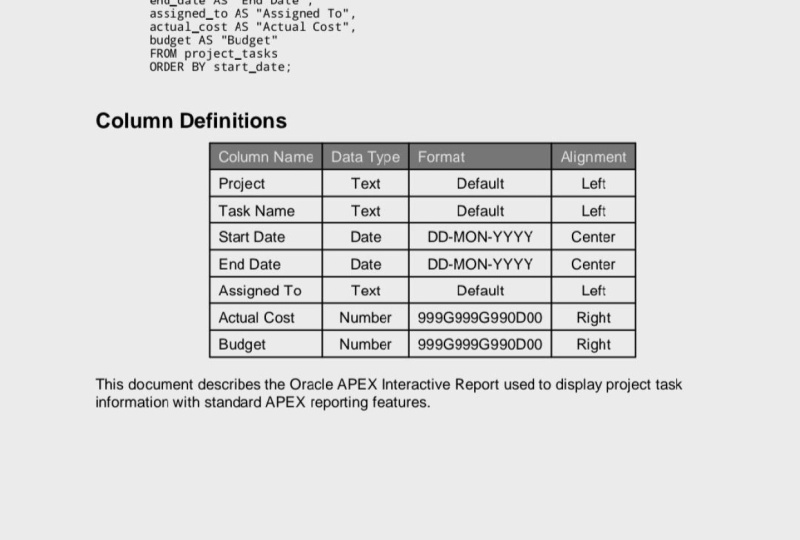
4. Loading data from spreadsheet and creating a report: So we'll be using the spreadsheet upload into the Ampex or capex and then build a small application kind of reporting application. So for Purdue that yes, you need to have logged in into the oracular packs. And AppBuilder is where you can build the application with it from the database are from the spreadsheet. So click on that. And then you got to go into the field application. So here is where it last. You like new application. When you want to create a new application, are if you want to add additional pages to the existing application, then you need to use that. The other oneness, of course, upload from CSV comma separated file. So this is what we have is a comma separated file, which is basically from the spreadsheet. All that is required is that new file. Do you need to save it as by sea rose? You need to save it as a comma separated. This one instead of spreadsheet, particularly most of the application, we will dig the data in the CSV format, particularly when you want to import files. So you got to savor. So once you have done that, the R Cmd check goto from file. And the steward slowly, you can choose it. Schuster File Project does open. So it has basically were parented. So it is displaying a protesting though I do have a delivery also. So table loaner and this my space when I am given that requested for these is I've given us demo cap, table name, whatever name you want to use IoT project. I felt the same name and give. And then I could do a lord lord data. So it'll load the data frame and basically we are getting the data getting loaded. So I will continue with the create, continue to create application with that and go there and continue. So just check. And I will give a name, same name and appropriateness project. Since that name is already present, IoT, IoT project task or lesser fine. So and C, Create Application. Getting features is getting done, finishing up. And so it has created. So now we can run goto, run application, got to click on Application. So it lasts for the user ID password. You need to provide the user ID password. So once you have logged in using your user ID password, which are used for creating the map X. This is what is the screenshot you get. And when you showed the get to the task, it provides you with the details which are the columns that you can actually enter from the action. You can also, sorry, a SAR. So whichever way you want to start, you can do that. And then you can not only saw the interesting part is something like a spreadsheet. More than this spreadsheet, there's much easier. You can create charts as well. So go to the chance, whichever dusk name and value and see budget C sum, and then apply. So once you do that, yes, you get all the charge with all the details. So that way this flexible, you can create chance. The simplest, simplest report, balance. We took a spreadsheet, we loaded the data into the table. And then from the 1D gable data is then populated and provided a report. So we can go into to just check whether the tables are correctly populated or not. While you need to do is go to the SQL workshop. And it's not their skill when the object Rosa fade and but I had given us project Bask. So there you have so there you have all that. Whatever we had in the spreadsheet that got loaded into the tables as men. I mean, dieback and diverse. This is available in the cloud. So enter cloud article, apex.com blog in the database. It has lot of this data and this data is what was then furnished into the report format. So this is the simplest of the report which you can generate with Article backs using the app buried up from report generation standpoint. Thank you.
5. Creating Database Objects using Sample Dataset: Welcome back. So previously we saw how we can upload a spreadsheet and as CSV format and thereby watch uploading. It created the necessary tables deriving out the data from the spreadsheet and we use that data for a report. Let's progress further and see how we can create an application from data in the table that is directly from the table variance reports how we can create and then features like what are the forms and the farms feature. We'll look at that. The interesting point is that the Ampex rowing too with a kind of dataset. So that can be installed directly into the affects dot oracle.com so that you can use that to create the application. So that makes your work is instead of we creating a table, inserting data into that and then start progressing in building an application. Instead of that, we can use the dataset provided by the Oracle, unpacks itself and, and can install it and then progress in building the application based on that data, which gets created in the database of the effects start oracle.com. So to do that, I get into the menu's. You've gotta go into the SQL workshop on the toe, then go to utilities. In the Utilities you'll have these sample dataset. So go to the sample dataset, you have many of them. So what we will be doing first is that we want to use the project data. So all you needed was when you click on Install, This is going to create the necessary tables. And then it will have the data inserted into the tables so that you can just use them for building the application. So if you look at it installed at a project data and collection of project milestone tasks and mow the dataset master detail relationship used for viewing our charts. There are others as well, but we'll start above the install of the project data. So click on that. So in tears, sample Lee is project install exclusive extreme, moves, my soul fine English schema is Camps and that's all fine. And click Carnegie. So basically these are the tables which is going to get installed. So we'll say install liquid asset. So it is progressing. Yes, a weaver come out and just check that the Object Browser, look how I mean how it looks, OK, except you go to the Object Browser. And there you see on the tables. So these are the tables. And inside the table you have all this data. Similarly, you have other tables as well. Sample projects, sample milestone, sample project status does, does links and do those. So we now have the data already. So we'll use this data to build the applications. So stay tuned. Thank you.
6. Review Database Objects created.: A snow quickly review the sample dataset, which has been created by performing the install from utilities from the sample dataset we had already installed. So we'll quickly look at what has been. We saw that peoples are installed, but apart from that, there are few more objects. Let's take a look at it. Let's get to scale, workshop and the object. Those. So you have the tables. And apart from that, some views have also been installed. So views as something like which'll be bid on the table. You might have joins with the table, and then views are created. Some matter-of-fact. Views does not store the information. It is the table which stores the information. You look at the coordinates. So this is the coordinate, something similar to the procedures are function. So it does a select, does a select from multiple tables or hear projects and projects status. And so whenever a view is called, it is going to select the information from couple of tables are even more based on the view statement you have and it will provide you with the dataset. So here, sample projects view. Sample projects underscore. We is a view on multiple tables here it is two tables and sample project and sample projects status. So whenever a view, this view is called, it is going to retrieve all the data from here, went to select, perform a select, and then it is going to return back the data. So you might have some indexes too, which could be present with the syntax. Yes, of course. These are the indexes which got created while we installed the sample dataset indexes for faster retrieval. So we have the indexes which is created. So we'd be in the application building first, we'll be going into the little more just like what we saw in the spreadsheet. Using the spreadsheet we created, the reports will now use this dataset to create reports, fantastic reports, which are, which are packs programs. So we'll use that to build the report statue. Thank you.
7. Building a Report: Welcome back. Let's now start progressing further in the application building using the AppBuilder. And we'll be using the sample dataset on project, which is already been installed in the database. So to do that, go to the AppBuilder and then you need to create. And this takes you to this page. Variances, create an application using new application from a file which we have already seen. So we are going to use the new application select application set teams configure under option, particularly when you have already have database. Are the meaning database. You have all the tables, you have all the joints in place, all the database objects are in place, then you can build the application. Again, the point to note here is the database object. By database objects, I mean, it could be like the tables which has all the relevant data. It could be any views which will act on the table to retrieve the data, any indexes, any procedures, any functions, once you have the complete database in place, yes, then you start building the application. In this case, we'll be using the sample dataset which have be have already installed. So get your new application. Provide the application name. In this case, let's say it's going to be projects and then the appearance. And because there is some side menus, we knew Randy application. So that side Meno, you'll have multiple. What we are going to use. The basically the appearance will say Linda's slate is what we are going to do. And then we save it. We just state is here and we want all the features, check time. Nothing to be done nor here. And go to add pages atmosphere, you will start adding the pages. The first one is going to be reports. So we are going to use a Dashboard. The first case. So we'll use a dashboard. So click on detached port. Then it gives you will use the bar chart. And here we'll see, see the term squared to be something like budget versus cost. And the table him as far as this one goes, it is going to be the views, sample project views is what we are going to use. And we are going to have. It is the name. And then the column. It's going to be budget. We cost. So that is as far as the Chatman is concerned, budget was discussed and we have the values and label a SNP. So we'll go to the chart to shadow is going to be a pie chart. The named sharpening is going to be project status. Thus, the table is going to be the view, table view. We are going to use the sample projects view and the column is going to be the status. Then we want to have just a cone. Because what are the various status in the project? That is what may be in the implementation stage or execution. So various status we are going to retrieve. Basically it's kind of grouped by function. So we'll take account of all columns, factors, the next one. And we'll see the third one. So go to the chart. And this is again going to be the bar chart. You have written. Project leads for me. Peter. Table is going to be the same table which we have been using. And then this is going to be project lead is the column and it is going to be the column. Once you say count, you have all columns. So what we are going to, we have three chance. This is chapter one. We have value is already there. I mean, the next next to is based on the count. So this is chapter two and this is chapter three. We have t charts created and we have named it as dash port. So once you do and Paige do an add page because the pH gets added. So we'll do an add page. So if you see here, you have a dashboard already created. So what we'll do is we'll create an application and see how it looks, whatever we are created. So create an application. It is creating an application. Finishing up. It has finished. Now, when you run the application, it will ask for the user ID and the password. So once you run the application, execute and give you a credential login, This is how it gets into the application. We created a dashboard pH when three different charts. So once you click on the Dashboard, it retrieves the data and provides you with all the details. Like Project was a scars project status assigned because this was a pie chart. So you have the values, it is one, it is true, and it is completed. Nine, We need to can always prosecute this account. So you can always cross verify with what does that in the database. And the project leads were the elites are that has a value, value of five and value of six. What we'll do is we'll cross verified with the available data on the database. So stay tuned. Thank you.
8. Validating the Report: Welcome back. So in the last presentation, we saw about how to go about creating the dashboard using the oracle apex. Let's know. What we'll do is we'll quickly verify on the backend on the database. The fishing is correct or not. So to do that, what we need to do is go into the scale command prompt. Since we always had given the men be retrieved the data based on the sample projects we so we can do a select star, which is going to retrieve all the details. So the first one we'll do is we will check for the status. He does equal to sign. The sign. And let's run it. Or it has to return one row. When you do a count, we know how many is there. So when you do account, then it is one with a sign. So that is what is shown here. Assign this one. Next one is Nin, congress. So I think it's two things. I need to put p in capital. So because it is all case sensitive. So the foot pain problems. So that is two. That's where you see two are here. And the third one is completed. So basically it is retrieving from the database and displaying it enough IN chat. Or this is nine. So you get a nine war here so that we have a pie chart. And then about the project leads, you have one far Yokohama and another one. But fine for Jackman and Lucy Lee is about six. So four then what we'll do is we will just do a select and see what the project's budget pleats. When you say star, it's going to. And here is where you have the project leads. This is one Yokohama literally is 123455 years literally. And here we have, say, solid carbon 12345 VCs. Easiest way is to occur. The body can always use the light. Luci continues percentage. Run it. Okay. Streak is here. So this is six. But that's what we have it over here for literally. And Bernard is five, say like Bernard. So these are called Wildcats when you give a percentage. And it's called a wildcard. So we knew right, it's five. So basically it's fetching the current data. That's what I just want to tell you is that the identities of the database. So you don't require actually sequel to create all this. Even if you're not a man of SQL, you can still go ahead and create dashboards. Using the oracle affects. The good thing is that you can. Yes. I mean, the backend was based on the view. View was based on a couple of tables from which it is going to retrieve the data that has where when you build up an application with the database, databases where you can, I mean, you feel are good in SQL with the procedures, you can create all the business details in the database and you can use the apex towards, towards your display and you can assay progress. We'll see also like you can create the farms and so on. So stay tuned. Thank you.
9. Building Report and Form based application - 1: Welcome back. So in the earlier presentation we saw about creating a dashboard. Let's now look at creating a report along with a farm. So Reporters where yes. Gets out all the data from the database and then displays in a report format, be it our bar graph or beta paycheck. It retrieves the data from the database and then provide required report format. So about from the report in application will also have forms. Forms in the sensing what do enter the data into a. So let's see how to go about creating that. So to do that, go to the Create. Create is where you're going to create the application. And it's always, yeah, you select new applications, new implication. This one, this may know about this icon is where you can create a new application or you can add pages to the existing application or the existing data. So in our case, we are going to use the same application wherein we already have a dashboard application. So in that we'll be adding further pages. Now Dulles. Let's get tapping them in money to click on New Application. So once you do that on the top you have view blueprint or Lord, blue blueprint. We got to know your already existing blueprint, which is the project one where we have the dashboard. So you got to lower that to add further pages to the application. So you'll be Already we have lowered the blueprint and that is where we have the dashboard, which we are created earlier. And all this check, checkboxes are enabled because we are loading it. And we translate this the appearance and projects is the name of her. And now you've got to go and add the pages. So the h So then he or she were to get into the reports one. And the page name is going to be task. Task is the PhD. And then the cable is going to be the project's tasks. That's the table name. And here if you look at it, include forms. So here you need to click on this so that apart from the report, we want to enter the data and get stored. So include that as well. And then go to the lookup for lumps and then the project ID. So this is where it should be. The project's name is what it means to hair. Let's see, display column. And then you have milestone. And the milestone ID is going to be based on the project milestone name. So we have done all this. We have assigned the table. We had included the form and then the lookup keys and the lookup or display column is the, now we say the ad pitch. So once you do that, you have the task interactive report with form is water does mentioning. So in the next presentation, we'll run that and see whether we are able to enter the details into the scene. Thank you. Stay tuned.
10. Executing the Report and Form based Application - 1: Welcome back. So let us now run the application. So for that I get to the Amsterdam. You'll find three of the projects with the same name. The reason being, because we have loaded the application and recreated it, you'll find it creates one more application. So this is the old one, and this is the latest one. Looking at the number, you will find that this the latest one. Because if you see here it is 141900 and the earlier ones have the previous number. So you can always delete the application. To do that, you get into the application and if you want, you could always delete the older application. So let, let it, let it be for now. So what we will do is go to the app and we want to run the, the latest one. So we will run the latest one. So get to that. And then run the application. So you have the task told here, because since I've already logged in, otherwise generally last for the the login id and the password. So the task is what we had created. So if you look at it, you have the task ran. This report we had created, stored all the project id, project name description as I need. Whatever is there in the table, it gets display. And now on the top, if you look at it, unlike the report on the top, you also have Create button. So if you want, you could create a new record. So you can create a new record. So these are the fields to which you need to enter for this application sensory and taken the the sample application which came with the arc affects some of them because project id, iPhone, it has a primary key. So which means, it means to have a value which is already there in the particular table, the project table. So we do not know. So what do you pulled ideally lowest silicate, they go to the upper layer and go to the Yes. And go to the Object bought browser. You'll get all the tables for us. It's going to be the project task and get the data as well. So if you look at it, this is, they had used the most likely they will abuse the triggers to populate this table. That is when you have a big number. So all we need to do is copy this 84 and copy this and populate here. Thus KD milestone name Miss, I'm just give some name. Testing. Testing. And assignee. Start. Say nine September. Yen desk gain to be ten September. First day, believe it anyway. Not mandatory just for demonstration purpose. Assets leave it and create them by on one date is getting created. The createdBy is dated by you have all this testing project id. So no. So this should have created in the database. You can filter it by name and name. That is the reason it's not showing correctly. Okay. This is the motor when you see the tester. So we'll see that. Again, this query, let's re-query it. So one more uses me to fail forward. What does the report you had the odd what is the entry you and made? You can always go to the SQL command. And I mean, do I select, select star from sample project tasks where name like, I know I am given something like test, but I'm not sure what additions I made. I know some who have was there, but when I do a search, it was I found out it was pestering Gu eyes what I'd entered. So what do you need to do is you can always go to the app and do do offer. And where name equals a string. So that is the correct one. When you do a filter, you get the result, the name equal to. So I mean, this is the GUI which the user is going to use that as a, a, as technical person, it wouldn't go into the SQL command and retrieve the corresponding Report. But for an end-user, yes, naturally, he has to use the GUI and that way, yes, the appendix provides all the flexibility is something similar to what you do in the SQL, but it is much more informative in the sense you can use the standard english language to filter all the details of a record like something similar to use in MS spreadsheet. Martyred is much more was styled. The apex is much more versatile than the spreadsheet. So that's a more, uh, creating a report. And then using that report, you can also create additional records which gets stored in the database as well. So thank you. Stay tuned.
11. Creating Database Objects for Application 2: Welcome back. Let's now progress further. We'll explore the other features in the Oracle apex. So to do that, what we'll do is we will install nonetheless sample dataset. We will do. We will install the employee and department of course. So let's install employee. So this one just support to tables, that is department table and department underscore view V, which is our view. So we will perform an install. So does install. We'll say execute and we will do a review of the dataset. Good to object grows. So department is there. And if you look at the we look at the table plus the available data over there. The data, it has 44 rows. Then Accounting Research seals and operations. And if you look at the constraints just to identify what is the primary key. The primary key is on department number. And similarly the employee table. And if you look at the data, these are the data. And then if you look at the constraint, you will find the constraint here is employee number is the primary key, and then of course, the department number and manager is the foreign key. So what we'll do is we'll use this data. And that is another report. We discard as cuts, which are just populates in a kind of a pile format. We'll see that report m probably then build up drilled on form to it. So stay tuned. We'll progress further. Thank you.
12. Creating Card Report Application 2: Let's now progress further and build another form of the poor, which is called the cuts type of report. You'll see tie-ins. So tiny that report. So we'll see how to get created. So as always, new application. And we'll say Depart men. That's enough. So we will keep it as department. Then will go and add pages. And I'd pages. Yes. You have different types. You have seen charts, dashboard, even forms we have seen. So we'll see now the current state. So here ph name will again give it a name as department. And the table name is going to be department. Department, name, department and he named x column also we have the name. So we'll see page, this page sided. So as always, you're not going to include all features because once you reach us you love different components, add up to the obligations. So just to make it simple, let's not have all the features by adding protocol will not do that. So we will now go ahead and create the application. So the application is created, so to stop about four pages. So now Let's run it. Need to provide the username and the password. So once we have logged in, you get this icon. As department went to click on this department, you have all of these are the cards. It has different department. Department number 1020 is research, and 30 is Hills, and 40 is Ops. So you can cross verify if needed with the table DP table. So now the next step is what we'll do is what you would ideally do is suppose in the department, you want to add an additional employee to the department. So once you click on the department, so it needs two will point up and form. Another form wherein you enter the details and then save it. So if that is the case, how do we go about doing it? We'll see that in the next presentation. Stay tuned. Thank you.
13. Creating Form and linking it to card report Appplication 2: So in the cart or the tiles report, something like this. We have the various department. Just by looking at it. We know that these many departments and as I said, in the department there could be employed in sand B1 or to add an employee and we wanted to pop up so that you can enter the details of the employee. So something similar to this one. So you add the employee and created. But how did this happen? So this in fact, as a matter of fact, I had created an additional form. So that is how in their report, in this report, when you click on it, you will find a form opening up. So basically we need to create a page and link the pH to the report. That is what needs to be done. So if you look at it, the department number automatically gets populated as well. So that we knew CVE it yes. It that report to that department, the employee gets assigned as we got basically, we are passing passing the department number into the form so that it is pre-populated. So how do we do that? Basically, you need to create an additional form if you look at it and created an additional from add employees and then linked it to the department. So in a click on this, the department. So you will get into the department. This is where this is a sequel query you will find. And I am calling the URL. This is what is the URL? Page number three amps fishing department number is being passed on to that page number three in this case, I have created as a form and magnetically coin that department or particular department needs to call up the page number three, and it needs to pass the department number in that form. So that is what happens here. So probably what we'll do is we will recreate another form and we will pass it maybe here at S3, we need to recreate a task page for additional page four instead of three. We need to pass before, so we'll see how to do that. So go into the AppBuilder. Okay. This is the Department's one. And earlier, if you see whenever we wanted to add a page, what we did was go to the AppBuilder and then we went into. I'm the create. And then for example, we lowered the new ph, new application and then we had load brand so that you can add the pages, additional pages here. What we are going to do is actually we are going to create a peach and then link the page to another page. Here it's a department. So we got to a new created you'll have a page number four. Page number two, we need to call the page number four. Once we created here, we are calling the page number three, this exam. So we create a page number four. So create a pH. And it's going to be forms based tree H. And we wonder to have farms. So that is where it says Speech page for automatically comes and adding and adding employees. And we wanted to have modal Leno. And then we wanted to have bread counts as it needs to pop up. And patterned is the department that does the department pages where from when we need to have this pitch for Paul. So adding employees. So go for next. Then identify navigation. And here also it needs to be department. And then on the next here, we need to have it should be based on the employee table. Employee table is what we are weighing two. And the Locard and employee number is the primary key of that table. So employee number. Now we hit the table. So it's getting created. So takes a minute or a minute and a half. And again, this is CloudWatch, so it gets to the cloud and process it, and it has to send back. So it takes some time to get created. So let's give a few more minutes. Thing the page will get refreshed. It takes you you will see that pitch for employee number. This is the processing beans processor. So that is where you have the page for, is what is here. And what we need to do is get into. Page two, page three is already existing. One, we need to go to pitch to go to department. Actually, here it is. Instead of three, it needs to be when we have now created four. So it needs to be for whichever pot page you want to have it card that needs to be heard here. And whatever is the primary key to which it needs to get past, that needs to be provided. That is what is a node. So here are the speech three. I mean, when I created so on, after this presentation it needs to be paid for. And as page three is what I had initially created, so I need to be paid for. And department number is a primary key in the department table. And it needs to be before so before page number card Lin. And all this has to be passed. Say okay, yeah, and once it gets created, so save it. And this is saved. So, so now that instead of three, but anyway, 34 are going to be seen seam form. So just for demonstration purpose, I showed you how to create the form. And from the second form we are calling the fourth form. Second is the report one. And from the report one, VAR calling the pitchfork, which is deformed. So CTO application, then you can run the application. So here it is adding. So depart from department. We need to be need to call the adding employees. So department and the department will see adding employees here earlier it was and employees. Now it is adding employees. You can give the details. Say manager, I don't provide any manager. Hire the estuary is 5 thousand. Michigan department is fine. And then you save it. Now to do a same deck. So now if you want yes, you can go and cross verify in the employee tables. May cause we had entered it, entered the record and save the record for the employee table. So go to scale workshop and get to the employee table. And second refresh command. And then you come back to the object browser. Know, click on employee know, click on the data. Then you have the record already entered. Whatever required at just-in-time 20 to the table. So from the list successfully color from the report, we call the form. And then on the farm, we had entered the details and gotten sale in the employee tables. So this is how there are many features and effects. You can use the report, you can combine the report windfall and I mean, who can process in the sense you can enter the data into the tables. And three, through the graphical user interface. So thank you. Stay tuned.
14. Increasing complexity - Whats a Page Designer?: Welcome back. So let's now get into the bank's page designer. So far, if you look at it, we had use the app builder to build the application. But then if you look at a real life project, hamburger is fine initially while designing it, but then that might not be a final product. You might need to tweak it, need to change it. There could be commencement. So in that case here, you cannot go back to the AppBuilder and start building a fresh application. You need to use the existing application. Maybe you need to have kind of button on the page already ordered, have modifications on the PH. So how do we go about doing that? And sometimes the tool happens, you wanted to have sequels embedded in the page so that it retrieves the data or you want to perform some computations. Or B2B generally using PLC. So in that case, you need to use the page designer, aipac speech design them. And what does paid designer use page designer to maintain and enhance pages within the article Application X plus four, which means yeah, it's okay. Converting M. That's a first cut. The first one, you use the app builder to build the application, but then you need to maintain and manage them. You have to chain them. Then naturally, you need to go into the page designer used a page designer to make an announcement chain tack. That is fair. Page designer is going to be really useful. If designers are full-featured integrated development that includes toolbar, multiple pins. But importantly and directly use SQL statement PLN skill in IT. Because at the end again, because it does Oracle native product, you can use, just like when you issue a select statement. In SQL, you'll just say select star from a particular table. Same thing you can do here. As long as you have the connectivity established. We did Database Issue that statement seems against with PLC SQL also, you can have the procedures, you can have the anonymous block called. Soil, becomes much more versatile in building the application when you use the page designer. If you look at it. I mean, compared to earlier questions, wishing for was sub-par 2012, when we had a question for Dan, came a wish and phi event from then on became wishing 171819, of course. And if you look at why I brought this whiteness, I mean, it was competitively from a demonstration perspective, are showing the presentation perspective is much more DCF. In the next screen, I ensured the wishing 90. In version four, it goes much easier in web page rendering and preach processing. An oracle up X. When you talk about page designer, page rendering and bridge processing plays an important, very critical and important role. Page rendering is far something you want to get from the database. You use the page mentoring and after getting all the data up later in the page and you want to do further processing, then you use pitch processing. And if you look at it, something like where to go after some processing or to go to a different page. And this red have a branching as well, more bins or page two based on certain conditions. All this lowered in the page processing and also you have the shared competence. So this is as far as the version for water is concerned. And again, the point I just wanted to reiterate, and you get into the pitch. Designer, have an understanding among the page rendering and what does the page processing pager and getting you use SQL balance and pitch processing particularly Yes, we'll be using the PLC and much more as well. We will see that. So and again, just to recap, as I said, page rendering, retrieving values from the database, setting items based on some database. I mean, you can set temp values after retrieving the database using the ten values or the variables, or it is assigned to an item, you use them. Far crossing, that is what you do. Independent processing. Once you get the values from the database at the renderings to it, then you take it to the page processing stage, that is where you make the computation of the retrieve data. You might then need though, based on the computation, you might need to send it to the database or send out an email. So all of this happens during the page processing. So this is what a page brother used to perform a specific action. Whenever end up page, the page is rendered R goes into VR browser. The meaning, the big page is considered to be rendered. You see that we surely in the browser o, that is what rendering means. You see it in the browser. That means a page is rendered and after that, you process it. That is where you might use our computation maybe button. When you say computer, could then call the PLC coil R equaled recently page or even even said that is what you can even send a veil close pop-up window. All this is possible in the pitch process. And not coming to page designer in Release 90. So in fact, the head made it really could look complicated, but yes, once you get used to it, it has much more easier. What they did was they now have three different pins. This is spin one and spin and the spin tree, what they did was in pain one. You have all this page and entering. You have the page processing. You have the sham components. So all this we'll get into when you go into the medieval login to the Oracle apps, when a show you the pitch, our design that you will see this. So all of this, they have made it in the first pin. They have this rendering, rendering, dynamic action processing and check components in d and the left pane. And once you click on a particular pin, this gives you layer components, messages, paid search. You have the layout, how it is going to look like. This one, the middle one, and the last one gives you the properties. For example, to click on will you HipChat employees based on the table? So it's based on the table. So you get the log by a click of a button itself from here, in the same I mean, individually on the same page in the browser, it's no, you'll be able to see what does that mean? The component body where we had Chad employee, whether it is payable on tests and item. What does basically all the properties, properties of that gets displayed. So that is where it's kind of RBC page with laughed off. I mean, a lot of pictures and gets much more easier to understand from a single plate B instead of drilling down, clicking on that, and then going further. So this is as far as the release 90 is concerned. So as we progress, I mean, using lambdas tan, beta, I mean, we'll take up page designer and show the navigations. So thank you. Stay tuned.
15. Navigation in Page Designer: Welcome back. Let's now look at the pH designer. So this screen is shown now. Once you login, this word comes up and we go into the app. And then you click on the Create. That is when you create the application at pages you want have report forms. You choose that and then create the application. So assuming yes, initially you have a sample or an application in place and posted. If you want to add some more. Or you can even start with the blank application or a blank page. And then if you're good enough, then you can use the PhD signer to populate the pitch. So how do we go about doing that? So let's take an example of this one. This just TO interactive report. It is based on table. So polluter or to see that I'm in. So I just wanted to bring up the page designer. So to do that, just click on that particular page for this entire application so you can run the application. Whereas here what I am going to do is go to the page. Silence. So to do that, you click on the page designer and spread. It brings out the page designer. So as I said, you have three pins. The first one, the second one, and the third one. And you have rendering is where what we knew runner, it will render the peaches. And then you can bring the processing power. Are the dynamic options that best possible. Or you could do deep processing as well. So you have validation processing, swearing, create the process, likely go to the process, right-click and create a process, create a branch. If you want to take it to a different pitch, then you create a branch. Similarly validating, it could do processing and could do after processing. That is prayer submitting if you want to do, then you do this in some of the sharings. So generally, as far as the first spin is concerned, the rendering is generally created when he created the page. When you have the report and all this. As a matter of fact, this report. Report and I had use the varied application. I've used the fiddler current customer, if you look at impractical report is what I have chosen. All of these are auto populated, renamed, created using the AppBuilder. I choose interactive report. And I had use the demo customer that has a table. If you look at it, you have the local database and here is red because I am pasted on the payable. And here if you want, you can use this where I said, you can use the SQL query RPL sequel function. So here this one is play based on the table or view, and it's based on the demo customer. And you can list out all the tables or views. So so that is 100 S and on the far right is the properties of the specific item. So for example, in the demo customers that are going to be columns that comes up here. And the first, It's a plain text field. Millennium is since the demo customer is been pleased on, already been pleased on towards a local database. And the table name is demo customer. The rest of it is just the plain text. And here, if you look at them, you have the layer. And that layer, you have buttons. And again, the buttons you can please the potential here. If you want. You can take the buttons over here and place it there. Then you have, you can have a door here. You can bring it below or if you want, you can just deleting it. Let me daily Dick deleted it. So again, the item you can evolve over here, p8 region, additional region r. You can create an item PJ demo here. What did the customer rightly feared button? Create a page eta. And again for that item, you can have a sequel. Will see that you can create a sequence for that, for that created item within ABA, PN sequence for it. So far now, the point to understand here is that to invoke the page designer, All you need to do is save said, go to the application. And whichever is a specific page. All you need to do is go to the specific page and click on that. It'll open up the page designer. And the independent designer is where the piggies on the technical people witness equal PLC background can generally play around. I mean, as you progress become more conversant with the oracle attacks, you tend to use the page designer more and more. So in the next presentation, we'll also look at how we can use the sequence, sequence statement in the page descendants. So stay tuned. Thank you.
16. Report Modification In Page Designer: So before we run this report and further do an analysis, how D is given can be used. That a few more points I just smarter to point out here, having, instead of going back and then selecting different pages on the topic itself, you can navigate to the pages. Say this is the J1, that's homepage. If you look at it, Page one, the homepage, then there's page two. So how many MR. Pages, your application, hence, you can navigate to that page by clicking on the above. So it's all 9908 is all auto created for a login. So we in beach too, so you have to load here to do that. And you can see if you can run as well. So this one, as we discussed, just an impact report, which is based on the table name, Demo costumer. We're just going to, so whatever the point is, whatever the data is going to be there in the demo costumer that need to be retrieved and display. So that is where you see all columns or here. So basically I had used the upgraded to just create an interactive report which is based on the demo customer tables. So I'll run the report and see what happens in the front that well, let me run it. I'm running in, it gets refreshed. And this is the data I'm getting. Edward login, Customer State, customer city, so whatever it is there. So we have to verify whether it has retrieved all that accords which is present in the table. So you go to the scale workshop and you need to move into the Object Browser. And then Demo customers and then to the data. So if you look at it, there are seven records. But whereas if you look at the report and the report, just one is what district trip. And I have not used any of the filter. For that matter. You can actually, from the front end, you can do a filter based on the customer's city, customer name, and so on and so forth. Indifferent ten. But here, I have not even done that, but it's still a retrieve May 1 wonder car off here who are a little bit. And the customer city and the customer state. So any kind of guesses how this has happened? So let's again take a look at the pH. So the pH is here among customer is here. And you have a local database table passing in. And if it come down, look at, and this is a world-class, you can knock means after post retrieval. It's going to check, I mean, while retrieval itself, if you look at another interesting factor is that an example, if I see, and I already put this are world-class and instead of a table, I see SQL query. So if you look at it, whatever I have given the xin into casted as trauma, that is, which is basically the customer state equal to hear me. So that is where you'd have filtered one only the amine customer state as MA. So that is we have the retrieval of the interactive report has fetched Wanli the records which satisfying the condition of the customers D equal to m. So that is when you see only one record. For this, an ideal example of using the sequel query or for that matter, using the table alone. I mean, without var class demo customer, the backlash has gone now. And if I save it and then run it, It's going to be, it's going to naturally retrieve all the columns on left or I mean all the rows from that table, then of course, yeah, from different time. If you are a business USA, yes, naturally, you'll go to the front end and maybe you filter. But if you're a technical person was made to build the application, then naturally you need to use SQL, so you need to use PLC inside the program. So same thing, yes, you can do a filter up or you can apply the filter. Take customer, stay two ME and apply it. So that should fetch Wanli, the MA annual AMA filter 4L, which indicates when leading customers stay deeper, DMA, which has been retrieved. So this is again, a kind of a basic item and provide two, I mean, step-by-step, the features and availability through which I mean, you can use sequence statement PLC inside the page, designer to make reports, farms, or any kind of development according to the needs, are according to the requirements. So thank you all. Stay tuned.
17. Page Designer - Shared Components: Welcome back. So small file in the page designer, we have seen page rendering, page processing, dynamic action. And that is one more problem, which is called the Shad components. So let us look at what are those consists of. So in that you have the navigation menu, navigation bar list there because as far as the navigation is concerned and that is also the security, particularly Boston, you are creating an application, you want to provide access to the application, then you need to have authentication schemes and authorizations schemes. You look at that briefly, as far as security is concerned. As far less navigation, this is when you want to really. Finally button the application will see that start off with the navigation minimum. So I am logged into an application, specific application through the AppBuilder. And here is where you have the shared confident. The AppBuilder get into the specific application where you want to make the changes and make ACR others where I've been using it. So this is the application. You can run the application and you have the Shad components. So you click on the shaft components, you have all this list navigation breadcrumbs, navigation badness, and also the securities. So let me quickly look. Click on navigation menu. Generally, I mean, when you create the ability, the application itself, the oracle OpEx will take care of the navigation. So you don't need to really manipulate. But yes, in the application based on requirement, you might need to change something. For example, what I did was they built on this one I have created, go to create entry. And you can create that sort of drill down is what I had created. You can go to create entry and do that and put all Ledi deals. So I'll just cancel it. So just to 100 to show you that is all you get created. And in my case, Yes, home customer interactive report was there and I had added the drill-down. Nothing much. I just entered all the relevant details. I mean. What I did was barren re-entry is customer because so it will be under the customer interactive report. Sequences 30 drill down is the name. Pages three. If you look at it, there is no page three. So it should actually give the page number is missing. So after that, you can apply the changes. And and now let's run this and see what happens. Then the application you were to login. So I have logged in. We have given that navigation menu underneath the customer. So that this value get the baritone or here need, because we have mentioned customer interactive report as the banner under the baton. You have a del dot by build Rome, surrender dawn. We had referred page number three. Since page number three is not present, you will get this message otherwise, if the Arab page number, they should, I mean, you have a page existing, then it will open up. So basically, this is where the navigation list you create that. And one more is, of course, if you look at that, you have as well as you look at the shared components, that is also navigation bar or navigation bar is where it is here. On the top, that is the navigation bar and navigation minimum is what this board here. This isn't navigation. We notice the navigation bar. And if you look at it, I had a additionally character created. Help. So probably and just put aboard. Does he not be a page number? So interestingly, you can also provide conditions, PLC, blogs, existing greedy. You can do that load here as well. So no, let me create a, you know, we have abort Dicer also. So no, we'll go to, I'll go to my application. Probably ran the application. And you have an abort dashboard here. So basically, that is for the navigation bar list and navigation menu list is we're here. So this is all done through the shack components. Thank you. Stay tuned.
18. Page Designer - Autentication and Authorization overview: Let us now look at the other two. That is the authentication scheme that tests. One, the authorization scheme. This is from the security perspective. So one need to understand what is the difference, what does authentication and what is authorization? So this is more from our definition perspective, because that is where it gets complicated. So as you progress, as you build the apex based application, yes, then you can always revisit this and you can always try to figure out and work on authentication and the authorization schemes. So from our definition Perspective, yeah, any application is going to have many uses for basically when you login, it will prompt for our login user ID, where they have to enter the user ID. And arctan application express validates that credential and it allows you in case the credentials are valid, province relate with the access. And it uses the app user functionality to get it validated for that test as far as the authentication is concerned. And that is one more, which is called the authorization scheme. Basically, like if you look at any kind of an application, not only, I mean, for each of the users, the application will behave in a different way. Some pages may be available only for managers. Some pages for only for the plaques. Some of them could be Bu Wen Li. So in that case, yeah, someone, if even the fields, the fields should be displayed to certain users, should not be allowed for another user. So all of this, you can do it with the authorization scheme. So the authorization scheme can be applied to the application on the page or even the components on the page, the items in columns and report. It is much more easier to do that with the authorization scheme rather than getting into kind of a complex programming using PLC. So the point is that you have such facilities in Oracle effects. So as you build a painter for commercial application, yes, you can look at the authentication and the authorization schemes so that that can be implemented appropriately. Thank you.
19. User Authentication - Demonstration: This is no looked at the authentications because generally as Cynon Lake in the application that could be number of uses. So if there are going to be number of users, how do we provide them with the access? So to do that, yeah, good into the administration control first, you need to manage uses. I mean, you need to actually and users. So go to Manage uses. That this way. You can create the new user whatever you want. I mean, I've created on my own name, and I have also created one more just as test. So that best created. You can even change the password if you want. Let's say like we want to create a new user. We'll just say test one. The passwords can be, it requires the aid. You have one more created, you have desktop. And this is for the entire effect. So you need to add this one into the respective application to really work. So to do that, what you need to do is, let's say I want to add into the projects. So since benign and end this one we nail and the application. As an administrator, you have an administration who are here. You can add the corresponding uses. So currently we have only my name, you can, so this means this is specific to the application. So here we can add a user. So I'll say Test. And then I will say this as just reader is not an administrator. Not necessarily like reader. So I make this. So once you have done this, you can then login went detest. So let me sign out from this one and the password. But since if you look at it over here, you don't have the administration because we are never given him an administration one. So that way is just to contribute. Or he can be a reader. So he can't additional uses unless he is going to be an administrator. So that may, I mean, for any applications, you can and the users, because the applications are any applications will have multiple users. So you need to give them the access you need to create the user ID and the corresponding password so that they can use the application. So that's about the authentication where you can create the USA. Thank you.
20. User Authorization - Demonstration: Welcome back. Let's now look at the authorization schemes. So have, we have seen earlier about the authentication where you breed users to allow the axis of application. But the tool happens in an application you have multiple pages and you want the restricting usage of certain pages to certain people or certain users. So how do we go about doing that? For that, you need to go and create the authorization scheme. So or through the authorization scheme, you can ensure that only certain users are able to access. Certain fields are pages. So we'll try to create the authorization in the project's application. So to do that, ESC were to go into the shared component. And you have the authorizations beams. So click on the authorization schemes. So then you create an authorization scheme. So you can either copy if you already have even copy that, we'll go from scratch and give it a name. Just say Desktop, and then exist and then elect one from. This means, I mean, if we try to interpret it is this trend of data value as a value which is a session variable which has who has logged in into the application. In this case, I'm logged in as go horizon. It will return the value of the horizon. So it tries to compare with the test or here. So naturally it will return a false, so I will not be true. The select statement is going to fail. So if it is true, yes, the select statement as executed perfectly. So we have to have this condition in a certain page. So think what is going to happen. So if it succeeds, the select statement succeeds, then that page will be visible. So to whom and is going to be visible if that particular user is test. So if it's not test in per day, someone else like with my name going again, it's going to fail, which means that page, it's not going to be visible yet can give a message also who are new to view. So. This author is the name. So we create that. Created the starter. So you see that? Where do we find yes, this a select statement. So for ease sanctions, so apply changes. Then what do you need to do is say, for example, lets run this. Projects, run the application. So what I wanted is dashboard. So this is, I want, in this one, this is where I want to restrict only if it is I already logged in as test. I wanted to have it widely for test and not with anybody else. So what do you need to do is go to that because dashboard is page to Edit page. And then that is the dashboard is stored here and you need to choose the appropriate. So you have desktop that is what a pairs. So this chart and see him. And so distorted is here. So if you run it, yes, dashboard is perfect. Match board is perfect. Now, since because this condition, the select statement condition is going to satisfy and they do not feel the test is not going to fail. But because we had, if you look at it, we have said select one from meat, tried to have a where clause. And in this case, the user test, we are trying to test. The user is test. In the class, we are trying to check whether it is test. It's empty space and that is bad. This is getting displayed. Now if you're logging in as another user. So let me try and put my name meal. But now if a go to Dashboard, let's see what happens. You are never, you are not authorized to view. So because that select statement themes, so, uh, you are not at the race to view that specific page. But whereas the only others, this is mainly for the dashboard which we have restricted. Whereas projects, it's all feign, project milestones. Tasks are all find one leaf. What we noticed, dashboard. It is not allowing you to view that page. So that way you can read this paint off. Maybe security in your application. Wherein suppose something like confidential linker salary information. It should not be visible to everyone on a price quote, it should not be visible to everyone. So those things you can always hide from the other user, whatever is confidential. So by them when you can have the authorizations that by you restrict obligation to certain user, not exposed to all the user. The authentication is you want to create new users. Then you can do it with the process of authentication. Thank you.
21. Explore the Sample Application Library to learn more.....: So far, we have seen how to build the application using the AppBuilder, the solver, that, and post building it with the AppBuilder. How do we progress? How do we get answers? We, the solder? How that can be done using the page designer. Apart from that, the interesting pointers that our OpEx also provides an app gallery. Like you have sample apps, mini sample apps that you can install them and then try to go through it. I mean, you can see the page what does the coatings are done over there in each of the pages? And that way gives a better understanding. For example, if you look at, at all you need to do is to install it, go to the App Gallery, sample apps. And once it pops up. For example, if I need to pay one to install this one, the sample dynamics, I click on that and install it as simple as that. So what I have done is I have installed if you look at a sample database application and sample projects. So these two are installed and it installs the tables as well apart from the application as such. So if you look at it, if you want to run, that, will do the AppBuilder. And for example, if you want to run the sample database application, what do the sample database application over here? And then you run it. It'll last for the user ID password. So once you have logged in, you can fit into the get quoted the menus. And interestingly, from here, yes, for example, customer is peach T2. And that is what happens in the URL as well. This one, if you look at into this one, is the application and number two, followed by colon two is the page number. So if I go to products, it will have a different page number. While the application is same. Negation is three. Public side application is this number, six digit number, and then followed by the page. So customer, if you want to understand about this page, so it's page two. You can go to the operator and find out customer page, or you can directly go here and click on that page. So it brings up, pops up the page designer. So here you can try to understand like for example, if I go to a customer, it is based on the SQL query. You have the sequel query here. You can run on this, this one on the, the, the sequel. Well, I mean the workshop as well that you can do. Or again, these are the columns. So for example, let's try to, and again the table is demo customer. All this got installed. When you install the application will go to the SQL Command Prompt and you could run the I ran that specific sequence. So this gives you the detail. This is what is there in the table. So you can basically brings it back from the demo customer. Oh, we saw the code. Let's go to Edit Page. And let's see what is the, yeah, that is some dynamic action and then there is nothing on and the page processing side. So Shan components, there are two minimum menus, navigation menu and click conduct and needed component. It takes you to the particular Shad minimum. So all of this is that you would have seen in the, I mean, we'll see the application. You see here. I mean, some of them parent is report and that the parent report, you have the other minuss over here. So this way, I mean, it is far easier to learn more as how to build the application. And let's look at a demo customers we saw, we'll see the orders. What are the what is the table on which displeased? Go to the page rendering orders. So this is from the product table and you have a join condition as well. The order number and item. If it is from two tables and there is a giant condition. So if you go to the SQL, you can run this and see what happens. So this is from the order number order, you have customer name because Customer Name is from the demo. Customers feel that AS ordered related will be from the demo. Does you can see that. Then go to the Object Process and see what are the columns that in the demo orders and demo customers. So that is a giant condition. Based on the giant condition, it is retrieving the data. One thing is, yes, we are. I mean, as you progress in the development, you need to increase the complexity. That is where you start using the best designer to design the application. So there are number of sample apps, you can do that. And there is also a productivity apps is also their sample apps and productivity apps on their productivity. Suppose you want to know more about the productivity apps. You can also go here the conduct, and learn about the productivity F times of Oracle effects. So that way, it's quite versatile from a learning perspective on, so you can run the application, sample application, and learn, continue your learning of Oracle banks. Thank You. Stay tuned.
 Mohanrajan Guha rajan