Transcripts
1. K-Means Clustering Introduction Video: Everyone and welcome
to my latest cores machine-learning with k-means
clustering in Python. So who am I and why
should you listen to me? Well, my name is the lazy
programmer and I'm the author of over 30 online
courses in data science, machine learning in
financial analysis. I have two master's degrees in engineering and statistics. My career in this field
spans over 15 years. I've worked at multiple
companies that we now call Big Tech and multiple startups. Using data science,
I've increased revenues by millions of dollars
with the teams I've lead. But most importantly,
I am very passionate about bringing this
pivotal technology to you. So what is this course about? This course is all about
teaching you one of the foundational algorithms
and machine learning, known as k-means clustering. This is an example of an unsupervised machine
learning algorithm. Meaning it is meant
to be used on datasets which do
not have labels. This course focuses
on teaching you how the algorithm
works and helping you achieve a solid
understanding by implementing at
k-means yourself. These skills are critical
if you want to do data science and machine
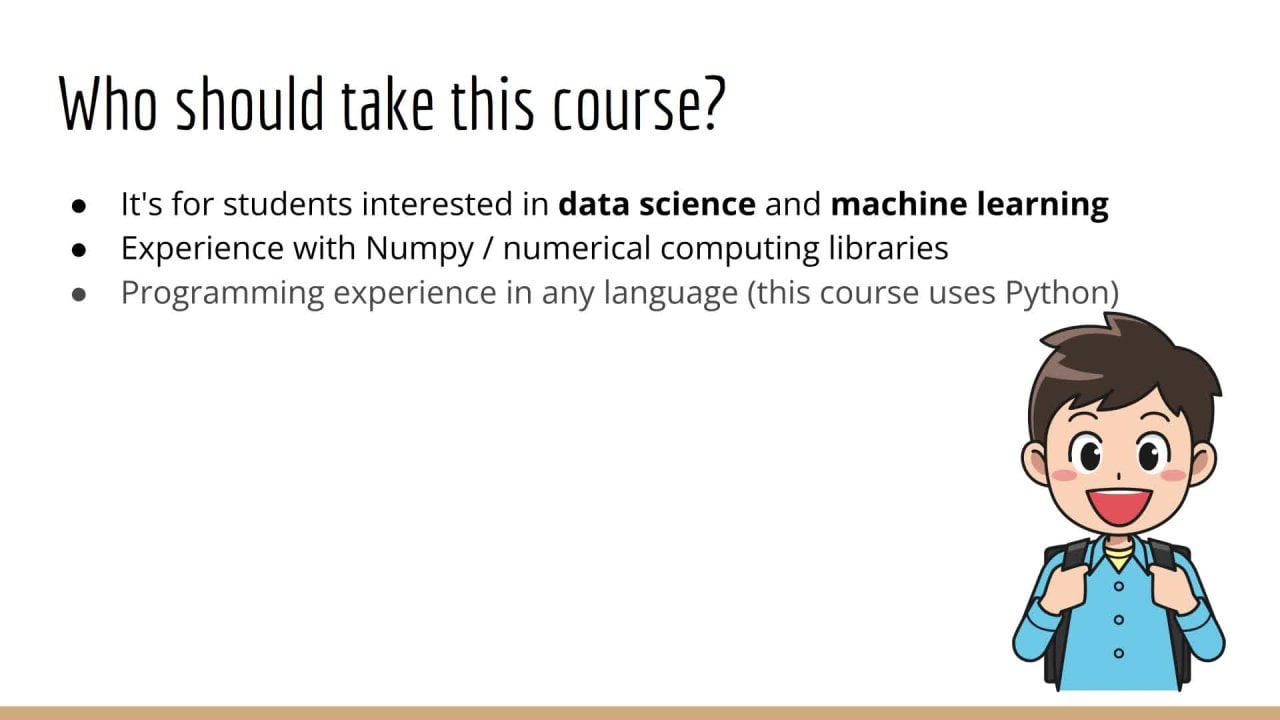
learning in the real-world. So who should take this course and how should you prepare? This course is designed
for those students who are interested in data
science and machine learning and already have
some experience with numerical computing
libraries such as NumPy and Matplotlib. Note that this also
implies that you have some experience with
vector and matrix math, which will be used
in this course. The second skill you'll need
is some basic programming. Any language is fine, but since this
course uses Python, that would be ideal. Luckily, Python is a very
easy language to learn. So if you already know
another language, you should have no
problem catching up. And for both of these topics, or high school level
understanding should be sufficient and an undergraduate understanding
would be even better. So in terms of resources, what will you need in
order to take this course? Luckily, not much. You'll need a computer, a web browser, and the
connection to the Internet. And if you're
watching this video, then you already meet
these conditions. Now, let's talk about
why you should take this course and what you should
expect to get out of it. Well, simply put, K-means
clustering is one of the major algorithms covered in any machine
learning curriculum. It is foundational, whether
you work in finance, biology or any other field
which involves analyzing data. K-means clustering
will be a useful tool. By the end of this course, you'll have learned enough
to go out and use what you've learned on
real-world datasets. So I hope you're
just as excited as I am to learn about this
amazing algorithm. Thanks for listening, and I'll see you in the next lecture.
2. An Easy Introduction to K-Means Clustering: In this lecture, I'm
going to introduce you to the intuition behind K-means
clustering and how it works. So firstly, we know that since this is a
machine-learning algorithm, we're going to be
working on data. So let's try to visualize
some data we might get. The first thing you'll
notice about this data is that all these points
are the same color. This is because we're doing
unsupervised learning. So there are no classes
given to these points. Each point is just the vector, and that's all we know
about each point. We don't know if it should
be red, blue, or otherwise. But there's one important
feature of this set of data. What do you notice about it? Well, our human pattern
recognition abilities allow us to immediately see that there appear to be three
groups of data here. In other words, we don't
need the dataset to tell us that these three
groups are distinct. Our own pattern
recognition abilities allow us to see
this very clearly. That's what we mean by
unsupervised learning. It's unsupervised because nobody needs to tell us the answer. This is a key concept behind artificial general
intelligence as well. If we're going to build an AI that can navigate
the real-world. Practically speaking,
it probably has to have some general intuition and pattern recognition
ability since it would be infeasible to provide
it with training data for every possible situation
it could encounter. So that's a very
important point. We're using our own pattern
recognition abilities to tell these clusters apart. It's not in the data itself. But now you may have noticed
that what we just looked at was a very unique and
very specific situation. The first limitation of this data that it
was two-dimensional. This is of course necessary
because if we had, say, a 100-dimensional dataset, you wouldn't be able to see it. The universe itself only has
three dimensions of space. So that's all you can see. Sometimes I get students that are not convinced of this fact. So if you're convinced that you can see beyond three-dimensions, try drawing a ten-dimensional
cube and see what happens. Now. Why do I mention this? Well, most real-world datasets
are not two-dimensional. Therefore, you can't see
most real-world data. And hence, your own
pattern recognition skills are not useful in this scenario. It would be nice if we had some algorithm to find
clusters are groups of data that could work no matter what the dimensionality
of the data is. Of course, That's what this
entire course is about. So you can be confident, you know the answer
to this question by the end of this course. Here's another issue. In the original
data I showed you. I generated it so
that it would show three distinct
clusters very clearly. But what if our data
looks like this? Or what if our data
looks like this? Now you can see the clusters
are not so clear cut. In general, we'd like to know, is the cluster I
found good or not? In this course, we'll answer
this question as well. So as a first step into
understanding k-means clustering, Let's consider two sort of fundamental truths about the
clusters in the dataset. Suppose I'm told that
these yellow, purple, and green points are the
centers of some clusters. And I'd like to know which Center does this
new blue point belong to? And I think it makes
intuitive sense that this point of course, belongs to the center
that is closest to. So to decide which cluster
a data point belongs to, I pick the nearest
cluster center. Pretty intuitive. Let's now consider the second fundamental
fact about clusters. Suppose I'm told that
these data points you see here all belong
to the same cluster. Let's call them X1 to X C. We'd like to know what is
the centre of this cluster. Of course, that's just the
mean of all these data points. This is also called
the centroid, if you're thinking
geometrically. And as you know, the way to
find the mean of a set of vectors is to add them up and divide by the
number of vectors. That's how you find
the cluster center. The big question, we have these two fundamental
facts about clusters. Is there any way
that we can combine these two ideas to give us
a clustering algorithm. Now believe it or not, these two fundamental facts are all you need to implement
K-Means clustering. It turns out if I initialize the cluster
centers randomly, then if I just repeat these
two steps over and over, I'll converge to an answer. So just to recap, we start out by picking some random points as
our cluster centers. Then I can use the fact
that each point in my dataset just belongs to the cluster whose
center is closest to. So I assign all my data points to their nearest cluster center. Then, now that I know each data point
belongs to a cluster, I can calculate new
cluster centers based on all the points
that belong to it. Then I go back to
the first step, which is assigning data points to the new cluster centers. Again. Later in this section, we'll see visual
demonstrations of how the cluster assignments and cluster centers evolve
over each iteration. Let's recap this lecture. Since while it was
quite sure there was some very important
ideas introduced. First, we talked
about the fact that sometimes it's really easy
for us to see clusters. We don't need the dataset to tell us the label
for each data point. We can easily see
which data point belongs to which cluster. That means we've
learned to understand the data in an unsupervised way. Second, it's important to understand the ways in which
that example was limited. Sometimes the boundaries between the data might not be
so clearly defined. And more often than not, we won't be able to
look at our data because our data won't
be two-dimensional. So what we would like to have is an automatic algorithm that can find clusters for us
given any arbitrary dataset. Finally, we looked at two fundamental facts
about clusters. The fact that each point should be assigned to the
cluster it's closest to. And the fact that each
cluster center should just be the center of each
point that belongs to it. We saw that when we combine
these two facts together, we get the k-means
clustering algorithm.
3. Exercise: Finding Cluster Centers: In this lecture, we're
going to jump right in and to exercising
your coding skills. This course is designed
to be a hands-on course. So for every topic
you'll learn about, you will implement it in code. As my saying goes, if you can implement it, then you don't understand it. Actually, I recently discovered the famous physicist
Richard Feynman said a very similar thing. He said, What I cannot create, I do not understand. So if you don't agree with me, then you also
disagree with one of the most famous
physicist of all time. Okay, so how can you practice
what you have just learned? Well in this lecture, your exercise will be to implement one part of
K-means clustering. So here's the exercise. First, you're going to generate a random synthetic
dataset called x. As you recall, for
machine-learning, x should be two-dimensional, n by d as the number of samples and d is the
number of features. You're also going to create a one-dimensional array of cluster identities
called the why. Why should also be of size n, the number of samples. This is because for
each of the samples, you're going to give
it a cluster identity. Remember that these
must be integers from zero up to k minus
one inclusive, indicating that you have K
clusters in total. So e.g. the first X might
belong to cluster zero, the second X might belongs
to Cluster one and so on. Now, how you create this
data is totally up to you. You can make the data
randomly or you can try to generate data which is
appropriate for clustering. Personally, I would opt for the latter since the
result will make more sense and it will be more visually
pleasing in the end. Let's say for our example
that n equals 300, d equals two and k equals three. This means your
cluster identities will take on the values 01.2. I would suggest making
it so that your data are evenly split amongst
the three clusters. So you'll have 100
data points belonging to cluster 1100 data points belonging to cluster 2.100 data points belonging
to cluster three. Okay? So once you've
generated the data, what do you do with it? So to recap, what we
have so far is x, which is of size n by d, and y, which is of size n. The next step, which is the
centerpiece of this exercise, is to calculate the
mean of each cluster. So what does that entail? Well, let's suppose I
have three clusters, so k equals three. Then what you have to
do is loop through each of the cluster
values. That's 01.2. For each of these clusters, find every data point that
belongs to that cluster. So for the sake of this example, suppose you choose cluster zero. So you want to find
all the data points in x which belongs to cluster zero. As you recall, that
information is stored in y, then you want to find the mean
of all these data points. As an exercise, think about
the size of the result. I'll give you a minute to
think about it or you can pause this video until
you have the answer. Okay, So what is the size
of the mean vector of all the data points that
belong to a specific cluster. Well, remember that all
of our data points are feature vectors that live
in a d-dimensional space. In our example, d
equals to simply put, the mean of a bunch of d-dimensional vectors
is still d-dimensional. In other words, this
simply means that you have a bunch of
data points and you want to find the data
point which is at the centroid or the
center of mass. And of course, doing this is
just a matter of adding up all the vectors and dividing by the total number of vectors. Okay? So now let's suppose that
for each of the k clusters, you calculate the
d-dimensional mean vectors. This means that you have k
vectors, each of size d. Of course, you can store this in a two-dimensional
array of size k by d. So that should be the
result of this exercise. A k by d matrix that contains
the d-dimensional mean vectors for each of the k
clusters is our desired output. Let's think of this problem
in a different way, just in case you didn't
understand it the first time. Okay, So suppose we
have n data points, X1, X2, all the way up to x n. Each of these axes is a
d-dimensional vector. Furthermore, we have n, the corresponding
cluster identities Y1 and Y2, all the way up to YN. Each of these y's is an integer which can be zero
up to k exclusive. Remember that if we
combine all these x's into a single matrix, a big X, that was the n by d matrix I was
referring to earlier. We can do the same
thing to all the y's to get a big vector
y of length n. Let's make this example
a little more concrete. Suppose that Y takes on
the values you see here. So Y1 equals zero, Y2 equals one, Y3 equals
to y four equals one, y equals two, y equals zero, Y seven equals zero, y equals one, and
y nine equals two. It should be clear that
n is equal to nine. Now, your job is to find
the mean of all the x's that belong to
each of the clusters. For cluster zero,
you have to find the mean of X1, X6, X7. That's because E1, E6, and E7 are zero. For cluster one, you
have to find the mean of x2, x4 annex eight. That's because Y2, y four, and y are equal to one. For cluster two, you have to
find the mean of X3, x5, X9. That's because Y3, Y five
and Y nine or equal to two. Let's call these
means m1, m2, and m3. Logically, these should
all be d length vectors, since they're just the
average of D length vectors. Finally, you should combine these three mean vectors into a single matrix of size k by d, where in this example, k is equal to three. And remember that the
data we will use for this exercise will be
randomly generated by you. As mentioned previously,
you can make it completely random or you
can make it look like data, which is appropriate
for clustering. Now you might ask, why can't we use real data for this exercise? This is an important
question for beginners. Remember that all
data is the same. Therefore, this
exercise would be the same no matter what
kind of data we use. Generating the data
yourself ensures that you understand the shape
and nature of the data, rather than simply
loading in some CSV. Therefore, this requires greater understanding,
which is good. Furthermore, since we have many real-world
practical datasets used elsewhere in the course. Now is not the time for that. Now I want to be
clear that we're not doing any machine-learning
just yet. This is just a very simple
programming exercise to get you warmed up. All we're doing is
a bit of geometry, and I hope you'll
agree with me on that. We're saying, Here's a
bunch of data points, and each of the data points
belongs to a different group. Now find the average of each data point
within each group. Okay, so I hope you'll
agree with me that this is just a simple geometric
programming exercise. And there's nothing to be
afraid of at this point. As a bonus, since our
data is two-dimensional, we can also plot it on
a two-dimensional grid. So your second job is this. First plot, all of the data on a two-dimensional grid
using the scatter plot. In this scatter plot, you should also color-code
each data point according to the cluster identities stored
in the array y. It doesn't matter what
the actual colors are, just that every data point in the same cluster should
have the same color. Finally, now that you have
the means of each cluster, you should also
plot the centers of each cluster on the
same scatter plot. You should use a different
style so you can differentiate the cluster centers from
the actual data points. As you can see in this
plot, I've used stars. Okay, so that's exercise number one for k-means clustering. Good luck, and I'll see
you in the next lecture.
4. Solution: Finding Cluster Centers: In this lecture, we're
going to look at the solution to the
previous exercise, k-means exercise number one. Note that currently
I will not provide the code for this exercise
since it is very short. And because your job in this course is to learn
how to code by yourself, that includes typing, designing, and getting the syntax right. At the very least, you should
be able to copy what I do, although I do not
recommend doing that. If you are doing the
exercises as instructed, you should have zero
need for a code file containing the solutions
to these exercises. Typing on the keyboard
builds muscle memory, which is an invaluable
skill to have when coding. If you have a
legitimate reason as to why you cannot type
the code by yourself, please let me know and I will do my best to accommodate you. Okay, so let's get started. First, we're going
to import numpy and matplotlib to standard libraries for numerical
computing in Python. Next, we're going to set our
configuration parameters. As mentioned previously. This means that the
dimensionality of the data is to the number of
clusters is three, and the number of
data points is 300. Next, we're going
to create the data. This is perhaps the most
challenging part of the script. So let's talk about what we
want to do at a high level. First, the basic idea is I
want to have three Clouds of data points so that each cloud can be considered
a different cluster. This is the picture
you should have in your mind when you
think about clustering. So how can we
generate such clouds? Well, one possible
idea is to draw samples from three different
Gaussian distributions, each with a different mean. As you recall, a
Gaussian distribution is characterized by its
mean and covariance. The mean will tell us where
the Gaussian is located. And the covariance
will tell us how the data points from the
Gaussian would be spread out. So let's start by
defining three means corresponding to the
three Gaussians. Will say that mu one is 00, which is at the origin, will say that mu two is 55. And we'll say that
mu three is 05. Next, I'm going to create
an N by D array called x. This is where we will store
the data to populate x, we'll start with the
first 100 points, as you recall, the colon. And then the 100 means select the indices from zero up to 100. Then on the right side, I say generate an array of size 100 by d from the
standard normal, and then I add a mu1. This results in 100 data
points with dimension two centered at mu one with
identity covariance. Next I'm going to
do the same thing. But for the next
100 data points, this time the indices will
be from 100 up to 200. And on the right
side, the data points will be centered at mu two. Finally, we'll do the same thing for the last 100 data points, for the indices, 200, 300. These data points will
be centered at mu three. Next, I'm going to
create the array y, which tells us the
cluster identity corresponding to
each of the axes. Since we just created the axis
and they are all in order, the structure of
Y is very simple. It's just 100 zeros followed by 100 1's followed by 100 twos. As you recall, if you create a list and multiply
it by an integer, it's simply repeats
that element of the list that many times. Then when we use the plus
operation on these lists, the result is the
concatenation of the lists. And lastly, we cast the
result to a NumPy array. Since it's easier to work with NumPy arrays, compare two lists. Note that although our data has a special structure with
all the clusters in order, the subsequent code
does not assume this. In other words, the code
we are about to write will work with data
with any structure. Okay, so the next step is to visualize the data
we just created. To do that, we'll create a scatter plot by calling
the scatter function. The first argument we pass
in the first column of x. In the second argument, we pass in the
second column of x. In the third named argument, we specify the color corresponding to our data
points and we pass in y. Note that y is just a bunch
of zeros, ones and twos. Using this scheme,
matplotlib will decide what actual colors to
assign to our data points. Of course, you can have
more fine grain control if you would like to choose
the colors yourself. But this is good enough for us. Okay, So hopefully this is
what you expected to see. We can see that we have
three Clouds of data points, and each of them is
colored according to y. Next, we're going to
consider the question, given a two-dimensional
array of size n by d, by convention, how
do I get the D size, that mean vector of that array? That is, I wanted
to take the mean across each of the n samples. Now you have to be careful here, because if you just call
dot mean by itself, you're going to get
a single scalar, which is the mean of every
single element of X. We don't want that, since
what we should end up with is a mean
vector, not a scalar. To get what we want, we have to pass in the
argument axis equals zero, which says take the mean
along the n dimension. If you pass an axis equals one, you would get the mean
along the d dimension. As always, you're encouraged
to try these things out for yourself so you get a better
feel for how they work. Don't just take my word for it. Okay, so when we run this and we check the
shape of the result, we get two as expected. Next, we're going to use what we just discovered to
calculate the mean of each cluster using the
cluster identities provided in the array y. To start, we'll
create an array of size K by D called means. Next, we'll calculate the mean of each cluster one-by-one, starting with cluster zero. Okay, So this code
is quite compact, but in fact, there are many
things happening at once. If you don't understand
this at first glance, hopefully you did
the exercise in a way that didn't
make sense to you. So you never have
to come up with the same solution as I did. You just have to come up
with the same answer. Your code can be completely
different than mine. So as you know, code can be
read from the inside out. So let's start with
the most inside thing, which is y equals, equals zero. If you don't know
what this does, I would recommend isolating
this and printing it out by itself so you get
a better understanding. Essentially what this
returns is a Boolean array. As you know, equals, equals must return
true or false. But since we're using
it on an array, which is why the result
will also be an array. Since we say equals,
equals zero, the resulting array
will be true in every location where y is equal to zero and
false otherwise. Okay, so what happens
when we index x with this Boolean array? Well, as you may have guessed, given the exercise we are doing, this selects all the elements of X where the index is true. Okay, so hopefully
that makes sense. As you recall, X is
an array with n rows. Why is also an array
with n elements? When we say y
equals equals zero, that returns a Boolean
array with n elements. Then by indexing x with
this Boolean array, we get back only the parts of
X where the index was true. That is to say, we
get only the rows of x corresponding to when
y is equal to zero. Equivalently, we
only get the rows of X that belongs to cluster zero. Finally, we take the mean
using the mean function, passing an axis equals zero. Then we assign the
resulting mean vector to our means array on the
left side at index zero. Next we do the same
thing to calculate the means for cluster
one and cluster two. Okay, so technically this
is the end of the exercise. Although it would
be nice if we could visualize what we've just found. So the next step is to
redraw our scatter plot. But with the cluster means
we calculated previously. First, we'll start by drawing the same scatter
plot we had before. Next, we call scatter again, but this time using
the means array we just created. As before. The first argument is the
first column of means, which refers to the
first dimension. And the second argument is
the second column of means, which refers to the
second dimension. Next, I'm going to pass in a few additional arguments to make the plot easier to see. First, I'll pass
in S equal to 500, which controls the size
of the data points. This will make the mean is
much larger than the data. Second, I'll pass and C equals red to make each of the
cluster centers red. This will differentiate
these points from my data further. As a side note, this is an
example of how we can set the color of the data points
in the scatterplot manually, whereas we did not choose the colors in the
previous scatter plot. Finally, we'll set
marker equal to star, so that instead of just
appearing as a circle, the means will look like stars, which will further make
them easier to see. Okay, so let's run this. Okay, so hopefully this is
what you expect it to see. Each mean vector appears roughly at the center
of each cluster. As mentioned, these
represent the centers of mass or the centroids
of each cluster. Further, we can see
that they are at approximately the original
Gaussian centers. One of the stars is at 00, another is at 05,
another is at 55.
5. Exercise: Finding Cluster Assignments: In this lecture, we're
going to jump right into your second exercise
for this section. Earlier, your exercise
was to take a set of data points and a set
of cluster identities. Then you had to find the mean of the data points
for each cluster. This time, you're going to go
in the opposite direction. Now, you will be given a set of means along with a
set of data points. Your job will be to
take these means and these data points
and find out which cluster each data
point belongs to. So remember that this is done according to Euclidean distance, or equivalently the squared
Euclidean distance. Note that since the squares of monotonically
increasing function, whether you take
the square or not, does not change the answer. That is to say, if you're
comparing distances, say 2.4, if you square
these, you'll get 4.16. So the relationship that
two is less than four is preserved because four
is also less than 16. And it's only the relative
distances that matter because all you're trying to do
is find the closest mean. The actual distance itself does not come out in the answer. Okay, so as before, let's think of a
very simple example of how this will work. Suppose we have three means, m, zero, M1, and M2. We also have nine data points, x1, x2, x3, all
the way up to X9. So what can we see? What we can see that X1, X2, and X3 are all closer to zero
than they are to M1 and M2. Therefore, X1, X2, and X3
belongs to cluster zero. In similar fashion, we
can see that X4, X5, and X6 are closer to M1 than
they are to zero or M2. Therefore, X4, X5, and X6
belonged to cluster one. Finally, X7, X8 and X9 are closer to M2 than they
are to m zero or m1. Therefore, X7, X8, X9
belongs to cluster two. So hopefully this makes sense. The challenge is to put this visual intuition
in the code. Here's how your code should
work at a high level. First, you're going
to generate a set of means in a matrix
of size k by d, just like in the
previous exercise. Also, you can use
the same values for n and d and k as
we did previously. So n equals 300, d equals two and k equals three. Remember that d equals two is helpful because we
can see it visually. Second, you're also going
to generate a data matrix of size n by d. As before, you can create these
matrices randomly, but it may be helpful to
generate them in a way that makes sense from a
clustering perspective. Either way you do
it is up to you. Personally. I think it's more useful
to generate the data in a structured way so that
after you find the answer, you can plot the results
as a sanity check. Speaking of which as a bonus, I would encourage you
to plot the results with the output of the exercise. As output, you should
have an n length vector, which tells us the
cluster identity of each data point. So e.g. if the first x belongs
to cluster zero, then the first value of your
output array should be zero. Finally, I want to
note that there are many ways to do this exercise. You may have heard that
when you're using NumPy, it's not good to use for loops
because for-loops or slow. Instead, you may have been
told that it's better to use a vectorized operations. That is to say, normally
you would like to find a numpy function that can do what you want all
at the same time. Personally, I think
that for this exercise, it's more instructive
to do it with for-loops because it makes you think about what's going on algorithmically. Ultimately, whether
you decide to use for loops or not is up to you. Finally, I want to reiterate that just like
exercise number one, this is not quite machine
learning just yet. In fact, it's just another
simple programming warm-up in geometry. What we're doing is
taking a bunch of data points and a
bunch of centers. And we're just trying
to find out for each data point which
center is the closest. So I hope you'll agree with
me that this exercise is just another simple geometric
programming exercise. Okay, so good luck on
exercise number two, and I'll see you in
the next lecture.
6. Solution: Finding Cluster Assignments: In this lecture, we're
going to look at the solution for k-means
exercise number two. As before, please ensure
that you have completed the exercise prior to
watching this lecture. Note that currently
I will not provide the code for this exercise
since it is very short. And because it is your job in this course to learn how
to code by yourself. That includes typing, designing, and getting the syntax right. At the very least, you should
be able to copy what I do, although I do not
recommend doing that. If you are doing the
exercises as instructed, you should have zero
need for a code file containing the solutions
to these exercises. Typing on the keyboard
and builds muscle memory, which is an invaluable
skill to have when coding. If you have a
legitimate reason as to why you cannot type
the code by yourself, please let me know and I will do my best to accommodate you. Okay, so let's get started. So first we're going
to start by importing numpy and matplotlib,
same as before. Next, we initialize our
configuration parameters. That's n, the number of
samples equal to 300, d, the number of feature
is equal to two, and k, the number of
clusters equal to three. Next, we initialize three means which we'll define
our cluster centers. For convenience, I've used the same means that we
had previously. Next, we're going to
generate the data. We start by initializing an
array of all zeros called the X of shape N by D. Next, we set the first 100
points to be normally distributed centered at the mean with
identity covariance. So these will go in the
indices zero up to 100. Next, we set the
next 100 data points to be normally distributed
centered at the second mean, also with identity covariance. These will go on the
indices 100 to 200. Finally, we set the
last 100 data points to be normally distributed
centered at the third mean, also with identity covariance. These will go on the
indices 200 up to 300. Next we have our main loop, which is the heart
of this exercise. This is the loop where we will assign the cluster identities. We'll start by creating
an array called a Y filled with all
zeros of size n. Of course, this must
have size n because we need a cluster identity for each of our N
data points in x. So y is the array that will
store our cluster identity. Next, we loop through
all n data points. As mentioned in the
previous exercise prompt, there are many ways to do this, even without you having to
write any for-loops yourself. However, this is not really helpful for this
exercise because writing things
this way helps you think about the
algorithm more clearly. Okay, So it should
be clear that since we're looping over
all n data points, we're going to find the
best cluster identity one by one for each data point. The basic idea is this. For each data point,
x sub little n, we're going to loop through
each of the cluster means. For each of these means, we're going to check the
distance from x of little n two. That mean. We'll keep track of
all these distances so we can find the
one that is minimum. So if means zero is the closest, then that means the
cluster identity is zero. If mean one is the closest, that means the cluster
identity is one and so forth. Okay, So we'll start by
initializing a variable called closest k to minus one. We use minus one as
a sentinel value. This will be overwritten as we iterate through
the inner loop. Similarly, we
initialize a variable called min dist to infinity. Clearly this variable will store the minimum distance from
x of n to all the means. By initializing it to infinity, any distance we find within
the loop will be smaller. Okay, so next we loop through little k equals
zero up to big K. That is, we're going to loop
through each cluster center. Inside the loop, we find the squared distance between x of little n and means of k, the k eth mean. If you don't
recognize why this is the formula for square distance, I would recommend reviewing the definition of squared
Euclidean distance. We'll call this
variable D. Next, we check whether or not
d is less than min dist. Of course, the first time we
iterate through this loop, this is guaranteed to be
true since Mendez starts out as infinity and any finite
number is less than infinity. If this condition is true, we do two things. First, we update min dist to
be the current distance d. That is to say min dist is the smallest distance
we have found so far. Next, we assign closest
k to be the current k. And again, this means
that closest k is the index of the
closest cluster center we have found so far. You should be convinced that
by the end of this loop, closest K will
store the index of the closest cluster center and Min dist will store the
corresponding distance. Thus, at this point, we can assign closest k to y, index that little
n. In other words, closest k is the
cluster identity for the data point
x of little land. When the outer loop is complete, we will have found the
cluster identities for all big N data points. So as a sanity check, we would like to
plot our results. Luckily, you already
know how to do this because we did this in
the previous lecture. Let's run this. Okay, so hopefully this is what
you expect it to see. We can see that all
the data points are assigned at
the correct color, according to which of the
means they are closest to. That is all the points
closest to 00 or one color, which looks to be purple. All the points closest to 05, or a different color,
which looks to be green. Finally, all the data
points closest to 55, or another color, which
looks to be yellow.
7. Exercise: K-Means In Full: In this lecture, we're
going to continue our discussion of
K-means clustering. One surprising fact
you will learn is that by doing the
previous two exercises, you've essentially
done 90% of the work. You may recall me saying that
the previous two exercises, we're just very simple warm-ups. They were nothing but a
simple programming exercises for doing some geometry. And yet at the same time, what you will see is that
k-means clustering is nothing but these two
simple geometric exercises repeated over and over. Earlier. At the start of this section, we stated two fundamental
intuitions about clusters. Let's recall what they are. Facts number one is that
the cluster identity of each data point should be the cluster center
is closest to. I mean, this just makes sense. E.g. suppose we have
two groups of students, ones who are very tall, say 6 ft on average, ones who are very short, say 5 ft on average. If your height is
five foot 10 ", then it should be obvious
that you belong in the tall cluster and not
the short cluster. Why? Because you are closer to
6 ft then you are to 5 ft. So hopefully this is intuitive. So here's fact number two. The cluster center is
simply the average or mean of all the data points
belonging to that cluster. That also makes sense if we have five people
on our group than the so-called center would be the average height of
everyone in our group. Hopefully this is just as
intuitive as factor number one. Moreover, you should
recognize that these two facts are nothing but the previous two exercises. Earlier, I said that k-means clustering
just happens to be a loop that simply repeats these two operations
over and over. So what is the
implication of this? Well, it means that by doing
the previous two exercises, you have essentially implemented at k-means clustering already. The only thing left is
to put them together. On the other hand, there
seems to be a slight problem. What one might consider a
chicken and egg problem. You see each of the two steps seems to depend on the
results of the other. To find the means, you need
the cluster identities. But to find the
cluster identities, you need the means
which came first, the chicken or the egg. The answer to this is called
the initialization step. In this case,
k-means does provide an answer for whether the chicken or egg
that comes first. Basically what we do is assign the cluster centers to randomly
chosen data points in x. So this is a step
we do before we loop over the two steps
we discussed previously. So the end result is this. To initialize K-means,
we start by picking a k random points in x and assigning these to
be cluster centers. Then we enter a loop. Inside the loop, we
employ fax number one. We assign each data point in x to our current
cluster centers. The first time this runs, those cluster
centers will simply be a subset of the points in x. The output of this step is a new set of cluster identities. Then we employ facts
and number two, we recalculate each of the clusters centers according to the latest
cluster identities. So the output of this step is a new set of cluster centers. Then we repeat this
process over and over until the
algorithm converges. So how do we know when
the algorithm converges? Well, it's when the cluster
identities stop changing. When the cluster
identities stop changing, then obviously the
cluster centers will also stop changing. And there is no point in
running the loop any further, since the answer will
no longer change. One crucial detail
you have to know about K-means
clustering is this. Although the process I've just described seems pretty
straightforward, it does not result in the same answer every
time you run it. That is to say, k-means never finds a globally
optimal solution. Instead, it's only possible
to find a local optima. One simple solution to
this is to simply run k-means several times and
then choose the best answer. We'll define what best means
later in this section. Practically speaking, this is
pretty much all you can do. And in the real-world, this is just fine. So hopefully the next
exercise is not a surprise. Your job, before moving on to the next lecture will be to
implement k-means in code. Remember, you have already
done most of the work in exercises 1.2
of this section. All you really have to do is put these two things in a loop. The basic outline of your
code should be as follows. First, you're going to
generate a dataset called X of shape n by d. This time, you really do want to
generate a dataset that is appropriate for
k-means clustering. That is to say, don't
generate a dataset from just a single Gaussian with no clearly discernible clusters. Later in this section, we will look at real-world datasets. But for now, we just
want to make sure that your version of k-means does
what it's supposed to do. Next, you're going to initialize the cluster centers by selecting a k randomly selected
points from x. Since you've created
the data yourself, you can choose the
values of N, D, E, and K. I would still
recommend it using d equals two so that you
can visualize the results. Next, you're going
to enter a loop that performs the two steps
we discussed previously. Inside the loop, you'll want
to check for convergence. That is, when the
cluster identities stop changing at that point, you should exit the loop. Finally, if you
chose D equals two, you should visualize
the results. You can do this by
drawing a scatter plot of the data along with the
cluster identities you found. Furthermore, you
should also draw the corresponding
cluster centers. Since you've already
learned how to do this, it shouldn't be much
trouble to do it again. Okay, So good luck
on this exercise, and I'll see you in
the next lecture.
8. Solution: K-Means In Full: In this lecture, we are going to implement k-means
clustering and code. As always, I hope you
had a chance to complete this exercise before
watching this lecture. If not, then I would recommend
that stopping this video now until you've
completed the exercise. Remember that this is to
benefit you are learning. So I hope you've spent
some quality time on implementing this code. Actually, the third
exercise should have been much easier
than the first two. Since the third
exercise really is just putting the first two
exercises together. So hopefully you found
that to be the case. Okay, so let's get
started. First. We're again going to import
numpy and matplotlib. By now, you are familiar with how we make use of
these libraries. Next, we again set R
configuration parameters. That's d equals to k equals
three and n equals 300. So the data
dimensionality is two, the number of clusters is three, and the number of
samples is 300. Next we create the data. We start by first creating
the true means mu one, mu two, and mu 31. Important factor to
keep in mind is that these true means are unknown
by the K-means algorithm. They're known to
us because we're using them to create the data. But k-means doesn't make
use of these at all. You might want to
go over the code yourself to verify this fact. So as before, we're going
to use the means 0,055.05. Next, we create our X matrix
of size n by d. We set the first 100 points
to be a Gaussian centered at mu one
identity covariance. We set the next 100 points to be a Gaussian
centered at mu two, again with identity covariance. Finally, we set the
last 100 points to be a Gaussian
centered at mu three, again with identity covariance. So hopefully you
remember all this from the previous exercises. Now, you might ask, now that we are doing the
actual K-means clustering code, why are we still not
using real data? So this is a good question for beginners and all
beginners should be able to answer this question by the end of this course,
if not already. Okay, So number one, remember that we've done a
good number of examples on real-world data outside
of this lecture. The focus of this lecture
is to implement K-Means. The kind of data that
we use is irrelevant. Why is it irrelevant? Well, remember that no
matter what the data is, this code for k-means
clustering would not change. Therefore, there is
no real advantage to using real data
at this point. In fact, there is only
disadvantage. So why is that? Well, that brings us
to point number two, which is that using
synthetic data allows us to test whether or not our
code working as expected. That's an important thing
and machine-learning, when you write code, you have to test whether or not it works. But you can't do that
if you use your code on some unknown
high-dimensional dataset. On the other hand, this
is a dataset we created ourselves and it's
two-dimensional, so we can see it. Most importantly, we know
what the answer should be. Therefore, it's a good way to test whether or not
our code is working. So hopefully you now have a good understanding about why synthetic data is important. And also, you understand
that we are still going to look at real data
elsewhere in the course. So you haven't lost
any opportunities to look at real data. Okay, So at this point, let's plot our data so we can remind ourselves
what it looks like. This time we will only
plot x because that's the only thing given to
our k-means algorithm, as you will see shortly. Previously in our first
two Warm-up assignments, we assume that we
were either given the cluster centers or that we were given the
cluster identities. Now, we are in a more
realistic scenario where we know neither,
we only know x. However, even just
plotting x by itself, we can see intuitively where
the clusters should be. Okay, so let's draw our plot. So hopefully you agree that the cluster groupings
are very intuitive. Later, when you learn
more advanced techniques, you will understand why
generating our data from Gaussian clouds is actually
the ideal use case. Next, we begin the code
for k-means clustering. We'll start by doing
the initialization. As you recall, this
involves randomly assigning the cluster centers using
randomly chosen points from x. So first, we start by creating an array of cluster centers of shape K by D. That's because
there are k cluster centers, each width dimension B. Next, we do a loop, k times. Inside the loop, we pick a random index from
zero up to n minus one. If you're interested,
you can verify that these are chosen from a
uniform distribution. We call the results
of this I and I is an integer from zero
up to n minus one. Next, we assign x sub I to
be the KF cluster center. So we take our cluster
centers array and we index it at k. Next, we do our k-means loop. As you recall, this involves two steps repeated
over and over. And these two steps are simply the two previous exercises
you've already done. So first we'll start by setting a variable called
max iterates to 20. This will set an upper limit on how many times our
loop iterates. Normally, k-means
converges quite fast. So you'll find that not all
of the iterations are needed. Next, we create an empty array to store the cluster identities. As before, this will be
an array of length n, which stores integers from zero up to k minus
one inclusive. Next, for debugging purposes, I'll start an empty list
called saved cluster identities to help us visualize what k-means
is doing on each step, we're going to save
the cluster identities on each iteration of the loop. Next we enter our loop. So I goes from zero up to
max iter is exclusive. Inside the loop, we
first make a copy of the cluster identities array by calling the copy function. We'll assign this to a variable called old cluster identities. Remember that this
is how we will check whether or not K-means
has converged. If the cluster
identities haven't changed from one
iteration to the next, then there's no
point in continuing because if the cluster
identities are the same, then the means will
also be the same. Therefore, both of the two steps would result in no change. Next, we also save the old cluster identities to our save the cluster
identities list. Next, we perform step one. As you recall, this
is to determine that the cluster identities given
the current cluster centers. Note that the first
time you run this loop, the cluster centers are
just random points in X. This is Y. On the previous exercises, it wasn't necessary to make the data look nice
the way that I did. K-means at some point, we'll calculate
cluster identities for which the cluster means
are in the wrong place. So that's why I gave the instruction that
you could create any x and any set
of cluster means. The point was only to
write working code. Okay, So basically you
should recognize that this entire loop is exactly the same as
what we had before. I'll go through it more
quickly this time, since you've already seen it. First, we looped through
all n data points. Inside this loop, we initialize closest k to minus
one, a sentinel value. Next, we initialize
min dist to infinity. This is so that any
finite distance we calculate be smaller. Next, we looped through
all k cluster means. This is because we want
to find out which of these is closest to
the nth data point. Inside the loop, we calculate the squared Euclidean
distance between x sub n and the KF
cluster center. We'll call this D. Next, we check whether d is less
than the current Min dest. If it is, we save the current
B as our new men dist, and we save k as our closest k. When we're
outside the loop, we assign closest k to be
the nth cluster identity. Next, we have step two, which was the other
exercise we did. This is to calculate
the new cluster means based on the cluster
identities we just found. So again, you should
recognize this code from earlier with a few
naming adjustments. As you recall, we work
from the inside out. First, we use equals equals to obtain a Boolean array telling us which of the data points
belong to cluster 01 or two. Then we use this Boolean
array as an index into x. Next, we call the mean function to get the mean of all
those data points. And we pass it an
axis equals zero, so that we take the
mean along the rows. Next, we assign
this to our array, which contains the
cluster centers. Once we're done, step
one and step two, we can check for convergence. Again, you can see we make
use of equals-equals. We want to know if our old
cluster identities or equal to the new cluster identities
we just found as before, since the operands for equals, equals our NumPy arrays, this will return
a NumPy array of booleans containing
only trues and falses, true when both sides are the
same and false otherwise. Note that our algorithm has only converged if all the
values are true. Basically we're doing
a big and statement. So we're saying if the
first position is true, and if the second
position is true, and if the third position
is true and so on. A shortcut way of
doing this is to call the np dot all function. This will return true if
the array that you pass in contains all trues
inside the if statement, which only occurs if
the condition is true. We print out which
iteration we converged on and then we call break
to end the outer loop. Okay, so let's run this. Alright, so as you can see, K-means has converged in
much less than 20 steps. Next, just like in
our earlier exercise, we're going to plot the
result of our algorithm. So let's think about
this at a high level. Starting out, all we
had was the array x. Yes, we had the
true cluster means, but we're pretending that
we don't know those. And in fact, when
you think about what you would have
with a real dataset, you would not know those. So our original
plot was a plot of only the data without any colors and without
any cluster centers. Now, after running K-means, we have more information. Now we have cluster identities, which will let us
give each point in each cluster a different color. Furthermore, we also have
the cluster centers, so we can draw those
on our plot as well. As you recall, we earlier
drew these as big red stars. Okay, so hopefully you can recognize this
code from earlier. The first line does a
scatterplot of the data, coloring each data point
by the cluster identities. So all the points
belonging to cluster zero, we'll have one color, all the points belonging
to cluster one, we'll have another
color, and so on. Next we call the
scatter function. But this time on the
means, as before, we pass in S equals 500, make these data
points bigger and we pass in Z equals red
to make them red. And we set marker equal to star, so they show up as stars. Okay, so let's run this. Alright, so hopefully this is
what you expect it to see. This is the same data as before, but now it has
colors according to the cluster identities
found by K-means. Furthermore, we've marked the cluster centers
with red stars. This is all information we
did not have before running K-means where we only
have the data itself. Next, we have a short loop to visualize the
training process. As you recall, we saved the cluster identities
on each step of k-means. So by plotting the
data according to the cluster identities
on each step, we can see how the clusters evolve as the algorithm learns. Okay, So if you want to
understand this code, I'll walk through
it very quickly. First, we grabbed the number of cluster identities we've stored. Note that this is variable, since we don't know how many times the training loop will go, we'll assign this to a
variable called m. Next, we call the function at plt.plot subplots to set the
size of the plot. The first argument
sets the width, and the second argument
says the height. I've chosen the number
of five arbitrarily, which is large enough for me. But the important part
is to set the height, which is m, times the
size of the width. This is because we
are going to make em a subplots and we
want them all to fit. Each of the individual
subplots will be five-by-five. Okay, So next we
do a loop m times. Inside the loop we
call plt.show subplot. There are three arguments
to this function. First is the number
of rows in our plot, and second is the number
of columns in our plot. So we're going to have
m rows and one column. That is to say,
we're going to make em plots and they'll all
be on top of one another. The third argument
specifies which plotted is out of
the m by one plots. Basically this is
just I plus one, since the first value
of i will be zero. Next we get y, which
will be assigned to the cluster identities
on iteration i. Next we call plt.show
scatter passing in our data and why the
current color settings. Okay, so let's run this. Alright, so hopefully
this plot is useful for you to see the
progression of k-means. You can see that we start with everything the same
color because we initialize the
cluster identities to be an array of all zeros. Then we can see that gradually the cluster
separation improves. Eventually, we end up with
the final cluster identities, at which point we've
quit training. The important thing
to notice is how the cluster identities slowly
improve over each step. By setting the cluster identities
in an intelligent way, the cluster identities do
not get worse, only better. In later lectures, we
will quantify this idea.
9. K-Means Objective (Theory): In this lecture,
we're going to talk about the k-means
objective function. To introduce this idea, it helps to have some experience with other machine
learning models first, such as linear regression
and logistic regression. So if you do, that
will be very helpful. But if you don't, then try
your best to follow along. So essentially,
linear regression, logistic regression, and K-means clustering are all examples
of machine learning. The key word in this
phrase is learning. Thus, the important
question to ask is, what do we mean by learning? Generally speaking, our model
usually has some objective. Yes, you might say our
objective is to learn, but we want to be more
specific and particular. The objective is a number. In supervised learning such as linear regression and
logistic regression, that number is the error. You can think of the objective, like how many
errors that I make. Thus to learn is to configure your brain such that you
make fewer and fewer errors. So I hope the analogy to
human learning is clear. Learning is equivalent to
configuring your brain or your model of the world
to make less errors. In linear regression,
our objective is the sum of squared errors. There are multiple reasons
why this makes sense, but here is one simple reason. Linear regression is all about finding the
line of best fit. In other words, we would
like the line to be as close to the
points as possible. On this plot, you can see
that sometimes our line of best fit overestimates when
it makes a prediction, and other times it
underestimates. Thus, the error can actually
be positive or negative. Of course, you don't
want to just add the areas together
because if you add a positive number and a negative number which are the same, then you will get zero. E.g. if one of the
errors is plus five and the other
error is minus five, plus five plus
minus five is zero. And obviously you don't
want the total error to be zero when your model actually
made a non-zero error. Therefore, we square the errors so that they are all positive. In order to turn them
into a single number, we add them together, hence, the sum of squared errors. We call this sum of squared
errors or cost function. Note that there are other
kinds of cost functions, such as the cross-entropy, which is used for
logistic regression. However, for this course, we are primarily interested
in the squared error. The next step when
you are training a linear regression or
logistic regression model is to figure out how to update the model parameters so that you can make the error smaller. Exactly how you do this is outside the scope
of this course, but you are encouraged to
learn about linear regression and logistic regression
if you're curious. The important thing is to note that just like
k-means clustering, this is done iteratively. That is to say we
have some loop. Inside the loop, we update
the model parameters. On each iteration of the loop, we hope to update the
model's parameters in such a way that the
error always improves. Again, how we do this is outside the scope
of this course, but recognize that
it can be done. Note that the analogy to human learning also makes
sense in this context. You can think of
each iteration of the loop as one pass
through the training data. That is to say, each time you get to see
the training data, your understanding
of it improves such that you will decrease
the areas that you make. This is true for both
humans and machines. The more I practice, the more intelligent I become. Okay, So it turns out that many machine learning algorithms
are trained in this way. The method is, we think of
some useful cost function. Then we derive some update rule such that if we keep
applying this update rule, the model improves its error. Eventually, the error converges
to some minimum value, at which point you can see that you have finished
that learning. In these situations,
it's useful to plot your cost per
iteration when training is complete
so that you can verify that the training
process was successful. And again, many algorithms
use this method of learning. As mentioned previously, this applies to k-means clustering, linear regression and
logistic regression. It also applies to
deep neural networks, reinforcement learning
and matrix factorization, just to name a few
more examples. Okay, so that's the idea of learning and cost
functions in general. But what is the cost function or the objective
function for k-means? As a side note,
recall that cost and objective and loss and
error are all synonyms. If I ever use one of
these terms in place of the other, don't be alarmed. They all mean the same thing. In any case, if you
are comfortable with the sum of squared errors
for linear regression, then you will also
be comfortable with the cost
function for k-means, which looks very similar. Okay, so let's go through
this slowly so that you understand each component
of the objective. First, you can see that it's in the form of a sum
of squared errors. We sum over all n data points and we square the thing inside. Note that because x sub n
and m sub k are vectors, we denote the Euclidean
distance with double bars. This is our notation
for the norm. The part that's confusing for some people is the
strange one notation. This is called an
indicator function. It has a value of one
when the argument is true and zero otherwise. As you recall, y sub n stores the cluster identity
of the nth data point. Therefore, we can
interpret this as follows. Although we sum over
all values of k, only one of them
contributes to the cost. It's the one that
is equal to y of n. And this is because y of n assigns X of n to one a cluster. Therefore, the cost is the
squared distance between x sub n and the mean of whichever
cluster it belongs to. So hopefully that makes sense. We sum over all n data points. For each of the n data points, we add a single square distance. The squared distance we add is the squared
distance between x sub n and the mean of the
cluster that it belongs to. So if x sub n belongs
to cluster k, then we add the squared
distance between x of n and m sub k. As a side note, you
can see that little k sums from one up to big K. In the code. Little case sums from
zero up to k minus one. This is just due to how
programming in Python works. So just be mindful
of this difference. When we're writing equations, typically it's easier to count
from one instead of zero. It's also worth talking about why this objective makes sense. To understand this, we can consider some
different scenarios. First, let's consider
the scenario where the clusters are very
clearly defined. All the data points belonging to a cluster are very close
to the cluster center. Since that is the case, all the squared distances
will be very small. And therefore, the total sum of squared distances will
also be very small. Okay, now let's consider
a second scenario. This time, the clusters
are less well-defined. Now, the data points can be very far away from
the cluster center. Because of this, the squared
distances are larger and therefore the total sum of squared distances
will be larger. The cost function does
not favor this scenario because the clusters are less
well-defined than before. Now let's consider a
third scenario with the actual cluster assignments
are wrong in this case, because the data points are not assigned it to the
closest cluster center. The squared distance
between each data point and the cluster center
it is actually assigned to will be very large. Because these distances
are very large, the total sum of
squared distances will also be very large. So clearly, in order to
make the cost small, we should assign each data point to the closest cluster center, thus minimizing the distance is. Note that because of
the k-means algorithm, we can write the
objective function in an alternative way and perhaps this one will be
easier to understand. So in this forum, we no
longer have to sum over k. We know that x of n will be assigned to two whichever
cluster it is closest to. Therefore, the inner part of the cost is just the squared
distance between x of n and whichever mean
that is closest to using the square root
of Euclidean distance. In this form, we take
the minimum distance directly using the Min notation. Yet another way to write the
k-means objective is this. We can define a quantity called the
responsibility matrix, denoted by the letter R. Basically this is
the same thing as the indicator function
we saw earlier. But now it is a matrix
instead of a function, essentially r of n k, that is, the value at row n, column k is equal to one. If x of n belongs to cluster k, otherwise it is zero. You should be able to
verify that each row of our corresponding to a
single data point in X contains only a
single one and the rest of the values must be zero. That's because x can only
belong to a single cluster. In other words, x can only have a single cluster identity. And so again, we have this
situation where even though we sum over all values of k,
technically in actuality, only one of these terms is non-zero and the rest
are zero because the responsibility value is zero when x does not belong
to those clusters. One interesting fact
is that for k-means, we did not derive the
learning algorithm from the cost function. All we did was start from two simple facts about clustering that
seemed to make sense. Then we discovered that if we repeat these two
simple facts in a loop, we would end up with k-means. To recap, these two
facts are as follows. Number one, the
cluster identities should be assigned so that X of n belongs to whichever
cluster center is closest to. And number two, the
cluster centers are just the average of all
the x's that belong to it. However, using what we
know about cost functions, this doesn't seem very rigorous. You might ask if
linear regression and neural networks can derive their learning rules from
the objective function, why can we do this for K-mean? At this point, we
are not yet ready to understand how this
algorithm can be derived. But if you want to learn more, you're encouraged to learn
about Gaussian mixture models, also known as GMM. Gmm is or a probabilistic model, which can be seen as a
generalization of K-means clustering through
the lens of the GMM, you can derive the
update algorithm for K-means in terms of
probabilistic quantities. So if you're looking for a
more rigorous derivation, that would be the
next step to explore. The main point of this
lecture is to understand the idea that k-means has an objective function
in the first place. You wouldn't have
known this only from the algorithm itself. That's why we haven't
discussed it until now. The second point is that this sets us up to write more code. In particular, your
next exercise is this. Take the k-means code
we had earlier and add more code so
that after training, we can plot the objective
function at each iteration. We expect that at each iteration
of k-means clustering, the objective should
get smaller and smaller until it converges
to some minimum value. So please write this code and
confirm that this is true. Alright, so that's the exercise. Good luck, and I'll see
you in the next lecture.
10. K-Means Objective (Code): In this lecture, we're
going to complete the next exercise in
implementing k-means, which is to plot
the cost function during the training process. Once we've done this,
we can consider our k-means
implementation complete. As you'll see, this is just a simple modification of the code we've
already written. Since we completed most of the work in the
previous lecture. As always, please make
sure you've completed this exercise before
watching this lecture, since that is your
homework for this course. In other words, don't
look at the solutions for the homework before you've
completed the homework. Okay, so let's get started. First, you can see that all of the initial parts of
the code are the same. The inputs are the same, the data is the same. What we're interested in is
the k-means training loop. So let's scroll down to
that part of the notebook. Now, you may have assumed
that we would have a separate function for
calculating the cost, but it turns out it is simpler to compute within
our training loop. Note that we are going
to use the version of the cost that contains
the Min operator. In this case, there's
no need to do a double summation over the n
samples and the k clusters. The real reason you
need to sum over the k clusters is
because you need to find out which cluster each
data point x of n belongs to. In K-means, this is defined by the minimum distance between x of n and each of them means. However, you'll recall that we've already found
this in the code. Thus, if we made a
function to do this, we would be repeating the
work we've already done, which would be inefficient. Okay, so let's look
at the code so we can review where we've already
made this calculation. First, before we even go
inside the training loop, we're going to create
two new variables. We have Min discs,
that's plural, which is an array
that will store the minimum distances
for all n samples. Next, we have a list
to store the costs. This is a list and not in array since the number of
iterations is variable. So this is going to store
the cost at each iteration. Okay, So inside the loop, let's look carefully
at step number one. You will notice that
we do two loops, one over the n data points
and one over the k clusters. For each of the k clusters, we calculate the square
root Euclidean distance between the cluster mean, the nth data point. Furthermore, you'll
recall that we store this in a variable
called min dist. This is exactly what
we need for the cost. Therefore, all we need to do is our inner loop is complete. Simply save men disk into
the array min disks. Once we have completed step one, we now have all N Min discs, which are the squared
Euclidean distances between each data point and the
closest cluster center. As you know, the total cost
is just the sum of these. Therefore, we call
the Sum function on men this to get the cost, and we store this in
our list of cars. After that, the rest of
the code is the same. So after we are done training, we can call plt.plot to plot
the cost per iteration. So as you can see, the cost per iteration
decreases on every iteration and eventually converges to some minimum value as promised. And again, let's remind
ourselves why this is important. This is important to
do whenever you are training a model using
an iterative algorithm. Usually this involves minimizing or maximizing some objective. Therefore, you would like
to plot that objective over each iteration to check that your code is
working as intended. In fact, sometimes like
in the deep learning, even if your code is correct, things can still fail due to sub-optimal selection
of hyperparameters. So that's another
reason you need to plot the cost per iteration. If you don't, then you have no idea if your model
has learned what it was supposed to learn just because your
code is correct. This doesn't mean the
hyperparameters you chose are also correct. So the lesson is, whenever you have an iterative algorithm, it is always important to
plot the cost per iteration.
 Lazy Programmer Inc