Transcripts
1. What is Linkedin & How important its to be on Linkedin: Welcome to LinkedIn masterclass. My name is Amir and I'm a digital marketer running my own agency through LinkedIn. And that'll be the trainer
for this masterclass. Before starting
this masterclass, I will request you
to please turn off all the distractions
like multiple tabs, bonds, tablets or others. And totally focused on the most useful and
interesting information that can open a new
world of opportunities. So let's get right into it. First of all, what is
LinkedIn all about? And why is it important? Linkedin, as most
of us are aware of, is similar to social
networking websites like Facebook,
Twitter, or Instagram. But LinkedIn is mostly being used for
professional purposes. This is a platform which can utilize to showcase your skills, expertise, education,
experience, etc. Now you might be thinking that a resume also can
do these things. But one thing to keep in mind, resumes are not launched or sent to someone until
you personally do it. You can update your
resumes to job site, but who sees them? I'm sure not many. But if you update your
profile in LinkedIn, chances are there that the number of audiences
will increase. Basically, through
LinkedIn, you can let the Java know about yourself
in a bit detail manner. So a well-written LinkedIn
profile come into the picture. Whether recruiters
accept the fact or not the Google candidates named before hiring just to
check the background, which is essential for them
to know before they hire you. Now that we know that
what LinkedIn is, I'm going to tell you the six most important reasons why you need to join LinkedIn. Number one is network. If you want to get connected
with different professionals from diverse industries,
domains, and backgrounds, it is time for you to be
active on LinkedIn because it provides great opportunities to connect with like-minded people. Number two, large audience. By being active on LinkedIn, you are making your profile available for a
broader audience. Linkedin is the most
used social websites used by professionals worldwide, especially in top
tier countries. So once you complete
your profile on LinkedIn with the right choice of
keywords and content, it will be visible to them
beyond that countries barrier. Number three, personal branding, but developing and keeping your profile updated
on LinkedIn, you are creating your own brand. Lignin comes with features like recommendation
and endorsement, like people who know you and might have worked with
you can also write a testimonial for you
which further validate and reinforces your
areas of expertise. This makes it a bit more
real, uninteresting. Fourth, better than a diary. Having a LinkedIn profile
is like keeping your diary, but for professional use, whenever you win an award, undertake a project
or volunteer or task, just update that on
your LinkedIn profile. By doing so, you will not miss any of the important
details which a recruiter must
know in order to hire you for a
particular organization. To know more about job postings
if you wanted to remain updated about the
ongoing hiring trends in different companies, LinkedIn will help you
to a great extent. People who are
looking for a job can follow the company
pages on LinkedIn. And by doing so, they will always be updated as and when the company
post any openings. Next point is to appear
and recruiters search. This is another benefit of
being updated on LinkedIn. If your profile is
updated on LinkedIn, it also appears in
Google search list. This automatically
increases the chances of being hired or
at least viewed. Many of my friends directly got several job offers through LinkedIn because it is easy and quick for the
recruiters as well. Now, before actually starting
to work on LinkedIn, one must decide what they
are using LinkedIn for, either LinkedIn for business
or LinkedIn for a job. Whether you are using LinkedIn
for business or for a job, most of these steps
are the same, just there is a difference
and using LinkedIn. So we'll talk about the
differences later in the class. But let's first talk
about the steps that are same in both use cases.
2. Most Effective Linkedin Profile Optimization Methods: In this class, we'll talk about the most important
aspect of LinkedIn, which is optimizing
a LinkedIn profile. Now what is LinkedIn
profile optimization and optimize LinkedIn
profile is one where every part of
your personal profile is filled out and shows
audiences what you do, who you are and what
you are an expert. And this helps your profile rank higher in
LinkedIn searches, even on Google, and
builds trust among those who might want to
connect or follow you. Although I mentioned
the impact of having an optimized LinkedIn profile. And what you fully
understand why you should care to have a clean and
well thought out profile. It helps recruiters understand who you are and your expertise, which can encourage
them to reach out to you directly for
job opportunities. It also makes you
stand out if you apply for a job on LinkedIn or
looking for new clients, it boosts your
personal brand and can help you become
an influencer. It can help you
build relationships with prospects and close deals, which is called social selling. It establishes
relationships with customers and
creates more trust. Whether you are
looking for a job, is sprucing up your
profile to participate in your company employee
advocacy program or want to be the
next influencer. Your LinkedIn profile
is the key to success. Now when it comes to optimizing
your LinkedIn profile, there are a few steps
and areas to focus on. Some are super basic and others
are a bit more advanced. That may be you have not
thought about before. So let's talk about
the basic one. Number one, choose a
strong profile picture. When setting up your profile, you want to ensure you upload a strong and clear
profile picture. Something that shows your face, ensures your networks
and recruiters trust who you are for best
image quality and fitting ensure your
profile picture for LinkedIn is at least
400 by 400 pixels. Also, when you click your
picture on your profile, you have some settings to consider for how
your image is shown. We recommend doing the option
of all LinkedIn members or public to allow
search engines to find your profile more easily. Now here's some sample of
good profile pictures. Now let's talk about the
second most important aspect which is cover photo. While your profile picture
is most focused on you, there is also the
background image on your profile that you
should utilize as well. This can be related to
your work or passions, but also can be more creative about the company
you work at currently. This may also be referenced as the banner image or
wallpaper for your profile. Ensure the image size is 1584 by 396 pixels for best quality. Now here are some samples
of a cover photo. Now let's talk about the third most important
aspect, which is headline. You should be smart with
your profile headline. If you are passionate
about networking and building as unique
personal brand, it pays to be a bit creative and descriptive with your
profile headline. In the early days of LinkedIn, it was primarily about the title of your
current position. That was usually it. But today, it's
more important to choose the 220
characteristic-based to include relevant keywords and descriptive of your expertise. For example, which of these
do you think stand out? Most n will resonate with recruiters or others
in your industry. Leader at marketing agency
slash social seller, empowering sales leader with social selling slash VP of
Sales at marketing agency. While both include a keyword, that second one
flows much better, is more interesting and also is descriptive of
your current role. Now play around with
various headlines. Switch them up occasionally and don't be afraid to get creative. Now let's talk about part for it About section
of your profile. One LinkedIn profile
optimization tip you should focus on
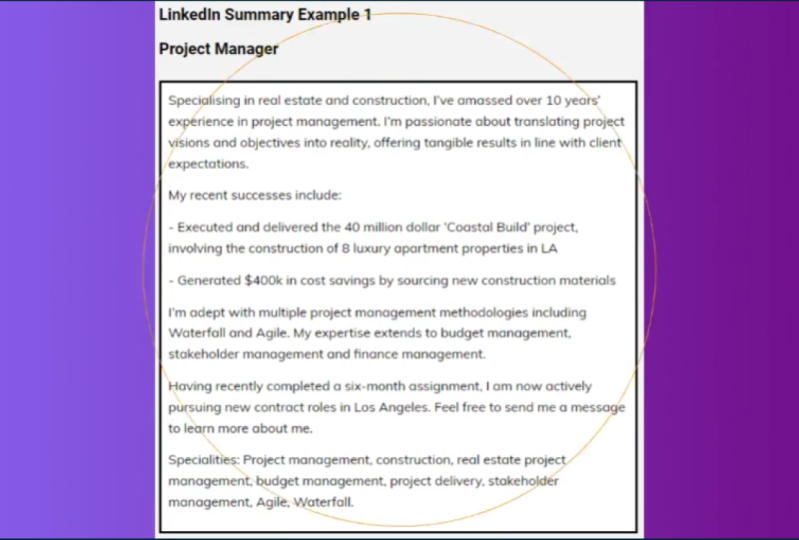
is your summary. This is a great place to tell your story in 2
thousand characters or less utilized keywords
then update as often as you need to ensure
relevancy and accuracy. The first characters
will show before someone will have
to click See More. For the rest of your
summary content, you're opening lines should
be how you hook a profile, who you are, what
you care about, and what you aspire to do. Right after this section, you should consider adding some awesome media you were
involved in like documents, links, videos, et cetera. It's a great way to show off your expertise and talent
along with your summary. Number five, fill out
your work experience. While LinkedIn profile
optimization is more than just talking
about your work experience, you definitely should still
fill this section out. How in-depth you want to go with each work experience
is up to you, but focus on some of
your main achievements, some tips while filling
this section out. Don't add every previous job. If you have a long work
history focused on the best achievements
related to your career, make sure to update consistently even current jobs when new goals or projects
are completed. Now let's talk about number six, education and skills and
other grades section to fill out where you put your
education and credentials. While your overall experience
matters in the work field, many recruiters and people in your network may be curious
about your education, any skills plus
venue add scales. Others in your network may start endorsing those
qualities you select, improving your trust factor. Now, these are the sections on your profile to add
your knowledge, education, licenses
and certifications, skills and endorsements. I would like to emphasize on
as skills and endorsements. Linkedin advises when you login
to your LinkedIn account, it's sometimes comes up with a suggestion whether
you are willing to endorse some of your connections for certain skills or not. This case, you do not
have to think much about wedges skills you
need to endorse people for. A pop-up shows at the
very top of your profile, asking if you want to endorse your connection
for said skills, you can either choose to escape
them or end up endorsing your network connections
and lignin are shorter way. If you do not want to write long recommendations
for someone, you can simply endorse
them for their skills. And if you want to
get recommended, you can ask some of your endorsers to
recommend you as well. Linkedin is a platform of mutually beneficial
relationship. Hence, it is important to take care of your
connections and nurture them from
time to time rather than just creating
them and forget later. Now these were some of the basic settings of
your LinkedIn profile. Will now talk about the advanced settings
of your profile, which also comes under
profile optimization.
3. Advanced Profile Optimization Hacks: Now let's talk about
advanced optimization tips. Number one, edit
your profile URL. One setting that is easy to
neglect and overlook when optimizing your LinkedIn
profile is your profile URL. You can actually add it that
you are able to be clean, like your first name and
last name or your role. And changing this is super easy to do when you
know where to look. So go to your profile and in the upper-right corner
you will see Edit, public profile and URL. Once the page refreshes, you will see in the
upper right corner, and then you can change the URL to be something cleaner
beyond a bunch of numbers and letters may own making their LinkedIn
profile URL looking clean. It can help search engine
index your profile and make it easier for people
to find you on the network. One more hack is you can keep your professional role over here rather than
keeping your name. It will help you in a
pair more in searches. Next point is create your
profile in another language. One feature you
might not realize is available to your
LinkedIn profile is the ability to create
your profile in a language that is different
from your default profile. You can change the language
of your primary profile, but you can actually create as many additional language
profiles as you would like, as long as they are in
the options available. If you are multilingual
and like to connect with people that
speak other languages, this could be a cool
feature to enable. You can easily set this up by going to your profile
on the right side. Click Add a profile in another language and follow
the prompts to get setup. Next point is add
name pronunciation. Do people have
trouble pronouncing your name without
hearing use it. Your name is parallel a certain way that could
be pronounced differently. A great way to get
ahead of that is to enable the name pronunciation
feature on LinkedIn. This was added not too long ago, but as simple as it is, I think it was a solid adhesion. I've come across numerous
profiles myself over the last year where LinkedIn profiles are
taking advantage of it. In order to add it and
record your pronunciation, you have to access
your profile from the LinkedIn mobile app does not allow you to record where
that stock currently. When you are on the app, go to your profile, click the pencil icon across
from your profile picture. And you, and you have your name, you'll see a section that
says Add name, pronunciation. Click that. And you can record right
from the app and save it to your profile for people to hear before
connecting with you. Next most important point is adding frame to your profile. It is another
significant way to give signals to your connections
about what you're up to. You can either select open to hiring or open to
network or open to work. Select a frame, just click on your profile picture
and select Add frame, and then select anyone you want. Next, add goers story. In early 2021, Ringling LinkedIn rolled out the covers to refrigerate that enables user to embed a 30-second mini introduction
video into their profiles. Once a cover story is added, an orange ring appears around the users is static
profile photo. When someone visits the profile, a preview of the video autoplay silently
within the photo frame. Clicking on the profile photo plays the full video with audio. Hi, I'm Jake. I work right here at
LinkedIn and I lead product for video
creators and events. Topped out Follow button. If you want to hear me talking about what we're building for. Dave is a consumer communication and carrier
expert at LinkedIn. Based on the company's
recent survey, 80% of the hiring managers believe that video
has become more important when it
comes to interacting with or wedding job candidates. If you are looking for a way
to inject some life into your profile that goes
beyond text and images. A cover story video
is a great way to go to add cover story, this open LinkedIn on mobile app and click
on view profile. Then click on your picture, you will get three options. Pick the one which
says Add cover story, and that will let you start recording cover
video right away. Currently, this feature is
only available to mobile app, and that's it for this video. Now, move to the next part, which is growing
audience on LinkedIn.
4. Growing Audience on Linkedin: Now we're going to talk
about growing your audience. And I'm going to share some
super-important tapes. And this is an ongoing
activity that will help you get more jobs or
leads for your business. So first of all, start connecting with
people you know, when you are starting
on LinkedIn, you probably have no
connections at all. So start to connect with people. You know, this can be
your family members, your friends, your colleagues, or former colleague, alumina
from your university, or that can be people
you met at a conference. Remember that people think that the profiles connection
requests are less trustworthy. The more connections
you have, the better. Next is start creating
post on LinkedIn. Share tax post on
LinkedIn or photos. Text posts are usually
short stories. You can use up to 1300 characters and
LinkedIn texts post or roughly about 200 words to tell something that you have
learned in business or life, or share photos that you think
people will engage with. The LinkedIn algorithm is
prioritizing a content mix. Some people prefer
pictures over texts. So create a mix of both
so that it will bring all types of audience
to your followers. Some examples could be, share anything when
you have achieved something or something
you are proud of. Oftentimes you will
find if you have something entrusting or
impressive to share, people will follow you because they want to learn
more about you. Next, publish videos
on LinkedIn directly. Linkedin likes videos
and the reason it wants people to stay
on their platform. Now it's not like
YouTube neither it likes YouTube videos to be
shared on LinkedIn. It prefers LinkedIn
video content over any external video content. By just using the video
content platform on LinkedIn, you are getting more
impressions than by sharing a YouTube video. And as I mentioned before, certain people
preferred textContent. Other people prefer
photo content, and other people
prefer video content. Next, use LinkedIn
hashtags in every post, people often follow
a specific hashtags by using hashtags
is sporadically, I recommend no more than
three in each post. You allow people to
organically discover your content through one of
the hashtags they follow. I recommend that before
you get started, research the hashtags carefully. And to do that, search, any hashtag related to your niche in the
LinkedIn search bar. When that keyword appears, click on the three
dots beside it, and then click on
discovered new hashtags. Now, here are all the
trending hashtags related to your niche. One tip I would
like to give here is not only used hashtags with huge number
of followers use a mix of hashtags
like less followers, medium, and then big
number of followers. Next point is bad connections and companies and
your LinkedIn pose. Use add the eight key and the person's name to
grow your audience. Oftentimes people will get a notification and
share your post, making you more
discoverable on LinkedIn. This will also increase
engagement with your post. Your posts will be shown to
their audience and some of their people will comment on the post and become
your follower. Next point is be the
expert in your field. Be good at what you do. If you are really good, you are an expert in your field and you
have something to say. You will attract people. The moment you share a lot
of value with your audience, you make it much more likely
that they want to follow you because they want to get
more value in the future. Next, create breaking
news, a style post. Be the first to
report something. By being the first you
are becoming unique. And uniqueness is off value. Everyone wants to be connected
to the person who knows everything first and who
reports things first. Now, here's something important. Don't just share
a piece of news. Give it your spin. What do you think about
this piece of news? What do you think this means? How can people prepare for
this good news or bad news? Next? Be consistent. Show up every day. You must be posting every
single day on LinkedIn. I repeat, every single
day on LinkedIn, at least one post
will be enough. This will help you to
gain momentum quickly. Oftentimes people
will engage with you daily by posting
content consistently. Linkedin will quickly
learn that your content is of value and we'll
give you more exposure. Let me tell you a little hack. Linkedin shows your content to your nearest
connections first. And if they like your content, then it shows to a
batch of 200 people. Then if it goes valid, chose to a larger
audience and that how your content goes viral. Next, joining
groups on LinkedIn. I would like to emphasize on joining the groups
and its importance. Linkedin group, in simple words, is similar to a forum where
you can share your views, thoughts, and knowledge
with like-minded people. These groups provide a
platform to interact with LinkedIn members that share common skills, experiences,
and objectives. So first of all,
understand your audience. All your efforts go in vain. If you join a group without
a clear understanding of it, you should understand
your audience and then find the
right type of group. And LinkedIn, you can
be part of 50 group. That means you can
join up to 50 groups, but these should be
relevant to your purpose. Being a part of a group
can be for many purposes, related to various
aspects of your life. And carriers, such as alumina
of your school, college, or preceding company's
social welfare causes such as angio, child education, et cetera. But remember, LinkedIn is a professional
networking site and all your actions should
adhere to this packed. It gives access to more people. When you join a
group on LinkedIn, you will automatically
get access to all the profile who are
already members of this group. Menu, post something
to these groups are larger part of the audience will get an access to your post. So once you are a part of group, visit the group and
their members profile through all of them might not Paul in your target audience, but you will get a fair
idea of who all are interested in what you serve
or share within the group. Share your expertise. Linkedin groups
are a great way to showcase your skill,
knowledge, and expertise. Here you can learn from others
and at the same time you can help those who are
in need. Through this. You can generate leads as well. If most of the group members belong to your target audience, they will be surely
entrusted in your post. So choose groups
very cautiously. Where's your audience? Does regularly visit,
connect within your area? As we know, there
are millions of groups and users
available in LinkedIn. Amongst them, there
might be some groups which belong to your
own local area. If some groups and their members reside within your
geographical area, you can promote your business
to these local connections. You can meet them personally as well and grow your business. Held them as well when you can, as LinkedIn is a mutually beneficial platform
for professionals. Next is share great content, even if you are a
part of the group, do not just where anything and everything that you
come across do not pose Internet hoax and irrelevant content
as the purpose of the group Bill Failed, share some great
knowledgeable content which can help
people in the group. Now how to find
the right groups? You can search for groups
by name or keyword, or you can browse groups
recommended for you by LinkedIn to search for
groups by name or keyword. Enter your keyword
or group name in the search bar at the top
of your LinkedIn homepage. Select group name
from the drop-down, and just click on the
Join button to browse for groups recommended
for you by LinkedIn. Click on the icon
in the top right of your LinkedIn
homepage and select groups from the
menu that appears. Scroll down to the bottom of
the page and click search. Linkedin allows you
to join 50 groups. So as a best practice, join as many that
are relevant to you. By joining an actively
participating in the groups, you will see an
immediate return with more Profile Views, new
connection request, and potentially website visits, which will lead to new
business opportunities. However, don't overwhelm
yourself by joining 50 groups altogether and instead do quality connections and
interactions first. Next most important thing is turn on creator mode
on your profile. Creator mode is a profile setting on your
dashboard that can help you grow your reach
and influence on LinkedIn. You can turn on
creator mode to get access to additional
tools and features that help you create content and grow your audience
based on LinkedIn. Turning on creator mode provides
the following benefits. The Connect button on your profile will change
to follow button. It will display the number of followers you have
in your profile. Introduction. When someone sends you a connection request after
you turn on creator mode, they will also follow you while
they await your response. Even if you decline
the invitation, they will still follow your post until they manually unfollow. You can display the
topics you post about in your profile introduction
as hashtags. This will make it easier for other LinkedIn members to discover your content
and follow you. You can add a link to the introduction section
of your profile to drive traffic to your website content, upcoming events, etc. You become eligible
to be featured, as I suggested creator
to follow so that potential followers can find you and your content
across LinkedIn. You can get access to
create a tool such as LinkedIn Live and
LinkedIn newsletter. If you meet the criteria. To find out if you
meet the criteria, visit the Creator Tools
section in the creator HUB. You will see available next to the Creator Tools
you have access to. You'll get access to
create our analytics, which provide aggregated
analytics to show how your content portfolio
performs over time. Next, LinkedIn newsletter,
this is the most amazing one. Marketeers and
businesses owners know the importance of having
a newsletter to keep their audience up-to-date
and engage with everything going on in
their niche or industry. With the interruption of
LinkedIn newsletters, you now have a new
option to consider incorporating into your
marketing strategy. Lyndon newsletter is
basically a feed of your LinkedIn content that
you create for your audience. It can include images, you have your videos, you have posted articles,
you have written. Anything that you can write into a LinkedIn article
can be pushed into, will link to the newsletter and shared with your audience. Basketball, this feature
is three right now. Any personal profile that has turned on creator mode and made a post within the
past several months is able to start a newsletter. As is typically the case when a new feature on a social
platform is introduced, LinkedIn is working
hard to make sure that newsletter gets as
much as possible. Sharing your newsletter, inviting your audience
to subscribe, pushing content out
into their fields at substantially higher rates than any other types of content. At a time when organic rich
seems to be suffering across social media and open rates
and e-mails can fluctuate. Having the power of a
platform like LinkedIn, helping you get views
on your content at no extra cost
is a huge benefit. To create a newsletter. Just go to create a post. Click the option to
create an article. And inside the
publishing editor, click the option to create a newsletter and just
follow the prompts.
5. Linkedin Automation To Auto Generate Leads: Now I'm going to show you my most favorite part
and that is automation. I love doing automation
and automating things on LinkedIn is a great way
to grow your audience. So I will tell you a
tool that I use to automate sending
connection requests and increase your connections. Because as we have learned, the more connections you have, the more trust you
gain and the more exposure you get and the
more ridge regression. So let's get right into it. Let's install this tool. Just go to Google and
write LinkedIn radar. So you will find this
website over here that says the number one free
LinkedIn automation tool. Go to this website. It will take you to this
tool on Chrome Web Store. Just click on Add to Chrome, and this tool will be
installed to your browser. You can use any
browser you want, Microsoft Edge or Chrome. It works best on both. If you want to use
Mozilla or para, or you can use them as well, as long as they support
Chrome Web Store extensions. So what you're gonna do once this extension is installed
into your browser, just go to your LinkedIn and then look for this
button over here. Just click on this button
and go to Create a Campaign. Click on Create a Campaign. And then it will take you to
the search page of LinkedIn. Now, here you want to connect
with the people that are in your industry
related to your niche. And you need to connect
with them first. So what you're gonna do is
use all this search builder. There are over here and then find the people that are
most relevant to your niche. For example, in this
target marketing, people related to
marketing industry. So I'll search for marketing. And then I'll select
people over here. And then from the location, I will select United States
and click on Show results. I can go to all filters and can select any
other filter if, if I want to super
target my audience, there are so many options, there are so many filters
you can select from. For now, we're okay
with this one. So what you're gonna do
is click this button again and click on,
start collecting people. It will collect all the people
from your search results. And I would suggest you
to select only 50 people, not more than that. It could be below then 50, but not more than that. Because if you collect
more people than 50, LinkedIn algorithm
will block it. So you need to remain in the quantity mentioned
by LinkedIn. As I have already
send some requests. That's why it has only
collected for it will collect all the profiles that you haven't sent that
connect request before. So now you see there were two profiles that were
not connected before, so it collected those all. Once it collect all the profiles
under the number of 50, you would click on pause button and then
click on search completed. Once the surgery is completed, now you need to create
your message over here. You will keep this as it is, and it will automatically
write the name of the person you are
sending the request to. Then you can change
this template over here for whatever you want. Once you create the message, just click on campaign
creation is completed. Once this is done, just click on your campaign and
then start sending. As you can see here,
the daily limit of sending connection
request is 50. So do not go beyond that, even just reduce it to less
than 50 to always stay safe. Do not get any warning
from LinkedIn. Once this is done, just click on Start sending. And it will automatically
visit each profile and send the connection
request along with the message you have created. So you can see how it works. It will automatically wait for few seconds for each action. See it has already sent one connection and the
number is updated over here. So that's how you automate
your connection request. Until this program is running, you can do any task
that you want. You can browse or do
whatever you want. And this will keep sending your connection request and
increasing your audience. This is how simple it is. And once you are done sending your connection
request, just click on, stop sending and it will stop sending their connection
requests. That's it. And I would suggest
you to run this, run this extension
on daily basis. As you will grow your audience
exponentially on LinkedIn.
6. How to Find a Dream Job with Linkedin: So now we'll talk about how
to search jobs on LinkedIn. Linkedin helps you to
find relevant jobs that suit your skills
and qualifications. You can either search
for a job using the search build on top
of the LinkedIn homepage. Or you can directly access the jaw page where you can
search and apply for jobs. Millions of jobs are posted
on LinkedIn every day. So it's important that you
are able to find the right, right job postings that fit your expectations
and requirements. For that, you need to
click on the jobs icon at the top of your
LinkedIn homepage, and then click the
surge of fields and enter a keyword
or company name. You can also select from the
job roles such as fit by LinkedIn based on your
qualification and experience. So for that, you need to
make sure that you have updated your LinkedIn profile
with your experience, education, and
other information. And then enter the job
location that you prefer in the Search location
field and click Search, you will be directed to the search results page
where you will see a list of job postings that suits your job role and
location preference. Now is use the filter
option at the top of the search results page
to filter the results. Once you have applied
all the filters, you can switch on the job Bella toggle and set job alerts. You can create job alerts
on LinkedIn to stay updated with new job postings that
match your preferences. You can choose whether you want to receive these alerts on a daily or weekly
basis through email, app notification or both. Now there are two types of
job postings on LinkedIn. One is easy apply. This will allow you to apply for the job directly
through LinkedIn. And then normal apply. This. You will be redirected
to the company or third party website
where you can apply for the job externally.
7. Linkedin For Business + FREE TOOLS for Linkedin: Now we'll talk about how to
use LinkedIn for business. The first thing
you need to do on LinkedIn is make a page
for your business. And having a business
LinkedIn page is just as important as having a
website for your company. You can build a
LinkedIn business page for free as long as you have a company name and email
on the LinkedIn homepage, click on the word icon in the top-right corner,
and then select, Create a company page and
choose an option from the list that fits the page type you need
for your business. You have these choices
for the business type. A small business, business, medium to large business
Showcase Page, educational page. Now fill out your page, identity, company,
and profile details. After you fill out
all your information, check the verification box
to confirm that you are allowed to operate the account on behalf of your business. Once the page is created, now it's time to
optimize the page. So first, scroll down and click the blue
added Page button. Fill out all the fields in this additional
information area. This will make what you do clear to users and help with
your LinkedIn SEO, as known as showing
up in search results. It's worth that companies with complete profile
gets 30% more views. Now, add keywords in
your description, your LinkedIn pages indexed by Google work in natural sounding
keywords where you can, in the first paragraph of
your company description, keep it up to three to four paragraphs max about missions, values, products, and services. Add hashtags to add three
hashtags in your page copy. Add three hashtags to follow. You can see all pose using
these hashtags by going to your page and clicking hashtags
under the Post editor. This allows you to
easily comment like and share relevant post
right from your page. Now, add a branded cover image. Take advantage of this
space to bring attention to your latest product
launch or other big news. Keep it on brand and simple. The correct dimensions
for the space R, 1128 pixel by 191 pixels. And finally, add
a custom button. This is the button located
next to the follow one that LinkedIn users
will see on your page. You can change it
to any of these. Contact us, learn more
registers, sign up. Now once the page is
created and optimize, usually start posting
content on LinkedIn. No one is going
to know your page exist unless you tell them. So start creating
high-quality content for LinkedIn and posted, you know, posting directly on LinkedIn as the most powerful tool
available on LinkedIn today. If oppose begins to
gain some momentum, LinkedIn will put a spotlight
behind it on one of their categories and it can get tens of thousands
of readers or more. This is a great way to improve your visibility while
reaching readers in a way that would
not have been possible on your own
website or blog, or even posting by an
article link on LinkedIn. Share your page from
your main page. On share-based, besides
the Edit button, share your new page to your personal LinkedIn profile
and ask your employees, customers, and friends
to give it a follow. It's an easy step. It's a very easy step. Now, as your employees
to update their profile, this is the key for the long
term growth of your page. When your employees first listed their job titles
on their profiles, you didn't have a page. So those titles
don't link anywhere. Now that you page exist, ask your employees to edit
their job descriptions on their LinkedIn profiles to link them to your new company page. All they have to do is added that section on their profile. Delete the company name, and begin retyping it
in the same field. Linkedin will
search for matching page names once they click yours and save the
changes their profile, we can now link
back to your page. Now this is the last
and final step to execute your LinkedIn
marketing strategy. You should have a LinkedIn
marketing strategy. Creating a page
is the easy part. Keeping it going with
content your audience want is the hard part
unless you have a plan. The LinkedIn part of your
social media strategy should include answers to what is the goal of your
LinkedIn page. This may be different from your overall social media goals. Second, what we'll use, use your page for or are
you going to advertise? What is your
LinkedIn ads budget? What are your competitors
doing on LinkedIn? How can you create
better content? Lastly, make a content plan. How often will you post? What topics we'll cover? How can you repurpose existing content to
use on LinkedIn. Besides posting
your own content, don't forget to
engage with others, even though it's pro-business. Linkedin is a social network. Now we'll talk about best marketing tools
you need for LinkedIn. All that I have
explained in this video, all of these links will be very beneficial for achieving
your goals on LinkedIn. So let's talk about it. There are several
tools that can aid your LinkedIn marketing efforts. And here are the few
most popular ones and my favorite ones to. First of all, Canva. Canva is an image designing app that makes it easy to create your own graphics and images to use in your LinkedIn post. Images makes your post more
engaging and compelling. N by making your own, you have your post that out. With Canva. You can
also create gifts, videos, and use
your own recordings or a stock for touches as well. And the best thing
it's free to use. Next is SlideShare. If you have a presentation
or white papers you want to share on
your LinkedIn page. Slideshare is the best way. Because slideshare is LinkedIn built-in
content sharing tool. It makes it easy to upload
your PDF, Word powerpoint, or open document
filed, SlideShare, even record analytics so
you can track engagement. Hootsuite. Hootsuite is an all-in-one
social media manager tool that helps you keep track
of posting is scheduling, analytics, comments and more. Hootsuite even helps
you boost your, your top performing posts
to reach more followers. So that was all for this
LinkedIn masterclass. I would love to know what new you have learned
from this class. And if you have any questions, you can leave your questions here or reach out
to me on LinkedIn. Also, your task is to optimize
your LinkedIn profile as but the point is mentioned in this class and connect
with me on LinkedIn. I will love to review
your LinkedIn profile and love to connect
with you guys as well. So take care and best of luck for your
future and diverse.
8. How to Work with Fortune 500 Companies: Now we're going to talk
about how we can land a dream job that is working
with Fortune 500 company. It's everyone's
dream to work with Fortune 500 company and how we can find those companies
through LinkedIn. Basically, these
companies mostly hire recruiters and worked
through recruiters. So all the recruitment, all the hiring goes
through a recruiter. So what you need to do is do this simple steps and you
can totally land dream job. Okay, so first of all, what you're gonna do is go to the search bar and
search for recruiter. You need to search for their
recruiting related keywords. For example, recruitment,
for example, recruiting. The most beneficial
one is recruiting. Okay? So go for recruiting. Click on that. And now you will see a
Follow button over here. So I'm already following it. So that's why it's showing
following button over here. Now you can see they are all the jobs of the
companies that are hiring. In this search,
you'll definitely get Fortune 500
companies as well. Okay? You can search through it and
connect to the recruiters. The main thing is you need
to connect with recruiters. And you will see there are a lot of recruiters from Google, from Facebook, from Amazon. Okay? So once you find all the
jobs related hashtags, so what you're gonna
do next is connect with all those people and ask for a job openings because they know where
the job openings are. And if you follow some
good people that are related to recruiting
and hiring, for example, this one when I search
recruiting and i've, I found these guys
who talks about jobs, hiring, openings,
and recruiting. So you need to
follow these guys. And now the next step is automating this one,
automating the task. So once again, we'll go
to people over here. We're talking about
recruiting and then select the location,
your desired location. Let's say we'll select
the United States. And then what you're gonna
do is create a campaign. Start collecting people. And this will collect
all the people from. Now you can see you for recruiting coordinator
from Amazon, recruiting from Disney,
google recruiting lead, see, recruiting
manager at Amazon, recruiting manager at Facebook. You will find all the
Fortune 500 companies recruiting manager over here. You need to connect with them, send them a
personalized message. Let me pause this and
go for the next step. And this is the
message and this, you can write down that
I'm looking for a job. I use a tablet which
is very amazing as n, which gives best reserves. So I will attach the
template in this class. So definitely check
that out and use that template that will get you your dream job
where he soon. So once you created the message, create campaign and
then run the campaign, you need to do this
daily, just daily. Outreach to them,
connect with new people, connect with new recruiters
who are hiring because getting into these companies
is difficult, right? And if you directly go
to these companies, it's hard to get there. You can get there,
but it's hard if you go through a recruiter
and a recruiter, if he or she already knows
you, then it is best. They can recommend you. They can they can take you
quickly through the process. So that is it guys. This is how you can
land your dream job working with a file
Fortune 500 companies. And I hope you like it.
9. My Favourite HACK that 90% people dont kno: In this class I'm going to share and other strategy
which is super effective to grow
your audience and find more leads
and more clients. And even you can land a really good job
with this strategy. Using this strategy can help you grow your audience really fast and can get you a job without even having to
connect with people first. So for example, as you all know in the last class,
as I have discussed, that if you need to
grow your audience, you need to get more
and more connections. And that's true. You have to follow that. So for growing
connections, you can see, you can search on
LinkedIn filter and then search for the people
and then the location. And these are all the people
that you get access to. So you need to connect with them first before
communicating with them. And there is a limit per day, as I already told you, that right now it's 11. Per day is 50. But as the time passes, limit can be changed, It's totally up to LinkedIn. So you have a per day limit of connections and
you cannot send more connections and you
cannot exceed those limits. So what is that
solution for that? What is the hack for that? What are we going
to do is you don't need to send any
connection request. Instead, you can directly send a message to your prospect, to your client or to anyone
who you want to reach out to. So for that, what you wanna do is you need to
go to the clubs, but you need to make
sure that you should be the part of the group in
order to use this strategy. Okay? So you can easily
go to the groups, find the groups that is
relevant to your niche, and then ask them to join. Then you just need to click request to join button
and they let you in. Once they let you
and what you're gonna do next is just go to that group and go to the top
right corner of that group. Now you can see it there are 900 thousand members
in this group. Just click on the
Show All button. Here you can see all of
the 900 thousand members. And one interesting thing, if you notice here
that you do not need to send connect to
them to message them. You can directly send
the message to them without having to send a
connection request post. So for example, if
you want to connect with garish stuff with AWS Cloud practitioner and
you have something about her? Yeah, it could be your business, could be your
prospect or it could be someone who can
offer you a job. So whatever your purpose is, you can directly message to her, simply click on the
Messages button. And here you can
send the message directly and it will land
it directly in her inbox. That most amazing part is it will directly land to her inbox. And the open rate are amazing. Open roots are just amazing. And the second best part
is it's totally free. If you want to send message
directly to a person on LinkedIn unit to use InMail. And you get some free credits for InMail of that
is five or ten. After that. For sending a direct message, you need to purchase in male credits or you need
to buy premium version. But for this method and this is strategies you do not
need to use anything, you do not need to
buy any premium. My profile is basic one. I'm not using the
premium profile or any LinkedIn Sales Navigator. I'm just using the basic
profile that you have and I have the access to
message them, all of them. But again, I would
request you not to spam, not to send all of the
message in one day and not to send a hundred and two hundred and three hundred
messages per day. Just keep it normal, just keep it personalized. One more recommendation is whenever you send
them a message, you can personalize them. Because as I told you earlier, this has amazing open rate. If you want your lead
to connect with you and if you want them to
do business with you, so send them a
personalized message, totally created for them. And for personalized message,
of course, you need, need some time to think about it and then send them the
message and not send them the template because that will not get you something
that doesn't really work. So this is a
strategy that works, and I'm sure you're
gonna love this strategy and use this effectively
without spamming.
10. Linkedin Boolean Search to Find Targeted Leads: What is LinkedIn Boolean search? Linkedin Boolean search or
Boolean search in general, is acuity techniques that
combines words and phrases with a Boolean operators
like and or not. Bad emphasis and
quotation mark to limit, broaden or better
define your search. It is used to produce more
accurate and relevant results. It allows you to
navigate through appropriately while disregarding
the unrelated ones. Linkedin Boolean search is
logic-based and it applies to LinkedIn Sales Navigator
and LinkedIn recruiter. However, LinkedIn basic and
premium business filters don't allow longer searches. If you try to apply a
longer Boolean query, you will get that no
results found message, which is not quite true. Linkedin just wants to point out the benefits of investing
in Sales Navigator designed specifically for
handpicking leads thanks to its 29 Lead
Filters and it's 15 account filters
or in recruiter with its Twenty-three plus
filters designed for finding the finest
talent for your business. Boolean search works only if you follow these
instructions. The Boolean search operators and our n naught must be
written in uppercase. If your search DOM is composed
of more than one word, it needs to go under
quotation marks. If combining the
Boolean search terms, use parenthesis to
define your theory. So here are the Boolean
search terms used the following five
Boolean search operators to conduct your LinkedIn
Boolean search. That end operator, the n
operator does a search engine to find all people whose LinkedIn profiles
include both terms. For example, if you search
for a writer and copywriter, LinkedIn will only bring
back users whose profiles contain both the term writer
and the tongue copywriter. Secondly, the OR operator. The operator tells a search
engine that you wish to find users who use LinkedIn profiles include either of the terms. Also, if there is a LinkedIn profile
containing both terms, it will appear in your results. For example, if you search
for content or copywriter, LinkedIn will bring back users whose profiles contains either of the terms or both terms. Then NOT operator. The NOT operator tells a
search engine what words exclude from search results differently from
other operators. It needs to stand before the
term you wish to exclude. If you wish to exclude
multiple terms than not, needs to be inserted
before each term. For example, if you search
for content not copywriter, LinkedIn will bring back profiles and containing
the word content, and it will avoid all profiles that contain the
word copywriter. If you wish to exclude
editors as well, you should come always
your query as content, not copywriter, not
editor. Quotations. Quotations are used in LinkedIn Boolean search when
your system is composed of two or more consecutive words that need to stay in
a specific order. For example, if you wish
to find content editors, but avoid content writers, your duty would look like this. Quotation mark Content Editor, not quotation mark
content writer. If you don't put the
term composed of two or more words under
that quotation marks, the search engine will look
them up as separate terms. For example, Content Editor, not quotation mark
content writer will bring back results that
contain the word editor, the word content, and
will avoid profiles with the word content
writer. Bad emphasis. This Boolean operator is
essential for writing complexes such as strings that gave
carefully picked results. Namely, when including parantheses
in the Boolean search, the algorithm sees the
spring between the brackets as acuity that needs to
be solved separately. And then in relation to
other parts of the spring. For example, the acuity, head and parenthesis
sales or marketing, not parenthesis in turn are assistant or communications
will bring back results of all leads
who are either head of sales or head of marketing or head of
sales and marketing. But we will exclude all people from the same
departments that are in turns assistant or hold the title of that Head
of Communications. Linkedin filters that
support Boolean search. Our LinkedIn, linkedin
Sales Navigator and recruiter filters does
support that Boolean search. Our firstName, lastName,
job title, company, school. The Boolean search works
with the keywords filter and is probably the
most commonly used one. However, keep in mind that this search results can be
very expensive and emphasize, since the search engine
will list all users whose LinkedIn profiles include that particular word somewhere, somewhere on their
profile and their title, headline, force,
hashtags, skills, etc. On the other hand, when you use the
Boolean search in one of the specific
parameters listed above, LinkedIn will apply
Boolean search only to those sections of your
leads LinkedIn profile. Now see some more examples here.
 Umair Sohail, Digital Marketing Strategist