Transcripts
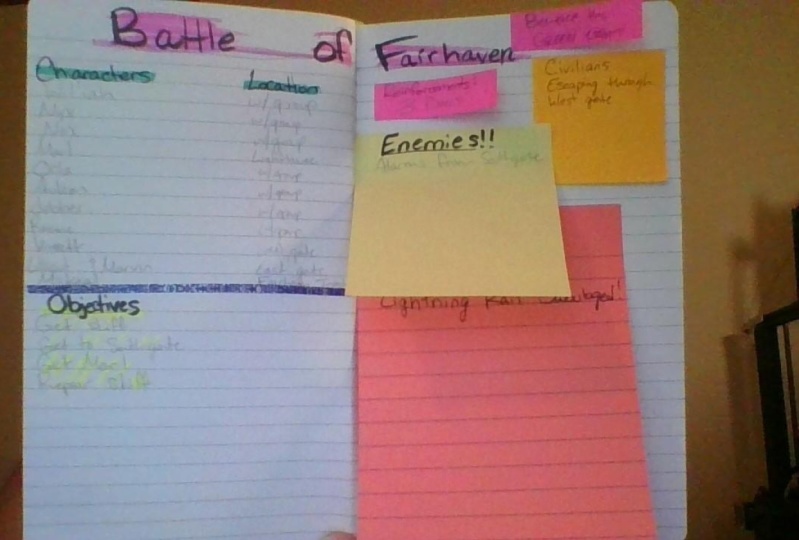
1. I - Introduction: this is a mess. What you're looking at is some old notes that I once wrote down. They aren't very good. I mean, I managed to somewhat make the title for the notes stand out by underlining them with a single line. And hey, some of the notes are in bullet format. You have arrows at the bottom to indicate causalities. But really these aren't very good notes. Everything is in one caller. The line weight is the same across the board. Nothing is really separated from each other. It's terrible. Now this This is a lot better. We have color coding. We have different line weights. We have separations, We have arrows. We have meaningful symbols. We have highlighting and we have post its today. I'm going to teach you how to make your notes a lot more organized, functional and aesthetically pleasing.
2. II - Example #1: let us go through this example and see what the's notes do, right? First of all, we have a good header entitle the letters of the biggest on the page, and they're highlighted immediately, drawing attention to them. Also, the divider organizes theme header and makes it more pleasing to look at. We even have a separated space for the date. Next we have a spot for what subject and specific class we had taking notes for. It's double underlined and again highlighted, making it very visible. The two questions that were trying to answer in these notes are clearly identified by the unique black triangles next to them and next to the questions we have. These smart post its. They tell us that we're not quite done with own notes yet, but when we do get done, we simply remove them, and we can now keep track of getting done. Now, our first question we need to research and take notes for the entire question is contained in this solid box. So we know exactly which of our notes have to do with question one. In our first notes here, we have a specific sentence that is important to us. We highlighted with a specific color, so we know it's important. We do the same. Everywhere else in our notes are we think something else is also import, using the same highlighter color to keep our color coding consistent. But wait while writing our notes. We come across something we don't understand, and we have a question we need answering. We write down the question, mark it down with this question mark. Sticky note. So we know to ask our teacher about this question tomorrow. In class, we continue our study, we make a small diagram, and we finally have our conclusion to clearly mark that this is the conclusions or notes. We underline it with a clear blue line. But wait. We also have to pay extra attention to something specific, difficult in this conclusion. So we mark it down with our extra attention needed symbol in question to we realized that the question contains two separate questions. So we use direction arrows in a line divider in the middle to break up the notes into two. In one of the sub questions, we again need to use our extra attention needed symbol, and in the other we use our conclusion symbol to mark that we came across a specific sub conclusion. Finally, we used the arrows to bring the two sub questions together for a combined conclusion which we again underlined in blue. But the conclusion also makes us question something else. So we again mark down the question with our question mark sticky note. Besides our to direct questions, we also have some extra information that we've gained about our topic. We write it down outside the boxes. One of them is a realization that we marked down with our blue exclamation mark, and the other is just some separate information. But we didn't write the extra information down. Where will So we write a new version on a sticky note and put it down over the old text as a revised version of the text we remove are not done sticky notes and can now declare ourselves done studying and calmly go to bed knowing that we have a well prepared notes ready for tomorrow
3. III - Interactive Elements: now that we haven't over you of the example notes. Let us dig down into the specific parts of the notes interactive elements here we have some examples of what interactive elements in your notes might be. For me. It is mainly different kinds of post it notes that could be used for different purposes. The done not done element is something that could be included for the purpose of order or simply for aesthetics. They could be especially useful if you're working on something bigger with different notes , spending many pages, and you need to keep track of how much you've gotten done. Exclamations are good for when something special occurs in your notes and are grateful, marking down questions that you might have since they can be removed when your question has been answered. Revisions are a smart way to fix your notes. If you make a mistake, learn something new or simply want to rewrite your notes, you can simply write down your new notes on the posted and place it over. The old text Reminders are a smart way to leave specific reminders to yourself that something needs to be done with your notes. They conceivably be removed when you've completed the task. Lastly, if you have something related to your notes on your phone and excel arc, a video, a diagram, anything you could make a small box so that they're so that your phone neatly integrates into your notes. This is mainly a fun aesthetics thing as the phone consent to be held in your hand or laid down on the table next to you notes.
4. IV - Lines: lines is one of the simplest and quickest ways to structure your notes. Underlining is a good way of categorizing the importance of different parts of your notes. An example of this help Me Done is as follows double underlining your title to make it stand out the most single underlining your subtitle so that it doesn't outshine your title . But it's still clearly marked and perhaps using a dotted line for underlining your questions to also make them stand out. Dividers are ways to separate big chunks, a few notes from each other and can be used in a header to make it stand out again. This might come in the form of double lines, single lines, dotted lines or lines of highlighter color. Another way to divide instruction notes is half arrows to show causalities, e and directions. Containment is a way of making it very clear that your notes are subdivided into different groups. How hard and clear your containment of the different groups of notes are Depends on what method you use. You might make a complete square to make a hard and clear distinction. You might make two lines one on each side of the section of notes to make the distinction a little more loose. Or you might only use a single line to distinguish the notes from each other at the bottom . Here we see a quick example of these things might look in practice for a small section of notes.
5. V - Colors: colors are an important part of note taking both to make the notes cleaner and more appealing to look at, but also to organize the notes and make them better at communicating information. Firstly, highlighting specific words or sentences is a good way to mark which parts of your notes you find extra important. This can be done in a bunch of different ways, and really, it is only your imagination that sets the limit. A good rule, though, is that you continuously used the same color for the same meaning, so that you're consistent with your color coding and you don't end up confusing yourself as a part of that. This is an example of using different colors to mark specific kinds of texts in your notes . You might want to use separate colors for the title category, normal text questions, subtitles and anything else important to make them stand out mawr and to differentiate them from the others. Lastly, is what we might call the stoplight version of colors. Different colors will likely make you feel different kinds of emotions when looking at them . Try to use this effectively when taking notes. I often use red when I need to pay careful attention to something since To me red seems to invoke danger Blue. I often use for conclusions which indicate causalities between different notes because blue feels like order to me. But color coding like this is completely up to you, and you need to figure out what different colors mean to you and how to use them.
6. VI - Symbols: symbols are great for utilizing illustrations, you can wait creek and precise meaning as shown in the overview of my sample notes. I personally used them to indicate when something in the notes needs extra attention or when I reach a sub conclusion. But really, there are endless ways to make symbols, endless meanings to project onto them. The key is once again to be consistent in your coating of what the symbols mean and how they look. Once you have that down, you need to stick to that system so that you don't end up confusing yourself. I would also keep the amount of symbols that you use regularly to a minimum. Having 20 different symbols in your notes with different colors, sizes and shapes will eventually just make the notes harder to understand rather than easier. So play around with it and find out what works for you and how many different symbols you can keep track off. And if that benefits your notes instead of diminishing them
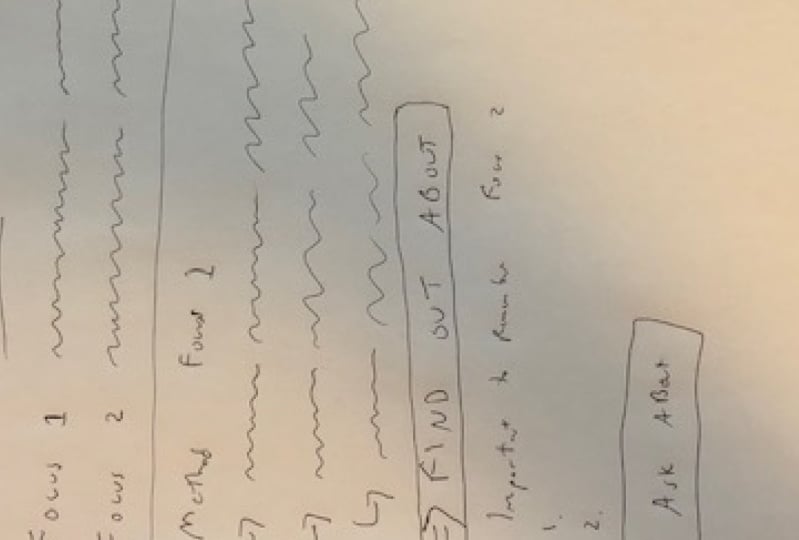
7. VII - Example #2: Now that we've explored the different elements in note taking, let us take a look at a second example of how your notes might look. Now these notes are meant for a more minimalistic approach. A lot of the aesthetically elements are cut out, but the principles of structure and order are still present. At the top, we have a simple header distinguished by double lining and a highlighter color divider. The actual notes are separated into three distinct groups by highlighter dividers, and each have their own subtitle, and they sidebar on the right side. The notes are generally much more minimalistic in this example. In comparison to our 1st 1 the normal text is all underlined with a single line to make them stand out, and that's about it. Also, the highlight of divider is the only real containment present between the groups. Then, on the right hand side, we have a smart sidebar divided from the normal text with a symbol diagonal single line divider. Here we have room to write down questions for the notes and poured out that something needs special attention with our colored symbols. And that's about what's going on in these notes This format is meant to be a lot more simple and quick to write down, depending on which class you're taking or meeting or anything else where you might need to write down notes. The speed and engagement will vary if you need to write down quickly, then you should cut out most of the aesthetic all part of the notes and just focus on the structure and order of the notes. But if you have time, then I do suggest that you spend time trying to make your notes more fun and aesthetically pleasing. Having notes that look nice is actually quite important, as this will make reading the notes later, much more engaging unless mature, even if you can't make them look nice in the moment. You can always add some of that stuff later.
8. VIII - Conclusion: so that wraps up this course on how to improve your note. Taking for all this to actually come together, you just need to start applying it for your class project. All but a photo of either some real notes that you took using the techniques you've learned or simply create a sheet of example Notes showing off how you would take your notes. Please provide a short explanation with your photo to explain how you chose to color code structure and make the notes look more appealing. Practice your own note. Taking method over time with the techniques and make sure that the system that you use stays consistent. That's about it. Thanks for watching.
 Kristoffer, Student