Transcripts
1. Introduction:What is Redbubble?: Hey guys, my name is Abigail Wiley and today I will be teaching you how to open a Red mobile account and how to list products. If you don't know what red bubble is, bendable is an online store in which artists can upload their artwork. Red bubble will stick that artwork onto mock-ups for various products and then advertise those products to their consumers, will get a little bit into SEO later. And then if someone purchases said artwork on a product to print a phi will print the are on that product and mail it to the customer and the artists will receive a small commission. This is a really fun hobby for Islam, as it's a nice way to just make a little passive income on the side. So it meant something that sounds interesting to you. Stick around and I will show you how to get started. Thanks guys.
2. Project Instructions: Alright guys, so your project for this class is going to be to go ahead and open eager red bubbles store and either show a screenshot of your store friend or share the markup with your favorite design that you created. Alright guys, can't wait to see your work.
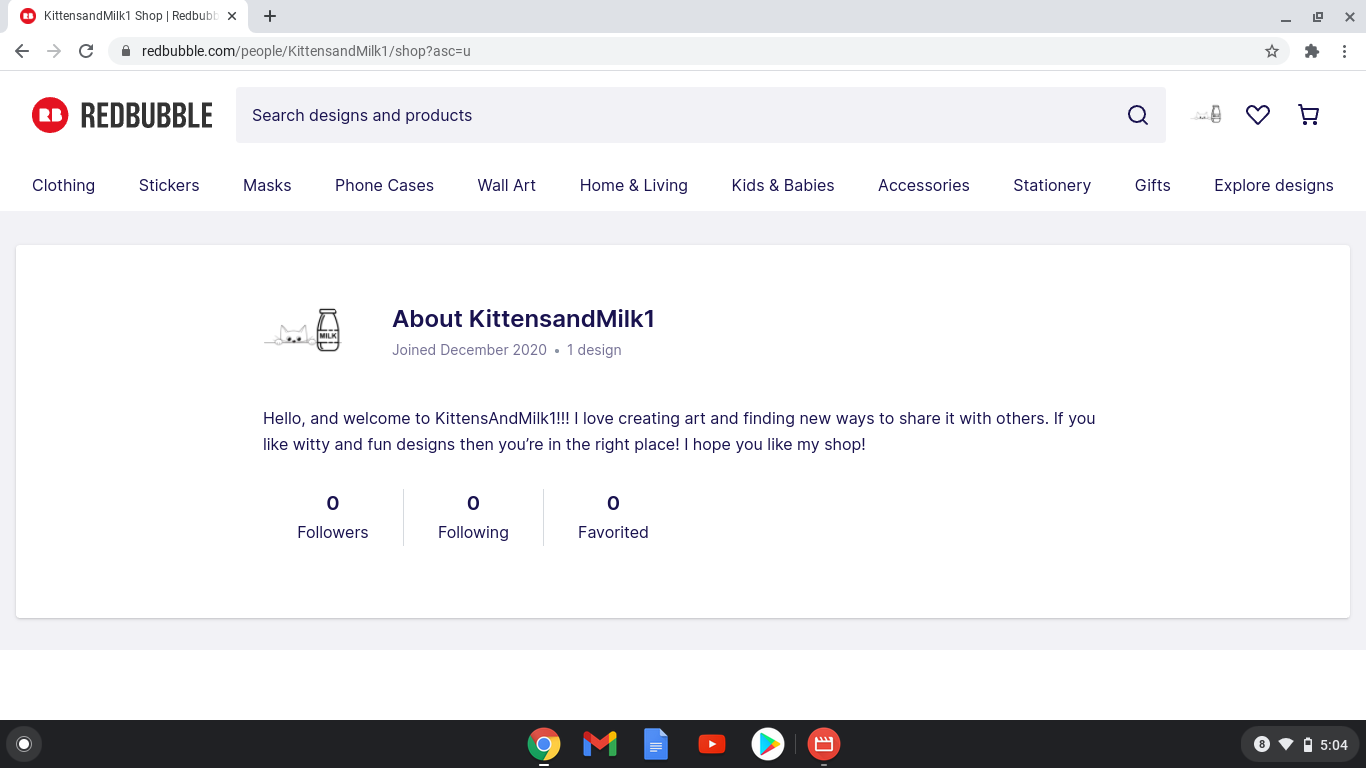
3. How to Open Your Sellers Account: All right, so here we are on the red bubble website, main page to setup an account. We're going to start by coming up to the corner and hitting cellular art. From here, we're going to hit Start. So I had to cancel an account instead over because I accidentally deleted the video. But here's the artist sign up page. So your gonna put in an email, make up a username and a password. Alright, so here's the initial sharp dashboard where we can add designs, work on our shop and set up payment. For starters, let's go ahead and set up shop to fish. Greg and I choose a file to add for our Avatar. Amusing logo designed in Canada, K1. And then go back to the account settings. We're going to add a cover image. That guy. Perfect. All right. Now it's going to ask you to put in your file and you can choose whether you want your real name displayed or your username slash store. And I'm gonna go ahead and leave it at the store name and then I'm going to write this by a real quick. All right, so here I've written a pretty generic bio just to get something up there. Then you get to make some choices based on what emails you want to get from them. And it'll give you your URL. You can also choose whether or not you want people to be able to ping your work on Pinterest. Obviously, I think it's best to get the most free marketing that you possibly can. So I'm gonna leave that open. And then also if you are going to be selling which her designs you will want to mark that you sell commuter content right here, right? So we're gonna save these changes. What looks good? Then the next thing I would do would be to go ahead and put in your payment information. Obviously, I'm not going to do that right here. But it's a good idea to get done before you start uploading your work. And that if you're in the US, you can use PayPal or an ACH bank transfer. I have my actual store just took that to PayPal and that's been working pretty well so far. You'll obviously have to agree to the user agreement. And so overall, that should get you to go. The only other thing you might wanna do. If you have other social media that you're using to market your artwork, you can come to this page and link them, which is a really good idea if that's something you're interested in. Because we're going to use tags to try to get designs noticed. It can be really hard to get to the front pages where people are going to see you most. And in that case, you're going to have the fastest growth by marketing on your own outside of red bubble. So, yeah, once you go in and set up your payment at this point, you'll be good to go. So I'm gonna go ahead and cut this video right here. And then in the next video I will show you how to actually add your designs and edit how they sit on products. Thanks guys.
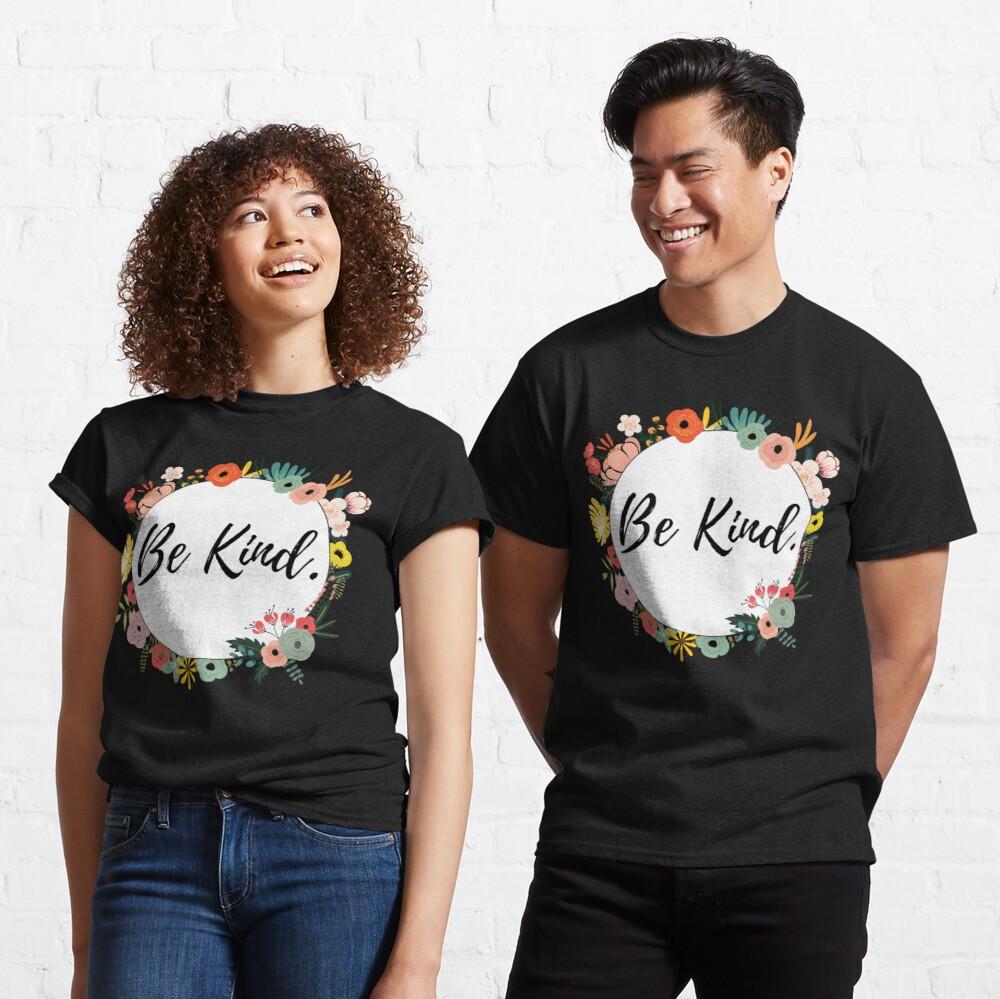
4. How to Upload your Artwork to Products: All right guys, and I'm going to show you how to upload your do is we can add a term down here and click add designs. Or we can come right up here and hit the Add button. So I'm going to hit upload new work. I went ahead and designed a really simple, basic T-shirt design. Then we're going to have our title, our tags and description that are gonna help us get noticed on the site. So we are going to title this flower design. Then if I come up with something more original, well, we're working on this. I'm going to cut it. But for the most part, you do kind of want it to be pretty concise For the most part. And then tags canvases, that Canvas. Red marble says that they do prefer fewer, more precise tags to a bunch of random ones. So we're going to be and we're going to call that good for them. Then for the description. Not very good at writing descriptions that I will just take me. So we're gonna call that good. Obviously, the more you practice, the better you will get at writing descriptions. And then something that I recommend doing is changing your default color on most, if not all of your shirts to black. Black t-shirts are by far the most popular. And they look good on a lot of body types, things like that. So that's nice. And then kind of already knew without explaining, in order to adjust design, you just hit the edit button and then you can move your design around to say it however you want it to. So I wanted to be close to the top and we're going to call that one, could. Then we're gonna move on to this t-shirt. Again. Default colored black. We also have the option to enable slavers tops to that I would just click the little disabled button to enable it. I don't normally enable this one. It's just not my favorite. But to show you how to do it will garden heading at that set by those changes. So that's how that one sets can do. Tabs, T-Shirt dresses, graphic tees, more addresses, who I really like how this one looks on this sticker actually. So that's really fun. Can be firm cases. Again, an edit, scale the image down. For this one I think I might actually go with like pink background and see how that looks. Oh yeah, I like that quite a bit. And so we're going to make that one the background pink. I don't really like how the designs women if they're on the phone wallet. So I'm just going to disable that one. Go ahead and edit this pillow. Pink as well. Want it to be exactly alike. I can copy the little this little number right here and I can paste it into the other designs. I'm not gonna do that right now though. And turn it a little better. And I've gone ahead and disable the laptop sleeves. And then something important to remember with the mugs is that you have to choose which mock-up actually shows the design down here. As you can see right here, this is I1 shows or this mock-up shows none of the design whatsoever. So the first I'm going to get this all lined up. And then I'm going to click on this markup because it does actually show that is Plato's changes. Don't really wanna do it. Don't feel like doing the tablet. Go ahead and do the drawstring bag. Then I think you kind of get the gist. So I'm just gonna go ahead and disable the rest of the values. I do like the pens, I'm actually just for the pin. And then I would definitely suggest enabling face masks. For the time being. Maybe you're watching in the future and everything is great again. But in the meantime, Let's go ahead and enable this guy. We'll see if we generate any sales from. Then down here, there are more advanced products that you have to work a little harder on your designs for when you're just starting out. I would recommend just disabling all of these guys. And then as you get more comfortable with the system, gone ahead and start exploring those options. And then down here you get to choose what media you used to create your design. I used Canvas, I'm gonna mark digital art. Then obviously we want to make this work public. We're going to choose an optimized default product inner shop. So if someone searching for stickers, it'll come up as a sticker. Or if someone only by stickers, it'll come up as a sticker or things like that. Then we don't have any adult content here. So we're going to know and then just confirming that we have a right to sell the products in this artwork, we're not breaking any trademarks or anything like that. And then we're just going to hit Save work. All right. Then here's how it shows up is obviously still telling me to put in my payment details, which I'm not going to do. And then down here you can see how your design looks on all of the mock-ups. So the project for this skill share is going to be for you to set up your shop and either share a screenshot of your shop or share the picture of your favorite mockup design. So thank you so much for coming guys. I really appreciate it and I hope this was informative to you. Have a good one.
5. How to Find Popular Tags for Your Designs: Alright guys, today I'm gonna show you my favorite resource to find popular tags for my red bubble designs. And also I typically use it to find inspiration for my designs to begin with when I'm trying to Rankine and make sales. Again, This is usually more of a hobby for me. It's something that I'm trying to set up as a forming part of the premise of my little sister because we both like art. But yeah, so when I actually want to retire and wreak designs that cell, I come to this website which is red bubble dot DW dot rel. It's a free site and they provide a list of red bubbles, 10 thousand most popular tags, as well as a red bubble tag generator. This guy's not really up right now. But in the next video, I'm going to explain why I don't recommend using 50 tags, which is the max red bubble allows. But for now let's just check out the red Bubble Tanks English popular tax. Alright, so this tool will show us the tags ranked in popularity. They'll show us whether or not they've gone up or down in popularity recently. And it will show us how many results there. So at the competition rate is, and it'll show us whether or not there are more or less results than last time it is updated every Monday. So as you can see, a lot of these are going to be tags that our trademark or copywritten. So we do wanna stay far away from those. You do not want to get your account suspended and you really don't want to infringe on other people's intellectual property. Now if we start looking at these, the number one is hydrostatic or associate with for your hydro flask. But if we look at the results, there are 195,049 other people using that tag. So even though it might generate a lot of sales, we have pretty much 0 chance of getting on the front page for that tag. So what I do is I sort these by results instead. And I go through and I just look for anything that is in copywritten or trademarked. And if I see something that I'm not sure about, I can click on it and it'll take me to the actual red bubble page so I can see what the other designs look like. Because sometimes I'll see something that looks really generic and then find out that it's actually from a show or a YouTube channel or something else that I don't know about. So it's good to double-check before going ahead and making the design when the tag might be popular for a reason, you aren't even aware of. I've already gone through these and I actually found the tag checking IDs, which has 252 results. And it's the 6,976 hubs popular tags, which like it is not that close to the top, but still it's the top 10 thousand. So that's pretty good. If we click on this link, again, it will bring us to the red bubble, search for that tag. So you can look at other people's designs. I actually got really excited because I already had a design for checking IDs made in Canada. Just because I love the phrase and the means. And I was going up my Etsy shop, but now I think I'm going to put it on my red rubble account instead. But yeah. So again, sorting by popularity, just trying to find something with the least competition. One more thing I want to know. Go back here. So when we're looking at how much the results have gone up or down. Sometimes results going down can be an indicator that something is trademarked and that they are actively pulling listings. That nature. So again, just don't, don't try to steal people's intellectual property and stay away from things that you know you shouldn't be using. And if you're not sure about something and just go Google the US Trademark Search and they will let you know if something is off limits to you. But yeah, that pretty much sums up what I wanted to show you what this tool. Thanks for coming by again, guys.
6. How to Get your Products Noticed: Alright guys, last thing I wanna talk about is optimizing your tags for red bubbles search engine and also other free ways to promote your red bubble account. So with red bubble, they recommend using three to ten tags. But the most you can do is 50. Obviously, if red was the people saying you should use three to ten, you should probably be using three to ten. Most people do shoot for that. Ten categories change. However, it is very important to make sure that each of those keywords is actually related to your design. So that when people see your design in their search, they actually click on it because I could totally make a shirt. And then just to put the 50 most popular keywords on, even if it was just something random. Like, I don't know, like maybe a shirt that said some random word like sarcasm on it. And it honestly just wouldn't together many clicks because when people search things like hydro flask stickers or I don't have sludge shoots like Miletus laughing There. They are not going to click on things that aren't what they're searching for. They're going in knowing what they want, and they aren't going to click on anything else. So very important to make sure that you are using keywords that are accurate. Number two, you want to start promoting your red bubble account on places other than the site. The site is a little bit more fair than some other online selling places because they do make it possible for people to find your listings without any alternate marketing. And if you search your exact title, you will probably be able to find your listing below. It's just, there's so many designs on red bubble.com, it can be really, really hard to get to the top without generating sales in advance. So something I definitely recommend is either starting a Pinterest account for your red bubble account, or simply sharing your red bubble designs onto your personal Pinterest account. Main difference is if you're gonna do red bubble as a serious business, you do probably want to start a business account because then you can use their business analytics tools to see who's coming and looking at your pins, things like that. But if you're just doing it as a hobby, your personal Pinterest account probably already has quite a few followers and will be a lot faster for getting your pins noticed. Then also, I would recommend going ahead and starting an Instagram. It can be really difficult to get your Instagram posts noticed without paying for promotions. However, if you are mixing your product, pin posts with other things that are interesting, tear niche, you can get some organic traffic. For example, I had one specific needs where I knew I could make a lot of means for those Memes would get me followers who would then go and like my products. So, yeah, those are good. Maybe even like a tick tock, I haven't used tech talk as much about. I did recently started using it to promote one of my shops. And even though I don't think I've gotten any sales from, I have gotten a lot of abuse and the likes in a very short amount of time. So I feel like that could be a very valuable resource if you learn how to use it in a way that'll generate sales, I do know that it can be really hard to get like links in your description. However, you can typically put a link in your profile. So if you made your profile and your red bubble account, you could do then show your art, show your creative process, and then send people to like your link. So I kind of hope that this is like a good beginner baseline for marketing and SEO. Obviously, the more you're going to take this seriously, the more you're going to want to learn, the more courses you're going to want to watch. But just for getting started, I think making sure that you're using tags that really relate to your product. Starting a Pinterest, starting an Instagram, these will kind of help you get started and start getting your products notice. So yeah, guys, thanks for sticking around and have a good one.
 Abigail Wiley