Transcripts
1. Introduction: Drawing a landscape with
color pencils can seem like a very big and
overwhelming task. If you can get the hang of it, you can make some absolutely
stunning drawings. I want to show you
today that actually, if you follow the same
process as you usually would for color
pencils and break it down into some smaller sections, it's not as difficult
as you might expect. My name's Jemma
Chambers and I've been making art tutorials since 2020. I've helped tens of
thousands of people on my Youtube channel
improve their art skills. And today I want to specifically cover how to draw landscapes. I'll show you all of the
materials that you'll need, as well as some of the
really basic techniques. Then we can start working
our way through the process. Selecting a reference photo, drawing out the sketch, and then building up all of the color. And I'll be showing you
with this tree landscape. Let's get started.
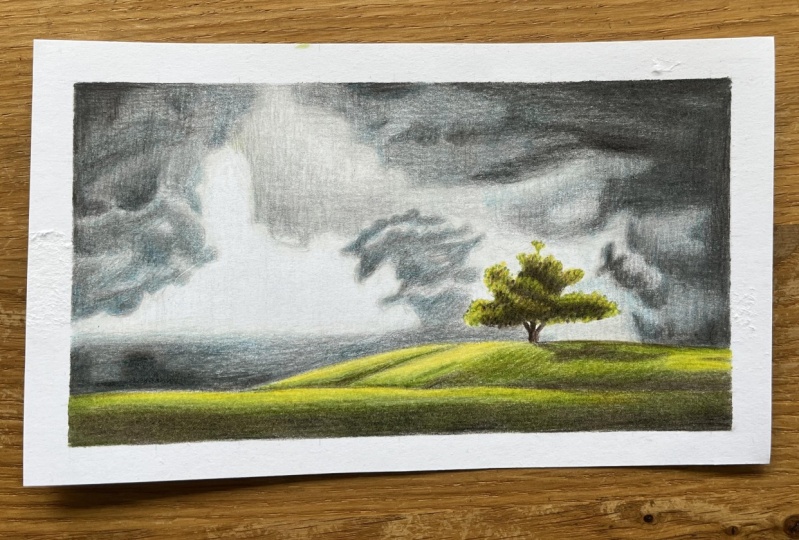
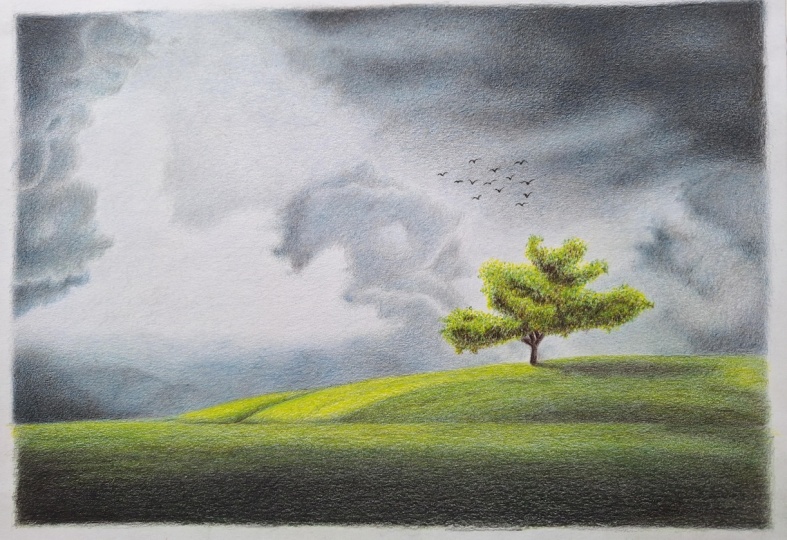
2. Class Project - Drawing the Landscape: The class project will be to
draw this tree landscape. Now I've selected
this specific drawing because it's quite complicated, but not too complicated. It's got a really lovely
focal point of the tree, but the rest of the landscape
I think isn't too tricky. So it's a really great one, if you're new to
drawing landscapes. Now I will show you everything that you need to draw this, including how to
build up the sketch. But if you want
to use my sketch, it is available in
the class resources. There are also details of all of the colors I'll be
using in this drawing. When you've finished
your drawing, please do upload it to
the class projects. I would love to see
what you've done. All right, let's talk about the materials that you'll need.
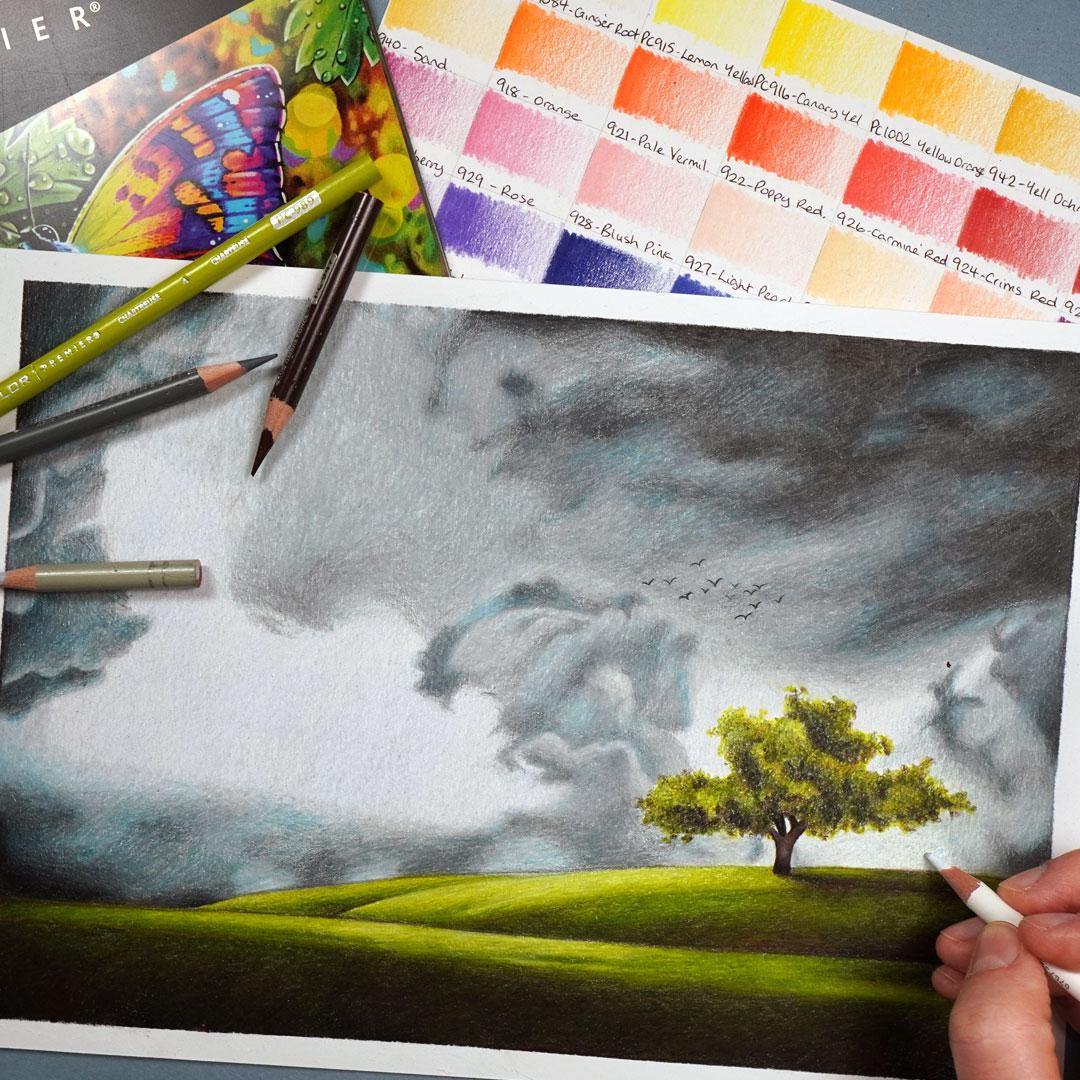
3. Materials Needed for Drawing with Colored Pencils: Let's think about the materials that you'll need and the first, most obvious thing you'll
need is a set of pencils. Now for this drawing, I'm using the set of 72
prisma color pencils. You don't need to use exactly
the same pencils as I am. You can always just find a
close match for the colors. Now you may think that
you need to spend an absolute fortune
on color pencils, getting some professional
colored pencils. And although I do love my
professional colored pencils, I don't think that they're
as important as the paper. You can make some beautiful
drawings with something like Reyola as long as you
have the right paper. So for all of my drawings, I draw on something called
Bristol Board. This is a nice thick paper which allows you to build up all of
the colored pencils. Drawing on something like
printer paper or sketch paper. You're not going to
be able to build up the pencil in the same way. So the Bristol Board allows
me to build up that pencil, but it's also nice and smooth, so it gives me a lot of control over where that pencil is going. Next up, you will need a way
of sharpening your pencils. Now, I have this hand
cranked pencil sharpener. I specifically like it because I can change the blades
when they get blunt, but you don't need
something this fancy. A basic pencil
sharpener will be fine as long as you can get a
really nice and sharp point. Next up, I use some
washy tape just so that I can create a really
nice clear outline. Again, this is an optional extra you could just draw right up
to the edge of the paper. I think it looks nice
having a white border. To create your sketch,
you'll need a ruler, a graphite pencil,
and an erasor. And then the next
thing you'll need is something you'll
need to make. This is a set of swatches. I like to see exactly what
each pencil looks like on the paper rather than relying on the lead or the
barrel of the pencil, which doesn't tend
to be that accurate. If I draw all of the colors out, I can really clearly
see what I'm working with specifically on the
paper I'm going to draw on. What I do is I go from as
light as each pencil can go to as dark as each pencil
can go, and then I label it. I do this, generally speaking, in kind of rainbow order. Now the final thing
you'll need is some way of looking at
the reference photo. So I like looking at the
reference photo on my ipad. I specifically like
that I can zoom in if I want to see something
with a bit more detail. That said, if you
don't have an ipad, you can of course, print
the reference photo out. So you will need some pencils, the right kind of paper,
a pencil sharpener, a ruler pencil and erasor, a set of swatches and some way of looking at
the reference photo. Let's think about some
of the key techniques that you'll need to draw.
4. The Basic Techniques for Drawing witth Colored Pencils: Let's cover some of the
fundamental techniques that you need to know to
draw with colored pencils. And first up, all
colored pencils are built up through a
process called layering. This is where you build up the pencil in a series
of light layers. You don't want to just go in
really hard with the pencil. What this allows is essentially for the pencils to mix together. Generally speaking,
because we're drawing realistic items, you want to be making
a series of gradients. It doesn't tend to go from one color very
harshly to another. So we can mix these
colors together. We build up a lot of
the pencil bit by bit. Gradually we can make all
of these gradients and all of these different colors which will build up the picture you see a bit
better. What I mean, when we're drawing
the landscape. So in order to build
up those light layers, there's a few things
that will help. Firstly, if you hold the pencil further back than
you might think, it will stop you from being
able to press too hard. So if you hold the
pencil back here, it will stop you from needing to have as much pencil control. You also want to make
sure that you've got a really nice and sharp pencil. The pencil will go down in a much smoother and more
consistent way if it's sharp. So do make sure that you
are frequently sharpening. Next up a lot of the layers, we want to put down the pencil in as smooth a way as possible. So I like to work in circular motions rather than just scribbling back and
forth with the pencil. If you work in circles again, it goes down in a
much smoother way, which is going to
be so important for drawing this landscape. Now these are the main
things that you'll need to know to
draw a landscape. Let's start working
through the process I always do and that I would
use for any landscape.
5. Studying the Reference Photo: The first thing I always do
is select a reference photo. Because I draw, realistically, I find the easiest way to do
that is from a reference. Now, I've selected
this reference photo for a few reasons. Firstly, it's got some
really good contrast. It is absolutely the
most important thing when selecting a reference is to make sure it's
got good contrast. A picture like this is always going to look better than
a picture like this. This reference has
some great light areas and some great darks. It's also nice and clear so
I can see what I'm doing. Now, before I start drawing, I always like to take
a minute to look at the reference and
really see what's here. It's kind of part of me
getting my bearings. And let's start off by having a little bit of a
look at the sky. So the sky is quite generally dark and it's got
quite a lot of clouds in it. Now, the overall color, I would say is cool gray. And there's some
very light areas, some more mid tone. And then there are
some very dark areas. On the most part, I
would say it's generally kind of out of focus and patchy. But there are some more in focus clouds where you
can see a lot of detail. It's really only this cloud
here and this cloud here. So I'm going to want
to start off by drawing in the main shapes, but then we can
start thinking about adding in all of
these little details. The other detailed
area in the sky are these little beds which are
add in right at the very end. We don't want to add those
in before we've done all of our blending and everything
is how we want it to. At the end, in terms of
the grass along here, there are some very light, almost yellowy green
areas like here. There's again,
more midtone areas and then it's very dark along here on the right hand side and generally down
the bottom down here. Now I am noticing that
there's quite a clear shadow from the tree and it maybe has a little hint of brown to it. So it's not only green that we're going to
want to add here. And there is a little bit of
texture along the bottom, but I wonder if maybe I don't think I'm going
to draw in the texture. I think it wouldn't
be possible to see it when the drawings finished
and it's not hugely textured. Let's look at the tree. So the tree is sort of
sorted into sections. You can see that there is
a section around here, there's a section here, then quite a large section
along here and a section here. And that's essentially
how I'm going to want to approach
drawing this. There's obviously
a lot of texture here that we will
want to draw in, but I'm particularly noticing that there's a dark part here, for example, midtone, and
then lighter along the top. And if I can start
off by mapping in those key shapes and colors, then adding the
texture over the top, I think will be a lot easier. All right, so those are the main things that I'm noticing. To start with, let's
start drawing.
6. Sketching the Outlines: Now that we've looked
at the reference photo, we need to make our sketch. And I like to do this with something called
the grid method. This is where you have a grid on your reference photo and you put a grid on your
drawing paper. Then all I need to do is draw what's in each
individual square. Now I have put this
reference photo with the grid in the
class resources. I now need to work out how many squares I want to
put on my drawing paper. So I'm going to draw four
centimeter squares on my paper. You don't necessarily
need to make squares that are the
same size as this. I find because this is a
reasonably simple sketch, I can make some
pretty large squares. Now I'm pressing quite firmly with the pencil here, my lines very, very dark. In actuality, you want to be pressing much,
much lighter than this. I just want to make it really clear that you can
see on the camera. But when I'm doing this
on an actual drawing, I want to be as
light as possible, so I'll be able to erase the grid easily a
little bit later. So from here, all I want to do is work one square at a time, really looking at what's
in each individual square. Now, because most of the sketch we need to make
is made up of clouds, I'm not going to draw all
of the intricate shapes. I want to draw a
more general shape. So I'm starting off on
this square at the top, and all I really want to draw
is a line going down here. I want to look at where this line is crossing
the line of the grid. So here, this is about
halfway along, I would say. And this is about, maybe, a little bit less
than halfway up. And that's all I'm
going to do is draw a line from halfway
along to halfway up. I can then start looking
at the next square. All I need to do is
draw a very small, kind of curved
shape around here. There's not a huge
amount to see in this square and draw
that shape here. And I'm pretty
much just going to work around one
square at a time. So as I say, most
of this is made up of a series of clouds
and I'm doing some very rough sketches. Most
of the mapping out of the shapes we're
actually going to do with the colored pencils. Probably the most in
depth area that I need to sketch out is here
with these hills. It's again, still
very, very simple. I can make sure that I'm in
the right square by counting that I want to be four squares down and on the edge square. And then the horizon
line is just a little bit above this
line of the grid, But it's still pretty level, I would say, to this grid line. And I can draw that line
along here on this square. It's got this hill coming
up that's going up to maybe a third of the way up and ends level with this hill. Sketch that in and
just work my way along getting these
really rough shapes in. You'll see it's really not
a very detailed sketch. We don't need to get
it absolutely perfect, I just want to get
the key shapes. Now, the area with the most detail is
definitely the tree. And I do want to try and get this as accurate as possible. Now if, for example,
you wanted to have large squares on
most of the sketch, but you wanted to
have a little bit more detail on the tree. You could draw smaller grid
lines in just this section, so you had a little bit more
help when drawing the tree. So once I'm happy that
I've drawn in the whole of the sketch outlines and I have something that
I can work from. I now want to do is erase
all of the grid lines. So I'm just using
a Putty Errasor here to erase the lines. You can use whatever
razor you have to hand. And again, if you had created
some much lighter lines, this would be much easier. You want to, at the
end, not be able to see that the grid
lines were here. And in fact, once you've
erased all of the grid lines, what I often do is just go over the sketch
itself as well, so that it's much lighter lines. I don't want to have
a really dark sketch. I want it to be as light
as possible so it doesn't show through the colored
pencils at the end. So now we've created our sketch, We can start building the
colored pencils on here.
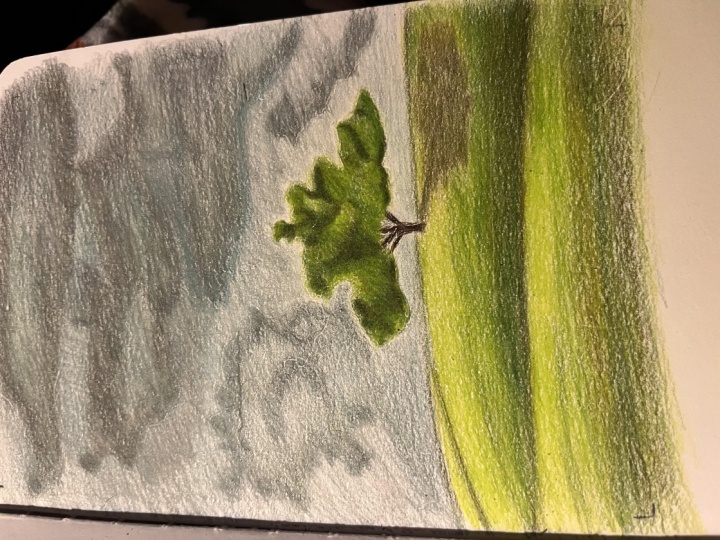
7. Base Layers in the Sky: So now that we've got
a reference photo, we've drawn out our sketch, let's start building
up the landscape Now, this first chapter
is quite long, but I think it's
reasonably simple. So I want to start
here by putting down some base layers on
the whole of the sky. And as I say, it is going
to be time consuming. Now, the first thing I want
to do here is be looking for the lightest color that I
can see within the sky. So the lightest color is
probably around here. And the closest color
I have to this in my set is the 20% cool gray. And you can see that color in a number of places on the sky. Any area that's quite light, I would say that
that is the closest. So I simply want to
start off by putting a smooth and even layer of this pencil over the
whole of the sky area. Now there are a few important
things here to be thinking about and it is very
similar to the usual. First up, notice how far
back I'm holding the pencil. So the key here is that I want to be pressing as
lightly as possible, and that's going to be a lot easier if I hold the
pencil back here. I'm going to need to have
a lot less pencil control. This pencil isn't
particularly short, but you'll notice that I am
using a pencil extender, I think just makes
the whole process much easier on my hand. So along here I want to be
looking at where my sketches, just drawing a nice clear line
between where the sky will be and the grass will be and then I can carry on
working my way from there. So beyond holding the
pencil further back, the next really important thing is that I want to be working
in circular motions. So because the sky
generally is quite smooth and certainly whilst I'm blocking in
these key shapes, I want to make it as
smooth as possible. The pencil will go down in a
much more consistent way if I work in large circle
or oval motions. So you can see I'm working
in quite big ovals and I am still kind
of working in blocks. I find it easier to work in kind of strips
going down, I guess. Now the next thing
that's really, really important is you want to be making sure that you have
a nice and sharp pencil. Now, this is even
more important, or needs doing it even more
often with prisma color. So I am taking my pencil
away a lot to sharpen it. And you can see already it's getting to the point
that it's a bit blunt. And when it does get blunt, I find it goes down in a
much less consistent way. So every time I take
my pencil away, generally speaking, I'm
doing that to sharpen it. And I think I probably sharpened my pencil when just doing
this light base layer. I probably sharpen the
pencil about six times. That's something to bear in mind now as I work my way from
the left to the right, which is generally speaking, how I work, as I get
towards the tree, there is something that I want to be bearing in mind here. Because the tree doesn't
have a really sharp, crisp edge around
the outside of it. I do need to put some of this light gray slightly over where the leaves
are going to go. So because you can see some of the gray through here and
through here through here, I just want to go a little bit into the tree so that I'm able to keep that background as I'm working on the
tree a little bit later. I also don't want to forget
to add in this teeny tiny little sort of
triangular shape. And then beyond that,
I can generally work around the tree trunk. So you'll see here I'm just working my way around
the tree and then I'll continue blocking in the rest of the sky in a second. Do you notice that I'm
holding the pencil a little bit closer to the tip? At this point, I'm still not holding it right up to the tip, but because I am now needing
to be a little bit more accurate about where the pencil's going in
relation to the tree, I do just need to have that
little bit more control here. And this is all there is
to it for the first step. So as I say, this is
quite time consuming. Just this section up until now
has taken over 15 minutes. You don't want to
rush it. If you want to get the pencil down
in a really smooth way, and because we're blocking
in such a large area, please do take your time. If you rush, it'll end up just looking a
little bit scribbly. So once I filled in the
whole of this top section, what I want to do
is gradually move from this lighter color
towards the darker colors. And I'm literally
going to focus in this chapter at moving
through the grays so I can move on to
the 50% cool gray now. So what I want to do
with this pencil is mark in all of the main
shapes of the clouds. I don't need to
necessarily get this perfect and I don't need
to get every detail in. But I do want to map out a bit clearer
what we've got here. Now, this is made a bit easier because I can still
see my sketch. It is very, very light and you probably struggled
to see it on camera. I can still see the sketch, and I can use that as a guide to help me work out where
this pencil is going to go. So this is roughly the edge of the cloud that I want to
draw in this section. So I want to be following this edge line all along
here. Beyond this, I want to be marking in any
really clear major shapes. So I'm particularly thinking
about this line here, this kind of triangular patch, this circular or semi
circular curve here, and maybe around here as well as well as these fluffy parts here. Now you'll see that
it's not super clear, but I am just trying to get
this mapped in roughly now. The most important
thing still is to be still using little
circular motion. So you can see I'm making
much smaller circles now 'cause I'm working
in a smaller area. But I'm still holding the
pencil further back because I still want to make sure that I'm pressing really lightly. We will build up a lot of vibrant color a
little bit later, but I don't need to worry
about that right now. Now as I mentioned
in this chapter, I'm going to focus really on
just using these cool grays. I'm not going to worry
about any other colors now. In actuality, I would
say that the background, the sky here is quite
more blue colored. It certainly has a good
amount of blue to it, but that's something
that I want to be adding in a little bit later. I literally want to focus
at this point in mapping in the shapes and then everything else we can focus on
in the next chapter. So this area here, let's take a look at what I'm
drawing there. Is this not particularly dark, more like a light
midtone patch here. It's not the lightest
area like around here, but it is a little bit darker. So I want to add a little
bit of shading here before I move on to the more prominent darker areas like here and here. So you can just see me adding
some really light shading. And then let's move on to this
very big dark cloud here. Now in actuality, this
cloud is very, very dark. Much darker than
the 50% cool gray. So although I, in this section have focused on
getting the outline right, trying to get the
general sort of mid tone shape of
this area correct. I'm not adding all of the detail into the middle because there wouldn't
really be any point. By the time that I
added the darker color, I would be covering it
all back over, Judge. So let's just block in this
area, the left along here. I'm still trying to make
it as smooth as possible. It looks a little bit scratchy around this area, but
don't worry about that. The more colors that
we add over the top, the less scratchy it'll look. And then actually I'm
going to go back and add a little bit more
shading to this area here before I can start moving onto the clouds a
little bit lower down. So again, I want to be
looking at the shapes that I can see in this
section, in this cloud. And it's almost split
into three sections. So there's this top section all around here and
then it's got these, they called like
arch shapes here. Then there's this middle
cloud section where there is the odd light patch I'm
going to want to maybe mark in and the sort of zig zag. And then there's this
other little section of cloud at the bottom. And then there's quite a
crisp line along here. So I'm going to try and
mark all of that in again. It doesn't need to be perfect. And we will be adding to this
a lot as we work through the darker colors and even
onto the next chapter. But you can see, I'm just
trying to get it roughly right. So from here I can work
along just above the grass. And there's a whole sort of mid to dark area all along here. So all along here it needs to be at a minimum,
midtone, this color. But there are some areas like
around here where it gets really quite dark and it all
looks a little bit peculiar. It doesn't look like
clouds, but that's okay. We are literally, at this point, focusing on drawing the shapes, and I think it
gets easier as you work towards the darker pencils, partly because there's less
shading that you need to do. The darker the pencil, the
less we have to put down, whereas the lightest pencil, it needs to go over
the whole area. And then let's just
have a look at the shapes over on this
right hand side as well. So there's this shape
of this cloud here. And then there's
also this section here that's just coming down. And this whole area is a kind
of mid tone, I would say. But I am just marking
in this shape because it's reasonably I want to make sure that I get
it in the right place. You can see I've marked
it in very lightly, but I will add to that with
a darker pencil as we go. So now let's move on to
the next darkest pencil. So this is the 70% cool gray. And I'm only wanting to put
this now on the darker areas, not the darkest areas, because we will do one
pencil that's darker. But with this pencil,
I want to look at more of the mid to darker
tones and I can start getting in a little
bit more of the main shapes. So as I mentioned up here, it's this triangular
shape, for example. I can mark this
in a bit clearer, maybe make the edge round
here a little bit clearer. And just generally
go over all of these areas that need
to be a bit darker. No, I'm not going to
go through this in too much detail
because honestly, it is just a case of working our way from those
lighter pencils towards the darker pencils and trying to fill in the main shapes
that are in each area. But I don't need
to get it perfect. And I'm very much looking at
the same thing each time. So for example, on this
area down the bottom, it's generally a little
bit kind of patchy. I guess you can see that there's some darker areas
going along here, there's a line here, then there's some lighter areas that I'm going to want to avoid. But as I say, it doesn't need to be perfect as long as we've got the general shape and the general kind of
patchiness of the clouds, That's what I'm
trying to do here. So it's generally
the same thing that we've been doing
before until I get to this big cloud along the top where I am still doing
the same thing as before. But I'm just needing to mark in the shapes kind of
for the first time. So up here, the dark areas darkest in the
corner to the right. And then there's these kind of sections that
are coming down. So there's a part coming
along here and then around in here and around and in here and
around and in here. And it's kind of got this zigzag in out pattern along here. It's very light here and then it's kind of mid
tone to light here. So I want to be trying to get the idea of those
shapes and then I can just block in this top
right hand corner up here. And then I think quite quickly, it's starting to look
a bit kind of moody, like the moody sky
I think of it. I can go over these shapes
here and then at this point, I'm generally happy with
how the clouds are looking. But I do want to move onto a pencil that's a
little bit darker. So actually the only
pencil that I would say is darker than the 70% gray, it's probably the black pencil. The dark umber is
quite a dark pencil, but it's more of a
brown and I don't think it's quite appropriate
for this sky. So I can now move on
to the black pencil, and I'm only putting this
in the darkest places, so particularly in
the top left corner. And maybe adding a little
bit of shading along here as well as in
this section here. And then I'm going to
need to put a lot of the pencil in the
top right as well. Now I can't stress enough that I still want to
be working lightly. This is still the base layers. We're still mapping
out the main shapes. There is a lot of color that we're going to want to
add over the top here. And we want to make sure
that we are able to do that, which we can do by
pressing lightly. Now, as always,
make sure that you are frequently sharpening
your pencil here. You'll get a much smoother, more consistent color if you do. And that is really it
for this first chapter. So I now feel like I've got the main shapes of
the sky marked out. As I say, a lot of tweaking of the colors will
need to happen, but I certainly feel
for now that I've got my bearings and we can start building some color
on top of this. Al right, that is it
for this first chapter.
8. Brighten up the Sky: Now in this chapter,
I want to brighten everything up and really
add a little bit of color. Right now, as I
mentioned, we've only got a series of grays and black. And I can see a lot
more blue in here. So first up, I'm
going to look for the most obvious color
that I think is missing. And I'm particularly looking
at the lighter areas. So this area around here, it looks to me a little bit
bluer than the 20% cool gray. I want to make sure that I keep a really nice and light color, so I'm going to use
the cloud blue. This is just a really nice
soft kind of powdery blue. And I'm going to very
lightly put this over the top of the cool gray
that's already here. You'll notice that this
isn't making a huge change, but it is slightly adjusting the color that's here and just adding a little
hint of blue. Now, I'm only putting this on the absolute lightest areas. I'm not going to worry about putting it in any of
the darker areas. But to put this down, I am
working in the same way. I am still pressing lightly. Maybe more like a light
to medium pressure, just to try and build
up a bit of this color. But I do want to
make sure that I have a nice and sharp pencil. So next up, I want
to think about the next most obvious
color that's missing. And I still feel
like we need to be adding quite a lot of
blue to the clouds, so I'm using here jade green. I actually think jade
green is more like a blue. I'm going to pretty much
put this over all of the darker areas just to try and get the base a little
bit more blue toned. I am going to add some more blue to this in a
second, but right now, I just want to make that kind of underlying color a
little bit bluer. So I can use it on all
of the areas of gray, particularly where the gray
is meeting the lighter area, particularly like this
strip along the bottom. It's nice to get that
smoothed out a little bit. I think it makes the transition
a little bit better, so I'm putting it all over
this area here, for example. That part that's a little bit darker than the rest
of the drawing, but it's not hugely dark mid tone area. And I also
want to put it all over. I'm going to focus
more on the edges, the mid tone areas around here. I'm not going to worry
about that black area, a little bit more
towards the corner. And I'm once again doing
this in the same way, we're just adding another layer on the top to try and
adjust the color. So I still want to be working with that medium to
light pressure now, but in circular motions, they still want this to
be as smooth as possible. And as I said, I just want to slightly adjust the
color that's here. Now. I think that that
looks a bit better, but I still don't think there's enough blue when I look
at all of these clouds. It just has a real
blue tone to it. Particularly around
the darker gray and the darker sort
of black areas. All of this just looks like
it has a hint of blue, almost like a kind
of greenish blue. So I want to be looking
for the closest color in my set to that color. And actually, I don't think
I've got something that I feel is an extremely
close match, but I'm going to use the
color called peacock blue. It's a kind of, I don't know, I feel like it's a kind
of greenish, bluey gray. It is certainly more on
the blue side though. And I think not
only can I use this to add a little hint
of blue to the clouds, I don't want to be
adding huge amounts, but I do want to be
building a light layer over almost all of the clouds, but also in some of
the darker areas, it's going to give
them a lot more of a pop if the black has
some blue behind it. I always find if you want black to have a certain
richness to it, adding a little layer of
blue in there does help. So you can see here, I am just lightly going over
all of the clouds. I am using this to kind of fill in some of the key shapes, but it's very similar to what we were doing
in the last chapter. I'm just trying to use the blue to fill in the lights and darks. I'm really just looking at the clouds as a
series of shapes. And if I look at
them like they are just light tone, mid
tone, dark tone. And try and use my blue
to help it match that. I think that's the
easiest way to do this. So moving along to the
bottom, and again, I'm just going to add that
blue over the whole of this black area. And then
I'm also going to lightly add it over
all of the gray. So as I say, I'm just
wanting to turn that gray into more
like a bluey gray. Now, I think it looks quite
extreme at this point, but that is because we
need to add some gray back over the top of this once we go back down
through the colors. So starting with the
black and working our way back down
through those grays. Putting the gray over
at the top of the blue, you will still see the blue. But it won't be as kind of overpowering as I think it is at the moment. So
I'm going to carry on. On this area on the right, you'll notice that
I do generally work from left to right. I do like to be
quite methodical and I am skipping through
this quite fast now. Mostly because it is just a case of doing the
same thing again and again. And it, as I've said before, is quite time
consuming because it's a large area that we're
needing to color. But it is just following the same steps as
we have before. So now I'm generally happy with the blue tone on the drawing. What I'm going to
do is start with the black pencil and gradually work my way back down
through the grays. So we're doing the same as we did before in
the first chapter, but kind of in reverse. So I'm starting
off by going over the darkest areas
again with the black. And I'm just bit by bit using circular motions to
gradually fill up and fill in the black area. And what I want to
do is put the black in the absolute darkest areas, so that's generally
around the corners. I also want to fade out
into the gray areas. And then I will add
some extra shading with gray to kind of make a nice gradient
around the sky here. The important thing
to remember is that we are basically
just making a series of gradients from the
very dark areas that I'm shading in now into the
much lighter areas. There's not, generally
speaking in the sky any particularly harsh lines that generally smooths nicely
from one color to another. So you can see I'm filling in
around the edge around here and then gradually
fading that where I'll pick that up with the
darker gray in a second. And once I worked my
way along the top, I can go down the
side here as I say, it is the same areas that we
added the black in before. So I also want to be filling in this area down
the bottom as well, just really getting that
nice and deep color. So once I'm happy
with the black, I'm going to move my way
down through the colors. So from here I want to move
onto the 70% cool gray. And I want to use this
partly to sort of blend from the black
into the lighter areas. So you can see me
doing that here. And as I get to the black, I am pressing harder so that it kind of smooths
it all together. I can also use this pencil
to add in some details and generally go back over all of those shapes that
we filled in before. Now as I said before, I don't need this to be
absolutely perfect, particularly because
it is a cloud. And clouds, generally speaking, aren't perfect shape.
They're random shapes. I am trying to get it as close as possible
so you can see that, that cloud up the top is looking reasonably close to
the reference photo. In terms of the shapes
and the shading, there are some areas
that need to be made a bit darker, but we can do that the next gray. And
then down here, I want to be blending
the black area nice and smoothly into
the surrounding areas. So I'm going to go over all of these midtone and darker areas. There's not a huge amount
that I need to add into this middle section here. The area that I need
to add the most into is the top right. And I am really
taking my time here, I want to really look
at the reference photo. Look at the shapes that
are around this section, so all of those areas where the dark is kind of
sticking out to the left. All of these shapes that
are going along here. I want to be really
looking at these one by one and gradually
building up the color. Now for most of these areas, I think it looks
much, much better. It's looking closer
to the reference. I think maybe at the very end, I might need to go back
over this with the black. Because although the gray is blending the black areas with the darker areas
very, very nicely, I think it is toning down the black maybe a
little bit too much, but I'm not going to worry about adjusting that black
at this point. That's something I can
do when I've drawn in all of the grass
and the tree. So again, I want to carry on working my way down
through the gray. So this is the 50% gray nail. Just filling in all of
those midtone areas. So just going back
over the same grays, trying along the bottom to blend the gray up into the
lighter area above. And here I'm really
smoothing everything out. Now it's worth remembering that the 50% cool gray isn't the lightest gray that
we'll be using here. There will be another lighter
color in a little while, but actually I'm not going to do the lightest color
in this chapter, I think before doing
anything final, like adding in
that last color or adding in some of
the black areas. Going back over that, I
think before I do that, I want to draw in all
of the green sections. It's going to make
it a lot easier to see what needs to go where, but for now, I'm just
going to use this pencil to smooth out some
of these last areas. As I say, it doesn't matter
that it looks a little bit, it's not looking quite as black, quite as dark as it potentially could and
should, But that's okay. We can adjust that a bit later, and it doesn't
matter that it looks a little bit scratchy again. We can come back to that and adjust that a little
bit later as well. So by the end of this chapter, you should have something filled in for the
whole of the sky.
9. Mark In the Grass: In this chapter, I want
to focus on marking in the tree as well as all of
the grass down the bottom. And then I also really want to get that grass to
its full vibrancy. So I'm going to start in
the way that I always do. I want to start with
the lightest color, gradually work my way down
to the darkest color, and then back to
the lightest color. And I'm starting
here on the grass. I want to be looking for the lightest color that I
can see within the grass. So I would say the
lightest color is this kind of green here. So I want to be looking for the closest color in my
swatches to this color. So I've picked a kind
of yellowy green. And I want to be putting
this down in the way that I always do with
my lightest color. So you'll notice
that I'm holding the pencil quite far back. I'm not holding it
really close to the tip so that I can
press nice and lightly. And I'm also
generally working in circular motions rather than just going back and
forth with the pencil. That said, I am going in a
kind of back and forth motion whilst going along the edge of the grass at the top up here. Now before I move on to blocking in the
rest of the grass, I also want to be
putting some green on the lighter
areas of the tree. Now the tree is kind of
organized into sections. For example, there's
a section here, this looks kind of like a clump. There's a section here, a section around the back here, and a section here. And I want to be marking
out these sections. Now I'm noticing that
it's much lighter at the top generally of
each of these sections. So lighter up here, lighter
up here, lighter along here. So I'm going to use
this light green pencil to just start marking in where the lighter areas
of these sections are and just begin to
get my bearings here. So as I said, I'm
generally going along the top of each of
these sections and you can see here that I'm working in those circular
motions to try and get this down as
evenly as possible. Although the tree does have a lot of texture
to it right now, I'm not going to
worry about that. I just want to get
the key colors, the key shapes mapped in. And then I can build up on
that a little bit later. Now that I'm happy with the general lighter
areas on the tree, I can move on to blocking in the lightest areas on
the rest of the grass. So now note that I'm
not just putting this color over the whole area. I'm generally putting this lighter green on
the lighter areas. And then I'll put a darker base layer on the darker areas. So it's generally lighter along the top here and lighter
along the top here. Whereas it's much
darker down here. And also it's darker along here. So let's just focus
on putting the pencil down in those sort
of lighter strips, those areas of lighter strips. I'm happy with these
lighter areas. I want to gradually work my way down to the
darker colors. Now, the next darkest
color I can see within the grass is
the olive green. It's a kind of quite
dark yellowish green. And I want to use that to continue building
up the base layers. So I'm using this color
to start off on the tree. I want to be putting this over
all of the midtone areas. So let's just take a minute
to look at the tree again. And I think it's going
to be easiest if we look at the darkest areas, then we've looked at the
lightest and darkest and we want to be putting
this color in the middle. So the darkest areas are
generally along here. There's a dark line along here, and there's a dark
line along here, as well as down the
bottom here and here. So I'm basically putting this along the line of where
those darker colors are. And then I'm gradually
using circular motions and kind of fading it up into
the lighter green section. Now as I say, we will
be putting a lot of texture over the top of
this in the next chapter, but right now I just
want to focus on getting some sort of color
down on the tree area. And then we'll be
able to fill up those darkest areas in a
second with a darker pencil. So once I'm generally
happy with the tree, I can move on to putting this color on the
rest of the grass. Now, I also want
to use this to map in some of the main shapes. For example, along here
there are a few lines. There's a line going
up here particularly. And the line going along here separating kind of
this hill from this hill. So I can use this pencil to very carefully just map
in those lines. I can still see my
sketch underneath, so that is making
this a bit easier. I can go over the lines of the sketch and then
once I've done that, I can just block in pretty much everywhere else that is white, just plain paper except
for the tree trunk. We'll come back to the
tree trunk in a second. Now, as I always say,
this is ten times easier. If you have a nice
and sharp pencil, I do find the
pencil goes down in a much more consistent
way with a sharp pencil. And in fact, for marking in those more detailed sections
a second ago, that is again, much easier with a sharp
pencil just because you have a lot more control
about where it's going. Now you'll notice
that I have left that area in the top right, there's a little patch of white. That's just, I've realized that that needs to be
a lighter green. So we'll come back
to that in a second. But I really just want to
be building up this color, nice and lightly
blocking this in. Now, it is quite time
consuming as with a lot of, because drawing a landscape is just a lot of color pencils, but it is very much the
same as what we would usually do working
in circular motions, Pressing very lightly, and making sure that we have
a nice and sharp pencil. I've generally blocked in the whole area and I've
got the green everywhere. I'm just going to slightly fade this color a bit better into
the lighter green above. It's looking a little bit
too harsh at this point. And then let's put something
down on the tree trunk. So this is a particularly
dark brown pencil. It's my darkest
brown that I have in the set is the dark umber. And I'm very, very
carefully using this to mark out what I
can see of the tree trunk. Now I think it's
particularly important to note that it's not
all one solid shape. It goes sort of curves in a little bit here
and then goes round. There's a patch of
sky that we did draw in I think
the first chapter. And the branch is going
around here and up here. And then this branch
is going up, this one, going this way, and it kind
of goes in and out here. Now, I don't necessarily need to get that all absolutely perfect. I am trying to follow
those key shapes as well as following what I've
got here from my sketch. But we are going to tweak this a lot more in the next chapter. For now, I just want to very, very lightly get something
down with this brown pencil. So once I'm happy
with the trunk, I'm going to also use
this pencil to mark in those darkest areas that
I mentioned a second ago. Just try and get
them blocked in, in the rough right place. And this will give us something, as I say, to build upon
in the next chapter. Right now, I'm pretty
happy with how the tree is looking at this
point and I think this is enough for me to really start focusing on more of
the grass section now. So let's carry on using
this same pencil, and I want to be putting this
over the top of the green. We've already get down, but only in the absolute darkest places. So although it
looks a little bit peculiar right now that I'm putting brown over
the top of green. Once there's more green
over the top of this, it will make a lot
more sense and it'll look much, much more realistic. Now, there's not a huge
amount of places that I actually need to put
this brown for now. I want to be focusing on
the shadow of the tree. So you can see that there's
this very prominent and blurry shape
from the tree here. It's also very dark along
here where this hills meeting this hill and also
all along the bottom. So right now I
don't need to worry too much about layers of detail, I just want to be
getting these lights and darks in roughly
the right place. And it doesn't matter
that it looks a little bit kind of washed out. It's not looking very accurate. You see, I'm just
slightly adjusting the line along between
the two hills. Then I can start blocking in and filling in this section
all along the bottom. Now I do want this to fade quite nicely up into the
lighter green. So I'm going to try and do that. You see, I'm not adding a
huge amount at this point, but I do want to get
a good idea that this brown or this darker area
needs to be along the bottom. So long as I'm generally
happy along here, I want to carry on working my way towards the
darker pencils. Let's just really
quickly fill in this area here with that light
green from the beginning, and then I'm going to move
on to the black pencil. So this is the only
pencil in my set, I would say that is darker
than the dark umber. So although I think
that the black looks a little bit harsh
at this point. That's okay. In a second, we'll do a few things to
kind of tone it down. I want to be using this black to go over the darkest areas. And as I say, I am just
focusing on the hills now, so I can go over that top hill as well as the shadow here. And then I'm also
going to add black all along this bottom section. So all along the very
bottom of the picture. And actually I'm going
to do this a few times, so I want to be gradually
building up the black, gradually building up
that really dark color. So I can do it once
and try and fade it into the green
section above here, and that looks a
lot more natural. Once I've done that, I'm working from the right to the left. Today, I'm actually
going to do it again with a nice
and sharp pencil, still working from the
right to the left. You can see I am pressing
a little bit firmer now. I don't need to be building
up loads of color along here because I know that I want it to be
particularly dark. You can see I am far from
pressing full force. It is much, much easier. With a sharper pencil, I am using a kind of
medium pressure and just keeping going over this section along the bottom and you can see that that's
looking much better, It's getting a lot
more contrast. So let's go over
it one more time. And I'm really pressing
quite firmly now and I'm going right along the
bottom of the drawing. So really trying to fill
in the tooth of the paper, all of those little
white spots now. But just in that
bottom section then, I want it to kind of fade
as I work my way up. Very much the same
as I always do. I'm now using a
reasonably firm pressure, still trying to use
those circular motions, and making sure I got
a really sharp pencil. And that's really all
there is to this section, so I am going to add some extra black to this area on the right. I want it to be a
little bit darker. I'm, again, not being
harsh with my pencil here. I don't want to be pressing hard in this section because it is much lighter than the really
dark area at the bottom. And I'm also going to
see any other areas, I want to add a
little bit of black. So I just want to define this. Corner, this bend as
well as here as well, this line between the two
hills is generally quite dark. So I just want to
build upon that. And then what I'm going to
do from here is I'm going to work my way from
this darkest color, gradually back through
those same colors that I've already been using, towards the lighter colors. And again, I'm
going to go through this reasonably
quickly because it is just the case of doing the same as what
we've done before. So here I'm using
the dark umber again and I'm very firmly
going over all of the black area
and then fading out. As I get a little bit higher, I can go over the black on the right hand side that we just added in tone down that black, I think putting
brown and then in a little while green over
the top of this just really tones down
and removes all of that kind of harshness that you get when you put
black in a drawing. I need the darkness of
the black because it is generally quite a dark photo
in a number of places. So I'm going to work my way the whole way along the bottom. And there are a few
things that I'm doing, maybe slightly
differently, particularly, you'll see here I'm putting
quite a prominent line, so there are some quite harsh
lines running through here. There's a line going along here, all the way along to here. There's a quite sharp line
going along here as well. All up here, there's
a line here. And there's also a line here going around and over the
hill as well as here. So I want to start adding
in some of these lines. I don't need to necessarily get them exactly the same
as what is on here, but I do just want to add that, a little bit of extra structure. I think that's what's creating the nice curved looking hills. So I'm putting the
most prominent line with the brown pencil here, really marking in where I'm
going to want that to be. And then I can be
quite firm with my shading underneath that line, but then above it I can fade it out a little bit so that
it's not white as harsh. And also add some of the
other sharper lines above, so you can just see
me going lightly back and forth with
my pencil and just adding in some of those more
prominent lines up here. Now I'm generally
happy with down the bottom. Let's
do the same here. Going over that black
with quite firm pressure, but blending the brown out
into the area above it. I'm also going to go
quite firmly over the shadow of the tree and
I also want to put quite a detailed line where the
hill is meeting the sky. You'll notice that there is
quite a crisp and dark line, particularly on this right
hand side of the tree. So let's get that marked
in before carrying on building up some more of this brown in the
other darker areas. And once I'm happy
with the brown, I can then move back
to the olive green. And actually I'm going to need to use a lot of this pencil. So I want to very firmly go over any area
that's a bit darker, any area that I put the brown, but also I'm looking for
in the lighter areas, any areas that look too light, where I can put a little light
covering of this pencil so that when I go onto the
lightest green in a second, it's not quite as light. You see that? That's
blending quite nicely. Now I'm going to move onto the section above,
the hill above here. Go over that darker
area where we put the brown before
adding a little bit of extra shading in some
of the lighter areas. So you can see me
doing that here. So I've gone over all of the darker areas where
we added the brown. And then I'm just going to add a little bit of extra detail. There's a line going along here, so I can lightly
add that in with the olive green pencil and just gradually build this
green up a little bit more. And then let's do
the same down here. Just go along the sharp
line here and then fade up. Just try and make
it a softer edge. So I think that's
looking much better. It's already at the top here, looking much more realistic. Let's carry on adding the
olive green lower down. Now I think what I'm
particularly liking about these hills is that there's not a huge
amount of texture to it, certainly not the kind of
texture that I want to build up because it's really small and kind of Bobby grass texture, they don't think you'll really
be able to see at the end. So it feels like all
it is is a series of gradients which I am
quite enjoying doing. I think if you can get some
nice smooth transitions from one color to another, that is the key. Now I
really want to build up a lot of the green on
this left hand side. It's quite dark
towards the edge, and then it fades
towards the middle. And then from here, I want
to think about blending and smoothing out those
lightest areas just after building
up a little bit more. There's just a few areas
where I think it would benefit from a bit
more of this green. And then I'm really
going to apply some firm pressure with
the lightest green. Now I'm going to put this
everywhere that's left, but I'm not necessarily going to use firm pressure throughout. There are a few areas that
are a little bit lighter. So particularly like along here and maybe along
here, if I can use some quite firm pressure on the most part
with this pencil, but avoid those lightest
areas with the firm pressure, I'm still putting the pencil
down on the lighter areas. Then I can go over it and apply the firm pressure with
the white pencil, and it will just make it
that little bit lighter. So you can see me
going over all of these green areas nice and
firmly except for here. And then let's go over those
with the white pencil, and that's just giving
it a final smooth. And then at this point,
I would say that I am happy with the grass. So in the next chapter,
we can really have a look at adding some
detail into the tree, but that is it for this chapter.
10. Add in the Final Details: Now in this final chapter, I want to focus on
drawing the tree, really adding in that
final bit of detail, as well as any final
finishing touches. So I'm going to start off
by focusing on this tree. And what I particularly
want to do is work through the colors I
can see within the tree, adding in the texture. So let's take a minute to
have a look at the tree. Now, obviously I'm zoomed
in quite closely here, so I can really see what
the tree looks like. In actuality, we're not
going to need to draw the tree in this
amount of detail. I am particularly noticing that it's got a kind
of fluffy texture, I guess because of
all of the leaves. Also, as I said before, when we were filling
in the base layers, it's got a number of
different greens. Primarily a lighter green
usually around the tops, most of it is darker green. And then there's some areas
that are really quite dark. These sort of shadowed
areas like a long here, which is very dark
brown or black. So what I want to do is start as I usually would
from the lightest green, gradually work my way
towards the darkest color, and then back to the lightest, and I want to gradually
build up that texture. So I'm starting here
with the lightest green. As you can see, I am filling
in a series of dots. Now, as I said, we don't
need to add loads of detail to all of the leaves trying to
make it all perfect. Because in actuality, the tree isn't that big in the picture. So adding loads and loads of detail isn't going to
be visible at the end. What I'm doing is making
small dots with my pencil. I'm trying to be reasonably
consistent with them. As in, I'm trying
to make the spacing reasonably even and the
dot size reasonably even. It's quite easy to end up getting a bit
carried away trying to do it faster and making
your dots suddenly bigger. So try and focus
on not doing that. And I'm just going
to go over all of the lightest areas
with these dots, beyond trying to be
consistent with the arts. I wouldn't say I'm pressing particularly lightly
or particularly hard. I'm using kind of
a medium pressure. And the other thing
that I really want to focus on to try
and get this looking as realistic as possible by the end is the edge of the tree. So around the
outline of the tree, it's not a perfectly
smooth line. There are some leaves that
are sticking out like here, like these leaves
down the bottom. And it's generally wibbly
line all around the edge. Now, I've already blocked in the general shapes and the
general kind of patches. I can now focus on when
going around the edge, really looking for
each of these sections at where the edge of the
leaves are actually going. And I don't need
to get it perfect. I am trying where
possible to make the edge of the leaves look
as natural as possible. So for example, on this
section I'm drawing right now, along the bottom, it's got a perfectly straight line at the moment from
the base layers. That's not looking
very realistic at all. That's not how a tree grows. So I want to be adding some of these little circular
motions beneath. And obviously, it
looks a bit wed right now because this is
such a light pencil. But as we work our way
towards the darker pencils, it will make more sense. So I'm happy with all of the
dots on this first layer. With this first color, I want to move on to the next
darkest green. And actually, on the most part, I'm going to work my way through the same colors that I used for the grass
along the bottom. Because not only do I generally speaking think
it's the same colors, but I think it's going
to create a more kind of cohesive drawing at the end if I can wear possible stick
to the same colors. So let's move onto
the olive green now. And once again, you can see that I'm making all of
these little dots. Once again going over any areas that are
kind of sticking out. Really focusing on around the edges and trying to make them look as natural
as possible. And I'm just bit by bit
building up this texture. So you can see I'm
honestly not doing anything fancy here just
building up these spots. And although it doesn't look
massively amazing right now, once we've built up
all of the colors, we're going to be using
four colors for this. It will have built up
the texture and it will end up looking like a
really realistic fluffy tree. Now I'm pretty much just doing this over the
whole of the tree, regardless of if
there's a darker patch. So where we put the darker brown before to mark
in those darker areas, I still creating
these little dots, these little circular motions
over those areas as well. And you can see how
nice it looks around the edge from not having a really perfectly
straight line. So once I've gone
through the whole tree, and I've added in
the green from here, I want to move onto the
next darkest color. And the same as
when we were doing the grass along the bottom. I want to move onto
the dark umber pencil, this is that
particularly dark brown. And I'm more focusing now
on those darker patches. So really anywhere where before I put down
the base layers, those darker base layers, I'm looking at all of
those darker patches. Now. I'm just going over
them with circles for now. And actually in some
areas I'm having some reasonably harsh lines around the edge
of these patches, but we're going to adjust
that in a little while. You can see bit by bit. This is filling up the
general shape of the tree. Now I am, as I'm
doing this closely, looking at the reference photo, really looking at each
section as I say, it is made a lot easier
because I've already marked in with the base
layers where a lot of these darker patches
are going to go. But I want to be, for example, following this dark
patch coming down here, going around here and
around here and along here. And then you get
this kind of lighter circle here, for example. And that's the gist of what
I'm trying to do here. So let's also, whilst
we've got this brown, fill the trunk of the tree
in a little bit clearer. And I want you to note that
it's not all one color. Generally speaking, the middle is lighter and the
bottom is darker. This branch here is
darker as is this one. And this one kind of
fades into the tree. There's also a dark line
going up each side. So although I don't need to add absolutely tons of detail here, I do want to get those main
kind of key aspects, right? So I can mark this
branch here in darker. And you can see that
I've already gone both sides of the trunk
a little bit darker. And then I can fade this top
area into the bottom area, so it's kind of
lighter in the middle. And that's all I need to
do for now on the trunk. So let's move on to
my darkest pencil. This is the black
pencil, and again, I just want to be using
circular motions to go over all of these
darkest parts. So exactly the same as I just
did with the brown pencil. I'll go over them
again and this is, as I've said before, making the tree look a little
bit kind of harsh. The black is a bit much, but that's okay because
we're going to work our way back down
through those colors. Now, if an area is a bit darker, I can go over it more times, going over more of the area with the circular motions
to build it up. In actuality, I don't
want any areas to be anywhere close
to a jet black, so I don't need to do too much. But you can see that that's
creating a good amount of texture and a good
amount of contrast. And once I work my whole way
from the left to the right, I'm actually going to go
back over the other way, just building up a
bit more black again. Now, it's worth mentioning that in order to build up
all of this texture, it is a reasonably time
consuming process. So do take your time.
You kind of expect it to not be done
particularly quickly. I think particularly because this is the focal
point of the picture, it is worth investing a bit
more time into this area. I think it's the
most important part. Now, before I move on
from the black pencil, I'm just going to go
over on the tree trunk, these absolute
darkest parts again. So particularly the branch
up the top up here, and the other branch
next to this as well. And then we can start
working our way back down through
the same colors. So from here I want to move
on to the brown again. And I want to go over all
of those black areas. And any area that I think just needs to be made a
little bit darker. So there are some areas
on the tree that are particularly light like
around here, for example. A lot of these areas up
here and maybe around here, but most of the tree
is reasonably dark, so I need to be still with
these little kind of dots or these little circles still
building up that texture. Just adding to
what's here and kind of using it as a way to
tone down that black. Also add a little
bit more detail around the edge and just generally adjust the color
so it's not as garish. I just think the
green and the black together looks very unnatural. Right now, we want to add a
reasonable amount of brown, and you can see already
this is looking much more natural just from on
that left hand side, building up some of that brown. So let's now go in with
that darker green. And I want to put
this in most places, again, like with the brown, I want to put it in
most places that isn't those very light
areas and that's just really slightly
adjusting the color. It is still building up
some of the texture, but on the most part, I think
it's building the color up and making it a more
natural looking color. And then once I'm happy
that I've got this green everywhere I can go back
down to my lightest color. And I'm being a little
bit more kind of quick. I'm not worrying too much
about the texture here. I am still working in
those little circles. I'm not worrying about
making dots anymore. And I'm pretty much just using this to blend the
whole area together, so this is that lightest green. Once I've done
this, I would say I am pretty happy with the tree. So at this point, I want
to focus on the rest of the drawing and if there's any other small things
that I want to adjust. So first up, I'm just going
to use that green again. There's a few white spots down here that I think
I can improve on. So I'm just going back
to that olive green. Blend this out a
little bit better. It's not, you don't
need to do this, but I just think it
looks a bit better. Maybe if you were more thorough when you drew earlier, you won't need to do this. And then I want to move on
to smoothing out the sky. Earlier, we blended a
lot of the sky out. Smoothed it out a
lot, but I didn't go all the way down
to the lightest gray. I wanted to do that after
doing the hills and the tree. So I'm moving onto the lightest
gray that I used earlier. And I'm just applying
a firm pressure on any area that is a
particularly light gray. So for example, this
area around here. And you can see
I'm pressing hard using circular motions,
Really blending this out. I let's go all along this edge, this cloud up here. I'm being quite careful
when I get near the tree. I don't want to risk smudging the leaves that I've spent
so long building up. And then I want to also
blend out this cloud here, so again, you can see me using those circular motions
and firm pressure. Now, I would say I'm sharpening
my pencil less often here because I need to
apply such a firm pressure. Not only does it go
down quite quickly, but if you have a really sharp pencil when trying to do this, I do find it just snaps now. It doesn't mean that you
never to sharpen your pencil. It actually gets
blunt quite quickly, just maybe a bit less often. And I'm going to go over this whole patch at the top up here, you can see it's not perfect, but it does smooth it out a lot. And then I can start looking for any other areas that I
think need a little blend. So I'm just going to switch
to the white pencil to blend out this area because I want it to be a
little bit lighter. I don't want it to be as dark as when I blend with
the other pencil. And then I'm kind of
flitting about a bit here. So I'm now noticing the most obvious thing
that I want to adjust is the line along the back of the hills here is just a little
bit, it's not very clear. So let's adjust that, really define that line. And then I want to be adding in some final details
like these birds here. Now these are a
very simple shape. They're just a V with
some quite curved wings. And actually I'm going to
mark them to start with, with this is the darkest
gray that we used earlier. And then once they've
marked them in, I'm going to go back in
a second with the black. Some of the birds are
darker than others, so for example, this bird here, this bed here, this bed
here, this bed here, I would say are much darker
than this bed, for example. So some of the birds I
do want to keep as gray, and some of them I'll
go over with the black. Now again, I'm not
trying to get the birds absolutely perfectly the same
as on the reference photo. I am trying to get them
spaced reasonably, in a reasonably similar way. Now the last thing I want
to do is maybe just add a little bit of extra shading
in this corner up here. I think it could stand to
be a little bit darker. It is quite hard to see
what I'm doing here because I've got a glare that I
didn't realize from my light. But then from here, the
final thing that I'll need to do is take the tape off, to just peel it very,
very carefully, and then that is
this landscape done. I hope you've enjoyed
this tutorial and I look forward to seeing
you in the next one.
11. Summary: All right, and that is
the end of this class. I hope that you've
enjoyed it and it's a bit clearer to see how to
build up a landscape. You want to start
off by selecting a reference photo with
really good contrast. You can then take the time to get the sketch
nice and accurate. From here, I like to work
one section at a time. So for this drawing, starting with the sky,
building up the sky, initially starting by filling in the basic shapes and then adjusting the color
and building it up. I can then move on
to the next section. So for this drawing, that was
the grass along the bottom and then add in
the next section, that here was the tree. From there I can look at
the picture as a whole, fill in any final details, any final color
adjustments. And that's it. I always go through
that same process. Now, don't forget to
upload your drawings to the class projects and please
do review this course. I would love to know
what you think. Happy drawing guys and I'll
see you in the next course.
 Gemma Chambers, Pencil Artist