Transcripts
1. Introduction: In this beginning video,
I'm going to show you everything about film scoring. Hi, everyone, my
name is Seven Beats, and today I'm going to
show you how to create cinematic music in our Studio. This video will be a
beginner Tutorial, so it will not be
that complicated, but I'm going to show
you the basics on how to create amazing
cinematic music. I'm really excited for a
Storo, so let's get started.
2. Film Scoring: First step one and it comes
to creating film scores is picking the right BPM and
picking the right key. Those are two factors which
are insanely important. In this case, I'm
going to create this film score in 103 BPM. The next step is to think about the key which you are going
to create this Pat in. I'm just going to create
a pat in one scale. I'm not going to go that
complicated for this one. Especially for you
probably as a beginner. So in this case,
I'm going to create a film score and A minor. I'm just going to use the wide nodes within the piano row. I think A minor is one of
the best scales on how to create emotional copa
gression, and melodies. So first, we're going
to start off building the first melody
or cop oression. In this video, I'm
going to use Opus, and I'm using the
forbidden planet bank, and I'm going to use the
everyday life 02 preset. I'm going to create
a slow cop ression. So it's going to take two steps. We're starting off at A, G. C. Let's pick
the next node up, which is D. Let's pitch this one up one octave
because right now I think it contains too much low
frequencies and I want this to be one
of the main melodies. Now simply just copy this one. And now we're going to
create an emotional chord, most people would use this A, but it sounds really boring. I'm going to use this
C. We're going to adjust in those which are
not within the scale. Let's say we adjust
this one up to B, and we adjust this one up
to E. Let's have a listen. That's a lot of
emotion to the melody. So I'm not going
to go into details about the music theory, but adding a root and adding
one note on top like this. Just play around is very easy to create very cinematic
and emotional melodies. Right now, we're going
to add some wood wines, and we're going to use
elements from the opus. Right now, let's add a violin, so I'm using the solo violin. I don't know what this
means, but again, an amazing preset from opus. Emotional one. I'm just going to use the pre set
on the fault settings. We're now going to use the nodes which we've already added. We don't want to make it too complicated when it
comes to the food wines, we want to make it as
straightforward as possible. Let's start off with this A, and let's just follow these nodes, going from A to B, and
then reuse these nodes. Go perfect together. Very easy. Reuse the notes. So now we're going
to use pus again, and we're going to use
a salo which I think contains more mid frequencies
and fits very well. Also from the Hollywood
Solo Salobank. Again, another amazing pretty
set sounds really cool. Right now, we're going
to add some notes one octave down from A. 5-4. Now let's play around until we found
the right nodes. Let's say we use this A. Let's say we use a G. L et's make sure we pick the right
one, so let's say B. And then we're
continuing this melody following the root notes from
the third and fourth chord. Let's have to listen
to the full melody. Just at random, I'm just
drawing in some elements, making sure it sounds good. I'm not adding too
much variation. I'm just keeping it
very, very simple. Right now we want to add
some low frequencies. I'm using the fat albit preset, also from the forbidden
planet from Opus. This is an amazing base. For the base, I'm just going
to use the root nodes, so des nodes from
the co progression. I'm making sure I play around the velocity some
dynamics to the baseline. Oh. So this is also
really important. If you create a film score, you have to just make sure to
add enough low frequencies. Because otherwise in the cinema, I just won't grab you. I mean, low frecacies
are insanely important when it comes
to those film scores. So now I want to add
the next element. And this one is going to be a little bit more complicated, so I'm going to add
another string. So adding the sallo spikeo. I I pronounce it
right, also from the Hollywood Solo Salo this one is going to
grab the attention, so this is the main part. So again, we're starting off
simply at the root node. Let's zoom in a little bit. Let's say A C, I'm going to create
a very fast melody. Let's just copy this
over like this. Let's bray around
with the pitch. That sounds really cool.
It starts to sound right. Then let's copy this one right here because I think otherwise it's getting
too repetitive. I mean, let's switch it up. Copy it over. Let's
say we use B. Use contro C contro B to
easily copy those melodies. That sounds amazing right now, we're going to randomize this
one because otherwise it just sounds so flat,
let's say like this. O That sounds
really, really cool. So lets you select it, copy it over four times. This will be our main melody. Now I want to add another
element for the intro. In most cases a
drone sound is used. There are also some
amazing drone sounds included in the opus bundle. So I'm again using
the forbidden planet, and I'm using emotive
control drone. I just want to add
this as a layer for the first melody
we've created. Let's add this one.
A very, very deep. I'm making sure it adds
enough flow frequencies. Sounds really, really cool. I think this one is a
perfect fit for the intro. Now it's time for the next part, which are also so important, the drums, cinematic drums. I recommend to use the
loops, presets, whatever. It's very complicated to
create these things yourself, and in a lot of plugins, or for example, the opus bundle, there are tons of
amazing drums included. So I'm using the
storm drum bundle, and I'm using the
Scottish war drums. 127, and when you
play the keyboard, there are also
multiple variations. So I found this one.
Let's draw this one. But right now, it's
still missing something. So I want to add some more
of these impacts or drums. So I found this big impact, which sounds perfect, and
I've added another one. So I've added a transition, some big roles, and the
previously added loop. Those are some perfect
drums in the background, which add a lot of energy. Could take some time before
you find the right sample. But I think this
one goes very well together with all
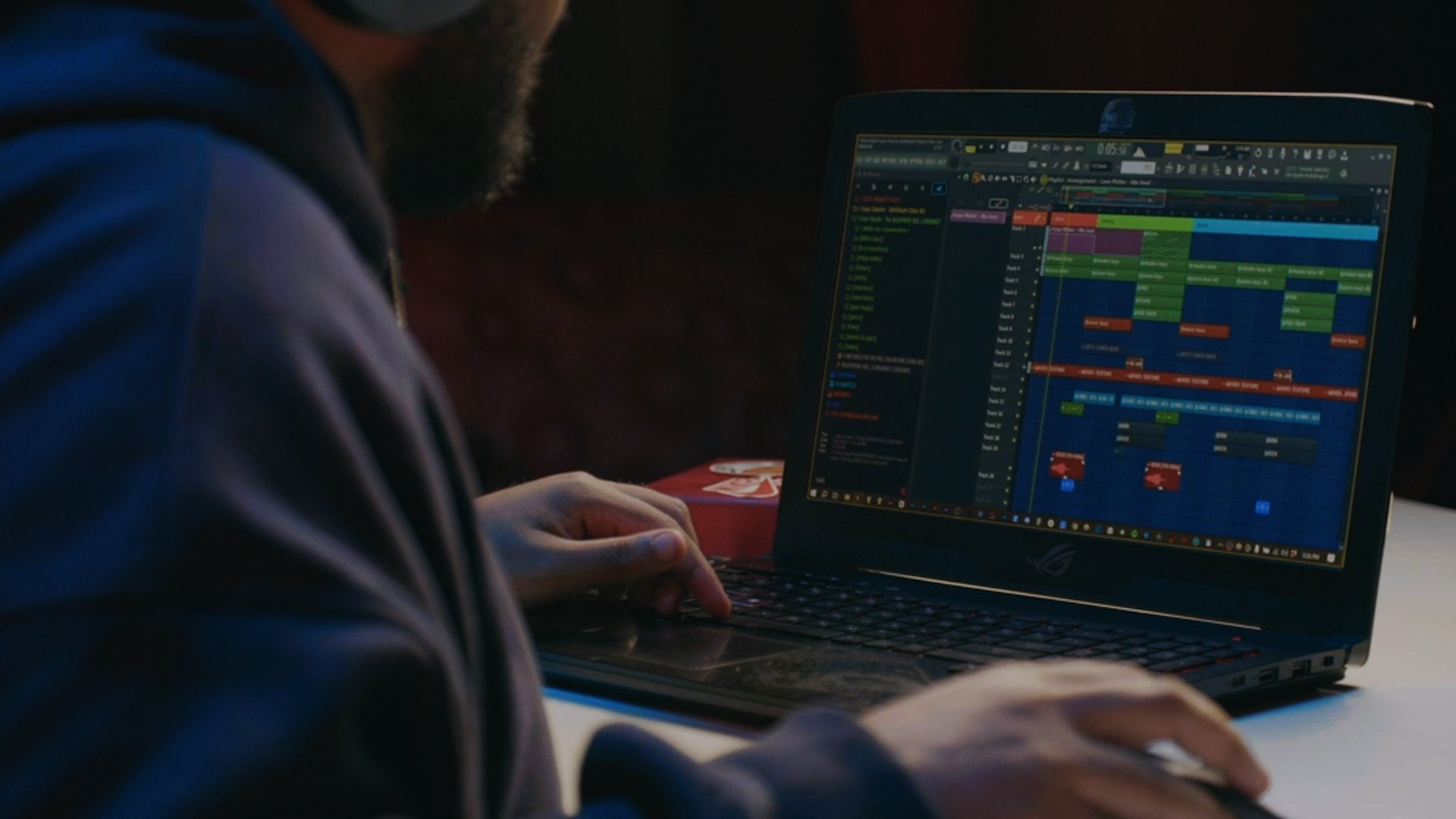
the other elements. So I've quickly created
this arrangement, just to show you all the
elements and how the transition, I've also added this intro
texture sound and it's from the eternal journey from the
augmented strings from aura. This one sounds like this. It sounds like a texture, sounds like a weird voice,
something like that. But I think it
sounds very awesome in the beginning of
this film score. Les at least, let's
quickly tap into mixing. For most of these elements, I don't need to add
a lot of mixing, don't need to add
a lot of effects. I mean, those sounds from just a factory settings
sound amazing. As you can see, those are
just empty on the spikeo, added some reverb on
the main elements. As you can see I
don't have to apply a lot of Q to these elements. Most of the film scores, a lot of aimation is used. Before this B, I
kept it very simple, and I've just added
one automation, and the second one is just
a simple volume animation. But on the everyday life, so the simple intro melody, I've added a filter. So it's filtering out some high frequencies
before the main part. So we're creating
kind of a built up. It's this filter
within the parameters. Now, let's listen to
the final result.
3. Outro: Tessa for this video.
I hope you enjoyed it. If you did, make sure
that leave the like, I subscribe if you
haven't already. Also make sure the
limin on the comments if you want more
tutorials like this. Mm of videos, I'm creating totally
different types of music, but I just wanted to try this. Make sure the lamin on the
comments, what you think. Also if you have any questions, make sure you stro comments,
and I'll answer them. I hope you have a great day, create some answer music and
see you in the next video.
 Seventh' Beats, Youtube Producer