Transcripts
1. Introduction to Procreate: My name is Brooke Glaser and I've been using Procreate for the last couple of years. The work that I've done in Procreate has been used for wall art, children's apparel, greeting cards, magazines. It's completely changed the way that I work. I'm a big fan of the undo redo buttons. For those of you that work digitally, you'll understand. But even beyond that, I love being able to work from anywhere. I can use the iPad on my couch. I can take it on airplanes. I can take it into a museum and you can't take messy paints into museum, but you can bring an iPad Pro. It's a great conversation starter. People are always coming up and wanting to know what I'm using and how it works and I love talking to people about Procreate. My boyfriend jokes that I should be a rep for Procreate because I'm such a fanatic about showing people how it works. I hear a lot of artists talk about how they don't really get how to use Procreate. When I first started using it a couple of years ago, I felt the same way. I knew that there were all these big name artists who are using procreate, but I didn't get what made it so special or unique. So the thing about Procreate is that it's super intuitive once you know what you can do with it. There's all these hidden gestures and hidden tools that get tucked away. They're not distracting so that when you're in the app, you are just drawing. I'm a really visual person, so I like to see how things are done and that's why I made this class. I want you to fill that drawing in Procreate is as natural and intuitive as drawing on pen and paper by the time this class is finished.
2. How to Use This Class: Quick note before we
dive into the class, I work really hard to make
sure that this class is up to date with the latest
version of Procreate, and that means that I've had to update this class a
handful of times. So if you see slightly
different footage, maybe I'm using a different iPad or maybe I look different. That just means that I've made some updates to that lesson. I've done my best
to make sure that it is as seamless as possible. Couple of other
useful tools for you? I've created a
bunch of free bonus Procreate resources for
students of this class, which you can unlock by going to brooklazer.com slash intro
and entering your email. I've left a link to that page on the projects and
resources tab as well. Those bonuses include some of my custom Procreate brushes, my color palettes,
and a cheat sheet to all the hidden gestures and shortcuts that we'll be
learning in this class. Just a heads up
submitting your email also on Locks access
to my newsletter. You can subscribe at any time. You're wondering what iPad you should be using
for this class, the good news is that
you do not have to have the most recent
fanciest iPad. The team at Procreate works
really hard to make sure that Procreate works on as
many iPads as possible. That said, Procreate keeps an updated list of all of the iPads that are
compatible with the current version of
Procreate on their website at procreate dot slash FAQ. And even if your iPad is not compatible with the most
recent version of Procreate, even older versions of
the app are awesome.
3. Canvas Settings: DPI, Colorspace, and Layer Limits: The first thing you're going to want do is create a Canvas for you to make your art on and you can do that by hitting the plus icon right here. This will pull up a bunch of default Canvas sizes that procreate already has built in, but you can create your own custom ones as well. As you can probably tell in here, I have a ton of these which I use over and over again. Let's go over the different settings of the Canvases and what you should be paying attention to. To create a new custom Canvas, you're going to tap on this plus icon that says new Canvas right there. The first thing that we can set is the dimensions and you can choose pixels, inches, centimeters, millimeters, whatever you want and that's going to affect the height and the width up in here. You can tap in here to switch between these two. Now, what you might not be familiar with is DPI. DPI is really important. If you ever want to print your artwork, make sure that your DPI is set to 300 at whatever size you actually want to print the artwork at. Now these three factors, the width, height and DPI, are going to determine how many layers you can have in your artwork. For example, 16 by 20 inches at 300 DPI will give me 14 layers on my iPad. Your maximum layers might be different than mine depending on the version of iPad that you have. It's worth noting that you won't be able to change your DPI later. You will be able to crop as shrink or expand your Canvas, but you won't be able to change the DPI. Remember, you can always make your artwork look good at a smaller size, but you will not be able to expand it, make it larger without losing its quality. My suggestion is to work as large as you can, knowing that you have a limit on the amount of layers. The next setting that you'll want to pay attention to, are in the color profile and you really have two choices here, RGB or CMYK. RGB is the way that screens and iPads and computers and phones show color. It is a really broad, broad, broad range of colors. CMYK is how ink printers process color and there's significantly less colors in it. If you have a Print project and you are working with a commercial printer, you can ask them what color profile that they would like you to use. You can even import a color profile. Many commercial printers are now able to print beyond the traditional CMYK. If you're unsure whether you're going to print your artwork or not, I would suggest sticking with it as RGB color profile. Be aware that the colors you see on the screen may not be exactly the same as the colors that you see when it's printed out. Now that I'm in the Canvas, there's one more place that I can control the size. If I go to the wrench icon, Canvas tab and click ''Crop and Resize'', this is going to pull up this dialog box. Now, here I can drag and move around to create a new crop of my Canvas. If I hit ''Reset'', we're going to go back to the original settings, this little chain link right here. If you tap these, however you move it, it's going to keep the same ratio. For example, if I actually want this to be a four by six ratio, once I have four by six and here I'll tap little chain so that they're both blue. Both numbers are blue and now when I expand this, it is going to be at a four by six ratio. That's just about cropping your Canvas, but you can also resize it. If you hit ''Resample canvas'' and then type a whole set of new numbers in here, like say five by seven, it's not going to crop the Canvas, it's going to resize the entire artwork down to five by seven. Now word of warning, you cannot make your artwork bigger again without losing its quality, it will become pixelated and blurry. I would never do this to my original artwork. Instead, let's cancel that and go back to the gallery, what I would do is come to this original artworks, since it's the largest file size I have, swipe to the right, hit "Duplicate" and then with the new document, resize it to be smaller.
4. Canvas Basics and Actions : All right, so now that
we're in the Canvas, let's show you how
to move around. So if you take your fingers
and you pinch and zoom, or you twist them to rotate, or you grab two fingers
and just push and pull, you will move around the canvas. So let's say you
want to zoom in, so maybe you can do
some detail work. Also, sometimes it's just
easier to maybe draw a circle at a certain angle
or get a perfect arc, you can move around the canvas
really easily to do that. Now, if I want to
undo what I just did, I can tap two fingers. And if I want to redo
what I just did, I can tap three fingers. So that little guy, undo, redo. You can also tap and hold two fingers and
it's going to redo all of that work
that I just did. And if I tap and
hold three fingers, it's going to redo all of that. That's called rapid
undo and redo. I tend to just do one at a time, but you can go as you please. Another useful thing. So if you're zoomed
in all the way, if you snap your
fingers together, so you can snap it like that. It's going to fill your canvas to the full
size of the screen. And if you snap it again, it's going to move
back exactly where you were wherever you were
positioned on the canvas before. So that can be really useful. Let's take a look at
our actions over here, and I'm going to
move to preferences. So here's your interface. I'm guessing that a lot of you are in a dark
interface like this. You can choose however
you want to work. I like to work with
a light interface, so you have that
option in there. For those of you that are
right handed or left handed, you can also switch. This will put the brush controls on opposite sides of the screen. Now, let's check out the
options under the Canvas tab. Here you can flip the canvas
horizontally or vertically. And this can be
really useful for checking that your
drawings are symmetrical. That's something I
don't use often enough. But the real gold here is
this Canvas information. Now, this Canvas information, you can see all kinds of
information about your art. So you can see the
data was created, the data was modified. You can add a signature
and your name there. You can see the
dimensions, the DPI. You can check out how many
layers you have left, what color profile
your art is in, the video settings
for your time laps. But the statistics,
this is where it's at. Right here, you can
see the tracked time, and that is how much time you have spent
working on a piece. So this gold for those of you who are
freelancers or for those of you who would just like to
know how much time do you actually take working
on a piece of art. Now, from what
Procreate has said, this is the time
that the app is open and in the forefront
of your iPad. So even if you're just
sitting at this canvas and thinking and staring and,
Okay, what do I do next? It's tracking that time. Now, if you close the app, it's not tracking that time. So like I said, this is super valuable for
those of us who freelance to get
a better sense of how much time you spend
working on a piece.
5. Brush Basics - The Fun Part: Brushes in Procreate
can be found by tapping on the brush
icon right here, and they're sorted into different
categories on the side. And if you swipe up and down inside one of
those categories, you'll see different
brushes in each set. Now, there's a special category at the very top called recent, and the brushes in here
are always updating because it's showing
you the most recent brushes that you've used. But wait, there's more. So at the top here is the name of the library
that you're in. And if you tap on here, there's a button that
says back to libraries. And here you can choose an entirely different
set of brushes. There are so many
amazing brushes, but honestly, this is a lot. Let's say that I
want to find one of those bonus brushes that
I included in this class. How on Earth do you find it
in all of these brushes? Luckily, there's an
easy way to do this. If you scroll to the top of a library and keep pulling down, a search bar is going to appear. Here, you can search
for a brush name or a brush set name. I'm going to search for the
big block texture brush. If you want to follow along,
you can do the same thing. And once it's found, I
can tap here and boom, it's going to pull up
that entire brush set of custom bonus brushes. Once I've got a brush selected, I can tap back into the canvas. Now let's choose a color by tapping the circle
icon right here, and we're going to go deeper into color at another lesson. But for now, I'm in
the disc setting here, and I just want to
choose a green color, a medium green color because we're going to
draw a little frog. You don't have to use the exact same shade of green I'm using, just a medium shade of
green that you like. Now, I'm going to draw a really rough half circle
for the body of my frog and then two round
dots on the side for his eyes. And as you start to fill
in the body of the frog, I want you to notice that
if you press lightly, a very small amount
of color comes out. Firsus if you press hard,
a lot will come out. Every brush and procreate is different and they have
different settings, but this is something that we're going to come
back to later. This brush is affected
by how hard or soft you press to allow different amounts of
color to come through. Now, I would like to fill
this in a little bit faster. So if you notice,
there's two slides on this side over here, and this top one controls
the size of your brush. So if I increase the size, then I can fill in my
frog a lot faster. Another cool thing about this, if you tap on the slider, you can tap a plus
icon right up here, and it will save that
brush size so I could save a larger and smaller brush size. I'm going to undo those marks
by tapping two fingers. And if you ever wanted to
remove those preset sliders, you could tap the
negative button, and it would remove
that preset size. Next, I want to choose
the eraser tool. And if I tap on the eraser tool, you can see that
you can also choose whatever brush that you want
to use for your eraser. Now, I want to use the same big block texture brush that I use to draw this frog. And a neat trick
that you can use is once you've been using
that big block texture, if you tap and hold
the eraser button, it will pull up the same brush that you were using before. So I'm going to erase two
circles for his eyes. And now I want to erase part of this for
the belly of the frog. Remember, I said there were
two sliders right here. This one controls the size, and this one controls opacity. And opacity is just a fancy word for how see through
something is. So I'm going to reduce
this about halfway, and I'm going to erase
a half circle in here. Now, if I pick up my eraser
and I start to erase again, you'll notice that it's not the same amount
that's being erased. It's because every time
I pick up my pencil, I'm halfway erasing something. So I'm gonna tap two
fingers to undo that. And I want to do this
half circle in one move. I mean, you can do it in
as many moves as you want. Next, I want to draw
my frog's eyes. So I'm going to go back
to the color picker, and I'm just going to
choose a black color. And I'm going to come
back to my brushes, and I'm going to choose
the small block texture. Now, I want you to notice if you use this brush and you
press softer or harder, what's affected is the
size of your brush. So our first brush affected
the amount of color, and the second one affected the size of your brush stroke. Let's try the HB pencil,
and this is really cool. So if I draw straight
up and down, I get a normal pencil mark. But if I take my
pencil on its side, and if I was trying
to draw like this, it's like a regular
graphite pencil, the amount of tilt can
also affect your brush. So there's two major
settings opacity of color, how much opacity, how
much color comes out, and the size of your brush. And this can be affected
by either the amount of pressure you use
with your pencil or the tilt of your pencil. I'm going to tap to undo that. Switch back to my small block
texture and draw some eyes. And maybe I'll draw a smile and maybe some little marks around his eyes just to show surprise. Alright, for those of you who
have an Apple Pencil Pro, I want to show you
one more brush. We go in here, I'm going to
choose the Star twist brush, and I'm just going to
choose a blue color. It doesn't really matter. You can choose whatever
color you want. Now, with this brush, you'll
notice as I rotate it, it changes the angle that I'm going to drop these
stars on here. Now, this rotate only works with the Apple
Pencil Pro pencils. And if you have an Apple Pencil Pro and it's
not working for you, I want you to check a
couple of settings. So we're going to go
to the wrench icon. We're going to go to
the preference tab, and I want you to make sure
that your brush cursor is on. So this is what will allow that hover before you
actually make that mark. And if you go to the
advanced cursor settings, you'll want it to either show
while hovering or show both because if you only have
it showing while painting, you won't be able to
tell what angle you're actually at because it won't
show unless you're hovering. So either show while
hovering or show both. Now, finally, we've
gone over the brush. We've gone over the eraser, but we haven't gone over
the smudge tool. The smudge tool is
simply a smudge. So you can use this to
smudge things together, much like as if you took
your finger on a piece of paper and smudged things
around. So there you have it.
6. Sharing and Exporting Your Art: When you're ready
to share your art, you're going to go
to the wrench icon, and you're going to
go to the Share tab. And there's going to
be all these different file types right here
that you can choose from. For now, we're going
to choose JPEG, and it's going to bring
up this dialogue box. So you could airdrop this to your phone if you had
one or to your computer. But the one that I want
you to pay attention to is the Save Image
tab right here. If you tap this,
it's going to save this image to the Photos
app on your iPad. So if I go to the Photos
app right here, boom. An image of My frog. You can also export and
share an image from the gallery by sliding to
the left and choosing share. You can even export
multiple images at the same time by
choosing select and then checking all the
ones that you want to share and then choosing the share button at
the top of the screen. Now, from inside the canvas, we can also share
a time lapse of our video by going back to that wrench icon and
going to the video tab. And this time laps is
simply going to be showing the process of
you making the art. So if we want to share that by going back to that
wrench tab in the video, you can choose Export Time laps. There's also a button
right here that you can turn on or off recording. So if you don't want to record
part of your time lapse, you can turn this off, and this dialog box
is going to pop up. If you purge the video, it's going to erase everything
that you have done so far. But if you just want
to stop recording for a little while and keep the
first part of your drawing, you can choose Don't purge
and then do your drawing. And then when you're ready,
you can turn that back on, and it'll continue
filming your time laps. Now, what the time lapse is actually recording
is every time that you pick up and put a
new brushstroke on. So if I drew something like a moon here and I didn't
pick up my brush at all, this would just appear
as a blip really fast. Whereas if I drew little dashes, it would record
this entire process as the part of the timeline. So save an image of your art, and you'll need to use
the Skillshare website, not the Skillshare app
to upload a project. Go to the Projects
and Resources tab, tap the Create Project button
and upload your image.
7. Advanced Brush Settings: In this lesson, we're
going to talk about some more advanced but
useful brush settings. We'll go over advanced, opacity, and size settings, stabilization, color dynamics,
and resetting your brush. Before we start talking about
these advanced features, I want to explain the
Brush Studio to you. When I tap on a brush, it opens up the Brush Studio. Over here are all the settings that you can adjust
your brush with. When you tap on one of these, it opens up all the
individual settings inside of each of these
[LAUGHTER] different groups here. This right here is
the drawing pad. When I come in here, I can draw whatever I want
in the drawing pad. As I play with these settings, it adjusts live in
the drawing pad, so I can see actually how
they affect the brush. If I want to clear
the drawing pad, I use three fingers and
just wiggle side to side and now I can
draw all over again. To be clear, this is
not another Canvas. Think of this like if you go to the art store and you're
trying out a bunch of markers and there's a
little sticky note that you can test the markers out on. That's what this is. This is just a
little drawing pad. When you leave the
drawing pad, it's gone. When you open it back up, your art is not
going to be there. This is just to test the
settings of the brush. Sometimes even when
your opacity slider is turned all the way up, your brush is still
won't be fully opaque. There's a lot of different brush settings
that can control this. The first place I go to check the settings is the
properties tab. In here, is the maximum
and minimum overall size and opacity for your brushes. Because the minimum opacity
is set to really low, that means when I push lightly I can get a really light color. Sometimes, you don't want
it to be light at all. If I come in here and push the opacity all the
way up to maximum, even when I'm pushing
really lightly, it's still getting a
really full opacity. The second place to check these settings is in the
Apple pencil settings. These settings can affect all the other brush settings
on size and opacity. It's good to see, hey, what is happening with
pressure in this brush? What's happening with size when I push hard
with this brush? What's happening when
I tilt the brush? Does it have any effects? The next place to check
is the dynamics tab, and this is really cool. How fast you paint can control the size and the
opacity of the brush. For example, let's say that I want a brush that when
I draw really fast, it acts like I've got
a really light touch. Like if you are
scribbling really lightly with a
crayon really fast, the color would only
come on really lightly. I'll turn the
opacity way down on my speed and now when
I draw really fast, even if I'm pushing hard, the opacity is really light. Dynamics is another
place to check for your size and
opacity settings. Finally, there's the taper. The taper is the very
tip of the brush, the first part of the
brush that lays down, and also the end of the
brush where you pick it up, and there's size and opacity
settings in there as well. Next, we're going to
to over stabilization, which helps you create
really smooth brushstrokes. These settings are listed
under the stabilization tab. There are three different ways of controlling the
movement in your brushes, and that's streamline, stabilization, and
motion filtering. This is something
you have to feel rather than see me demonstrate. Streamline forces
smooth your lines. They are forced to be
nice and flowy and curvy. There's a second setting
here called pressure. If I draw with
varying amounts of pressure in this stroke, when this pressure setting
is turned all the way off, it's going to just allow me to use whatever amount of
pressure that I want, but if I turn this up, it's going to smooth out those transitions
from thick to thin. That means it's going to
transition much more smoothly between thick and thin
points of pressures. If you have trouble
controlling how hard and soft you press, this is going to be
great to help keep your lines a little
bit more consistent. Next, we'll go over stabilization
and motion filtering. I'm going to do my
best to describe this, but it's really something
that you have to feel on your own. If you have a shaky hand, stabilization and
motion filtering have been created with you in mind. Stabilization feels very
different to me from streamline. The best way I can describe
it is that streamline, it feels like I'm
trying to ice a cake. It forces everything to
squeeze it out round. Whereas stabilization
feels tacky or sticky, it's like a spider-web
that my pen is pushing and pulling around. Stabilization feels
much nicer to use when I'm trying to draw
straight lines. Yes, it can't help me make some really nice smooth curves, but it can also help me make really nice smooth
straight lines. In fact, that is how stabilization and
motion filtering work. The faster that you draw, the straighter it's going
to try and force that line. If I draw a little bit slower, doesn't force it to
be quite as straight. Actually also, the higher
you crank these settings up, the more it's going to try
and force it to be straight. Again, I'm really
shaking my hand around, but it's forcing
the line straight. If I draw slower, it's still trying to make
it straight, but again, the lower that I pull this, the more it's going to let you have that wobble in your hand. What about motion filtering? Motion filtering is
designed to eliminate unwanted motion in your hands. As I understand it,
with stabilization, procreate is trying to
stabilize your lines. Hey, if you want to make
sharp angles or curves, depending on how fast
or slow you move, you'll still be able to
make those wobbly lines. Motion filtering is
going to work even harder to eliminate
those wobbles. It's meant to help with
tremors in your hand, which is great news for
artists with Parkinson's. Let's try drawing a spiral
line to demonstrate this. If I've got it set
at a medium setting, I can create a nice spiral line. Now, the faster I
try and draw that, the more it's going to
straighten that out. As I turn this setting up, you'll really notice it trying to force you
to a straighter line. Let's try drawing it at, say something like 80 percent. Again, if I try and really
fast do a spiral line, it's really forcing me
to a straight line, but if I draw slowly, it's letting me
do a spiral line, but the faster I draw, the more it's limiting
the movement in my hand. Now, then there is this
expression setting. An expression adds a
little bit more of that hand-drawn feeling back
into your motion filtering. I like 50, 50 for both of them. Watch what happens here. See how it adds a
little bit of a wiggle. It's really fun to watch. Basically, if you do have a
serious shake in your hands, you can crank up that motion
filtering but still retain some of that hand-drawn feeling with the expression setting. What's really exciting about these new features is that they don't have to be set
on a per brush basis, you can actually set them globally for all
of your brushes. If you go to the Wrench icon, you go to Preference tab and you type "Pressure
and smoothing", you can see here are both your stabilization and
motion filtering settings. If you want to, you can
set up stabilization for every single brush in your library using these
settings right here, and then turn it on and off
whenever you want to use it, instead of going into each brush and changing the
individual settings. There's one extra setting
that I want to go over and that is,
tip attachment. Lets try turning that on. When tip attachment is on, it glues the stroke
to your brush. Every time that you're moving the stroke is right next
to the tip of your pen. When you have it turned
off, it lags behind. If you move fast, the stroke is slowly
catching up to you. I like that because for me it
makes it easier to see what motion filtering is actually doing and how it's
correcting my strokes. The one thing that I really want you to pay attention with these new settings and stabilization and
motion filtering, is that pushing these
filters all the way up is going to have
extreme results. Personally, my best results
come from using them at somewhere in the
30-50 percent range. This is where the effects
don't force my lines, but smooth them out. The faster that you
naturally draw, the lower you'll probably
want these settings to be. If you tend to draw slower, you can really crank
them up higher. You may also find that
drawing shorter strokes will give you better results with the settings
cranked up high. But everyone draws
at different speeds, with different
amounts of pressure, and with different
amounts of shakiness. What feels good to you with these settings is going
to be very personal. The next settings I want to
go over are color dynamics. This is going to be fun. In order to see my color
dynamics in effect, I need to change this
to a different color. I'm going to tap on drawing pad and I'm going to tap
on a color in here. Voila, now I have color. The cool thing about this drawing pad is
that whatever settings you change in here
are going to be reflected in the drawing pad. As I play with the hue
over here, look at that, it's changing what I've
drawn in the drawing pad. My favorite setting to use with color dynamics is
the color pressure. This means when I'm
drawing lightly or softly, I get different colors
in my drawing pressure. Now, however far I
push this hue slider, it's going to go all the
way through the rainbow. If I push really lightly
to really softly, now I've got all of the
colors of the rainbow. I start with yellow,
go to green, blue, red, all the way through. Now if I slide this down, I'm only going to go through
part of the rainbow. Now it's starting at orange, moving into yellow, and
then green, and back again. Now, what if instead of going forward in
the color rainbow, I actually wanted
to go backwards. Well, what I can
do is I can draw this slider down to the
negative direction. Now it's going backwards
on the rainbow wheel. It starts at a purply color, moves into blue, and
then into green. This hue slider is super useful. Let's set the hue back to zero so the color stays the same now. The next setting I want to
show you is the saturation. If I pull this saturation back, when I draw lightly, I get a much more
saturated color, and the heavier I go, the
more desaturated it is. That's because I
took the saturation and made it a negative. If I made it a brighter version, if I started with a
more desaturated color, the harder I push, the brighter the color gets, you might not be able to
see that on this screen. There's also the
brightness setting. As I push lightly, I have a darker color. As I push harder, I
get a brighter color. You can also control this
by the tilt of your pencil. If I have my pencil
totally upright, it's one color, and as
I move it to the side, it turns to another color. That can be really useful
for very subtle shading. This is also true of
the stroke color. What happens with stroke? Let's say I have a tree and I want to draw a bunch of different colors
of leaves in that tree. Every time I pick up my brush, it's going to add a new color. If I want this to
only be fall colors, I can keep the range
really close in, so it's a low hue shift. But if I want a rainbow tree, I can put it all the way to max. To understand the
stamp color jitter, you have to understand how
brushes are made in Procreate. [NOISE] Brushes are
essentially made up of stamps. This brush is made up of each of these little stamps pushed
really closely together. When I pull the
spacing back together, it gets really close. As I drag this spacing out, each of those stamps gets
further and further apart. As I mess with the
color dynamics, each of those stamps
changes color. If I push this really
close together, you will see that those color shifts happen
really, really fast. Now when you use hue in the color pressure or do you use it in
this stamp jitter, Procreate is deciding the
color switch for you. But if you use secondary color and you
come out into the canvas, you get to choose what colors this is
going to switch between. Your first color is
going to be whatever is your primary color in
your color drop area, so we'll make it
this blue color, and your second color if you tap on this second
color over here, you get to choose
whatever that is. Since I've got a light
blue and dark blue, [NOISE] it's just
going to vary between those two colors because those are both blue and they're very close on
the color spectrum. But you know what, now I
actually want it to change. I'm going to turn it from that dark blue to this light pink. Now it's going to
give me a range of purples and pinks because
on the color wheel, pink and blue are right
next to each other. So it's giving me all of those colors in
between those two. Sometimes when you create
changes to a brush, you only want it to be
changed for a little bit, and then you want the brush to go back to
the way it was before. If you slide to the right, there is a reset button and all brushes that
come with Procreate. Now, I like to make a
ton of custom brushes. I have a whole folder full of brushes that I've made
from the 6B pencil, and I use these a lot.
How did I do that? I just swipe to the right
and I hit "Duplicate". Now I have a new brush with all these different
settings in here. But when I swipe to the right, there's no reset button. But I can create a reset
point on this brush. If I go to About this brush, I can click Create
new reset point. Now, let's say with
this custom brush, I want to just turn on Color
Dynamics for a little bit, so I'm going to turn the
Color Dynamics on here, and I'm just going to draw
a little bit of shading in the center of this plant just to bring a little
bit of color in there. But I only wanted to
use that for a second. I still want my
custom brush to go back to not having
those color dynamics. If I tap on the brush, go to "About this brush", now, I have a reset point so
I can reset this brush. [NOISE] When I come back
out here and use it, there's no more color dynamics. It's just the green color. It's not switching between
blue and yellow and orange.
8. Color Pickers and Palettes: [MUSIC] I want to show you the different color
palettes and pallet wheels. This first one is the disk. You can change the color
by going around like this and then you can change
the saturation here. If you use two fingers
to pinch-zoom, you can make this bigger so it's a little bit easier to select the colors and you can pinch-zoom it back to
make it small again. If you double-tap like this, it's going to pick
pure white and if you double-tap in the blacker area, it's going to pick
up pure black. That's handy. This is my favorite
color picker. I just like to have a little bit more control inside of this
window right here. I can change the hue
by sliding around, the saturation by
bringing it up and down, the black and white
levels right there or I can just move it around myself inside
of that canvas. The value picker, this is for those of you
who might be working on a branded project where you have to use
specific exact colors. You can use the
hexadecimal code. You can change it using hue
saturation and black values. You can also choose your RGB values to get exactly
the color that you need. It's very handy when
you need the color to match exactly from your
computer to your iPad. There's also a really cool
feature called color harmony, and that's going
to help you choose colors that look good together. If you tap the name right here, it's going to pull
up a handful of different color harmonies
for you to choose from. You can increase and decrease the brightness of those colors
with this bar right here. If you tap on one
of these nodes, you can switch between the different colors
it's suggesting. You can also grab
and move one of these nodes and the other
colors will adjust with you. If you're curious to learn more about different types
of color harmonies, I've got a separate class on color theory where I talk all about how to choose
colors that look good. Now let's talk about pallets. Pallets are a collection
of colors that you can switch
between with a touch. Whatever pallet is chosen
as your default palette, it's going to be the one
that displays in any of these other color picking
tools and you can tap to switch the
colors at any time. To swap to a new
default palette, all you have to do is choose
the three dots right here, and you can set it as default. This is also where
you can share, duplicate, or delete
your palette. There are two ways that you can view your
Procreate palettes. You can view them as
these small compact cards right here or you can switch
to the cards view and it's going to expand the colors so that
there are large blocks and it's actually also going to name the color
palettes for you. You can tap on here and rename them yourself if you want
to give them custom names. Finally, if you think it
would be more useful to have your color palette
over here, you can do that. Grab the little gray
bar right there, and then you can drag
the color palette wherever you want and you
can switch to palettes, to any of those different
methods of coloring. If you want this to
go back where it was, just tap the X and it'll pop back into its color
bar right there. Now, Procreate comes with
a bunch of preset pallets, but you can also create
your own custom ones. If you're anything like me, you're going to have a whole
bunch of color palettes. You can actually tap and hold onto a color palette
to rearrange them. Maybe you want to have your
favorite color palettes at the top of the stack. There are several ways to create your own
custom palettes. If you tap this plus icon up in the upper
right-hand corner, you can choose create
a new palette. It's going to
create a blank one. If you go to any of these
color pickers, you can tap, you can choose a color in here, tap, grab a bunch of colors. Now if you want to
rearrange these swatches, you just tap and hold and
then drag them around. If you do a long tap and hold, it will open up this menu
and you can delete a swatch that maybe you accidentally put in there that you
don't want anymore. You can also have Procreate automatically create
a color palette for you by using the camera. If you tap the plus icon, you can hit New From Camera. Now you have access to
your iPad's camera, so I can move the camera and grab different
areas and it's going to create its own
color palette based on what is on screen
here, on the camera. They're on this
side, right right. You can see there's
three buttons. There is the cancel,
the shutter button, and there is a button
that says visual. If you tap on Visual, it's going to give
you another option which is indexed and this will give you a slightly
different version of colors. You can play around
with those two options. You can also import
pallets from Adobe apps like Photoshop if
you already have a collection of
pallets you use there. Now, Procreate can
also automatically create a palette
from a photo that you've taken. Let's try it out. If I tap the plus icon up here, new from photos,
I'm going to choose this skull illustration
that I did. Procreate did automatically
create a color palette, but I don't know that I'm wowed about the colors that
Procreate picked. I'm going to show you I dropped my favorite tool
for picking colors. First, I will come and
insert that photo into the canvas and next, I'm going to tap and
create a new palette. Now I'm going to hold my
finger down on the canvas and it's going to
pull up a circle. This is the eyedropper. The eyedropper is
going to pick up whatever color I'm touching and make that my selected color. Boom, now red is my
selected color and I can tap and add it into my
palette. Pretty neat. When I create my
own custom palette, I try to arrange the colors
from lightest to darkest. I'm going to go from
the darkest red to the lightest pinks. I'll do the same thing with
this dark purple, blue color. I never know if this would be called purple or it
would be called blue. Now, I can skip the
pallet altogether and I can just use the eyedropper to grab whatever color
I want to draw with. Let's say I want
to make the glow around this candle a
little bit bigger. I'm going to tap
in here and grab the dark purple
color and I can just go directly into drawing that. Now let's say, I don't want it so big and wonky on this side. I'm going to grab the lighter purple and trim that
up a little bit. Now here's a great tip for you. If you want to swap between
your colors really quickly, hold the color circle up here, and it will automatically grab the color that you
just used before. Now I've got the dark
purple and if I tap again, now I've got the light purple. I want to show you a useful
trick for figuring out how to get subtle color changes. For example, let's
say I want to create this shadow under
the word party. How do I know how deep
and how dark I want to make this color green
underneath of it? If I come in here and I use my color drop by
grabbing onto the green, and I come into my color
picker, if you notice, there is two halves to
this circle as I drag it and this first color is the
last color that I used. I can come in here and I
can make subtle changes by being able to compare exactly the color
that I had before. Creates enough contrast
that I can see it distinctly from the
last color I was using.
9. Image Reference and Split Screen: [MUSIC] When you're drawing, it's often really useful to have a reference image that
you can refer to. In this lesson, I'm going
to show you three ways of using reference
images with Procreate. My favorite way of getting
reference images is using the iPad's
split screen feature. Now you probably can't see
at the top of this bar, but there are actually three
little dots right there, and I'm going to turn
on the dark interface, because it's just
almost impossible to see those three dots in
the light interface, but those three dots
they're right there. If I tap on those three dots, it's going to bring
up these options, and if I tap on the
one in the middle, it's going to swipe
Procreate to the side, and it's going to
allow me to choose another app to pull
up beside Procreate. I'm going to tap
Pinterest and voila. Now I have Pinterest open and I can look for different
types of moths, and I can find different ways of drawing patterns on my moth. Now there is a bar in between these two apps and a little
gray bar in the middle, and if I drag that, I can make Procreate bigger, or I can make the
Pinterest screen bigger. If I want to close Pinterest, I'm just going to swipe this
all the way to the right, and it'll be off-screen. Alternatively, you
can swipe up the doc, grab an app, and
pull it to the side. Let's see, I want to use
Google to search for images. That is another way
that you can pull up split screen
mode on the iPad. But this doc can be a little bit finicky and a lot
of people struggle with pulling it up and not accidentally go into the home screen or
anything like that. If you do have
trouble, I recommend instead tapping and using those three dots at
the top toolbar up here to engage
split screen mode. Another cool feature
is that you can actually add photos
directly into your canvas. If I go to the wrench icon, and I'm in the Add section here, I can either insert a photo, or I can even take a photo. Let's say, I'm not that
great at drawing hands, and so what I want to do is
instead I'm going to take a photo and I can
insert this photo. I took a photo of
my hand and I can place it inside of here
and I can trace the hand, and in fact, that is what
I did with this image. I just took a photo
of my hand and I traced over it and
exaggerated it, changed it up a little bit
so I could create this. Now, that's all
right, that's cool, but it gets way better. Let's say, for example, that I like sharing time
lapses on my Instagram, on my TikTok, and I don't want people to know that
I'm tracing my hand. Well, what I can do is I can
put up a new canvas here, and what I'm going to
do is I'm going to insert a private photo. If I go to the wrench icon and instead of tapping
Insert a photo, I'm going to swipe to the right. It's going to open
this button that says insert a private photo, so I will come in here, and I'll insert
that image again, and this time I'll
just come in here and roughly draw my hand here. Exaggerate it a little bit. Now, when I go to
watch my time-lapse, the time-lapse doesn't show the photo because
it's a private layer. How cool is that? Let's go over the third option for reference
images in Procreate. If you go to the wrench icon, and you're in the
Canvas tab here, there's an option called a reference and if
you tap that on, it's going to open your
reference companion, and the reference companion
is a floating window. You can move it by grabbing
that top bar at the top, and you can resize it by dragging in the
corners over here. You can even zoom and
rotate inside of there. Now if I tap on the screen, it's going to bring
the toolbars on, and if I tap it again, it's
going to take them off, so it's just the
reference image itself. This can be really handy for
working on small details, so maybe I want to
be in here adding some small details to
the wings of this moth, and I can see what's
happening full screen. I don't have to zoom
out because I've got the full image right here. Now it doesn't only have to be the canvas in the
reference companion. If I tap on this image
option right here, there's going to be an
option to import an image, so I'll tap here, and I'll grab a picture
of a moth that I have. I can use this to reference
while I'm drawing. Again, you can rotate and
zoom in the reference panel. Another cool feature is you can actually sample colors from your reference image to
use in your drawing. Grab the color right
there, and don't worry, I'm going to go more in depth on that tool in the
lesson on color, but just so that you know,
you can use it, very handy. Whenever you are ready to
close the reference window, you just need to tap the X
in the corner right there.
10. Layer Basics: Why They’re Awesome and How to Use Them Best: [MUSIC] When I'm thinking about layers, I'm thinking about anything
that I might want to change, color, or rearrange. Those are the elements
that I'm going to keep on separate layers so that it's easier for me to make
changes to my artwork. I'm going to give you
a quick example here. This teacup right here, when I open the layers panel, I can turn the visibility on and off by hitting
this check-mark. That teacup is on one layer and the pattern and the tea itself
are on separate layers. If I decided that I wanted
to change the color of this pattern or change
the pattern itself, but keep the teacup
the same color, it's going to be really
easy for me to change just this pattern and not have to do anything
with the teacup layer. Another cool thing that
you can do with layers. This bee is on its
own layer here. If I want to move him around, I can just move
him around and now he's behind the teacup. But what if I want him to
be in front of the teacup, I can visually tell that he is behind the teacup because
I can see it here. But if I look at
my layers panel, I can also see that this bee is underneath of the layers
that make up the teacup. If I click and hold on the bee, and then I drag him above
those teacup layers, now he is in front
of the teacup. Another cool thing here. I can actually duplicate
him and give him a friend. Instead of having to
redraw a whole new bee, I'm going to swipe to the left on the bee and I'll
hit "Duplicate", and then I will move this guy around and now
he's got a friend. That's really handy. This is also where
you can delete that bee if you decide you don't want an extra
bee in there. Now it's really easy to move just this one bee around
because he's on his own layer. But let's take a look at
this lettering right here. Tea time is on its own layer. The pink decorations
are on their own layer, and the weights circle is
also on its own layer. It would be really tricky to try and move the tea and then the decorated pink areas
and then the white. What I'm going to do is
I'm going to grab all of those layers and move
them all as one. I'm going to tap
on the first layer and then I'm going to swipe to the right of all the additional layers
that I want to move. Now, they're all
highlighted blue and that's how you know
that they're all selected. I'll just take this guy and
I'm moving the whole thing. Now there's one thing that you really need to keep in mind. If I were to take this
guy and move him off screen and then get out
of this transform tool, it's going to cut this artwork. I'll show you what I
mean. I've done that. Now I'm going to grab all
of them again and try, boom, it's deleted all of that. You don't want to take
things off of the Canvas and then stop moving them and
get into another tool. Or it's going to
crop that artwork. You can use that to your
advantage, but also, I don't want you to accidentally destroy
[LAUGHTER] your artwork. I'm going to undo that
by double tapping. I'll grab all these guys again. It's totally fine to just move him off and then
move him back on. That's fine. You
just don't want to exit the tool if
that makes sense. If I want to add another layer, all I have to is, I want to make sure that I'm
not grabbing all of these. I just have one selected or else this tool
is going to disappear. That's the plus layer icon. If I hit it, I cannot add as many layers
as [LAUGHTER] I want. I'm limited, and you can
see that it's stopping adding them and it's
same limit, 14 layers. I'm limited to 14 layers on this specific Canvas because
of the size that it is. Your options are either
to delete a layer or merge layers so that
they're all combined into one. Let's say that I knew
I wasn't going to change anything
with this tea time. Actually I don't even
have to grab the layers. What I'm going to do
is I'm going to grab these three layers
and I'm going to pinch them together
using two fingers, and you can see they're merging
them together and boom. Now it's all one layer and
I can add more layers. I'm going to undo that for now, so that's really handy. But if you forget
what the gesture is, you can just tap and
then it'll bring up a menu and you can
hit "Merge Down", and it'll just
merge one layer on top of the one that's
underneath of it. When you're doing
that pinch method, you can't just grab any layer and try and
merge it together, it's going to merge
everything that's in between those two. They need to be stacked
on top of each other. I just combine
everything in there. Now maybe you don't want
to merge these layers, but you do want to clean up
your file a little bit so it's easier to see all of
your different layers. What you can do instead
of merging these is actually make a
group out of them. Let's select all of them. Now that plus layer icon
is gone and you can either choose Group or Delete. If I hit "Group", that's going to make a
group of these images and I can collapse the group
or expand the groups. Now I can see what's inside of the group and I can close it, and just ties things
up a little bit. Now, making a group won't
give you extra layers. But if you've got a ton
of layers in your file, grouping things
will just make it a lot easier to sort through them. You can also name
layers and groups. If I tap on here, there's an Rename option and
I can name it Lettering. Now it's really easy to
see what is in that group. Sometimes you just want to
see what's on a single layer without all the distractions of everything else around it. A shortcut for that is to hold the checkbox on that layer, and it will turn off the visibility of all
of the other layers. You can see all of those
check-boxes are turned off and you can just see
the honeycomb under here. To turn that back on, all you have to do is hold
onto that same checkbox and then it will turn back
the visibility on all the layers that you
had visible before.
11. Advanced Layer Settings: Shading Techniques and Drawing Inside the Lines: I'm going to go over Alpha lock and select. They're similar but they're different. Alpha lock I can turn on by tapping the layer and then choosing Alpha lock.But I like to use a shortcut and that's to use two fingers and swipe to the right on the layer that I want to turn off a lock on. If you see this transparent or it's a checkerboard, that means that those areas are transparent. If I zoom in over here to my honey stick and I try to draw on it, it's not going to let me draw outside of the lines. This is super useful if I want to do some shading or some highlighting, I can also change the entire contents of this layer. Alpha lock is on. I'll tap the layer again and I'll hit "Fill layer." It's going to change everything that is on that layer, that entire honey stick to the color I have selected in my color palette. I'll show you quickly. I can turn that on and off again by swiping two fingers. On and off, if I were to fill the layer with it off, it would fill the entire layer. By the way, you can tell that it is off because the background here is just great. There's no checkerboard. I'm going to show you select now. I'm going to turn the pattern off on this teacup. With this teacup, I'm going to tap and I'm going to hit "Select." You'll see these wavy lines and that means that all of this area is not selected. Everything where there's not wavy lines, that is area that I can draw on. I can draw like this, but I can't go outside of those bounds. I can also hit "Select" and I can fill layer and I fill the entire teacup with that white color. But the real power here, I'll show you again, I've selected again. I can tell I'm in select mode because this little blue line is highlighted. I could come in here and I could draw a pattern and it's going to be contained to the body of the tea cup. But the real power is I can add a new layer. Now this layer has that teacup shapes selected. I can draw on that layer a new pattern and I'll come out of selection mode by tapping that. Now we're just normal, and now this pattern is separate from the teacup. I can change the color of this pattern really easily. I can select it and then I can choose yellow and I can fill the layer with yellow. It's just super easy to change those colors. Now I'm going to go over layer modes and some cool ways to do some shading and highlighting techniques. If I come in here, you'll notice that there are some letters next to the visibility check box. If I tap on that letter, it opens up a new menu. Opacity will make something see through. That's really cool. It doesn't permanently affect it. This is a great way you can make your layers as dark as you want. Then you can come in here and make it see-through or transparent like here, I'm making a ghost or something. But it gets even better. Let's go check out these bees. I'm going to turn the bee off. You'll notice that there is like some shadow right there. I've created a shadow on a different layer from my bee. If I tap on the "M," I'm going to notice that the opacity is lowered on this and it's true it's on multiply, but if I pump it up, you'll see it's really dark. But the reason I did that is multiply basically darkens the colors underneath a bit. It come over here and it has made a dark, wherever is a gray, it's made a darker gray, and wherever it's like a yellow, it's made a darker yellow. That can be really useful. But I thought it was a little bit extreme at full opacity. So I knocked it down too. I think it was like 60 something. It's a little bit more subtle. This also works on multiple layers. If I come down here to my teacup, I have this layer right here which is a shadow. I've said it on Linear Burn and I've turned the opacity down because it's extreme. But what you'll notice is that the pattern is on one layer and the teacup is on one layer. But this shadow is affecting both of them. It's creating like a subtly darker bluish hue for the pattern and much darker blue on the tea cup itself. That's a great way to create some darker effects on the shadows. That's in the dark and menu here. You can also use this to create highlights. That would me in like the lightning mode. I'll come up to this honey up here. If I tap on it, I'm in the lightened mode and I'm on screen. I'm going to turn off the honey stick so you can see what's underneath up here. This looks like nothing because now that the honey stick is gone, it's just lightening up everything underneath of it. It's lightening up the pink and the background and it's trying to lighten up the white in here, but it can't really because white is as light as I can go. But if I turn this onto normal, you'll see this is all yellow. If I turn my honey stick back on, you'll see that combined, this is a really bold yellow. But when I turn it on to screen it really lightened everything up in a really translucent highlighted way. There's lots of different effects that you can play with in here. There's contrast and color and difference. I really suggest that you play with them. The colors that you use will change the effects. If you're using white instead of yellow, that would create a different effect. There's just a lot of really things to play with there.
12. Selections: Cut, Copy, and Paste: [MUSIC] Selections are really
important in Procreate, but not all of them are just
found in the selection menu, which is this little S for selection so I'm going to show
you a bunch of fun tricks. But first, you need to understand how this
document's laid out. So I've got the flat layers of the dinosaurs on one layer, I've got their details
on two separate layers, and then I've got the rocks and foliage all on their own layer. In the layers video, you saw that if I select all the layers, I can move everything
all at the same time, but what if I don't want
to move everything? What if I only want to move this dinosaur and his details? The first thing I'll
need to do is make sure that I have his layer selected, both his base layer
and the details. Then I'll choose
the select tool, which is this S for select, and there's two ways
that I can do this. I'm in the free hand mode
and I can either just wiggle around here and draw and
when I tap that dot, I'll have made a
selection or I can tap. So if I tap, tap, tap, it's like a, I'd call it
a polygonal selection. Every time that I tap, it just creates a straight line from wherever I tapped last. So it can be really a lot faster to tap around
the canvas as well. Now if I come to the move tool, all I'm moving is
the dinosaur and his details and everything
else stays in place. Now let's say I want to
make a Mohawk on this guy, but I don't want the
Mohawk to get in his eyes. Well, I have a
really fun trick for making sure you don't
draw in his eyes. I'm going to come down to
the base layer and I can either tap on that
layer and choose, "Select" or fun shortcut, I can take two fingers and
hold it on that layer. Now, this whole dinosaur, the base layer is selected. But I don't want to draw
inside of this selection, I want to draw on
the other side. So what I want to do is
invert the selection, which I have a button
right down here, and that will take
this selection and everything that
was selected will no longer be selected
and everything that wasn't selected is selected. So if I come in here, I can't draw that
Mohawk in his eyes. It's helping me stay
outside of the lines. You can make more than
one selection at a time. So let's say that I want to select all of the
rocks on this layer. I can come in here and
when I tap on that circle, I've closed the selection off. But I'm in add mode
so I can continue drawing and adding things to the selection even
though they don't touch. I can also remove things
from the selection. So if I tap on the remove
anything that I grab now will remove this
from the selection. There's a couple of
fun shortcuts too, so I'm out of the select tool, but let's say I actually wanted to grab
those rocks again. Because I had just
selected them, if I tap and hold on
the selection tool, it's going to reload the
last selection that I made. Another fun thing you can
do is the save and load. So if I tap on save and load, tap on the plus button, and it's going to
save this selection. So next time after
I've been out and I made some other selections and made some other selections, when I go back to
the selection tool and go to save and load, if I tap on here, it's going to reload
that saved selection. Another useful selection
feature is copy and paste. If I copy and paste these rocks, it's going to give me a copy of those rocks on their
own new layer. But let's say I don't
want to copy these rocks, I want to remove them
from this layer. So I'm going to undo this
and reload my selection. I'm going to take
three fingers and I'm going to swipe down with those three fingers and
it's going to open up a copy and paste dialogue menu. Now this menu, I can
move around by grabbing that gray bar and I can move it wherever I want
across the canvas. So in this dialogue bar, I can copy something, I can paste something. But what's more interesting
is that I can cut something. So cutting will remove anything that you've
got selected, and at the same
time it's going to copy whatever you had
selected the same time. So if I cut this, it's removed those rocks
from the layer and if I swipe three fingers down again and I hit the paste button, boom, it's pasted them
onto their own new layer. So I'm going to undo that and bring up that
menu bar again. There is a special
button here called, Cut and Paste, and that will do
that cutting and pasting all at the same time
with one push of a button, instead of having
to open up the copy and paste menu over
and over again. So cut and paste, boom. Now these rocks, they
are on their own layer. I'm going to undo that and
open up my dialog box again. There's another option
here called duplicate, and it's the same thing
as copy and paste. So if I duplicate
those rocks, now, they have been copied and
pasted onto their own menu. I'll delete that. Now, I want to come back to
my little Dino over here because there's another
important function in the copy and paste menu. So I'm going to select my Dino, I'll open up that menu box. There is a function
here called copy all. Copy all will copy every layer that's visible within
the selected area. So if I hit, "Copy
All" and then I hit, "Paste," I end up
with this dinosaur on his own layer which is cool except it also
grabbed the background. So that's maybe not so
useful in this situation, so I'm going to delete that guy. What I'm going to
do is I'm going to turn off the background layer. I'm going to reload my selection and I'm going to
swipe down and hit, "Copy All," and hit, "paste." I'll turn my background
layer back on. Now, my Dino is on his own layer and he doesn't have a background behind him. It's worth noting that
whatever you have copied, you can come into
a new document, swipe with three
fingers and paste it. You might have noticed
that there are different modes in
the selection menu, I'm going to show you automatic. I don't use this tool
often because it can be a little inexact but let me
show you how it works. If I come in here and I tap, and then I drag, so I don't lift up my pencil, it's going to start grabbing
from wherever I tapped. You can see this selection
threshold up here, that's telling you, and
that little blue bar is showing you how much is
actually being selected. The further I go over, I'll show you here,
I'll zoom in, it starts making these
bright blue selections and that bright blue, it means that it's selecting
a transparent area. So I'm going to remove
this selection, and you can see
that this is like a really lightly colored area of my artwork. So I'll reload that. If you continue to select, it will eventually grab
everything on the layer. So all of this bright blue is all transparent area
that it's selecting. Now I can also make multiple
selections with this. So let's say I want to
grab spikes on this guy. When I come back into
the automatic selection, it's going to
remember where I was last and right now
it's at 100 percent. So I need to slide this back down and now it's at a
smaller selection point. Now I can just tap on to these other spikes
to add them all. There's also a
rectangle mode which makes rectangular selections
and an ellipse mode. I can clear my selection
by tapping clear. I can also use the undo and redo buttons while
I'm in this tool.
13. Recoloring Tools (ColorDrop, ReColor, Color Fill, and Reference): [MUSIC] In the advanced layers video, I went over some of
my favorite ways of re-coloring art in Procreate, which is using alpha
lock and select. However, there are a handful of other very useful
tools for coloring and recoloring that I want to
go over in this lesson. The first tool I want to show
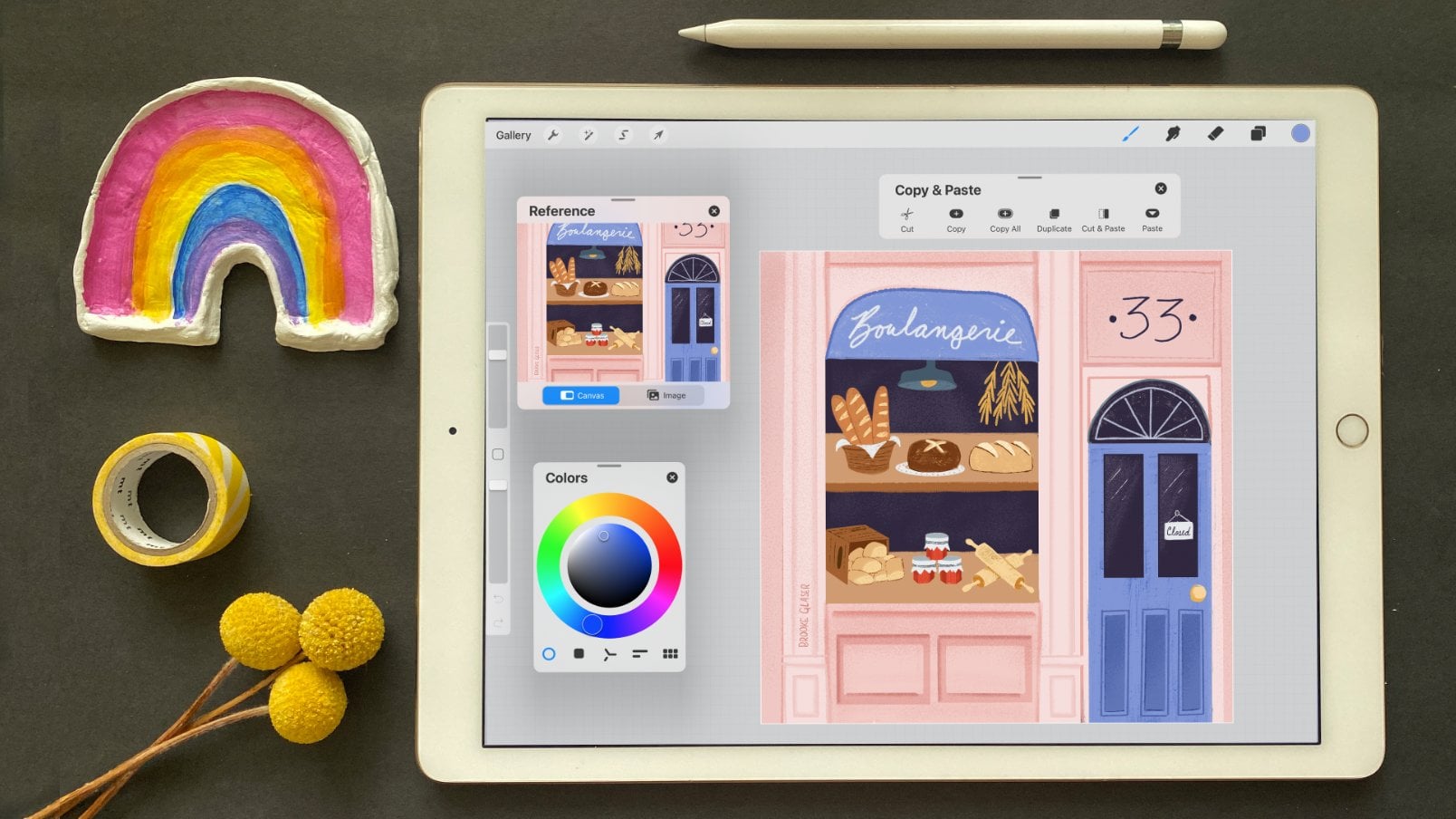
you is called ColorDrop. Now let's say I've got
my sketch of this bakery here and I want color
it in really quickly. Well, I can just grab this
color circle right here and drop it onto the enclosed
shape of the windows. Boom, that works really fast. Now, it's important
to note that this is working because this
is an enclosed shape. That means that on all
sides of this shape, the lines are touching. I can grab a new color from
inside my color palette right here and drag and drop
it onto the bread, and it's going to
do the same thing. But watch what happens
when I try and color in this bread over here. That didn't work at all. It just filled almost the
entire layer with color. Why? Well, if I zoom
in really close here, I can see that this bread
is not an enclosed shape, it's open right here
and right here. If I want to fill in
that shape of the bread, I'm going to come in
here and I'm going to close that shape up. Now when I come and
color drop on there, now it'll stay
within that shape. ColorDrop doesn't just
fill empty spaces. It can also change
colors as well. I've got my finished artwork of my bakery here and I want to
change some of these colors. Let's say, for example, this lamp shade right up here. Now I want to point out that the lamp shade is
on its own layer. The backside, the inside of that lamp shade is on the
same layer as the darker, outer part of the lamp shade. I'm going to drop
this pink color onto the outer side
of the lamp shade. It changed the outer
side of the lamp shade to the exact shade of
pink that I selected, but it also affected the underside of this
lamp shade as well. I didn't change it to the
exact same shade of pink, but it changed it
slightly more in a pink hue than it was before. If I try dropping something on the underside of the lamp shade, now the underside is the exact shade of pink
that I tried to select, and the outer side of the lamp shade is more
of a slightly pink hue. Now all of this is affected because of the color threshold. Now, when I drop a color on here and I don't
pick up my pencil, there is a blue bar and a color threshold
percentage right here. If I slide my pencil to
the right or the left, I'm going to change the amount that the
color threshold is at. If I want to only affect
one side of this lampshade, well, all I got to
do is make sure that the threshold is set
at a lower setting. The higher the threshold is set, the more that color is going to spill out onto other
parts of the layer. As you might have
noticed, there's more than just the lamp
shade on this layer, there's all these
little details too. If I try and drop this on the lamp shade and I push
it up to 100 percent, it's affecting all
parts of that layer. But again, if I drag the
threshold much lower, then it's only going to affect a smaller portion of the layer. Now, if you ever find that
you run out of space, like see how I ran out of space here trying to get
the threshold down, well, the color
threshold is going to remember the last setting
that you had on it. I'm just going to undo that. I'm going to try dropping
the color again. This time, I have all
the space that I need to go down to a low threshold. Recolor is also a useful tool. Let's say, I want to change the color of these
jam jars here. I'm going to be on
the jam door layer. Once I try color dropping, a button up here is going to say continue refilling with color. It's only going to
appear for a moment, so you've got to act quickly. But when I tap on that, a crosshair right here
is going to show up. This crosshair is identifying what area of the canvas
it's going to recoat. If I drag and drop that color
onto the jam jar over here, now I'm going to
recolor that area. What's cool about recoloring, I can come into my color
palette and I can choose a new color live that I'd
like these jam jars to be. Now, this is going to be affected by a color
threshold as well, but this time it's called flood, and I know it's
confusing that it's called different things and
they're in different spots. But flood, if you pull
this all the way up, it's going to flood the layer with the color
that you have selected, and if you have it lower
down, you can adjust that. What's really cool
about recolor though, is that you can actually
come and tap on another area and add to
your color selection. But let's say, I don't want all of these jam jars to be purple, maybe I want one of
them to be yellow. Well, I can just change the
color that I have in there. If I tap on over here, now that one's yellow. If I decide, you know what? Actually, I don't
want that one yellow, I want that one to be a teal. Well, now all you got to do is tap on the color in there. If you like to color drop, you're going to love this
next feature which is called color fill and it's used
with the selection tool. Down here in the
Selection Tool Menu, there is a button called Color Fill and if you tap on that, it activates it on or off. Color Film, if I've got that turned on,
I can come in here, and I'm going to draw another
one of these wheat shapes. When I come in and I tap
to close this selection, boom, it fills the
whole thing with color. Now, that alone can
be a huge time saver, but you can actually
even come in here and change the color
that you're using. You can come in and you can make new selections and
close those off. Boom, now you have extra areas where you've colored
in really quickly. If I come into the color, boom, I'm changing all of those
colors all at the same time. Super convenient. You can also use
this Color Fill tool with the automatic
selection turned on. This can be really useful if you have a sketch or maybe
a coloring book. What you do now is you
just come in here and you tap to fill in different
areas of your art. Now, unfortunately, I can't just switch to new
color because, well, that'll change
the entire color of all of my art here. What I need to do
if I want to grab a new color is exit
the Selection tool, re-enter the Selection tool, grab the color I want to use, and then start recoloring
those sections. Another recoloring tool
that I want to go over here is under this
Magic Wand icon. If you tap on here, these are all of your
adjustment tools. I'm not going to go over
all of these adjustments, although there's a lot of
fun things that you can do and play and experiment with, but the one tool that's most useful for you to
know is this Hue, Saturation, and Brightness tool. Once I've got that selected, it's going to open up
three sliders down here. This is going to adjust the hue. The hue is going to
change the color, the saturation is going
to affect how bright or desaturated or
colorless the color is, and brightness will affect how bright or dark the color is. Now if I tap on the arrow
near the name here, there are two options,
Layer and Pencil. If I use the Pencil tool, I'm going to change
the hue here. Now, the only time
that color is going to change is where I actually
draw with my pencil. You can swap between Layer to change everything
at the same time, or Pencil to only change where you select and go back and
forth between those two modes. Here's one more cool trick. If you're trying to decide
if you like the new color that you've made or
the original color, you can quickly compare the two. Tap on the screen and this
little menu will pop up. If you tap and hold on
the Preview button, it'll show you what
your art looked like when you opened up the Hue, Saturation, and Brightness tool. Let go off it and it'll show the changes
that you've made. Then you can decide,
I think I like the original and you
can just hit "Cancel". For those of you who are cartoonists and want
to keep your outline, ink layers, and fill
colors separate, Procreate has a feature for
you called Reference Layers. If I go to my outline layer, which is this one right here, and I tap on it,
it's going to pull up a menu and I can
choose reference. I'll add a new layer. Now, I'll come in and I
will drag and drop on that new layer and it's going
to fill in those areas, just like this was color drop. But if I turn off this layer, you'll see this
layer is on its own. This works the same on outline. I can come in here and I can drop some color
on the outline itself. It'll fill it in
with color as well. But like I said, it's
on its own layer, so you have it separate
from the sketch layer. I don't even have to
have this layer visible. I can come in here
and I can color drop, and boom, it's
grabbed the doorway. There's my sketch
layer on and off. Now, it's important to
remember that you need to turn this off if you don't want funky things happening
with ColorDrop. If you are sometime using ColorDrop and it's doing
unexpected things, make sure that you
come back in here, tap on the layer, and
turn Reference off. You don't want any of
your layers to say reference unless
you intentionally want to use this feature.
14. Transform It: Moving, Resizing, and Rotating: Next we're going to go
over the Transform tool, and the Transform tool is
this arrow right over here and it creates a bounding box around whatever is selected. Now you can use this
to move things around, and I can do that by
either grabbing inside or outside of the bounding box. If you only want to move
something a tiny, tiny bit, every time that you
tap your finger, it will move in one
pixel increments in the direction of
where you're tapping. If you look closely, you'll see that
cat head is moving at an angle towards my finger. As with a lot of tools in
Procreate, if you make a move, you can undo and redo it by
tapping with your fingers. There's also this
nifty Reset button. This Reset button will
move everything back to exactly how I had it when I
opened the Transform tool. If you want to scale or
rotate your selection, use two of your fingers
inside of the bounding box. Pinching will zoom and scale it and rotating
your fingers, spinning it will rotate it. If you do this outside
of the bounding box, you will be zooming in on a canvas and
rotating the canvas. You can also scale and
rotate really precisely. This green node right
here, if you grab that, that is the rotation and it will rotate around the center
of the selection. You can actually even tap that green node
and it'll bring up these numbers and you can
put in precise numbers that you'd like to rotate at. If I tap this little
plus-minus icon here, then I can rotate it
negative 15 degrees. You can also use these buttons at the bottom on this toolbar. You can flip
horizontally, vertically, you can rotate at 45 degrees, and of course reset it. Whichever node you grab, the opposite node is
going to be the anchor. It's going to stay
still from there. If I grab this node, this one is the anchor, so it's going to
stay from there, and the same on the ones
across or up and down. The difference between
freeform and uniform, when you're in freeform, you can go crazy with
these cat faces. While you're in uniform, it's going to scale
everything in the same ratio. You can also resize
your selection really precisely as well. If you tap on one of
these blue nodes, it's going to display
the actual dimensions that your bounding
box is right now. If I say I want to
make this 600 pixels, boom, it's going to resize
it to a smaller size. This little blue chain
right here links these two dimensions together like when we're in uniform mode. If you want to scale things
and have this calculate to automatically make it the same ratio that
it was before, keep that box turned on. But if you'd want to turn
it off, now I can say, I want this to be 900 pixels
and it will stretch it. It won't affect this dimension. You can use the Transform tool on multiple layers
at the same time. Right now, my
cellphone here is on multiple layers and there's some details on
different layers. On those layers, there's also the coffee cup and some of the shadows and stuff like that. I'm going to make a selection of just my cellphone and I'm going to go to
my Transform Tool, and now I'm only moving the cellphone and
all of its details, even though it's on
multiple layers. Now if I want to take
this cellphone and stretch it out and make it
more look like a tablet, well, it looks weird. It's skewed in an unnatural
stretched out looking way. That is where this final node, this yellow square down here, comes in really handy. This yellow node will
move your bounding box so that it rotates around your
selection in different ways. If I move my
bounding box so that it's parallel to the side
of my cellphone here, now when I stretch it out, it's stretching it in a
much more natural way. This looks more like a tablet than did before.
Let's compare that. This is how the bounding
box looked originally, and when I stretch
it, it skews it. This looks a lot more natural. Sometimes it can be really
useful to be able to move your bounding box to align with the selection
in a different way. There are also new Snapping
and Magnetics tools. Snapping is something
that will help you align objects to each other
or to the canvas itself. For example, if I wanted to make a pattern out of these
cat heads and I wanted to line them all up
so that they are evenly put together,
I can do that. Let's start with
the top row here. If I take this cat
and I move it around, you can see that it's creating these guidelines and snapping. It's forcing it to snap right to that space so that
this ear is lined up with this ear and the
bottom of this face is lined with the
whisker down here, and I can do the same thing
with this cat over here. You can see, again,
it is trying to align itself with those guys. I can just bring the rest of
them up and line them up, and now my cat heads are
all in a nice even row. There are a couple of
settings in the snapping, which are distance and
velocity. Here's what they do. Distance is how
far away an object is before it will start
to snap two things. When snapping is
turned all the way up, it's going to snap
to a lot more stuff. When it's turned
all the way down, it's not going to try
and snap to anything, unless it is exactly
lined up with it. You can see as I am exactly lined up with
this object here, now it's trying to
create those guides. The snapping power, it's not jumping nearly as much. This is something you have to feel as you're playing with it. I like to have that medium up. The velocity is how fast you're moving before
it will try to snap. If you set the velocity
all the way up, unless you are really, really moving your cat really, really fast, it's going
to snap to everything. But if you turn it down, it's not going to snap to
anything unless you're moving very, very slowly. In fact, if you
turn it that low, I don't think it's
going to snap at all. Now it will only snap if I'm
moving very, very slowly. But if I move quickly, now it's not snapping. Personally, I like
to have my velocity further down and my
distance further up, but play around and see
what feels right to you. Now you might have
noticed that that was all aligning up and down
and left and right. You can turn on magnetics, and magnetics will help you
move along at an angle. You can also use this to
help align with angles. You can turn off snapping or
you can turn on a snapping, you can turn off magnetics
or you can turn it on, all in this new
snapping dialog box. Snapping doesn't only align
objects with each other, it will also help you align things with the canvas itself. For example, I have everything flattened onto one layer here, and if I move this entire layer, check out the bounding box. It is going to try and snap. See these yellow lines here? It's trying to snap it exactly as I move to the
center of the canvas. Now I've got a layer with
my original art on there, so I'm going to duplicate that again and move it
to the other side. Again, you can see
that it's snapping to exactly the center, exactly the center of the art and exactly the
center of the canvas. These yellow lines are
creating that guide. Now I have this center here, and if I wanted to, I could edit this so
that I could make a seamless repeating pattern. If I wanted, I could come
in here and redraw this so that this became one trunk and all of the leaves
were coming from the top. The next section of this
lesson is a little advanced. You can skip forward, pass this part of the lesson
if it's confusing, because this is not
essential information. What is important
to know is that resizing your finished
artwork can make it blurry. If you can avoid making lots of really big resizing
changes, do avoid it. Work out what size
you want things to be in the sketch period
when you're drawing. If you do need to do
resizing work though, this section might
be helpful for you. Procreate creates raster art, which means that the art
is made up of pixels. The more I zoom in here, you can see each of
these is a little dot. It's a little pixel that
this art is made of. When you decide that you
need to make the art much, much bigger, Procreate has to
make the decision for you. How many pixels, what
kind of pixels am I going to add to this
art to make it bigger, and the same thing when
it resizes it down small. If you make it small, Procreate has to decide what pixels am I going to
remove from this artwork. When you make really
extreme resizing changes, you might not like how
Procreate makes the art look. But luckily, Procreate
actually gives us some options on
how it's going to try to decide to
resize your art, and you can actually
choose between them here in this little
button right here, which is the
Interpolation button, and you've got three
options in here. Let's go over some examples
of what each of these do. I'm going to duplicate
this banana, and I'm going to be in the
nearest neighbor setting here, and I'm going to drag this banana so it is
much, much larger. I'll drag it to the side here. I'm just going to
do the same thing, only now I'm going to
put it in bilinear. This last one, I
will put in bicubic. Let's zoom in here and you
can see that this option, which was nearest neighbor, is really crisp, and this one is a little
bit more soft and subtle, and this one is even
more subtle still. Nearest neighbor will
make your art very crisp, but it also, to me,
looks pixelated. I'm not wild about
how this looks. It's not very smooth like it
looks in my original banana. Really depending on the
effect that you're going for, if you want it to be really crisp but potentially jagged, you will want to choose
nearest neighbor. Bilinear is going to
give you a more smooth, and bicubic is going to give you the smoothest transition yet. If I zoom in here, you can see it's really being delicate about the
changes in color here, whereas this is also smooth
but a little bit less so, and this one is very
extreme in those choices. Next we have the distort option. Let's say you want to make
a mural with this cat, and you want to put this cat on a mock-up of this
mural so it looks right. Well, this is not the
right perspective. What you can do is you can
grab one of these nodes. You know that Star Wars
lettering where it goes way back in space? That's essentially
what distort does. You can grab the center nodes
and move a single side, or grabbing the corner nodes will move those individually. The final setting
we have is warp. I've created some text, which I'll show you how
to do in the text lesson, but warp allows you to move and distort from these mesh points. Now there's this advanced Mesh
button and that gives you even further control over
each of these corners. One really useful way
to use the Warp tool is to create text that
is on an arch. You can see I've
created a nice arch there for my text to go on.
15. Drawing Assistance (Quick Shape, Symmetry, and Clone): Sometimes it's really hard to draw a good square. So check this out. That's a really lousy square. But there's this cool tool called quick shape. To use quick shape, I'll draw my shape and then hold it without picking up my pencil and it will snap into a perfect shape. Now, each of these edges are perfectly straight. Quick shape also works with circles, triangles, arcs, and straight lines. Once you've drawn your quick shape and it's snapped into place, if you don't pick up your pencil, you can actually move it around the canvas and make the shape either bigger or smaller and rotate it as well. To add onto the goodness, if you take one finger and tap on the screen, it will make your shape into a perfect shape. So if you've drawn a square-ish shape, it will make it a perfect squares. If you had drawn a circle, it would make a perfect circle. It also moves things in 15 inch increments, so it's completely square to the canvas. This is great if you are drawing perfectly square lines that you need to be exactly even with the bottom and top of the canvas, or likewise, perfectly straight up and down. Back to our square example. When I pick up my pen from drawing my square at the very top, there's going to be this button that says edit shape. If I tap on it, now, I can come in here and I can tweak my shape by grabbing any of these nodes. I can also turn it into a rectangle or a polyline. These options are going to change depending on if you drew a square, a triangle, or a circle, or an arc. The only time you can use the edit shape toolbar is immediately after you've used quick shape, lifted up your pencil and that edit shape is there. If I were to start drawing another circle or another line, that toolbar is gone and I can no longer come back in and edit this shape. Another cool drawing feature are the drawing guides. If you go to the wrench icon, the canvas tab, turn on drawing guide and hit the edit drawing guide. You'll find that there are a couple of different guides that you can use to help you draw better. So the first one is a 2D grid and I'm going to turn it black by sliding to the black over here. I'm going to pump the opacity and the thickness up. Now you can really see this grid. What's really cool is if you tap on the grid size, you can choose specific dimensions. So if I wanted these squares inside of here to be exactly two inches, I'd choose inches and two and hit done. What's also cool is that you can grab the blue note in the center and move this around or you can rotate the grid. You can also use an isometric grid, which if I zoom in here and change the color, you'll probably be able to see it a little bit better. This is like a diamond kind of shape. There's also perspective grids, which is awesome if you're drawing like a cityscape or a room and you want to do it in like perfect two or three point perspective. Now I'm going to choose my perspectives by tapping on the screen at each points. So that's a two point perspective grid. By the way, I can switch back and forth between these to edit the points. If I want this one to be black and this one I actually want to be pink, I can do that. I can also put a third drawing perspective in there. Now, this is really cool because I can just draw it around like this, but I can also use drawing assist to force myself to stay within these lines. So if I tap on the layer which I want to use drawing assist on, it will pull up this menu and I can choose drawing assist. Now when I drawn in here, I can't just wiggle anywhere around. It's going to force me to stay within these guidelines. I can either go with this black guideline right here, with this turquoise guideline right along here, or with the pink guideline along here. This is really helpful when you're trying to draw something in perspective. But my absolute favorite tool in this drawing guide is symmetry. This is so cool you guys. Okay? Essentially, this will take whatever your drawing and create a symmetrical version on the other side. This tool is absolutely awesome for doing things like drawing faces in a really fast way because you've gotten both sides of the faces just knocked out in one go. There's a ton of really cool settings in this. If you tap options, you can do a horizontal one, you can do a quadrant one or radial one. For example, let's check out the quadrant. Quadrant is awesome for drawing Mandela's or flowers. With rotational symmetry, what this does is it makes everything go in the same direction. All of these curves are now going in the same direction. Whereas if I turn rotational symmetry off, now these curve towards each other. There's tons of fun things that you can do with this if you only want this to show, if you only want your drawing to show in certain areas, you can do a selection. It will only draw within the selected area. Remember, you can always turn this on and off on any layer by tapping the layer and choosing drawing assist on or off. The other drawing assist tool we have is clone. So let's say that I've got all these balloons on this single layer right here and I would like to add some more balloons, but I don't want to have to redraw them. I've already done the shading. I'd just like to copy them. I will come to my magic wand icon and I'll come to clone. Now this circle right here, I can drag this wherever I want to start cloning. I'm going to start from over there and I'm going to add some balloons down here. I'll just start drawing, and as I draw, this circle moves around to new spawns. Now if I start drawing on this side, the circle has moved over to that spot. I'll start drawing balloons. You will start copying those balloons over here. But sometimes it's easier if this circle doesn't move around the screen. So what I'll do, I'm going to undo that by just tapping two fingers. So what I'm going do is I'm going to take my finger and I'm going to hold it on that circle and it's going to lock the clone tool in place. Now if I come over here and I draw that balloon this circle isn't moving while I draw. I can come over here and draw my balloon over there. But again, it's always going to start back at this balloon. I can draw a balloon there and draw a balloon there.
16. Masks vs Clipping Masks: Masks are like erasers, but way better because you can erase and change your mind, and erase and change your mind as much as you want to. In this example, I've used a mask which is right here, on top of this dirt layer. This is what the dirt layer looks like with no mask on it and I'll isolate it so you can see. Now, if I were to come in here and actually erase the dirt layer, it would be really difficult to come back in and redraw all this texture. Instead, I can use a mask to figure out where I want to put the bones and the keys, and all the little hidden items inside of this picture. Let's create a mask together, so you can really understand how this works. The first thing I'm going to do is tap on the layer and hit Mask. The only thing you can draw on a mask layer is either black, white, or gray. If I use black to paint on my layer mask, it will hide the dirt. Everywhere that I paint black, the dirt is being hidden. But you know what, I don't want all of this to show. I want the hole around the key to be smaller. If I use pure white to paint on my mask layer, it's going to bring back the dirt. Now there's a big difference between painting on my mask layer, and painting on my dirt layer. You can tell which layer you are on because whichever one is darkest blue. If I were to draw white or black on my actual layer, it would show up as white or black because that's actual paint. I'm going to undo that. You have to be painting that white or black on the actual mask layer for it to hide whatever is on the art layer. If I draw with a gray color, it will partially hide the dirt layer. I find it helps to think of it as curtains. Blackout curtains hide things and sheer white curtains show things. Now, I realize that might be a little bit confusing because I'm actually ending up showing all this stuff underneath of here. I'm going to show you once more with just the dirt layer. I'm going to delete the layer mask and I'm going to re-add it and just show the dirt. I'm drawing on my mask layer and when I use black, I hide portions of the dirt. When I use white, I show more of the dirt. Let's talk about clipping masks and how they're different from regular masks. In this picture, the whites of Fridah's eyes are on one layer and the colored irises of her eyes are on another layer. But the Irises are clipped to the whites of her eyes. If I unclip it, you'll see that her irises are big and scary, but her irises are a full circle. When the Irises are clipped to the white of her eyes, they can only be seen wherever the whites of the eyes are. Let's isolate this so it's a little bit easier to see. As I move her irises around, the only places that they can be shown, are where the whites of her eyes are. This can be really fun because I can have her looking in different directions, or up, or down. Let's look at another example of clipping masks in action. What if I want to add some details to the purple of this present? I'll create a new layer for my details and I'll choose a texture brush. I'll use this Victorian brush. I'll come in here, draw some cool details onto the present. But you can see that the details are really far off the edge. Now I could come with my eraser tool and I can manually come in and make sure that I'm erasing this exactly where the box ends. But as you can tell, I'm not really that good at it. What I can do instead, is I can tap on the layer and choose clipping mask. Now all of these details are not going to be able to go outside of the lines. They're only going to be able to be shown wherever I've drawn this box. As a bonus, if I decide that I want the present to be wider, I can draw on the purple present layer. The layer that the details are clipped to, and make the present bigger. Another park of clipping mask is that I can easily experiment with color. Because these details are on their own layer, I can come in here and fill it with another color. Maybe I don't like pink, maybe I'd like to try a little turquoise. But it's super easy for me to fill in these details, change the colors, add to the details without affecting box underneath of it.
17. Adding Text: Let's say I want to add the words open to this sign here. Procreate allows you to add text. If you go to the wrench icon, the Add tab, there is a button that will allow you to add your own text. So at first we'll open up this keyboard and you can write whatever text you want in there, and then this button is Edit Style, and this will allow you to choose different fonts and play with the size. Kerning, tracking, leading. There's some fun options where you can have underlines or the text outline. You can even force the text to be in all capitalization. If you tab the color circle, you can choose any color that you like. I'm going to go with white since the sign is black. You can also switch back to the keyboard by hitting the keyboard icon in the left-hand corner. You can also adjust the size of the text-box by grabbing one of the blue nodes on either side of the bounding box. You can also move the text by grabbing outside of its bounding box. Just like any other layer, you can resize your text using uniform mode or free form and expand it in any way that you want. But you cannot use warp or distort without rasterizing your text. You'll notice when I opened my Layers panel, the thumbnail for this text layer is just the letter A. It's not actually the word open, which is different from this store front layer. This store front layer shows the entire illustration on that layer. That's because this is not rasterize text. It's in vector mode. Vector mode means you can tab on the layer, hit Edit, and you can change the font, and you can even change the letters inside of the text box. It also means that you can expand or shrink your texts without losing its quality or pix-elating it. If you rasterize your text, you will no longer be able to make those edits. So why would you want to rasterize your text ever, there are some things you can do to rasterize texts that you can't do to vector text. For example, you can't distort shear or warp vector text. Like it could be really useful to distort some text and put it at an angle on this sign. I want these words stacked on top of each other so I can either hit return and force them onto different lines, or I can adjust the bounding box and make the bounding box smaller. If you ever find that your words are like squashed like this, grab one of the blue nodes on either side of the bounding box and you can expand it to make your text box bigger without adjusting the size of the font. I'm going to choose a more hand-drawn font and I'm going to change the color to white. I'm also going to decrease the letting and that's going to bring these words closer to each other so the space between the lines of text is not so far apart. This just doesn't look right. It's not slanted and it's not an angle like this sign is. So if I use my distort tool and push this so that it matches the sign, that looks much better. But distorting my text rasterized it. If I come to my layers, the thumbnail is now the actual letters. It's no longer something that I can edit if I tap on here, there's no Edit Text option like there is on the open sign. Now I can treat this layer like any other layer in procreate. I can come in here and I can add multiple colors to the layer, I can erase parts of it, but I cannot come back in and edit this text.
18. The Gallery: Organizing your Art: As time goes on, you're probably going to create a whole bunch of new canvases and eventually you might want to have a good way of organizing them. You can rearrange them by grabbing on to the picture here until it pops like that and then you can move it around. Also, you can create groups or what Procreate called stacks. A couple ideas for that would be maybe work that's in progress, work that you've transferred to your computer or that's completely finished. To create a stack, what you do is you hold onto one and then you drop it onto another canvas and that will create a stack. If I tap it, I can go into this stack. If you want to remove it from the stack, you're going to hold the icon and you drag it over this back arrow here and wait for it to pop up like that. Then once you're back on the canvas, you need to drop it in there otherwise, it'll just snap back to the stack. Another way to create a stack is you can hit the Select button and then you can choose a bunch of these and then you can just hit "Stack", and then you can stack a bunch at the same time. This is also a way that you can share a bunch of canvasses at the same time, duplicate or delete a bunch of canvasses at the same time. Speaking of sharing and duplicate and deleting a file, you can do this individually by swiping to the left and then there's a shared duplicate or delete button.
19. Helpful Accessibility Settings: [MUSIC] My dad is colorblind. Since he can't visually see which colors
look good together, he's actually memorized his
outfit so he can know, hey, this shirt and these pants, they match, they
look good together. But that doesn't mean that he
knows by going into a shop, what color a shirt is, he still needs somebody to tell him. If you're colorblind, I know how valuable it can be to
have a color identifier, and this new update
is going to be incredibly useful for you. If you go to the wrench icon, we'll go to the
help tab over here, and we'll tap on
"Advanced Settings." If you scroll down, you'll see there's a color
description notifications. We'll go back to Procreate, and now, whenever I
drag around in here, there is an update
in this bar right here and it's telling you
what color you are choosing. I can scroll around in a
circle here and it'll tell me, I'm getting a dark brown, I'm getting an orange, am getting a lightish
gray orange, or if you go around in this bar. The same with the
color palette cards, they are all named accurately. This is also great if you have an argument over what
color is what color. I'm always arguing that this color is purple
with my partner, but Procreate proves me wrong. If I drop on that color, I can see that this
is actually a blue, not a purple, but this works with the
eye dropper as well. As I go over different sections of color
in this piece of art, I can check and see what
color it actually is. Another exciting update
for those of you who have trouble reading
these teeny tiny menus, you can now make
that font bigger. If you go into your general
iOS settings and you scroll to the accessibility and you tap on "Display and Text Size", there is a larger
text option here. If you turn that on,
you can scroll and choose which size you'd
like the text to be. That'll change the font across the entirety
of your iPad, but now with this
5-point two update, Procreate is actually
going to respond to that. Now you can see we've got
actually bigger text, bigger layers, everything is
a little bit easier to see. Another neat feature
is feedback sounds. Again, you're going to want
to hit the "Wrench" icon, the "Help" tab, and the
"Advanced Settings". If you scroll down, you
can tap "Feedback Sounds". All right, let's go
back to Procreate. Now, when I tap and
add a new layer, [NOISE] it creates a sound. I think my favorite is
the selection tool here. [NOISE] Ting, you've
closed the selection, so it actually [NOISE] records a sound while you're
making the selection, [NOISE] and when you
close off the selection. Pretty fun. In these
advanced settings, another new feature is this single touch
gestures companion. Let's go back to Procreate, and this actually
brings up a Menu, so that you can do
things with one finger, so you can "Undo" and "Redo"
with a single finger. Sometimes I have trouble
zooming in and out with my fingers or
like pinching to Zoom. That was a bad example,
it worked really well, but sometimes it doesn't. But with this, now I can
do it with one finger. I can Zoom and Rotate. I can move the canvas and I
can fit the canvas to screen. You can also move this menu by grabbing that top gray bar to a different part of
the canvas if you need that space
open for drawing.
20. PDFs and Importing PSDs: [MUSIC] You can do more than just create brand new
art in Procreate. You can also bring in photos, Photoshop files, and PDF files. If I go to the wrench icon in here and I tap, insert a photo, I can grab a photo, and boom, it'll put it in there. Now let's talk about
Photoshop files. If you are in a canvas and you try to insert a file and you go, this is a Photoshop file and if I tap here and I insert it, it is going to insert a flattened image of
that Photoshop file, which is kind of useless. Why not just use an image? But if you go back out to the gallery and you tap import, and then I tapped to import
that Photoshop file. Now it's going to import it
as a layered Photoshop file, which is very useful. Now sometimes when I transfer a Photoshop file from
my computer to my iPad, it ends up in the photos app. I can, for example, this is actually a Photoshop
file that I transferred from my computer to my iPad
and if I tap on this one, it will also open it
up as a layered file. There it is with
all of its layers. Now, as we talked about earlier, photoshop has layer limits and in order to bring a Photoshop
file into Procreate, it needs to be a size that
Procreate can handle. Now specifically, that means the canvas size
and the amount of layers that need to work with
your version of Procreate. So if you have a
Photoshop file that has way weigh more layers than
your version of Procreate can handle then you'll either
need to merge down some of those layers or you won't be able to import the
Photoshop file in. Now, the amount of layers
that are available to you will depend on
what iPad you have. Okay, so let's move on to PDFs. To import a PDF, you're going to tap the import button and
then you're just going to navigate to wherever you
have downloaded your PDF, this PDF happens to be
the one that is from my how to find your style
class when you tap on it, it's going to open it up as a canvas and each of these
pages is going to be represented by a
little thumbnail down here on this
toolbar at the bottom. If I tap on them,
I can move between the thumbnails or the pages. Now, procreate has essentially
taken each page of this PDF and created
it on its own layer. If you tap and hold
these little icons, you can actually rearrange
the order of the pages, which is super handy. Let's say that you
would like to write some answers in on this
PDF but you know what, maybe you're going to
change your mind and you want to erase that first answer. Well, what happens is you've written that on the same page, the same layer as the PDF. I'm going over some
stuff about layers and if this doesn't make sense
to you, don't worry, we are going to cover layers in another lesson you might just want to skip this
if it's confusing, but just for all of those of you who are already
familiar with layers. Okay, if I want to
write on this PDF with a second layer and I tap in
here to create a new layer. That new layer is created a new page in this PDF
I don't want that. I want to be able to draw
a new layer on this page, so what you need to
do is you need to group those two layers
together and now, when I draw my answer or my
drawing or whatever in here, it's on its own layer. I'll go over how to create in-group layers in
the next lesson but I just wanted to show you that this multi-page PDF
import and drawing tool can be really helpful
for those of you who are working on storyboards
or comics. I'm just having multiple pages can be super useful.
I hope that helps. You can also use
procreate to create your own PDFs, for example, I've got a bunch of
different pieces of art on different layers here in this document and if I go to the wrench icon, canvas tab, and tab page assist, it'll put each of this
art on their own page and now I can tap through
these different pages to see the different pieces
of art and I can also come to the share tab and export as a PDF and I can choose what quality of PDF
I'd like to use.
21. Win a Year of Skillshare: Want to win a year
of Skillshare? To celebrate the
update of this class, I am hosting a giveaway and I'm giving away a year
membership to Skillshare. To enter, all you
have to do is share your favorite Procreate
feature in your project. If you've already
created a project, you can actually
update it and add your favorite Procreate
feature to it. The deadline to enter
is January 15th, 2022 at five PM PST. The winner will be chosen at random and I'll
announce the winner in the discussion tab of
this class. Best of luck.
22. Final Thoughts and Resources (2025): Before I share some final
tips and useful resources, I want to say a big thank you so much for
watching this class. If you enjoyed it,
please do me a favor. Please leave a positive review, a comment, or a project. Your interactions with
this class helps it show up in the Skillshare ranking so that other
people can find it. Now, by now, you've
probably realized Procreate is a
powerful little app, and if you're thinking
it's going to be possible to remember all those hidden gestures and
shortcuts that we learned. Well, I've created a fun
gestures cheat sheet for my newsletter subscribers, and basically, it's
a visual guide and reminder to all
of those gestures that we used in this class. There's a link to grab it in the project and resources tab. And if you learn best by doing and you'd like more
practice and Procreate, you may want to check
out my Skillshare class Procreate for beginners, where you'll create
four art pieces. All the while, you'll
secretly be learning and practicing all the tools and techniques for using Procreate.
23. What's Next - Learn How to Draw + Procreate (2025): Ready for more
procreate lessons? In this class, we're going to cover everything that you need to know so that you can
create your own stunning art. And you'll learn by doing. We'll create four art
projects, and all the while, you'll secretly be learning all the tools and techniques
for using Procreate. Hi, by the way, my
name is Brook Glaser. I'm a professional illustrator and helped hundreds
of thousands of students learn illustration and kickstart their art careers. The art that I've
made in Procreate has been used in greeting cards, children's apparel,
gift wrap, and more. Maybe you've seen a bunch
of Procreate tutorials and you're blown away by everything that you
can do in the app. But it's overwhelming.
There's no way that you can remember all of it. That's where this
class comes in. Just gonna have some
fun drawing tigers and strawberries and mushrooms. And all the while,
you'll be learning and practicing all of those
amazing tools and procreate. You'll learn coloring and
recoloring techniques. You'll learn how to customize your brushes and tools
to make drawing easier. If you don't know how to draw, no stress. I got you. The exercises in
this class have been designed for artists
at any level. Plus, I've included some fun free resources in this class, some custom brushes, color
palettes, and drawing guides, whether you've never opened Procreate or you're an
experienced artist who just hasn't wrapped
their brain around what you can do with this
powerful little app. By the time this class is over, my goal is for you to have an
intuitive understanding of all the essential
tools in Procreate so that you can create
your own stunning art.