Transcripts
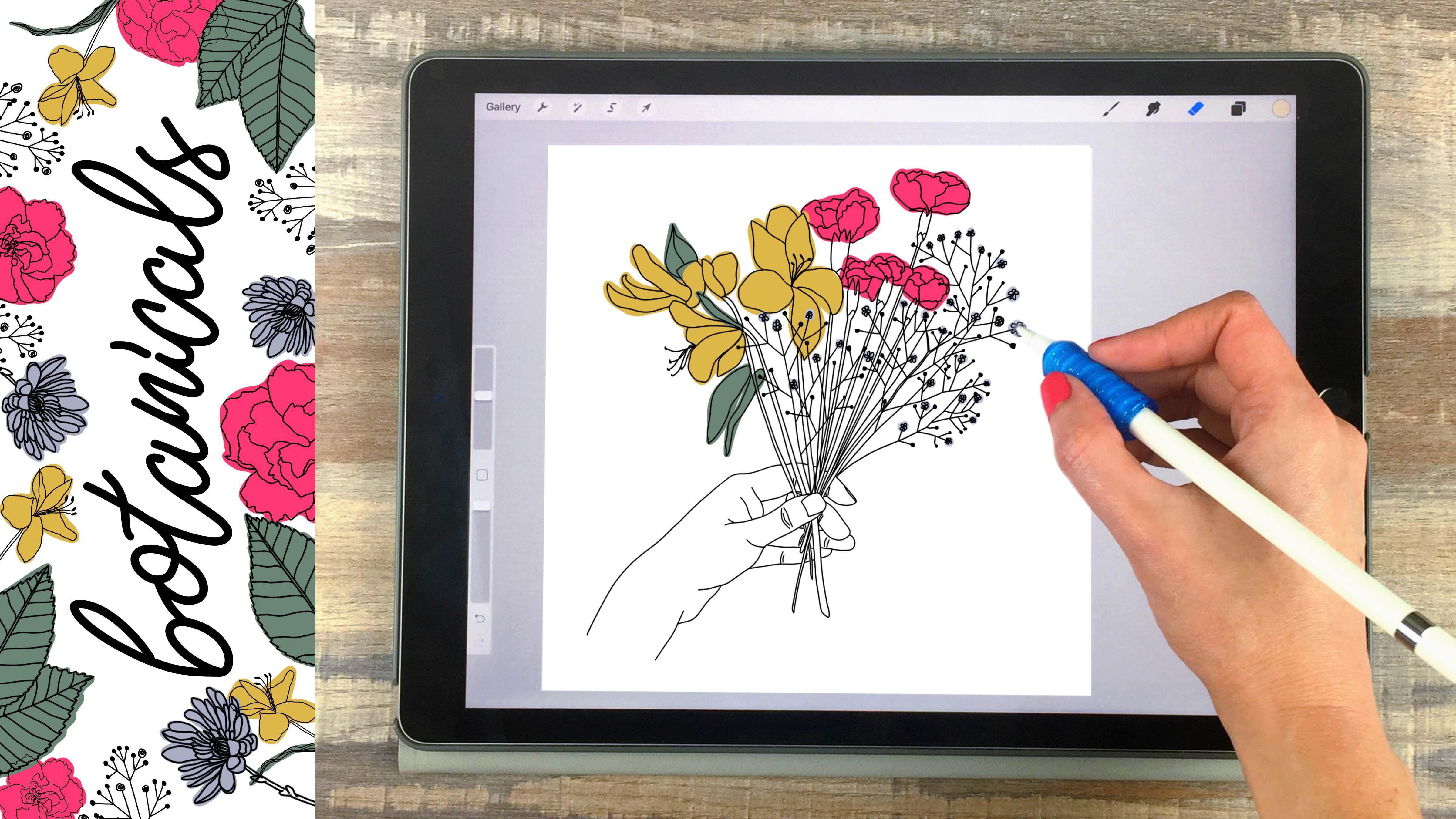
1. Botanical Illustrations on Your iPad in Procreate + 15 Free Procreate Brushes: [Music] Hi Everyone. I'm Liz Colin Brown. I'm an artist designer and teacher. Today I want to show you how to create three different styles of botanical illustrations on your iPad and procreate. When you watch this class, you'll get all of the brushes and resources i use to create my botanical illustrations. The set includes 15 procreate brushes and stamps and over a 150 reference photos of plants and flowers to get you started. You can use the photos for your own illustrations, but I'll also show you how to gather inspiration outside. You can start building your own library of reference photos for your botanical illustrations. First will create an intricate botanical border around a quote. I'll give you a cheat sheet with all of my favorite plant farms and show you how to create all the shapes I use in my botanical wreaths and borders. Then we'll apply a gold shimmer to the drawing that makes it stand out online and in print. Next, we'll cover the easy steps for sketching contour drawings using a photograph as a reference. If you're just getting started with sketching this process, we'll show you how easy it is to turn any photo or object into a line drawing. Then I'll show you a few different ways to use your line drawings and finished compositions, including a vintage botanical illustration look , solid color blocking, and multi-color highlights. Next, we'll create a colorful textured collage using botanical line drawings and illustrations, combined with layers of texture and color. I'll show you how to use blending Modes, texture brushes and hand-drawn lines to create an eye-catching illustration are seamless repeat pattern. The amazing thing about this process is it will totally change how you see plants in your daily life. You'll see how every leaf, twig and flower is a potential composition that you could use for tons of different projects. You can use the illustrations you create in this class to make seamless repeat patterns, digital downloads or printable Walmart. All you need to take this class is your iPad and a stylus. I'll be using the Apple Pencil, but you could use any stylus or even your finger. Let's get started.
2. Downloads & Resources: The first thing I want to do is show you how to get all of the downloads and resources that I'll mention in the class. You can find a link to get to the resources page in the project section on skill share. And once you click on that link, you'll see that you need a password and I'll put the password on screen right now. Once you get into that page, you'll see there's a whole list of downloads and resources that we'll be using in the class, and the first one is the procreate brush set. I'll click and hold and I'm using Safari to do this. If things work a little differently for you, you can switch to Safari and it should be the exact same process. I'll click open in a new tab, once set new tab opens, I'll click open and procreate, and that should automatically open whatever image you had open last. It should add the brush set to the very top of your list and procreate. That said, [inaudible] botanical illustrations contains all of the brushes that we'll use in the class today. Another thing that we'll use a lot from this list is the flower quotes image. I'll click and hold that and click open in a new tab. I created this document with a lot of different quotes that you can use for any of these projects. These are all flower related quotes, obviously you don't have to use these if it just doesn't work well for your composition. But I just wanted to pull together a few flower quotes so you didn't have to search too much if you were looking for something just to finish off your drawing. I have three sections here, unknown author that I created some of my own quotes, and then I pulled together a lot of different quotes from some artists and authors. I created my own quotes because sometimes I just can't find the kind of quote I'm looking for, for that particular piece. I do encourage you to use your creativity with words as well and create your own quote. If you just can't find something that speaks to the message you want to send, go ahead and create your own, even if it's not perfect or it's not as poetic as some of these. It's really nice to create your own quote and use your own words to speak to your composition. So in terms of the other resources and downloads on this page, will use those throughout the class and I'll show you how to use each one as we need it for the project. Let's go ahead and get started on our first project.
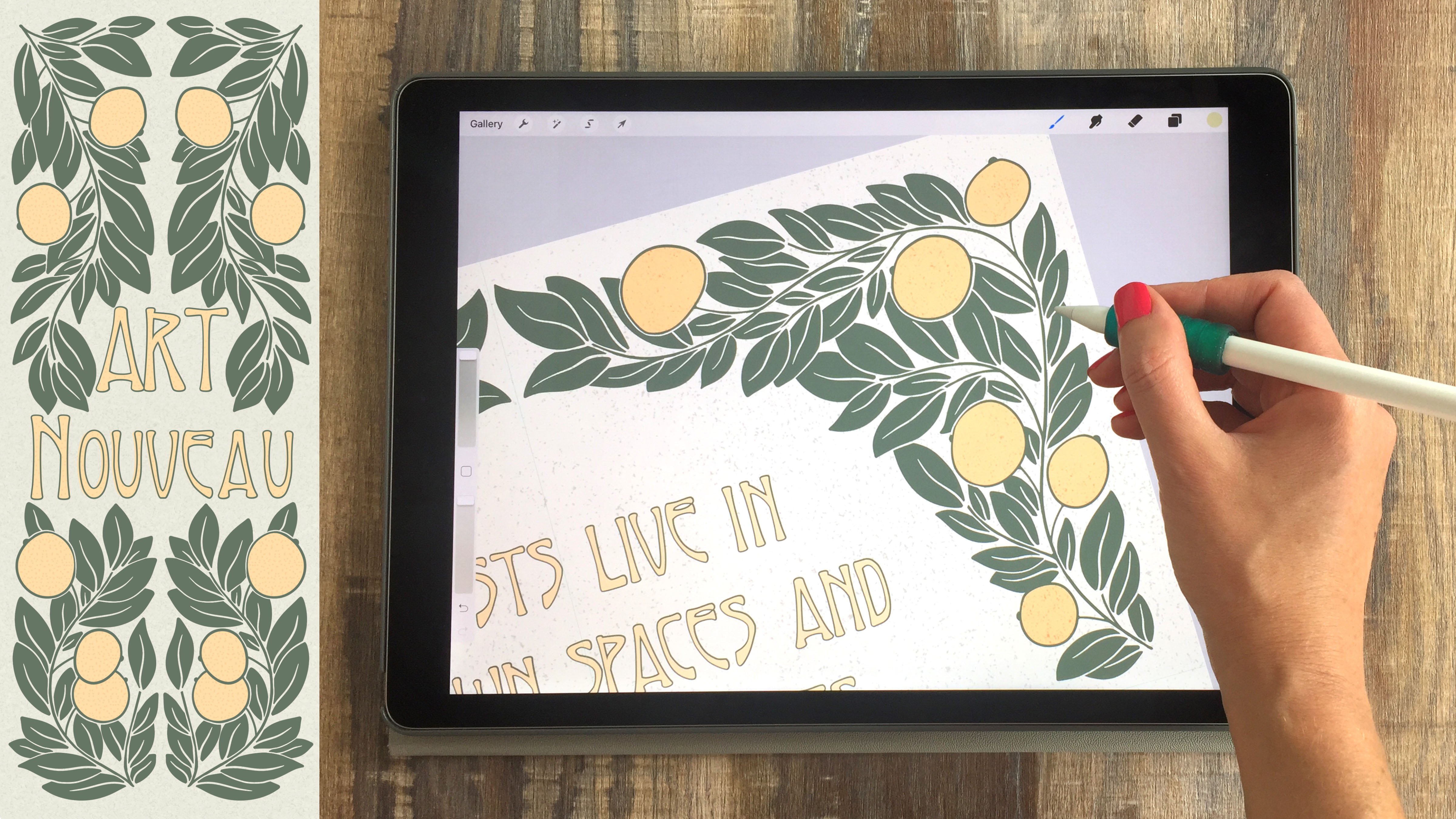
3. Symmetry & Structure: For this first project, we're going to create a stylized botanical illustration around a quote. I chose to put a quote in the center, but you can certainly just fill the center with more illustration elements or draw something totally different for the center. For this first project, I'm going to create a custom canvas. I'll work in inches and 10 by 10 inches at 300 DPI. This is the size that I typically use. It seems to work well for most of my uses online and in print. But obviously you can work in any size here. I do recommend working at a size that's larger or the same size as what you'll need. Because you can always scale these down, but you can't scale them up. You want to start with a size that's bigger than you'll ever need. I'll click Create. The first thing I'm going to do is turn this into a symmetry based document. I'll go to the Tool symbol, click Canvas, turn on my drawing guide, click Edit drawing guide. Then I'll go to the Symmetry tab here to set up drawing symmetry. I'll be working with quadrant symmetry so anything I do here will be repeated in all three corners. But you could certainly use one of these other pieces once you get comfortable with this process. I would recommend trying all the different symmetry options just to see the different effects you can achieve. Next, you can change the color of the grid lines here by just swiping back and forth on this color bar. I like to just set it at a color that's very different from the color I'll be drawing with. I'm going to draw with a gold mustard color so I'm going to go with blue for my guidelines. You can also adjust the thickness of these lines, the opacity of the lines. You can turn on assisted drawing that should be on by default, but that just means it's going to assist you by making the drawing symmetrical. If you ever have problem with this symmetry feature, it's probably that your assisted drawing got turned off somehow. Once all these settings look good, I'll click Done. If you pull up the layers panel here, you'll see that that layer now says assisted. I just want to be sure I'm always drawing on that assisted layer and anything else I do like guides or sketches I do on a different layer. I'm going to click the Plus symbol to create a new layer and I'll rename this layer by clicking it and clicking Rename and I'll call that Guide and so on. Now here I'm going to put a circle guide just to help me keep my composition in a circular form. On that layer, I'll get black as my color. I'm going to go to the botanical Illustration brush set and get this circle template. You can just tap that one time and it creates a circle. If you find that it's way too big and it's coming off the canvas, just reduce the size of it a little bit and try again. Next, I'll click the Move tool and I want to make sure Magnetics is selected, so I don't distort the proportions of my circle. Then I'm going to set the size here. I just want this to be small enough to fit a quote in the center and also allow for a lot of decoration on the outside. You can make this circle pretty small. Maybe go halfway in between the edge and the center, but this is totally up to you. There are a million different ways you could do this so play around with whatever works best for your personal style here. Next, what I am doing is I remove the Magnetic selection and I'm just using my finger to slowly adjust this so that these dots are lining up with my grid. What that's doing is making sure that my circle is in the absolute center of this canvas. Next I'm going to go to that layer and just reduce the opacity a little bit because I don't want that to distract me from my composition. I just want to use it as a guide. Now I can go back to my assisted layer, get my gold mustard color and start drawing. I'll be using the ink pen variable. What you'll see about this pen if you're using Apple pencil is, it can go to thick to thin really nicely. Obviously the larger you make it, the thicker it can go. I'll be using that pen, but you could also use the regular inking pen, which just has a tiny bit of variation. It's not quite as dramatic as the ink pen variable. Just use what works well for your style here. The first thing I'll do is just test out some different brush sizes. I'm going to go with a pretty thin line here but you could go with something thicker. Mine is set to 15 percent. The first thing I'll do is just start with a central vine here and I'm going to make these connect so it's like one continuous vine that goes all the way around the canvas. This doesn't have to be perfect. It can be a little bit wavy or a little bit variable and I usually go over it a couple times just to make sure it's nice and smooth. Then I like to decide where my vines are going to lie. Here I could have one coming in the corner like that, or I could come from the other side like that and then have one that meets in the middle. You can play around with a lot of different options here. This way I'm doing it is obviously just one way to do it. It may also depend on what platforms you choose. Some platforms are going to look better with really wide open spaces, whereas others are going to look better with little intricate spaces. I also try to create some pieces that curl and on each other so if I have one coming in this direction, I'll have another that comes in that direction and curves in so that each one looks very different. I wouldn't want to have three like that, that all looked similar to that middle piece because then it's not creating some visual interests and contrasts with the shapes. I'll take just a few minutes to add a few more of these. As I'm doing this, I'm thinking about with each piece, am I leaving enough room for a leaf? Let's say my leaves are going to be this big. Well in that case, I didn't leave enough room for my leaf. Whereas if I'm doing some tiny leaves like this, that would be fine because they don't overlap. That's what I'm thinking about as I set these vines down.
4. Choosing Plant Forms: Once you get all of your vines taken care of, it's time to start adding in some shapes. You could repeat the same shape for this whole piece. Choose one leaf and just do it for every single piece or you could do a combination. I'm going to do a combination, but if you're just starting out and that sounds a little overwhelming for you, feel free to just choose a single leaf and just go through and add that leaf all over. This is really your personal style here, so feel free to play around with a lot of different options. I'm going to go back to the resources page because I want to show you this little cheat sheet I made. This is called the floral forms image, and I'll click and hold that and click Open in a New Tab. On this image I created a lot of different examples, of platforms that you could use. If you want to be looking at this while you draw, you can set this up in split screen. I'm going to click and hold this image, and then click Save Image. That's going to save that to my photos. I've got this opened up in my photos app and you want to make sure you open the photos app and open that image. Then I'm going to open Procreate and just drag up a little bit from the bottom, to get that little arrow, and then drag up again to get this little menu. Then I'm going to take the photos app and just slowly put it over here. I have noticed if you do it too fast, it just swipes it away so take your time with that. I've got this little cheat sheet right beside me. I can just take a minute to look and see what would work best on each vine. I'm going to start with some of these really simple leaves right here, and then I always zoom out and make sure everything looks good from a zoomed out view. Now that I've done this big chunky leaves, I want something a little to contrast to that shade. I am going to look for one of these other pieces. I really like this flower right here. I'm going to add that in, and I've realized I would rather have this be a little bit higher. I'm just going to extend the vine, and I think I could even fit another flower in here. The way I do this, as I try to fill every little intricate space, I like these to be really intricate. But that doesn't mean that's the only way to do it. You could certainly do it as a more spaced out piece, and that can be beautiful as well. Certainly, think about your own personal style here, and I created this cheat sheet and you're free to use that for any of your pieces. But you may also want to make your own cheat sheet of flower forms that you'd like. One thing I like about creating these cheat sheets and working from those is, you're not pressured to think about your shapes and your composition at the same time. Thinking about composition is a lot of work, and if you're also trying to think about what shapes you're going to draw at the same time. You're trying to juggle two tasks at the same time, and that can be a lot to do, so maybe you want to start creating your own cheat sheet with images that work for your style. You might notice here that my Apple Pencil is skipping a little bit, I've noticed that sometimes when they use split screen, the iPad gets a little bit overwhelmed and some tasks don't work perfectly. Split-screen may not be the best option for you if you have an older iPad, I imagine it's even more difficult on the non-Pro iPad's. You could also just pull this up on your phone or your computer or print it out. I'm happy with that little space and I'm ready to move on to another area, and I'm going to do one of these leaves that contains a lot of different lines. I'll take just a minute to fill up this vine with those leaves. As I create these veins, I'm trying to copy the motion of the original stem. I wouldn't want this vein to come out up because it's coming in in a downward motion. That's something to think about just to keep your platforms looking natural. One thing I try to always be aware of with these is where my brushstrokes stops. For example, you don't want to stop your brush stroke right there. Because it leaves this little bump that makes it really clear that this was a digital brush and that you just didn't go all the way through with your line. I always go through the line I'm meeting rather than just bumping up to it. Then I'll go back and check some of the ones I've already done and make sure I successfully went all the way through with those. I'm going to choose one more leaf form to go in the center here, and since I've already done one that has a lot of lines, I don't want to choose this one. I've already done a big fat chunky ones, so I don't want to do that one. I'm going to go with this more rounded piece here. I'll add that right in the center, and I'm going to leave that center space open. I may add some other plant forms in there, so I'll just leave that as it is. I want to add something in here that drips down. I'm going to find a little filler plant. I think this one's a good candidate, I like the little circles on the edge. I'll use that idea, but I'll use a different shape.
5. Negative Space and Borders: So now that I've filled out all my main vines, I'm going to start adding in some little sprigs to fill in these empty areas. I'll go ahead and make my guide layer invisible because I don't need that anymore. So add one of these little ferns in here, just like this. But I think I'm going to change the little leaves of this fern to be a little bit thicker than they are on the drawing. So the way that I drew these here is just one way to do it. You'll probably find a lot of other ways that work for your style to interpret these same plant forms. So some of these little spaces would be great for some tiny little plants like these. So I'll just go into those spaces and maybe reduce my brush a little bit, so I'm working with a thinner brush and just add in some little variation, something that's very different from what I've added on those larger places. After I did the second flower, I realized I like these sticker dots better than the thinner ones. So I'm just going back to my first flower and changing that one. Probably the first few times you do this, you'll learn a lot about your style and your process. So maybe just let these first few be practice pieces. I really like these little flowers so I think I'm going to do some more of those over here. I'm just going to let those come from this original vine. So they're just kind of sneaking out on the vine of this original plant that we created and, of course, this isn't realistic, but it creates a really nice kind of wildflower look. So you could keep going with this and do something even more intricate it's totally up to you here. But I'm going to stop creating platforms and I want to remove my split screen, so I'll just drag that little gray bar over and that removes it. I always do that when I'm not using because it will drain your battery faster than just using Procreate. So, now I have this nice decorative layer. I feel like I went a little bit too close to the border. So I want to reduce the size of this a little, and add in a little border as well. So I'll click the move tool and then click magnetic to constrain the proportions of this piece. Then I'll just pinch to make this a tiny bit smaller. And so, you want to pinch, not pull from the corners because pinching is going to keep it in the center, whereas pulling from the corners is going to move it down this way. So I'm happy with that. I think that leaves enough room for my border. So I'll click the move tool to set that. I'm actually going to put my border on a separate layer. So I'll create a new layer and I need to set that to symmetry as well. So, canvas, drawing guide, edit drawing guide, go to the symmetry tab rather than quadrant for this, I'm going to click radial. Radial's going to help me make a perfectly uniform border. So, I'll leave all the other settings the same, make sure that assisted drying is still on and click done. I'll use that same color, but I'm going to actually use the monoline brush for this. So with the plant forms, I used a variable brush that goes from thick to thin. But with the border, I want to do the opposite. I want to use the uniform monoline brush that comes with Procreate to create that contrast between variation and uniformity. I always start my border at the horizontal line. I'll just click and drag up then hold to create that straight line and then put down two fingers to make that line perfectly 90 degrees. Then I can just kind of move my pencil back and forth until I see that those meet perfectly. You can also go a little bit beyond meeting perfectly and erase the edges. Going too far is better than going not far enough, because you can always erase a little bit, but it's really hard if you have a little gap right here. It's really hard to fill that in perfectly. So I always try to meet right at the corner or go a little bit beyond. So, I like how that border looks. You could do another one, if you wanted a double border, holding to get the straight line and then two fingers down to get a 90 degrees. So the double border kind of looks nice as well. For this one though, I want to do a single border. I want to show you one little thing you can add to this. So what I'm going to do, is find somewhere here on this corner where I want to create a little cut-in border. I'm just going to draw and hold and have those two meet. So I have this nice little corner. Now I can get my monoline eraser and just remove that little extra bit here. So that makes a nice little border. Now I have a little space to do maybe some decoration here. Maybe just some little leaf forms. You could do some dots, you could really do anything there. So, another thing I want to do, is go back to my gold layer and add a little bit of speckle in here. So I'm just going to use my Monoline brush or you could use the variable ink-pen brush. Just go through with a medium size and fill in some of these empty areas. So, obviously, this is totally optional, you don't have to fill in those areas. But that's something that I like to do to just fill in a little bit of this white space. But you may like the white space, so go with what works for you here. One thing you'll find even if you go back to that original layer that you created, if I draw something, it's drawing it in the radial symmetry rather than the quadrant symmetry. So it applied my new symmetry rules to my old layer. So we have to go back and change that before we can do anything to this plant layer. So I'll go back to my canvas, drawing guide, edit drawing guide. You can see that radial is selected. I want to change that to quadrant. Click done, and now I can go through and start adding these little speckles to fill in this space. So I'll take just a few minutes to do that.
6. Text & Filler: Another thing you may want to add in, is some plants in the center. This is totally up to you and it may or may not work for your quote. But what I like to do is add in the quote and then start adding in the plants around it because until I know how the words are going to fit in here, I don't really know how much space I have to work with. So what I'll do is go ahead and grab my quote, and I like to use the app called Over and I'll put a link to that on the class resources page. It's free, it's really easy to use. I'll just click the plus symbol, click Transparent, click the Check symbol to get started, and then click the Text Symbol and, start typing. So you could go with a more type-looking font. I'm going to go with a font that I created, and I'll put this on the Class Resources page in case you want to download that. And when you download it, you should see the option to put it into Over if you're using the Over app. I'll click the Check symbol to get my text. Click Color and change that to black. Click Size, and I'm going to make this really big because I want to be sure this doesn't become blurry when I bring it into Procreate. So I'm going to start as large as possible and then click the share button. Save to photos. Using this transparent background's really important and you'll see why when we open this in Procreate. So click the Tool symbol, click Add, insert a photo, insert my quote, and then I'll just make sure Magnetic is selected. Then pinch to bring this right into the center at a small size that fits well in there. So I'm happy with that. I'll click the Move tool. I like to always write these over the fonts with the brush that I'm using and add in a little bit of variation so it doesn't just look like a font. But you could also do some hand lettering here if you like doing hand lettering; that's something you can add in. I'm just going to reduce the opacity of that layer by clicking the layer and reducing the opacity. And then I'll go to a new layer, and get that gold color that I've been using all along, and get my ink pen variable, and set the size for that. So I'll take just a minute to re-write this, adding in a little bit of variation. So I'll remove that original text layer. And so now I have three different layers. My border, my text and my assisted layer that's on quadrant symmetry with my plant forms. So now you have the option of going in and adding in some additional vines on the interior. So I'll take just a minute to do that, and obviously when you do that, you have to really keep an eye on your text. I try not to get too close to the text because I want that to really be the central part of this and the borders, just the decoration. So I'll take just a few minutes to get as close as possible without really encroaching on the space of the quote. So for the remainder of this space, I think I'm going to just add in some dots. I'm going to do that on a new layer because you can see if I added a dot, for example, up here, it's drawing on my letter. So I'm going to do this on a new layer so I can really make sure that I'm not covering up any of this text. So I'm happy with how that turned out, but I do want to reduce the size of my quote a little bit. I feel like it's blurring in with some of the dots and floral elements. So I'll just click the Move tool, make sure Magnetic is on, and just pinch in the center. That gives it a little bit more breathing room, and I think that overall makes the quote more noticeable in this composition that's pretty complicated.
7. Applying Shimmer: I'm ready to start applying some shimmer to this. What I'll do is go ahead and go back to my gallery. I'll click "Select", click on that document that I just created and click "Duplicate". The reason I'm doing that is because I wanted to preserve these layers. I want to be able to go back to this layer and make a change or go back and change the quote. Keeping these all on separate layers keeps it safe so that you can always go back and change your mind. But I want to apply this effect to the piece. So I want to go ahead and add in my shimmer and combine all these layers. The first thing I'm going to do is go through and make sure there are no little errors. Sometimes with your finger you'll accidentally erase or make a dot. Before I keep going with this piece, I'm just gonna take a minute to zoom around and make sure everything looks good. I'm happy with how everything looks. I'm just going to merge everything together. Now I just have one big layer that has everything on it. I want to turn off the assisted feature because I don't want my shimmer that I'm going to apply to be symmetrical. I'm going to go to Canvas, turn off the Drawing Guide and first I need to go to edit Drawing Guide, turn off assisted drawing, click "Done". Then go back to Canvas and turn off the Drawing Guide. Turning off the assisted drawing turns off the symmetry. Turning off the Drawing Guide turns off those blue lines that are distracting. Now that we have all of that off, I'm going to drag two fingers to the right and that's going to alpha lock this layer, which means I can only paint on this layer. I can't paint on my background at all. I'll grab a color that's slightly lighter than the color I'm already using here. I've got like a dark gold mustard color and I'm going to go the slightly lighter color. Then I'll just grab the shimmer brush that's in the botanical illustrations set and I'll bump up the size of that brush a little bit. Then I'm going to go around and add these little single taps or you can tap and drag in little areas at a time. One thing that you don't want to do is draw on an area and then draw on that same area again, because it's going to cover up that texture. For example, if I put one dot over here, the next dot is going to be in a different place. I'm slowly adding a tiny bit of shimmer and you can bring down your brush if you want to put it in some smaller areas. Next, I'm going to get an even wider brush and you can see what this first layer did was add just a tiny bit of variation from light to dark. Now this next lighter color is going to add even more. I'm going over the same places that I already did and it doesn't have to be perfect. It can be, sort of similar to the same areas but not perfect because a real gold shimmer is just random. There's a lot of variation. My last layer is going to be white. I'm going to bump up the size of the brush a little and just go in the very center of these areas that I want to add the shimmer and I'm adding so much that areas almost disappearing and that's how it really looks if a bright light is shined on a gold area, it starts to just disappear onto the piece of paper. You can see with this process, there's no right or wrong way to do this. It's just play around with the style that works for you. You may not like these areas that are so light that you almost can't see the design elements in that case, you would bump down your gold texture a little bit. I'm going to continue the same process and just try to be sure that I have a lot of variation in terms of light to dark and continuing the same process. I'm just going with a medium beige, light beige and then finish it off with a dot of white. You can see that adds a really nice gold shimmer effect. You can also start playing around with your background. You can click on your background layer and just play around with some different options. With the black, if I used that as my color, I probably would have to bump up the brightness of my drawing layer. I'd go to my drawing layer, click "Hue saturation brightness" and just bump that up a little bit so that it's a little easier to see that gold effect. Depending on the color that you end up using, you may have to play around with the brightness of the drawing layer that you created. Another thing you can play around with here is color. I'm just dragging that hue slider and you could get a lot of different cool color effects here. What I'm going to do is just bump up the brightness a little. This would be my black version of this drawing, but you could also stick with the white version. Just depends on your personal style here, play around with the various options and see what works best for you. I also wanted to show you how each time I have done one of these, it looks totally different from the previous ones. I've done some pieces like this that have a similar field to the piece that we did today. But I've also done some more simple pieces that just have two different platforms combined. Don't feel like you have to combine a ton of different platforms like I did in this piece. You could certainly stick with one or two and that could be really beautiful as well. Let's go ahead and call this piece finished and move on to our next project.
8. Reference Photos: We are going to create a contour line drawing of a plant or a flower. I will be using a reference photo and I'm going to share with you all of my reference photos as well. Anytime I go somewhere that has interesting plants, I take a ton of pictures and I save them in an online folder. If I go to someone's house, and they have a beautiful garden, or if I visit a park or a botanical garden, I take tons of pictures with my phone. I do not know what I'm going to use the pictures for or when I will use them but I love having the pictures available when I'm ready for them. I would encourage you to start taking tons of pictures of plants and flowers that you see in your daily life so you can create your own online library of images. When you are photographing plants for drawings, be sure to get as close as possible. Also, focus on one single plant form at a time. One tiny little leaf or flower could turn into an entire composition. Do not feel like you have to capture a whole tree or a bush in a single photo. If you are new to drawing, it is better to start with simple, small shapes and not get caught up in details. I created a couple of folders of images for you to use in the projects in this class. You can feel free to use those photos for your project, or you could go outside and take some of your own. The first folder has images of flowers from bouquets and the second has a lot of different leaves and flowers that I found in a botanical garden. Once you find your images, it is time to start drawing. These are pieces of a bouquet that I took out and took a picture of. We will start with those. I'm going to click and hold and click open in a new tab. You will see that these photos are up-close versions of each of these flowers. Some of them I have laid on the table so you can get a flat 2-D look. I have gotten up close for others Next time someone gives you flowers, take a bunch of pictures or get yourself a bouquet. I usually buy a bouquet if I see one that is on discount because it has a few rotten flowers in it. I will grab it and take a ton of pictures. You will see there are a lot of different options to choose from here and a lot of ideas if you want to compose your own pictures. If you are ready to use one of those, you can click on it. Click the three dots, and then click Download. That is going to just open it in a new window. Click and hold and click Save Image, and that will save it to your photos. Once you get your image for inspiration, we can start drawing.
9. Sketching & Inking: The first thing I want to do is show you my simple method for drawing anything. I'm going to use a flower as an example, but you could use the same process with any object. This is a method that a lot of artists use and it's a great one to try. If you're a person who thinks you can't draw or you think you don't have the talent to draw, it's simply not true, anyone can learn to draw. It's a certain number of steps and when you follow those steps, you'll draw the object. All you have to do is practice. So let's go ahead and give it a try. I'm going to work at the same size that we used before, 10 by 10 inches at 300 DPI. I wanted to start by showing you my drawing process. Everyone draws a little bit differently and this is the way that I use that I think is the most simple and straightforward, especially for beginners. If you're somebody who feels like you can't draw or you don't have the talent to draw, the truth is drawing is just a system and once you learn the system, you can do it. You just have to learn the system and practice and you'll see that you'll quickly start improving your drawings. I'm going to get black as my color and I'm going to choose the colored pencil that's in the Botanical Illustrations set and I'll get a really thin brush here. Then I want to bring up my picture and I'm going to do that using the split screen just like we did before. The first thing I'll do is, open the Photos app and find the picture. So I've got that picture open in the photos app, now go back to procreate, drag app, grab that app and slowly place it over on the side. If you are really new to drawing, I would really recommend just sticking with the flower. Just focusing on the petals and the stem. Whereas, if you've been drawing for awhile and you're looking for a little bit of a challenge, you could add in something like the hand or few different flowers. It's totally up to you here. For this demonstration, I'm just going to do the flower. The first thing I do, I'm on a brand new layer and I'm going to get the general gist of this shape. I think of this as the zoom-in drawing technique. So the first thing I'm going to do is zoom out. What do you see when you zoom out? You see a circle and a line. That's what I can see from this distance. If I zoom in a little bit, what else can I see? I can see that there's a shape here that these petals fit within. So I'm just looking at the lines that connect these petals. This petal connects here, this one connects here and I'm just drawing that general shape and this doesn't have to be perfect obviously. Then I've got this triangle that connects the stem to the petals and then I've got the stem, which is just a tube. So that's my basic shape. This is a good time to look at your Canvas and decide, is this the right size for this Canvas? If not, click the Move tool and maybe bump it down or bump it up a little bit. This is where a lot of beginning drawing students go wrong, as you might start with your sketch that size and then you realize towards the end that you were drawing way too small. So this is a great time to make sure your composition is right in the center of the page just as you want it to be. The next thing I'm going to do is, go to that layer and reduce the opacity a little bit. I want to be able to see that sketch, but I don't want that sketch to be distracting. So I've got it on about 40 percent. Now I'm going to create a new layer and I'm going to do the next, zoom in. I'm going to zoom in a little bit and find out what else I can see from this level. Well, I can see that the petals come right out of this little triangle. So I've got one petal down here and it's like a triangle shape almost and then I've got these petals here. So you can see that I start out with geometric shapes, straight lines. I'm not trying to draw the curves of this petal, I'm just trying to figure out where is this on the page and what is the general shape? So this petal goes up and across and down and then across again. This is a great way to start out a drawing as a beginner especially, but I've seen master drawing professionals who do their drawing in this exact way. They might do it a little bit faster than someone who's just starting out, but you'll get faster as you practice this. This flower form is a great thing to start with because it really doesn't matter. These don't have to be perfect. Nobody's going to look at this and say this doesn't look exactly like the photograph because nobody's going to see your photograph, so get as close as possible. Let this be a learning experience rather than trying to make this piece perfect and allow yourself to make some mistakes here and learn from them and don't worry so much about the finished project. I'm just using this as a sketch example and then my final piece will be something totally different. So you can see I'm just continuing with this really loose version and I'm just going to create a little cut here. That's where I artificially cut the stem. I've got the basics here, I'm going to reduce the opacity of that layer and then that first layer, I'm going to make that invisible. I don't need that anymore, I've used the part of that I needed and now I can start working from this new sketch. Again, I'll create a new layer and this will be the layer where I refine things. I just go through and try to start getting some of these gestures. So this stem has a swoop to it. I'm just slowly trying to take that into account and I'll continue that same process with each of these petals. One more tip is to look at the shape of these objects rather than thinking about the shape of these objects. A lot of times when someone first search drawing they think, I need to make this look like a flower petal, so I'm trying to shape this like a flower petal. The thing is, flower petals are chaotic and there're sharp edges and there are things that you wouldn't necessarily think of when you think of a flower petal that will make this look more realistic. So try not to think about the shape of the thing that you're drawing and try to just look at the forms here. I'm looking back and forth from my drawing to my photograph, and just mimicking shapes. This petal looks crazy, it's coming out from the side here, but that's what's exactly in the picture so I'm just following that. So little things like that, try not to let your mind take over and tell you, well, that doesn't look like a flower petal shape. Just go with what you see here in the picture. I'm happy with how this looks so far, so I'm going to go ahead and start drawing this with an actual pen. So I'll remove my last sketch layer and make this sketch layer semi-transparent. Then on a new layer, I'm going to grab my ink pen variable. Actually let's go with the regular inking panel on this one. I'm going to do a relatively thin line here and I'm going to really take my time. I'm looking right at the petal that I'm working on and I'm not thinking about the shape of the petal, I'm just watching this line as it goes down the page. If you do that, you'll start noticing some interesting things about each petal, like how they fold over each other and these are things you wouldn't think of if you were just trying to draw from memory or come up with the flower shape like we did in the first piece. So I'm going to take just a few minutes here to get close, but not perfectly copy this flower. I'm also adding some things in. This petal doesn't actually have that extra little fold, but I just thought it would look cool, so I added it in. When you get into flowers like this that are so chaotic and variable, feel free to add some stuff in and use your creative license here to make some changes to these plans. Now I'm moving down to the stem and I'm just closing off where these flowers meet this piece and I might even change some things if I don't really like how the stem meets the petals. This is an illustration. This isn't a life drawing that has to be perfect, so feel free to make some changes here to make this look however you'd like it to. I can see there's a little bit of variation on the stem here and so I'm just going to add that in to give a little bit more contrast between the stem and the petals. That makes it really clear that they're two separate objects. Then there's some little jagged spaces here that I'm going to capture as well. For this stem, I'm just going to do smooth line down following my sketch. I changed how the interior looks because I want to have a little bit more visual interests on that interior, so I added in a few pieces there. Then I can make my sketch invisible and now I have this nice line drawing. Now you can see I did this in four layers and I've still got all those sketch layers down there, but you can certainly do this in 10 if you need more sketch layers to work out your shapes. Take your time, do as many sketch layers as you need, to get to the point where you can create a line drawing that you like.
10. Coloring Your Sketch: Now that we have our ink drawing finished, we can add in a little bit of color. You could color this by hand if you wanted to use a texture brush, for example, you could create a new layer below this layer and draw this texture in each of these petals. But you could also just do a color drop if you just wanted to add some quick color to this. What I'm going to do is create a new layer below my ink drawing layer. Click on "My Ink Drawing Layer" and click "Reference". Now the layer below my ink drawing is going to reference that layer when I drop in color. Here's an example, if I drop color now on this petal, it's dropping it straight into those petal shapes that I created because it's referencing the layer above it. I'll just take a few minutes to add in some color to every other piece. If you find one that doesn't fill correctly, you can zoom in and probably see that it's not actually properly closed. If that's the case, I'm going to go back to that layer and use the same pen that I used before, and just make sure that's totally closed. Then I can go back to my color layer and keep dropping color in. Now I'm going to grab a different color and drop that into some of the other spots. One thing that I've decided to do is make anyone that has a fold have different colors on the fold and the petal. That adds just a little bit of visual interests that you wouldn't have if you just did each petal as a solid color. I'm going to grab a little bit of yellow and just drop it into these little spaces here to add a little bit of visual interest to the center of this flower. I'm also going to add some green and yellow to the stem. I'll start by choosing a green that works well with this pink color, and then I'll just do every other piece with the dark color and then switch to the lighter one. Let's go with a yellow green here. You could also add in a little bit of a background, all this add in a cream background here by clicking on that layer and clicking fill. Then I'll create a new layer with a slightly darker color, and I've got this linen texture brush here that I like to add a little bit of texture with. You can also make your own texture brushes. I'm not going to cover how I made that here because I've already done that in my recipe illustrations class. If you want to learn how to make your own texture brushes like this one, check out that class. One thing I like to do is add a little bit of color shifting to this piece. To do that, I'm going to duplicate this layer that has the color on it, and then on the bottom color layer that I just created, I'm going to swipe right with two fingers to alpha lock that layer. Then I'll get white as my color, click on that layer and click fill. Now what I have is a solid layer that's the exact same as the color layer. Then I'm going to zoom in and click on that layer and just shift it a little bit. That just adds a little bit more interest to this illustration, and you can play around with moving it to different spots. Maybe you want it to be slightly off like this or maybe you want it to be to the left so that just adds a little bit more visual interests to the piece, but of course that's optional.
11. Composition & Layout: For this next project, I'm going to use the same process to get started. I'm just going to add a few more floral forms, and my hand, which is all in the reference picture that I'll be using. If you look at the images that I'm sharing with you, you'll see there are a lot of different options. Some just include a single flower, whereas some include a whole bouquet. some include a hand as well. Think about your drawing level here and go as something that works well for your level, but challenges you a little bit If you're just getting started, you may just want to do a single flower. If you've been driving for a while and you're really comfortable with it. You may want to go with a whole bouquet and your hand. Go with something that challenges you slightly, but doesn't make you stressed out. That's the best way to improve your drawing. Just tiny little steps. Each time you create something. You can see that some people draw and a really loose way and that adds a nice effect. Whereas others are going to go a little bit more detail. Let's just depends on your style. Look around here on this board and see what stands out to you. What really speaks to your personal style, and then maybe start there with a similar plant shape. You could also just do a single platform and then add some circles to turn it into a wreath with some of your hand lettering. Or do an entire read full of botanical line drawing. We're going to cover a few different options in the class. For my composition, I am going to combine my hand and a bouquet of flowers and I'm going to start at the same size that we use before, ten by ten inches at 300 DPI. And then I'm going to grab my picture. As usual, I'm going to start by going to my photos app and pulling up the picture that I want to use, and then opening procreate, drag over for my split screen, and then start sketching on a new layer. Just like we did in the last drawing, I'm sketching this in the same way. I'm starting with the basic shape, the overall large shave, and then going to a new layer and sketching in some of the details. You can see that I start with the most difficult Parts first. The hand is definitely the most difficult part of this drawing because it's got so many more details. And you can see a few times I re-size the canvas because I realize that my whole drawings is not fitting here. That's the wonderful thing about drawing and procreate. You can change your canvas size whenever you need to.You can see I spend a lot of time fleshing out these floral shapes and the details of the hand before I start doing any sketching with the ink drawing. By the time I get to the ink layer, I know exactly what I want this drawing to look like, and that's going to make your life so much easier to just have everything laid out in advance. You can see I have this whole sketch fleshed out, but it's not perfect. It doesn't look exactly like the picture there, but I have adjusted it because I didn't want these flowers to overlap so much. I wanted them to be really clear in the picture. I really took my time and got as close as possible to this photograph, but again, I'm not worrying so much about it being perfect. It's different with the hand though, because you don't want the hand to be really off. If the hand looks wrong, it's just going to be weird. Whereas if the flower is a little different than the picture, no one will ever know. This is definitely a project if you include the hand for someone who feels comfortable with drawing or wants a really big challenge when it comes to drawing. Just like we did in the last piece, I'll create a new layer and start applying my ink drawing to that layer.
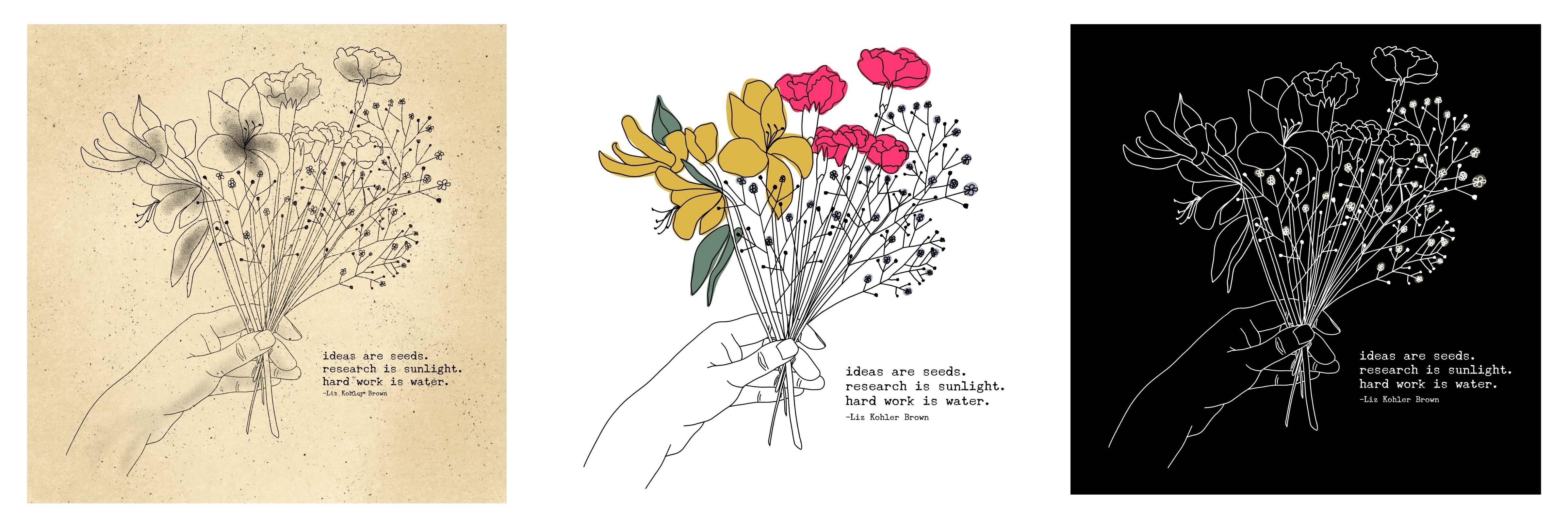
12. Text & Layout Options: You can see there are a lot of places where I've changed the drawing. I changed these petals quite a bit. I changed the shape of these flowers and where these leaves were sitting. I really changed a lot on there, whereas the hand needs to be pretty close to accurate so that it looks like a real hand. But I did change those lines just a tiny bit as I was working, but you can see overall, I let the pencil work be the serious planning and the ink drawing is just finalizing it. Let's go ahead and make all of the sketch layers invisible. Then on a new layer below my ink drawing layer, I can start adding a little bit of texture or color to this piece. The first thing I want to do is add in a quote, and I'm going to use one of the quotes that I created. I like doing this with a piece that I drew by hand. I also make my own quote, I think that makes it really personalized and people love seeing something that you drew by hand with some words that you wrote yourself. I'll use the same process that we used before with the over-app. I'll speed up my video while I do that. I'm going to add my name on a separate text layer. If you do your own quote, I do recommend adding your name, it might feel a little weird to quote yourself, but this might get shared online and you want to be sure people know who made this. Even if you're not a 100 percent proud of your quote, I think usually people just love that you created your own quote and that you went to the effort to figure out how to put your work into words. I'm also going to align this to the left because I think it'll just look nicer if it's all pushed over there. I'll just click on that text box, click align, and then click the left align, so everything's over on the side. I'm using that whole canvas to be sure that my text is large enough to not become blurry when I take it into procreate. I'll click save the photos again. I'm going to go ahead and remove that split screen to save battery and add insert a photo, I want to make sure magnetic-s is on so I don't distort my text and then find a nice spot for that text to sit. I removed the hand from this drawing for one moment to show you one extra option. If you don't want to do the hand, I'm going to grab this brush called the dual pencil and add in a ribbon. I'm going to go to a new layer, and you'll see with this brush you may have to turn your Canvas if it doesn't work correctly. I'm just going to take a minute to draw a little ribbon shape. It can come from wherever you wanted to, this doesn't have to be realistic. Just kind of come down and interweave with the stems a little bit. Once I draw that with the pencil, I'll go to a new layer and get my inking pen and then redraw that and maybe add a little bit of color. If I go on a layer below that layer, I can make my inking panel a little bit bigger and just add in a little bit of color. This is just an option for anyone who doesn't want to draw the hand. Don't feel like you have to go that extra mile if it's just stressing you out to think about drawing a hand. You can see this piece looks beautiful also without the hand with just the Ribbon. Maybe try a few different colors with the ribbon or make it a little bit thicker. There's just one extra option I wanted to show for anyone who wants to do more beginner friendly piece.
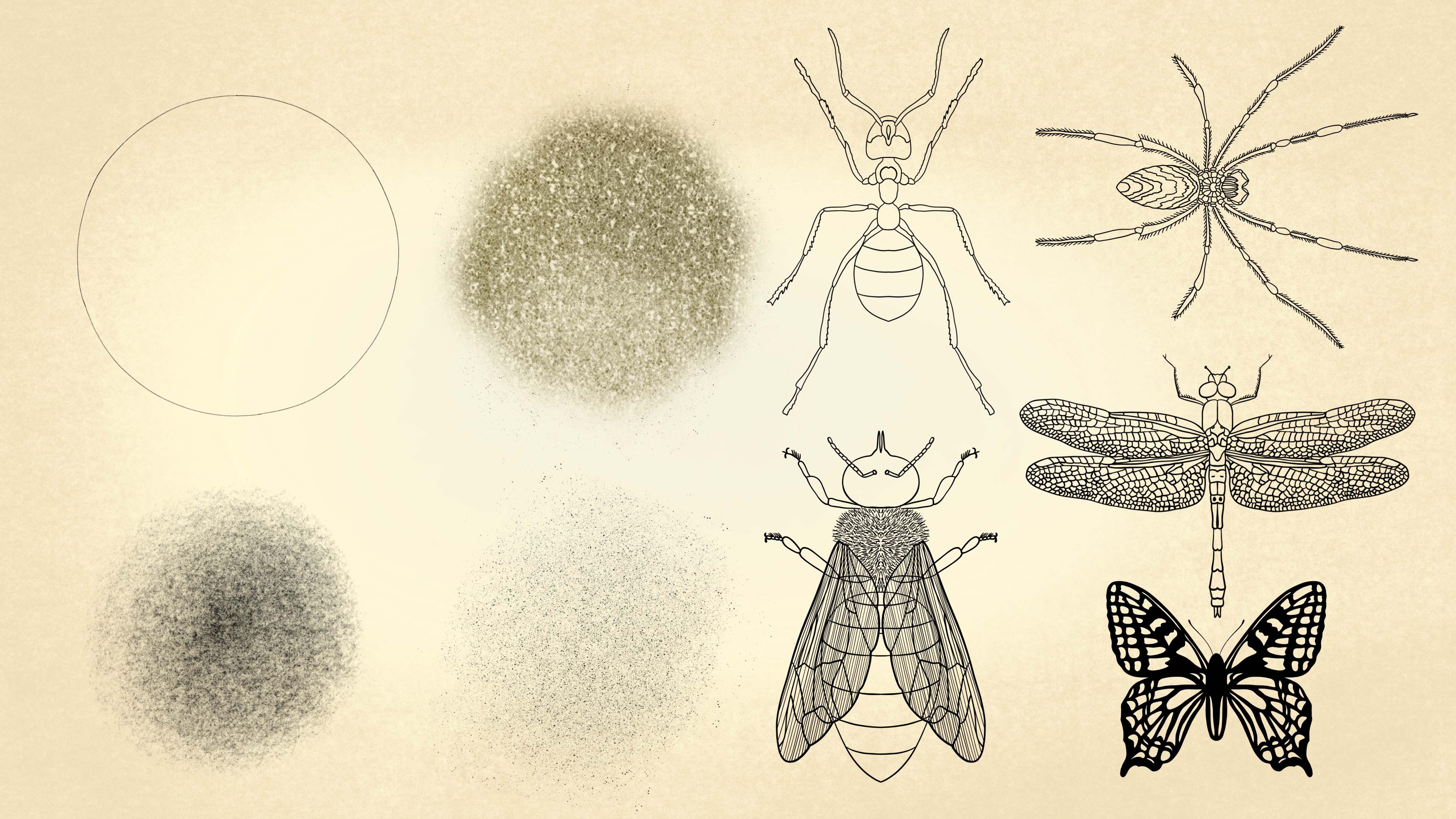
13. Texture & Color: Back to my original drawing, I want to add in a little bit of interesting texture to this piece. On a new layer, I'm going to get a cream color. Click on that layer and click "Fill". This layer is below my ink drawing layers. On a layer above that, I'm going to get a slightly darker cream that is just a tiny bit different from that original cream, and I'm going to use my texture brush called dirty paper. Let's make that a little bit bigger, just come through and add a little bit of dirtiness to this and maybe a little bit hard to see on the camera, but it's got a tiny bit of texture to it. If you are a little more texture, just go a little bit darker and add another layer. That adds even more paper texture. Another thing you can do is get a darker layer and do that on the outside, so you've got dirty paper on the outsides only. Then maybe get a lighter color and add some lightness in the middle, so that adds a lot of contrast between light and dark. I'll take a minute to play around with that a little bit. Another thing you can do is use the air brush with this process. The air brush comes with procreate and it's a great way to add really subtle texture differences, so then you get that nice variation from light to dark. If the texture ends up being too intense for you, you can reduce the opacity of that texture layer. I'm going to that texture layer, reducing the opacity, bringing it up and down until it feels right. Now, I'll create a new layer and get black as my color and I'm going to grab this brush called speckles light. This speckle brush I created adds a little bit of vintage texture and speckling. I'd like to do it in little taps around the canvas, but you could certainly just brush it on the canvas. It's totally up to you. There's also a speckles heavy, where you can go really intense with a texture. Let's make this brush bigger. If you want to have a really intense texture on there, you could go with the heavy one. You may also want your speckles to be a little more opaque. What I do sometimes is light speckles, just a few, and then go to this speckles layer and duplicate it a few times. Each time you duplicate it, it'll get a little bit darker and a little bit more apparent. Again, this just depends on your style and you can take some time to play around with all the different options here. I'll go ahead and remove those layers so I can show you one more way of finishing this off. For this option, I'm creating a layer below my ink drawing layers, and then I'm going to choose a few different colors that I like. I've got a pink for one flower, mustard for the other, a purple for the little flowers, and then a green for the leaves. You can do similar colors or you can choose a totally different palette here. You can see when I do this, I don't try to stay in the lines, I let it be really loose so that it looks like a playful illustration that's intentionally off. You can see I'm circling that shape and then dropping some color in. Continue this same process on this whole piece. One more thing you may want to do with this process is make your black lines a little bit thicker. What I do for that is duplicate my line drawing. The more times you duplicate it, the thicker and darker your lines will be. I do that a few times occasionally just to bump up the contrast and the artwork. Here's one more way that you can finish off this drawing rather than using colors, I used white to circle all of the flowers, and then I use the solid background to create a high contrast illustration. I want to show you one more piece that I created using the same style. Rather than doing a bouquet, in this piece, I did a wreath and I looked at a lot of the pictures that are in that folder that have those single planned elements, and I just drew them one at a time and then added them all around this circle. I use the same circle brush to create this template that we used in the first project. I use all the same steps that we use to create the bouquet, sketching out each plant one at a time, and then drawing ink over each sketch. You can see with this piece, I duplicated a lot of the elements, so I would draw a flower and then just drop it on the other side of the canvas and resize it and twists it around a little. Then I added a little bit of color just like we did in the last piece, and a little bit of that vintage paper texture. I combined the vintage background and the colored background in this one. You can see with these pieces, there are so many different options you can do. Once you get that basic drawing down, you can apply so many different colors and textures and styles to this composition. I duplicated the same drawing and tried it in a few different styles and you can see each style really brings out different interesting parts of the drawing. This vintage style actually looks pretty nice too. I encourage you to create your drawing and then really play around with all the options. Don't let your first drawing be the final thing. Let that be the first thing, and then you're really playing around with your personal colors and styles that you like. Let's go ahead and move on to our next piece.
14. Inspiration & Resources: For this last piece, we're going to create a collage style illustration with tons of layers and textures. This project would be perfect for creating a seamless repeat pattern or just making an interesting illustration to post online or print. First let's take a look at a little inspiration. I created a second Pinterest board that shows a lot of different styles of colorful botanical illustrations. You can see that there are so many different ways to go about this. You could go with something that's a little more light in color with some white line drawing, or you could go with something really bold and bright and neon like this piece that just has some big chunky shapes. You may be a person who likes something a little bit more refined like this piece, or you may like more of a messy, chunky feel like this textured piece. You can scroll through here and get some ideas for where you might like to start. This is another beautiful style where you use lines to show the directions of all of the platforms. You can also just do that style and layer those pieces on each other with some colors that work well together. I'm going to do a piece that has a lot of layers, lot of textures, but that may not be your style, so you could go with something a little bit more light or just a few layers on top of each other. But this is a great place to start, just seeing what's out there, seeing what's been done before, and then you can start creating your own take on botanical illustration. I'm going to start this piece using the same size canvas that we've been using, ten by ten inches at 300 DPI. The first thing I'm going to do is create all of my drawings. This is a time when you can draw everything by hand or you can trace. If you're trying to decide whether you should draw or trace something, there are a couple of things to keep in mind. The question really is, what is your goal for this piece? Is your goal to learn how to draw? If the answer to that is no, then it's fine to trace, and the only question left is did you create the photo or image? You don't want to try something that you don't own or have permission to use. If you created the image, then feel free to trace it. If you did not create the image, the question is, is it approved for personal or commercial use with changes? For example, all of the images I'm sharing with you, I have agreed that these are fine for personal or commercial use with changes. That's not necessarily true for everything you find online. I have listed some image resources on the class downloads page where you can find more images that are free for personal and commercial use. If the image is approved for that type of use and feel free to trace it. If it's not, it's a good idea to contact the creator for permission if you really want to use that image. But it's really a lot easier to just create your own images. If your goal is to learn how to draw as important to keep in mind that tracing will not help you learn how to draw, but not every piece you create has to be a drawing lesson. You can trace things that you aren't willing to spend hours drawing, and of course, ask yourself if the image is okay for personal and commercial use, if you do decide to trace it. One note here is, if you say to yourself, I'm not going to create this piece if I have to draw it, that's a good candidate for tracing. Some images you're really happy to draw and it's a fine activity, whereas others, it's going to be painstaking and you just simply don't have the time to do it. So keep in mind what your limitations are and don't be ashamed to occasionally trace something just to save some time. If you're not sure if you want to learn to draw or not, if you're in the, I don't know section, then you're probably just getting started with art and design and you haven't had enough time to experiment with the different options. I would say try both. See how both feel, how much time they take, and you'll notice that tracing gets a very different result than hand drawing. Hand drawing always has more of a handmade feel, so you're going to see that in the drawing, whereas tracing, will appear to be traced and people will recognize that when they look at the image. Just something to keep in mind if you want to trace and you don't want it to look like a tracing, you have to purposefully make it really loose and hand-drawn in appearance. That's just a few things to keep in mind if you're considering whether or not to trace. When you're ready to choose some images for this project, you can go back to the class resources page. I'm going to go to this folder here called botanical images. I'll click and hold, open in a new tab, and you'll see I created a ton of botanical photos that you can use for your project. Feel free to use any of these for personal or commercial use for drawing or tracing. All the images that I use for this project, I'll pull from this page, and you can feel free to do the same or just use these as inspiration to go get your own photographs in your yard, or in a park nearby, or anywhere that has some interesting shapes that you could use.
15. Linework & Coloring: I'm going to start by inserting all of my photos. I will click on the tool symbol, click insert a photo, and then find each of my pictures. I have all my pictures on my Canvas and I'm just going to make one visible so I can do these one at a time. I'll go to that image that I'm ready to use and reduce the opacity so I can see it, but it's not distracting. Then I'm going to grab my colored pencil. I want to use this brush because it has a little bit of texture to it. But, you could certainly use any brush that works for you. I'm just going to go on the outline of this piece and I'm not following it perfectly. I'm doing a really loose tracing. Once I get that whole outline done I'm also going to come through and add in these veins. The reason I do this is because I want to have two different colors on this illustration. I need to block out the places for the colors. For example, this leaf shape, the main shape, will be one color, and then the veins will be a different color. I'm leaving myself some space for that second color. So I'm going to continue this same process with each of my pictures. One thing I want to note about creating these shapes is that you want to create them at the size that you'll be using them. I wouldn't want to create this shape, for example, really small like that if I wanted to use it at a bigger size. Try to get really close to the size that you want to use. Of course, you can make tiny little adjustments, but the closer you get to the actual size that you'll be using, the better. You can see that I tried to choose shapes that have some variation to them and that are different from each other. I chose one piece that's really sharp spiky that palm leaf. Then I chose another piece that was really wide and chunky. Then I chose this piece that's thin and has all these little ribs to it. Each piece I chose is very different from the other. That's what's going to give this piece some beautiful variation. Those are all things that I think about when I'm considering which piece I want to choose for the project. Now that I've created each of these line drawings, I'm ready to add some color. I'm actually going to do this below the drawing layer rather than on the drawing layer because I want to have the freedom to change the colors if I need to. I'll start with the color and I'm going to use the colored pencil big to do my coloring. For this first layer, I'm just going to color in the entire piece. I'm not going to try to be perfectly in the lines with this. I want it to be a little bit loose. I'm just letting this be a flowing loose piece where the lines don't necessarily match up with all the colors but that may not be your style. You could certainly go through and make this match up perfectly to the edge of your drawing. Really this depends on your personal style here. I'll take just a minute to color this in. Now I'm going to create a new layer above that and color in my veins. I'll do that with a lighter color, but you could certainly use a darker color too. That's my first piece. I'm ready to turn this into a group so that I can duplicate it. What I'll do is get my black ink drawing and then swipe right with one finger on my vein layer. The same thing with my green layer. I've got all three elements of this plant selected. Then I'll click group so I can collapse that group. You can see now that's all one unit. They still can function as separate layers. That preserves my ability to change the color of these individual items and maybe even the line drawing if I wanted to. I can easily now swipe left and duplicate that item. Before I started doing that, I'm going to repeat the same coloring process with my other drawings. I'm going back and forth between the colored pencil big and the regular colored pencil, because sometimes I need to be able to cover some large areas, whereas other times I need to be able to do some detail work. Now that I've finished coloring this palm leaf, I'm going to do the same thing I did before to group these layers. I'm selecting the drawing, swiping right with one finger on the two color layers and then click group. Then I just collapse that group to keep everything neat and tidy. If you want to, you can go ahead and delete your pictures if you're no longer using those anymore. Now I'll continue that same process with the remaining leaf.
16. Grouping & Placement: Now that I've added color to all of these, I'm ready to add color to my whole document. I'll go ahead and group this leaf just like I did the last ones. Now, we have three groups, we have this leaf drop it over here, and this bigger chunky leaf down here, and the pointy leaf, the palm. You can really see the contrast between these when you put them all together like this. The next thing I'll do is choose a background color. I like to put all these out where I can see all of my leaf colors. I can just play around with some various backgrounds and see what might look good with this. I'm going to go with a high contrast piece this time. So I'm going to do a pink background. But obviously you can choose any color here. I'm going to create a layer that's right above my background layer and just dirty it up a little bit. It just looks so clean right now. It doesn't work well with the loose style of these plants. I'm going to get my speckles light brush and just add a few taps of speckles and then I'm going to start arranging these leaves on the canvas. I want these groups that are right here, to be my originals. Anytime I move something around the canvas, I want to be moving a duplicate and just keep my originals as they are without touching them. For example, I'm on this layer and I'm going to duplicate it. Now I'm going to make my original layer invisible, which is the layer that's on the bottom. The new layer would be on top of it, and now I can move my new layer around without destroying my original. That's something that I always do when I work this way. I never work with my original, I always work with a duplicate. So that's something I suggest you try and you'll see how it just gives you the freedom to play around with the image in any way without worrying about messing it up or ruining your file. I'll take just a few minutes to do the same process with all of the plants. Always working with the duplicate, never the original. I'm happy with how that layering looks and I'm ready to add a little bit more visual interest to this. I'm going to add some insects, but obviously you could add more plant forms here. You could add a flower, you could add some text, whatever works for you. I created several insect stamps for you, if you want to use these or you can create your own. I cover how to make your own stamps in my folk art class, so I won't cover that here. If you want to learn how to make your own stamps like these, checkout that class. You'll see a spider, an ant, bee, a butterfly, and a dragonfly. On a new layer above everything else, I'm going to click my dragonfly stamp one time and then create a new layer below that layer and add a little bit of color. I think I'll just add a cream. I went a little bit too far with the brush here. So I'm getting my colored pencil big as an eraser and erasing that. The reason I use that as my brush is because it makes the same texture that you're seeing on the actual painting part of it. I like to erase with the same brush that I'm using to draw because then you're mimicking that same texture. Now that I have that created, I'll turn that drawing and color into a group. I think I'm also going to bump down the opacity of that color a little bit so that the plants peek through the dragon fly just a little. I'm going to select both of those layers. Click the move tool, click magnetic, and then reduce the size a tiny bit. I thought that was just a little bit big for the canvas and especially compared to the leaves that are around it. I can collapse that group now and duplicate it. Always working from my duplicate, not my original. I will play with placing these around the canvas. You may reach a point where you hit your layer limit. So you can see when I tried to duplicate this layer, I get this little message that says, maximum of 55 layers reached. When that happens, it's time to start merging some layers together. Before I do that, I like to assess if all of these are set well. One thing I don't like is that the palms are always in the back. I wonder if I just drag one of those groups up a little bit so that it could peek out a little more, if that would be better. I'm going to do a few of those where I shuffle the order of this a little bit so it's not so perfectly one type of leaf on top of the other. It'll take just a minute to do that. I'm happy with how this looks. Now I can start merging some of these layers together. What I like to do at this point is go back to my gallery, click select, click on that item and click duplicate. Before I start merging, I always make a duplicate because I don't know if I'm going to want to go back to that drawing later and work on it more. So that's always my very first step. Also, I'm going to merge the things that are visible. But I'm not merging with things that are invisible because what's invisible right now is my originals. I don't want to mess with those, so I'm just finding everything that's visible and merging it. Then I've still got my originals hiding back there. Now I can start duplicating my dragonfly again and place that around the canvas. I'm happy with how those dragonflies look, but I also want to add in another insects. I'm going to grab that bee with a black color and do the same process that I did for the dragonfly. If it ends up too big on your canvas, you can just make that brush a little smaller and I'll add that same cream color that I did on the dragonfly. To create these insects, I used images that are from the Flickr Commons. These are old images that are no longer protected by copyright because they were created so long ago or they never had a copyright to begin with. So they're just really old images, beautiful images from textbooks and vintage botanical drawings. I have a link to that on the class resources page, and it's called more image resources. I'm going to duplicate my bee a few times and place it around the canvas. One last thing I'm going to add in is some leaves using these and I'm going to use the same process that I used with the other pieces. I won't do that on camera because you already have seen the process that I've used. I went ahead and dropped these on the canvas and they just add a little bit more scattered visual interest to the piece. But one thing I don't like about these is they're so bold. I'm going to try to blend them with the other layers by using a blending mode. Click on the layer that contains these leaves, and I click on the end symbol there. Then I can play around with these different blending modes to see how they change the piece. For example, lighten, makes them almost disappear into the background. But you have this nice little peach haze of leaf. You can play around with those. Maybe you want something light like this or something that becomes bright on the other elements and dark on the background. These blending modes are cool because they can totally change your piece with just doing a few clicks here. You can make some big changes to your piece. I like the lighten option. I think that adds a nice subtle leaf to the background without overpowering the piece too much.
17. Color Options: One last thing I'd like to do is add some color versions just to try out a few different palettes before I call this finished. What I'll do is click "share", JPEG, save image, then I'll just click "Add", insert a photo and choose that image. I'm just placing a JPEG version, solid image on top of everything else. What I can do here is go to hue saturation brightness and adjust that little slider to play around with some more color options. I like this blue, purple vintage version, a little bit of orange and brown in it. I'll duplicate that layer, go to hue saturation brightness and maybe I'll find yet another nice color version of this piece so this is a nice palette as well. You can really play around with the options here, your original color choices don't have to be your final ones. Because we kept everything on separate layers, you can still go through and change those individual pieces as well. I will go ahead and call this piece finished. I hope you enjoyed this class and that you feel inspired to start creating your own botanical illustrations. If you liked this class, you may like some of my other classes where I cover a lot more ways to design and paint on your iPad. Like how to create a paper cutout effect and how to create illustrated maps. Check those out on my profile if you want to see more. Also, I share a lot of free downloads on my site, so if you want to get more downloads like the ones you got for this class check out my website. I would absolutely love to see your botanical illustrations. Please share what you make. You can do that here on Skillshare in the project section, or you could tag me on Instagram or Facebook. You could also join the Facebook group I created for iPad artists, illustrators, letterers and digital planners. It's a place to get opinions and advice on iPad, drawing, painting and digital planning and get inspired by digital creations from around the world. If you love creating things on your iPad and want to join other people around the world and conversations, sharing ideas and seeing each other's work, check out the group through the link on my website. If you have any questions about the processes you learnt in this class, please feel free to reach out to me. You can reply to my discussion here on Skillshare or you could contact me through my website. Thanks so much for watching and I'll see you again next time. Bye bye.
 Liz Kohler Brown, surface designer | process sharer